






BambooHR
Connect BambooHR with Webflow to publish live job openings and keep team pages current from HR records.

A careers page built in Webflow lists jobs as Webflow CMS items or static text that someone edits by hand. The jobs themselves live in an applicant tracking system, and employee records live in an HR database. Webflow has no built-in connection to BambooHR, so every new job, title change, or departure becomes a manual site update. Within a few weeks, the site no longer matches the HR system.
Connecting BambooHR to Webflow closes that gap from both sides. BambooHR's embed code drops a live Open Positions widget onto any Webflow page. Automation platforms and the two APIs copy job openings and employee records into Webflow CMS items that you style like any other content. Webflow form submissions can flow the other direction and create applicant or employee records in BambooHR.
HR managers and People Ops leads get the most out of this, because publishing a role stops depending on a web request. It also helps marketing and web managers who own the Webflow site without owning BambooHR, and freelancers and agencies building careers and team components that read live from a client's BambooHR account.
How to integrate BambooHR with Webflow
What is BambooHR? BambooHR is an HR platform that acts as the system of record for people, payroll, benefits, time, hiring, and performance. Its applicant tracking system covers job posting through onboarding, and its HR data module includes a People Directory and Org Chart searchable by department, location, or team. The BambooHR Marketplace advertises over 150 integrations, and it carries no Webflow listing: its listing slug for Webflow returns a 404 while comparable slugs such as the Zapier one resolve.
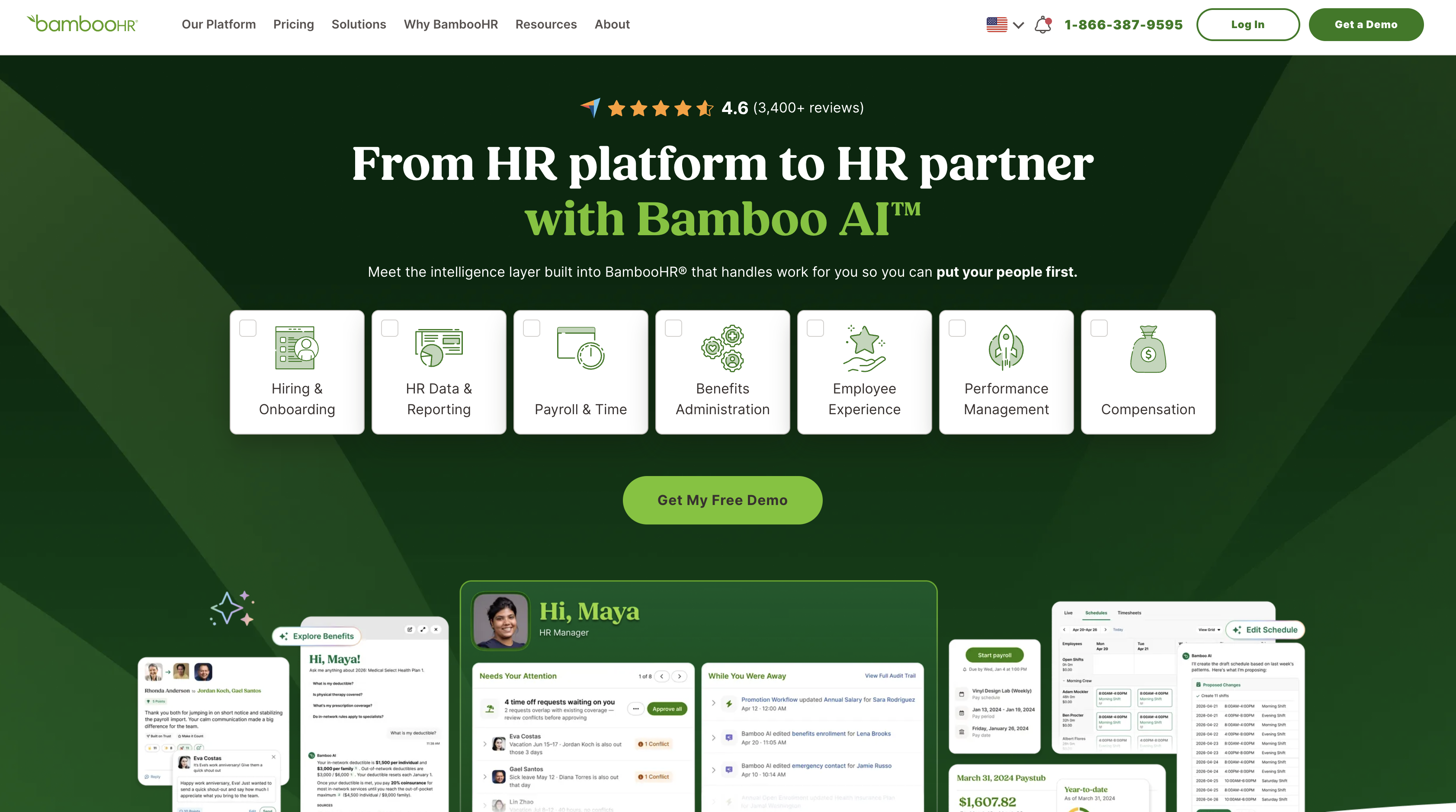
Teams pair the two when hiring and staffing data already lives in BambooHR and the public site needs to match it. Manual website updates create delays between HR system changes and what visitors see, so a careers page keeps showing filled roles and a team page keeps listing people who left. The hosted BambooHR careers site carries your company logo and primary color, and its guide documents no other styling controls. Companies that want listings on their own domain, in their own design, bring the data into Webflow instead.
The BambooHR-Webflow integration supports three approaches:
- BambooHR's embed code places the live Open Positions widget on a Webflow page through a Code Embed element, with no code of your own.
- Zapier, Make, n8n, or IFTTT copy employee and job records into Webflow CMS items and route Webflow form submissions into BambooHR.
- The Webflow and BambooHR APIs give you full control over CMS sync, applicant creation, publishing, and webhooks, but require server-side development.
Most implementations combine two or more of these methods depending on the complexity of the setup.
Add the BambooHR Open Positions widget with Code Embed
BambooHR generates an embed code from its Hiring tab that renders an Open Positions widget on an external site. Paste it into a Code Embed element and, per BambooHR's recruiting guide, the widget updates in real time and links candidates straight into the ATS when they click a posting. This is the fastest path for a founder or HR generalist without a developer. Custom code needs a Core, Growth, Agency, or Freelancer Workspace or an active Site plan; the free Starter plan does not include it. If you cannot upgrade yet, link to the hosted careers site instead.
Link to the BambooHR hosted careers website
BambooHR hosts a careers site for every account, and linking to it needs no code or plan change on either side. It lists your open roles with the same company logo and primary color BambooHR applies elsewhere.
To link to the hosted careers site:
- In BambooHR, open the Hiring tab and click View Careers Website in the upper right corner.
- Copy the URL of the page that opens.
- In Webflow, add a Button or Text Link to your site and paste the URL as its link destination.
- Publish the site.
Applicants leave your domain the moment they click, so treat this as a placeholder until you can run the widget or a CMS sync.
Paste the embed code into a Code Embed element
The embed code keeps applicants on your Webflow page until they choose a specific posting. Each Code Embed element accepts up to 50,000 characters of HTML, CSS inside <style> tags, and JavaScript inside <script> tags. Server-side languages such as PHP, Python, or Ruby do not run inside it.
To add the widget:
- In BambooHR, open the Hiring tab and click Get Embed Code in the upper right corner.
- Copy the code.
- In Webflow, open the Add panel and drop a Code Embed element onto your careers page.
- Paste the code into the element and click Save and close.
- Publish the site. The widget does not render on the live domain until you publish.
The jobs render client side from BambooHR and each posting links off your domain, so no individual role gets a URL of its own on your site, and the guide documents no CSS hook for restyling the widget. When search visibility or full design control matters, sync the jobs into the CMS with one of the methods below.
Connect with Zapier, Make, n8n, or IFTTT
Zapier, Make, n8n, and IFTTT each carry both a BambooHR connector and a Webflow connector, so records move between the two without server code. Zapier publishes a BambooHR pair page with two prebuilt templates, and IFTTT documents a ready-made trigger and action combination on its BambooHR page. Make carries connectors for both products but publishes no prebuilt pair template. On Zapier you generate a BambooHR API key first, per BambooHR's Zapier partner article, then connect Webflow as described in Webflow's Zapier article.
The direct trigger and action pairs cover both directions:
- Webflow New Form Submission → BambooHR Create Employee through a published Zapier form template.
- BambooHR New Employee → Webflow Create Item or Create Live Item through a published Zapier employee template.
- BambooHR Updated Employee (Zapier) → Webflow Update Item, so a title or department change reaches the team page.
- BambooHR Terminated Employee (Zapier) or Employee terminated (IFTTT) → Webflow Update Item or Create collection item, to archive or flag the departed person's entry. IFTTT documents this as a polling trigger rather than a push, so the update lands on the next check.
- A scheduled Make scenario polling the BambooHR ATS → Webflow Create or Update Item, which fills a careers Collection with open roles. The setup path is in Webflow's Make help article.
- n8n schedule trigger → BambooHR Employee: Get Many → Webflow Item: Create or Update, for teams running n8n themselves.
Zapier's form template creates an employee record, not a candidate, so ATS applicant creation still needs an HTTP step against the BambooHR ATS endpoint or the API path below. BambooHR publishes no job-opening webhook events either, so every job sync on these platforms polls on a schedule and lags by the polling interval.
Build with the Webflow and BambooHR APIs
The APIs give you control over which fields cross between systems, when CMS items publish, and how applicants enter the ATS. BambooHR's deprecation notice reserves the older API-key flow for existing integrations and directs new ones to OAuth 2.0. Where an API key is still in play it goes over HTTP Basic Auth, with the key as the username and any string as the password. The key inherits the permissions of the user who created it, and ATS endpoints require that user to have access to ATS settings. Webflow's Data API takes a Bearer token, either a site token or an OAuth token; relevant scopes include cms:write plus sites:write and forms:read.
- BambooHR API handles the employee directory and webhook management at
https://{companyDomain}.bamboohr.com/api/v1/ - BambooHR ATS endpoints cover job openings and candidate creation under the
hiring:applicationsandhiring:applications.writescopes, and require a caller with access to ATS settings - Webflow's Data API handles CMS collections and form submissions at
https://api.webflow.com/v2/ - Webflow webhooks trigger real-time events such as
form_submissionandcollection_item_changed
A site token is shown once when you generate it and expires after 365 consecutive days of inactivity, so keep it in the same secrets store as the BambooHR credential.
Ask an agent to read BambooHR and drive Webflow
Both products now expose an MCP server, so an assistant can read hiring data and edit the site without you writing the glue. BambooHR's MCP server is in closed beta at the time of writing, needs the AI Connectors app switched on by an admin, and enforces the caller's existing BambooHR permissions. Its own documentation flags the trap worth knowing before you trust an answer: when a caller cannot read a field, some tools silently omit it and the roster tool drops those people from the result entirely, so a short list means "nothing this caller can see", never "nothing exists". On the Webflow side the Webflow MCP server covers collections, items, pages and publishing under your existing roles and permissions, which is the half of this workflow that never touches employee data.
Sync job openings into a Webflow CMS Collection
A scheduled job pulls open roles from the BambooHR ATS and upserts them as CMS items. Each job becomes a Collection page with its own URL on your domain, which the embed widget cannot give you. Because BambooHR has no ATS webhook events, polling is the only trigger.
To build the sync:
- Call
GET https://{companyDomain}.bamboohr.com/api/v1/applicant_tracking/jobswithstatusGroups=Open. The job summaries endpoint takes no paging parameters and returns the matching jobs as one array: ID, title, posted date, location, department, status, hiring lead, applicant counts, and the posting URL. - Create a Jobs Collection in Webflow with fields for title, department, location, and apply link, plus a plain-text BambooHR Job ID field as the upsert key. Confirm the schema with
GET /v2/collections/{collection_id}. - For each job, look up the item by BambooHR Job ID. Create missing items with
POST /v2/collections/{collection_id}/items/bulk, which accepts up to 100 items per request under thecms:writescope, and update existing ones withPATCH /v2/collections/{collection_id}/items/{item_id}. - Items created through the staged endpoint are drafts. Publish them with
POST /v2/collections/{collection_id}/items/publish, or write to/v2/collections/{collection_id}/items/liveto publish on creation. - Archive or delete items whose BambooHR Job ID no longer appears in the Open list with
DELETE /v2/collections/{collection_id}/items.
Render the Collection on your careers page with a Collection List, and store the postingUrl the same response returns as each item's apply link so candidates land in the ATS.
Send Webflow application forms to the BambooHR ATS
A Webflow form on your careers page can create an applicant in the BambooHR hiring pipeline instead of an employee record. A form_submission webhook posts each entry to your endpoint, which maps the fields and calls the ATS. Résumé uploads use Webflow's form file upload field, which needs a Premium Site plan or an Ecommerce plan and accepts a single file of up to 10MB, PDF included.
To wire the form:
- Build the form in Webflow with First Name and Last Name fields and a job dropdown or hidden field that carries the BambooHR
jobId. Pre-fetch valid IDs fromGET /api/v1/applicant_tracking/jobs. - Register the webhook with
POST /v2/sites/{site_id}/webhooksunder thesites:writescope. Add afilterobject to target one form: the reference supportsfilteronly for theform_submissiontrigger, and caps registrations at 75 per trigger type per site.
{
  "triggerType": "form_submission",
  "url": "https://your-middleware-endpoint.example.com/webhook"
}- On receipt, verify the
x-webflow-timestampandx-webflow-signatureheaders with SHA-256 HMAC and reject any request whose timestamp is more than 5 minutes old, per Webflow's webhook signature guide. - Map
payload.datakeys tofirstName,lastName, andjobId, then callPOST /api/v1/applicant_tracking/applicationasmultipart/form-data. The create candidate endpoint returns acandidateId, and the calling user needs access to ATS settings. - Store the Webflow event
payload.idalongside the returnedcandidateIdand check it before each call, so a retried webhook cannot create a duplicate applicant.
The form submission payload also carries payload.schema, and you can log that with payload.formId and payload.submittedAt for troubleshooting without forwarding any of it to BambooHR.
Update a team page from BambooHR employee webhooks
Employee changes, unlike job openings, can drive Webflow updates in real time. BambooHR fires employee.created, employee.updated, and employee.deleted events to an HTTPS endpoint, and your middleware fetches the changed record and upserts the matching CMS item. Global Webhooks are configured by an admin in Account Settings under Webhooks; permissioned webhooks are created through the API and carry the creating user's access level.
To build the webhook receiver:
- Create the webhook with
POST /api/v1/webhooksaccording to BambooHR's create webhook reference. Name the events explicitly, because a webhook created without aneventsarray falls back to BambooHR's legacyemployee_with_fieldsevents. Store the returnedprivateKeyimmediately: it is returned only at creation and cannot be retrieved again.
{
  "name": "Webflow Team Page Sync",
  "url": "https://your-middleware.example.com/bamboohr-webhook",
  "format": "json",
  "events": ["employee.created", "employee.updated", "employee.deleted"],
  "monitorFields": ["firstName", "lastName", "jobTitle", "department", "location", "status"]
}- On each POST, verify
X-BambooHR-Signatureby computing an HMAC-SHA256 over the raw body plusX-BambooHR-Timestampwith the stored private key, as described in the webhooks overview. - For
employee.createdandemployee.updated, readdata.employeeIdanddata.changedFieldsfrom the employee.updated payload, then fetch the record withGET /api/v1/employees/{employeeId}orGET /api/v1/employees/directory. - Fetch the photo with
GET /api/v1/employees/{employeeId}/photo/{size}, where size is one oforiginal,large,medium,small,xs, ortiny, and upload the bytes to Webflow as an asset rather than hotlinking anything BambooHR returns. - Query the Team Collection by a plain-text BambooHR ID field, then
PATCHthe item if it exists orPOSTit if new. Onemployee.updated, archive or delete the item when the monitored status field shows that the employee has been terminated or is otherwise no longer current. Reserveemployee.deletedhandling for actual deletion of the employee record, then archive or delete the corresponding item and publish.
Both employee.created and employee.updated fire in sequence when a new employee is added, so make the upsert idempotent. BambooHR retries a delivery up to five times when the network fails or your endpoint returns a 500 level status, immediately and then after 5, 10, 20, and 40 minutes with jitter, and the delivery log covers the last 14 days up to 200 entries. Monitor only the fields you intend to publish. BambooHR's monitorable list includes SSN, Pay Rate, Birth Date and Home Email, and a CMS item on a published site is readable by anyone who can reach the page, so anything you sync becomes public the moment the item does.
What you can build with the BambooHR Webflow integration
Integrating BambooHR with Webflow lets you publish hiring and team data on your site without re-entering it by hand.
- Embedded careers page with live openings: Sealevel Construction runs the widget on a Webflow-built careers page, grouping open roles under five departments and sending each application to
sealevelinc.bamboohr.com/careers/<id>. - Job board on your own domain: A Jobs Collection filled by the API or a scheduled automation gives every role its own Collection page on your domain, styled in Webflow, with an apply button that hands the candidate to the BambooHR ATS.
- Team directory that updates itself: A Team Collection fed by
employee.created,employee.updated, andemployee.deletedwebhooks shows current names, titles, departments, and photos. Monitoring the employee status field lets anemployee.updatedevent remove a person's card during offboarding, whileemployee.deletedis reserved for actual record deletion. - Application and new-hire intake forms: A Webflow application form posts candidates into the ATS through
POST /api/v1/applicant_tracking/application, while an internal onboarding form uses the Zapier template to create the employee record with required fields populated before day one.
If you need more control over two-way sync, applicant creation, or publish timing, the API path covers all three. See how we automate job listings end to end.
Frequently asked questions
No. There is no BambooHR listing in the Webflow Apps Marketplace: both plausible app slugs return the same 404 a deliberately bogus slug returns, while a known-good listing returns 200. BambooHR's own marketplace has no Webflow listing either. Zapier and Make both carry connectors for the two products, so the fastest no-code start is one of the published Zapier templates linked above, and the embed widget needs no connector at all.
No. The Code Embed element needs an active Site plan or a Core, Growth, Agency, or Freelancer Workspace. The Starter plan publishes only to a
.webflow.iosubdomain, per Choose a Site plan, and it caps form submissions at 50 for the lifetime of the site. Until you upgrade, link to the BambooHR hosted careers website with a Button element.Yes, through the API. The published Zapier template runs Create Employee, which adds a person to your employee roster rather than your hiring pipeline, so it is the wrong tool for candidates. Route the form through a
form_submissionwebhook to middleware that callsPOST /api/v1/applicant_tracking/applicationwithfirstName,lastName, andjobId. Webflow's forms article covers the routing options, and notes that a custom action cannot be combined with Webflow storage or email notifications, so use a webhook or a connected app when you want both.Because BambooHR webhooks fire on employee and company data changes only. The webhooks API documents
employee.created,employee.updatedandemployee.deleted, and no ATS, job-opening or applicant events. A CMS job board therefore pollsGET /api/v1/applicant_tracking/jobson a schedule, whether from a Make scenario, an n8n schedule node or your own cron job, and a closed role disappears on the next run. The embed widget has no such delay because it reads from BambooHR when the page loads.Only within narrow limits. BambooHR's recruiting guide documents that your company logo and primary color carry across to its hosted careers site, and it documents no CSS hook for restyling the embedded widget. For control over typography, layout and filtering, sync the jobs into a Collection and build the page with a Collection List, following the API steps above.
Description
Show live BambooHR job openings on a Webflow careers page with the Open Positions embed, or sync jobs and employee records into the Webflow CMS through Zapier, Make, n8n, or the Webflow Data API.
This integration page is provided for informational and convenience purposes only.

Teamtailor
Connect Teamtailor, an applicant tracking system for recruitment and employer branding, with Webflow to embed live job listings using widgets, Zapier, or APIs.

Recruit CRM
Connect Recruit CRM with Webflow to publish open jobs on your site and send applications into recruiter pipelines.

Personio
Connect Personio with Webflow to publish live job listings on a branded careers page and send applications straight into the Personio recruiting pipeline.

Breezy HR
Connect Breezy HR with Webflow to publish positions on your own site and move every applicant into a tracked hiring pipeline.

Workable
Connect Workable with Webflow to display live job listings on your site and route applicants straight into your hiring pipeline.

Ashby
Connect Ashby, an all-in-one recruiting platform, with Webflow to display live job listings and accept applications directly on your careers page.
Teamtailor
Publish Teamtailor job openings on your Webflow site with widgets or a CMS sync, connect the MCP servers on both sides, or build the sync yourself with the APIs.

Recruitee
Connect Recruitee, an applicant tracking system for hiring teams, with Webflow to display live job listings and route applicants using widgets, Zapier, or APIs.

Greenhouse
Connect Greenhouse with Webflow to display live job listings, accept applications, and sync recruitment data directly on your careers page.
Related integrations
Get started for free
Try Webflow for as long as you like with our free Starter plan. Purchase a paid Site plan to publish, host, and unlock additional features.
