




The right Optimizely alternative depends on whether your team uses the whole suite or mainly runs a website and whether marketers or engineers will own the front end.
If you’re looking to move on from Optimizely, the right replacement depends on what your site runs today:
- If the Optimizely site mainly runs the corporate website, blog, resource library, and campaign pages, a visual website platform lets marketers build and publish those pages themselves.
- If the team uses personalization, customer data, and digital asset management (DAM) together, a full digital experience platform (DXP) suite replaces those Optimizely modules under one contract.
- If engineers send the same structured content to several channels, such as a website and mobile apps, a headless CMS is a good fit.
In this guide, we compare the top Optimizely alternatives on features, pricing, usability, and ideal use cases to help you choose the best fit.
Key takeaways:
- Choose Webflow if you want marketers to build and publish pages, then run A/B tests and personalization on them in the same platform with no developer queue or separate testing vendor.[a][b]
- Choose Adobe Experience Manager if your analytics, testing, and creative tools already run on Adobe, but expect a long implementation with certified developers.
- Choose Sitecore if you want content, customer data, personalization, and search from one vendor, but budget for an implementation partner to build the front end.
- Acquia suits organizations running many Drupal sites that need FedRAMP-authorized hosting or HIPAA support, as long as they have Drupal developers or an agency in place.
- Contentstack works for teams with a front-end developer who want approval workflows and custom roles on a self-service plan before any Enterprise contract.
- Contentful fits teams whose engineers send the same content to a website and apps, but its visual page builder and personalization tools require an Enterprise contract.
- Storyblok lets single-brand teams try a visual editor and see published pages before a sales call, though a separate test environment requires a custom plan, and each extra project is billed as its own space.
The best Optimizely alternatives compared
Our shortlist covers the three types of Optimizely CMS alternatives that enterprise marketing teams typically move to:
- Visual website platform (Webflow)
- Full DXP suites (Adobe Experience Manager, Sitecore, Acquia)
- Headless CMSs (Contentstack, Contentful, Storyblok)
Our requirements included documented enterprise governance, such as roles, approvals, and audit trails, and a visual editor on at least one plan to support marketing teams:
| Tool | Approach | Best for | Starting price (as of October 2026) | Rating (G2, as of October 2026) | Standout feature |
|---|---|---|---|---|---|
| Webflow | Visual website platform | Marketing teams whose Optimizely site mainly runs campaign and content pages | Free plan; Premium plan (first paid tier with a CMS) is $39/month (or $25/month billed annually) | 4.4/5 | Page branching, which lets several people work on separate pages at once (from the Team plan up) |
| Adobe Experience Manager | Full DXP suite | Marketing teams at multi-brand enterprises already running Adobe Analytics and Adobe Target | Contact sales | 4.2/5 | Live Copy, which pushes updates from one source page to its copies across many sites |
| Sitecore | Full DXP suite | Marketing teams that want customer data and personalization bundled with the CMS | Contact sales | 4.2/5 | Agentic Studio, a no-code workspace where marketers manage 20+ pre-built AI agents |
| Acquia | Full DXP suite (open-source Drupal) | Marketing teams running many Drupal sites under one governance model | Contact sales; Personal plan (single site) is $148/month | 4.3/5 | Site Factory, a console that clones an approved Drupal site as a template for new sites within minutes |
| Contentstack | Headless CMS | Marketing teams that want approval workflows and custom roles without an Enterprise contract | Free plan; Build plan is $29/month | 4.3/5 | Front-end hosting (Launch) and AI agents (Agent OS) on every plan, including the Free plan |
| Contentful | Headless CMS | Marketing teams with in-house engineers who send the same content to many channels | Free plan; Lite plan is $300/month | 4.3/5 | AI Actions, which rewrite or translate many entries in one pass (an Enterprise add-on) |
| Storyblok | Headless CMS | Single-brand marketing teams that want to price a project before talking to sales | Free plan; Growth plan is $99/month (or $90.75/month billed annually) | 4.5/5 | Visual Editor, which shows content changes on a live preview of the page, on all five plans |
| Tool → Approach → Best for → Starting price (as of October 2026) → Rating (G2, as of October 2026) → Standout feature |
|---|
| Webflow |
| Visual website platform |
| Marketing teams whose Optimizely site mainly runs campaign and content pages |
| Free plan; Premium plan (first paid tier with a CMS) is $39/month (or $25/month billed annually) |
| 4.4/5 |
| Page branching, which lets several people work on separate pages at once (from the Team plan up) |
| Adobe Experience Manager |
| Full DXP suite |
| Marketing teams at multi-brand enterprises already running Adobe Analytics and Adobe Target |
| Contact sales |
| 4.2/5 |
| Live Copy, which pushes updates from one source page to its copies across many sites |
| Sitecore |
| Full DXP suite |
| Marketing teams that want customer data and personalization bundled with the CMS |
| Contact sales |
| 4.2/5 |
| Agentic Studio, a no-code workspace where marketers manage 20+ pre-built AI agents |
| Acquia |
| Full DXP suite (open-source Drupal) |
| Marketing teams running many Drupal sites under one governance model |
| Contact sales; Personal plan (single site) is $148/month |
| 4.3/5 |
| Site Factory, a console that clones an approved Drupal site as a template for new sites within minutes |
| Contentstack |
| Headless CMS |
| Marketing teams that want approval workflows and custom roles without an Enterprise contract |
| Free plan; Build plan is $29/month |
| 4.3/5 |
| Front-end hosting (Launch) and AI agents (Agent OS) on every plan, including the Free plan |
| Contentful |
| Headless CMS |
| Marketing teams with in-house engineers who send the same content to many channels |
| Free plan; Lite plan is $300/month |
| 4.3/5 |
| AI Actions, which rewrite or translate many entries in one pass (an Enterprise add-on) |
| Storyblok |
| Headless CMS |
| Single-brand marketing teams that want to price a project before talking to sales |
| Free plan; Growth plan is $99/month (or $90.75/month billed annually) |
| 4.5/5 |
| Visual Editor, which shows content changes on a live preview of the page, on all five plans |
Below, we’ll take a closer look at each alternative, highlighting the pros and cons and what real users have to say.
1. Webflow
Webflow is a visual website platform where marketing teams design and publish pages themselves, on a structured CMS with managed hosting. For teams whose Optimizely site mostly holds content and campaign pages, Webflow removes the developer queue between approval and going live.
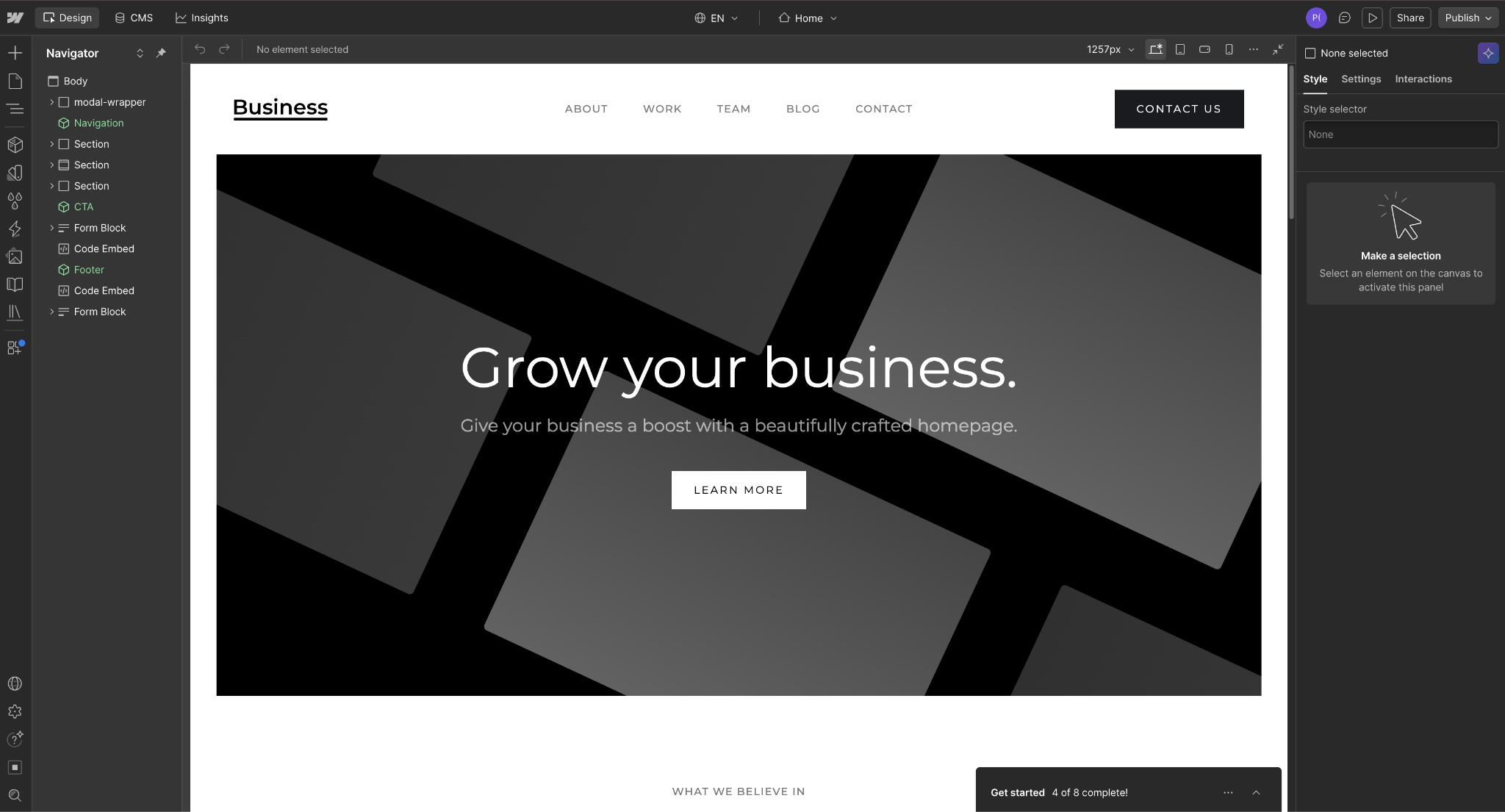
On Webflow, marketers can build pages in the Designer, Webflow's visual canvas, or update content in CMS Collections (structured content types, such as blog posts or case studies). Changes publish directly to Webflow's hosting.
The Team plan adds the governance tools an Optimizely administrator expects. With Webflow's page-branching feature, several people can work on separate pages at once, and the plan also includes publishing workflows, branch staging, and a site activity log.
Webflow pros:
- One layout feeds many pages: Marketers design a template page once and connect it to a CMS Collection. Each new product or campaign entry then becomes a live page without a developer release.
- Published prices through the Team plan: Finance can price anything from one Premium site to a Team rollout on Webflow's pricing page, with no sales quote. In contrast, Adobe Experience Manager and Sitecore price every deal through sales, and Acquia publishes prices only for its small self-service Drupal plans.
- No second vendor for testing or translation: Webflow Optimize runs A/B tests, Webflow Analyze reports site traffic and engagement, and Webflow Localize translates pages. All three are add-ons inside the same platform, so teams leaving Optimizely's suite can skip a separate testing or translation contract.
Webflow cons:
- Stops at the website: Webflow has no customer data platform (CDP), DAM, or cross-channel personalization engine.
- CMS item limits on site plans: The Premium plan caps a site at 20,000 CMS items across 40 Collections. A larger resource library has to buy extra items on the Team plan or move to Enterprise.
- Per-site pricing for large portfolios: Webflow prices each site separately, so companies running dozens of brand or regional sites buy and manage each one as its own plan.
What users say about Webflow
Reviewers on G2, Capterra, and Gartner Peer Insights focus on how much marketers can build and publish without developers, and on the learning curve that comes with that control:
- Marketers self-serve updates: A Gartner Peer Insights reviewer (a marketing manager) says Webflow lets their marketing team make changes and redesigns without constantly relying on developers.
- Design freedom without rigid templates: G2 reviewers say designs survive the build as intended, and Capterra reviewers praise the range of customization.
- Collaboration and publishing limits: A Gartner reviewer flags quirks in the publishing pipeline. A Capterra reviewer reports that two people can't design at the same time.
- Pricing and learning curve: Capterra reviewers report surprise seat charges and pricing that is hard to predict at scale. G2 reviewers describe a steep learning curve around breakpoints (layout settings for each screen size) and custom code.
Sources checked October 2026.
Webflow pricing
The free Starter plan publishes only to a webflow.io address and holds 50 CMS items, so it suits building and testing. The Basic plan is $25 per month (or $15 per month billed annually) but has no CMS. Content teams therefore start on the Premium plan, the first site plan with the Webflow CMS, at $39 per month (or $25 per month billed annually).
The Team plan is $2,500 per month on an annual contract. Along with its governance tools, it includes Webflow Localize with two locales and AEO agents (tools that audit and improve how the site appears in AI search answers). The custom-priced Enterprise plan raises the hosting uptime commitment to 99.99% (compared with 99.00% on the Team plan).
Webflow Optimize starts at $379 per month (or $299 per month billed annually) for 25,000 page views. Webflow Analyze is $12 per month (or $9 per month billed annually), and Webflow Localize starts at the same price on its Essential plan.
Pricing from Webflow's pricing page. Verified October 2026.
Best for: Enterprise marketing teams that want to design and publish their own pages, and already run customer data and cross-channel personalization in separate tools.
2. Adobe Experience Manager
Adobe sells Adobe Experience Manager (AEM) Sites, its enterprise CMS, alongside AEM Assets (Adobe's DAM), which includes Content Hub, a portal where teams find and share approved assets. AEM fits multi-brand enterprises that already pay for Adobe Analytics and Adobe Target because content, assets, and testing then sit within one vendor ecosystem.
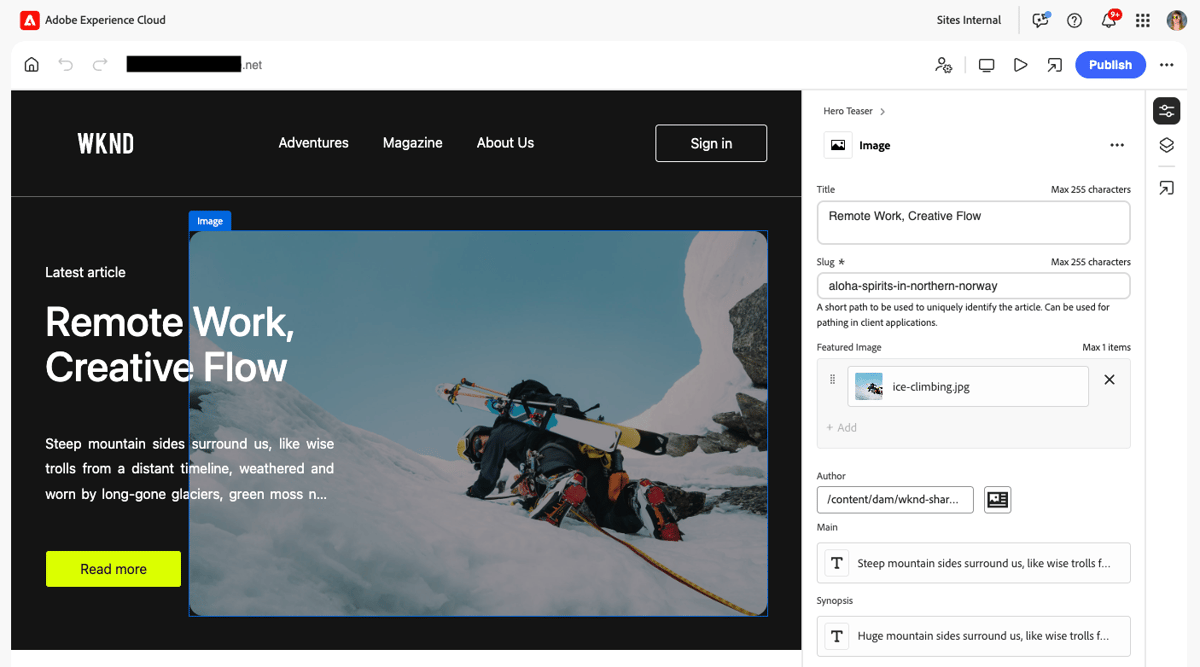
In Adobe Experience Manager, authoring (creating, editing, and managing digital content before publication) works in two ways: The Universal Editor lets authors edit structured page components visually. And Edge Delivery Services lets writers draft pages in Word or Google Docs and publish them through Sidekick (an Adobe browser extension that previews and publishes those documents).
Forrester named Adobe a “Leader” in its Q1 2025 CMS Wave (the analyst firm's evaluation of CMS vendors). The report cites AEM's visual authoring and its option to publish pages directly or deliver content to other channels through an API.
Adobe Experience Manager pros:
- Built-in multi-site reuse: Live Copy propagates a master site's structure to regional or brand sites, and a translation connector sends content to your translation vendor. One authoring team can run a portfolio without rebuilding pages per market.
- Managed operations in the core package: Auto-scaling, 24/7 monitoring, disaster recovery, a CDN, and an application SLA (service-level agreement) come with Sites. Teams do not have to buy hosting operations from a second vendor.
- Regulated-industry add-ons: Adobe sells industry-specific security packages (HIPAA-ready for healthcare, FedRAMP Moderate for US government, GLBA-ready for finance, and FERPA-ready for education). Of the other platforms compared, only Acquia documents offering FedRAMP.
Adobe Experience Manager cons:
- Three offerings, three licensing models: Adobe licenses AEM 6.5 LTS (the long-term-support version), AEM as a Cloud Service, and Sites with Edge Delivery Services differently. AEM 6.5 LTS alone comes as a perpetual or a subscription license. Adobe says the models vary significantly across the offerings, so finance cannot estimate a budget before a scoping call.
- Implementation needs specialists: Developers build custom components, page templates, and the authoring setup. Marketing teams can't launch a new site design on their own. Teams without an Adobe partner should budget for one before launch.
- Release cadence to absorb: AEM as a Cloud Service targets a monthly feature release, and Cloud Manager (Adobe's deployment tool) also releases monthly. Web teams with custom code should plan a regression check around each release.
What users say about Adobe Experience Manager
AEM reviews keep returning to one tradeoff: tight ties to the rest of Adobe's stack versus the effort of running the platform. Gartner Peer Insights entries for AEM Sites weigh the same considerations:
- The Adobe stack is the reason to buy: Gartner reviewers value the Analytics and Target integration, which keeps reporting and testing with the same vendor as the content.
- Marketers stop waiting on developers: G2 reviewers say marketers publish content changes themselves and reuse components across pages. Gartner reviewers credit the component architecture with keeping multiple brand sites consistent.
- A steep learning curve: A Gartner reviewer (a marketing manager) calls AEM difficult and unintuitive and says day-to-day users need lots of training. A Capterra reviewer describes a slow admin backend with layered menus.
- Licensing drives the bill: G2 reviewers rate licensing and support costs as high, and a Gartner reviewer tells buyers to budget for licensing and expertise.
Sources checked October 2026.
Adobe Experience Manager pricing
Adobe publishes no prices or tiers for Adobe Experience Manager Sites, so every quote starts with a sales form. The pricing page lists these core features as included:
- Multi-site management: A multi-site manager and translation workflows support regional and brand sites.
- Headless delivery: Developers get a GraphQL API to fetch content, and editors get a visual editor for headless pages.
- Developer pipeline: Events, webhooks, and CI/CD tooling support automated code releases.
Adobe sells other modules, such as Forms, as add-ons.
Pricing from Adobe's Sites pricing page. Verified October 2026.
Best for: Marketing teams at large, multi-brand enterprises that have AEM-certified developers in-house or a partner on retainer. AEM suits teams consolidating onto Adobe, where the DAM matters as much as the CMS.
3. Sitecore
SitecoreAI, the SaaS DXP from Sitecore, combines content management, customer data, personalization, and search in one product.
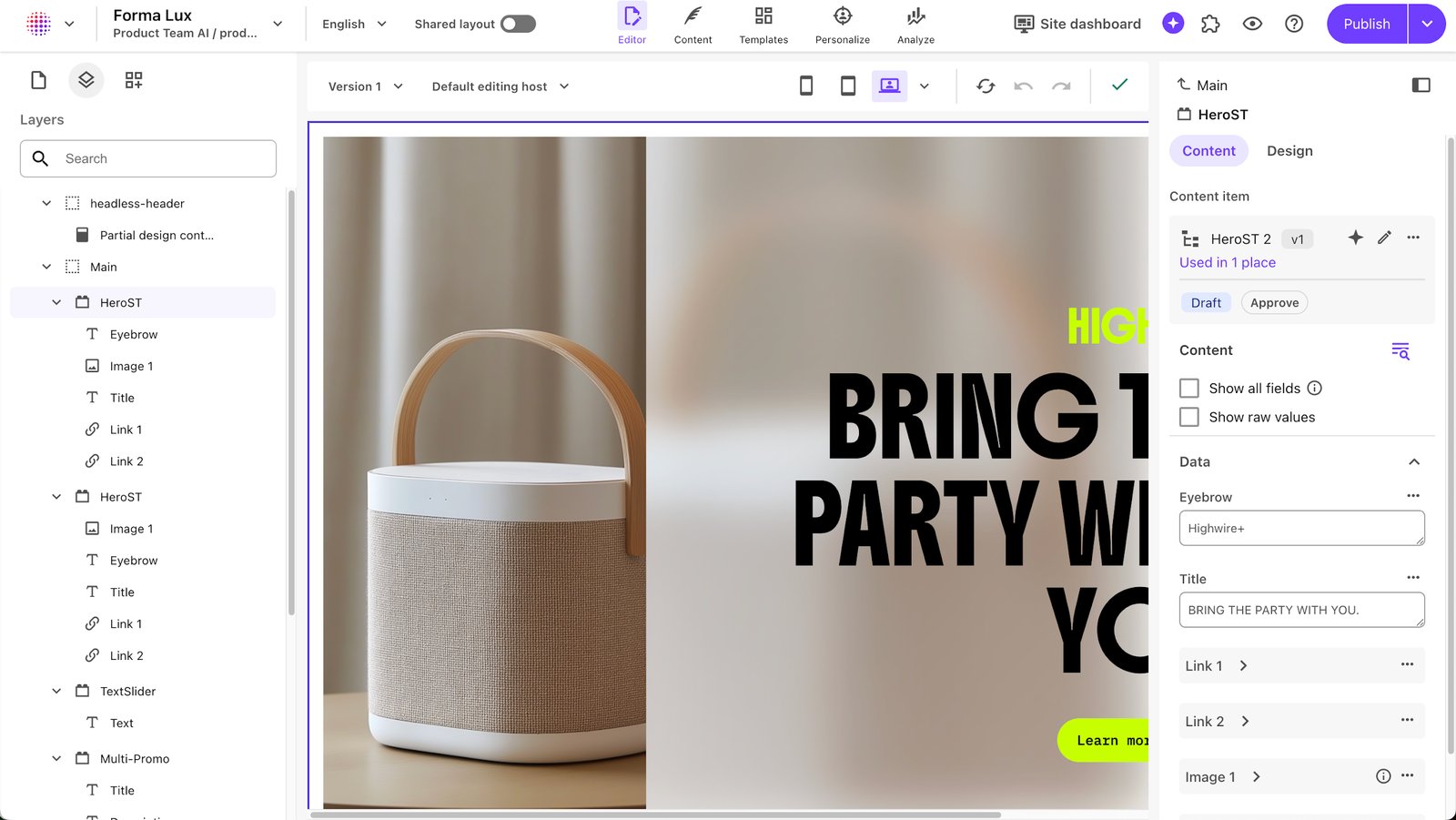
The platform ships 20+ pre-built AI agents, such as a Translator agent and a Researcher agent, plus multi-agent flows such as an ABM (account-based marketing) Campaign. Marketers manage them in Agentic Studio, a no-code workspace. Developers build the site's front end separately and pull content through Sitecore's content delivery APIs.
Sitecore pros:
- One contract covers basic personalization: Every Sitecore AI plan includes Sitecore's customer data and personalization modules, with usage set by your entitlement tier. Teams can tailor pages to audience segments without buying a second tool.
- Agent changes can be undone: AI assistants connect to Sitecore through its MCP (Model Context Protocol) and agent API. Teams can roll back an agent's changes, giving marketing a safety net when agents edit content.
- Audited AI governance: Sitecore holds ISO/IEC 42001, an international certification for how a company manages AI risk. Legal and security teams get an audited standard to check its AI agents against.
Sitecore cons:
- Usage metrics drive the bill: Sitecore's public Order Definitions meter SitecoreAI on usage such as CMS Visits, Experience Interactions, and DAM content objects, and agentic events and API calls can count as Experience Interactions.
- Agent usage counts toward metered interactions: SitecoreAI includes built-in AI agents at no extra license cost, but its Order Definitions count agentic events as Experience Interactions. Teams planning heavy agent use should model that usage against their tier before signing.
- Modules still merging: When SitecoreAI launched in November 2025, the vendor said its separate products would finish moving onto shared platform services in later updates. Teams that need several modules should confirm each one has moved before signing.
What users say about Sitecore
The G2 listing for Sitecore's platform mixes reviews of the older Sitecore XP with XM Cloud (Sitecore's previous SaaS CMS) and SitecoreAI:
- Personalization and analytics earn praise: A Gartner Peer Insights reviewer lists content editing, personalization, analytics, and AI-powered brand management as strengths. G2 reviewers mentioned multilingual support and components that teams can reuse across sites as strengths as well.
- SaaS eases the move, not the planning: A Gartner reviewer credits the move to XM Cloud with more flexibility and faster development. G2 reviewers add that upgrades and deployments still need careful planning.
- Success depends on partners and specialists: G2 reviewers say Sitecore takes time to learn and works best with strong IT partners. They add that new developers face a steep learning curve and that configuration takes deep technical knowledge.
- Publishing speed and support frustrate: Gartner reviewers report slow publishing and limited documentation. Another reviewer says support responds slowly even on a premium subscription.
Sources checked October 2026.
Sitecore pricing
SitecoreAI has no public pricing, and Sitecore routes pricing questions to a demo request. According to Sitecore, customer data (Audience and Insights) and personalization, search, and testing (Conversion Optimization) are part of every SitecoreAI plan's initial platform entitlements.
Sitecore has no permanent free plan. It launched a free XM Cloud trial in 2025, but the trial page now leads to a demo request, so expect a sales conversation before hands-on access.
Pricing from Sitecore's Stream tiers page. Verified October 2026.
Best for: Enterprise marketing teams that already work with a Sitecore partner or have developers experienced in Next.js. Teams that want to buy personalization and customer data from their CMS vendor get the most from the bundled modules.
4. Acquia
Acquia hosts and supports Drupal, the open-source CMS, on its Cloud Platform. Acquia Source and Acquia AI put content management, DAM, governance, and AI site building in one workspace. Its agents include a Site Builder Agent, an AI Writing Assistant, and an AI Web Governance Agent, and Acquia says a person reviews every AI action before it applies.
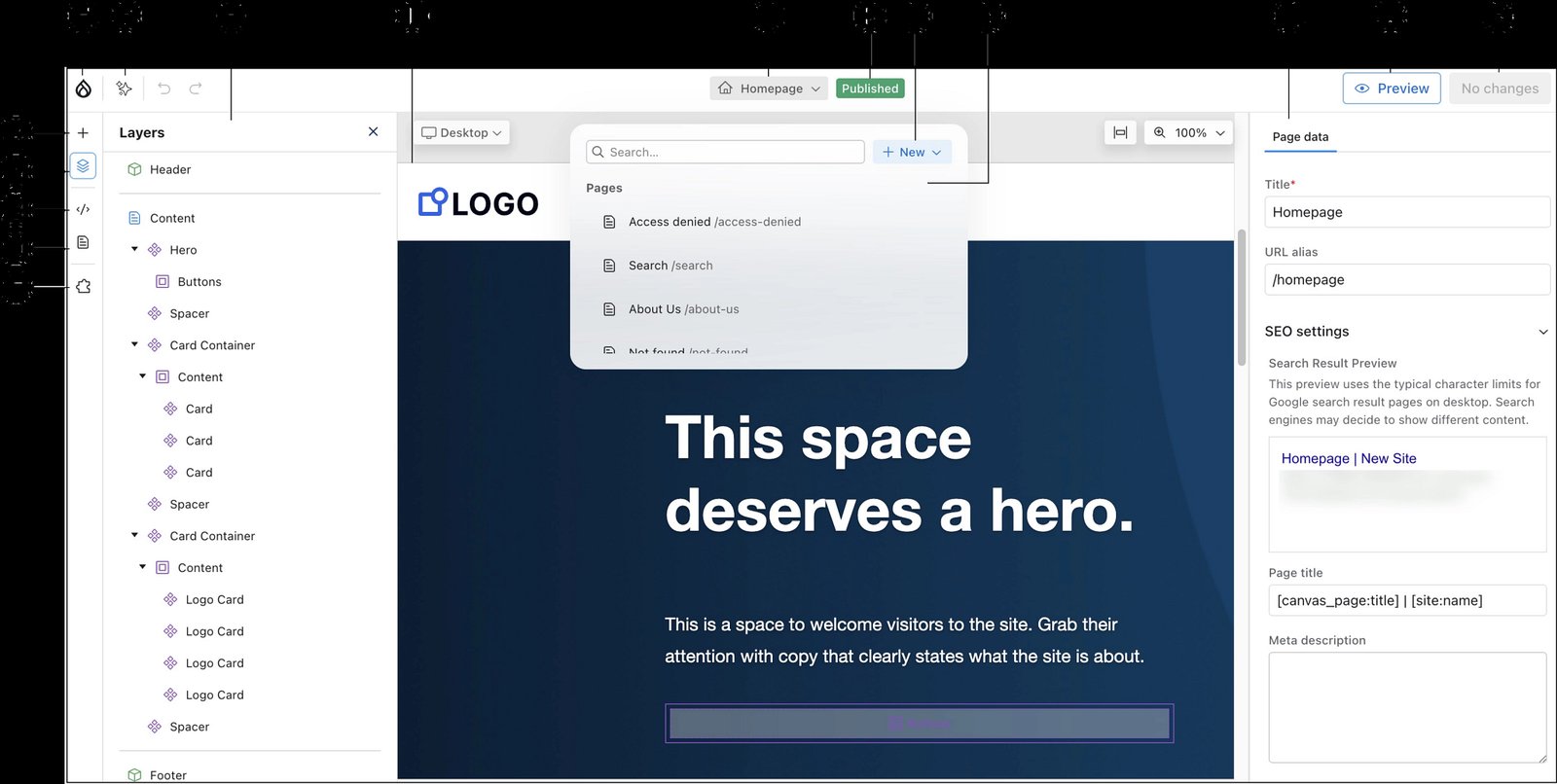
Drupal CMS's default page editor (Canvas) gives marketers drag-and-drop editing with live preview and a library of ready-made components. Site Studio (Acquia's low-code page builder) adds templated page building.
Drupal CMS is built for agencies and professional developers to set up, with marketers as the end users who edit content. Marketing teams without Drupal developers should plan to hire an agency.
Acquia pros:
- Site Factory for portfolios: A central console runs many Drupal sites and clones an approved site as a template for a new one within minutes. Teams launching regional or brand sites start each one from a tested template.
- Compliance on the hosting layer: Cloud Platform holds SOC 1 and SOC 2 Type 2 reports, ISO 27001, and PCI compliance, and it supports HIPAA workloads. Its hosting also carries FedRAMP authorizations from several federal agencies. Government, healthcare, and payment-handling teams get those attestations directly from the hosting vendor.
- No cap on support tickets: Every Cloud Platform tier, including Standard, comes with unlimited product support so that a migration team can open as many tickets as the cutover needs.
Acquia cons:
- A young page editor: Canvas only became the default editor in Drupal CMS in January 2026. Teams moving off Optimizely adopt an editor with less than a year of production use behind it.
- Low-code licensing does not scale with the portfolio: Each Cloud Platform tier includes Site Studio for only one site. Every additional site in a Site Factory portfolio needs its own Site Studio license or another editor, such as Canvas.
- Developer tools sit outside the certifications: Acquia's continuous-delivery environments and Cloud IDE (its cloud coding environment) are not FedRAMP- or PCI-compliant. Regulated teams must keep sensitive data out of those development tools.
What users say about Acquia
Acquia's Gartner Peer Insights and G2 reviews focus on hosting, support, and day-to-day editing rather than Canvas:
- Security and scale are the selling points: A Gartner reviewer cites high customization, security, and scalability suited to large enterprises and agencies. A G2 reviewer adds that the platform is built to scale. In that reviewer's experience, performance and security hold up for high-traffic enterprise sites.
- Easy for content teams once set up: G2 reviewers say the platform suits non-developers and keeps content in one place. Reusable tags and filters speed up edits. The same reviewers say the interface takes time to learn and the initial setup is slow.
- Cost is a recurring objection: A Gartner reviewer cites high cost despite stability, and a G2 reviewer (June 2025) found the price high for the overall experience.
- Support takes time to engage: A G2 reviewer found support generic and detached from their project at first, though it improved after conversations with their account managers. Another G2 reviewer credits support with tuning caching and autoscaling to stop slowdowns during traffic spikes.
Sources checked October 2026.
Acquia pricing
Acquia sells two kinds of plans. For a single Drupal site, its Cloud Platform Professional page lists US self-service plans: the Personal plan at $148 per month and the Small plan at $296 per month.
For larger sites and portfolios, the Cloud Platform tiers (Standard to Elite) are quote-only. Acquia says pricing depends on the number of sites, traffic, storage, and the features and support tier you need.
Here’s what each Cloud Platform tier offers:
- Standard: 100 GB file and database storage, 1 Drupal application, and 2 advisory hours. Continuous-delivery environments are an add-on, and critical issues get a 1-hour, 24x7 response.
- Plus: 100 GB file and database storage, 2 Drupal applications, 3 continuous-delivery environments, and 6 advisory hours, with a 1-hour critical response.
- Premium: 250 GB file and database storage, 2 Drupal applications, 5 continuous-delivery environments, and 12 advisory hours, with a 1-hour critical response.
- Elite: 500 GB file and database storage, 2 Drupal applications, 10 continuous-delivery environments, and 16 advisory hours, with a 30-minute critical response.
Acquia sells an Enterprise Security Package and a Team TAM (technical account manager) as add-ons. It also offers a free trial but does not state its length or limits. Drupal itself is open source, so it carries no license fee.
Pricing from Acquia's pricing plans page. Verified October 2026.
Best for: Marketing teams at universities, government agencies, and multi-region organizations that run dozens of Drupal sites. Open-source licensing and FedRAMP-authorized hosting are the strongest reasons to pick Acquia over the other suites.
5. Contentstack
Contentstack bundles front-end hosting and AI agents with its headless CMS, which suits marketing teams that want fewer vendors. Every plan includes Launch for hosting and Agent OS for running AI agents. The Enterprise plan adds Personalize for A/B testing and segmentation, and Flows for orchestrating customer journeys across channels.
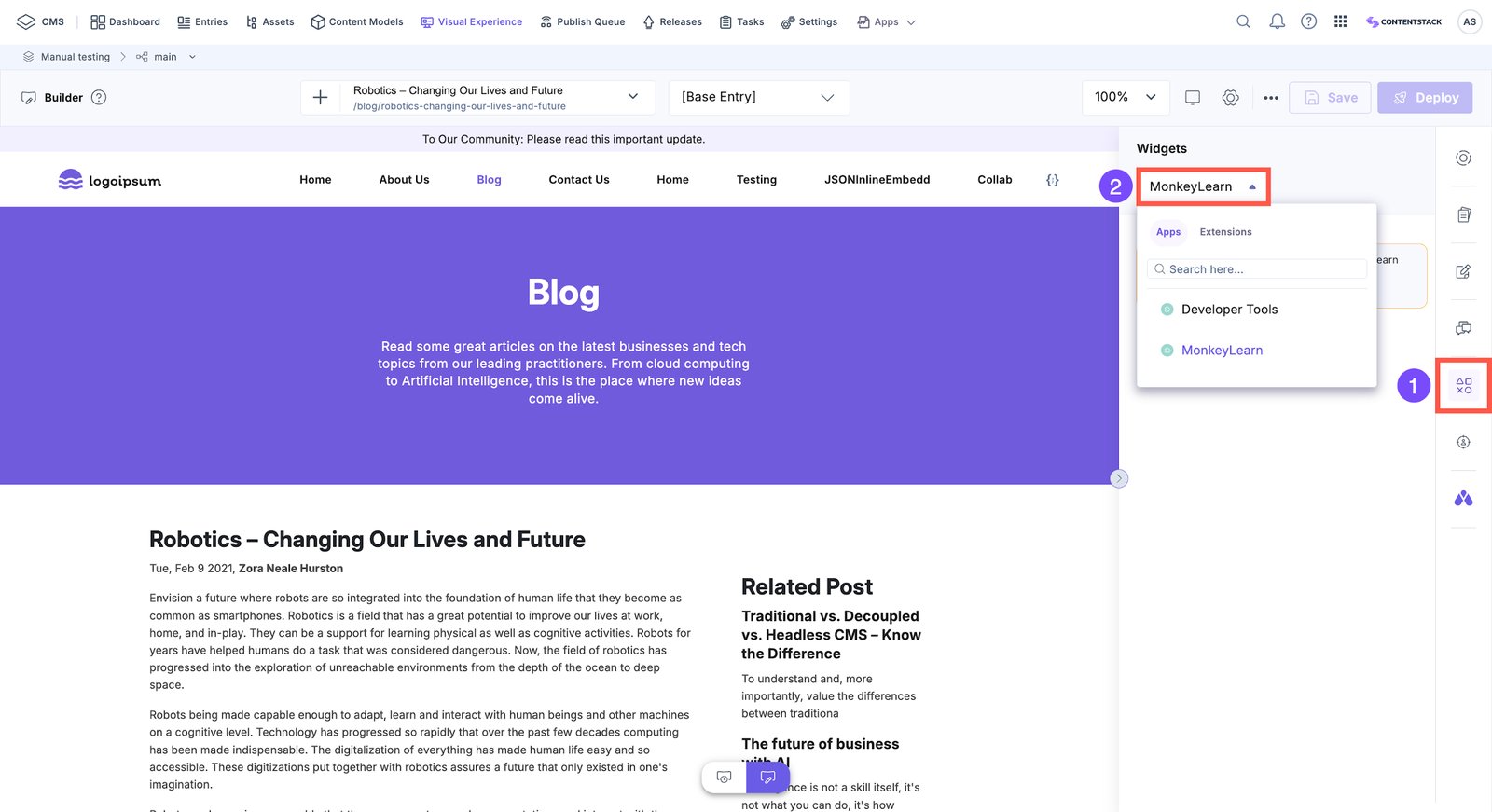
Brand Kit (Contentstack's repository of brand knowledge and voice profiles) keeps AI-written copy on brand. Publish rules (the approval steps an entry passes before it goes live) include a "Prevent self-approval" setting, which stops the last editor from approving their own change.
But developers still set up the content model (the fields and content types every entry follows), build the front-end components, and connect live preview.
Contentstack pros:
- Custom approvals without a sales contract: The self-service Growth plan includes custom workflows and two custom roles.
- A CDP included on a paid self-service plan: The Growth plan includes Lytics, a customer data platform that groups visitors into audiences. Teams can start building visitor profiles before they sign a separate customer-data contract.
- Customer data kept out of AI training: Contentstack does not use customer data to train public AI models. It also has a SOC 2 Type II security report and ISO 27001 certification, so security and legal teams have documented answers before they approve the AI features.
Contentstack cons:
- Growth plan caps hosting and support: The Growth plan hosts 1 Launch project and offers email support only 24 hours a day, five days a week. Teams that run a second front end or need weekend support have to move to the custom-priced Enterprise plan.
- Publish rules are an admin task: Only the stack owner (the account holder of a Contentstack project), an admin, or a developer can add publish rules. Content leads must ask one of them whenever an approval step changes.
- Usage can be slowed under the terms: Contentstack's terms of service let it reduce, limit, or throttle a customer's usage as long as core functionality keeps working. Teams that expect traffic spikes during launches or campaigns should write usage limits into the contract.
What users say about Contentstack
Enterprise reviewers on G2 wrote most of Contentstack's mid-2026 feedback, and it splits by role: editors rate the workflow highly, while developers and page designers report the friction.
A smaller set of 2026 reviews on Gartner Peer Insights covers both sides:
- Non-technical teams work independently: Enterprise reviewers say they configure content without technical help and find integrations straightforward.
- Workflow tools earn praise: Reviewers value approval steps and version history that let them check changes before anything publishes. A mid-market reviewer also praises reusable snippets and taxonomy tagging.
- Documentation and APIs trip developers: An enterprise reviewer reports limited and inconsistent API documentation. Another reviewer cites a learning curve for headless concepts and complex content modeling.
- The editor can lag: July 2026 reviewers report slow editor and preview updates, and some miss a way to import or export many entries at once. A Gartner reviewer finds the interface rigid when designing new pages.
Sources checked October 2026.
Contentstack pricing
Contentstack offers a permanent Free plan, two self-service paid plans (the Build plan and the Growth plan), and an Enterprise plan priced through sales:
- Free plan: No credit card is required. It includes one production stack, three users, 100K API calls (content requests from your site or app) per month, and 100 GB of bandwidth. Content is capped at 10 content types, 1,000 entries, and 1,000 assets, and the plan includes the headless CMS, Visual Editor, Brand Kit, Agent OS, and Launch.
- Build: $29 per month. It includes one production stack, three users, 250K API calls per month, 250 GB bandwidth, 20 content types, 2,500 entries, and 2,500 assets. Usage above those limits is billed as it occurs.
- Growth: $299 per month. It includes 10 users ($25 per month for each additional user), 1M API calls per month, 1 TB bandwidth, 20,000 entries, 10,000 assets, and 1 custom domain.
- Enterprise: Pricing is custom through sales. The plan starts at 50+ users, 6M+ API calls, and 5 TB+ bandwidth, and it adds a 99.5% uptime SLA.
Pricing from Contentstack's pricing page. Verified October 2026.
Best for: Marketing teams with a front-end engineer or agency on hand that want approval workflows and front-end hosting from one vendor. Teams can build and test their content model on the Free plan before choosing a paid plan.
6. Contentful
Contentful keeps your marketing team's content in one structured model, and engineers send that content to the website and mobile apps through APIs.
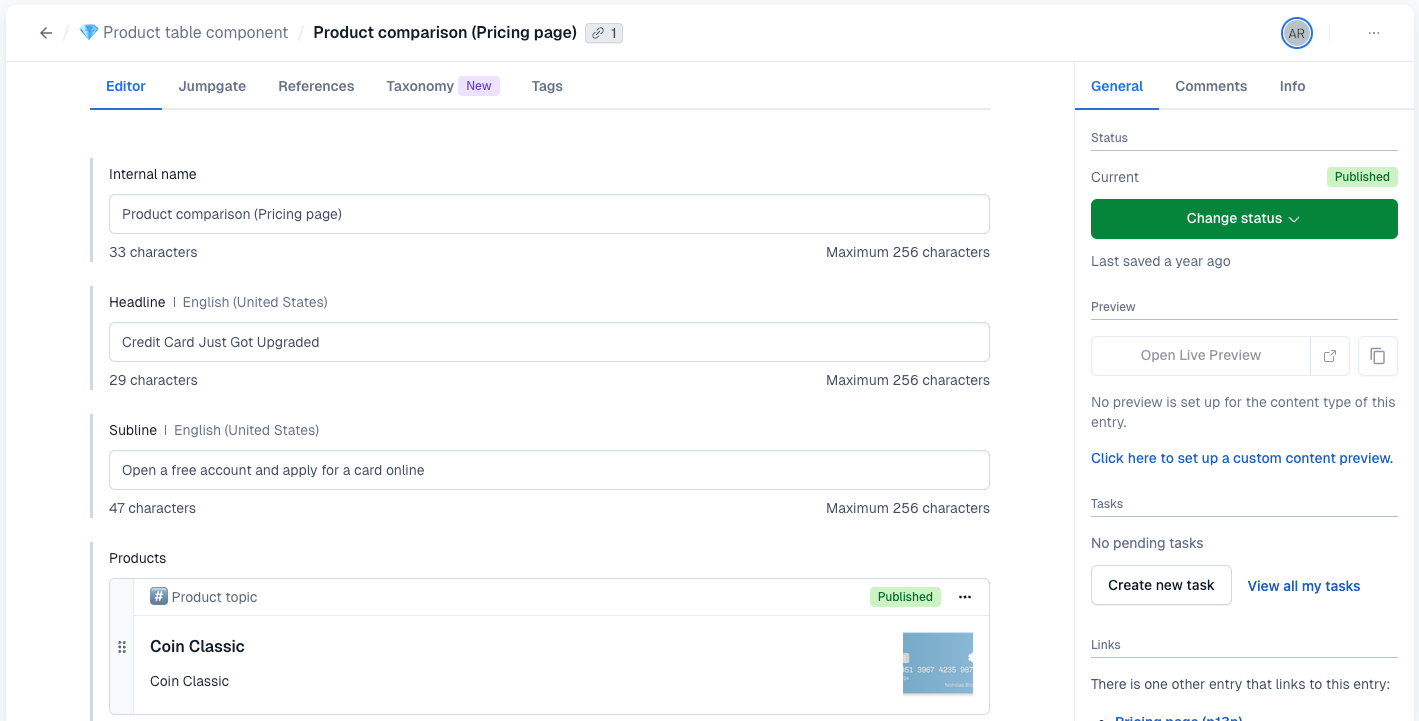
Contentful Studio is a drag-and-drop canvas for building pages from reusable templates, and Personalization runs A/B tests and shows different content to different audiences. For teams leaving Optimizely, engineers define and extend the content structure, and marketers edit inside the fields and templates those engineers set up.
Contentful pros:
- Built for multi-region publishing: Templated Spaces let a central team set the content model once while each regional team works in its own Space (a separate content workspace). The Enterprise plan allows unlimited Spaces.
- Enterprise service levels and certifications: The Enterprise plan includes unlimited API calls, 24/7 support, and an uptime commitment of up to 99.99%. Contentful also holds SOC 2 Type 2 and ISO 27001, plus TISAX, the security assessment automotive companies use to vet vendors.
- Bulk AI rewriting and translation: AI Actions rewrite or translate many entries in one pass, working on a whole entry or a single field. They come with pre-built templates for translating, rewriting, reviewing, personalizing, and summarizing content on the Enterprise plan.
Contentful cons:
- Uncapped overage charges: The Lite plan bills extra API calls and bandwidth with no upper limit, so teams whose campaigns cause traffic spikes cannot cap the monthly bill.
- No live pilot on the Free plan: Teams evaluating Contentful cannot put even a small microsite into production without a paid plan.
- Visual editing needs a contract and a build: Contentful sells Studio and Personalization only on Enterprise contracts, and both typically need development work before they connect to your site. Marketers wait on both steps before they can edit pages visually. Storyblok, by contrast, includes its visual editor on all five plans.
What users say about Contentful
Many of Contentful's Capterra reviewers moved off a traditional CMS, and that history shapes both their praise and their complaints. Reviews on Gartner Peer Insights add the view from larger content operations:
- Content reuse is the payoff: A Capterra reviewer who moved from WordPress cites structural freedom, reuse across pages, and multi-channel distribution. Gartner reviewers praise flexible content models and strong API integration options.
- Marketers and developers work in parallel: A Capterra reviewer credits collaboration between content and engineering teams. A Gartner reviewer praises fast publishing across their brands.
- The onboarding is steep for traditional CMS users: Another Capterra reviewer who moved from WordPress reports a hard learning curve.
- Scale and UI changes cause friction: A Gartner reviewer reports the web app timing out on entry searches when it holds a very high volume of entries. A Capterra reviewer cites disruption from a UI upgrade, and Gartner reviewers cite a complicated menu and hard-to-use search.
Sources checked October 2026.
Contentful pricing
Contentful lists three plans: the Free plan, the Lite plan (the only self-service paid plan), and the custom-priced Enterprise plan:
- Free plan: Never expires and includes 10 users, two roles, two locales, 100K API calls per month, 50 GB CDN bandwidth, and one Starter Space. Contentful restricts this tier to testing and learning.
- Lite: $300 per month, with 20 users, three roles, three locales, 1M API calls per month, and 100 GB CDN bandwidth. It adds comments, tasks, scheduled publishing, and live collaboration. A larger Lite Space (more content types, records, and workflows) costs $850 per month. Overages cost $5 per additional 1M API calls and $0.15 per additional GB.
- Enterprise: Contentful sets users, roles, and locales per contract. Studio is listed at a custom annual price. Personalization's Start, Core, and Scale tiers also require a sales call. AI Actions runs on AI credits (prepaid or pay-as-you-go usage units) on Enterprise plans.
Pricing from Contentful's pricing page. Verified October 2026.
Best for: Marketing teams that share one content model with their company's app teams and have in-house engineers to build on it.
7. Storyblok
Storyblok’s headless CMS is built around a visual editor that shows marketers a real-time preview of the live site while they work. This makes Storyblok the best match for single-brand marketing teams with a front-end developer who builds the components content teams fill in.
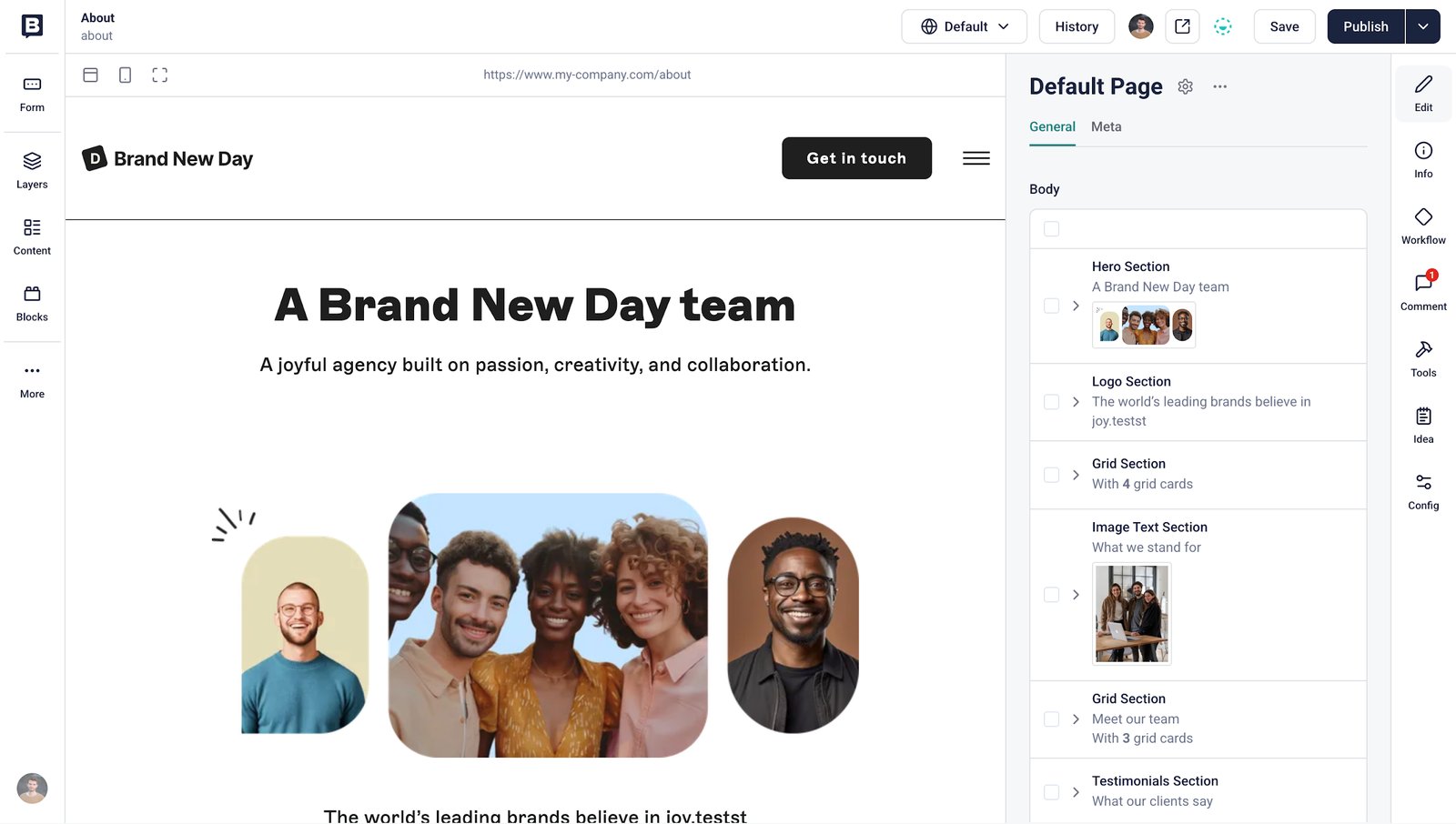
A hosted MCP server lets outside AI assistants read and update Storyblok content. On the Premium and Elite plans, a plugin for VWO (an A/B testing tool) runs tests inside the Visual Editor. Built-in AI features handle translation, SEO text, image alt text, and content generation, and Bring Your Own AI lets teams connect their own AI provider.
In its Q1 2025 CMS Wave, Forrester rated Storyblok a “Strong Performer” and pointed to its growing enterprise customer base in EMEA.
Storyblok pros:
- A full budget without a sales call: Plan prices, overage rates, and add-on costs are public for every plan up to Growth Plus. Teams can estimate a single-brand site's first-year cost, including likely overages, before they contact sales.
- Visual editing before any contract: The free Starter plan includes the same Visual Editor as the paid plans, so marketers can test the editing experience they would get after buying.
- Automation with human sign-off: FlowMotion (an Enterprise add-on) connects Storyblok to 500+ other tools so that an event such as a new entry starts a workflow. Workflows can include human-approval steps, so a person signs off before anything publishes.
Storyblok cons:
- Overages add a surcharge: Storyblok bills overages every month, even on annual plans. Self-service customers who exceed API or traffic limits two months in a row also pay a surcharge. Finance teams cannot treat an annual plan as a fixed yearly cost.
- One space on every self-service plan: The Starter, Growth, and Growth Plus plans each include one space (a Storyblok project with its own content and settings). Each extra space needs its own subscription, and brands that want a separate test environment, or components shared across spaces, need a quote-only custom plan.
- A 97% SLA on the Growth plans: The Growth and Growth Plus plans guarantee 97% uptime, which allows close to 22 hours of downtime a month. SLAs of 99.9% or higher start with the custom plans, so teams whose live pages pull content from Storyblok need a quote for a stronger guarantee.
What users say about Storyblok
Storyblok's editor draws broad praise on G2, and most complaints there concern which features Storyblok keeps for its custom plans. Developers on Gartner Peer Insights add a separate complaint about moving content between environments:
- Content teams edit without developers: G2 reviewers praise the real-time preview and in-context editing, and call the interface easy for non-technical editors. A Gartner reviewer noted that building components correctly still takes skilled developers.
- Reusable components save rebuild work: G2 and Gartner reviewers credit blocks that teams build once and reuse across pages and sections.
- Costs climb as you grow: G2 reviewers flag bandwidth limits and rising costs with a slow return on investment. Some object that content backups come only with the custom plans.
- Moving content between environments takes work: Gartner reviewers say migrating content between test and live spaces is challenging and that each environment needs manual setup. One reviewer said they want an easier way to sync a development space with production.
Sources checked October 2026.
Storyblok pricing
Storyblok lists five plans: three self-service plans (with 45-day free trials) and two priced by quote:
- Starter: The Free plan includes one seat (up to two, with extra seats at $15 per month), 100 GB traffic, 100K API requests, and two locales. It includes 25K AI credits (units Storyblok's AI features draw on) and no SLA. Storyblok calls it a limited plan for testing and personal projects.
- Growth: $99 per month (or $90.75 per month billed annually). It includes five seats (up to 10, with extra seats at $15 per month), 400 GB traffic, 1M API requests, two locales, and 100K AI credits.
- Growth Plus: $349 per month (or $319.91 per month billed annually). It includes 15 seats, 1 TB of traffic, 4M API requests, 10 locales, and 200K AI credits.
- Premium: This quote-only plan adds a 99.9% SLA, SSO (single sign-on), and a dedicated customer success manager.
- Elite: The top quote-only plan raises the SLA to 99.99% and adds priority support.
On the Growth plan, extra traffic costs $75 per month per 250 GB, and extra API requests cost $10 per month per 1M. Each additional locale costs $20 per month, and 200K more AI credits cost $20.
Pricing from Storyblok's pricing page. Verified October 2026.
Best for: Marketing teams that run a single-brand site in several languages with a front-end developer or agency.
How to choose the right Optimizely alternative
To choose the right Optimizely alternative, review your current contract to see which modules your team uses. Then, ask yourself these three questions to narrow your options:
- Does your team use the whole suite, or is the install mainly a website? Some teams run Optimizely's Agent Platform alongside cross-channel personalization and content marketing tools. For them, AEM and Sitecore are the closest replacements. Acquia is the pick when the suite must run on open-source Drupal with FedRAMP-authorized hosting.
- Does finance need a number before the sales call? Webflow, Storyblok, Contentstack, and Contentful let your team start a pilot with a credit card. Finance can approve a single-site budget from their pricing pages. AEM and Sitecore set a price for each deal during scoping, and Acquia does the same above its small self-service plans.
- Who will own the front end? On Webflow, marketers design the page layout and styling themselves. On the other six platforms, marketers mostly assemble pages from components that developers build. The headless options (Contentstack, Contentful, and Storyblok) expect engineers or an agency to own the front end.
Every move means rebuilding the content structure with the new platform's import tools. Contentful offers a command-line migration tool (Migration CLI) and professional services. Adobe's Bulk Import Service moves assets from cloud storage into AEM Assets, and the ACS AEM Commons Redirect Map Manager lets marketers manage redirects after a one-time developer setup.
Webflow imports CMS content from CSV files and takes redirects in bulk from a CSV file. Acquia's migration services move existing Drupal sites, so teams must first rebuild their Optimizely content in Drupal.
Whichever platform you choose, migrate in phases and test import scripts on a small sample of content first. And keep a map of 301 redirects so old links and search results still reach the right page.
Eliminate the developer queue and give marketers control with Webflow
Webflow empowers marketing teams to build, iterate, and publish pages without technical bottlenecks, offering visual control alongside enterprise-grade hosting and governance features.
Here’s how Webflow gives marketing teams full control over their site:
- Testing risk-free on a free plan:Teams can judge fit by rebuilding a section of their site on the free Starter plan and publishing to a webflow.io test address before going live.
- Building visual layouts:Your design team can lay out pages directly in the Designer and connect template pages to CMS Collections.
- Iterating content autonomously:Marketers add and update entries or change page sections as often as needed without relying on developers.
- Publishing to custom domains:A paid plan lets you connect a custom domain and publish content directly on Webflow's managed hosting.
- Optimizing page performance:Built-in tools like Webflow Optimize test page variants, while Webflow Analyze tracks ongoing performance.
Start a Webflow site to see whether it’s the right Optimizely replacement for your team.

Unlock growth with SEO
Join Webflow and leading growth agency Graphite as they discuss actionable insights for scaling and achieving growth with SEO
Frequently asked questions
How much does an Optimizely alternative cost?
Prices range from $0 on the free plans that Webflow and the headless CMSs offer to custom quotes for the suites' enterprise tiers. The suites bundle several modules, so they set a figure during scoping. Headless CMSs sell plans with published usage limits, so costs rise with users, API calls, and bandwidth.
How hard is it to move content off Optimizely?
Expect an engineering project, because Optimizely documents no way to load its exported content into another vendor's CMS. Developers can pull content through Optimizely Graph (Optimizely's content API), including every language version and nested item, then run checks to confirm nothing was missed. Budget time to re-sync content that changes during the move.
What happens to your contract and data when you leave Optimizely?
Finish your export before the contract ends. Optimizely's terms require you to stop using the service at the end of the term, and Optimizely may delete your data 30 days after that. Subscriptions also renew automatically for 12-month periods unless you give written notice at least 90 days before the term ends. Orders are non-cancellable, and fees are non-refundable, so check your order form for any terms negotiated differently.
Can you keep personalization after leaving Optimizely CMS?
Yes, Sitecore includes personalization in every SitecoreAI plan, and Contentstack includes Personalize on its Enterprise plan. If you pick Adobe Experience Manager, budget for Adobe Target as its own product: AEM Sites lists an integration with Target, but Target has its own custom pricing. Contentful sells Personalization separately on its Enterprise plan, and Webflow offers it through the Webflow Optimize add-on.
Is Optimizely easy to use?
If you are an editor, you will likely find it approachable: Gartner reviewers call the CMS fairly user-friendly for non-developers. In CMS 13, its latest version, Visual Builder (a drag-and-drop editor with real-time preview) is the default, and Optimizely says editors can build layouts without developers. Technical teams report more friction: a Gartner reviewer (September 2026) says new features often prove harder to implement than promised, and another describes a slow migration with unexpected issues. On G2's head-to-head page, Optimizely CMS trails Contentstack on ease of setup.

Choose the right CMS for a scaling enterprise
Discover how the right CMS can allow teams to efficiently scale rich, complex content – all without writing code.