




Design flexibility, transaction costs, and long-term data control determine the right ecommerce website builder for your storefront.
Choosing an ecommerce platform for your small business means weighing specialized commerce features against visual control over the storefront. Some builders run without technical help, while others need a developer or agency for setup and upkeep.
Long-term cost also depends on more than the plan price, because platform transaction fees and gross merchandise value (GMV) caps change what a store pays as sales grow.
In this comparison guide, we break down the top ecommerce site builders to help you choose the one that best aligns with your team's technical resources, existing workflows, and growth goals.
Key takeaways:
- Webflow gives small teams design control over every product page and the checkout, with no sales cap and no platform transaction fee on the Plus plan and up.
- Shopify and BigCommerce carry the deepest commerce tooling, and BigCommerce forces stores up a tier once trailing sales pass its plans’ limits.
- Squarespace and Wix fold the store into a templated site, and Squarespace includes abandoned cart recovery on its entry plan.
- Square Online suits shops already selling in person on Square, and Ecwid suits businesses that want to add a store to a website they already run on another platform.
- WooCommerce keeps store data the most portable of the platforms we compared, but hosting and updates require WordPress.
How we compared the best ecommerce site builders
A builder qualified for our shortlist if:
- It delivers a native storefront, cart, checkout, and payments as a hosted service.
- Sets up without a developer.
- Offers an entry plan suited to a small-business budget.
Several builders start at the same entry price. Builder type and capability separate them more clearly:
| Tool | Type | Best for | Starting price (as of September 2026) | Rating (G2, as of September 2026) | Standout feature |
|---|---|---|---|---|---|
| Webflow | Site-first | Small business marketing teams selling a design-led catalog | $42/month (or $29/month billed annually) | 4.4 | Cart and checkout designed visually on every ecommerce plan |
| Shopify | Commerce-first | Marketing teams at growing product brands scaling inventory and channels | $39/month (or $29/month billed annually) | 4.4 | Level 1 Payment Card Industry Data Security Standard (PCI DSS) compliance on every store |
| Squarespace | Site-first | Marketing teams at creative and service brands with a curated catalog | $25/month (or $19/month billed annually) | 4.4 | Blueprint AI drafts the full site layout |
| Wix | Site-first | Small business teams launching a first store fast | $29/month (other terms at checkout) | 4.2 | NLWeb connection from the Wix dashboard |
| BigCommerce | Commerce-first | Marketing teams at brands with large catalogs or a wholesale channel | $39/month (or $29/month billed annually) | 4.2 | Multi-Storefront runs several storefronts from one account |
| GoDaddy Website Builder | Site-first | Small local business teams that want AI to build the site and a small store | $49.99/month (or $24.99/month billed annually) on Professional, the first plan with a product catalog | 4.1 | Airo builds the site, pages, and simple web apps from a prompt |
| Square Online | Attach-to-site | Small business teams already selling in person on Square | $0/month plus processing (free plan) | 4.2 | In-store sales update online stock in real time |
| Ecwid by Lightspeed | Attach-to-site | Small business teams adding a store to a site they already run | $5/month | 4.7 | One catalog feeding Instagram, Facebook, Amazon, Google Shopping, and Pinterest |
| WooCommerce | Attach-to-site | Small business teams with WordPress help from an agency or developer | Free plugin; hosting $25 to $350/month (WooCommerce's estimate) | 4.4 | Built-in MCP integration for AI agents (developer preview) |
| Tool → Type → Best for → Starting price (as of September 2026) → Rating (G2, as of September 2026) → Standout feature |
|---|
| Webflow |
| Site-first |
| Small business marketing teams selling a design-led catalog |
| $42/month (or $29/month billed annually) |
| 4.4 |
| Cart and checkout designed visually on every ecommerce plan |
| Shopify |
| Commerce-first |
| Marketing teams at growing product brands scaling inventory and channels |
| $39/month (or $29/month billed annually) |
| 4.4 |
| Level 1 Payment Card Industry Data Security Standard (PCI DSS) compliance on every store |
| Squarespace |
| Site-first |
| Marketing teams at creative and service brands with a curated catalog |
| $25/month (or $19/month billed annually) |
| 4.4 |
| Blueprint AI drafts the full site layout |
| Wix |
| Site-first |
| Small business teams launching a first store fast |
| $29/month (other terms at checkout) |
| 4.2 |
| NLWeb connection from the Wix dashboard |
| BigCommerce |
| Commerce-first |
| Marketing teams at brands with large catalogs or a wholesale channel |
| $39/month (or $29/month billed annually) |
| 4.2 |
| Multi-Storefront runs several storefronts from one account |
| GoDaddy Website Builder |
| Site-first |
| Small local business teams that want AI to build the site and a small store |
| $49.99/month (or $24.99/month billed annually) on Professional, the first plan with a product catalog |
| 4.1 |
| Airo builds the site, pages, and simple web apps from a prompt |
| Square Online |
| Attach-to-site |
| Small business teams already selling in person on Square |
| $0/month plus processing (free plan) |
| 4.2 |
| In-store sales update online stock in real time |
| Ecwid by Lightspeed |
| Attach-to-site |
| Small business teams adding a store to a site they already run |
| $5/month |
| 4.7 |
| One catalog feeding Instagram, Facebook, Amazon, Google Shopping, and Pinterest |
| WooCommerce |
| Attach-to-site |
| Small business teams with WordPress help from an agency or developer |
| Free plugin; hosting $25 to $350/month (WooCommerce's estimate) |
| 4.4 |
| Built-in MCP integration for AI agents (developer preview) |
Below, we’ll examine each builder in detail, starting with platforms designed for visual customization and then moving to commerce-first systems.
1. Webflow
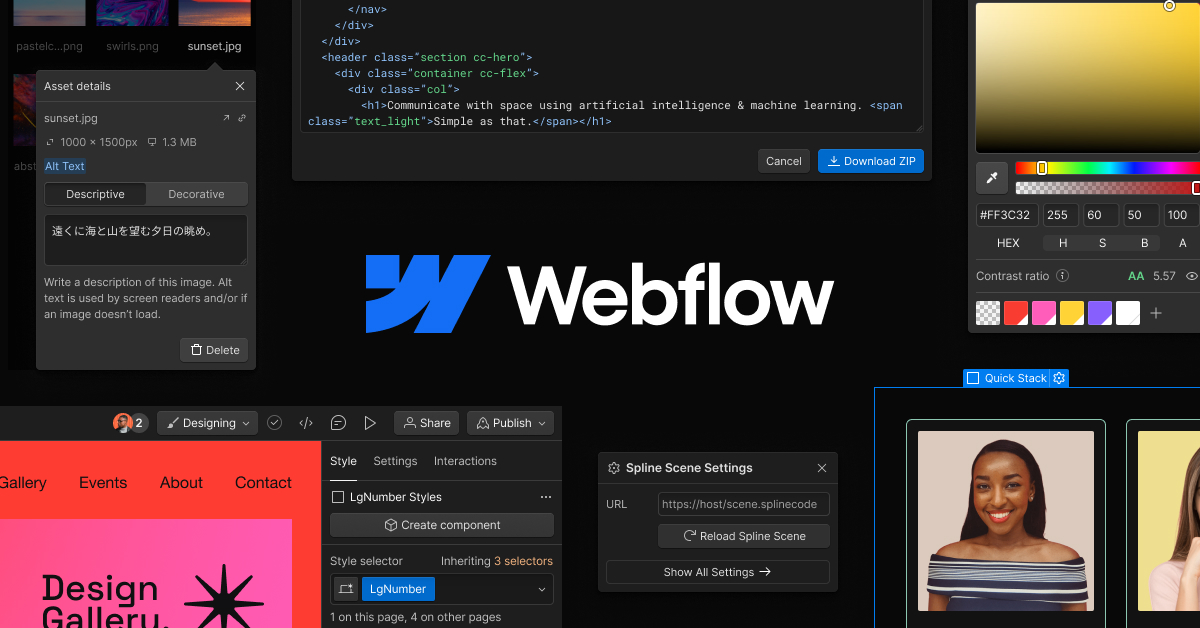
Webflow is built for teams that compete as much through the brand site as through their product catalog. Product pages, category pages, the cart, and the checkout are all built in the same visual Designer as the rest of the site.
Products sit next to the CMS, so buying guides, lookbooks, and campaign landing pages can pull from the same catalog. The same SEO controls cover both product pages and the blog: 301 redirects, schema markup, editable metadata, and an auto-generated sitemap.
Payments run through Stripe and PayPal, with support for Apple Pay and other browser wallets. Sales tax and VAT are calculated automatically at checkout.
Webflow pros:
- A checkout you design yourself: The cart and checkout pages are editable in the Designer on every ecommerce plan, while Shopify reserves full checkout customization for its enterprise tier.
- No sales cap and no platform fee above Standard: Webflow’s ecommerce plans don’t cap gross merchandise value. The Plus and Advanced plans also add no transaction fee on top of Stripe or PayPal processing.
Webflow cons:
- Recurring billing and in-person sales need other tools: Webflow has no POS system. Native subscriptions ended with the User Accounts sunset on January 29, 2026, so memberships and subscriptions now run through third-party apps.
- Leaner store operations than commerce-first platforms: There is no native abandoned cart recovery or multi-currency selling, and the Standard plan adds a 2% transaction fee.
What users say about Webflow
Across reviews, design freedom earns praise and store operations draw the complaints:
- Brand design without templates: Capterra reviewers praise control over layout, animations, and interactions that template builders don't offer. A Gartner reviewer in an ecommerce director role credits Webflow with more brand design flexibility than their previous platform.
- Designs move straight into production: A Capterra reviewer values the Figma and Relume integrations for turning designs into live pages.
- Store tooling lags behind Shopify: Capterra reviewers call the ecommerce features basic next to Shopify's, citing weak inventory management, no product bundles, and limited variants.
- Designer learning curve: Some reviewers describe a steep start. A reviewer in a marketing role found the platform hard to use without coding knowledge.
Sources are checked in September 2026.
Webflow pricing
Ecommerce plans are priced per site.
The Standard plan is $42 per month (or $29 per month billed annually) with 500 ecommerce items, three staff accounts, and a 2% transaction fee. The Plus plan is $84 per month (or $74 per month billed annually) with 5,000 items, no transaction fee, and unbranded transaction emails. The Advanced plan is $235 per month (or $212 per month billed annually) with 15,000 items and 15 staff accounts.
No plan caps sales volume, and Stripe or PayPal processing fees apply on every plan. The free Starter plan lets you build and test the store on a webflow.io subdomain before a paid ecommerce plan enables checkout.
Pricing from Webflow's pricing page. Verified September 2026.
Best for: Small business marketing teams that sell a curated catalog, compete on the brand site, and want to design product pages, landing pages, and checkout themselves.
2. Shopify
Shopify is a hosted commerce platform that runs a store's catalog, inventory, payments, and sales channels from one admin dashboard. Every plan includes abandoned checkout recovery and Shopify POS Lite (the free version of its point-of-sale app, built for pop-ups and events).
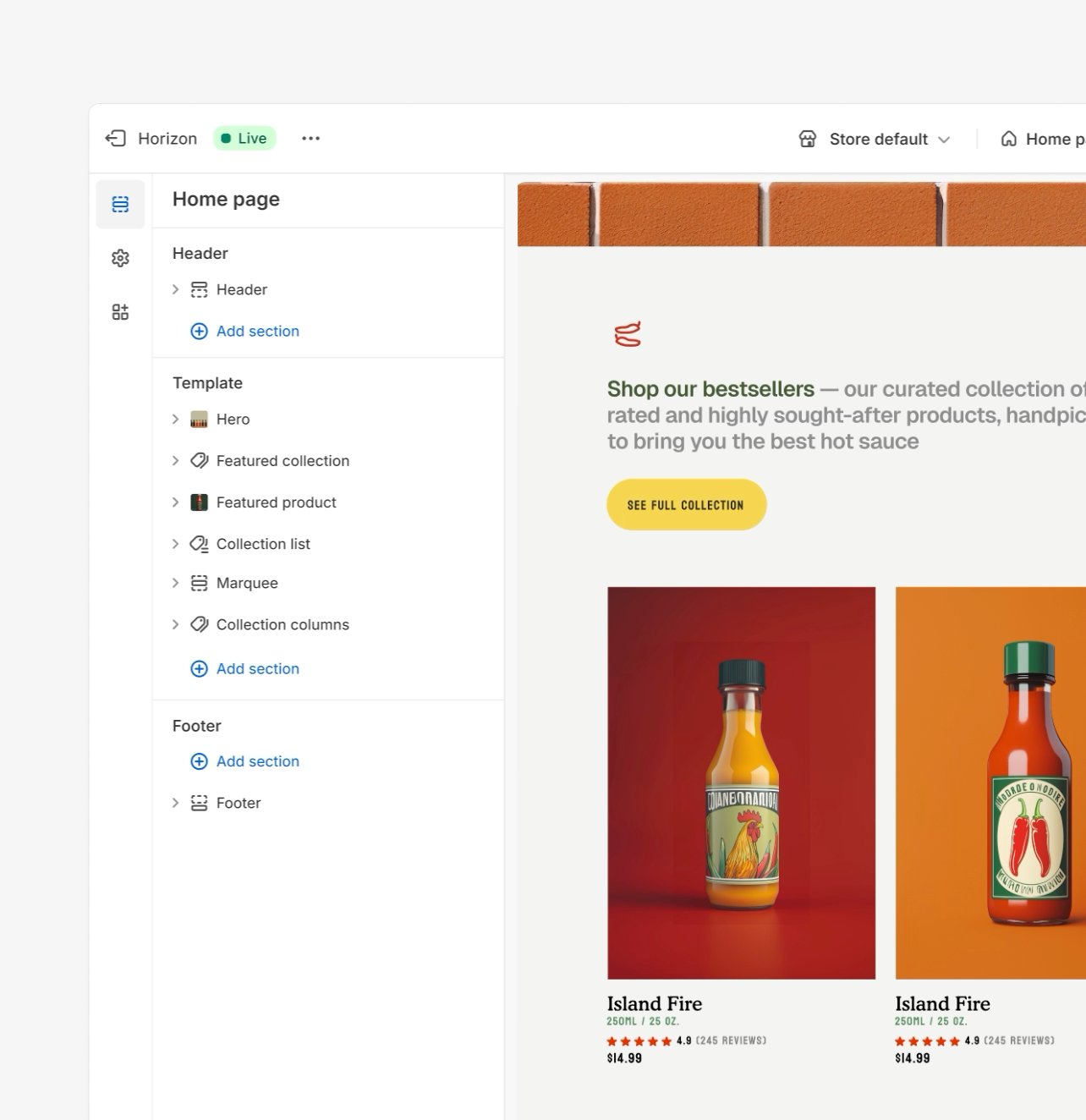
Shopify Markets (tools for selling abroad in local currencies) is also on every plan so that a small brand can sell in person and in other countries from the entry plan. Products, collections, blogs, and web pages give Shopify its CMS layer within a commerce platform.
Shopify pros:
- Store-operations AI on every plan: Sidekick (Shopify’s AI-powered assistant) builds collections, sets discounts, runs shipping audits, and drafts email campaigns. It can also read payment data and create customer and company records.
- Selling inside AI chat answers: Every plan can sell through ChatGPT, Perplexity, and Microsoft Copilot via Shopify Catalog, with no extra transaction fee.
Shopify cons:
- Surcharge on any non-Shopify processor: Third-party payments can push the effective order cost above the processor's own rate. Separately, stores created on or after May 12, 2025 pay a platform fee on orders paid with store credit or gift cards, even on Shopify Payments.
- Checkout customization is limited on self-serve plans: Full checkout control is reserved for the enterprise tier. Ecwid lists custom checkout among its mid-tier features.
What users say about Shopify
Merchant reviews cluster around two things: how fast a non-technical owner gets live and how quickly app bills stack up. Other reports add concerns about payout holds during periods of rapid sales growth:
- Guided setup for non-technical owners: Reviewers say templates and plain admin tools get a store live without a developer.
- Apps cover the gaps: Reviewers praise the breadth of marketing, shipping, and accounting integrations.
- App costs punish very small stores: Reviewers note that marketplace integrations for eBay, Walmart, Amazon, and Etsy moved from native to paid third-party apps, and costs climb over time.
- Payout holds during growth spurts: A merchant reported Shopify Payments holding a week of preorder revenue for months despite a chargeback rate well under 1%. Another reviewer described paying subscription fees through a prolonged verification that blocked selling.
Sources checked in September 2026.
Shopify pricing
The Basic plan is $39 per month (or $29 per month billed annually), and the Grow plan is $105 per month (or $79 per month billed annually). The Advanced plan is $399 per month (or $299 per month billed annually).
The Plus plan is $2,300 per month on a three-year term (or $2,500 per month on a one-year term). There is no free storefront plan; the current trial offer is three days free, then $1 per month for three months.
Shopify Payments charges 2.9% + $.30 per standard online card transaction on the Basic plan, 2.7% + $.30 on Grow, and 2.5% + $.30 on Advanced, with a 1% surcharge on international cards. Using a third-party gateway adds a platform fee of 2% on Basic, 1% on Grow, 0.6% on Advanced, and 0.2% on Plus. POS Pro is $89 per month per location on every self-serve plan.
Pricing from Shopify's pricing page. Verified September 2026.
Best for: Marketing teams at product brands that expect catalog size and channel count to keep growing. It also fits teams planning to add retail locations, since inventory runs across ten locations on the self-serve plans.
3. Squarespace
Product pages in Squarespace share a common template that carries over to the rest of the brand, so the shop looks like every other page on the site. For new stores, Blueprint AI can draft the full layout as a starting point.

Checkout runs on Squarespace Payments, which handles Apple Pay along with buy-now-pay-later options through Klarna and Afterpay. Shops that also sell in person can connect their POS system through Square in the US.
Creative and service brands often use Squarespace sites as portfolios with a shop section. For those businesses, the design is just as important as the catalog.
Squarespace pros:
- Cart recovery, subscriptions, and gift cards on the entry tier: Abandoned cart recovery and recurring sales tools ship with unlimited products on the lowest tier.
- Measures your presence in AI answers: Squarespace can show where your brand appears in AI search results. The Basic plan gets 10 prompt runs one time, while Core subscribers get 20 a month.
Squarespace cons:
- Platform fees on the entry tier: The Basic plan adds a 2% fee on physical products and 7% on digital products and memberships. A store selling $5,000 a month in physical goods pays $100 a month in fees on Basic, which the Core plan removes.
- Two contributors on the entry tier: A marketing lead, a designer, and whoever manages orders already exceeds the seat cap, which pushes small teams up a tier just to add seats.
What users say about Squarespace
Small business owners discuss templates first, then editor behavior. Other reviews add concerns about support wait times and missing multi-currency selling, while a community post tracks plan increases year by year:
- Template and image quality: Reviewers single out portfolio templates and image handling as why creatives choose it.
- Runs without an agency: Reviewers describe the drag-and-drop editor as the reason a service business can maintain its own site after launch.
- Editor forces fixed layouts: A May 2026 reviewer described near-impossible customization outside preset layouts, and another called the structured editor limiting for complex designs.
- Price increases and bundled AI: A community poster reported their annual subscription rising by more than half between 2021 and 2026 and objected to paying for bundled AI features they never asked for. A reviewer also reported that support took days to respond.
Sources checked in September 2026.
Squarespace pricing
The Basic plan is $25 per month (or $19 per month billed annually), and the Core plan is $39 per month (or $29 per month billed annually). The Plus plan is $65 per month (or $49 per month billed annually), and the Advanced plan is $139 per month (or $99 per month billed annually). There is a 14-day free trial and no free plan; every annual plan includes a year of domain registration.
The Basic plan charges a 2% transaction fee on physical products, services, and donations, and 7% on digital products and memberships. The Core plan drops the physical-goods fee to 0% and the digital fee to 5%; the Plus plan charges 1% on digital, and the Advanced plan charges 0% on both.
Squarespace Payments processes standard cards at 2.9% + $0.30 on Basic and Core, 2.7% + $0.30 on Plus, and 2.5% + $0.30 on Advanced. Every plan adds a 1.5% international surcharge and 1.0% for currency conversion.
Pricing from Squarespace's pricing page. Verified September 2026.
Best for: Marketing teams at creative and service brands with a portfolio-first, shop-second site, selling a curated catalog of 20 to 30 items. It suits teams that value a polished template over variant depth. These teams may also sell services or digital goods alongside a small product line.
4. Wix
Wix is a WYSIWYG website builder with more than 2,000 templates, and its Core plan (and higher plans) add an online store with checkout. The editor's AI and drag-and-drop tools come with every plan, including the free plan.
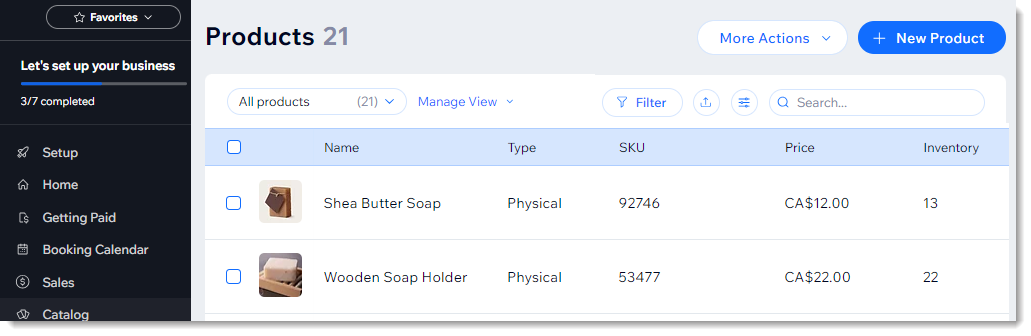
The catalog runs inside the same editor as the rest of the site, so marketers can manage a store without moving between separate site and commerce tools.
Since August 2026, marketers in eligible regions can build a Wix site from inside Gemini (Google's AI assistant) by describing it in chat. The chat produces a working first draft of the store before anyone opens the editor.
Owners can also connect a site to NLWeb from the Wix dashboard. NLWeb (a Microsoft-led project) lets AI agents query a site's content in plain language, so AI assistants answer questions with the store's current content.
Wix pros:
- Free tier to test and build the whole store: The free tier carries Wix branding on a Wix subdomain and cannot take payments, but it lets you design the full store and pay when you switch checkout on. Some platforms, like Shopify and Squarespace, offer comparatively short trials.
- Built-in subscription support: Products can sell as subscription-only or as a subscription alongside a one-time purchase without an app. A platform like Ecwid only supports subscriptions in its higher tiers.
Wix cons:
- No template switching after launch: Changing templates means rebuilding content from scratch, so a redesign becomes a migration project.
- POS requires a second paid subscription: Wix POS accepts card and gift-card payments only with a separate paid POS subscription. Without it, the register takes cash alone, and only up to a cap. Square Online, by contrast, includes POS sync at no monthly fee.
What users say about Wix
A small sample of Wix Ecommerce reviews praises how quickly teams can hand a store to a client. Other reviewers focus on page speed, while a Wix community discussion documents renewal pricing concerns:
- Fast path from design to handoff: Reviewers describe launching stores within days and then handing management to clients.
- Pricing draws mixed reports: A Gartner reviewer (March 2026) calls Wix affordable for long-term hosting. A Wix community poster reported that their two-year plan doubled in price at renewal.
- Slow pages and thin SEO control: Reviewers flag slow load times and call advanced SEO control limited.
- Limits on advanced customization: Gartner reviewers describe a platform that is easy to start on but restrictive once a store needs advanced customization or add-ons.
Sources checked in September 2026.
Wix pricing
The Free plan is $0 and cannot accept payments. The Light plan is $17 per month and is website-only, and the Core plan is $29 per month with basic ecommerce.
The Business plan is $39 per month with standard ecommerce, and the Business Elite plan is $159 per month with advanced ecommerce. A free domain on yearly or longer plans covers year one only and renews at the standard rate.
Wix Payments processing rates are not listed on Wix's plans page, so teams should get them from Wix before modeling cost per sale. The POS Premium plan is priced separately from the site plan.
Pricing from Wix's plans page. Verified September 2026.
Best for: Marketing teams and founders at early-stage brands who expect to iterate on the design for weeks before taking a first order.
5. BigCommerce
BigCommerce is a hosted ecommerce platform for stores with large catalogs, several sales channels, or wholesale buyers. Every plan includes native selling on Amazon, eBay, and Walmart, plus product feeds to Google, Meta, TikTok, Microsoft, and Pinterest.
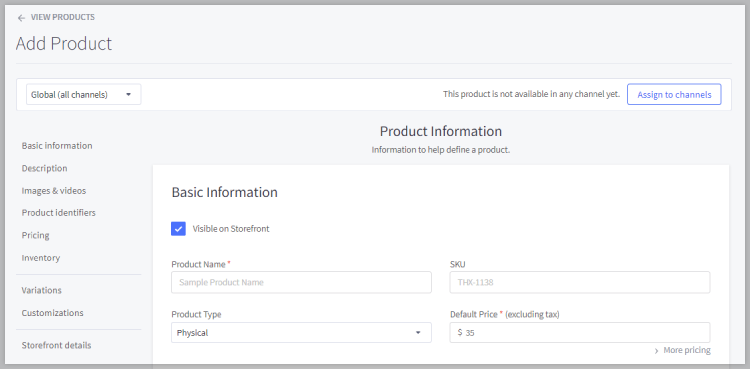
Coupons, discounts, and gift cards also come standard, so a growing store can add channels and run promotions without buying separate apps.
BigCommerce pros:
- No platform fee across many embedded processors: BigCommerce Payments, PayPal, Adyen, Klarna, Affirm, Afterpay, Amazon Pay, and Checkout.com have no platform fees. Shopify, by contrast, waives its surcharge only for Shopify Payments.
- Wholesale and retail in one store: The wholesale add-on includes quotes, purchase orders, net payment terms, and buyer account management, updated as recently as August 2026.
BigCommerce cons:
- Growth forces the upgrade: On the Core and Growth plans, the account moves up automatically once trailing 12-month sales cross the plan's cap, and a June 2026 change lowered those caps. Stores with a strong holiday quarter may pay for a higher tier by spring.
- Design changes mean editing theme code: The built-in editor offers limited options, and meaningful layout changes require working directly in theme files. Some alternatives, like Wix and Squarespace, let a marketer restyle a page visually.
What users say about BigCommerce
Merchant feedback splits between praise for built-in depth and frustration with cost:
- Fewer apps needed: Reviewers credit the default feature set, SEO tooling, and no-code enterprise resource planning (ERP) integration for keeping the app bill low.
- Updates without a developer after launch: Reviewers say marketing teams can make routine changes themselves once the store is built.
- No grandfathering for long-time merchants: Merchants, including one whose sales fell 50% year over year, report being moved up a tier anyway.
- New features shipping slower: Reviewers describe improvements rolling out behind Shopify's pace, and some report migrating for AI site-building tools and a larger app selection.
Source checked in September 2026.
BigCommerce pricing
The Core plan is $39 per month (or $29 per month billed annually) and covers up to $30,000 in trailing 12-month GMV, with a 2.0% Open Payment Provider fee on orders paid through non-embedded gateways such as Authorize.net.
The Growth plan is $105 per month (or $79 per month billed annually), capped at $100,000 GMV with a 1.0% fee. The Scale plan is $399 per month (or $299 per month billed annually), with a 0.6% fee and a $33,333 monthly GMV allowance; sales beyond it carry a 0.9% charge.
Accounts move to the Performance plan at $2 million in trailing 12-month GMV, and that plan starts at $1,499 per month billed annually, on contracted terms.
BigCommerce calculates GMV as gross order value minus 10%, including taxes, shipping, and marketplace sales. Annual billing saves 25%, and there is a 15-day free trial with no card required. Multi-Storefront costs $30 per month on Core (up to 3 storefronts), $50 per month on Growth (up to 5), and $100 per month on Scale (up to 8).
BigCommerce Payments charges 2.89% + $0.30 per card transaction on Core, 2.59% + $0.30 on Growth, and 2.39% + $0.30 on Scale and Performance.
Pricing from BigCommerce's pricing pageand its BigCommerce Payments page. Verified September 2026.
Best for: Marketing teams at brands with a deep catalog or a wholesale channel that want promotions, marketplaces, and B2B pricing built into the platform. It suits teams that sell on marketplaces and want those orders in the same admin.
6. GoDaddy Website Builder
A GoDaddy Website Builder store can now be created from a user prompt. Airo, GoDaddy's built-in AI, generates the pages, copy, and even simple web apps and databases, and the owner refines the result in chat or by direct editing. You can even download the code at any time.

Local business teams can keep the site and domain in one GoDaddy account. The product catalog, automatic sales tax, and shipping rates start on the Professional plan, making that tier a fair comparison against Shopify or Wix.
GoDaddy Website Builder pros:
- Marketing from the same dashboard: Every paid plan lets you launch marketing campaigns, social posts, and blog posts from one place.
- Local listings and social built in: The Professional and Ultimate plans connect to Google Business Profile, Facebook, Instagram, Mailchimp, and Notion, which suits shops found through local listings.
GoDaddy Website Builder cons:
- The store starts on Professional: The product catalog, sales tax, and shipping rates are only available on Professional and Ultimate. Starter covers payment links and QR codes, not an online store.
- No white-label option yet: GoDaddy lists removing Airo branding as ‘coming soon’ on Professional and Ultimate, so even paid stores carry the builder's branding today. Other platforms like Webflow and Wix both remove their branding on paid plans.
What users say about GoDaddy Website Builder
Discussion of GoDaddy on Hacker News centers on cost rather than store features. Commenters weigh its price against hiring a designer and raise concerns about add-on charges, lapsed domains, and migration:
- A fraction of a designer's fee: One commenter (July 2025) put a year of GoDaddy at roughly a fifth of what a local business would pay a designer.
- Upsells at every step: Another commenter (February 2025) objected to privacy protection and SSL certificates sold as add-ons rather than included.
- Lapsed domains can be lost: One user described a friend's lapsed small-business domain moved to GoDaddy's Afternic subsidiary and auctioned with no recovery path.
- Hard to move away: A January 2025 commenter said sites made with GoDaddy's builder can't easily leave its service. The same commenter said prices climb once a business has invested in the site.
Source checked in September 2026.
GoDaddy Website Builder pricing
The Free plan includes 50 AI credits a month for building preview sites. The Starter plan is $19.99 per month (or $9.99 per month billed annually) with 150 credits and one published site, but no product catalog.
The Professional plan is $49.99 per month (or $24.99 per month billed annually) and adds the product catalog, automatic sales tax, shipping rates, bookings, and 300 credits for up to 10 sites.
The Ultimate plan is $199.99 per month (or $99.99 per month billed annually) with 750 credits, up to 50 sites, and team and client handoff tools. Annual plans include a free custom domain, and GoDaddy says the annual price carries an extra first-year discount.
GoDaddy Payments charges 2.7% + $0.30 per online-store sale; in-person, pay-link, and bank-transfer rates vary by plan.
Pricing from GoDaddy's Website Builder page. Verified September 2026.
Best for: Solo marketers and small local business teams that want the domain, site, and a basic storefront on one invoice, with Airo building the first draft. It’s better suited to small catalogs with simple sales flows.
7. Square Online
Square Online is the web storefront for Square’s point-of-sale system (i.e., it attaches to a seller's existing account, adding a new sales channel within that account). This means shops already selling in person on Square can add online orders without managing a second system.
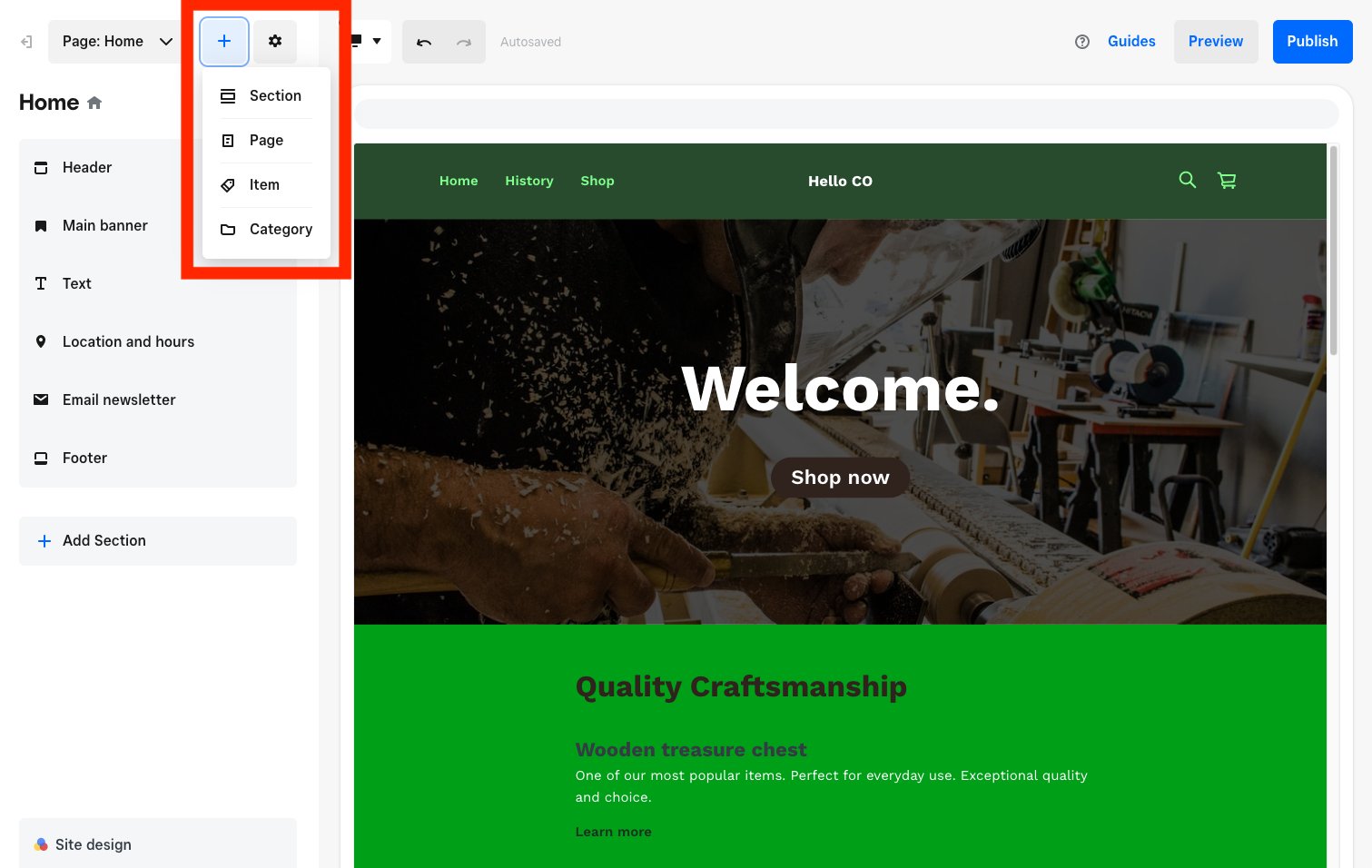
The free plan includes pickup, local delivery, and shipping, plus selling on search and social channels, and charges only processing fees on each sale. The Plus plan adds expanded site customization, advanced item settings, QR code ordering, and subscriptions.
The Premium plan adds real-time shipping rates, advanced reporting, and 24/7 phone support. The main cost decision is whether the free plan's higher online processing rate costs more over a year than a paid plan's monthly fee.
Square Online pros:
- Online orders stay in the existing Square account: Sellers can add a web channel without creating a separate commerce system.
- Bulk catalog tools and redirects: Item import and export use .xlsx and .csv files, with up to 30,000 items per import, and URL redirects work within the same domain.
Square Online cons:
- Custom code only on paid plans: The free plan does not support custom code, the builder has no sub-dropdown navigation, and third-party widgets are hard to embed. Ecwid, by contrast, drops into any site you design elsewhere.
- Shipping can't vary by item variation: Delivery and shipping settings apply per item with no per-variation option, and bookings cannot be taken for later payment.
What users say about Square Online
Capterra reviews supply most of the commentary, with one business owner expressing concerns about customization:
- Free tier fits infrequent sellers: A reviewer running a nonprofit called the pay-only-on-sales model ideal for organizations that rarely bill.
- POS link works with little setup: A reviewer praised the integration between the online store and Square Point of Sale. Another reviewer set up card readers linked to the free site with little effort.
- Rigid for branded businesses: One food-business owner described the builder as rigid and looked for alternatives with custom branding.
- Verification drags on: A reviewer described a multi-step business verification that required repeated paperwork resubmissions.
Source checked in September 2026.
Square Online pricing
The free plan is $0 per month with no platform transaction fee, but you do pay Square's processing rate of 3.3% + $0.30 online and 2.6% + $0.15 in person on each sale. The Plus plan is $49 per month per location, with processing at 2.9% + $0.30 online and 2.5% + $0.15 in person.
The Premium plan is $149 per month per location, with 2.9% + $0.30 online and 2.4% + $0.15 in person. Both paid plans bill monthly with a 30-day free trial (Square lists no annual option).
Pricing from Square's online store plans page. Verified September 2026.
Best for: Small business teams that already ring up in-person sales on Square hardware and need a basic web sales channel with little setup. Teams that want the site itself to carry the brand should look at a site-first builder instead.
8. Ecwid by Lightspeed
Ecwid by Lightspeed fits teams that can keep product count within a published tier and do not want payment-gateway restrictions. It is a hosted ecommerce platform that adds a catalog, cart, and checkout to a website. Each plan is priced by the number of products the store carries, not by sales volume.
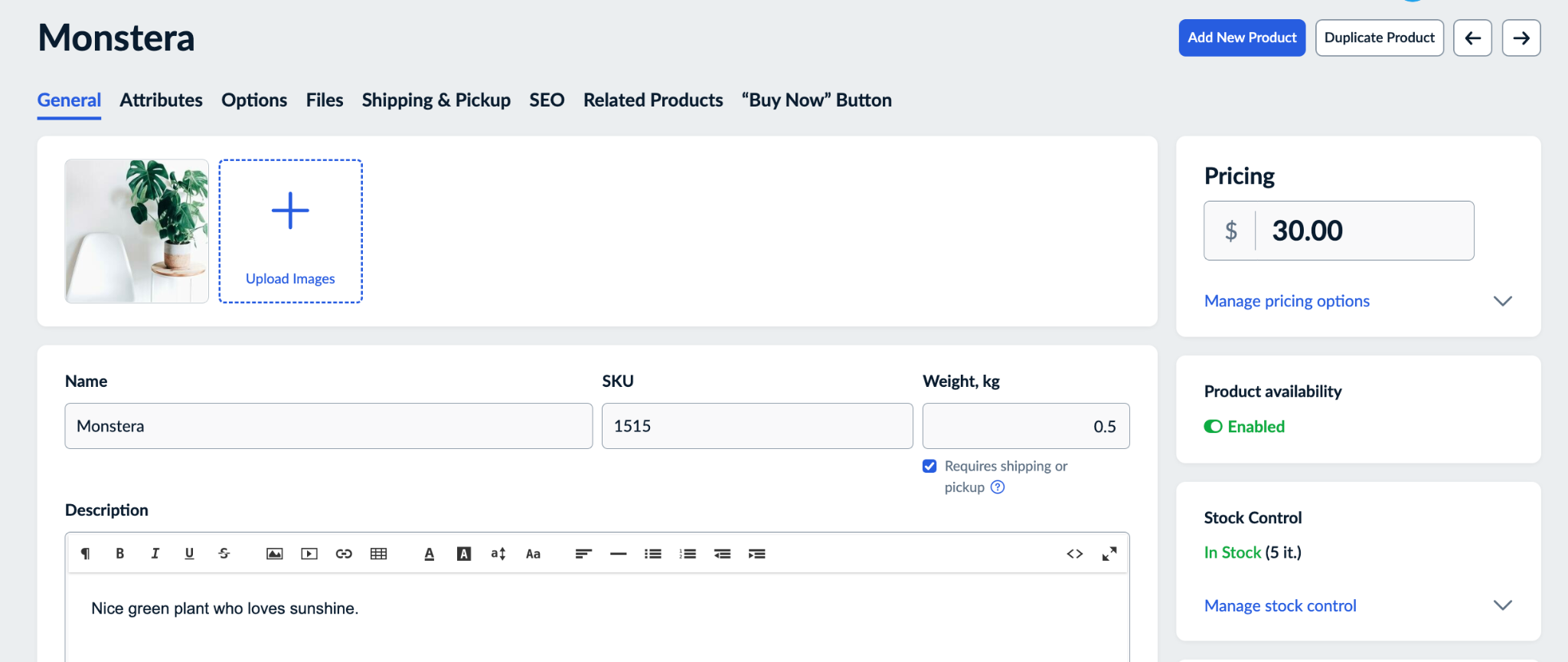
Because the store embeds into an existing site rather than replacing it, a business with a site on WordPress, Wix, or another platform can start selling without a redesign. The same catalog feeds Instagram, Facebook, Amazon, Google Shopping, and Pinterest. From the Business plan upward, the store also syncs with Lightspeed Retail, the point-of-sale system from Ecwid's parent company.
Ecwid by Lightspeed pros:
- Broadest gateway choice with no surcharge: Ecwid connects to more than 70 payment providers and adds no platform fee on any tier.
- One store across several sites: The same Ecwid store can run on more than one website at a time, with one inventory and order list behind all of them. Businesses running separate sites for different brands or regions can keep one catalog instead of several.
Ecwid by Lightspeed cons:
- Catalog growth can force upgrades: Stores that add stock-keeping units (SKUs) without adding sales may still have to pay for the next tier.
- No recovery, subscriptions, and marketplaces on basic plans: Abandoned cart recovery, subscriptions, and eBay and Amazon selling arrive only on the third tier. Alternatives like Squarespace ship abandoned cart recovery and subscriptions on its cheapest tier.
What users say about Ecwid by Lightspeed
Reviewers praise setup speed and criticize pricing since the Lightspeed acquisition. They also comment on beginner use and product-count pricing:
- Fast path to a store on an existing page: Reviewers describe it as an easy way to add a store to a webpage or social profile, and a reviewer uploaded products and launched within moments.
- Beginner-friendly with SEO potential: A reviewer with no prior website experience found it approachable, and another reviewer reported good search rankings.
- Pricier and worse-served since the acquisition: A user said prices rose and service declined after Lightspeed took over, and another user called the product-count price steps illogical for stores of 30 to 50 items.
- Thin integrations and occasional breakage: A user found fewer plugins than WooCommerce or Shopify and weak international shipping integrations, and also reported periodic site breakage.
Sources checked in September 2026.
Ecwid by Lightspeed pricing
The Starter plan is $5 per month and supports up to 10 products. The Venture plan is $35 per month (or $29 per month billed annually) for 100 products, with digital goods up to 25 GB per file, Instagram and Facebook selling, live chat support, automated tax, coupons, custom checkout, and reports.
The Business plan is $65 per month (or $49 per month billed annually) for 2,500 products. It adds eBay and Amazon selling, subscriptions, abandoned cart recovery, product reviews, wholesale pricing groups, a multilingual store, Lightspeed Retail POS sync, two staff accounts, and phone support.
The Unlimited plan is $149 per month (or $119 per month billed annually) with unlimited products, in-person selling through Square or Clover in supported countries, unlimited staff accounts, and priority support.
There is no free plan and no platform transaction fee on any plan; annual billing saves 17% to 25% on the three tiers above Starter. Nonprofits get six months of the Venture plan free.
Pricing from Ecwid's pricing page. Verified September 2026.
Best for: Small business and nonprofit teams that expect product count to stay within a published tier.
9. WooCommerce
Self-hosted WooCommerce stores give WordPress teams ownership of the whole stack. They run on WordPress with PHP and MySQL. New stores use WooCommerce's block-based cart and checkout by default, which simplify checkout to its essential steps. Owners edit those pages in the WordPress block editor without code, so adding Apple Pay buttons or local pickup doesn't take developer time.
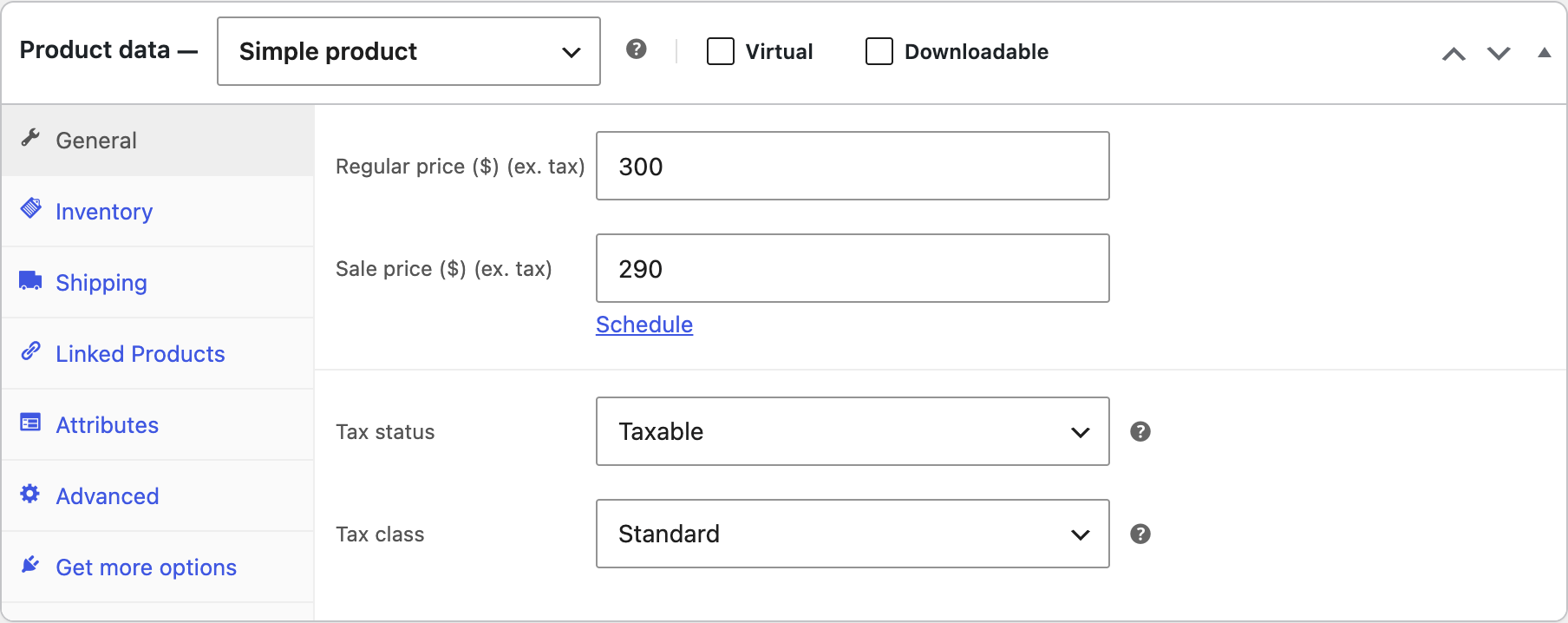
Stores that already publish a blog and guides on WordPress can keep the shop beside the blog and other content pages. Because the store runs on the business's own hosting, a developer, agency, or managed WordPress host has to handle server setup, security updates, and backups.
WooCommerce pros:
- The most portable store data of all: A built-in CSV importer and exporter plus full database access means the complete store database can move.
- Agent-ready documentation and skills: WooCommerce's built-in MCP integration (a developer preview since WooCommerce 10.3) runs on the WordPress MCP Adapter that WordPress's Core AI team introduced in February 2026.
WooCommerce cons:
- Maintenance falls to the store owner: Self-hosted stores break when plugins conflict or updates lapse. Shopify, Wix, and the other hosted builders absorb that work.
- Other features are paid annual extensions: Subscriptions, bookings, and table-rate shipping each require a yearly license that is renewed and tracked separately.
What users say about WooCommerce
Store owners praise flexibility and complain about upkeep in roughly equal measure. Reviews frame hosting responsibility as the core trade, while one developer report adds the performance angle:
- Free core plugin, huge extension catalog: Reviewers say the value is there from the start because the plugin costs nothing, and one called the extension catalog large enough for almost every use case.
- Ownership of design, data, and hosting: Reviewers note that control over design, functionality, and data is the primary open-source advantage.
- Simple checkout changes are painful: Another reviewer called basic checkout customization painful, even with plugins.
- Speed degrades with complexity: One developer hit a 15-second delay duplicating a product with 18 variations and quit after immediate plugin and theme issues; reviews also note slower sites as plugin count grows.
Sources checked in September 2026.
WooCommerce pricing
The WooCommerce plugin and the open-source WordPress software are free to download from WordPress.org, and WooCommerce takes no share of sales. Self-hosted stores pay a hosting provider separately, and WooCommerce estimates hosting at $25 to $350 per month for most stores, rising with traffic and performance needs. Stores also pay separately for a domain and, with some hosts, an SSL certificate.
WooPayments is WooCommerce's built-in payment service. It charges 2.9% + $0.30 per US card transaction with no setup or monthly fee. International cards add 1.5%, each currency conversion adds 1%, and orders with subscription payments billed through the Stripe Billing engine add 1%.
Paid extensions are billed annually. WooCommerce Subscriptions is $279 per year, WooCommerce Bookings is $249, and Table Rate Shipping is $119. Conditional Shipping and Payments is $109 per year, Smart Product Bundles is $49, and the seven extensions in WooCommerce's Tech Essentials collection total $614 per year when bought individually.
Pricing from WooCommerce's pricing page, WooPayments' fee schedule, and the WooCommerce Marketplace. Verified September 2026.
Best for: Marketing teams that rely on in-house engineers or a WordPress agency and want a store with a large content library and full ownership of every file and row of data. Teams without that technical support should pick a hosted builder.
How to choose the right ecommerce website builder
Evaluate the following factors upfront to ensure your chosen platform supports your current business model while providing room to scale efficiently:
- What will you pay on each sale? Model the processor's charge and any platform surcharge together. Check whether the gateway you already use qualifies for the platform's fee waiver.
- Does the store need to live inside a site you already have? An embeddable cart preserves an existing site, while a platform-specific store works best when the current register or content management system already holds the product data.
- How much control do you need over pages, and could you leave later? Compare visual editing, theme-code requirements, product exports, and redirect support before importing your catalog.
Run your whole store on Webflow without code
Webflow empowers small business teams to build custom, high-converting ecommerce experiences without sacrificing design control or writing custom code. If the brand site is where you win customers, Webflow lets your team design the storefront and checkout the same way it designs the rest of the site.
Start a Webflow site and build your first product pages on a webflow.io subdomain.

Unlock growth with SEO
Join Webflow and leading growth agency Graphite as they discuss actionable insights for scaling and achieving growth with SEO
Frequently asked questions
Which ecommerce website builder is best for your small business?
Build a test catalog with several products, variants, discounts, and shipping rules before choosing. Time the routine tasks your team will repeat, including adding a product and processing an order, then compare the results with the fee model. The builder that creates the least recurring work for your actual catalog is the strongest fit.
How much should you budget for an ecommerce website builder?
Published base plans in this comparison run from $0 to $2,500 per month, with the upper end covering Shopify Plus on a one-year term. Costs vary with commerce depth, billing term, transaction volume, payment gateway, GMV thresholds, staff access, POS requirements, and paid extensions. Use the base subscription as the minimum and calculate processing and platform fees against a full year of expected sales.
Can you switch ecommerce website builders later?
A CSV-supported move can preserve product records, while a platform without product export can require a manual catalog rebuild. Treat URL redirects as part of the migration scope because product exports and page addresses move through separate tools. Factor each platform's product export options into the original decision, even if a switch is only a future possibility.
Do you need a developer to use an ecommerce website builder?
A standard hosted storefront can launch without a developer, but custom theme files, self-hosted infrastructure, and complex checkout changes create technical work. Assign those requirements before selecting a builder so the project budget includes either internal engineering time or agency support. A managed platform reduces maintenance responsibility but does not remove every customization limit.
Is WordPress outdated if you're choosing it in 2026?
No, the open-source software remains active. WordPress 7.0 shipped on May 20, 2026; a 7.0.2 security release followed in July 2026, and WordPress 7.1 shipped on August 19, 2026, with 7.1.2 following on September 22. The Gutenberg editor also releases every two weeks, so maintenance responsibility should drive the decision.

Choose the right CMS for a scaling enterprise
Discover how the right CMS can allow teams to efficiently scale rich, complex content – all without writing code.