






Feature
Website management
Optimize based on locale
Optimize now supports audience targeting and reporting based on locale.
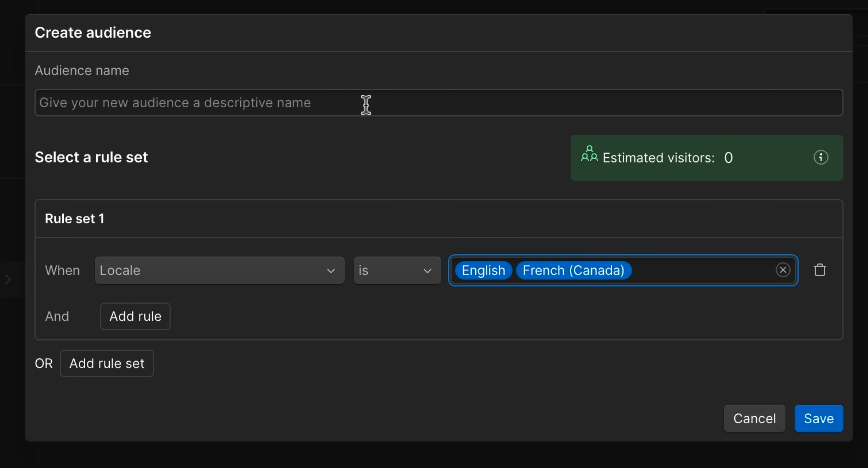
When optimizing a text element that's localized for different audiences, it's crucial to make sure you're localizing each variation. But when the variation is translated into a different language in each locale, performance can vary. Webflow Optimize now gives you the power to either view your optimization's results for each locale separately, or to run your optimization only in a specific locale in order to improve performance.
Locale has been added to the audience builder for Optimize
Once you have created your optimization, you can limit it to run in a specific locale, or locales by going to settings and goals, and selecting 'Limit audience'. You can then use the audience builder to create a new audience based on locale, which can be found under the location and time section, or select an existing audience created earlier.
Locale is now available as a filter on Optimize reporting
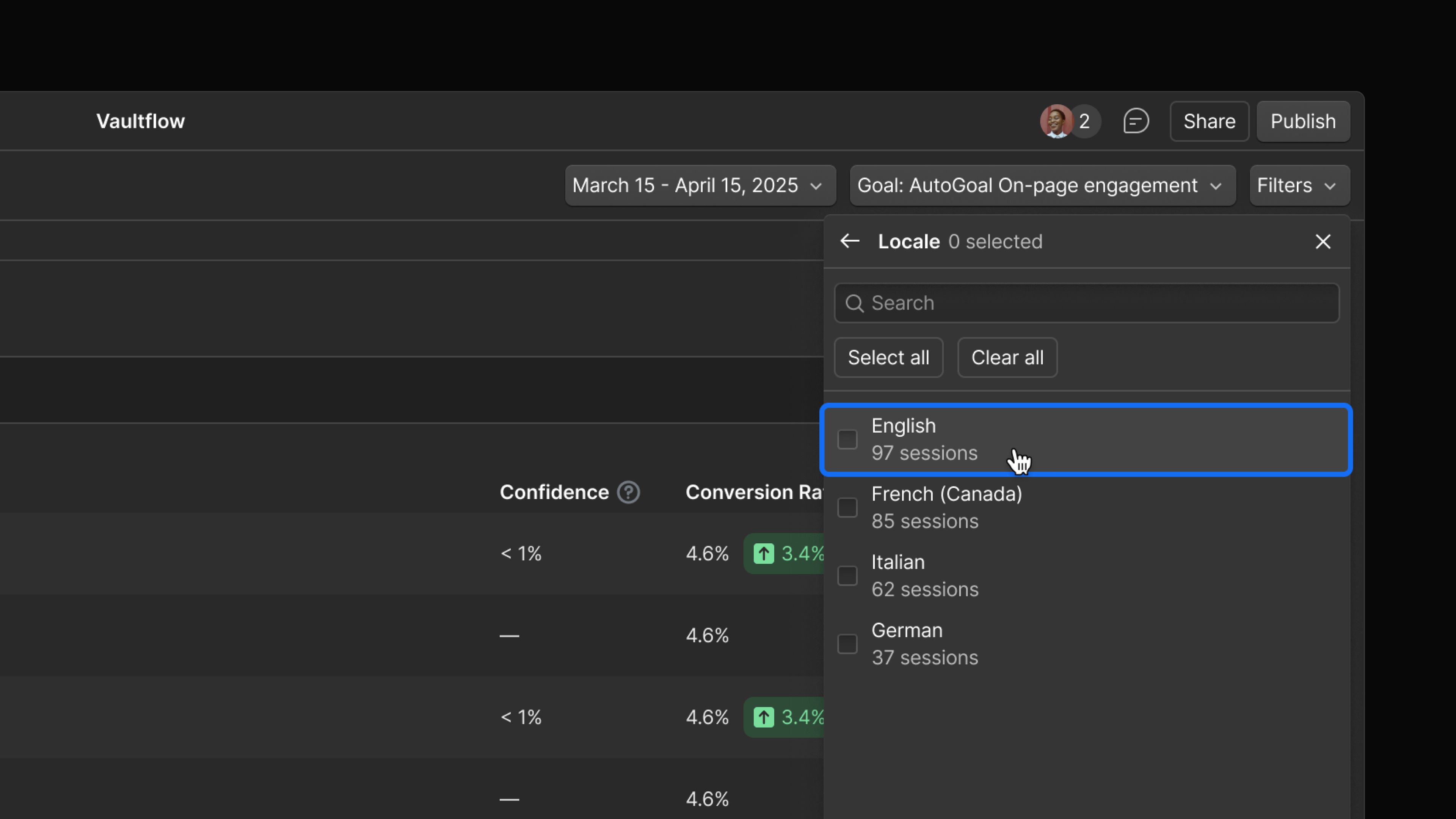
Once your optimization is launched, you can view reporting for specific locales by using the filter menu in the top right of the optimization report, and by using the audience insights table to view variation performance by locale.
To learn more about setting up a locale specific optimizations, check out our help articles on localizing an optimization and how to use audience builder
Related updates
.png)



















Get started for free
Try Webflow for as long as you like with our free Starter plan. Purchase a paid Site plan to publish, host, and unlock additional features.
Try Webflow for as long as you like with our free Starter plan. Purchase a paid Site plan to publish, host, and unlock additional features.