






Update
Website management
Auto-resize favicons and dark mode support
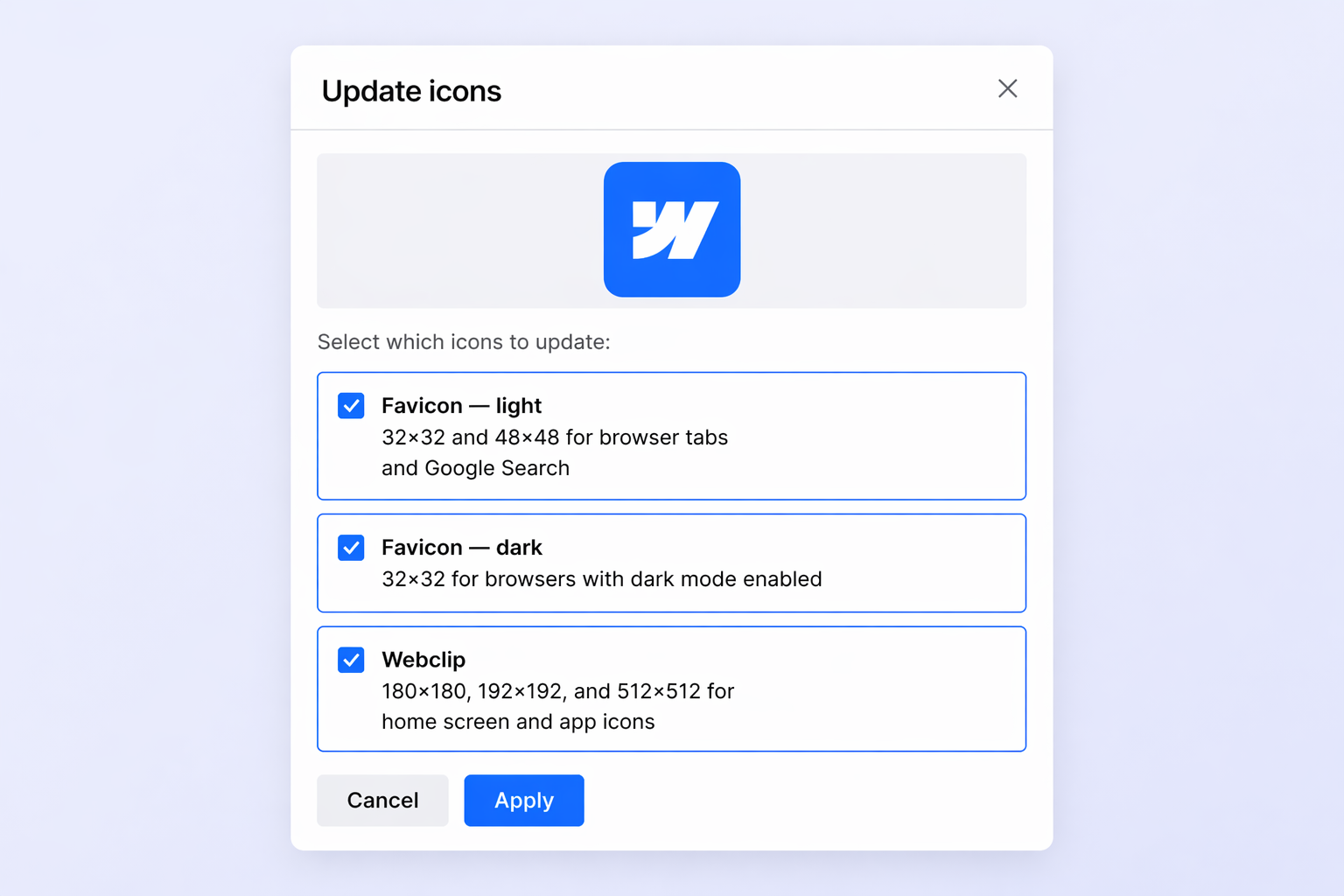
One upload, all sizes
No more manually resizing favicons and touch icons. Upload a single square image in Site Settings and Webflow automatically generates every size your site needs: 32x32 and 48x48 favicons, 180x180 and 192x192 touch icons, and a 256x256 webclip.
You can upload in PNG, JPG, GIF, ICO, or SVG format. SVG uploads are automatically converted to PNG for browser compatibility.
Dark mode favicons
You can now upload a separate favicon for visitors using dark mode. Webflow serves the right version using the browser's `prefers-color-scheme` media query, so your brand looks sharp on both light and dark browser tabs.
The dark mode option appears in Site Settings after you upload a light theme favicon.
Better Google search results
Webflow now generates a 48x48 favicon automatically — the size Google uses in search results. No extra work needed.
Related updates

.png)
.jpg)



















Get started for free
Try Webflow for as long as you like with our free Starter plan. Purchase a paid Site plan to publish, host, and unlock additional features.
Try Webflow for as long as you like with our free Starter plan. Purchase a paid Site plan to publish, host, and unlock additional features.