






Feature
Website management
Enterprise seat management improvements
Enterprise seat management improvements
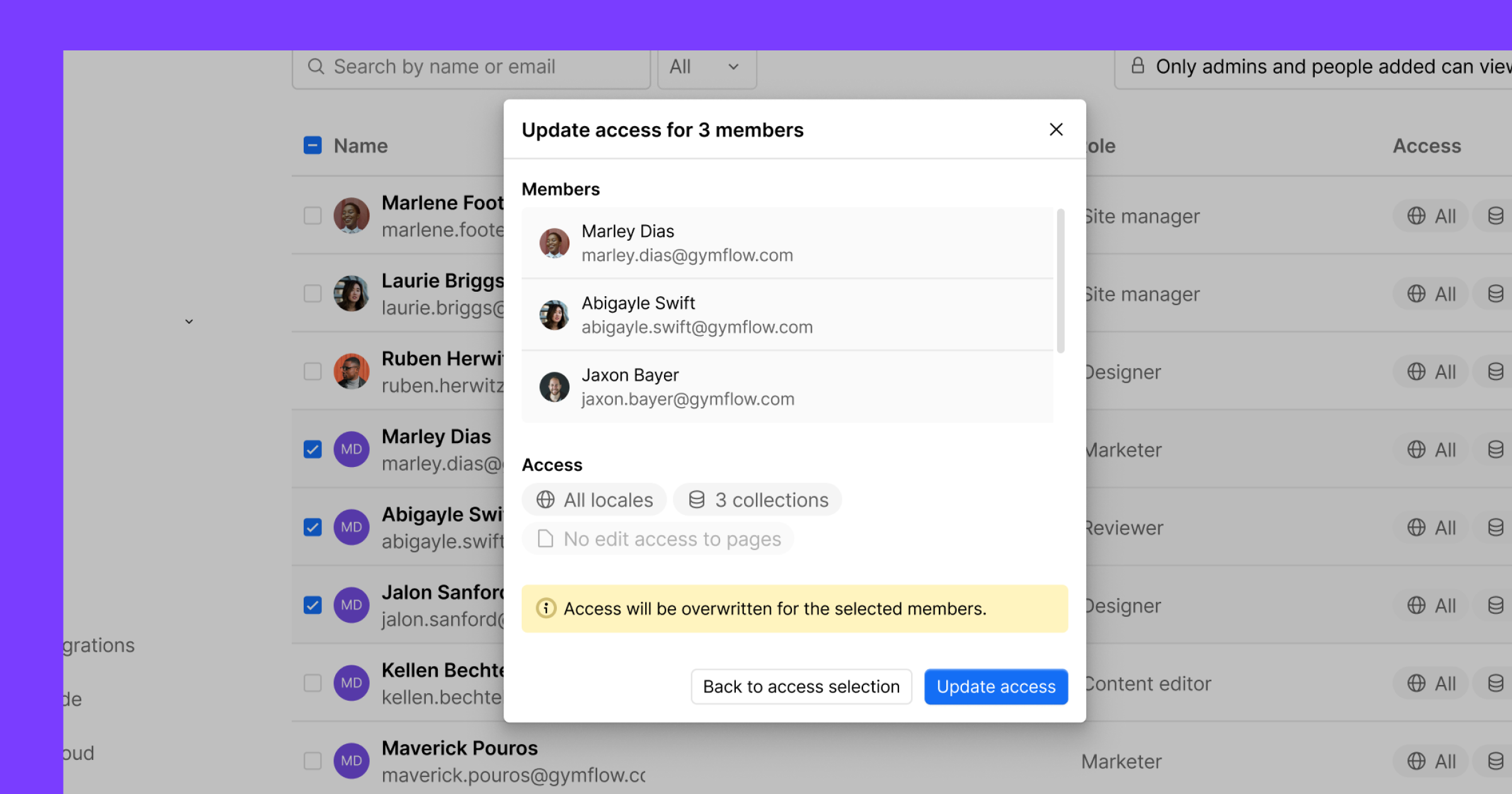
As your team grows in Webflow, you need an easier way to manage users at scale. That’s why we’ve introduced new seat management enhancements for all Enterprise plans, to make provisioning and access management simpler.
Here's what you can expect:
Simplified bulk team management
Before today, it was difficult to quickly understand and manage your team members' access across your growing Workspace. Now, users with the Admin role can find and manage members more efficiently with:
- Search and filter for members by role, status, or seat type at the Workspace and site level
- Bulk actions to remove members, change roles, or update access to CMS, Locales, and Pages
- CSV exports of your full Workspace member list and Site Access list
Automate user management at scale
If you need to manage access beyond the Workspace UI, the same management capabilities are now available programmatically through our public membership APIs. Add an existing user to a specific site with the right role and permissions in a single request. This makes it easier to automate provisioning, keep access current, and manage users at scale across your existing workflows.
Check out our developer docs to get started with the membership APIs.
Use full seats for any role
As an added bonus, you can now use available Full seats for any full or limited role, so you’re not blocked from adding or updating teammates. For example, if you have a Full seat available but no limited seats remaining, you can still invite someone as a Marketer by using that available Full seat.
Related updates
.png)
.jpg)




















Get started for free
Try Webflow for as long as you like with our free Starter plan. Purchase a paid Site plan to publish, host, and unlock additional features.
Try Webflow for as long as you like with our free Starter plan. Purchase a paid Site plan to publish, host, and unlock additional features.