






Enhancement
Website management
Track AI and MCP changes in your Site Activity Log
AI attribution in the Site Activity Log makes every change traceable — whether it came from a human, Webflow AI, or an MCP tool like Cursor or Claude. Available on Enterprise.
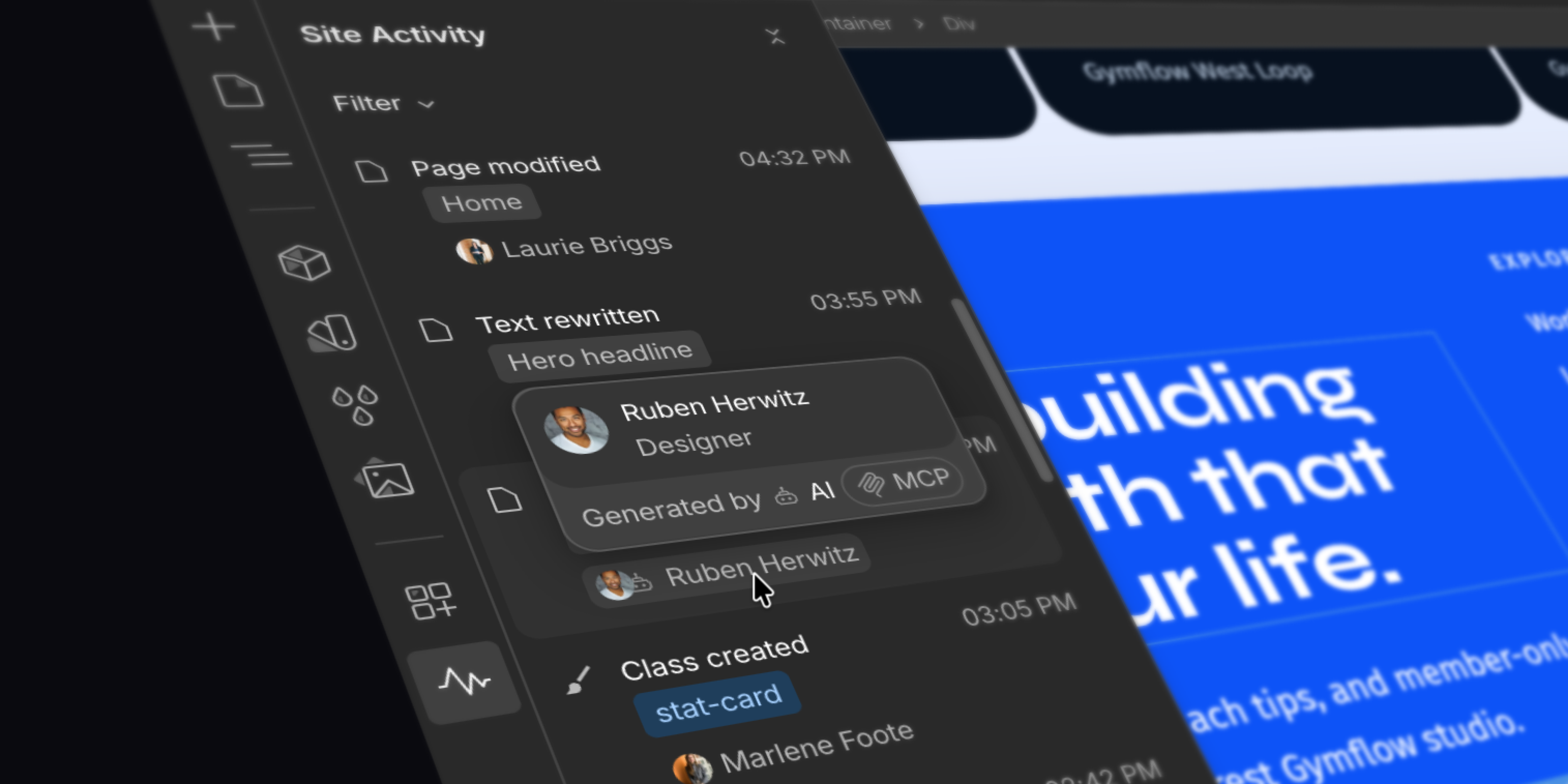
Webflow AI and MCP-connected tools like Cursor and Claude let you move faster than ever: designing, generating, and publishing at a pace that wasn't previously possible. But this new way of building means more changes, from more sources–and less visibility into what changes happened to your site, when.
Now the Site Activity Log now shows how every change was made — not just who made it.
Whether you're reviewing changes before publishing, or trying to understand an unexpected update, you can now see whether an edit came from a teammate working directly in Webflow, a Webflow AI feature, or an MCP-connected agent tool.
What's new
- Attribution labels on every Site Activity Log entry: Human, Webflow AI, or MCP
- A new "Source" filter to show only the entries you care about
- An enriched generatedBy field in the Site Activity Log API for teams routing log data into SIEM or custom tooling
Available on Enterprise. AI attribution in the Site Activity Log is on by default. No setup required.
Related updates

.png)
.jpg)



















Get started for free
Try Webflow for as long as you like with our free Starter plan. Purchase a paid Site plan to publish, host, and unlock additional features.
Try Webflow for as long as you like with our free Starter plan. Purchase a paid Site plan to publish, host, and unlock additional features.