






Feature
Website management
New features for Optimize Enterprise
Introducing more ways to target, filter, and report on your optimizations.
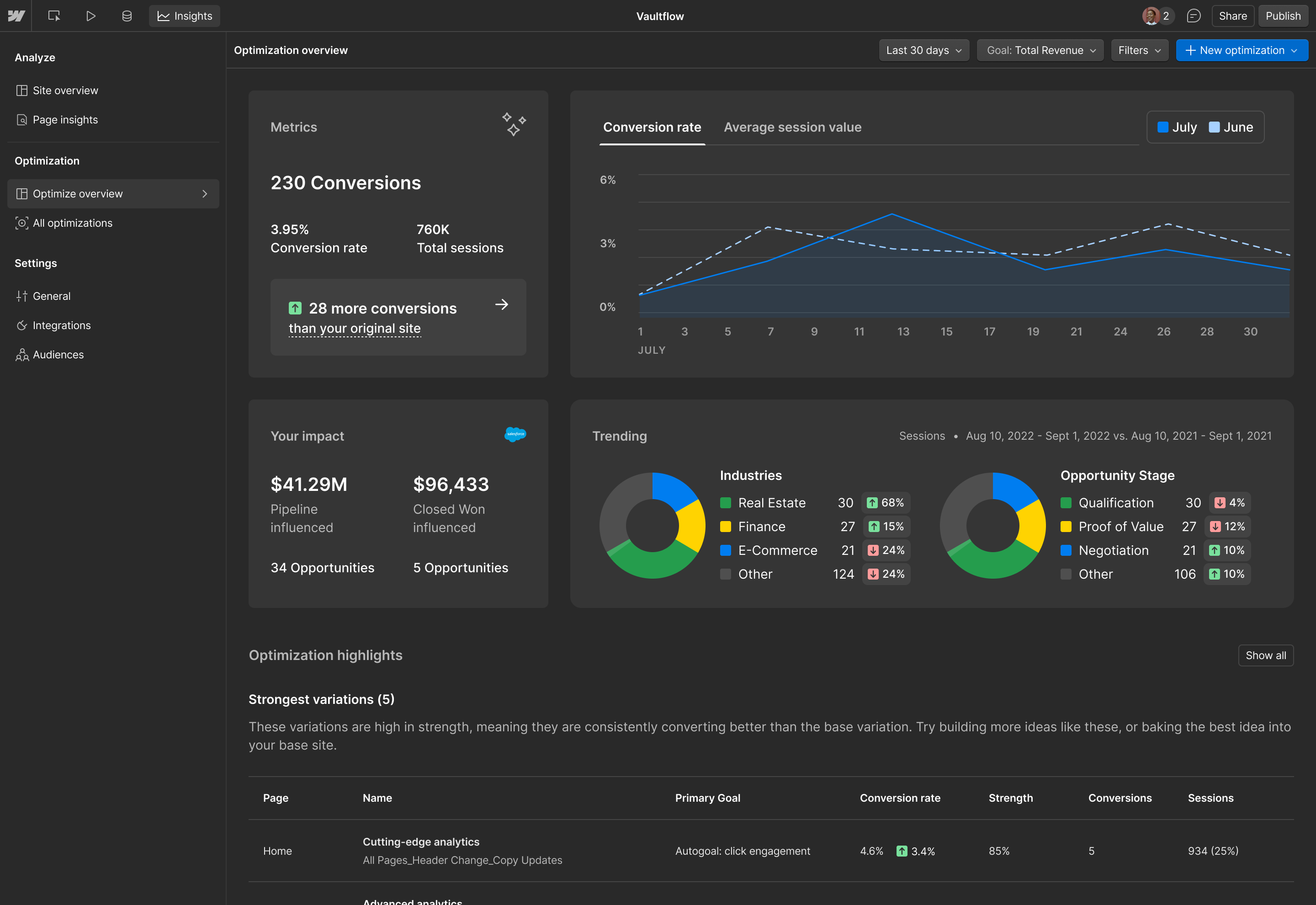
Today, we’re excited to announce that Optimize Enterprise customers now have access to multiple new features focused on deepening insights: the new Optimize overview page, custom URL parameters, and custom attributes.
Optimize overview:
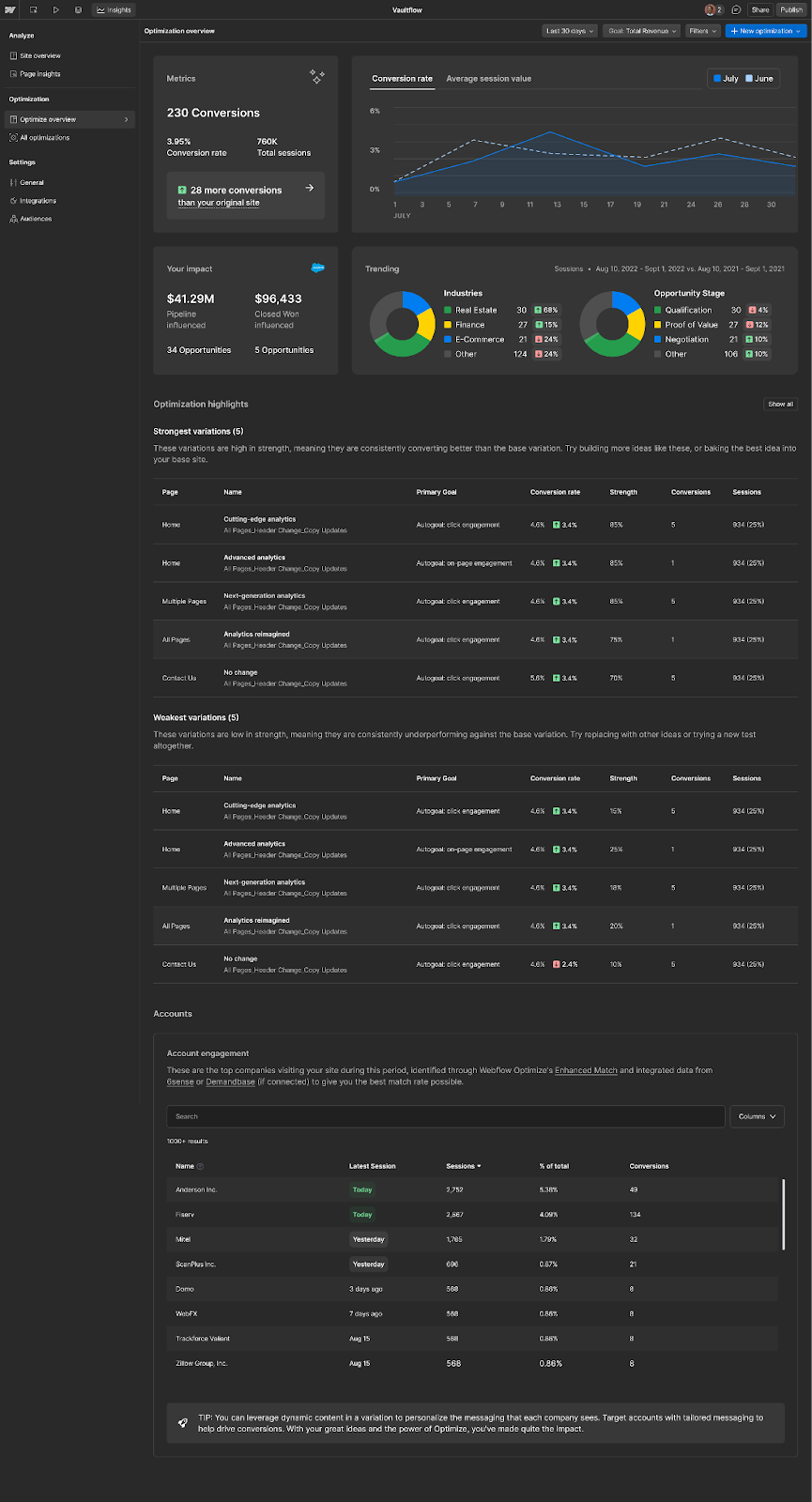
The Optimize overview page gives you a high-level view of the overall impact your optimization efforts are having across your website. On this page, valuable insights into visitor engagement are front and center; see which companies are visiting your site, evaluate the performance of your variations, and even compare different optimization scenarios with the ROI simulator.
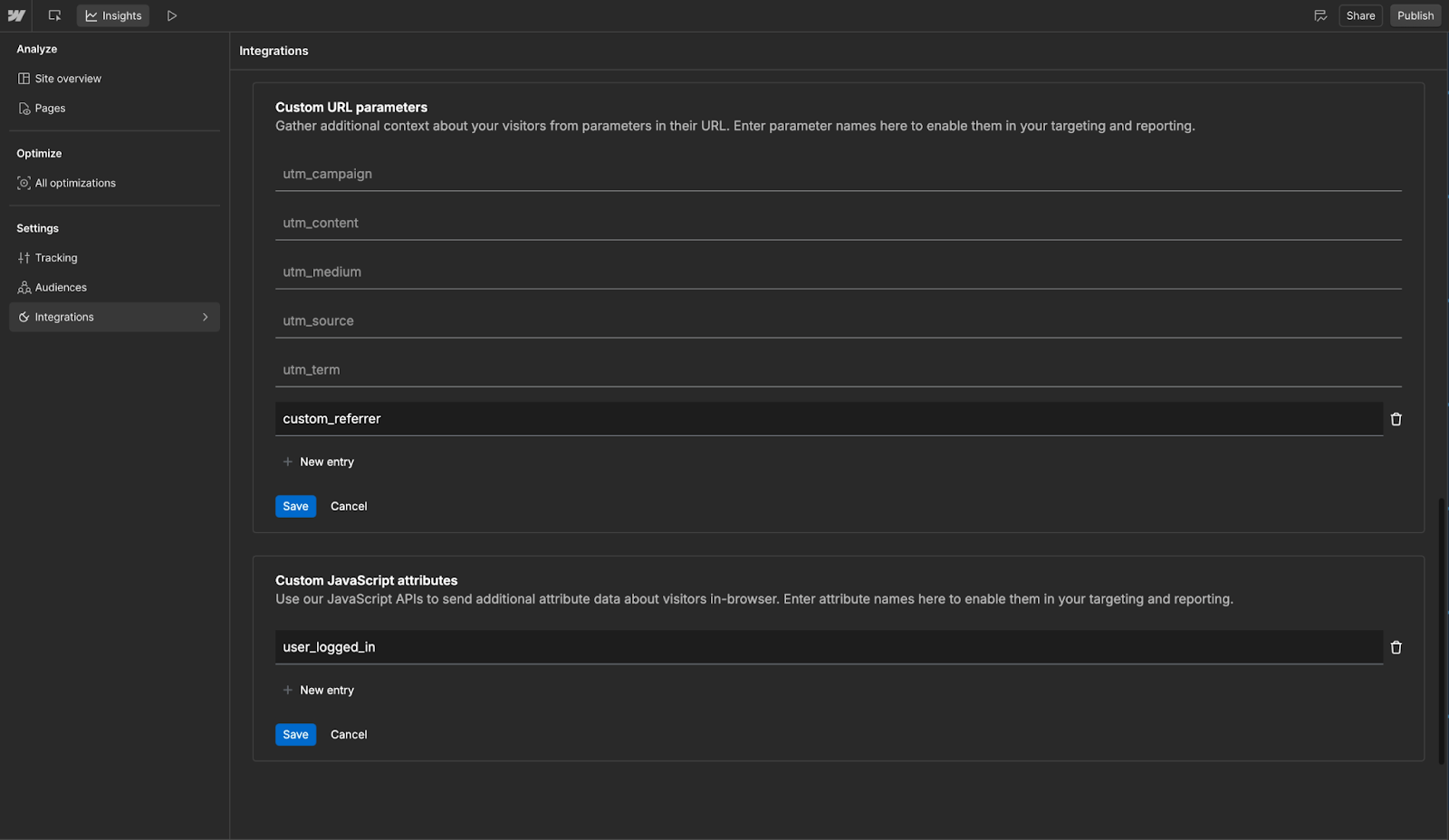
Custom URL parameters and attributes:
Next up are two new features that give you the ability to bring even more data to target and report on optimizations. You can now use a Webflow API to set custom attributes (characteristics associated with your visitors) that leverage additional data you’ve learned, collected, or acquired. In Optimize, you can then add those custom attributes as optimization results filters or as optimization audiences to target visitors.
Similarly, you can now enable individual URL parameters so that they’re available as filters for optimization results and as optimization audiences for targeting visitors. This allows you to filter and report on specific URLs that are tied to a certain campaign or marketing effort.
Interested in exploring Optimize Enterprise for your site? Check out webflow.com/optimize to learn more, and contact our sales team.
Related updates
.png)



















Get started for free
Try Webflow for as long as you like with our free Starter plan. Purchase a paid Site plan to publish, host, and unlock additional features.
Try Webflow for as long as you like with our free Starter plan. Purchase a paid Site plan to publish, host, and unlock additional features.