






Enrollsy
Connect Enrollsy with Webflow to take program enrollments and payments on your own pages through embedded forms and program listings.

A Webflow form collects names and emails, but it cannot hold a camp spot for 30 minutes while a parent finishes checkout, and it cannot split tuition between payers. Age limits and signed waivers belong to the same registration logic. Enrollsy handles all of it, and without a connection your site sends families to a separate URL to enroll.
The connection puts Enrollsy's Enroll Form on your Webflow page as a sliding drawer. You paste the embed code Enrollsy generates into a Code Embed element, and visitors register and pay without leaving your site. The same embed tool serves the Browse program catalog, Customer Sign In, and Gift Card pages. Enrollment records and payments stay in Enrollsy, while Webflow hosts the design and every page around the form.
This guide is for childcare directors, camp registrars, dance studio owners, sports club administrators, and art or music school operators who run their site on Webflow. It is also for Webflow designers and agencies building sites for program-based businesses. Enrollsy publishes its own Webflow embed guide and offers enrollment-based site templates built on Webflow.
How to integrate Enrollsy with Webflow
What is Enrollsy? Enrollsy is enrollment, billing, payment, and program management software for organizations that run classes, programs, camps, or childcare. It handles paperless enrollment forms, payment plans, autopay, attendance check-in, and customer and instructor portals. Each Program gets one Enrollment Model, such as Days per Week, which sets how its Classes appear on the Enroll Form, and each Class is either a Single Class or a Series.
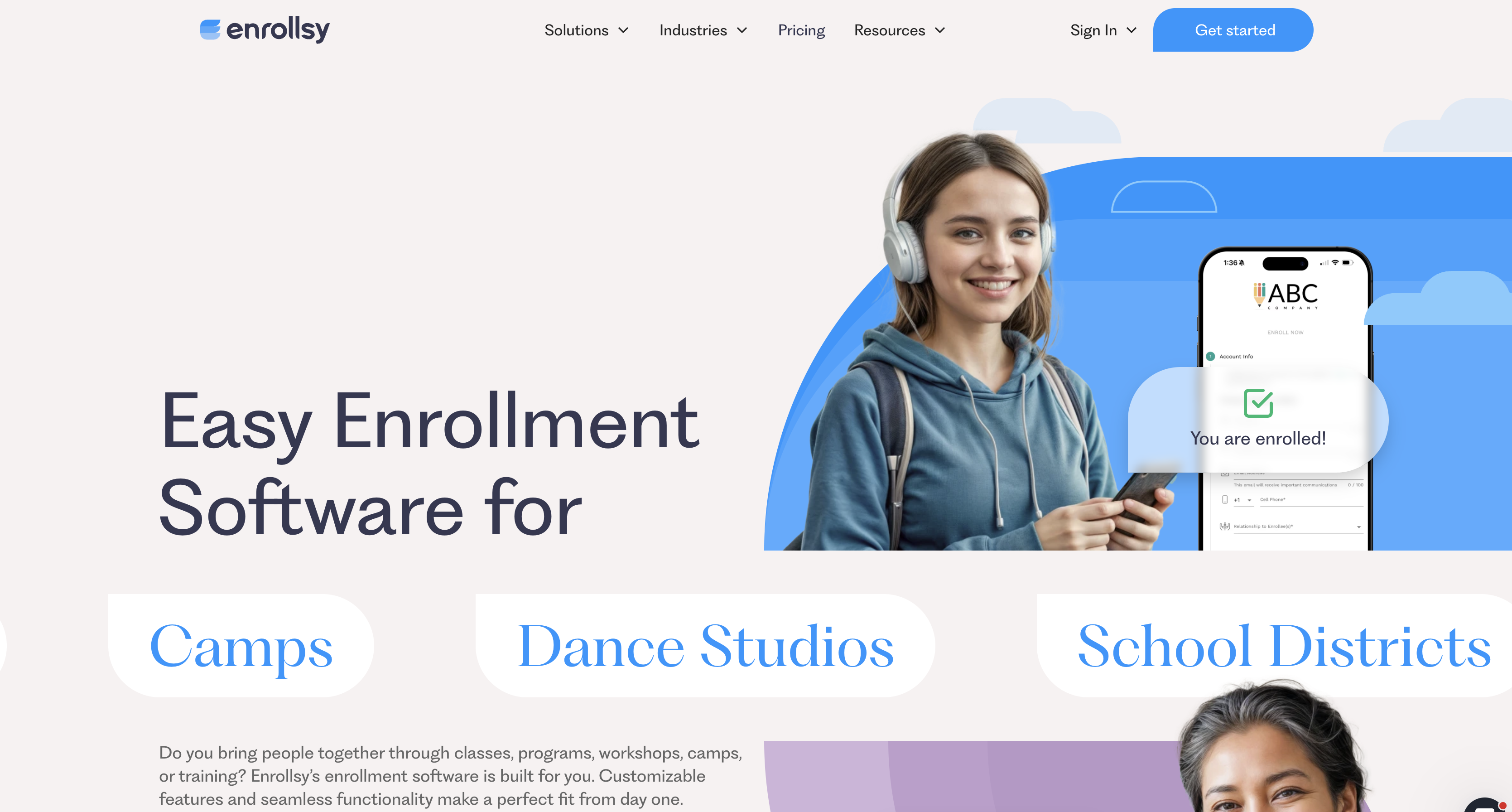
Teams pair the two when they want a designed marketing site with registration that stays on-brand. A summer camp publishes a page per session in Webflow and drops an Enroll button on each one, prefilled to that program. A dance studio embeds the Browse page so class availability and pricing come straight from Enrollsy. With the embed alone, the Webflow site stores no enrollment record, because every registration lands in the Enrollsy admin.
The Enrollsy-Webflow integration works three ways. Code Embed elements place Enrollsy widgets on any Webflow page from generated embed code. Zapier passes Enrollsy's six triggers to Webflow CMS actions. The Webflow Data API covers custom Webflow-side writes when Zapier's actions fall short. Most implementations start with the embed and add Zapier only when they need enrollment data outside Enrollsy.
Add Enrollsy widgets with Code Embed elements
Enrollsy documents this method in a dedicated Webflow guide: you generate embed code in Enrollsy and paste it into a Code Embed element before publishing. The Enrollsy article calls the element an HTML Embed; it is the same Code Embed element in the Add panel. Code Embed elements need a Core, Growth, Agency, or Freelancer Workspace, or an active paid Site plan, and accept up to 50,000 characters. A plain link to Enrollsy's hosted Enroll Form works on any plan, so that path comes first.
Link a button to the Enroll Form
Enrollsy generates copyable enrollment URLs from several places in the admin, and any Webflow Button or Link Block can point at one. This is the zero-code path, and Enrollsy's fallback for hosts that block third-party embeds. Enrollsy names Wix as one such host, while Webflow gets a dedicated embed guide.
To link a button to the Enroll Form:
- In Enrollsy, click the person icon, then My Company, then the link icon next to Enroll Form.
- In Webflow, add a Button element and open the Element settings panel.
- Under Link settings, choose URL, paste the Enrollsy link, and optionally select Open in a new tab.
- Publish the site.
Enrollsy's sharing guide describes the enroll links you can paste into a Webflow Button.
- General Enroll Link: This all-purpose link opens your public Enroll Form and leaves out Private Programs, so it suits a site-wide Enroll button.
- Program and Private Enroll Links: These sit beside each program on the Programs and Classes pages in Enrollsy, ready to copy onto a single program's Webflow page.
- Customized Enroll Link: Built from the link icon beside the Programs filter on the Classes > Classes tab, it prefills options such as Program Name, Schedule, and Time, but cannot target a single Class or a Private Program.
- URLsy links: Enrollsy's paid URLsy add-on wraps any Enrollsy link with branding, expiry, password protection, automatic QR codes, and click analytics.
Linked buttons send visitors to Enrollsy's hosted page, so use the embed below when you want them to stay on your site.
Embed the slide-out Enroll Form
Visitors complete account info, program selection, and payment inside a sliding drawer over the host page. Enrollsy generates the embed code for you, and the other widget types follow the same steps. You can prefill a specific program so a camp session page opens straight to that session.
To embed the Enroll Form:
- In Enrollsy, open the Enroll page, click the circle button in the top-right corner, and select Add to website. You can also reach the tool from the person icon > My Company > Embed Enrollsy on your site.
- Choose the embed type, then choose a button or a text link.
- Set the text, color, size, and corners. Optionally prefill a Location, Enrollment Period, and Program.
- Copy the generated code.
- In Webflow, open the Add panel, drag a Code Embed element onto the canvas, paste the code, then save and close the editor.
- Publish the site and test the drawer on the live page.
Everything that happens inside the drawer is configured in Enrollsy, not in Webflow.
- Payments: EnrollsyPay routes card payments to Nuvei and ACH payments to ACHQ, lists Stripe for international clients, and says Enrollsy never holds your money and stores only payment tokens.
- Program rules: Program-level Enroll Form settings add an Enrollment Ends On cut-off, age restrictions, prerequisite programs, coupon codes, required document uploads, and e-signature documents.
- Capacity: With Enforce enrollment capacities switched on, a selected spot is held for 30 minutes and capacity drops in real time, and a family who loses the last seat sees a Selection Became Full message.
- Styling: The embed tool sets the button or text link's text, color, size, and corners, and the FAQ below covers what you can still change after pasting.
Custom code takes effect only after you publish, so test the drawer on the published site rather than the canvas.
Embed the Browse page as a program catalog
Visitors see current Class availability and pricing from Enrollsy, then pick a class and move into enrollment. The catalog opens in a drawer in place, so visitors stay on your Webflow page. Enrollsy covers publishing the Browse page and its configuration in the Browse feature guide. Browse comes at no extra cost and is usually on by default; if it is missing, Enrollsy Support can switch it on.
To embed the Browse page:
- In Enrollsy, open Enroll > Browse tab and click the eye icon in the pink banner to publish the page.
- To include a private program, open the Programs page, click the pencil icon, open Advanced, confirm the Make private toggle, check Show on Browse Page, and click Save. Private Programs appear on Browse without an Enroll Now button or class capacity.
- Click the circle button > Add to website, choose Browse as the embed type, and copy the code.
- Paste the code into a Code Embed element in Webflow and publish.
Availability and pricing render from Enrollsy, so you edit them in the Enrollsy admin rather than in Webflow.
Connect Enrollsy and Webflow with Zapier
Enrollsy's Zapier connector is invite-only and does not appear in Zapier's public directory. Request an invitation link through the chat bubble in the Enrollsy admin, as described in Enrollsy's Zapier setup guide. The Webflow connector on Zapier offers Create Item, Create Live Item, Update Item, and Update Live Item actions. No pre-built Webflow and Enrollsy Zap templates exist, so you assemble the Zap yourself. Zapier checks Enrollsy for new events every 3 hours, so nothing here is real-time.
Four pairings are worth knowing before you build a Zap.
- New Enrollment to Create Item: This logs each registration as a CMS item, but a Collection holds site content rather than private records, so map non-personal fields such as program and session.
- Class Start or Class End to Update Item: Either trigger can flip a status field on a session's CMS item, for example marking a camp week as in progress.
- Remaining triggers: New Lead, New Activity Post, and New SMS Message also fire, but Enrollsy documents no Webflow-specific use for any of them.
- Webflow form to Enrollsy: Enrollsy documents triggers only and no Zapier actions, so a Webflow form submission cannot create an Enrollsy lead or enrollment.
Add Zapier Segments to each program before building a Zap, because the segments are what make its triggers available, and note that custom Enroll Form fields have no triggers at all.
Build with the Webflow Data API
Enrollsy's FAQ states, "Enrollsy currently doesn't offer an API," and points customers to Zapier instead. Every API integration is therefore Webflow-side only, fed by Zapier. This path suits agencies that want enrollment-derived data, such as session status, inside the CMS for display. It requires server-side development and a Bearer token, either a Site Token or an OAuth token, per the authentication reference.
- Enrollsy side: Apart from a QuickBooks integration for accounting, Zapier is the only outbound route Enrollsy's FAQ names, so every API build starts from a Zap.
- CMS items: The Data API v2 lists, creates, and updates CMS Collection items, which your server can write after each Zapier trigger.
- Form submissions: The API also reads Webflow form submissions, useful when a Webflow form gathers interest before a family enrolls in Enrollsy.
- Webhooks: Webflow webhooks fire on 14 trigger types, including
form_submissionandcollection_item_changed.
Keep family and student details in Enrollsy, because a CMS Collection holds site content rather than private records.
What you can build with the Enrollsy Webflow integration
Each of these builds keeps registration and payment in Enrollsy while Webflow carries the pages families land on.
- Camp session pages with prefilled enrollment: Build one Webflow page per camp week, each with an Enroll button embedded through the Code Embed element and prefilled to that week's Location, Enrollment Period, and Program. Parents click, the drawer opens on the right session, and payment completes in place.
- Live program catalog for a dance studio: Embed the Browse page on a Classes page so Programs, Class availability, and pricing show in an in-place drawer. The studio updates schedules in Enrollsy and the Webflow page reflects them without a redesign.
- Parent portal entry on a childcare site: Add a Customer Sign In embed to a Parents page so families log in to Enrollsy's customer portal with the email they enrolled with, then pay invoices or print statements there. The login belongs to Enrollsy, so the site needs no Webflow User Accounts, which Webflow retired on 29 January 2026.
- Tracked thank-you page after enrollment: Set the Redirect URL under the person icon > My Company to a Webflow confirmation page, per the My Company setup guide. Place your marketing pixels on that page, behind a cookie consent banner, to count completed enrollments.
Build event registration pages with Webflow and Mailchimp first, then hand payment and capacity to Enrollsy once sessions need real checkout.
Frequently asked questions
No. Enrollsy has no listing in the Webflow Apps Marketplace. The connection runs through a Code Embed element holding embed code generated in the Enrollsy admin, and Enrollsy documents the steps in its own Webflow guide.
Not for the embed. Code Embed elements need a Core, Growth, Agency, or Freelancer Workspace, or a paid Site plan, and the free Starter plans do not include custom code. On Starter, link a Button to Enrollsy's hosted Enroll Form URL instead, and compare plans in Choose a Site plan.
Not directly. Enrollsy publishes no API, and its Zapier connector has no trigger for programs or classes being created or updated, so program data has no automated route into the Webflow CMS. A Zapier New Enrollment event can feed the Data API's create item endpoint, though family details belong in Enrollsy rather than the CMS. Enrollsy also offers web design services that connect a site to its back-office data in real time.
With the embed, enrollment finishes in a drawer over your Webflow page; with a plain link, it finishes on Enrollsy's hosted Enroll Form. Afterwards, the optional Redirect URL in Enrollsy's My Company settings can send the enrollee to any page you choose, such as a Webflow thank-you page. Without one, Enrollsy shows a page with your location and contact details.
Yes, within limits. Enrollsy's embed tool sets the button or text link's text, color, size, and corners before you copy the code, and Enrollsy's Webflow guide says you can add custom CSS in the Code Embed editor afterwards. Inside the form, individual fields take Desktop/Tablet Width and Mobile Width settings, covered in Enrollsy's Enroll Form customization guide.
Description
Embed Enrollsy's registration tools on Webflow pages with Code Embed elements. Zapier connects enrollment events to the Webflow CMS.
This integration page is provided for informational and convenience purposes only.

Events Management Website With Booking & Appointment Feature
Recreate the Events Booking showcase site in Webflow with a single-page layout, anchor navigation, service cards, and a consultation request form, plus when to add a real scheduling tool.

Luma
Connect Luma, an event hosting and ticketing platform, with Webflow to embed registration buttons, display calendar widgets, and sync event data to CMS collections automatically.

Zoom
Connect Zoom with Webflow to register webinar attendees from site forms, embed Zoom Scheduler booking pages, and publish sessions and recordings to the CMS.
Ticket Tailor
Connect Ticket Tailor with Webflow to sell tickets directly on your site, with no redirect to an external checkout.
LiveStorm
Connect LiveStorm with Webflow to automate registrations, embed webinar rooms, and sync attendee data.
Humanitix
Connect Humanitix, a B-Corp certified event ticketing platform that donates booking fee profits to charity, with Webflow to sell tickets through embedded widgets on your site.
Luma
Connect Luma, an event hosting and ticketing platform, with Webflow to embed registration buttons, display calendar widgets, and sync event data to CMS collections automatically.

Happyning Events
Connect Happyning Events with Webflow to publish Riviera event listings and capture guest inquiries on your own site.

Eventbrite
Connect Eventbrite, an event management and ticketing platform, with Webflow to embed on-site checkout, display event calendars, and sync event data to CMS collections automatically.
Related integrations
Get started for free
Try Webflow for as long as you like with our free Starter plan. Purchase a paid Site plan to publish, host, and unlock additional features.
