






Bigin
Connect Bigin with Webflow to turn form submissions and ecommerce orders into CRM contacts and deals, then schedule follow-up tasks automatically.

Webflow forms collect submissions and send email notifications, but they don't create sales records. Every lead sits in the Forms panel until someone copies it into a CRM by hand. Webflow's native form system ships with no connector to a small-business CRM, so deal stages and follow-up tasks depend on manual entry, tag updates included.
Bigin closes that gap. A Webflow form submission or an ecommerce order can create a Bigin contact and open a deal at the right pipeline stage, tag the lead by campaign, and schedule the first follow-up task. The sync runs the other way too, so a change to a Bigin record can update an item in the Webflow CMS on your live site.
This one fits small teams that win work through their Webflow site: freelancers, consultancies, agencies, and ecommerce brands. Bigin is built for teams of 1 to 20 employees that have outgrown spreadsheets, and marketing agencies use it to run a separate pipeline per service line. Ecommerce brands on Webflow can route new orders into fulfillment pipelines the same way.
How to integrate Bigin with Webflow
What is Bigin? Bigin is a pipeline-centric CRM for small businesses, built by Zoho. It keeps contacts and companies in one place with deals arranged into pipelines, and it adds no-code forms, workflow automation, and built-in email, telephony, and WhatsApp channels. Bigin's own site claims more than 50,000 businesses run on it.
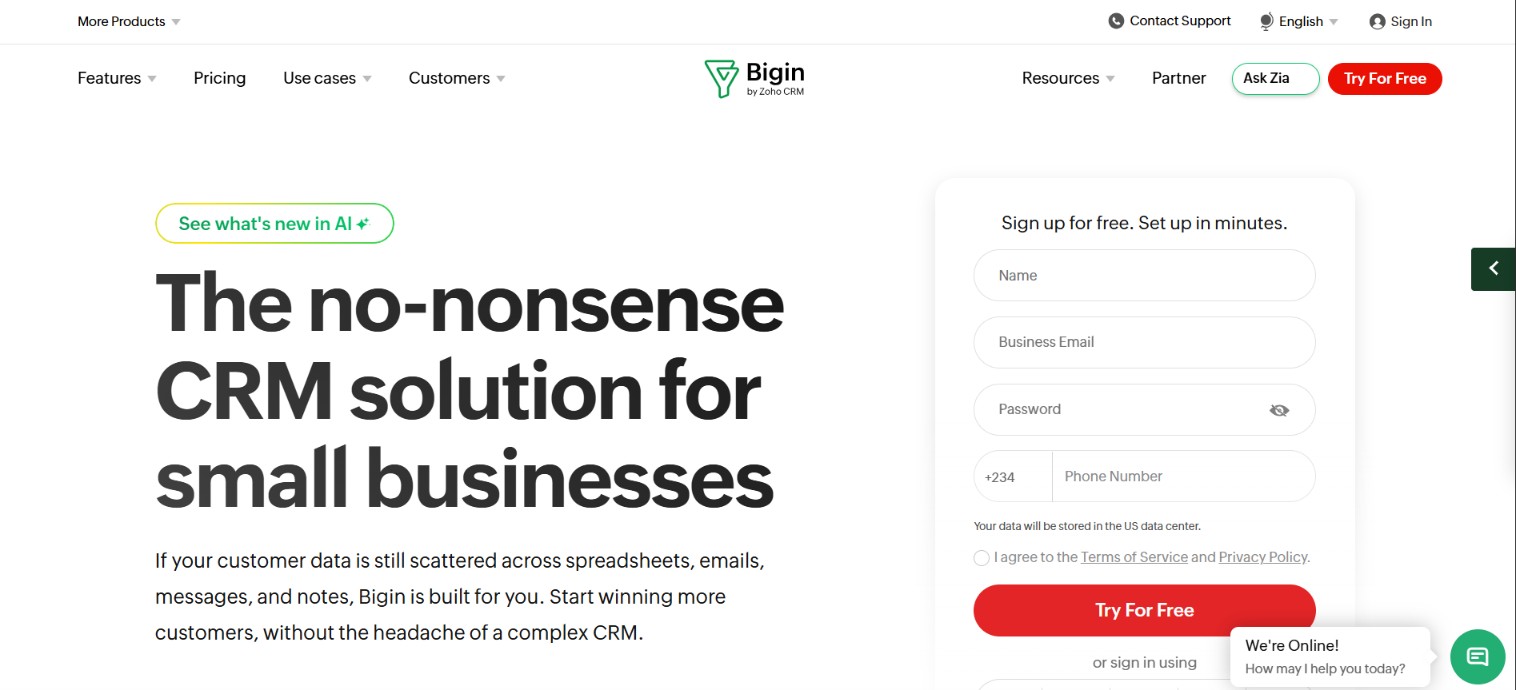
Teams pair Bigin with Webflow when the website is the main source of new business. A consultancy's inquiry page or an ecommerce checkout becomes the top of the pipeline. Bigin has no Leads module, so every inbound prospect lands directly as a Contact or a Pipeline record, which keeps the form-to-CRM hop short.
Bigin has no app on the Webflow Marketplace, so pick the connection path by how much control the setup needs:
- Bigin form embeds paste into a Code Embed element and post submissions straight to your CRM with no code of your own.
- Site-wide snippets for Zoho SalesIQ chat and Bigin's WhatsApp button go into Webflow's head and body custom code fields instead of a single page element.
- Automation platforms such as Zapier, Make, Zoho Flow, and viaSocket wire Webflow form and order triggers to Bigin actions through a mapping screen.
- The Webflow Data API and the Bigin API give you full control over lead routing and two-way CMS sync, but they need server-side development.
Most implementations combine two or more of these, depending on how complex the setup gets.
Embed Bigin forms with the Code Embed element
Bigin Forms are no-code forms you build inside Bigin and embed on a page to capture submissions directly. This is the fastest path for a non-technical team, because it asks for no automation platform and no API credentials. The Code Embed element does need a paid plan: it is available on Core, Growth, Agency, or Freelancer Workspaces, or on any site with an active Site plan. Your Bigin edition sets the form quota, which starts at one form on the Free edition, and up to 25 additional forms can be bought as an add-on.
To set up the integration:
- Build the form in Bigin and copy the generated embed code.
- In Webflow, open the Add panel, go to Advanced, and drag a Code Embed element onto the canvas.
- Paste the Bigin embed code, save, and publish the site.
Once the form is live, it does work that a native Webflow form cannot:
- Record type mapping: You map each field to a record type and choose the pipeline and stage new entries land in, so submissions sort themselves on arrival.
- Pipeline placement: Bigin puts each entry “into the appropriate stage of the relevant pipeline,” per Bigin's forms documentation.
- Approval screening: An approval step lets you read a submission, assign it to the right person, and approve it before any record is created.
- Direct posting: The form posts to Bigin rather than to Webflow, so these submissions never count against Webflow's native form limits.
The Code Embed element takes up to 50,000 characters of HTML, CSS, and JavaScript, which is far more room than a Bigin embed needs.
Add the SalesIQ tracking code or WhatsApp widget site-wide
Two Bigin-adjacent snippets belong in Webflow's head and body custom code rather than in a page element, because both have to run everywhere. The Zoho SalesIQ integration adds chatbots, live chat, and visitor tracking, and Bigin's pitch for it is to “Automatically convert every website visitor into a record in Bigin!” Bigin's free WhatsApp widget generator produces a chat button whose instructions say to “Copy and paste this code before the </body> tag on every page of your website.”
To place either snippet:
- Generate the tracking code in SalesIQ or the widget code in Bigin's generator, and copy it.
- In Webflow, go to Site settings > Custom code and paste the snippet into the Footer code field.
- Save and publish.
Footer code loads before the closing body tag on every page, which satisfies the widget's every-page requirement without per-page edits. Each custom code field holds up to 50,000 characters, and Webflow does not run server-side languages, so anything needing a backend goes to the API path below.
Connect with Zapier, Make, Zoho Flow, or viaSocket
Four automation platforms connect Webflow to Bigin without code, and each maps Webflow form fields to Bigin record fields for you. Zapier keeps a dedicated Bigin and Webflow page with pre-built templates, including one that creates a Bigin contact from every new form submission. Zoho Flow carries the widest action set on the Webflow side, with four triggers and eight actions including Create live item and Update item, which is what makes CMS write-back possible, and it is also listed as a Webflow Marketplace app. Make lists 45 Bigin modules on a Make-verified app, split across 7 triggers, 30 actions, and 8 search steps. viaSocket lists both apps with form, order, and contact triggers.
The trigger-to-action pairs these platforms document include:
- Form to contact: A Webflow new form submission creates or updates a Bigin contact on Zapier, Zoho Flow, and viaSocket, and Make calls the same pair Watch form submissions and Create a contact.
- Form to pipeline record: The same trigger can create a Pipeline record instead, so an inquiry opens a deal at whichever stage you pick during setup.
- Order to fulfillment: A Webflow new order creates a Bigin pipeline record, which gives every purchase a fulfillment stage next to the customer's contact.
- Form to campaign tag: Zoho Flow's Add tag to record action stamps each lead with its campaign source before anything downstream runs.
- CMS item to record: Zoho Flow's Collection item created trigger turns a new CMS entry into a Bigin record, useful when editors are the ones adding data.
- Record back to CMS: A Bigin new or updated contact trigger can drive Webflow's Create live item or Update item action, which is the no-code version of CMS write-back.
Webhook-based triggers on these platforms need a paid Webflow plan, so budget for at least a Basic Site plan before you build automated flows.
Build with the Webflow and Bigin APIs
The API path suits developers who need custom lead-routing logic, multi-step record creation, or CMS write-back that no-code platforms cannot express. It needs middleware on your own server, because Webflow custom code does not run server-side languages. Bigin's REST API is available on every edition, and each edition gets a credit limit that governs how many calls you can make in a 24 hour window.
For this build you work with four APIs:
- Bigin REST API v2: The current version, documented at Bigin's developer docs, covers contacts, companies, pipeline records, tasks, and notes.
- Bigin Notification API: The notification endpoints push record events to a URL you control, which is how CRM changes reach your site.
- Webflow Data API: Read and write CMS collections and pull form submissions on demand.
- Webflow webhooks: Register a webhook once and Webflow delivers real-time events to your middleware instead of making you poll.
Bigin uses OAuth 2.0 with access tokens valid for one hour, passed as Authorization: Zoho-oauthtoken <ACCESS_TOKEN>. Send every request to the api_domain returned in the OAuth token response rather than a hardcoded host: Zoho runs data-center-specific domains, and a hardcoded www.zohoapis.com fails silently for accounts registered in the EU, AU, IN, CN, JP, SA, or CA data centers.
Sync Webflow form submissions to Bigin contacts
This flow pushes each submission to your middleware in real time, then writes it to Bigin. Build against v2 only, since Webflow's v1 Data API reached its deprecation date on March 31, 2025 and no longer receives maintenance or support.
For a form-submission sync:
- Register a webhook with
POST https://api.webflow.com/v2/sites/{site_id}/webhooks(scopesites:write), using this body:
{
  "triggerType": "form_submission",
  "url": "https://your-middleware.example.com/webhook",
  "filter": { "name": "Contact Us" }
}
- Read the form_submission payload. Submitted values arrive in
datawith field names as keys, so mappayload.data["Email"]to Bigin'sEmailandpayload.data["Last Name"]toLast_Name, which Bigin requires. - Create the contact with
POST {api_domain}/bigin/v2/Contacts(scopeZohoBigin.modules.contacts.CREATE):
{
  "data": [{
    "First_Name": "Sarah",
    "Last_Name": "Johnson",
    "Email": "sarah.johnson@example.com",
    "Mobile": "+1 (555) 987-6543"
  }]
}
To avoid duplicate records, swap step 3 for the upsert endpoint at POST {api_domain}/bigin/v2/Contacts/upsert, which inserts or updates in a single call by checking Bigin's unique fields first. Plan for delivery failures as well: Webflow retries a failed webhook up to three more times at 10-minute intervals, then deactivates it and emails you.
Sync Bigin records to Webflow CMS items
This is the reverse direction, worth building when Bigin data has to show up on the live site. Bigin's Notification API pushes record events such as Contacts.edit and Pipelines.create to any HTTPS endpoint you control.
For CRM-to-CMS sync:
- Enable notifications with
POST {api_domain}/bigin/v2/actions/watch(scopeZohoBigin.notifications.ALL), passing yournotify_url. One call can subscribe to several modules at once, each with its own channel ID. - Handle the callback. It carries resource identifiers rather than full field data, so make a follow-up
GETto/bigin/v2/Contacts/{id}for the record itself. - Write the changes with
PATCH https://api.webflow.com/v2/collections/{collection_id}/items(scopecms:write, 100 items per request), then publish.
You subscribe per module using its API name, and each subscription takes create, edit, delete, or all as its operation, which covers most CRM-to-site sync scenarios.
What you can build with the Bigin Webflow integration
Integrating Bigin with Webflow turns website activity into pipeline records without manual data entry or spreadsheet exports. The four patterns below are the ones we see most on sites built with Webflow:
- Inquiry form to open deal: An inquiry page on a consultancy site creates a Bigin contact and opens a deal at the right stage, via Zapier's form-to-contact template or an embedded Bigin form.
- Order to fulfillment pipeline: A Webflow store's new order trigger creates a Bigin pipeline record, so every purchase moves through fulfillment stages beside the customer's contact profile.
- Campaign routing by landing page: An agency running one landing page per service uses Zoho Flow's Add tag to record action to route each lead into the matching service pipeline, which Bigin suggests splitting by SEO, social media marketing, PPC, and branding.
- CRM data back on the live site: Testimonials gathered in a Bigin pipeline publish to a CMS-powered reviews page, with a Bigin record trigger driving Webflow's Create live item action.
For a step-by-step version of the automation path, our walkthrough on sending Webflow forms via Zapier uses HubSpot as the destination, and the Bigin build differs only in the action you pick. If you need tighter control over field mapping, deduplication, and the order records are created in, the API path covers those cases.
Once your CMS is carrying CRM data, connect the MCP server so an agent can create collections, bulk-update items, and read form submissions for you instead of you clicking through each change by hand.
Frequently asked questions
No. Bigin has no listing in the Webflow Marketplace, and Bigin's own integrations directory doesn't name Webflow either. The closest option is the Zoho Flow app, Zoho's automation platform, which runs a no-code Bigin and Webflow connection off form, order, and CMS triggers.
No. Per the Code Embed documentation, the element is available on “Core, Growth, Agency, or Freelancer Workspaces, or any site with an active Site plan.” Upgrade to a paid Site plan or a paid Workspace before you embed a Bigin form.
Use a create-or-update action instead of a plain create. Zapier's Create or Update Contact action writes a new contact or updates the existing one when the submitted email address already sits in Bigin. On the API path, Bigin's upsert endpoint does the same job in one call by checking unique fields first. Inside Bigin, Find and Merge locates duplicates that already exist so you can set one as the master record and merge the rest into it.
A Contact or a Pipeline record, because Bigin has no Leads module. An embedded Bigin form creates the contact and drops it at the pipeline stage you mapped when you built the form. Automation platforms let you pick the record type per workflow, including Company, Task, Call, and Event.
Start with Zapier's pre-built template, Create contacts in Bigin from new Webflow form submissions. Zapier lists the Webflow form trigger as instant, so a contact appears in Bigin as soon as someone submits, and setup asks only for your Webflow and Bigin logins. Our Zapier integration guide covers connecting your site.
Description
Send Webflow form submissions and orders into Bigin as contacts and deals, with tasks for follow-up. Start with an embedded Bigin form in a Code Embed element, or connect through Zapier, Make, Zoho Flow, or viaSocket. For custom two-way sync, use the Webflow Data API and the Bigin REST API v2.
This integration page is provided for informational and convenience purposes only.

Bullhorn CRM
Connect Bullhorn CRM with Webflow to sync job listings, capture candidate applications, and move staffing data between your website and your ATS.

Hype
Connect Hype (formerly Pico) with Webflow to embed creator lead capture pages and route contact and payment data into your site.

Attio
Connect Attio, a CRM for go-to-market teams, with Webflow to turn form submissions into CRM records with enriched contact data, pipeline stage assignments, and automated follow-up tasks.

Salesforce
Connect Salesforce's powerful CRM capabilities with Webflow to streamline lead capture, automate customer data synchronization, and create personalized web experiences. Transform your website into a revenue-generating engine with seamless form-to-CRM workflows and real-time data integration.

Pipedrive
Use the integration method that fits your setup to route Webflow form submissions into Pipedrive automatically.

HubSpot
Connect HubSpot's powerful CRM and marketing automation platform with Webflow to create personalized web experiences, automate lead capture, and unify your marketing data. Streamline workflows while maintaining complete design control over your website.

HubSpot via Vimkit
Connect HubSpot to Webflow with Vimkit's free form connector, and see where Webflow's native HubSpot app is the better route.
Related integrations
Get started for free
Try Webflow for as long as you like with our free Starter plan. Purchase a paid Site plan to publish, host, and unlock additional features.
