



For paid-ads teams, choosing an Unbounce replacement comes down to overage fees, A/B testing, and whether campaign pages live inside your main site.
Teams look for an Unbounce alternative for different reasons, and many of them come with growth. For paid traffic teams, one strong campaign month can end in an unplanned bill. Your testing program could outgrow Unbounce, or you may want campaign pages that match the main site instead of living in a separate tool.
In this article, we compare seven Unbounce alternatives on A/B testing support, traffic overages, and site integration.
Key takeaways:
- Choose Webflow if your campaign pages should use your brand’s design system, whether they live on your main site or as standalone pages through Webflow Campaigns. Add Webflow Optimize for native, AI-powered A/B testing and personalization on site pages.
- Choose Instapage if your paid-search team wants flicker-free A/B tests, but keep traffic under the plan's visitor cap, because going over locks the account.
- Choose Leadpages if your ad spend swings from month to month, since no plan charges for traffic, but expect a cap on variants per A/B test.
- Choose Landingi if each brand or client you serve needs its own subaccount, but ask for the overage rate before a large launch, because Landingi doesn't publish it.
- Choose Swipe Pages if most of your paid-social clicks land on mobile pages, but sharing headers and tracking scripts across pages requires its most expensive tier.
- Choose HubSpot if your sales team already works in HubSpot CRM, but budget to pay for two products to cover both A/B testing and ad audiences.
- Choose Framer if your brand site already runs on Framer, but A/B testing is a paid add-on billed by analytics events.
How the best Unbounce alternatives compare
The shortlist covers three types of Unbounce alternatives:
- Website platforms that build campaign pages from the brand site’s design system (Webflow, Framer). Webflow can also publish them as standalone landing pages outside the main site through Webflow Campaigns.
- Dedicated landing page builders (Instapage, Leadpages, Landingi, Swipe Pages)
- Customer relationship management (CRM) suite with built-in landing pages (HubSpot)
Each tool on our list can host campaign pages, offer A/B testing as a built-in feature or add-on, and lets multiple people edit pages.
| Tool | Best for | Traffic model | Starting price (as of October 2026) | Rating (G2, as of October 2026) | Standout feature |
|---|---|---|---|---|---|
| Webflow | Paid-ads teams that want on-brand campaign pages, on the main site or as standalone pages | Bandwidth limits on paid plans, with a notice instead of a bill the first month over | Free plan; Basic plan is $25/month (or $15/month billed annually) | 4.4/5 | Webflow Optimize, which runs native AI-powered A/B tests and personalizes pages by UTM parameter, device, and location |
| Instapage | Paid-search teams that run frequent A/B tests | Monthly visitor caps; going over locks the account | Create plan is $99/month (or $79/month billed annually) | 4.3/5 | Server-side A/B testing with no page flicker (from the Optimize plan) |
| Leadpages | Paid-ads teams whose spend changes from month to month | No traffic limits or overage fees on any plan | Grow plan is $99/month (or $79/month billed annually) | 4.3/5 | Leadmeter, which scores a page's conversion potential while you build it |
| Landingi | Teams running campaigns for several brands or clients in subaccounts (Scale plan and up) | Monthly visit caps (overage rate not published) | Build plan is $29/month (or $24/month billed annually) | 4.5/5 | Smart Sections, reusable blocks that update on every page when edited once |
| Swipe Pages | Paid-social teams that send most of their ad budget to mobile pages | Monthly visitor caps (overage billed at a published rate) | Startup plan is $39/month (or $29/month billed annually) | 4.8/5 | AMP (Accelerated Mobile Pages) publishing for faster mobile loads |
| HubSpot | Marketing teams that report pipeline from HubSpot CRM | No landing page traffic limit; marketing contacts bill Marketing Hub | Free plan; Content Hub Starter plan is $20/seat/month | 4.4/5 | Adaptive tests that send more traffic to the best of up to five page variations |
| Framer | Design-led teams whose brand site already runs on Framer | Bandwidth limits (the first month over brings an email warning, not a bill) | Free plan; Basic plan is $15/month (or $10/month billed annually) | 4.5/5 | An AI agent that creates editable pages, sections, copy, and visuals inside the project |
| Tool → Best for → Traffic model → Starting price (as of October 2026) → Rating (G2, as of October 2026) → Standout feature |
|---|
| Webflow |
| Paid-ads teams that want on-brand campaign pages, on the main site or as standalone pages |
| Bandwidth limits on paid plans, with a notice instead of a bill the first month over |
| Free plan; Basic plan is $25/month (or $15/month billed annually) |
| 4.4/5 |
| Webflow Optimize, which runs native AI-powered A/B tests and personalizes pages by UTM parameter, device, and location |
| Instapage |
| Paid-search teams that run frequent A/B tests |
| Monthly visitor caps; going over locks the account |
| Create plan is $99/month (or $79/month billed annually) |
| 4.3/5 |
| Server-side A/B testing with no page flicker (from the Optimize plan) |
| Leadpages |
| Paid-ads teams whose spend changes from month to month |
| No traffic limits or overage fees on any plan |
| Grow plan is $99/month (or $79/month billed annually) |
| 4.3/5 |
| Leadmeter, which scores a page's conversion potential while you build it |
| Landingi |
| Teams running campaigns for several brands or clients in subaccounts (Scale plan and up) |
| Monthly visit caps (overage rate not published) |
| Build plan is $29/month (or $24/month billed annually) |
| 4.5/5 |
| Smart Sections, reusable blocks that update on every page when edited once |
| Swipe Pages |
| Paid-social teams that send most of their ad budget to mobile pages |
| Monthly visitor caps (overage billed at a published rate) |
| Startup plan is $39/month (or $29/month billed annually) |
| 4.8/5 |
| AMP (Accelerated Mobile Pages) publishing for faster mobile loads |
| HubSpot |
| Marketing teams that report pipeline from HubSpot CRM |
| No landing page traffic limit; marketing contacts bill Marketing Hub |
| Free plan; Content Hub Starter plan is $20/seat/month |
| 4.4/5 |
| Adaptive tests that send more traffic to the best of up to five page variations |
| Framer |
| Design-led teams whose brand site already runs on Framer |
| Bandwidth limits (the first month over brings an email warning, not a bill) |
| Free plan; Basic plan is $15/month (or $10/month billed annually) |
| 4.5/5 |
| An AI agent that creates editable pages, sections, copy, and visuals inside the project |
Webflow
Webflow is an agentic web marketing platform where teams can build campaign pages inside the main site or, with Webflow Campaigns, as standalone landing pages outside it. Both options use the brand’s design system.
Designers build page templates with slots (areas where marketers can place components) and lock the structure and styling. Within those slots, marketers can add and rearrange components and edit text, images, and links.
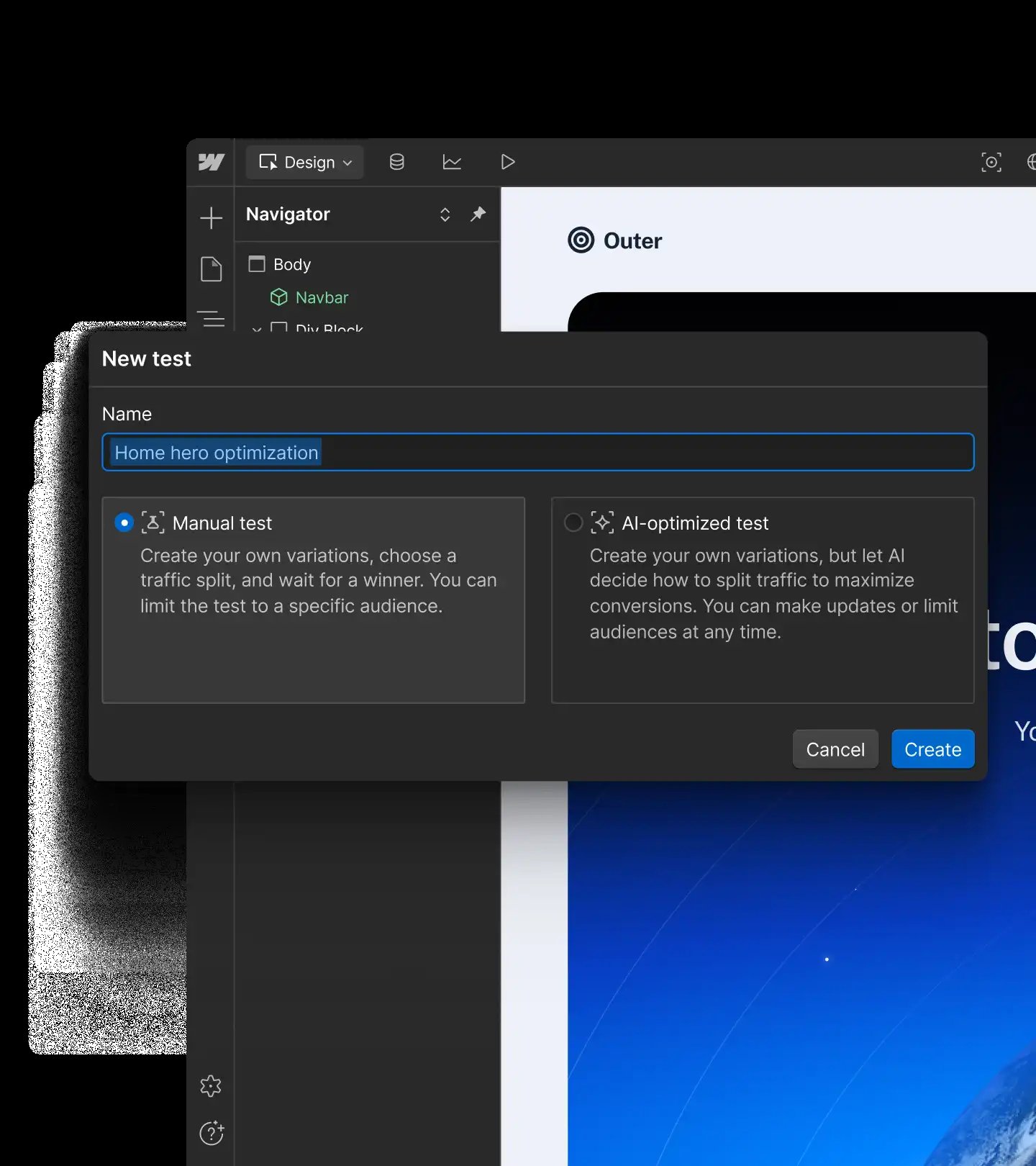
For teams that launch many similar pages, a designer can build one CMS template (a page design linked to a content collection). Marketers then create each new page by filling in fields. Webflow Optimize (a paid add-on) brings A/B testing and personalization to campaign pages. Webflow Optimize runs on pages in the main site. Webflow Analyze (a second add-on) reports page views, sessions, clickmaps, scrollmaps, and goal completions inside Webflow.
Webflow Campaigns[a], a new standalone product that works alongside any CMS, builds campaign pages and ads from a brief. It takes the brand from a site URL and turns an approved brief into a landing page. It then generates a variation for each audience, account, or keyword, each on its own URL, and matching ads in six sizes.
Webflow pros:
- New pages can't drift from the brand: Marketers build each landing page from the site's own components inside a designer-approved template and can't change site-wide styles.
- Notice before any bandwidth charge: Webflow meters paid site plans by bandwidth. The first month over the limit triggers a notification and no charge; a second consecutive month triggers an automatic upgrade. Surge protection on the Basic and Premium plans covers short spikes, while Unbounce bills every extra block of visitors.
- Personalized headlines for each ad campaign: Webflow Optimize targets visitors by traffic source, UTM parameter, device, behavior, and location. A visitor from a search ad and a visitor from a social ad can see different headlines on the same page.
Webflow cons:
- Testing depends on where the page lives: Native A/B testing and personalization come with Webflow Optimize, a paid add-on for pages on the main site. Standalone pages built with Webflow Campaigns don’t include A/B testing, so teams that want to test off-site pages need to host them on the main site or use another tool.
- No ad-to-page mapping: Webflow has no tool that links each Google search ad to its landing page (as AdMap does on Instapage's custom-priced Convert plan). Webflow Campaigns sends each page variation to Google Ads as its own Performance Max asset group, but it doesn't map search ads to pages. Paid-search teams that run many ad groups still track which page each ad uses outside Webflow.
- Upfront template work: Marketers can build pages only after a designer creates the slot templates and components. Without a designer on staff, marketing teams must build those templates themselves before they can launch the first campaign page.
What users say about Webflow
In 2026 reviews, marketers who update pages on Webflow rate the workflow highly, while those who style layouts across screen sizes report a learning curve:
- Faster landing page builds: A G2 reviewer (August 2026) says responsive landing pages take less time to build. A Capterra reviewer (September 2026) credits templates and reusable sections for speeding up new pages.
- Fewer developer requests: G2 reviewers (March and April 2026) say marketers can publish page updates without waiting on a developer, and that finished pages match the original design.
- A learning curve and a higher bill: A G2 reviewer (July 2026) says styling across breakpoints (layout settings for each screen size) is hard to learn. The September 2026 Capterra reviewer says Webflow costs more than some other platforms.
Sources checked October 2026.
Webflow pricing
Webflow prices each site separately:
- The free Starter plan publishes to a webflow.io address and allows 1,000 visits a month, so it suits building and testing before connecting a domain.
- The Basic plan is $25 per month (or $15 per month billed annually), includes a custom domain, and provides 10 GB of bandwidth.
- The Premium plan is $39 per month (or $25 per month billed annually) for 50 GB of bandwidth and adds the CMS that templated landing pages need. Extra Premium bandwidth starts at $30 per month (or $20 per month billed annually) for 50 GB more.
- The Team plan is $2,500 per month on an annual contract and adds governance tools such as page branching and publishing workflows.
- The Enterprise plan has custom pricing.
Webflow Optimize is $379 per month (or $299 per month billed annually) for 25,000 page views a month. The largest self-serve tier is $1,499 per month (or $1,199 per month billed annually) for 500,000 page views a month. Webflow Analyze is $12 per month (or $9 per month billed annually) for 2,000 sessions. Both add-ons require a paid site plan.
Webflow Campaigns starts at $2,000 per month and is sold through Webflow's sales team.
Pricing from Webflow's pricing page. Verified October 2026.
Best for: Marketing teams whose landing pages should look and behave like the rest of the brand site. Webflow also suits teams with hard-to-forecast campaign traffic.
Instapage
Instapage is a landing page builder for paid campaigns that covers most of what Unbounce users rely on: unlimited pages and conversions, A/B testing, and dynamic text replacement. It goes further by tying each page to the ad that sends traffic to it.
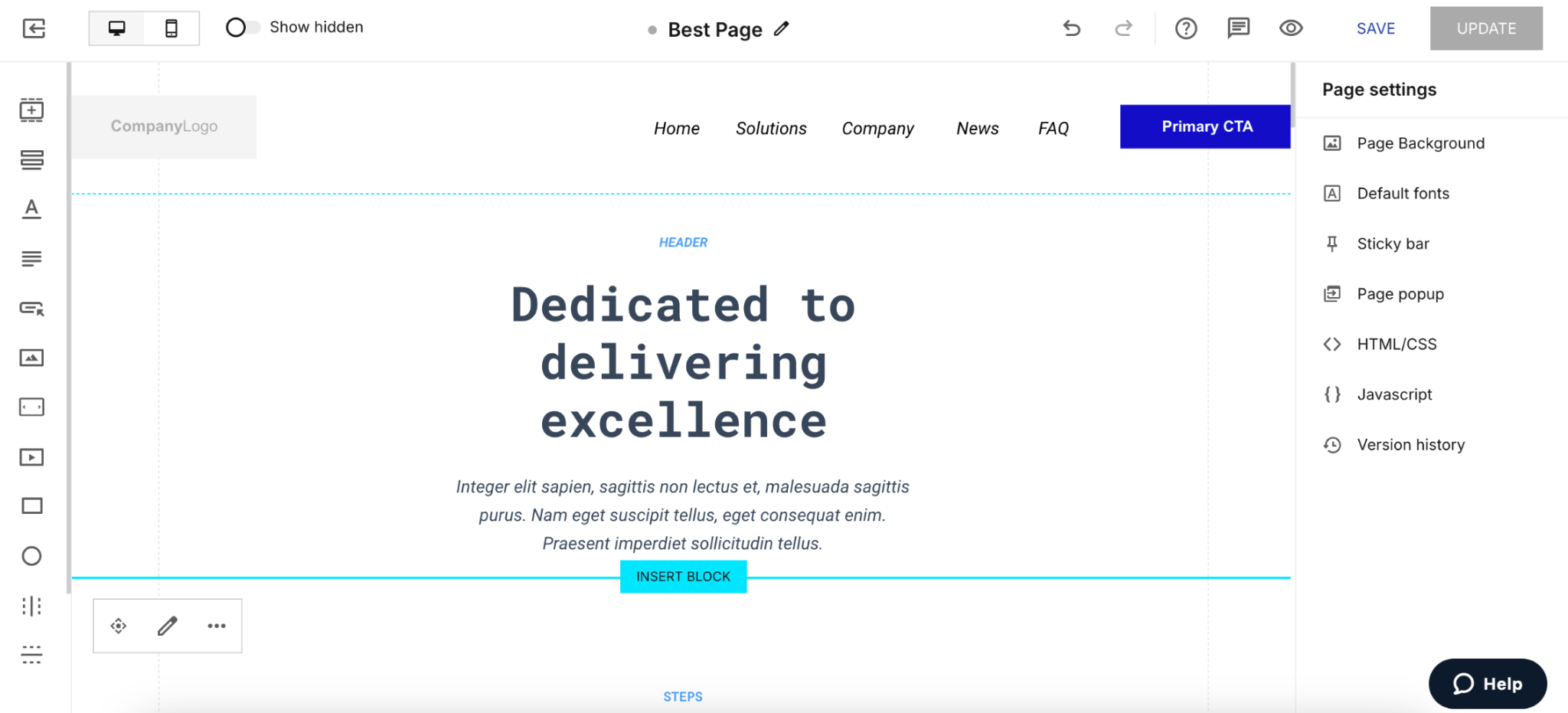
AdMap shows each Google search ad next to its landing page, with clicks and cost for every ad, ad group, and campaign. Ad-to-page personalization then serves a different page experience for each ad or audience.
For teams managing many similar pages, Instablocks save page sections for reuse, and global elements let an edit to a shared block update every page that uses it.
Instapage pros:
- Server-side test delivery: The Optimize plan serves test variants from Instapage's servers, so visitors never see the original page flash before the variant loads.
- Roles that protect running tests: Managers can publish pages and start or stop experiments. Editors cannot do either, and Viewers have read-only access. Because Editors cannot affect live pages, a copy edit cannot end a running test early.
- Broad integrations: Instapage lists 120+ integrations with marketing and sales tools. WordPress and Drupal publishing come on all three plans.
Instapage cons:
- No overage billing to absorb a spike: When traffic passes the plan's limit, the account locks. Repeated overages can unpublish pages, which leaves running ads without a landing page. The documented fix is to ask Instapage's sales team for a larger plan.
- Convert-only features need a contract first: The trial covers only the Create and Optimize plans, so paid-search teams must sign a contract before testing AdMap on their own campaigns.
- Visitor-capped trial: The 14-day trial requires a card and ends after 2,500 unique visitors arrive, and the paid plan starts then. Paid-ads teams can run only a small campaign inside the trial.
What users say about Instapage
The most detailed Instapage reviews come from conversion specialists, who judge the editor according to test setup needs:
- Support stands out: G2 reviewers in 2026 describe support agents as responsive and knowledgeable. A Capterra reviewer got live chat help from a real person while still on the free trial.
- A flexible editor with gaps: A senior conversion optimization manager at a mid-market company (February 2026) values the editor's flexibility and custom scripts. The same reviewer, though, cannot give each step of a multistep form its own headline. A G2 reviewer (March 2026) misses tablet-view editing and image rotation.
- Cost and plan limits: A conversion design team lead (May 2026) finds missing features hard to justify at the annual price. A self-employed Capterra reviewer says the entry plan's two subdomains limit them to two clients.
Sources checked October 2026.
Instapage pricing
Instapage sells three plans according to unique monthly visitor count, with lower monthly prices on annual billing:
- Create: $99 per month (or $79 per month billed annually) for 15,000 unique monthly visitors, without server-side A/B testing.
- Optimize: $199 per month (or $159 per month billed annually) for 30,000 visitors, or $299 per month (or $239 per month billed annually) for 50,000 visitors. Custom visitor limits require an annual contract.
- Convert: Custom pricing with custom visitor limits, sold after a demo.
There is no free plan. The 14-day trial covers the Create and Optimize plans.
Pricing from Instapage's plans page. Verified October 2026.
Best for: Paid-search teams that typically serve under 50,000 visitors and want flicker-free A/B tests.
Leadpages
Leadpages is a lead-capture page builder that includes A/B testing, lead enrichment, and ad-platform conversion tracking on every plan. It suits paid-ads teams that want lead data and testing in the same tool as their landing pages.
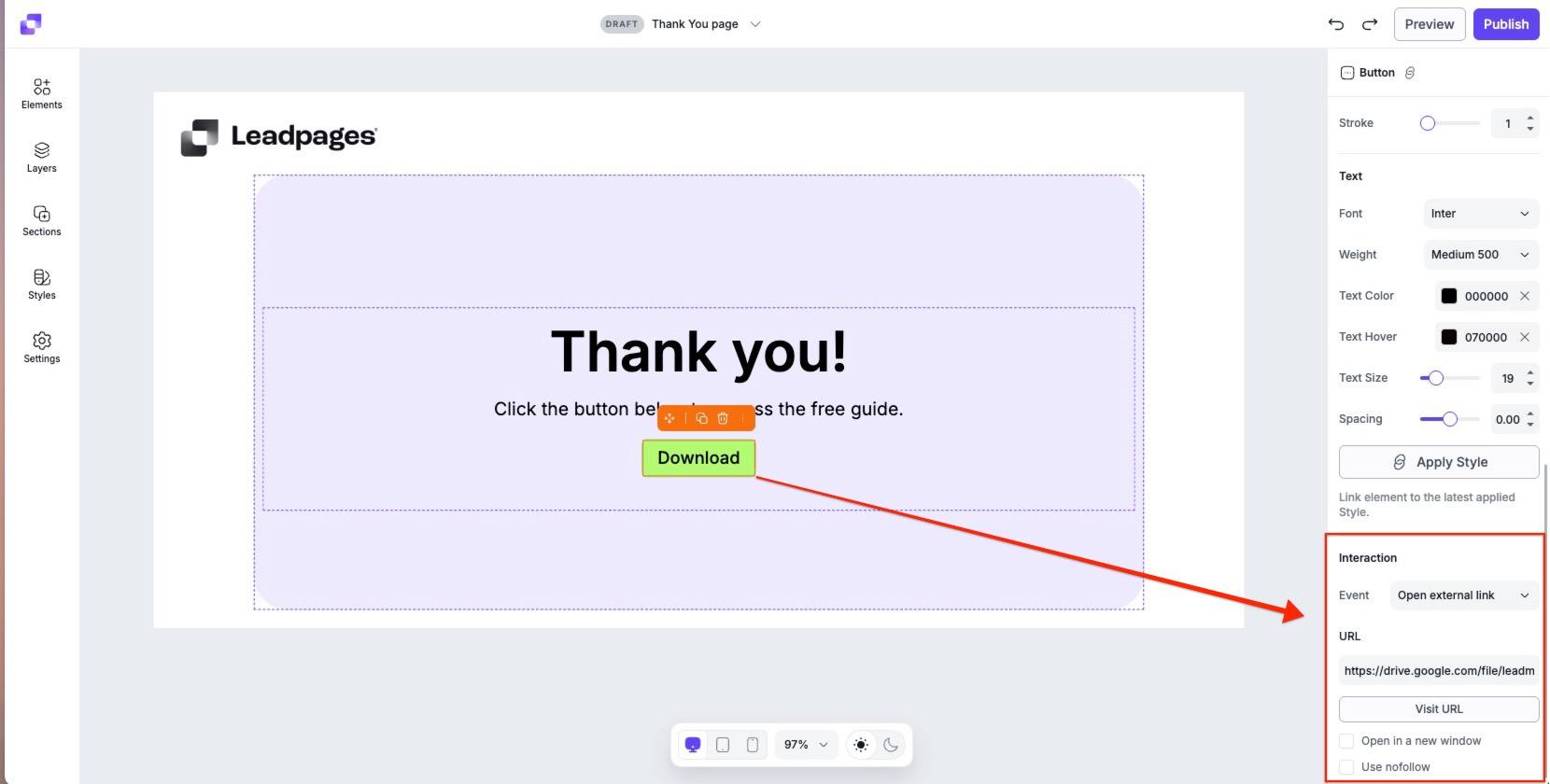
An offline conversion pixel reports conversions back to ad platforms, and audience targeting by ideal customer profile (ICP) helps match pages to the right accounts. Leadpages doesn't import Unbounce pages. Instead, teams paste an existing page URL or describe the offer, and Leadpages' AI builder drafts a new version for editing.
Leadpages pros:
- Conversion feedback before launch: Leadmeter scores a page's conversion potential in real time during the build. Marketers can strengthen a weak page before they pay for a click.
- Lead data for ad targeting: Paid-ads teams can send conversions back to ad platforms and build ICP audiences from the page builder, without adding a separate data tool.
- No traffic caps or overage fees: No Leadpages plan limits traffic or charges for overages, so a campaign that beats its forecast costs the same as a quiet month.
Leadpages cons:
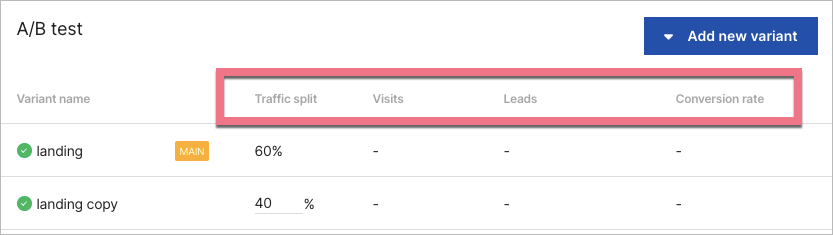
- A cap on variants per test: Leadpages caps each A/B test at six variants, or 12 on its top tier, while Unbounce allows unlimited variants. Teams that test many headline versions at once have to split them across separate tests.
- Team controls only at the top tier: Workspaces and audit logs come only with Leadpages' most expensive tier, and no plan lists single sign-on (SSO). Teams that need audit logs for a compliance review pay for the top tier even if they need nothing else it adds.
- Harder vendor-risk approval: Leadpages says it is still working toward SOC 2 Type II (an independent audit of a vendor's security controls). Webflow, Instapage, and Framer already list that report, so security teams that require it can approve those tools sooner.
What users say about Leadpages
Leadpages' Capterra and G2 reviewers include business owners and executives, who care most about how quickly a lead-capture page goes live:
- Pages in minutes: A publishing company president on Capterra (August 2025) built a page in under five minutes without technical skills.
- Price and layout trade-offs: An e-learning COO (July 2025) calls Leadpages a reasonable expense for opt-in pages but wants easier control over exact layout and sizing.
- Support complaints on G2: Three of the five 2025 and 2026 reviews on Leadpages' G2 page give it the lowest rating, citing unanswered support requests or unexpected charges. One owner (July 2026) also says an update deleted pages built for a client.
Sources checked October 2026.
Leadpages pricing
Leadpages sells three plans with A/B testing and lead data tools:
- Grow: $99 per month (or $79 per month billed annually) for unlimited pages and four domains.
- Optimize: $199 per month (or $159 per month billed annually) for six domains and three seats.
- Scale: $399 per month (or $319 per month billed annually) for 10 domains and 10 seats.
Manual A/B testing is offered on the Grow plan and above. Heatmaps and Smart Traffic start on the Optimize plan. Leadpages' Smart Traffic routes each visitor to the variant most likely to convert them. The Scale plan adds what Leadpages calls a ‘full auto-optimization loop,’ which keeps testing without manual work.
The seven-day trial gives full access to the chosen plan and charges the card on the final day. HTML Pub, the separate publishing-only product, starts at $10 per month (or $8 per month billed annually) and includes no A/B testing.
Plan details come from Leadpages' plans and pricing article, which lists all three plans. Prices also appear on Leadpages' pricing page. Verified October 2026.
Best for: Paid-ads teams that want one flat monthly price no matter how much traffic a campaign brings. Small paid-ads teams that want Smart Traffic and heatmaps fit the Optimize plan, while teams that need more than three seats should look at the Scale plan.
Landingi
Landingi is a landing page builder for paid-ads teams that run campaigns for several brands or clients from one account. Each brand or client can work in its own subaccount with separate limits, and Smart Sections let teams edit a shared section once and update every page that uses it.
For teams that outgrow building pages one at a time, Landingi generates programmatic landing pages in bulk from CSV or API data. It also translates pages automatically into 35+ languages. Server-side A/B testing and event tracking cover the testing side.
Lunar AI, Landingi's page generator, turns a description of the offer, audience, and goal into a complete page with structure, copy, and layout. Teams refine the result in chat or in the visual editor before publishing.
Landingi pros:
- Built-in connections to common ad and CRM tools: HubSpot, Pipedrive, Google Tag Manager, Facebook Conversions API, and webhooks connect inside the app. Landingi lists 170+ integrations in total (many through code snippets or Zapier).
- Client subaccounts that stay live: When an agency sets a limit on a client subaccount, and the client exceeds it, the subaccount stays active. The account owner gets an email, and the limit resets on the first of the month.
- Free page imports: New annual subscribers can have Landingi import up to three existing static pages for free, which can shorten the move from Unbounce.
Landingi cons:
- An overage rate you can't see in advance: Landingi's terms bill visits over the plan limit from a price list shown only after login. Budgeting for a spike month is harder than at Unbounce and Swipe Pages (which publish their overage rates).
- A separate pass for phone layouts: Landingi builds each mobile view from the desktop layout, but some elements still need adjusting by hand. Paid clicks that arrive on mobile make this extra check even more important.
- A 200-visit trial: The 14-day trial includes every plan feature but only 200 visits, and Landingi charges the card when the trial ends. The allowance covers form checks and tracking but not enough traffic to judge how a paid campaign converts.
What users say about Landingi
Landingi's G2 reviewers include marketing, sales, and growth leaders, as well as project managers. Most complaints focus on what happens as traffic and page complexity grow:
- Testing value for the price: A sales and marketing director at a midsize company (July 2025) says nothing beats Landingi for the price. The director also finds A/B tests easy to run.
- Traffic caps can force an upgrade: Landingi's terms describe an overage fee, but a project manager (January 2026) says a viral campaign moved the account to a higher plan. The reviewer calls it an unpleasant surprise for smaller businesses.
- Limits on advanced pages: A chief growth officer (April 2025) found conditional form logic restrictive and the drag-and-drop editor slow on more advanced pages.
Sources checked October 2026.
Landingi pricing
Landingi sells four plans according to monthly visits, and every plan includes a monthly allowance of Lunar AI credits:
- Build: $29 per month (or $24 per month billed annually) for 2,000 visits, 10 pages, one domain, and five users.
- Optimize: $149 per month (or $119 per month billed annually) for 30,000 visits, 100 pages, three domains, and 10 users.
- Scale: From $299 per month (or $229 per month billed annually) for 100,000 visits, with unlimited pages and users. The 500,000-visit tier costs $999 per month (or $769 per month billed annually).
- Enterprise: From $1,499 per month (or $1,199 per month billed annually) for 1 million or more visits and 100 domains.
Annual billing includes two months free, and each extra domain costs $5 per month. AI credit packs cost $15 for 5,000, $25 for 10,000, and $40 for 20,000. There is no free plan.
Pricing from Landingi's pricing page. Verified October 2026.
Best for: Paid-ads teams that run campaigns for several brands or clients and want each in its own subaccount on the Scale plan, without an enterprise contract. Teams running campaigns in several languages can also use automatic translation instead of building each language version by hand.
Swipe Pages
Swipe Pages is a landing page builder focused on fast mobile pages for paid-social traffic. Its drag-and-drop editor can publish in Accelerated Mobile Pages (AMP), a stripped-down format built to load quickly on phones. Anything made with its AI Builder loads from a content delivery network with 40+ locations.
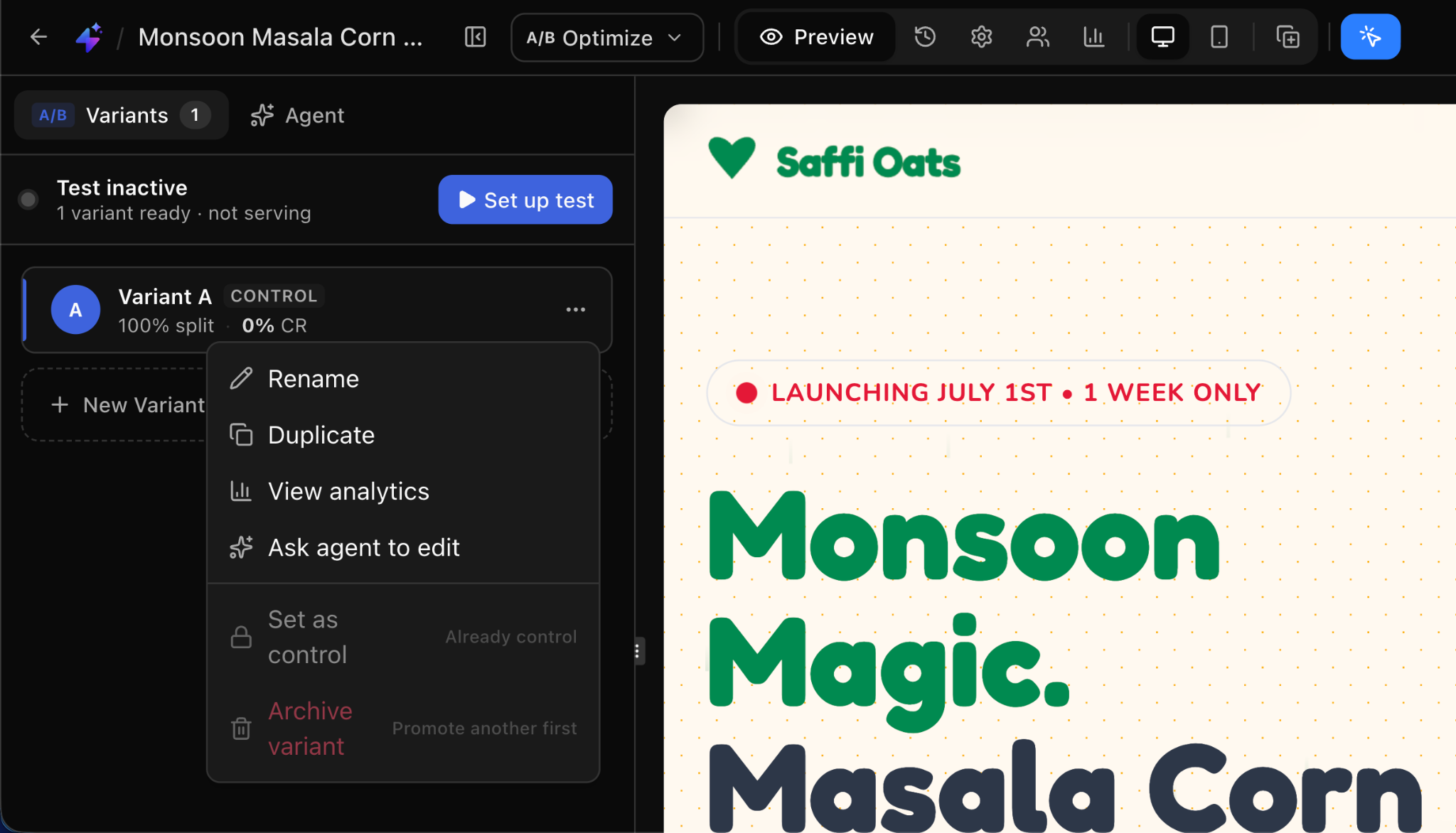
The AI Builder creates landing pages, lead quizzes, and checkout pages from a prompt, and an AI Strategy agent researches and audits existing pages. Agencies can give each client a separate subaccount with its own pages and domain, and no plan caps pages, funnels, or conversions.
Swipe Pages pros:
- Overage costs you can plan for: Swipe Pages publishes its overage rate, which works out to one-eighth of Unbounce's charge for the same extra traffic. Paid-ads teams can build a high-traffic month's cost into the campaign budget.
- Trial without a card: The 14-day trial includes every feature, and Swipe Pages has no visitor limit. By contrast, Instapage's trial ends at 2,500 unique visitors, and Landingi's allows only 200 visits.
- Room for many brands on the top plan: The Agency plan includes unlimited domains, subaccounts, and team members, with 500,000 monthly visitors. By comparison, Unbounce's self-serve plans allow up to three root domains, though subdomains are unlimited.
Swipe Pages cons:
- Repeated setup on the two lower plans: Global blocks, scripts, and webhooks, plus custom fonts, are available only on the Agency plan. On the Startup and Marketer plans, marketers add tracking code page by page and cannot share one header across pages.
- Gaps for enterprise security reviews: Swipe Pages documents Google sign-in, but it lists no SAML single sign-on, audit log, or service-level agreement (SLA). Companies that make those controls a condition of vendor approval will need another tool.
- Limited AI credits on the Startup plan: Swipe Pages estimates that the Startup plan's monthly credits cover about five full landing pages with a round of edits each. Building more pages than that with AI means buying extra credits or moving to a higher plan.
What users say about Swipe Pages
Swipe Pages' reviewers, from agency specialists to a company president, judge the tool by how quickly pages load and change:
- Speed that helps paid campaigns: A G2 reviewer at a Google Ads agency (August 2026) says fast pages raised conversion rates and Quality Scores. A campaigns and analytics manager (March 2026) says AMP pages load instantly on mobile.
- Quick page builds and edits: A company president (August 2026) replaced plain HubSpot pages with pages from the AI Builder. An SEO specialist (January 2026) says they make requested changes while the client is still on the call.
- Setup effort and image handling: A Capterra reviewer (March 2026) says the range of features takes some effort to set up. Another Capterra reviewer (November 2025) wants easier ways to organize and reuse images across pages.
Sources checked October 2026.
Swipe Pages pricing
Swipe Pages sells three plans according to monthly visitors, and none caps pages, funnels, or conversions:
- Startup: $39 per month (or $29 per month billed annually) for 20,000 visitors, one domain, and 4,200 AI credits, without A/B testing, dynamic text replacement, team members, or subaccounts.
- Marketer: $89 per month (or $69 per month billed annually) for 50,000 visitors, five domains, five subaccounts, five team members, and 8,400 AI credits, with server-side A/B testing.
- Agency: $199 per month (or $149 per month billed annually) for 500,000 visitors, unlimited domains, 21,000 AI credits, and 50 global blocks.
Overage is billed at $5 for every 5,000 visits over the cap, and annual billing saves up to 25%.
Pricing from Swipe Pages' pricing page. Verified October 2026.
Best for: Paid-social teams that send most of their ad budget to mobile landing pages. Swipe Pages is built for campaigns that drive traffic to one fast page, with a quiz or checkout funnel behind it.
HubSpot
HubSpot is a CRM platform whose paid-ads workflow spans two products that share the same contact records. Content Hub builds and tests the landing pages, and Marketing Hub creates ad audiences from CRM lists and sends conversion events back to the ad platforms. Every form fill creates a contact record, so sales can see which campaign and page generated each lead.
Smart content rules can swap page sections by ad source, country, device, or lifecycle stage. A returning lead and a first-time ad click can then see different offers on the same page. Landing pages can also share the main site's theme when that site runs on HubSpot.
HubSpot pros:
- No traffic limit on landing pages: HubSpot doesn't meter landing page visits, so a spike in visits doesn’t add to the bill. HubSpot asks customers to give notice before an expected surge, or when traffic tops one million page views a day.
- Tests that shift traffic to the winner: Adaptive tests run up to five page variations and show the best performer more often as results come in. Adaptive testing is HubSpot's closest equivalent to Unbounce's Smart Traffic.
- CRM data sent to ad platforms: Marketing Hub turns CRM contact lists into ad audiences, from five lists on its Professional plan to 15 on its Enterprise plan. Marketing Hub also syncs conversion events to Google, Meta, LinkedIn, Microsoft, and TikTok, with up to 100 synced events on the Enterprise plan.
HubSpot cons:
- Two products for one workflow: A/B and adaptive testing require the Content Hub Professional or Enterprise plan. Ad audiences from CRM lists and conversion sync come with Marketing Hub. Teams that need both testing and CRM-list audiences pay for both hubs.
- Onboarding fees on top of the list price: Marketing Hub Professional and Enterprise each require a one-time onboarding fee that the pricing page excludes. Teams budgeting for the first year need to add that fee to 12 months of the plan price.
- Limits on tests and templates: An A/B test compares only two versions, and every adaptive test variation must include a form. Click-through pages without a form can therefore test only two versions at a time. Drag-and-drop editing works only on templates built with drag-and-drop areas, which limits one-off campaign layouts.
What users say about HubSpot
HubSpot's Marketing Hub reviewers treat landing pages as one part of a larger CRM and marketing system, so they rate HubSpot on how well the pieces work together:
- Pages and attribution in one system: A Capterra reviewer (August 2026) values having CRM contacts, lead history, marketing emails, landing pages, and revenue attribution in one place.
- Useful list audiences but basic ad settings: A digital marketing manager (January 2026) likes building Google, Facebook, and LinkedIn audiences from customer lists. The same reviewer finds HubSpot's ad settings too basic for detailed campaign control and its landing page templates too generic.
- Advanced features sit on higher tiers: A head of growth marketing (April 2026) says prices rise once a team needs advanced features or larger contact limits. Another Capterra reviewer (2026) says template customization is locked down on lower plans.
Sources checked October 2026. HubSpot's G2 rating comes from its Marketing Hub listing.
HubSpot pricing
Content Hub, for building and testing landing pages:
- Free: Up to 30 landing pages at no cost, with HubSpot branding.
- Starter: $20 per seat per month, for up to 30 landing pages with custom templates and no HubSpot branding, but without A/B testing or smart content.
- Professional: $500 per month (or $450 per month billed annually) on an annual commitment, with three Core Seats (HubSpot's paid user seats). Extra seats cost $50 per month (or $45 per month billed annually).
- Enterprise: $1,500 per month on annual billing only, with five Core Seats and extra seats at $75 per month.
Marketing Hub, for ad audiences and conversion sync:
- Professional: $890 per month (or $800 per month billed annually) on an annual commitment, with 2,000 marketing contacts and a required $3,000 onboarding fee.
- Enterprise: $3,600 per month on annual billing only, with 10,000 marketing contacts and a required $7,000 onboarding fee.
Above the included contacts, Marketing Hub Enterprise charges $100 per month for each additional 10,000 contacts, falling to $60 at the highest contact volumes.
Content Hub prices from HubSpot's Content Hub pricing page. Marketing Hub prices from its Marketing Hub pricing page. Verified October 2026.
Best for: Marketing teams that share HubSpot CRM with their sales team and want landing page conversions, ad audiences, and attribution tied to the same contact records. Marketing Hub's price grows with the number of marketing contacts, so large contact lists cost more.
Framer
Framer is a design-first website builder. Campaign pages sit in the same project as the brand site, and Framer's AI agent creates editable pages, sections, copy, and visuals inside that project. The CMS imports CSV files and syncs with Google Sheets and Airtable.
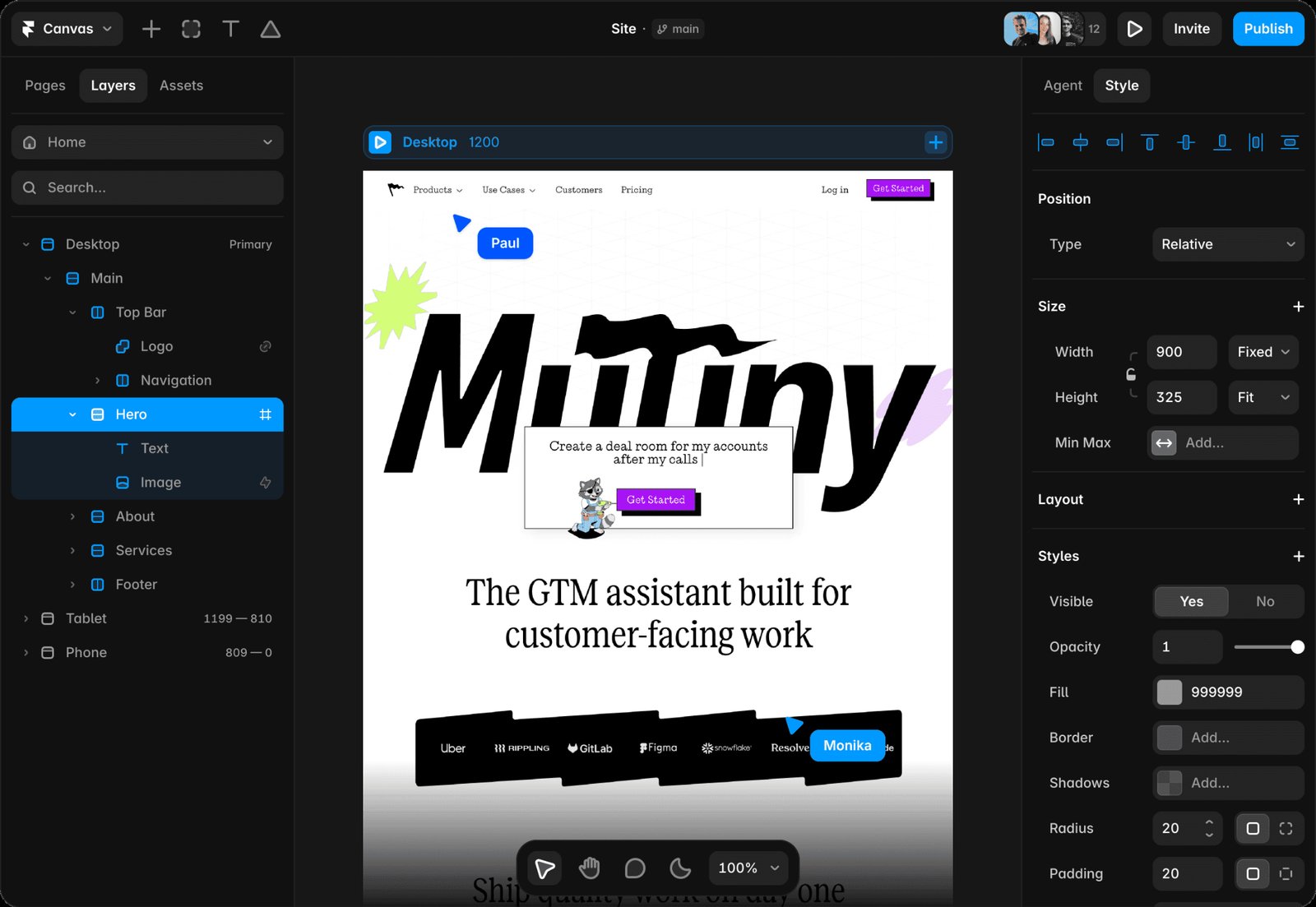
Teams can work in branches (separate working copies of the site) and check changes on a staging version before publishing. Larger organizations can add SSO, SCIM (automated user provisioning), and an uptime guarantee through an enterprise contract. Framer's self-serve plans set limits on pages, CMS items, and bandwidth.
Framer pros:
- One component library for every campaign page: Each workspace shares its components across all of its projects, and each project pulls updates with one click. Component variants can also serve as A/B test variants, so every test version uses the brand site's own components.
- Grace period after a traffic spike: Framer allows one month over the bandwidth limit with only an email and in-app warning. An upgrade prompt follows in month two. Only ongoing overages trigger an automatic upgrade or fee, which leaves a full billing cycle to react.
- Free seats for reviewers: The workspace owner and all viewers are free, so marketing leads and clients can review pages at no extra cost.
Framer cons:
- Extra setup and billing for tests: No plan includes A/B testing. The Convert add-on (available on the Pro plan or higher) bundles A/B tests with funnels and triggers (rules that change page content by URL parameter or visitor behavior). Framer bills Convert per analytics event, and the add-on splits test traffic evenly across up to five variants. Each variant needs the same tracking ID added to its link or form.
- Rising costs as editors join: Each editor is a paid seat, charged within 24 hours of being added, and plans below Enterprise cap edit seats at 10. Content teams of more than 10 people need an Enterprise contract.
- Ad tracking set up by hand: Framer documents no native conversion integrations with ad platforms. Marketers paste the Meta Pixel code, add Google Tag Manager through custom code, or install the Framer Pixel Manager plugin, whose free tier covers one platform.
What users say about Framer
Framer's reviewers range from web designers and developers to marketing leaders, and they weigh build speed against cost:
- From design to live in days: A web designer and developer on G2 (May 2026) launches landing pages in two to four days, down from two to three weeks. The reviewer adds that no developer handoff is needed and that pages score well in Lighthouse.
- Familiar for Figma users, with costs that climb: A CMO (June 2026) praises pasting work from Figma straight into Framer. The CMO also finds pricing unclear and says the bill grows quickly with usage. A marketing leader (August 2026) objects to the price gap between monthly and annual billing and to the lack of an easy export.
- Roles and editor speed: The same designer says the CMS lacks roles and permissions for handing a site to several client editors. Framer does sell content editor seats, which update the CMS without design access. The designer also says pages with many animations or CMS items slow the editor down.
Sources checked October 2026.
Framer pricing
Framer sells four plans, and editor seats, extra bandwidth, and the Convert add-on are billed on top:
- Free: No cost, with 1 GB of bandwidth, no custom domain, and a Made in Framer banner. Framer positions it for non-commercial use.
- Basic: $15 per month (or $10 per month billed annually) with 50 GB of bandwidth, 30 pages, two CMS collections, and 1,000 CMS items.
- Pro: $45 per month (or $30 per month billed annually) with 100 GB of bandwidth, 150 pages, 10 CMS collections, 2,500 CMS items, and 90 days of analytics history.
- Enterprise: Custom pricing.
On the Basic and Pro plans, each editor costs $30 per month (or $20 per month billed annually). Content editor seats, which can update the CMS and use on-page editing but can't change the design, cost $15 per month (or $10 per month billed annually).
On the Pro plan, the Convert add-on costs $60 per month (or $50 per month billed annually) for every 500,000 events. Extra Pro bandwidth costs $50 per month (or $40 per month billed annually) for each 100 GB.
Pricing from Framer's pricing page. Verified October 2026.
Best for: Design-led marketing teams that already run the brand site on Framer and want campaign pages on the same components.
How to choose the right Unbounce alternative
Each question below starts from a different reason for leaving Unbounce and names the best corresponding tools.
How does each tool handle a traffic spike?
Leadpages, HubSpot, Webflow, and Framer don't charge per visitor, so a campaign that beats its forecast doesn't change the bill. Teams that want a predictable bill should shortlist them first. Webflow and Framer meter bandwidth instead, and the first month over the limit brings a notice rather than a charge.
The other tools charge or block at the cap. Swipe Pages adds an overage fee at a published rate, and Landingi bills overage from a price list it doesn't publish. Instapage locks the account.
Which plan does your A/B testing need?
Teams that need testing but no new brand site will pay the least with Swipe Pages, Leadpages, or Landingi, which include A/B testing. Swipe Pages runs server-side tests from its $89 Marketer plan, and Leadpages starts testing on its $99 Grow plan with two variants per test. Landingi and Instapage start server-side testing on their Optimize plans, at $149 and $199 per month, respectively.
Three tools charge separately for testing: HubSpot puts A/B and adaptive tests on Content Hub Professional at $500 per month, and Webflow sells the Webflow Optimize add-on from $379 per month. Framer sells the Convert add-on from $60 per month on the Pro plan or higher.
Should campaign pages live inside your main site?
For campaign pages that must match the main site, start with Webflow and Framer, which build them from the brand site’s own components. Webflow also gives teams a choice: publish pages on the main domain, or use Webflow Campaigns to launch standalone pages and matching ads in a brand system it extracts from the main site. A/B testing through Webflow Optimize applies to main-site pages only.
HubSpot landing pages can use the same theme as the main site when that site is also built on HubSpot. Instapage, Leadpages, Landingi, and Swipe Pages publish standalone pages on a subdomain or custom domain.
Whichever tool you choose, plan for what will (and will not) move with you. Unbounce exports leads as CSV files and through its API. Page downloads cover only pages made in Unbounce's older Classic Builder, as .unbounce files that another Unbounce account can import.
Pages made in its newer Smart Builder cannot be downloaded at all. Test results export page by page, and Unbounce can delete account data within 90 days of cancellation. Plan to rebuild pages, tracking scripts, integrations, and redirects in the new tool.
Bring your campaign pages into Webflow so every launch stays on brand
Webflow fits paid-ads teams that want on-brand campaign pages, whether they live on the main site or as standalone pages through Webflow Campaigns. Marketers build each page from the brand's own components and publish it on the same domain without waiting on a developer.
Bandwidth-based billing means a campaign that beats its forecast sends a notice before any charge, and Webflow Optimize adds A/B testing and traffic-source personalization on the same pages.
The quickest way to judge the fit is to rebuild your highest-spend Unbounce page on Webflow's free Starter plan. Your designer sets up the template and components, and your marketers build the page from them until it matches the original.
When the page is ready, move to a paid site plan to connect your domain, then add Webflow Optimize to test headlines and layouts for each traffic source.
Start a Webflow site and rebuild your first campaign page for free. Teams moving many campaign pages or brands at once can talk to Webflow sales about planning the migration.

Unlock growth with SEO
Join Webflow and leading growth agency Graphite as they discuss actionable insights for scaling and achieving growth with SEO
Frequently asked questions
What are the best alternatives to Unbounce?
The best alternative depends on why you are leaving. For campaign pages built from the brand site’s design system, compare Webflow and Framer. Webflow can also publish them as standalone pages through Webflow Campaigns. If overage fees are the reason, consider Leadpages and HubSpot, which don't charge for landing-page traffic. Paid-search teams that need server-side A/B tests should compare Instapage and Landingi. Paid-social teams that need fast mobile pages should look at Swipe Pages.
How hard is it to migrate pages from Unbounce?
None of these alternatives documents a way to import .unbounce page files, so every move means rebuilding pages. On Webflow, a designer can rebuild an Unbounce page as a reusable template that marketers then fill in for campaign pages. Landingi imports up to three static pages for free for new annual subscribers, and Leadpages publishes a guide for switching from Unbounce. Instapage sells a migration service but does not publish its price.
Does the Unbounce overage fee apply if you upgrade mid-cycle?
No, upgrading before the billing cycle ends avoids the one-time overage fee, and your pages keep running past the limit in the meantime. Unbounce emails you at 85% and 100% of your visitor allowance. If you stay over, Unbounce charges $80 at the end of the cycle for every 10,000 visitors past the cap (rounded up). An Optimize plan that reaches 85,000 visitors owes $320.
Can you keep your Unbounce URLs when you switch?
You can keep the same domain, but page paths can change if the new tool uses a different URL structure. Plan 301 (permanent) redirects from the old URLs to the new pages. Webflow and HubSpot both let you import redirects in bulk. If you publish on your root domain today, Instapage supports root-domain publishing only on its custom-priced Convert plan.
What is Unbounce used for?
Teams use Unbounce to build landing pages for visitors arriving from Google Ads, paid social, and email, usually with a single call to action and no site navigation. Dynamic Text Replacement matches page copy to the visitor's search term. A/B testing splits traffic between page versions to compare conversion rates. Smart Traffic goes further by learning which variant converts best for each visitor type and automatically routing them there.

Choose the right CMS for a scaling enterprise
Discover how the right CMS can allow teams to efficiently scale rich, complex content – all without writing code.