



We asked four AI tools which CMS platforms support MCP. All four named Webflow, but one gave a full section and another gave one line in a directory list.
Start with one answer
We asked Claude “Which CMS platforms support MCP integration?” It searched the web and put Webflow in its first group, Headless and SaaS CMS platforms with hosted MCP servers, sixth in the list, with this line: “A hosted server for managing sites through the Data API, covering pages, components, CMS collections and items, assets, forms, and publishing.”
Which CMS platforms support MCP integration?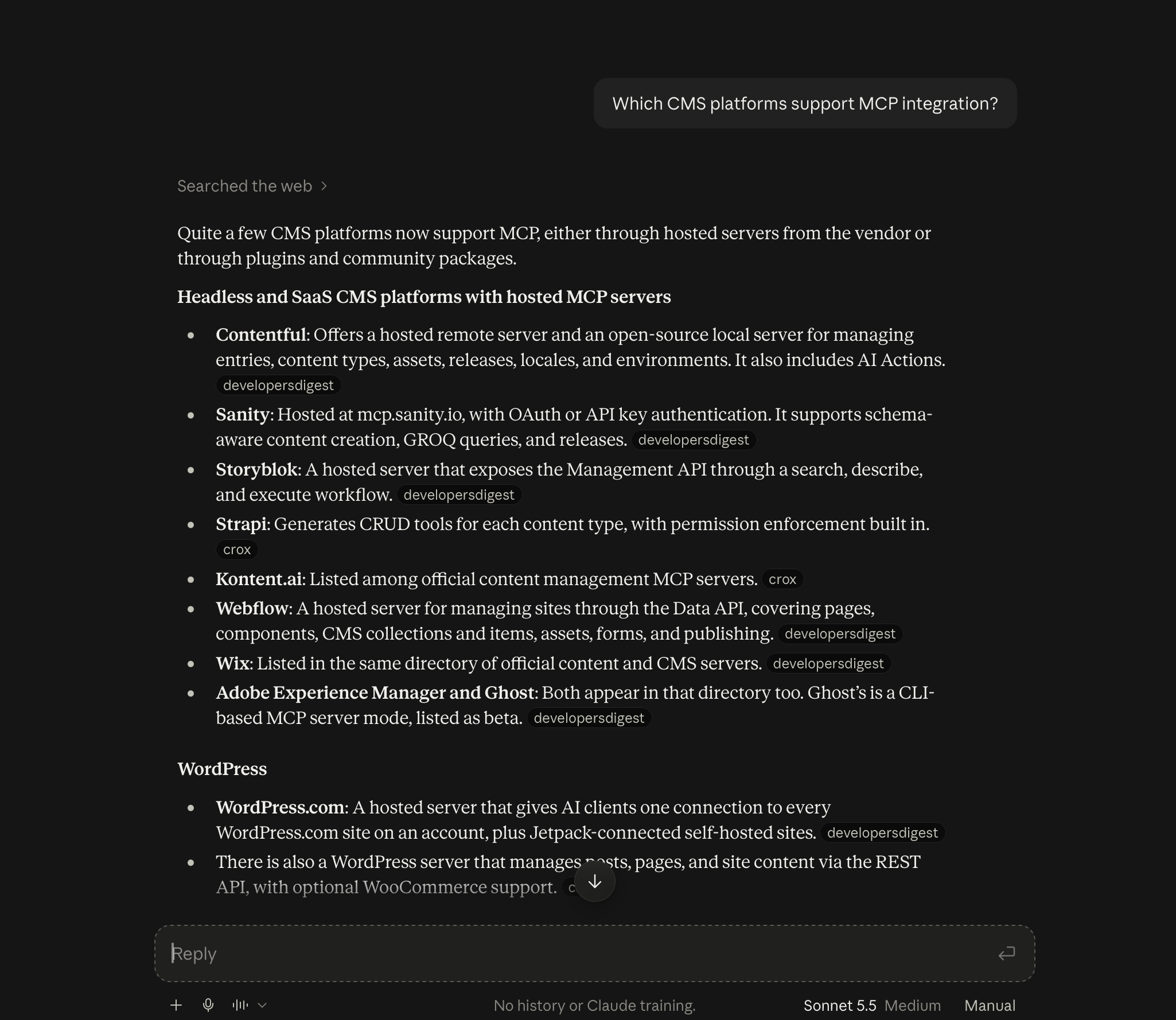
We asked Claude the same question four times. That one was the most detailed of the four, so don’t read it as typical. Webflow got its own bullet in three of the four. Two of those answers said the server works with CMS collections and items, and one said only that it covers the Data API and the Designer. In the fourth run we were one name in a shared bullet with no description. Below, we count how often the engines name Webflow.
We asked because AI agents are already one of the ways developers look things up: in Stack Overflow’s 2026 developer survey, nearly 70% of respondents said they use an AI agent to help them find answers. We wanted to see what those agents say when the question is which tool to use.
AI picks a first answer for a lot of questions
Ask Claude what to use for transactional email and Resend comes up first. Ask what to use for product analytics and PostHog comes up first. We don't have data on how many developers stop at the first name, but we'd rather be in that first answer than not.
What should I use for transactional email?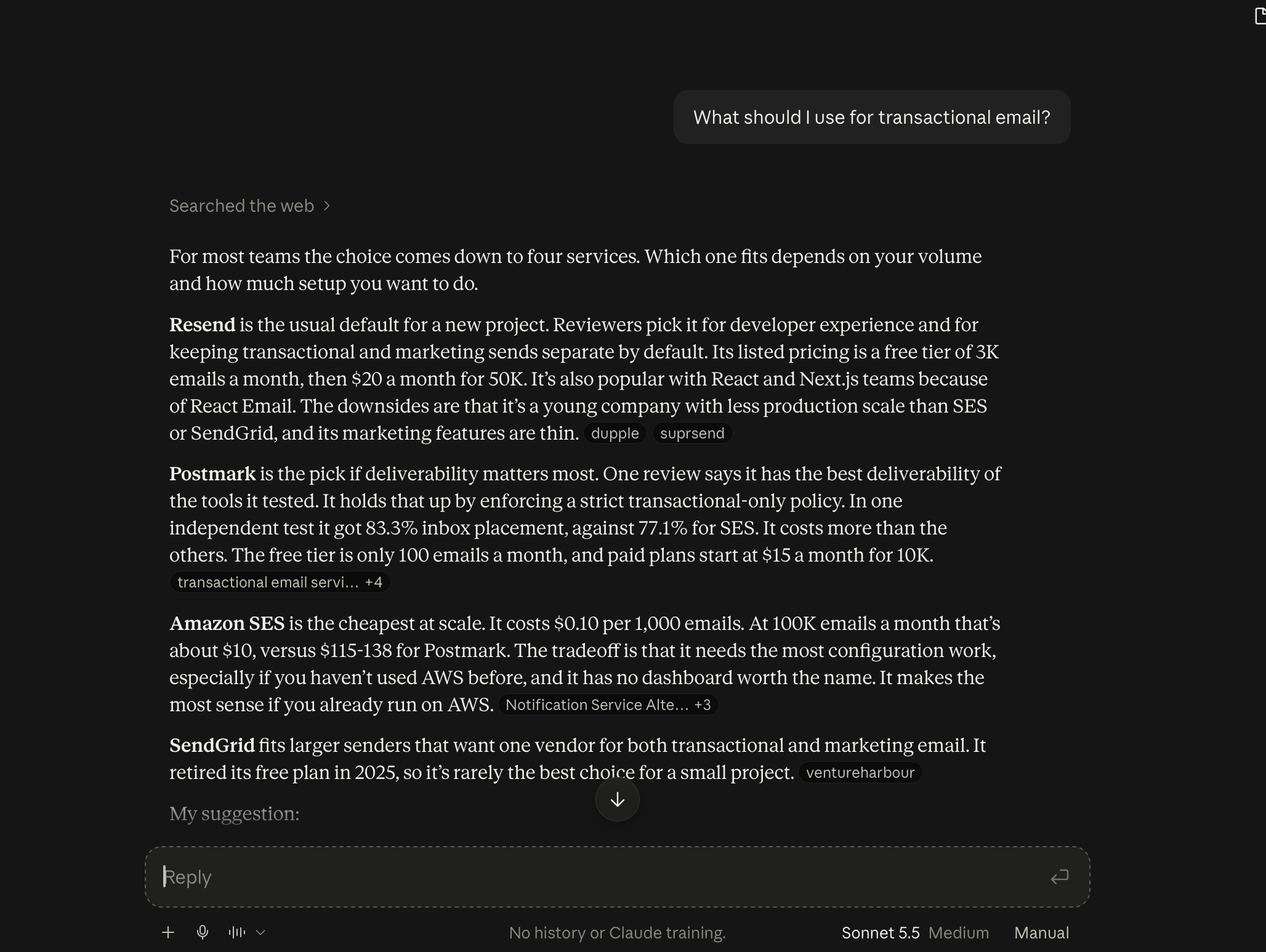
What should I use for product analytics?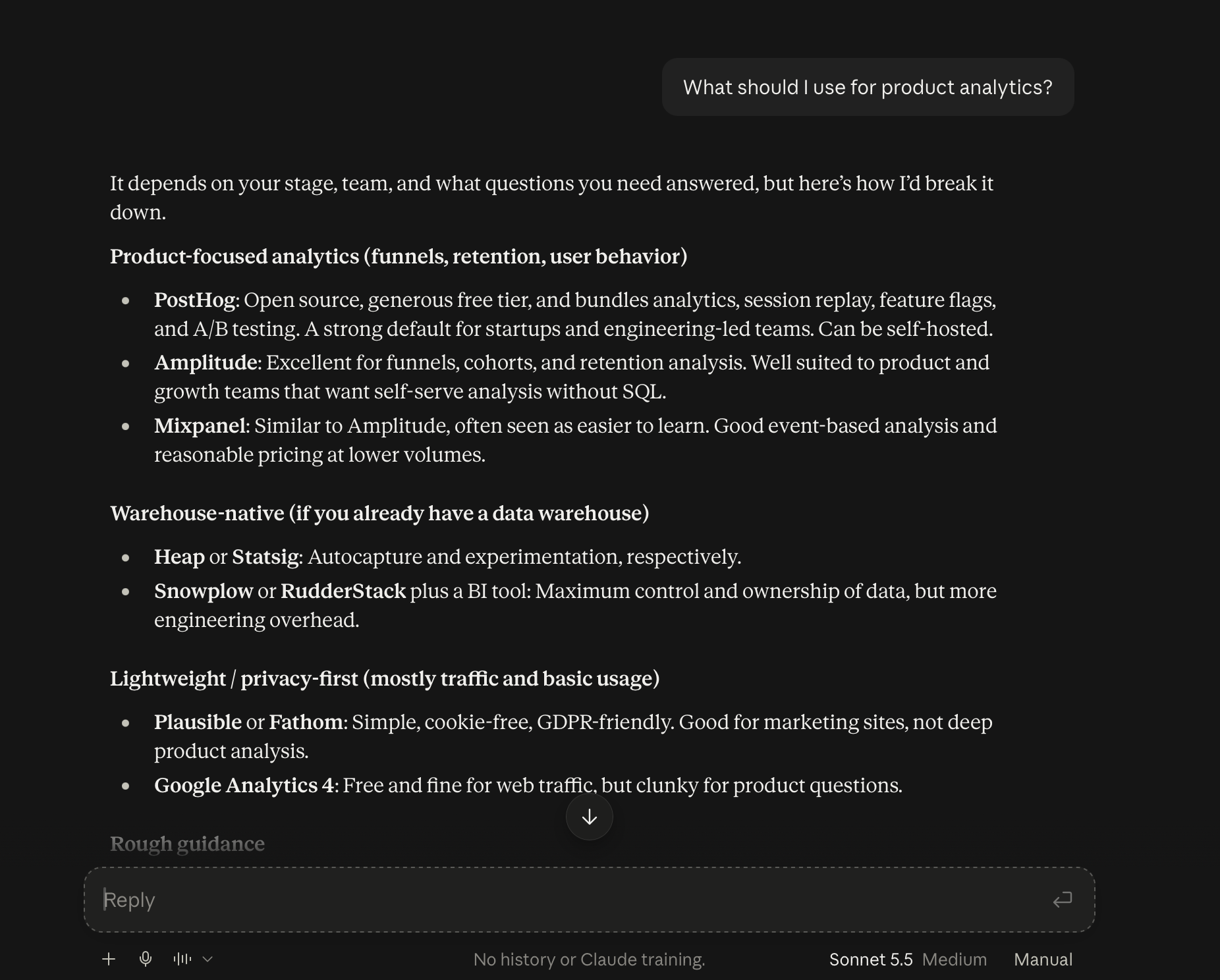
CMS is the category we care about, and “I need to add a CMS to my website” is how we expect the question to sound. We ran it three times. Webflow was recommended once, last in its group. In the other two it was an example of what you might already use, or it wasn’t named. Sanity, Payload, WordPress, and Ghost showed up in all three. Our question is what it takes to be the default in that category, and we start by measuring where we are today.
I need to add a CMS to my website.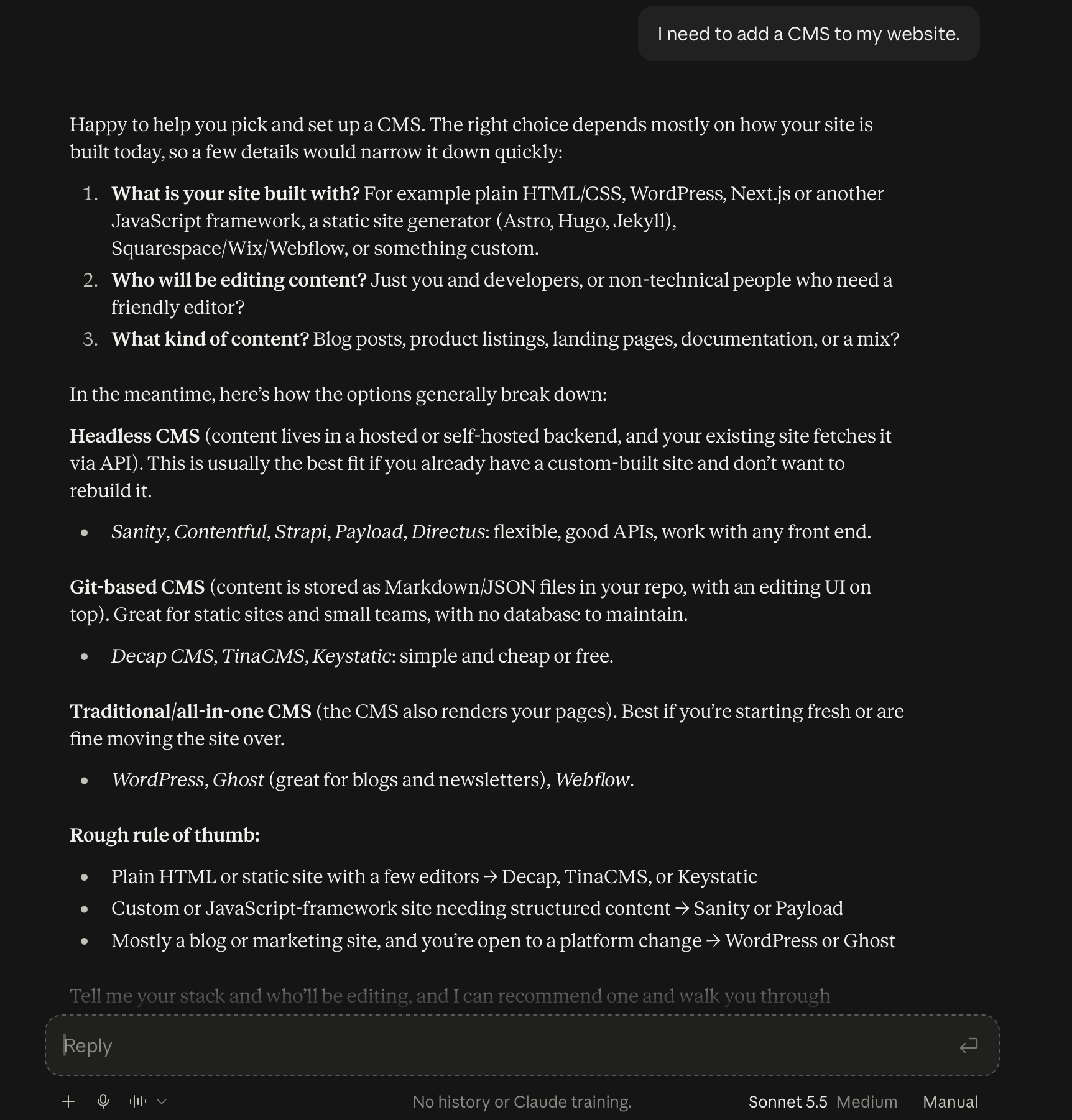
Why we track it
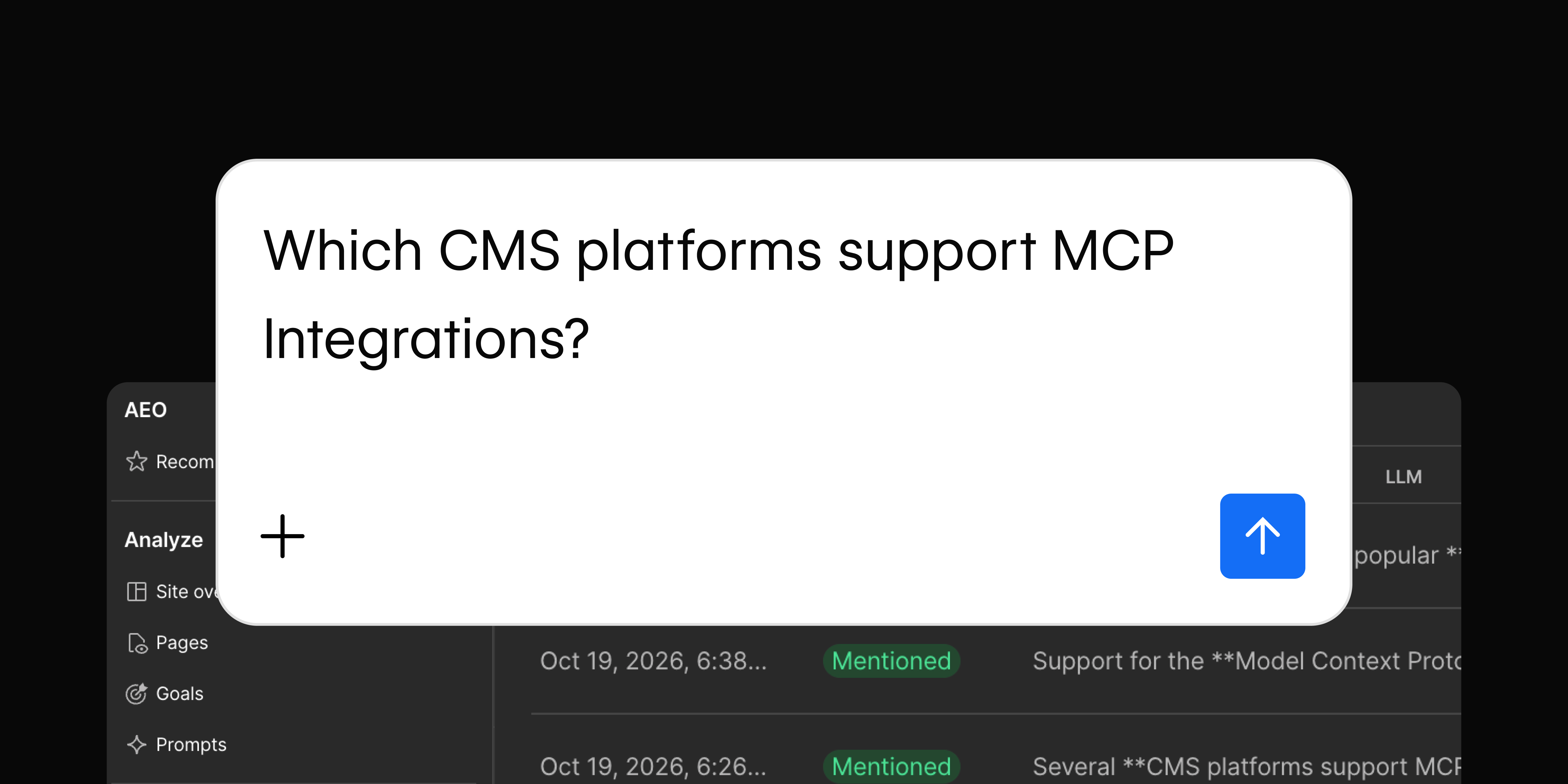
We follow one prompt closely, "Which CMS platforms support MCP integration?" Between Sep 25 and Oct 19 it ran 100 times, 25 on each of four engines. Webflow shows up in 49 of those 100 responses, but the spread by engine is wide, from 22 of 25 on Perplexity to 4 of 25 on Claude.
When an engine leaves us out, the developer asking never sees Webflow, and nothing in our site analytics records it because the question was answered before anyone visited a page. We don't have referral data that connects these answers to signups or revenue, so we aren't claiming a revenue effect. What we can measure is whether we're named, how we're described, and which sources the engine used.
How we track it
We use Webflow AEO, under Insights > AEO. The Prompts page lists each tracked prompt with its topic, visibility score, citation rate, and the change from last week. Opening a prompt shows how many responses were tracked, citations split between owned and non-owned domains, citation rate by platform, which of our pages were cited, and a response log you can export.
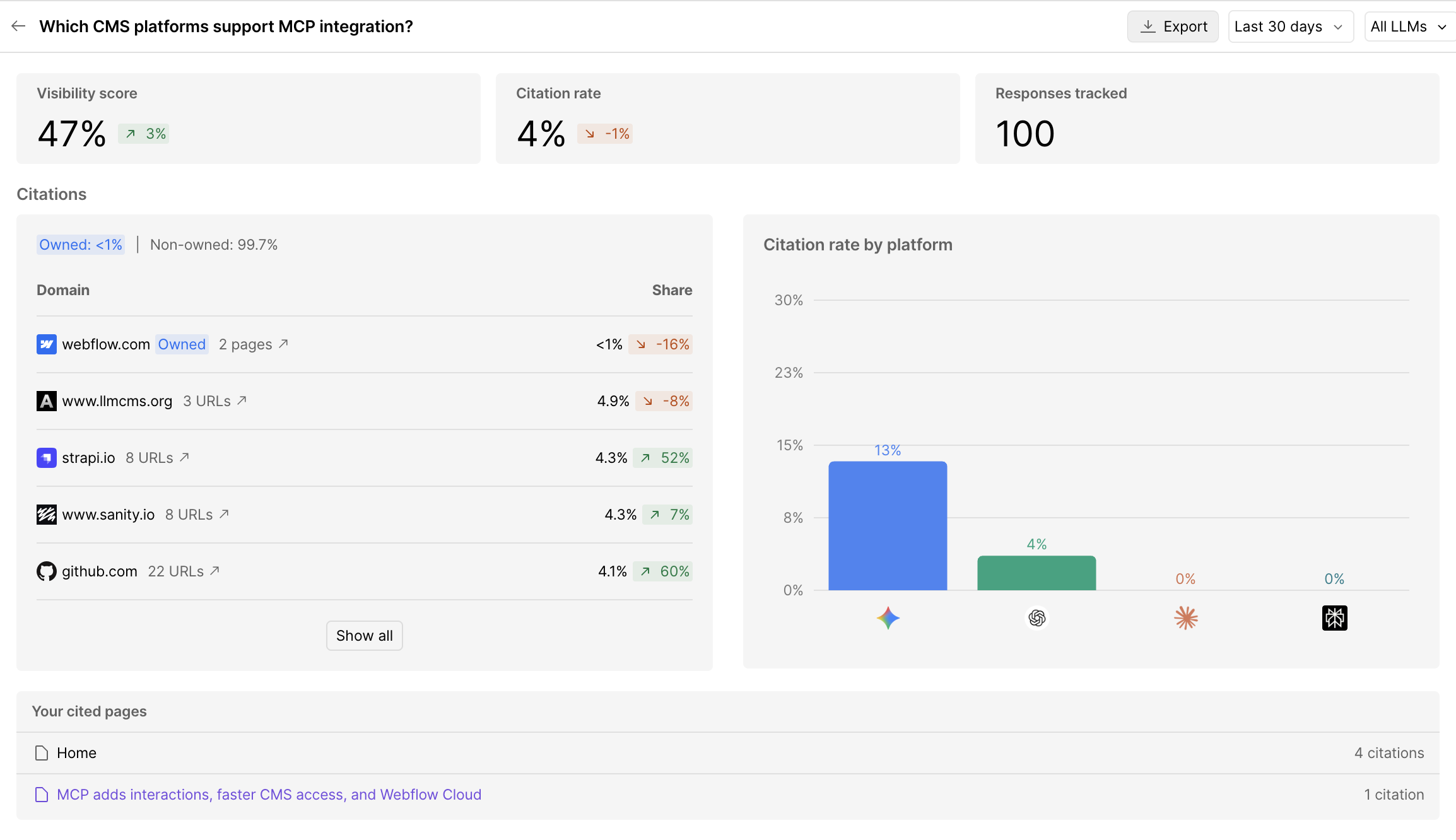
Mention rate is how often Webflow shows up across the prompts we track. It counts a mention whether the description is right or wrong, so we also score the responses we review on four things: whether Webflow is named, which tier it’s placed in (official, community, or not listed), whether the description is accurate, and what type of source the engine used. The dashboard’s visibility score reads 47% for the last 30 days. Our 49 of 100 is a count of responses that named Webflow, so the two won’t match exactly.
We're moving from single prompts to clusters of phrasings. Developers don't type the same sentence, so we group several phrasings of one intent into a cluster and run each one on every engine repeatedly, then report rates and ranges for the cluster.
Each response becomes one row in our log. Here’s what one row looks like:
{
  "date": "2026-10-21",
  "engine": "Claude",
  "prompt": "Which CMS platforms support MCP integration?",
  "mentioned": true,
  "position": 6,
  "listed_total": 18,
  "section": "Site builders and hosted platforms",
  "tier": null,
  "accurate": null,
  "cited_sources": [
    "sanity.io",
    "developersdigest.tech",
    "strapi.io",
    "crox.io",
    "themeisle.com",
    "magazine.joomla.org"
  ]
}
We leave accurate empty until someone checks the description against our docs, which keeps a confident-sounding answer from being counted as a correct one. tier is empty here because the answer never labeled Webflow official or community.
What the four engines said
These are the responses AEO tracked on the same morning, quoted exactly.
Claude gave Webflow one line under "Website Builders / E-commerce CMS," "Has an official remote MCP server with OAuth support," and named it in the closing summary of platforms "generally cited as having the most mature official implementations." The answer is short, and none of the sources behind it were ours. Claude's answer changes from run to run, as the four runs above show.
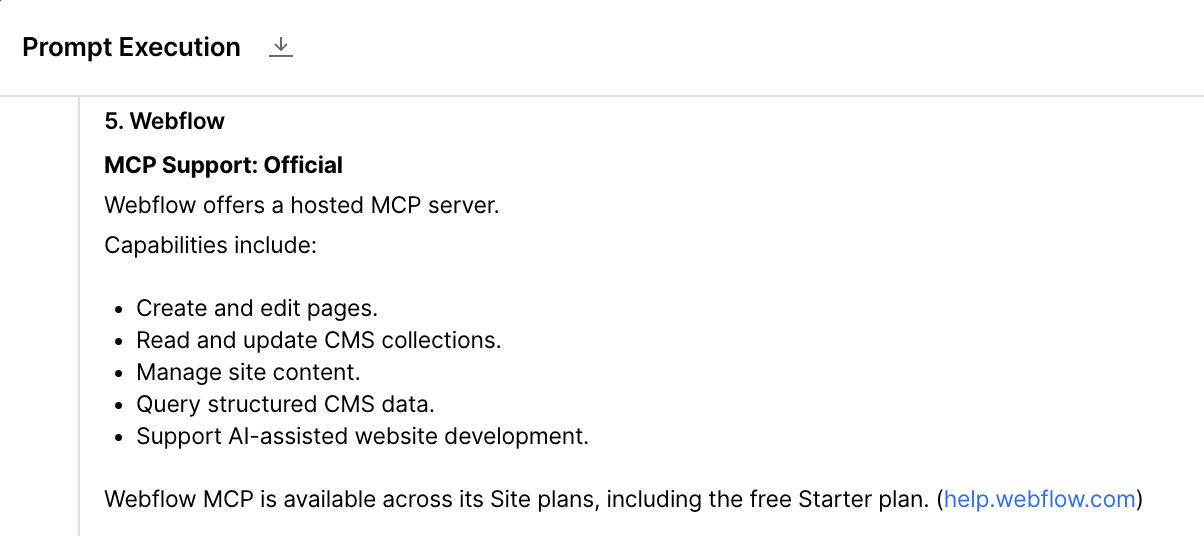
ChatGPT gave Webflow its own section. It labeled us "MCP Support: Official," said "Webflow offers a hosted MCP server," listed what it can do, and added that "Webflow MCP is available across its Site plans, including the free Starter plan." Its citation was help.webflow.com.
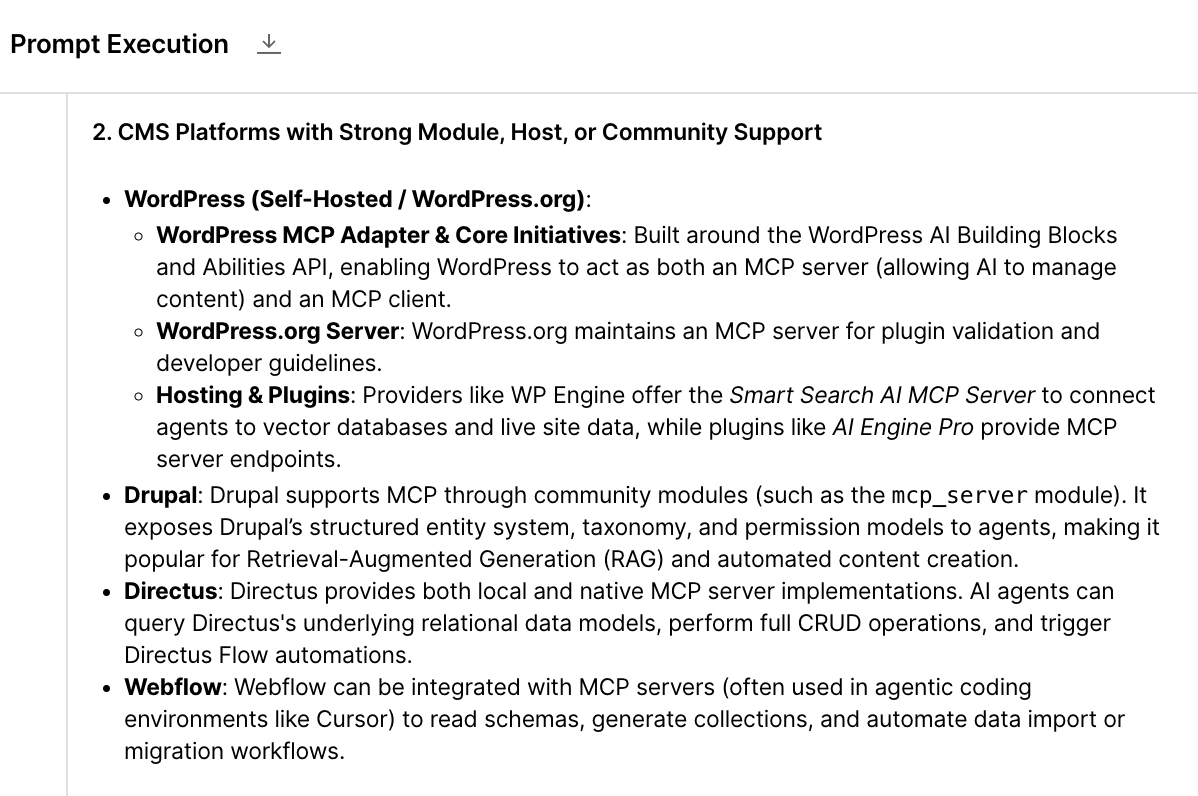
Gemini said Webflow "can be integrated with MCP servers (often used in agentic coding environments like Cursor) to read schemas, generate collections, and automate data import or migration workflows." That reads as a third-party integration and not a server we ship, and it sits in Gemini's second tier, "CMS Platforms with Strong Module, Host, or Community Support." None of its 14 citations were ours.
Perplexity named Webflow in its opening list and gave it one line in the breakdown, “MCP server listed in the MCP directory,” and pointed to a third-party MCP directory, machalliance.org.
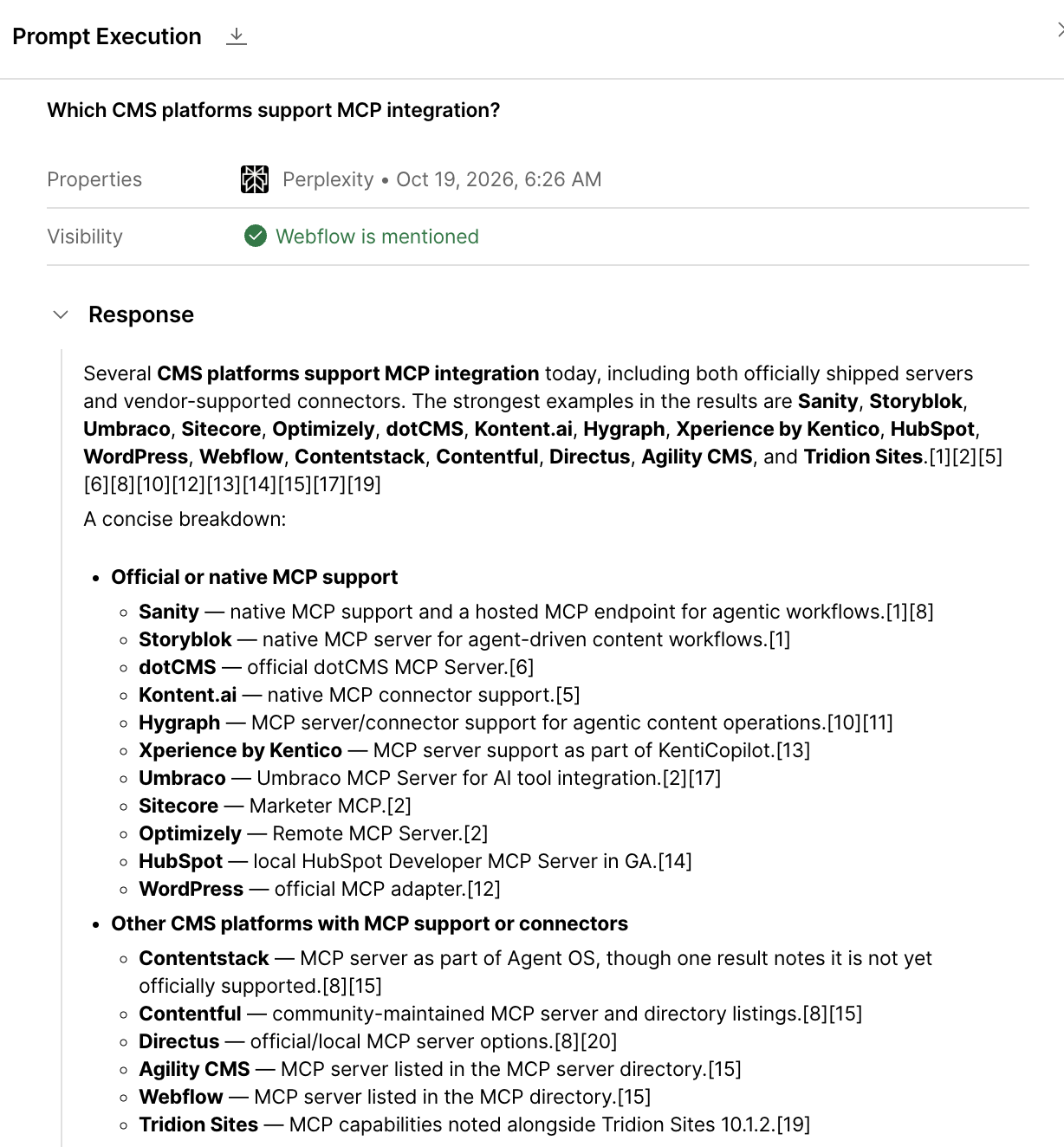
Webflow’s MCP server is built by Webflow and runs remotely with OAuth, so that morning Claude and ChatGPT got the tier right, Gemini got it wrong, and Perplexity didn’t say.
What the data shows
Between Sep 25 and Oct 19, Webflow was named in 49 of 100 responses to this prompt. By engine, that's Perplexity 22 of 25, ChatGPT 15, Gemini 8, and Claude 4. Perplexity's number is the highest, but its answer was the thinnest of the four, so a mention and a good answer aren't the same thing. Claude names us least, and the answer we quoted was accurate.
Sources split the same way. In the Oct 19 responses, ChatGPT cited the vendor docs for each platform it listed. The other three mixed vendor blogs with third-party guides and directories. One guide on llmcms.org appeared in the citations of 60 of the 100 responses, while a Webflow page (webflow.com, help.webflow.com, or developers.webflow.com) was cited in only 6, all from ChatGPT or Gemini.
Being named is the easy part for us. Being described correctly, from our own pages, is the part we can influence.
Limits
Answers change from run to run and with the wording of the prompt, so we use the single responses above as examples and the 100 for rates. The four runs in the first section were ours, run by hand, and aren’t part of the 100. Our hand runs named Webflow more often than the responses AEO tracked for Claude, and we don’t yet know why. Mention rate also says nothing about accuracy, which is why we score that separately.
The dashboard counts webflow.com as our only owned domain, because help.webflow.com and developers.webflow.com sit in separate projects. So the citation share here covers webflow.com only, and mention rate is unaffected. Our position is that this is an awareness and documentation problem first. We aren’t claiming it moves revenue, and we won’t until we have referral data that shows it.
What you can do about it
Each step below maps to something in our data, and you can run all of them on your own product.
Make sure engines can reach your docs. Before you change any content, check that AI crawlers can fetch it. This sends a request with a crawler's user agent and prints the status line:
curl -sI -A "GPTBot" https://your-docs-site.com | head -n 1Repeat it for each crawler's user agent, then read robots.txt and your CDN or firewall rules for anything that blocks them.
Say it in the words engines search for. Our MCP docs say the server runs remotely and uses OAuth. The pages we checked don’t say “official” or “hosted,” and those are the words in the engines’ answers. Put a short answer block at the top of your main docs page that says what the thing is, who builds it, how it authenticates, and what it costs. For example: “The Webflow MCP server is an official, hosted server built by Webflow. It uses OAuth and is available on all Site plans, including the free Starter plan.”
Write what the roundups are summarizing. One third-party guide, on llmcms.org, appeared in the citations of 60 of our 100 responses. Read what the guides engines cite say about you, and fix the gaps in your own docs so the next summary starts from your page.
Get mentioned in the roundups engines cite. Engines lean on third-party guides and directories, and Perplexity’s one line about us pointed to a third-party MCP directory. Find the guides and directories engines cite for your category, and get your product listed or corrected there.
Make the docs easy for an agent to read. Our MCP docs say you can append .md or /llms.txt to a page URL. Check that yours return clean text, that versioned URLs point to one canonical page, and which pages carry JSON-LD:
curl -s https://your-docs-site.com/page | grep -c 'application/ld+json'Here are both checks run on our MCP overview page:
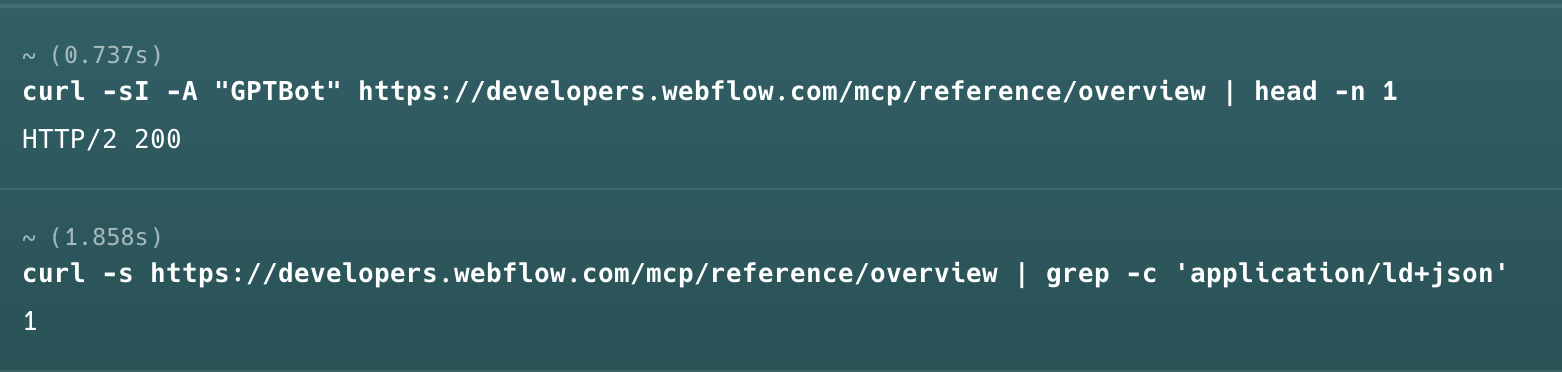
A 200 means the page answers a GPTBot request. The 1 means the HTML has at least one JSON-LD tag. A 0 means it has none, unless a script adds it after the page loads.
Count every domain you own. If your docs live on a subdomain, check whether your tracking counts it as yours.
If you want a way to see where your team stands across all of this, our AEO Maturity Model rates content, technical setup, authority, and measurement.
Building for agents
Your docs now have two readers: the developer, and the agent working for them. Four choices matter most for the second one.
Write tool descriptions like they’re the product. An agent picks an MCP tool based on its description. “Gets a user” tells it nothing. Say what the tool does, when to use it, what it returns, and what happens when there’s no result. An agent only sees the description, the schema, and earlier responses. When we found endpoint wrappers made poor MCP tools, we rebuilt ours around intent-based tools.
Publish answers to specific questions. The guide engines cited most lists every platform and what each one supports on a single page. A page that says exactly which actions, scopes, and plans your server covers gives an engine something to quote.
Keep the spec current. A stale OpenAPI spec breaks an agent the same way a stale doc breaks a person, so update the docs in the same pull request as the API change.
Give agents the least access. Use scoped keys and OAuth so an agent can do no more than the user it acts for. Our MCP server uses OAuth.
What we measure next
Our baseline is the numbers above: mention rate by engine, accuracy by engine, and source type. We'll re-run the same prompts in four to six weeks and report ranges, not a single number. Results aren't in yet, so we can't say which of these fixes will move the numbers, and some may not.
Run it on your own product
Pick five plain-language prompts and run each on ChatGPT, Claude, Gemini, and Perplexity. These are the ones we used in this post, and the pattern is easy to adapt:
- What should I use for transactional email?
- What should I use for product analytics?
- I need to add a CMS to my website.
- Which [category] tools support [integration you care about]?
- [Your product] vs [competitor], which should I pick?
Log every answer with the fields from the schema above, and write down the baseline before you change anything. If you're named, check the tier and the description against your own docs. If you're not, look at which pages the engine cited. Then run the same prompts again in a month.
If you’d rather not run this by hand, Webflow AEO tracks the prompts for you (available for Enterprise), and the page offers a free AEO assessment of your site.