



The best no-code backend lets marketing teams ship logins, forms, and gated pages without waiting on engineering; check out our comparison of the six that deliver.
A no-code backend supplies your site with a hosted database, an application programming interface (API), and visitor logins. It also runs server-side logic such as storing form submissions, gating pages, or running scheduled jobs, all configured through an interface instead of deploying code.
Xano and Backendless put business logic in visual blocks that marketing teams can read and edit without relying on a developer. Supabase, Firebase, and Appwrite expose data through generated APIs or software development kits (SDKs).
The right provider depends on who operates the backend and how pricing reacts to traffic spikes, and the six below sit at different points on the spectrum.
Key takeaways:
- Xano includes SOC 2, SOC 3, ISO 27001, and GDPR coverage on its cheapest paid plan.
- Backendless ships a drag-and-drop user interface builder alongside the backend, so one platform covers both the pages and the data.
- Airtable sits behind a sync tool that copies records into the site's CMS on a schedule, and it has no native visitor authentication.
- Supabase turns on a spending cap by default on its first paid plan, so you are not billed for usage beyond the plan unless you lift it, and compute hours are the one item that cap excludes.
- Firebase publishes no fixed-price paid plan, so budgeting means forecasting reads, writes, and function calls.
How we evaluated the six no-code backend platforms
Every platform below had to pass five criteria. They had to:
- Host a database on your behalf
- Expose a Representational State Transfer (REST) or GraphQL API without deployed server code
- Include authentication or server-side logic
- Publish a live pricing page with at least one stated price
- Ship a dated release within the last 12 months
Here’s a quick overview of how all six compare on operator skill, entry price, G2 rating, and standout features:
| Tool | Best for | Developer needed | Starting price | G2 rating (as of September 2026) | Standout feature(s) |
|---|---|---|---|---|---|
| Xano | Marketing teams that need logins and logic with no developer | No | $99 per month (or $85 per month, billed annually) | 4.7 | Visual function stack plus an agent builder on every plan |
| Backendless | Agencies running many small client apps under one account | No | $15 per month | 4.4 | Bundled UI Builder plus Codeless logic |
| Airtable | Publishing existing content-ops data to low-traffic pages | No | $24/seat per month (or $20/seat per month, billed annually) | 4.6 | Interface Designer and automations on one base |
| Supabase | Developer-led teams that want portable SQL data | Yes | $25 per month | 4.6 | Dedicated Postgres per project with auto-generated REST and GraphQL APIs |
| Firebase | Teams already building in Google Cloud | Yes | Usage-based (pay as you go) | 4.5 | Real-time sync with no-charge email and social login |
| Appwrite | Developer teams that want a capped bill or self-hosting | Yes | $25 per month | 4.6 | Sites hosting deployed from a Git repository |
| Tool → Best for → Developer needed → Starting price → G2 rating (as of September 2026) → Standout feature(s) |
|---|
| Xano |
| Marketing teams that need logins and logic with no developer |
| No |
| $99 per month (or $85 per month, billed annually) |
| 4.7 |
| Visual function stack plus an agent builder on every plan |
| Backendless |
| Agencies running many small client apps under one account |
| No |
| $15 per month |
| 4.4 |
| Bundled UI Builder plus Codeless logic |
| Airtable |
| Publishing existing content-ops data to low-traffic pages |
| No |
| $24/seat per month (or $20/seat per month, billed annually) |
| 4.6 |
| Interface Designer and automations on one base |
| Supabase |
| Developer-led teams that want portable SQL data |
| Yes |
| $25 per month |
| 4.6 |
| Dedicated Postgres per project with auto-generated REST and GraphQL APIs |
| Firebase |
| Teams already building in Google Cloud |
| Yes |
| Usage-based (pay as you go) |
| 4.5 |
| Real-time sync with no-charge email and social login |
| Appwrite |
| Developer teams that want a capped bill or self-hosting |
| Yes |
| $25 per month |
| 4.6 |
| Sites hosting deployed from a Git repository |
Let’s break down each tool in greater detail, starting with the two that marketing teams can run without developer support.
1. Xano
Xano is a hosted backend for teams that need a database, an API, and visitor logins behind a site built somewhere else.
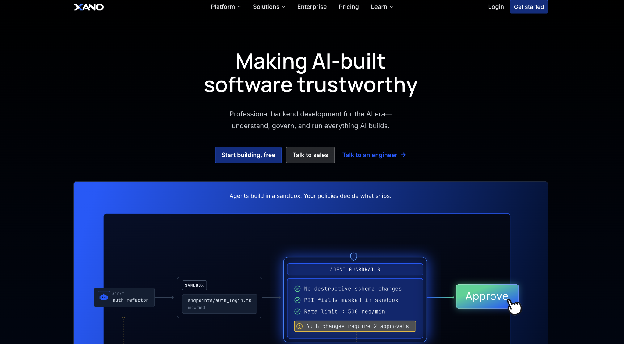
It pairs a PostgreSQL database with a visual API builder, authentication, background tasks, and an agent builder, and it connects to any frontend that can send an HTTP request, including Webflow, WeWeb, and Wized.
Its function stack shows the steps behind a form submission or gated page, so an operator can trace and change what happens. Xano builds no pages, components, or styling. Its logic runs only inside Xano, and a separate website builder supplies the interface.
Xano pros:
- Prebuilt function library: Common endpoints get assembled from existing blocks, with more than 90 prebuilt functions covering database queries, external API calls, and conditional branching.
- Agent tooling on every plan: The Model Context Protocol (MCP) Builder creates an MCP server that agents in Claude, Cursor, or Windsurf can call, and it includes natural-language prompting even on the no-cost tier.
Xano cons:
- No code export: The API builder and its expression language are proprietary, so a team that later moves to a coded backend rebuilds every endpoint from scratch instead of migrating it.
- Annual billing is the cheaper path: The Essential plan is $85 a month when billed annually, and month-to-month billing costs more, so a short pilot pays a premium for the flexibility.
What users say about Xano
G2 reviewers and an r/webflow thread on the Webflow, Wized, and Xano stack agree on how fast Xano gets an API live and disagree on how much skill a serious build demands:
- Backend setup in hours: G2 reviewers describe standing up a backend and database in hours for projects scoped in weeks.
- Support turnaround: Replies within two to three hours come up repeatedly, and support quality scores higher than ease of use on the G2 listing.
- Learning difficulty: The most common complaint on G2 is learning difficulty, and the r/webflow thread warns that a commercial build still needs real data modeling and business-logic work.
- Price volatility: Cost is also among the most frequent complaints on G2, and Xano retired two former plans in July 2025.
Sources checked as of September 2026.
Xano pricing
Xano offers a permanent Free plan. It covers 1 workspace, up to 100,000 database records, 1 GB of image-only storage with a watermark, API calls capped at 10 requests per 20 seconds, and US hosting only.
The Essential plan is $85 per month when billed annually for 3 workspaces, 5 seats, unlimited records, no rate limit, 10 GB of database storage, and 15 hosting regions. Pro is $224 per month when billed annually for 5 workspaces, 10 seats, role-based permissions, a managed load balancer, and a 99.99% service-level agreement (SLA).
Health Insurance Portability and Accountability Act (HIPAA) coverage with a signed business associate agreement (BAA) is a $500 per month add-on for the Pro plan. And, the Custom plan, which adds self-hosting and single sign-on (SSO), is priced by quote-only.
Best for: Xano fits marketing teams that need visitor accounts, stored form submissions, or a members-only area behind a site built with a visual builder. Agencies can also keep several client backends under one account because paid plans carry multiple workspaces.
2. Backendless
Backendless combines a hosted database, codeless visual logic, user authentication, REST APIs, and tools for building frontends. It can also work solely as a backend behind Webflow, Wix, FlutterFlow, or Bubble.
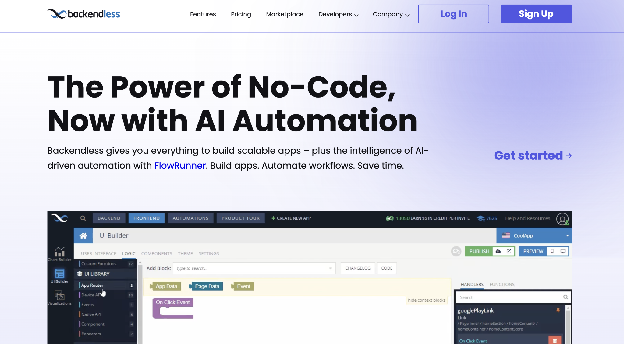
Codeless blocks let marketing teams assemble and change logic without a developer. Buying Backendless gives you the complete app platform even when the project uses only the backend, and the UI Builder has drawn more user complaints than the backend tools.
Backendless pros:
- Logic that compiles: Codeless blocks become JavaScript at runtime, and Backendless says the result functions as well as hand-coded logic and needs no knowledge of programming syntax.
- Wide login coverage: Backendless ships integrations for major social and OAuth providers, plus generic OAuth2 for others, so adding social sign-in to a gated section is configuration work.
Backendless cons:
- No SOC 2 or ISO 27001: Backendless does not hold either certification, so brands whose security reviews require one cannot approve it, regardless of technical fit.
- EU residency is a locked-in choice: Backendless Cloud offers an EU hosting cluster for General Data Protection Regulation (GDPR) and EU data residency, but the hosting zone is set when you create the app, and moving it later requires Backendless assistance and a fee.
What users say about Backendless
Across G2 reviews and community discussions comparing backends for non-coders, support wins consistent praise while the UI Builder and long-term scaling draw the sharpest complaints:
- Support in hours: G2 reviewers report responses within hours and same-day fixes, and name support as a reason they stay.
- Codeless is the draw: Reviewers cite the block-based logic builder as the deciding factor, because it keeps programming concepts while removing syntax.
- UI Builder friction: G2 reviewers find the UI Builder more restrictive than expected and harder to learn than Figma, and they hit blank or work-in-progress documentation pages.
- Weakest for scale: Backendless draws the sharpest criticism for scaling, with users reporting proprietary storage abstractions that hit walls at moderate load and SDK behavior that contradicts the documentation.
Sources checked as of September 2026.
Backendless pricing
The Free cloud plan costs $0 with no credit card required. It comes with unlimited monthly API calls rate-limited to 50 requests per minute, 20 database tables, and 1 GB of file storage. Backendless calls it an educational sandbox and warns that anything beyond minimal traffic hits the limits quickly.
The Scale plan starts at $15 per month in two variants, Scale Variable and Scale Fixed, which share limits but calculate the bill differently.
The entry fixed tier is priced for up to 5 requests per minute, below the free plan's burst rate, and higher throughput moves you up the paid tiers. The Partner Plan is $90 per month (or $75 per month when billed annually) for up to 20 apps. Managed Backendless is priced by quote, and the self-hosted Backendless Pro license is free, with commercial terms that Backendless does not publicly list.
Best for: Small teams can use Backendless to combine an internal tool and public site in one platform, while agencies can run a portfolio of low-traffic client apps under a single account. It fits projects with no System and Organization Controls (SOC) 2 requirement whose visitor data stays outside the EU.
3. Airtable
Airtable is a cloud-based spreadsheet-database hybrid used to organize information, track projects, and build custom internal business applications without coding. It stores and serves content, so publishing a base's records on a website requires a sync or embed process, and request-time server logic is unavailable.
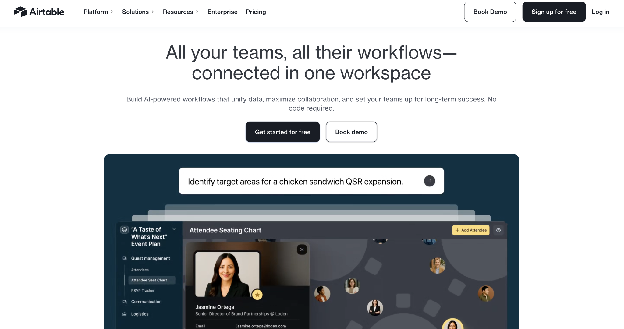
Teams that already run content operations in Airtable reach for it as a website backend because the data is already there. It is a hosted spreadsheet-database hybrid with a REST API and an Interface Designer for internal apps.
Airtable pros:
- Native automations: Automations run multi-step actions inside Airtable, so an approve-then-publish content workflow needs no separate automation tool.
- Agent scaffolding: The MCP server released in August 2026 lets Claude, ChatGPT, Gemini, or any MCP-compatible tool scaffold a workspace, build interfaces, and set up automations from a plain-language description.
Airtable cons:
- Hard API ceiling: Pages that query Airtable on each visit stall under moderate traffic. The Web API allows 5 requests per second per base on every plan, and Airtable doesn’t offer higher limits.
- Allowances throttle the sync before traffic: The team workspace allowance of 100,000 API calls and 25,000 automation runs a month is consumed by sync schedules, so frequent syncs exhaust the quota before visitor numbers matter.
What users say about Airtable
Per-seat cost is the loudest theme in Airtable feedback on G2, Capterra, Gartner Peer Insights, and r/Airtable, filtered to API and backend use:
- Per-seat price creep: A July 2026 G2 review reports that per-user price more than doubled over four years, and an r/Airtable thread describes a six-user bill multiplying many times over.
- Friendliest database: G2 reviewers call Airtable the most user-friendly no-code database available, with relational setup as the standout.
- Integration breadth: Reviewers cite Claude, Zapier, and Make connections as core strengths and use native automations to replace Zapier for routine workflows.
- Slowdowns in complex bases: Users rebuilding large multi-table bases report sluggish automations at peak times, recalculation lag from chained lookups and rollups, and interface cold starts of 10 to 20 seconds.
Sources checked as of September 2026.
Airtable pricing
The Free plan covers up to 5 editors, 1,000 records per base, 1 GB of attachments, 100 automation runs per month, and 1,000 API calls per workspace per month. The Team plan is $24 per seat per month (or $20 per seat per month when billed annually) for 50,000 records per base.
The Business plan is $54 per seat per month (or $45 per seat per month when billed annually) for 125,000 records per base, unlimited API calls, two-way sync, and Security Assertion Markup Language (SAML) SSO. And, the Enterprise Scale plan is priced by quote-only and adds 500,000 records per base, HIPAA, and audit logs. Portals (guest access) is an add-on from $120 per month for 15 guests (on the Team plan).
Best for: Airtable fits teams whose content operations already live there and who publish events, openings, or a partner directory to a low-traffic page. A scheduled sync can keep visitors from accessing Airtable's API directly.
4. Supabase
Supabase is an open-source, Postgres-based Backend-as-a-Service (BaaS) platform designed as a flexible alternative to Firebase. Every Supabase project gets its own PostgreSQL database, and the REST and GraphQL APIs appear as soon as you add a table.
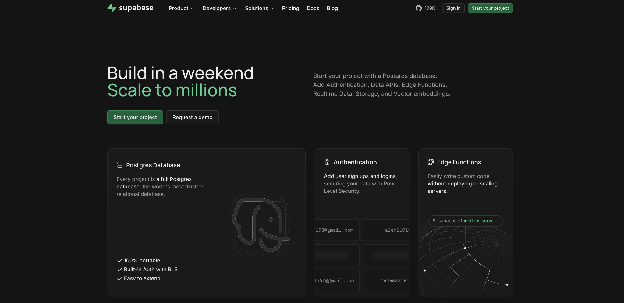
Supabase is open source, and it wraps authentication, row-level security, file storage, real-time subscriptions, and edge functions around that database.
It uses Structured Query Language (SQL) policies to control data access. Its support docs warn that tables exposed without those policies are readable by any role holding the grants, so an engineer must configure a production site safely. The developer requirement includes a standard database you can export and host anywhere.
Supabase pros:
- Logins without plumbing: A members area supports several sign-in methods with minimal setup; social providers, magic links, passkeys, and SSO are configuration options in the auth product.
- Agents on every plan: An official Claude connector (32 tools) and a ChatGPT app (29 tools) reach the whole platform, alongside a remote MCP server with OAuth2, and the Claude connector is available on every Supabase plan (requires a paid Claude plan).
Supabase cons:
- Certifications start high: SOC 2 and International Organization for Standardization (ISO) 27001 are available only on the two upper tiers, so compliance sits above the first production plan (Xano, on the other hand, includes both at its entry paid tier).
- Free projects go dormant and generic: No-cost projects pause after one week of inactivity, and since June 2026, new free projects on Supabase's default Simple Mail Transfer Protocol (SMTP) service cannot customize authentication email templates, so a branded signup email needs a paid plan from day one.
What users say about Supabase
G2 reviewers and the r/Supabase community rate the product highly and the support poorly:
- Vendor consolidation: Reviewers value getting Postgres, auth, storage, APIs, and realtime running within minutes, in place of four or five separate services.
- Usable free tier: G2 and r/SaaS posters say the free plan is enough to build and validate a real project before paying anything.
- Support gaps below the top tiers: Free users rely on Discord and forums, and an r/Supabase thread documents a paid-plan production outage that went two days without a response.
- Outage communication: A February 2025 outage of more than 2.5 hours (the second in under four months) drew complaints about the absence of support replies or public status updates while it was happening.
Sources checked as of September 2026.
Supabase pricing
The free plan includes 2 projects, a 500 MB database that becomes read-only when exceeded, 50,000 monthly active users (MAUs) for auth, 1 GB of storage, and no backups.
The Pro plan starts at $25 per month per organization, billed monthly, with the first project included and additional projects from $10 per month. It includes 8 GB of database storage, then $0.125/GB; 100,000 MAUs; daily backups with 7-day retention; and $10 per month in compute credits that cover one Micro instance.
The Team plan starts at $599 per month and adds SOC 2, ISO 27001, priority email support with SLAs, plus a HIPAA add-on. Enterprise plan pricing is custom.
Best for: Keep Supabase on your shortlist when a developer is available on staff or retainer and the project needs a portable SQL backend behind a customer dashboard or portal. It also suits teams that may self-host later or need vector search (pgvector) alongside site data in the same database.
5. Firebase
Firebase gives Google Cloud teams Cloud Firestore and the Realtime Database for data, Firebase Authentication for logins, Cloud Functions for server-side code, and hosting for static files. Two plans cover it all: a free tier and pay-as-you-go metering through Google Cloud.
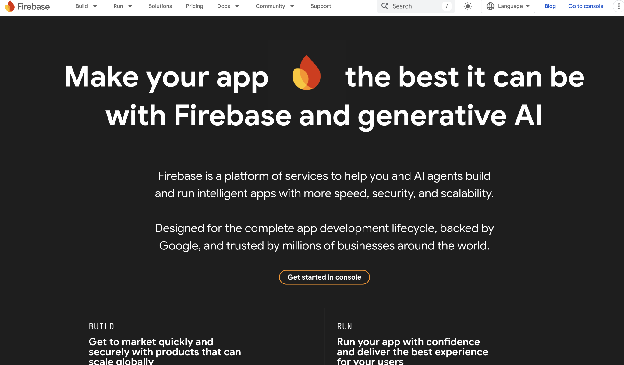
Every core product is wired in through an SDK, and a marketing team would need to build or buy a separate content management system (CMS) or admin interface to edit content or data. Firebase Studio, the cloud development environment whose prototyping agent was the one route that produced an app without writing code, is being sunset on March 22, 2027; the core products are unaffected.
Firebase is a subset of Google Cloud, so a coded app can reach other Google Cloud services, and every product bills through Google Cloud.
Firebase pros:
- Real-time sync built in: Firestore and the Realtime Database push changes to connected clients, which powers live dashboards, availability counters, or collaborative pages without polling.
- Compliance without tier gating: ISO 27001 (certificate reissued January 2026) plus SOC 1, SOC 2, and SOC 3 cover all Firebase services, with no tier gating in Firebase's published documentation.
Firebase cons:
- Logic requires metered billing: Cloud Functions are unavailable on the free plan, so the first server-side task (such as processing a form or calling a webhook) forces the move to pay-as-you-go.
- Cascading hosting charges: One deploy touches six meters, and the invoice resists forecasting: App Hosting bills separately for Cloud Run, Cloud Build, Artifact Registry, Cloud Logging, and Cloud Secrets Manager on top of bandwidth.
What users say about Firebase
Sentiment on G2, Capterra, Gartner Peer Insights, and r/Firebase clusters around two words, “fast” and “expensive”:
- Idea to production quickly: G2 reviewers describe reaching a production-ready product with almost no backend setup by combining Authentication, Firestore, Functions, and hosting.
- Small sites stay free: Commenters on r/webdev say a small project lives on the free tier indefinitely.
- Four-figure surprises: Reviewers report costs that are hard to predict, and r/Firebase threads document four-figure bills from logging webhook traffic and from SMS-auth abuse that Google did not refund.
- Deprecation and lock-in concerns: G2 reviewers say migrating away takes significant effort because of the proprietary database, and r/Firebase points to Dynamic Links, shut down on August 25, 2025, as the latest product pulled from under them.
Sources checked as of September 2026.
Firebase pricing
The base Firebase Spark plan comes at no cost and includes Cloud Firestore with 1 GiB stored, 50,000 document reads and 20,000 writes per day, plus free email and social auth. Cloud Storage and Phone Auth are unavailable on the Spark plan.
The Blaze plan is pay-as-you-go through Google Cloud Billing, with the same free quotas; Cloud Functions includes 2 million free invocations per month, then $0.40 per million. App Hosting bills $0.20 per GiB above 10 GiB per month plus separate Google Cloud service charges, and no fixed monthly plan exists at any level.
Best for: Firebase fits teams whose developers already work in Google Cloud and need real-time sync or a high volume of authenticated users. Those teams should set billing alerts before launch, while marketing teams that expect to edit backend content or data themselves should choose a platform with an operator interface.
6. Appwrite
Appwrite Cloud hosts an open-source BaaS covering authentication, TablesDB, storage, serverless functions, realtime, messaging, and Sites (a static and server-rendered hosting product launched on July 24, 2025).
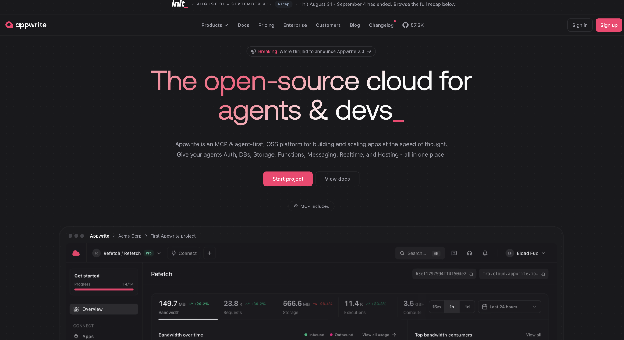
Integration requires SDK and API work, while Sites deploys from a GitHub repository with a build configuration. Appwrite dropped per-seat pricing in September 2025 in favor of per-project pricing, so invoices track projects.
Appwrite runs its own document store, with MongoDB support added in the 2026 1.9 release. Supabase instead gives each project a standard Postgres database, and Appwrite has fewer developer tools and a smaller community.
Appwrite pros:
- Self-hosting stays free: The Docker version is free to run on your own servers, so teams that outgrow Appwrite Cloud can bring the backend in-house.
- Hosted MCP without keys: A remote MCP server that needs no API keys ships alongside a Cursor plugin, agent skills, and VectorsDB with built-in embedding models.
Appwrite cons:
- Compliance is by quote-only: Regulated brands cannot self-serve into compliance. SOC 2 Type II and a signed BAA are available only on the custom tier.
- Deploys need a repository: Sites requires a GitHub repo and build settings, so a content change to a hosted frontend goes through a developer commit, unlike an edit in a CMS.
What users say about Appwrite
Across the G2 listing and threads in r/webdev and r/selfhosted, self-hosting is what people talk about most:
- Control through self-hosting: G2 reviewers call it an open-source Firebase alternative, and an r/nocode poster who self-hosts says they feel far more in control for a small monthly server cost.
- Predictable pricing: Commenters in r/webdev praise budget caps as the opposite of Firebase's billing model.
- Setup friction: A G2 reviewer calls initial setup too complex for newcomers, and an r/selfhosted thread reports a reverse-proxy conflict with another self-hosting tool that pushed one user onto a dedicated server.
- Fewer developer resources: r/webdev notes a smaller community than Firebase's, no local emulator, and fewer ready-made extensions, and a G2 reviewer wants a faster dashboard.
Sources checked as of September 2026.
Appwrite pricing
The free plan includes 2 projects sharing resources, 5 GB of API bandwidth per month, 2 GB of storage, 75,000 MAUs, and pauses after 1 week of inactivity.
The Pro plan is $25 per month for the first project plus $15 per month per additional project. It includes 2 TB of bandwidth ($15 per extra 100 GB); 200,000 MAUs ($3 per extra 1,000), and daily backups with 7-day retention. Enterprise pricing is by quote only.
Best for: Appwrite belongs on the shortlist when engineering can handle SDK integration and repository-based deploys, and the team wants Firebase's product structure with tighter billing control. It also supports teams that expect to move the backend onto their own servers within a year.
How to choose the right no-code backend for your website
Answer these in order; the first one with a hard answer is your deciding factor:
- What are you storing? Content-only publishing suits Airtable. For visitor accounts and stored form submissions, choose Xano or Backendless. For high-write transactional or relational data with a developer on staff, choose Supabase, Appwrite, or Firebase.
- What certifications will yoursecurity reviewask for? Document the exact certification, hosting region, data-processing agreement, and BAA requirements before comparing features. Remove any vendor whose available compliance level doesn’t match.
- What happens to the bill when traffic spikes? Model the vendor's billing unit against a campaign spike: workspaces, seats, projects, apps, or metered operations. Test the available controls and alerts before sending production traffic.
Run a live prototype on your finalist's free tier before signing: Xano, Backendless, Airtable, Supabase, Firebase, and Appwrite each offer one, and each tier's published caps tell you exactly when a site will outgrow it.
Pair Webflow with a no-code backend so marketers run the site, and the backend runs the data
If your team's problem is a website that waits on a developer queue, the backend is only half the fix; the other half is who edits the pages. Webflow is the visual platform for that half: marketers design, build, and publish pages themselves on a structured CMS with managed hosting.
The CMS is also headless-capable, with a REST API, so content managed in Webflow can feed a dashboard or app built on Xano or Supabase. Webflow is a visual website platform. Its Data API adds, updates, and removes CMS items; it does not run arbitrary server-side logic or store transactional records.
On the agent side, Webflow's MCP server lets agents read the design system, build components, and query CMS data sets. Xano, Supabase, Appwrite, and Airtable ship their own MCP servers too, so one agent can work across the Webflow front end and your backend data in a single flow.
Build the site on Webflow, connect the backend your team can operate, and create a Webflow account to test the pairing before you commit.

Unlock growth with SEO
Join Webflow and leading growth agency Graphite as they discuss actionable insights for scaling and achieving growth with SEO
Frequently asked questions
Can you build your website and backend without code?
Yes, you can build your website and backend without code when both layers have visual interfaces. The build still needs a defined data model, permission rules, error handling, and an owner for integration failures. Before launch, test expired sessions, duplicate submissions, password recovery, API downtime, and partial sync failures as complete visitor journeys.
Do you need coding experience to run your chosen backend?
Visual blocks and spreadsheet-style records do not require programming syntax for routine changes. Assign an engineer when the production setup depends on SQL security policies, SDK calls, repository deploys, or custom server functions. A practical handoff test is whether the assigned owner can rotate credentials, inspect logs, restore a backup, and reverse a schema change without vendor support.
How should you choose between a no-code backend and a headless CMS?
Use the record's lifecycle as the boundary. Editorial entries that move through drafting, approval, scheduling, and publishing fit a CMS. Records created by visitor actions, tied to account permissions, or changed by transactions need backend services. If a site has both lifecycles, keep editorial content in the CMS and account data in the backend, rather than forcing either system to handle both.
When should you choose a no-code backend instead of Rails or Django?
Choose based on who will maintain the system after launch. A framework suits a team that can own schema migrations, authentication code, deployment, monitoring, and an admin interface, while a managed backend removes much of that setup. Record the expected exit path before committing, because generated or visual logic may still need to be rebuilt during a later move.

Choose the right CMS for a scaling enterprise
Discover how the right CMS can allow teams to efficiently scale rich, complex content – all without writing code.