



Judge your Leadpages replacement on brand control, approvals, separate pages per audience, and CRM records that retain each lead's source.
As brands using Leadpages mature, their requirements will also evolve: campaign pages may need to match the main site exactly, and as more people build pages, roles and a review step will become necessary before launch.
Marketing campaigns may also need more testing or a separate page for each audience, or leadership may want each lead's campaign source in the customer relationship management (CRM) system.
In this article, we’ll compare the nine top Leadpages alternatives on brand control, review workflow, per-audience pages, and how leads reach the CRM with their campaign source. We’ll also review their pricing and what users say about each platform.
The best Leadpages alternatives for marketing teams at a glance
In this comparison, the biggest split is between builders that publish pages on a separate domain or subdomain (outside your site's CMS) and platforms that publish them inside your main site.
Webflow sits on both sides. Its site platform publishes inside the main site, and Webflow Campaigns publishes to a separate campaign hub.
| Tool | Type | Best for | Starting price (as of October 2026) | Rating (G2, as of October 2026) | Standout feature |
|---|---|---|---|---|---|
| Webflow | Website platform, plus Webflow Campaigns for standalone campaign pages | Marketing teams that want campaign pages built from the main site's design system | Free plan; Basic plan is $25/month (or $15/month billed annually) | 4.4/5 | Shared Libraries (in beta) let one site share components and variables with any workspace site that installs them |
| Unbounce | Landing-page builder | Paid-search teams that need headlines matched to each ad | $29/month (or $22/month billed annually) | 4.3/5 | Smart Traffic, AI routing that picks a variant for each visitor from traits such as device and location |
| Instapage | Landing-page builder | Ad operations teams running high-spend Google Ads accounts | $99/month (or $79/month billed annually) | 4.3/5 | Server-side A/B tests that avoid page flicker |
| HubSpot | CRM suite | Marketing teams whose pipeline already runs through HubSpot's CRM | Free plan; Starter plan is $20/seat/month at list price | 4.4/5 | Smart content shows different page sections to different CRM segments |
| Landingi | Landing-page builder | Marketing teams producing many similar pages across regions or offers | $29/month (or $24/month billed annually) | 4.5/5 | Smart Sections update one block across every page that uses it |
| Swipe Pages | Landing-page builder | Paid-social teams receiving mostly mobile traffic | $39/month (or $29/month billed annually) | 4.8/5 | Drag-and-drop pages can publish in Accelerated Mobile Pages (AMP) format |
| Framer | Website platform | Design-led marketing teams that build site and campaign pages in one canvas | Free plan; Basic plan is $15/month (or $10/month billed annually) | 4.5/5 | Cookie-free A/B tests with up to five variants per page |
| Elementor | Website platform (WordPress plugin) | Marketing teams whose main site runs on self-hosted WordPress | Free plugin; Essential plan is $60/year (annual billing only) | 4.4/5 | Theme Builder controls headers, footers, and templates site-wide |
| Perspective | Mobile funnel builder | Performance marketers turning Meta ad clicks into leads on mobile | Free plan; Base plan is $59/month (or $47/month billed annually) | 4.7/5 | Multi-step quiz funnels generated from a single prompt |
| Tool → Type → Best for → Starting price (as of October 2026) → Rating (G2, as of October 2026) → Standout feature |
|---|
| Webflow |
| Website platform, plus Webflow Campaigns for standalone campaign pages |
| Marketing teams that want campaign pages built from the main site's design system |
| Free plan; Basic plan is $25/month (or $15/month billed annually) |
| 4.4/5 |
| Shared Libraries (in beta) let one site share components and variables with any workspace site that installs them |
| Unbounce |
| Landing-page builder |
| Paid-search teams that need headlines matched to each ad |
| $29/month (or $22/month billed annually) |
| 4.3/5 |
| Smart Traffic, AI routing that picks a variant for each visitor from traits such as device and location |
| Instapage |
| Landing-page builder |
| Ad operations teams running high-spend Google Ads accounts |
| $99/month (or $79/month billed annually) |
| 4.3/5 |
| Server-side A/B tests that avoid page flicker |
| HubSpot |
| CRM suite |
| Marketing teams whose pipeline already runs through HubSpot's CRM |
| Free plan; Starter plan is $20/seat/month at list price |
| 4.4/5 |
| Smart content shows different page sections to different CRM segments |
| Landingi |
| Landing-page builder |
| Marketing teams producing many similar pages across regions or offers |
| $29/month (or $24/month billed annually) |
| 4.5/5 |
| Smart Sections update one block across every page that uses it |
| Swipe Pages |
| Landing-page builder |
| Paid-social teams receiving mostly mobile traffic |
| $39/month (or $29/month billed annually) |
| 4.8/5 |
| Drag-and-drop pages can publish in Accelerated Mobile Pages (AMP) format |
| Framer |
| Website platform |
| Design-led marketing teams that build site and campaign pages in one canvas |
| Free plan; Basic plan is $15/month (or $10/month billed annually) |
| 4.5/5 |
| Cookie-free A/B tests with up to five variants per page |
| Elementor |
| Website platform (WordPress plugin) |
| Marketing teams whose main site runs on self-hosted WordPress |
| Free plugin; Essential plan is $60/year (annual billing only) |
| 4.4/5 |
| Theme Builder controls headers, footers, and templates site-wide |
| Perspective |
| Mobile funnel builder |
| Performance marketers turning Meta ad clicks into leads on mobile |
| Free plan; Base plan is $59/month (or $47/month billed annually) |
| 4.7/5 |
| Multi-step quiz funnels generated from a single prompt |
Webflow
Webflow is an agentic web marketing platform where marketers build and publish pages themselves on the same content management system (CMS) and managed hosting that run the main site. Leadpages teams often consider Webflow when campaign pages drift from the brand or live on a separate domain.
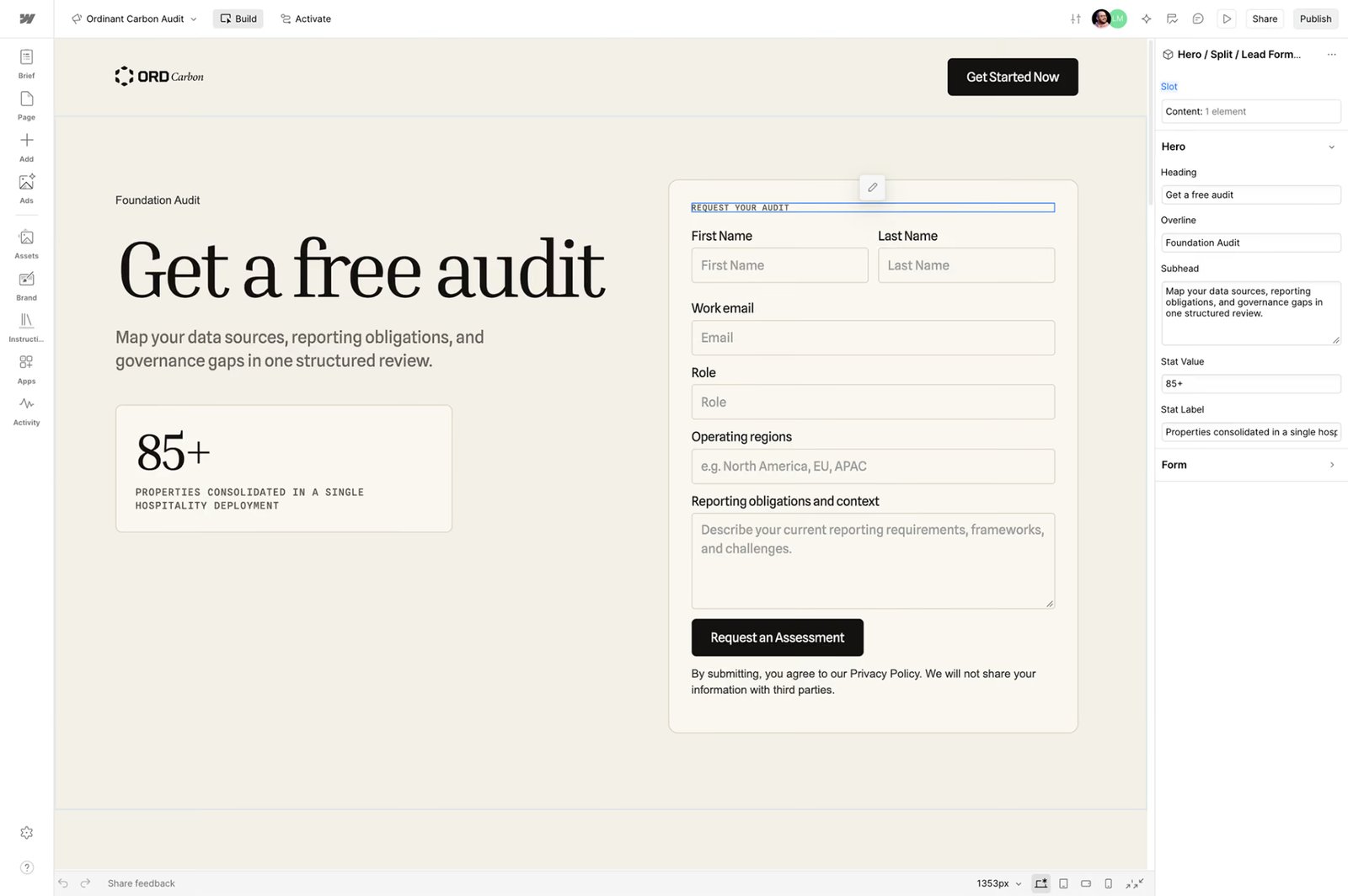
Image source: Webflow
In Webflow, a landing page uses the same components and variables as the rest of the site, so one edit to a button or brand color updates every instance. Marketers assemble pages from designer-approved blocks, and AI agents in Claude Code or Cursor can work through Webflow's Model Context Protocol (MCP) server within each user's existing role permissions.
Webflow Campaigns, a new standalone product, drafts on-brand landing pages and matching ads from an approved brief, using a brand system it extracts from your site's URL. It creates a version of each page for every persona, industry, or account, each on its own URL.
A Reviewer role lets teammates comment before launch. The pages publish to a campaign hub (a separate site on a domain or subdomain you choose) with no connection to the CMS.
Campaigns collects leads only through HubSpot or Marketo forms and reports the pipeline each page influences from Salesforce, HubSpot, or Marketo data. It sends ads to Google Ads as Performance Max campaigns, and other ad networks get downloadable creative.
Webflow pros:
- Review from legal and sales without paid seats: Up to 100 reviewer seats are free, and comment-only links work without a Webflow account. Legal, sales, and leadership teams can mark up a page before it goes live.
- Copy edits without design risk: Content editors can change page copy but not page design, so the brand holds as more people publish.
Webflow cons:
- No official Salesforce app: Teams that run their pipeline in Salesforce route site form leads through third-party apps, Salesforce's Web-to-Lead forms, or custom API work. Each route adds a build step before launch.
- Named sign-off only at the top tier: Design approvals, which name who signs off before a page branch (a working copy) merges, come only with the custom-priced tier. On the tier below it, only site managers and designers can merge branches, but no named reviewer signs off.
What users say about Webflow
Reviewers on G2 who update pages rate the workflow highly. On Capterra, reviewers who manage staging or come from outside web design report more friction:
- Editor and reusable sections: A marketing team member at a mid-sized company calls the editor the best part of Webflow. The reviewer says drag-and-drop handles regular updates without coding and that reusable sections speed up new pages.
- Pages copied as backups: Two reviewers criticize staging or the lack of proper version history, and one copies each page before making big changes.
- Learning curve: A UX reviewer at a mid-sized organization finds Webflow tricky without some web design background.
Sources checked October 2026.
Webflow pricing
Webflow's Starter plan is free but limited to two static pages, a webflow.io domain, 50 form submissions, and a small CMS (50 items). Publishing on your own domain requires a paid Site plan.
The Basic plan is $25 per month (or $15 per month billed annually) and has no CMS. The Premium plan is $39 per month (or $25 per month billed annually) and is the first paid tier with the full CMS (20,000 items, 40 Collections).
Webflow Optimize, the add-on for A/B testing and personalization, starts at $379 per month (or $299 per month billed annually) for 25,000 page views. At 500,000 page views, it costs $1,499 per month (or $1,199 per month billed annually).
Webflow Analyze is $12 per month (or $9 per month billed annually) for 2,000 sessions. You buy Webflow Campaigns through Webflow's sales team, starting at $2,000 per month.
The Team plan is $2,500 per month on an annual contract, and the Enterprise plan is custom-priced. Workspace plans for seats are billed separately from Site plans.
Pricing from Webflow's pricing page. Verified October 2026.
Best for: Marketing teams whose designers own the site's design system and whose marketers publish campaign pages from it. The fit is strongest when pages need to rank on the main domain. Demand generation teams that want per-audience pages and Google Ads campaigns from one brief can use Webflow Campaigns, regardless of the CMS that runs their main site.
Unbounce
Unbounce is the closest like-for-like swap for paid-acquisition teams leaving Leadpages because Unbounce and Leadpages are both dedicated landing-page builders with A/B testing. Dynamic text replacement rewrites a headline to match the keyword a visitor searched, keeping the ad and page in sync without building a page per ad group.
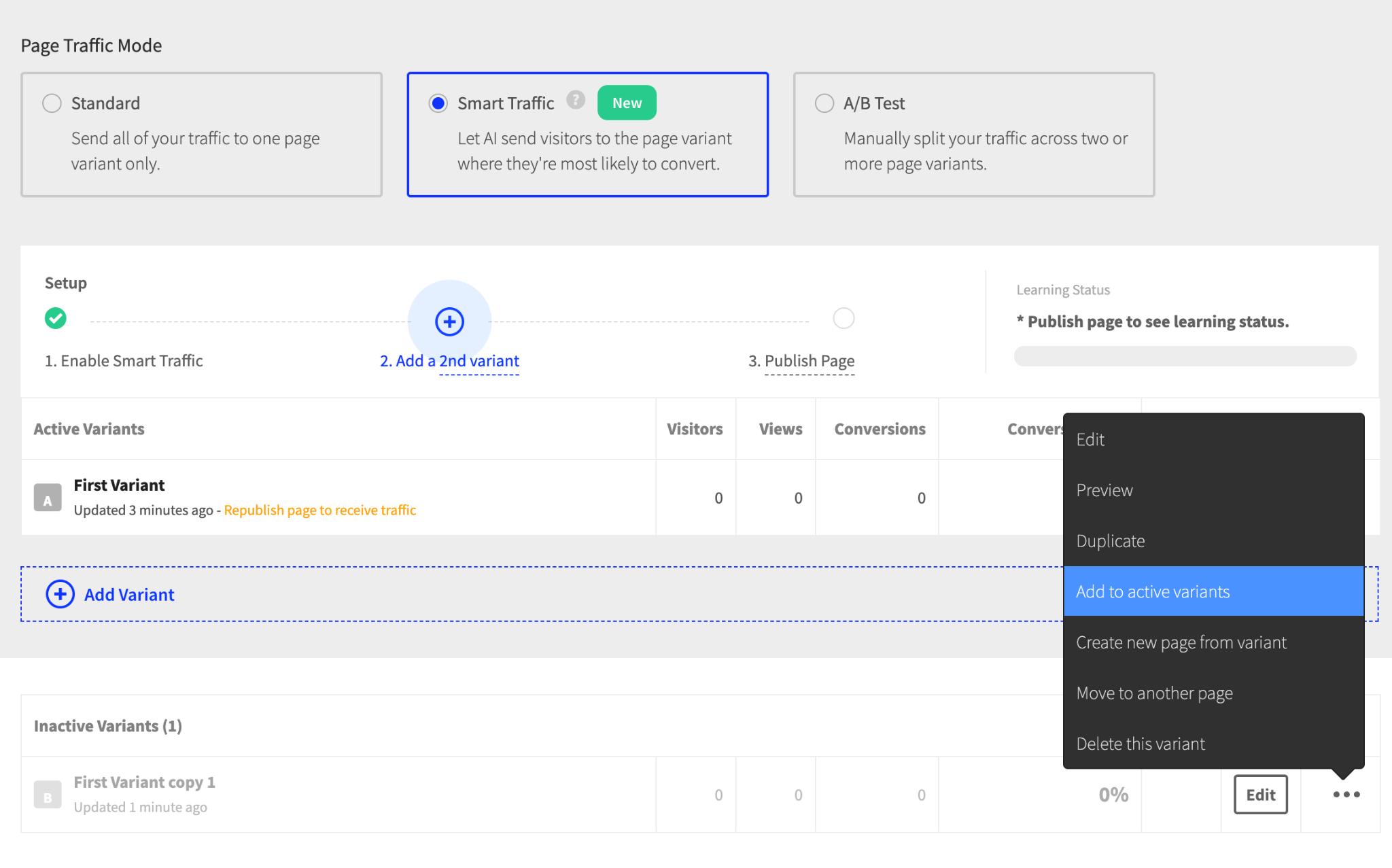
Image source: Unbounce documentation
Teams that run pages for several brands or clients get unlimited sub-accounts, and invited users see only the pages and domains assigned to them. AI copywriting rewrites or expands page copy, and an MCP server lets AI assistants such as Claude work with your pages.
Unbounce hosts the pages on a domain or subdomain you connect, or publishes them to a WordPress site through its plugin. Either way, you build and manage them outside your site's CMS.
Brand consistency comes from page templates and elements you copy between pages, and Script Manager applies custom scripts across pages, so this approach suits teams that maintain their own style rules.
Unbounce pros:
- Variants matched to each visitor: Unbounce's AI routing, called Smart Traffic, learns which variant works best for each visitor type, and Unbounce reports an average 30% conversion lift.
- Native Salesforce lead push: Leads go straight into Salesforce with four custom fields attached, so no Zapier step sits between the page and the CRM.
Unbounce cons:
- Metered visitor caps: Self-serve tiers cap monthly unique visitors and bill overage in blocks, so a campaign that draws more visitors than planned adds charges nobody approved.
- Attribution stops at the form: Campaign tags reach the CRM only through a hidden form field for each UTM parameter or Google Ads click ID. Unbounce documents no campaign reporting inside Salesforce or HubSpot, so teams build campaign revenue reports in the CRM themselves.
What users say about Unbounce
Reviewers who run paid campaigns on G2 judge Unbounce by its effect on campaign results, and some describe the setup work behind it:
- Testing depth: A marketing director at a mid-sized company values A/B testing, dynamic text replacement, and the builder's integrations.
- No global components: A marketing director at a small firm wants elements that are edited once and applied across every page.
- CRM setup effort: A reviewer at a mid-sized financial services company says connecting Unbounce to the CRM took extra effort.
Sources checked October 2026.
Unbounce pricing
Unbounce has no free plan. Its 14-day trial needs no credit card but allows only one user, no custom domains, and some traffic restrictions. The Starter plan is $29 per month (or $22 per month billed annually) for 500 monthly visitors and five pages.
The Build plan is $99 per month (or $74 per month billed annually). The Experiment plan, the first with A/B testing, is $149 per month (or $112 per month billed annually). The Optimize plan, which adds Smart Traffic, is $249 per month (or $187 per month billed annually).
Extra traffic costs $80 per 10,000 visits. The Concierge and Agency plans are custom-priced, and Unbounce does not refund canceled subscriptions.
Pricing from Unbounce's pricing page. Verified October 2026.
Best for: Paid-search teams that keep one landing page per keyword theme, let the headline change with each search, and are fine with managing pages outside the main site's CMS.
Instapage
Instapage is a landing-page builder designed around ad campaigns, which suits teams whose Leadpages traffic comes mostly from Google Ads. Teams can point each paid ad to its own Instapage page, then A/B test versions of that page to see which one converts best.
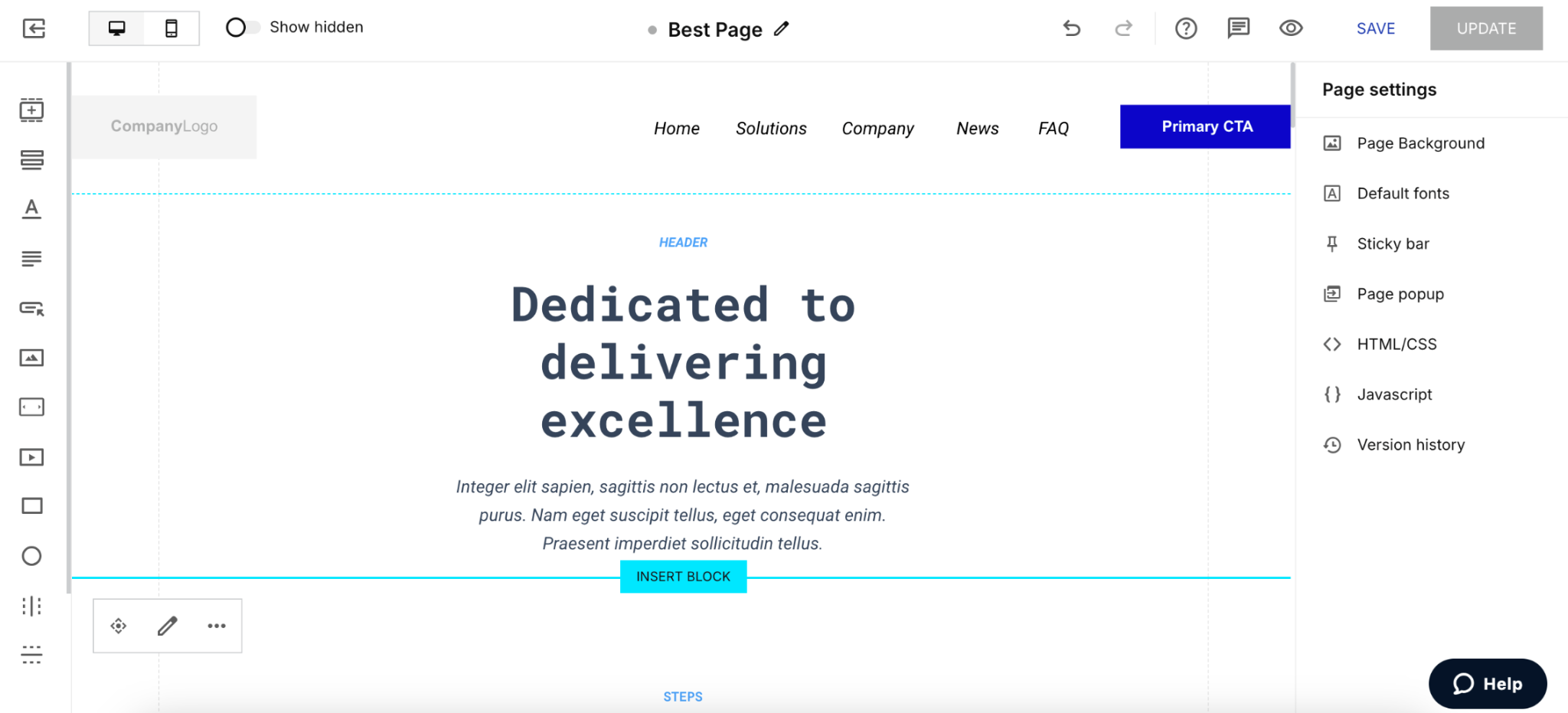
Image source: Instapage help center
On the sales-led top plan, Global Blocks on Instapage let you edit a header or form once and update it across every page that uses it. Teammates and clients can leave threaded comments directly on a page. Instapage's AI page generator, Prompt to Page, is still in beta and reaching accounts in phases, so not every team has it yet (as of this writing).
Instapage also markets website and email tools, but its standout features focus on ad campaigns, so it fits paid landing pages better than brand or content pages.
Instapage pros:
- Flicker-free testing: Server-side variants, chosen before the page loads, appear without the visual jump client-side testing scripts can cause on slower connections.
- Native Marketo connection: Marketo connects directly with no add-on fee, as do HubSpot and Salesforce so that leads can skip Zapier.
Instapage cons:
- Account lockout on overage: Going past the visitor limit locks the account. If that repeats over several billing cycles, Instapage may unpublish pages, which hurts teams whose campaign traffic spikes without warning.
- Top features require a sales call: Heatmaps, ad-to-page personalization, and AdMap (which pairs each Google ad with its landing page) sit on an unpriced tier. You can't budget for them without committing time to a demo.
What users say about Instapage
On G2, a senior conversion optimization manager rates the editor's flexibility. On Capterra, reviewers add detail on support and on how the builder handles forms:
- Flexible editor: A senior conversion optimization manager at a mid-sized company (February 2026) says the editor can build almost any page. Custom scripts fill the gaps where its components fall short.
- Support for teams at scale: A senior search marketing manager at a small company (January 2026) calls support unmatched. The reviewer recommends Instapage to teams maintaining landing pages at scale.
- Duplicate forms: A marketing director at a small construction firm says editing a form creates a duplicate asset unless the account pays for global forms.
Sources checked October 2026.
Instapage pricing
Instapage doesn’t offer a free plan, and the 14-day trial requires a credit card and caps traffic at 2,500 unique monthly visitors. The Create plan is $99 per month (or $79 per month billed annually) for 15,000 visitors.
The Optimize plan, which adds server-side testing and dynamic text replacement, is $199 per month (or $159 per month billed annually) for 30,000 visitors. At 50,000 visitors, it costs $299 per month (or $239 per month billed annually).
The Convert plan is custom-priced and sold after a demo.
Pricing from Instapage's plans page. Verified October 2026.
Best for: Ad operations teams that run high-spend Google Ads accounts and send leads to Marketo or Salesforce. Personalization by ad group requires a sales conversation.
HubSpot
HubSpot puts landing pages inside the CRM, which suits teams that need each lead's campaign source to appear in the sales record. Landing pages come with both Marketing Hub and Content Hub, HubSpot's marketing and website products.
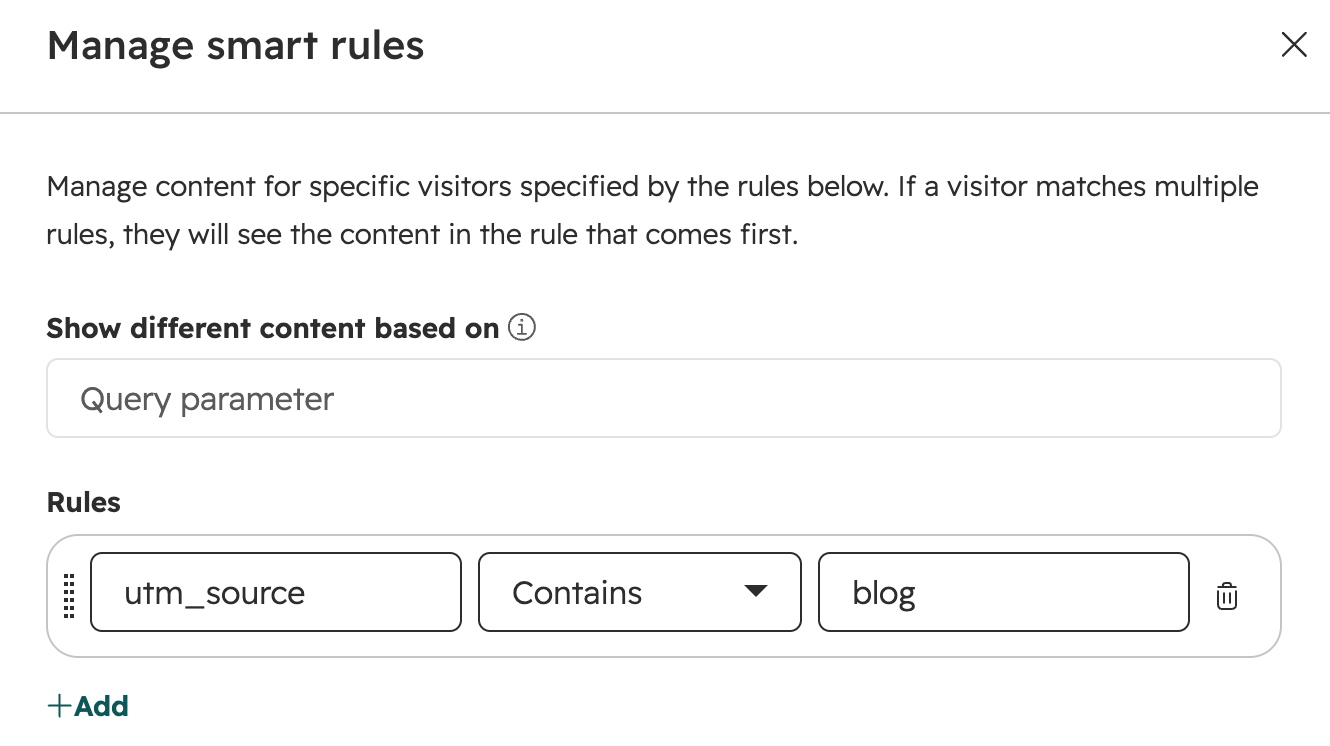
Image source: HubSpot Knowledge Base
Smart content shows different sections of one page to different CRM segments, so a sales-qualified lead sees a demo offer while a new subscriber sees a guide. Adaptive testing shifts traffic toward better-performing variations.
Breeze, HubSpot's AI, drafts a landing page from a prompt describing its purpose, audience, and tone, and can rewrite page copy in your saved brand voice. Marketers can drag and drop sections only where a template includes drag-and-drop areas, so page flexibility depends on how the templates were built.
HubSpot pros:
- Leads arrive as CRM records: Form submissions create or update contact records directly, with no sync step or field mapping between tools.
- Staged sign-off before publishing: On HubSpot's top content tier, pages can require up to 10 approval stages, and only assigned approvers can publish a pending page. Approvers can also send a page back with a note on what to change.
HubSpot cons:
- Revenue attribution only at the top tier: Mid-tier plans credit pages for the contacts they create. Crediting the deals and closed revenue those contacts lead to requires the top-tier plan.
- Page personalization needs Content Hub: Smart content, A/B and adaptive tests, and AI page generation on landing pages require Content Hub's upper tiers. Marketing Hub alone limits smart content to email, so personalizing pages means adding Content Hub.
What users say about HubSpot
Reviewers on Capterra rate HubSpot's landing pages as one part of a larger CRM and marketing system:
- Campaign-to-revenue view: A marketer at a small agency (March 2025) says one platform keeps data connected. The team can measure attribution across the customer lifecycle.
- Basic landing pages: A digital marketing manager at a small insurance company (January 2026) calls landing page creation relatively basic. Pages are hard to take past generic templates.
- Gated features and setup effort: A head of growth marketing (April 2026) says attribution setup took more trial and error than expected. Useful tools also sit on higher tiers. A director of content at a mid-sized company (July 2026) makes the same point about A/B testing and custom reports.
Sources checked October 2026.
HubSpot pricing
HubSpot's free tools cover up to two users and 30 landing pages with HubSpot branding, and require no credit card. The Starter plan lists at $20 per seat per month. For a limited time, new customers pay $10 per seat per month (or $7 per seat per month billed annually).
The Marketing Hub Professional plan is $890 per month (or $800 per month billed annually) with three Core Seats (HubSpot's paid user seats) and 2,000 marketing contacts. It also requires a $3,000 onboarding fee. The Marketing Hub Enterprise plan starts at $3,600 per month and requires a $7,000 onboarding fee.
The Content Hub Professional plan, where landing-page A/B testing and smart content start, is $500 per month (or $450 per month billed annually) with three seats. Exceeding included marketing contacts moves you to the next contact tier automatically.
Marketing Hub prices from HubSpot's pricing page. Content Hub prices from its Content Hub page. Verified October 2026.
Best for: Marketing teams already running email, automation, and the sales pipeline in HubSpot. For them, adding pages to the same system matters more to leadership reporting than pixel-level design control.
Landingi
Landingi is a landing-page builder for teams that produce dozens of similar pages and need to update them in bulk. A multi-language option duplicates a page and auto-translates it into 35+ languages, each on its own URL.
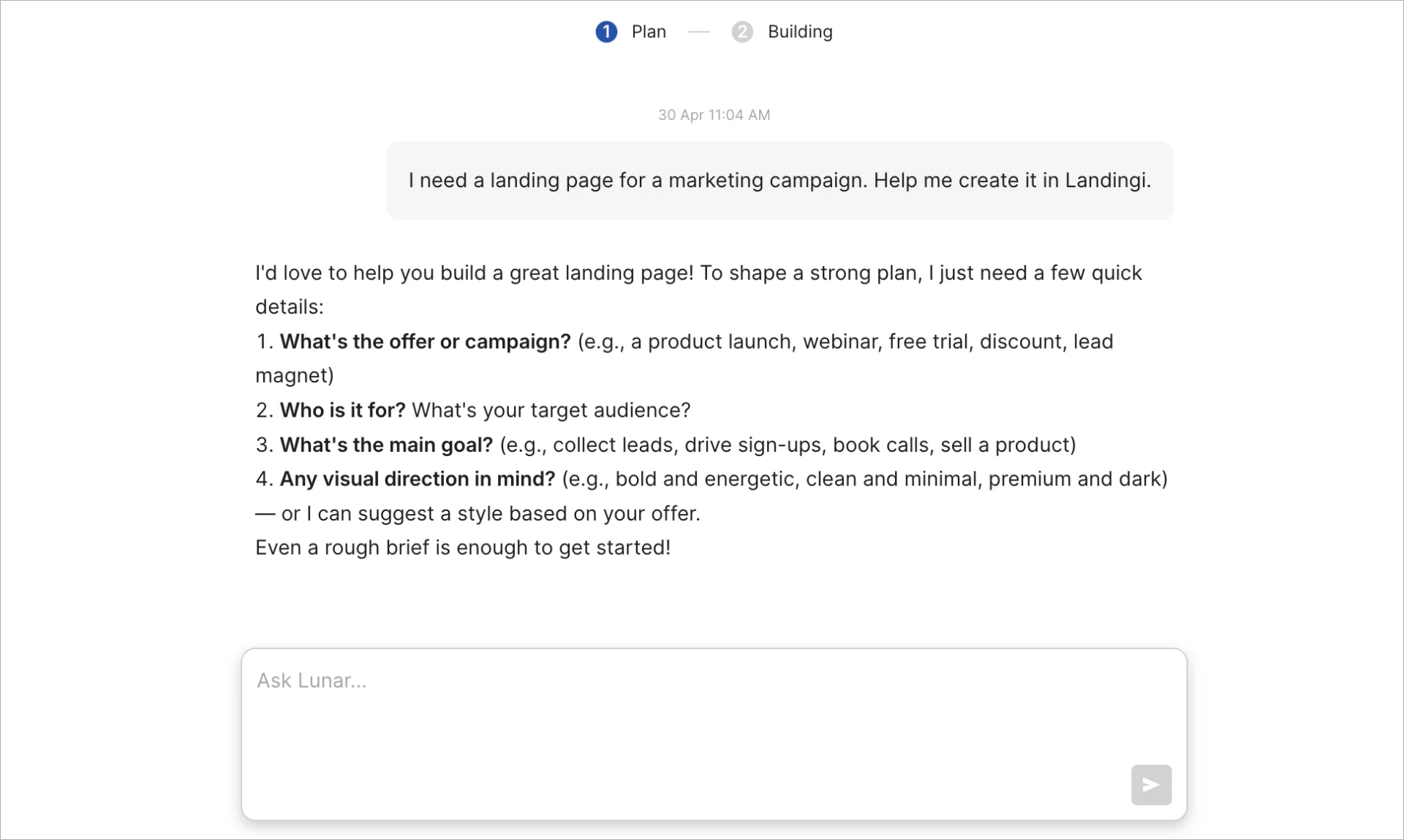
Image source: Landingi help center
On Landingi, programmatic landing pages build large page sets from structured data. Lunar, its AI generator, builds a page from a chat brief that you then edit and publish in the same tool. It can also import brand assets from your existing website.
Teams that serve several brands or clients can create subaccounts and decide which pages each one sees and whether its users can edit or only view. Landingi pairs with your existing email platform (it builds pages but does not manage email lists or send campaigns).
Landingi pros:
- Bulk updates through Smart Sections: One edit propagates across every page that shares the section, speeding up price or offer changes across a large page set.
- Separate brand kits per client: Brand Kits store each brand's colors, fonts, logos, and company details, and teams can keep a separate kit for each brand or client.
Landingi cons:
- Bulk pages come in batches: Landingi generates at most 100 programmatic pages at a time, and each batch spends AI credits, so large page sets require several batches.
- No team approval step: Landingi's only approval step is accepting the page plan from Lunar, its AI generator, so that pages can go live without a reviewer's sign-off.
What users say about Landingi
None of the Landingi reviews on Capterra date from 2025 or 2026. Landingi's recent reviewers on G2 include project managers and sales and marketing leaders:
- Section reuse at scale: A project manager (January 2026) reuses one pricing section across 50 pages and calls Smart Sections a standout for agencies.
- Easy A/B testing: A director of sales and marketing at a mid-sized company (July 2025) says A/B tests are easy to run and rates Landingi highly for the price.
- Manual mobile layouts and rigid forms: The same project manager rebuilds mobile layouts by hand, a trade-off Landingi's CEO acknowledged in reply. A chief growth officer (April 2025) calls conditional form logic restrictive.
Sources checked October 2026.
Landingi pricing
Landingi has no free plan. Its 14-day trial includes 200 visits and 10,000 AI credits, and Landingi charges the card when the trial ends. The Build plan is $29 per month (or $24 per month billed annually) for 10 pages and 2,000 visits.
The Optimize plan, the first with A/B testing and Brand Kit, is $149 per month (or $119 per month billed annually) for 30,000 visits.
The Scale plan starts at $299 per month (or $229 per month billed annually) with subaccounts. The Enterprise plan starts at $1,499 per month (or $1,199 per month billed annually). Extra domains cost $5 per month, and AI credit packs start at 5,000 credits for $15.
Pricing from Landingi's pricing page. Verified October 2026.
Best for: Marketing teams that manage large sets of near-identical pages, such as location or offer variants, and want each region, brand, or client in its own subaccount.
Swipe Pages
Swipe Pages is a landing-page builder for paid-social teams whose clicks arrive mostly from mobile users via Meta or TikTok ads. Pages built in its older drag-and-drop editor, now called the Legacy Builder, can publish in the Accelerated Mobile Pages (AMP) format, a stripped-down format built to load quickly on phones.
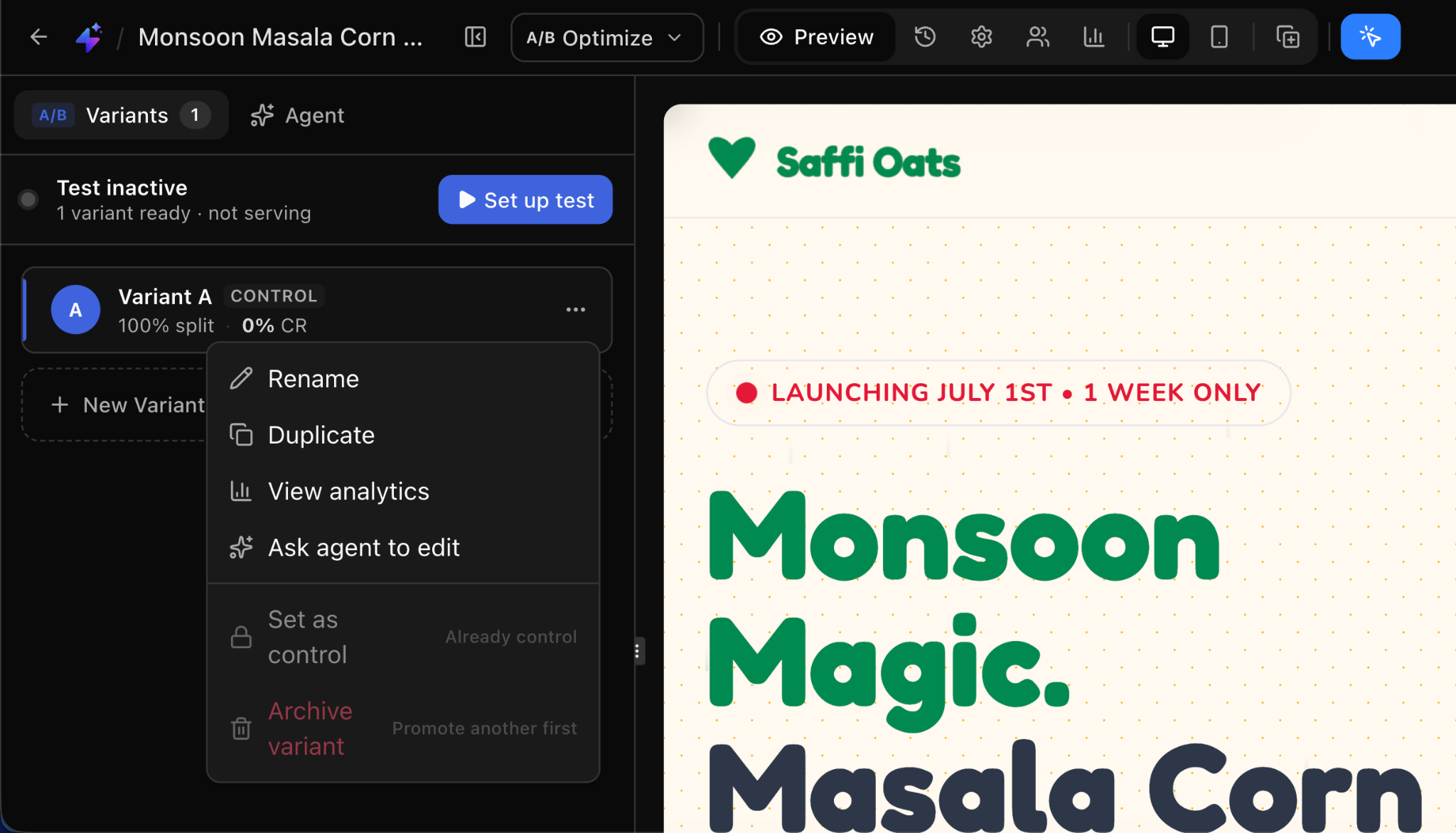
Image source: Swipe Pages help center
AI-built pages use the same speed practices and load from a content delivery network with 40+ locations.
Swipe Pages' AI tools, Prompt to Page and Chat to Edit, generate and revise pages from a description of your site and offer. The platform itself can link pages into a small site with a navigation menu, but it has no global header. Each page has its own menu, so changing navigation means editing every page.
Swipe Pages pros:
- Server-side ad conversion tracking: Meta and TikTok Conversion APIs send form and order conversions from Swipe Pages' servers, which Swipe Pages calls more reliable than browser-only tracking.
- Roles that separate builders from reviewers: Admin, Manager, Author, and Viewer roles let managers control only their assigned sub-accounts and authors build pages without deleting anything. Viewers see pages, leads, and analytics without editing.
Swipe Pages cons:
- Team features start a tier up: The cheapest tier includes no team members, sub-accounts, or A/B testing, so teams that share one account start a tier up.
- Campaign sources lost in AI pages: Forms from the AI page builder have no standard hidden field for URL parameters, so that leads can reach the CRM without campaign tags. Swipe Pages also lists no Salesforce integration.
What users say about Swipe Pages
On G2, agency marketers who run paid campaigns praise Swipe Pages' speed. Recent marketing reviewers on Capterra describe day-to-day page building:
- Load speed: A legal marketing specialist at a Google Ads agency (August 2026) credits page speed with better Quality Scores and conversion rates.
- Easy onboarding: A digital marketing manager at a small company (January 2026) says new staff learn the builder quickly.
- Small template library: A head of digital at a financial services firm (March 2026) wants a larger template library.
Sources checked October 2026.
Swipe Pages pricing
Swipe Pages has no free plan, and its 14-day trial needs no credit card. The Startup plan is $39 per month (or $29 per month billed annually) for 20,000 monthly visitors. The Marketer plan is $89 per month (or $69 per month billed annually) for 50,000 visitors, five team members, and A/B testing.
The Agency plan is $199 per month (or $149 per month billed annually) for 500,000 visitors with unlimited domains, sub-accounts, and team members. Extra traffic costs $5 per 5,000 visits.
Pricing from Swipe Pages' pricing page. Verified October 2026.
Best for: Paid-social teams whose results depend on mobile load time and who send leads to HubSpot, Zoho, or Mailchimp. Teams on Salesforce should confirm the integration first.
Framer
Framer is a website builder for design-led teams that want campaign pages to match a custom-designed brand site. Designers build the whole site and its campaign pages in one canvas, where changes to a shared component, variable, or style update every instance.
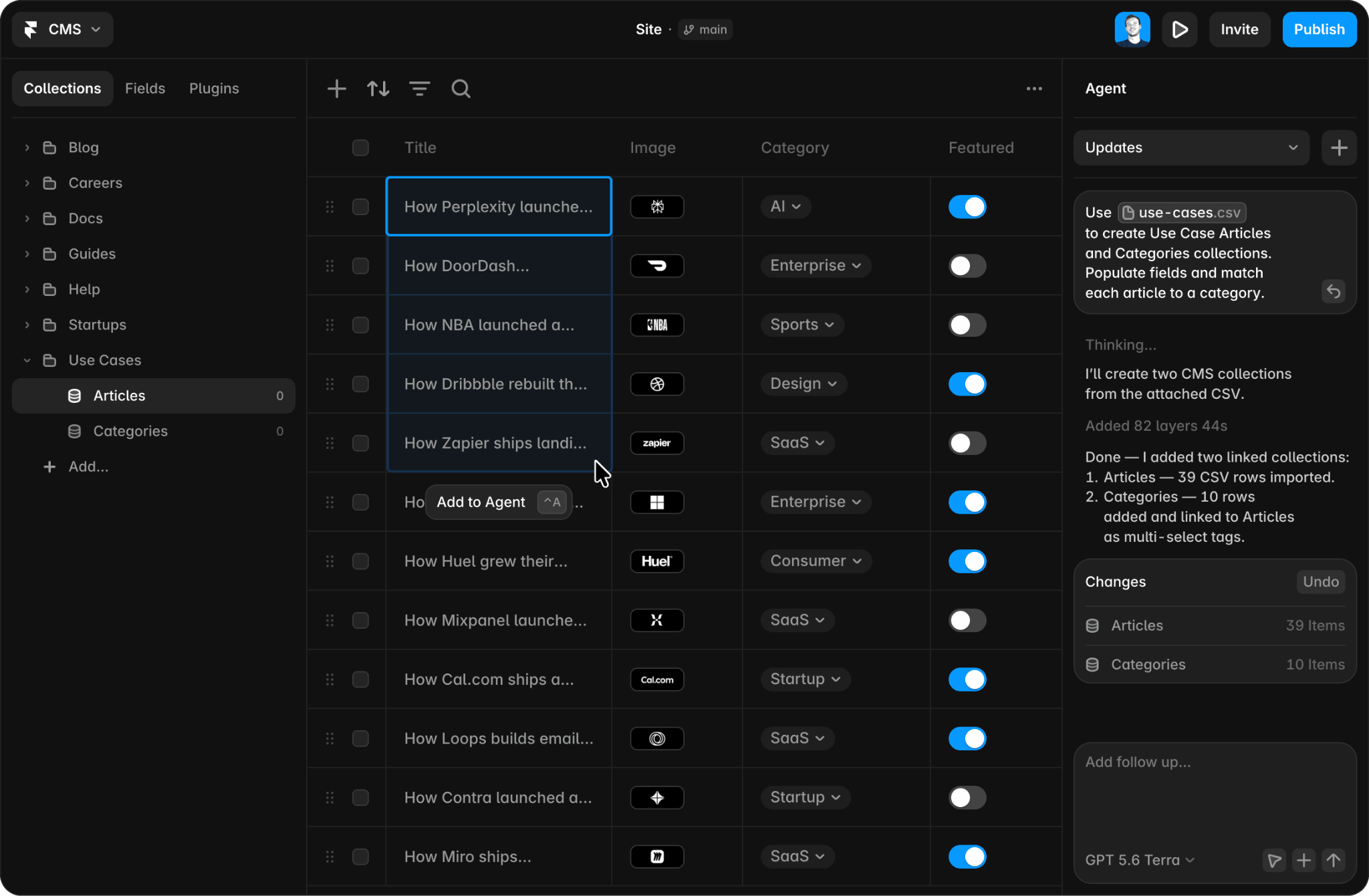
Image source: Framer
Viewers can comment for free. On Framer, A/B testing, sold as an add-on, runs without cookies and supports up to five variants per page. Framer's AI agent can also draft whole pages or single sections, with copy and visuals that designers then edit. A design-system skill can point the agent at your existing styles.
Framer pros:
- Staged releases: The top self-serve plan includes a staging environment and branching with previews, so teams can check a campaign launch before it goes live.
- Publish rights you can gate: With staging on, any project member can publish to staging, but only users with Deploy permission can push changes live. Marketers can draft campaign pages without shipping them.
Framer cons:
- A ceiling on publishers: Self-serve tiers allow 10 seats with edit access, so marketing teams with more people publishing need a custom contract.
- Campaign tracking gated to the top tier: Automatic capture of UTM tags and Google Ads click IDs on native forms comes only with the top tier. Framer also lists no Salesforce integration for forms, so self-serve teams add hidden fields and route leads through a webhook or a tool like Zapier.
What users say about Framer
Reviewers on G2 judge Framer by how well one canvas serves the whole team:
- Faster launches: A web designer and developer (May 2026) says sites now ship in two to four days instead of two to three weeks, with no developer handoff.
- Design files carry over: A chief marketing officer (June 2026) values pasting designs in from Figma but finds pricing hard to predict as the site grows.
- Gaps for larger teams: The web designer says the CMS lacks roles and permissions, and a marketing leader (August 2026) says sites can't be exported easily.
Sources checked October 2026.
Framer pricing
Framer's free plan includes a Framer domain and 1 GB of bandwidth, and Framer positions it for non-commercial use. The Basic plan is $15 per month (or $10 per month billed annually), and the Pro plan is $45 per month (or $30 per month billed annually).
Each full editor costs $30 per month (or $20 per month billed annually), and each content editor costs $15 per month (or $10 per month billed annually). The Convert add-on for A/B testing is $60 per month (or $50 per month billed annually) per 500,000 events. Localization is $25 per month (or $20 per month billed annually) per locale. The Enterprise plan is custom-priced.
Pricing from Framer's pricing page. Verified October 2026.
Best for: Design-led marketing teams with 10 or fewer publishers that want campaign pages to match a custom-designed site and collect leads through HubSpot forms.
Elementor
Elementor is a drag-and-drop website builder plugin for WordPress that lets you design custom websites without writing code. If your main site already runs on self-hosted WordPress, Elementor Pro lets you rebuild your Leadpages landing pages on that site without adding another platform.
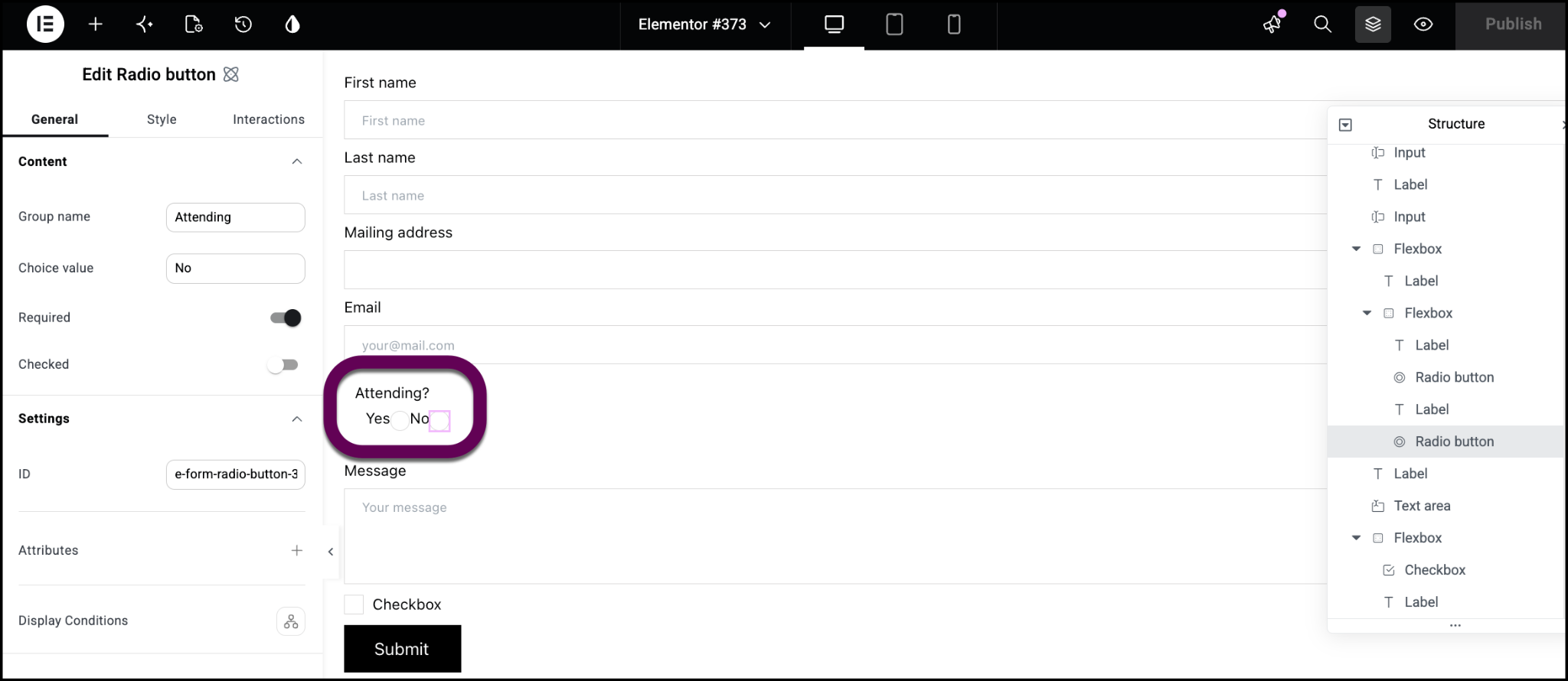
Image source: Elementor help center
Global Site Settings control colors and fonts across the whole site, and Theme Builder sets headers, footers, and templates. Form actions send leads to ActiveCampaign, Mailchimp, GetResponse, Drip, ConvertKit, and MailerLite.
HubSpot connects through HubSpot's own WordPress plugin, and webhooks cover the rest. Elementor's AI tools, the Angie agent and AI Site Planner, generate drafts you then edit in the Elementor Editor.
Your team owns everything around the builder, including hosting, WordPress updates, and plugin compatibility, which suits teams with in-house WordPress experience.
Elementor pros:
- Content-only editing rights: Elementor's Role Manager (its permissions tool) can restrict users to editing existing content, which protects layouts built by your web team.
- Pinned review notes: Notes pin feedback to a specific element in the editor or on the live page, and @ mentions tag reviewers. A filter separates open notes from resolved ones, so review happens on the page itself.
Elementor cons:
- No native A/B testing: Teams that test headlines or layouts need a separate tool, because Elementor has no built-in testing and recommends third-party options. In contrast, Unbounce, Instapage, Landingi, and Swipe Pages offer built-in A/B testing.
- No Salesforce form action: Elementor's form actions skip Salesforce, so teams on that CRM route submissions through a webhook and a tool like Zapier.
What users say about Elementor
Capterra reviewers praise how quickly landing pages come together, though some find the options confusing at first:
- Quick landing pages: A technical manager at a mid-sized marketing firm (September 2026) builds clean landing pages quickly.
- Many options to learn: A strategy and innovation director at a small marketing agency (July 2025) says non-coders can turn designs into responsive pages. The number of options still gets confusing.
- Ongoing upkeep: An executive team leader at an enterprise (September 2025) says Elementor sites need frequent fixes and security updates. Without automation, that upkeep takes time.
Sources checked October 2026.
Elementor pricing
Elementor's core plugin is free but has no form widget.
Elementor Pro is sold per site, with annual billing only:
- The Essential plan is $60 per year for one site (without the Form Submissions feature).
- The Advanced Solo plan is $84 per year for one site.
- The Advanced plan is $108 per year for three sites.
- The Expert plan is $204 per year for 25 sites.
The Elementor One plan is $180 for the first year and renews at $228 per year, with a shared pool of 25,000 monthly credits for AI and other Elementor services.
Annual plans include a 30-day money-back guarantee. Hosting is a separate purchase.
Pricing from Elementor's pricing page. Verified October 2026.
Best for: Marketing teams who want campaign pages on the same domain and theme as the blog and have a WordPress developer on call. The missing built-in testing matters least to teams that already run a separate testing tool.
Perspective
Perspective builds multi-step, quiz-style funnels for mobile screens, which suits teams whose Meta ad traffic arrives mostly from phones. Each step asks one question, so leads qualify themselves before the form.
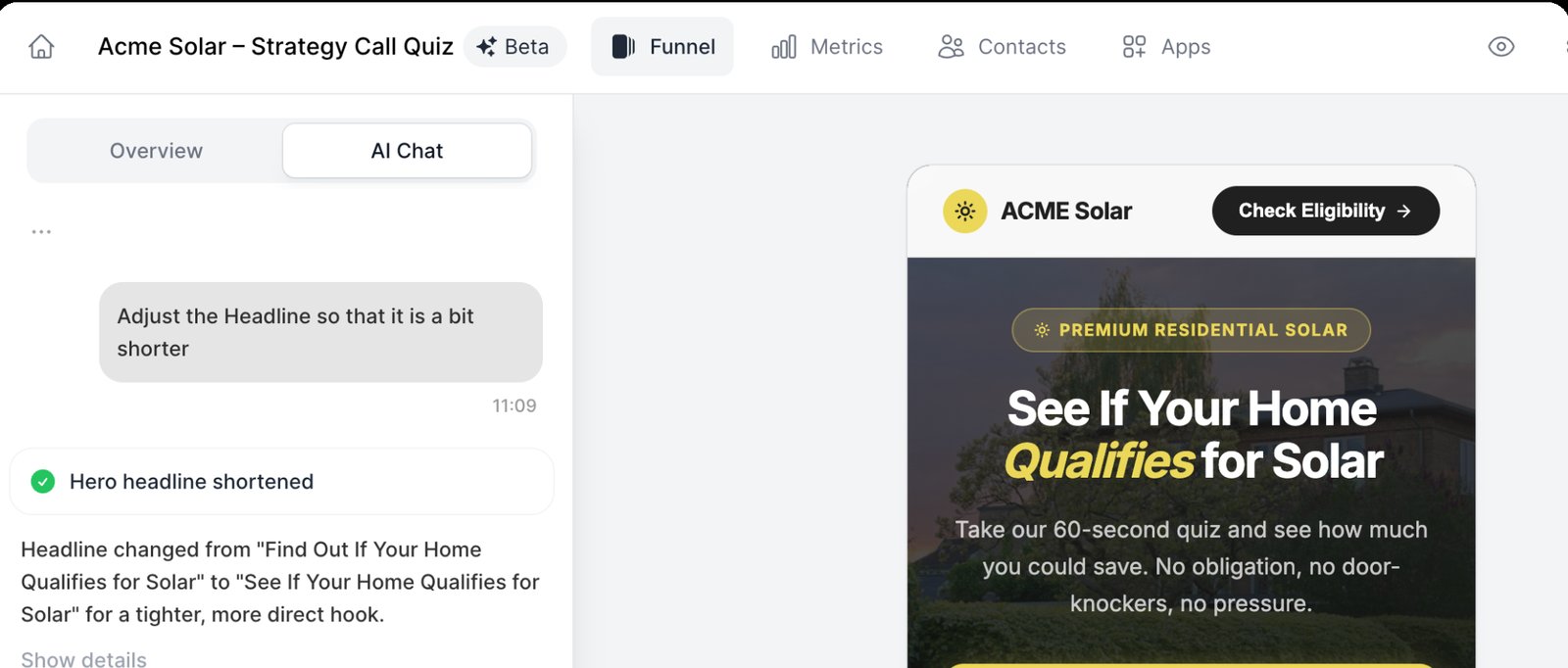
Image source: Perspective help center
Perspective's AI Funnel Builder creates a funnel from a single prompt and applies your brand profile's colors and fonts. Perspective says hosting, tracking, CRM, and email sequences connect automatically. A basic built-in CRM stores each lead with its UTM campaign data, and HubSpot connects directly on higher tiers.
Perspective pros:
- Funnels keep collecting past the limit: Perspective bills extra leads one at a time past the allowance, so a funnel keeps running during a strong campaign.
- Ad-specific wording from the URL: Custom variables pull a URL parameter into page text so that each ad link can show its own headline in one funnel. The feature comes with the most expensive self-serve plan or a personalization add-on.
Perspective cons:
- Built for funnels, not full sites: Perspective itself recommends other tools for popups on an existing site, research surveys, and course sales with one-click upsells. Teams that need a general page builder will need to add a second tool.
- Unclear Salesforce path: Perspective's integrations page sends Salesforce leads through Zapier or Make, but another of its pages describes native syncs, so test the connection before buying.
What users say about Perspective
Recent reviews of Perspective on G2 are sparse. Feedback on Capterra leans toward questions of value:
- Lower bounce from ads: A VP of Marketing at a small company reports faster loading and lower bounce from Meta ads.
- Low learning curve: A creative director calls the editor easy to use.
- Value for money: Value for money is Perspective's lowest Capterra sub-score, at 3.4 out of 5.
Sources checked October 2026.
Perspective pricing
Perspective's free plan needs no credit card. It includes one live funnel, one seat, 10 AI credits per month, and a "Built with Perspective" badge. It collects up to 500 leads but shows only the first five until you upgrade.
Paid plans show net prices (before VAT), and annual billing saves 20%.
Perspective's help center lists the paid plans in US dollars:
- The Base plan is $59 per month (or $47 per month billed annually) for two live funnels and 100 leads.
- The Grow plan, which adds A/B testing, is $184 per month (or $147 per month billed annually).
- The Expand plan, which adds personalization, is $369 per month (or $297 per month billed annually).
The Scale plan has custom pricing, is billed annually, and is sold after a demo. Extra leads cost $0.25 each, and a 14-day trial covers any plan.
Paid plan pricing from Perspective's pricing page. Free plan details from Perspective's AI info page and help center.Verified October 2026.
Best for: Performance marketers in lean teams running lead-generation campaigns on Meta, where a few qualifying questions on a phone screen can replace a long form.
How to choose the right Leadpages alternative
The right Leadpages alternative depends on how your team builds pages, where those pages live, and how you measure performance.
Three questions can help you narrow the nine options above down to two or three candidates that you can trial:
- Do pages need your main site's domain and components? If yes, look at Webflow, Framer, or Elementor (for WordPress sites), which build pages from the site's own components.
If pages can live outside your site's CMS, Unbounce, Instapage, Landingi, and Swipe Pages include built-in A/B testing. Webflow Campaigns also publishes on its own domain and takes your brand styling from your site's URL. - Which capability is your team missing? For more testing on paid search, Unbounce and Instapage go furthest. For a separate page for each persona or account, Webflow Campaigns generates them from one brief, and Instapage personalizes by ad on its contract tier.
Teams that run pages for many brands or clients get sub-accounts in Landingi and Swipe Pages. To keep each lead's source in the sales record, HubSpot holds pages and leads in one CRM. For mobile social traffic, Swipe Pages and Perspective are the straightforward picks. - Which CRM holds your pipeline numbers? Teams on Salesforce should start with Unbounce, Instapage, or Landingi, which connect natively, or Webflow Campaigns, which reports campaign pipeline from Salesforce data.
For Marketo, Instapage connects on every plan, Unbounce sends leads to static lists only, and Webflow Campaigns accepts Marketo forms. HubSpot users have native or direct paths in almost all of the nine.
Give each audience an on-brand campaign page with Webflow
Webflow fits marketing teams whose campaign program has outgrown its first landing-page tool, with more people building pages and more audiences to reach. More than 300,000 brands build on Webflow. Webflow Campaigns builds a page and matching ads for each audience from one approved brief, and it reports the pipeline those pages influence.
Talk to Webflow sales to see Webflow Campaigns in action. Teams that want pages on their main site can create a free account and rebuild one Leadpages page in the Designer.

Unlock growth with SEO
Join Webflow and leading growth agency Graphite as they discuss actionable insights for scaling and achieving growth with SEO
Frequently asked questions
How much does Leadpages cost per month?
Leadpages' three plans start with the Grow plan at $99 per month (or $79 per month billed annually), which already includes A/B testing. The Optimize plan is $199 per month (or $159 per month billed annually), and the Scale plan is $399 per month (or $319 per month billed annually). HTML Pub by Leadpages, a separate product for publishing pages without testing, starts at $10 per month (or $8 per month billed annually).
Plan details from Leadpages' plans and pricing article. HTML Pub prices from its pricing page. Verified October 2026.
Why do Leadpages alternatives cost more as a team grows?
Prices run from $0 (for free tiers, most with vendor branding or page limits) to $3,600 per month and up (for HubSpot's top marketing tier, before onboarding fees). The spread comes from what each vendor meters: some charge by monthly visitors, others charge by editor seats or marketing contacts, and some sell testing and analytics as usage-based add-ons. A/B testing, per-audience personalization, and multi-user governance cost the most, because vendors reserve them for higher tiers.
How hard is it to move pages off Leadpages?
You will rebuild pages by hand, because no import tool reconstructs a Leadpages page, and tracking scripts, integrations, and A/B test history do not transfer. Before you cancel, export every lead as a CSV and set 301 (permanent) redirects for any page that ranks or has inbound links. Leadpages deactivates custom domains when the subscription ends, though resubscribing restores them. Leadpages estimates one to two focused days for three to five pages with one or two integrations. For 10 to 20 pages with several CRM connections, it estimates one to two weeks part-time.
Can ChatGPT build a landing page?
Yes. ChatGPT Sites can create, preview, publish, and share interactive websites, and every deployment URL is a production URL. It is available on Plus and Pro and in supported Business and Enterprise workspaces, and Enterprise admins must turn on public publishing. A site can save form entries to its own database and count visitors and page views. But connected apps work only on sites kept private to a workspace; there is no brand lock, and editors can publish updates without approval. For a public campaign page, you would still wire leads into your CRM and set up conversion tracking yourself.
Which Leadpages alternatives have approval workflows?
Few of these tools include a formal approval step. HubSpot offers content approvals on its top tier, where a super admin sets up the process and approvers need a specific permission. Unbounce's read-only Viewer role is meant for reviewing pages before launch, though nothing stops an author from publishing. Leadpages documents no approval step, but it offers owner, admin, and member roles and lists audit logs on its top plan.

Choose the right CMS for a scaling enterprise
Discover how the right CMS can allow teams to efficiently scale rich, complex content – all without writing code.