




The right headless CMS can give your marketing team visual editing autonomy, reduce developer bottlenecks, and scale multi-channel content.
A headless content management system (CMS) stores content and serves it through an API, leaving page rendering to other tools. Many platforms fit that definition, but they serve different teams.
Teams with dedicated engineers feeding content to a website plus an app want a structured, developer-led platform. Non-technical teams who need to build and edit pages without a developer queue want a visual or hybrid CMS. And teams that must own their infrastructure want a headless CMS they can host themselves, which usually means an open-source one.
This guide compares six platforms across those approaches, including Webflow, which renders and hosts the site itself. Each one is judged from a marketing team's seat: how much page building marketers can do without a developer, and what the platform really costs once you factor in a front end and hosting.
Key takeaways:
- Webflow renders and hosts the site, so marketing teams ship pages without a front-end build, then read the same CMS through an API when a second surface needs it.
- Storyblok and Prismic offer visual editing over front-end components, giving marketing teams page-building flexibility when developers support it.
- Strapi provides an open-source, self-hosted option for cost-sensitive or compliance-focused teams that need full control over their infrastructure.
- Selecting the right platform depends on front-end engineering capacity (if any), multi-channel or localization needs, and overall budget (including hosting and overages).
How we evaluated the top headless CMS platforms for marketing teams
Webflow, Storyblok, Contentful, Sanity, Strapi, and Prismic cover the visual-and-hosted, visual-and-hybrid, developer-led, and self-hosted approaches for marketing sites. In this comparison, we check each against the vendor's live pricing page (verified September 2026) and, where a public listing exists, against G2, Gartner Peer Insights, Reddit, and Hacker News.
Here’s how the platforms line up:
| Tool | Best for | Visual editing on the free plan | Starting price (as of September 2026) | Rating (G2, as of September 2026) | Standout feature |
|---|---|---|---|---|---|
| Webflow | Non-technical and marketing teams whose bottleneck is the developer queue | Visual Designer and CMS on the free Starter plan | Free plan (limited CMS); Premium (first tier with a CMS, since Basic has none) from $39/month (or $25/month, billed annually) | 4.4 | Design, structured CMS, and managed hosting in one platform, with read APIs |
| Storyblok | Marketing teams assembling pages from a developer-built component library | Visual editor included | Free plan; Growth plan is $99/month (or $90.75/month, billed annually) | 4.5 | Field-, folder-, and space-level localization |
| Contentful | Marketing teams that rely on in-house engineers to publish one content model to web, app, and portals | None; Studio is quote-only | Free plan; Lite plan is $300/month (no annual discount) | 4.3 | Hosted MCP server for AI content agents |
| Sanity | Content-heavy marketing teams with a developer to build a custom editing studio | Visual editing and Presentation included | Free plan; Growth plan is $15/month per seat (monthly billing only) | 4.7 | Real-time collaborative editing with visible cursors |
| Strapi | Cost-sensitive marketing teams whose developers self-host the CMS or run it on Strapi Cloud | None; live preview with the paid license | Free self-hosted license; paid license from $45/month | 4.5 | Self-hosted MCP server (beta) |
| Prismic | Marketing teams on Next.js that want pricing transparency | Visual page builder included | Free plan; Starter plan is $15 per month (or $10/month, billed annually) | 4.3 | Slice Machine component library |
| Tool → Best for → Visual editing on the free plan → Starting price (as of September 2026) → Rating (G2, as of September 2026) → Standout feature |
|---|
| Webflow |
| Non-technical and marketing teams whose bottleneck is the developer queue |
| Visual Designer and CMS on the free Starter plan |
| Free plan (limited CMS); Premium (first tier with a CMS, since Basic has none) from $39/month (or $25/month, billed annually) |
| 4.4 |
| Design, structured CMS, and managed hosting in one platform, with read APIs |
| Storyblok |
| Marketing teams assembling pages from a developer-built component library |
| Visual editor included |
| Free plan; Growth plan is $99/month (or $90.75/month, billed annually) |
| 4.5 |
| Field-, folder-, and space-level localization |
| Contentful |
| Marketing teams that rely on in-house engineers to publish one content model to web, app, and portals |
| None; Studio is quote-only |
| Free plan; Lite plan is $300/month (no annual discount) |
| 4.3 |
| Hosted MCP server for AI content agents |
| Sanity |
| Content-heavy marketing teams with a developer to build a custom editing studio |
| Visual editing and Presentation included |
| Free plan; Growth plan is $15/month per seat (monthly billing only) |
| 4.7 |
| Real-time collaborative editing with visible cursors |
| Strapi |
| Cost-sensitive marketing teams whose developers self-host the CMS or run it on Strapi Cloud |
| None; live preview with the paid license |
| Free self-hosted license; paid license from $45/month |
| 4.5 |
| Self-hosted MCP server (beta) |
| Prismic |
| Marketing teams on Next.js that want pricing transparency |
| Visual page builder included |
| Free plan; Starter plan is $15 per month (or $10/month, billed annually) |
| 4.3 |
| Slice Machine component library |
We’ll cover each option in more detail below, starting with the platform that removes the front-end build entirely, then the visual, developer-led, and self-hosted options.
1. Webflow
Webflow is the only platform on this list that stores structured content and also renders and hosts pages, so a marketing team can ship a site without building or deploying a separate front end.
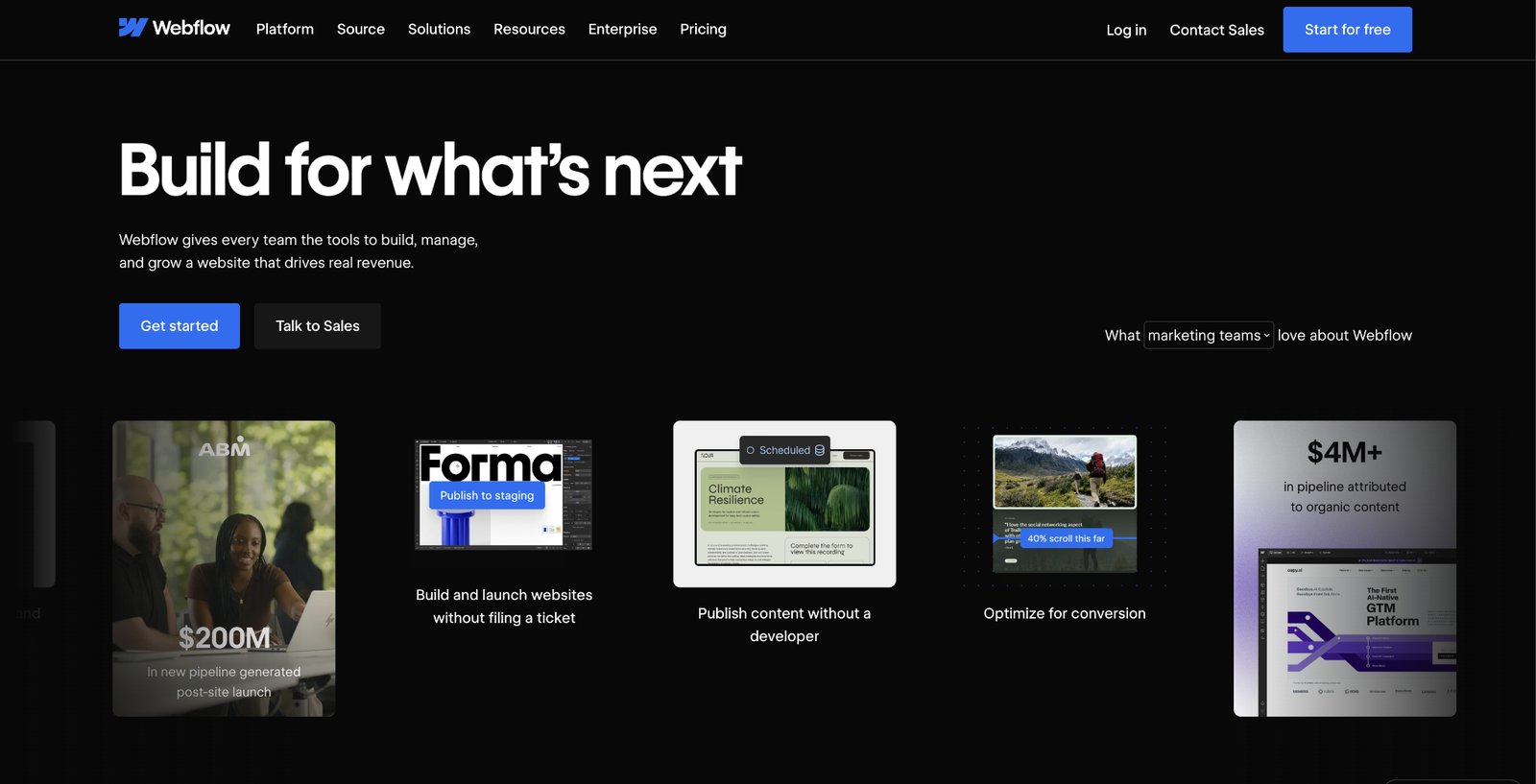
Designers and marketers work on the Designer canvas with full control over layout and styling, editors update structured CMS Collections, and publishing goes to managed hosting in the same product. That sets it apart from the headless-only tools, which leave page building to developers.
Headless delivery is built in. The read-only, CDN-backed Content Delivery API and the REST Data API let a second site, an app, or a script read the same Collections, and Webflow's MCP server is generally available for agents in Claude Code, Cursor, ChatGPT, and Codex, with every agent change written to the site activity log.
Keep in mind that Webflow is a website and marketing platform, not exclusively a headless-only backend. It runs on its own managed infrastructure and exposes a REST API. For a marketing and content site, that trade removes the separate build and hosting bill the other five all carry.
Webflow pros:
- Design, CMS, and hosting in one product: Marketers publish pages themselves instead of waiting for a developer to stand up and maintain the site.
- Structured CMS with read APIs: Content lives in Collections with reference and multi-reference fields, and the Content Delivery API (available to all customers) plus the REST Data API let the same items feed an app or a second surface.
- Agents and add-ons in one platform: The MCP server connects agents to the site the marketer edits. Features like Localize, Analyze, and Optimize add translation, analytics, and A/B testing without a separate stack.
Webflow cons:
- SaaS only, REST only: Webflow runs on its own hosting with no self-host option and documents no GraphQL endpoint, so a team that needs either should look elsewhere.
- Relationship limits: Collections carry up to 10 reference fields (20 on Enterprise), and nested Collection lists stop at three levels, 10 per page, and 100 items per parent, so a deeply relational model can outgrow them.
- Item ceilings and add-on costs: Published sites hit CMS-item and API rate limits, and Localized, Analyze, and Optimize are paid add-ons, so a multi-locale or high-traffic project should price them upfront.
What users say about Webflow
G2 reviewers agree the visual control and all-in-one hosting are the draw, and split on CMS limits and add-on costs:
- Design control without code: Reviewers credit visual building plus hosting in one place with helping non-developers ship and maintain sites themselves.
- One platform replaces a stack: Reviewers describe dropping a separate CMS, host, and front-end build once the site lives in Webflow.
- CMS caps and export friction: Reviewers name CMS item caps, add-on costs across many sites or locales, and the difficulty of exporting CMS records as their main frustrations.
- Localization slows at scale: Translating CMS collections item by item is slow work, so multi-market teams may need to price a dedicated translation tool alongside Webflow Localized.
Sources: Webflow on G2. Checked September 2026.
Webflow pricing
Pricing is per site. The Starter plan is free on a webflow.io subdomain with a limited CMS, 2 static pages, and 1 GB of bandwidth:
- Basic: $25 per month (or $15 per month, billed annually) for a custom domain and 300 static pages, but no CMS.
- Premium: $39 per month (or $25 per month, billed annually), the first tier with the full Webflow CMS, 50 GB of bandwidth, code components, and site search.
- Team: $2,500 per month on an annual contract, adding Site and Workspace controls, Webflow Localize, AEO agents, publishing workflows, and a site activity log; Enterprise pricing is custom.
Pricing from Webflow's pricing page. Verified September 2026.
Best for: Marketing and content teams whose bottleneck is the developer queue. They design, build, and publish the site themselves and expose the same CMS through a read API when a second surface needs it.
2. Storyblok
A live page preview sits at the center of Storyblok, which Forrester rated a “Strong Performer” in The Forrester Wave: Content Management Systems, Q1 2025, the analyst firm's evaluation of CMS vendors. Editors click into that preview and change content inside reusable components that a developer has defined once (Storyblok calls them “blocks”).
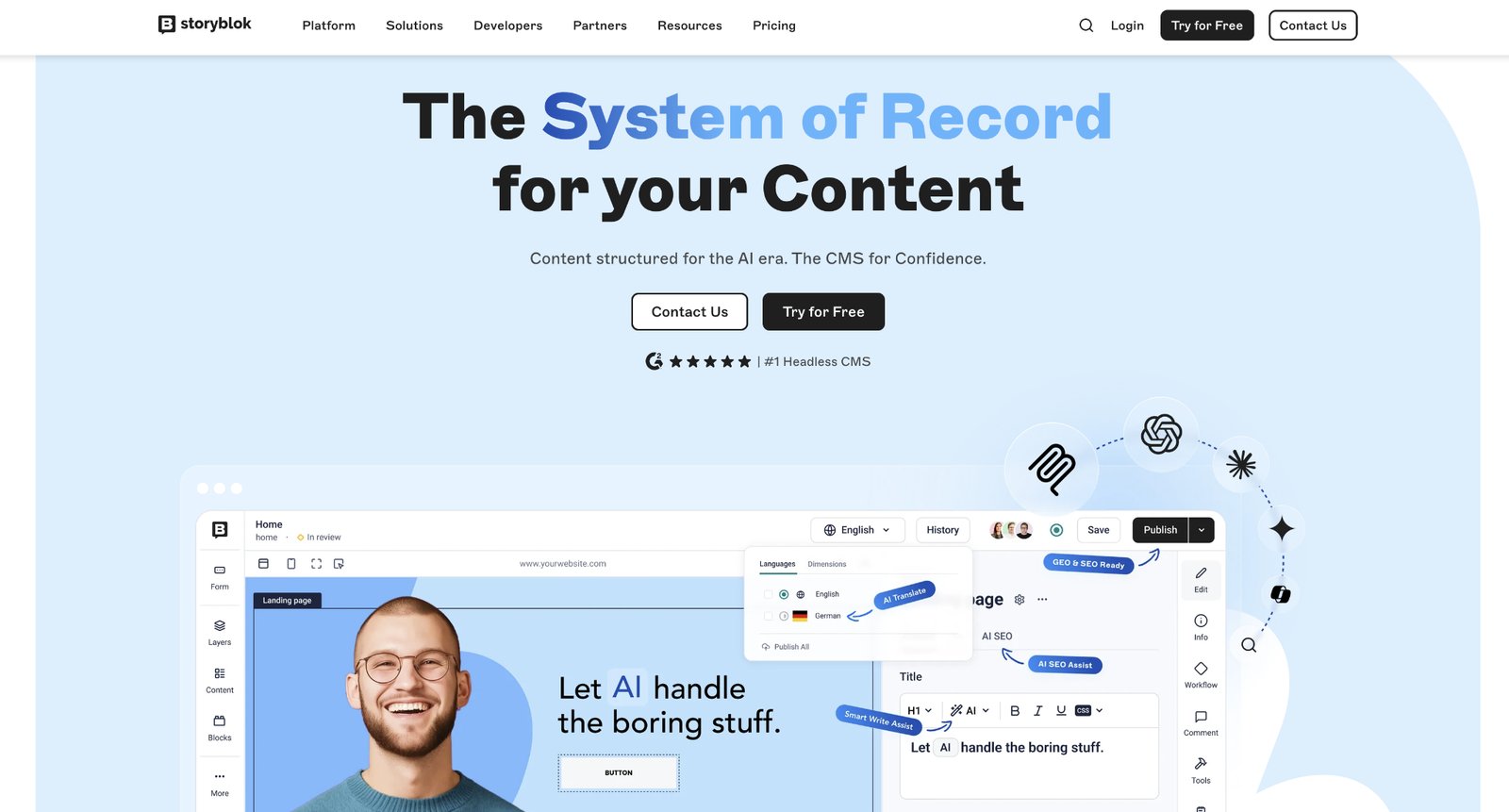
Content goes out through the REST API on every plan to whatever front-end framework the team runs. The product targets marketing teams that want to assemble and update pages themselves without giving up a headless architecture.
However, its visual editing has a notable limitation: Editing happens in a side panel while the preview updates. Inline editing directly on the canvas is listed as "In Evaluation" on Storyblok's public roadmap and has not shipped.
Storyblok pros:
- Workflow testing with real content: Marketing teams can test the editing workflow before anyone signs a purchase order.
- Storyblok Agents on paid plans: Released in September 2026, the agents read stories, assets, releases, and translations and act on them within the user's existing permissions, with custom and scheduled agents for recurring tasks.
- Three localization models: Field-level, folder-level, and space-level translation are all built in, so regional teams pick the structure that matches how their content is organized.
Storyblok cons:
- The visual editor depends on developer-maintained code: The live preview renders only after developers install the Storyblok Bridge in the front end. As a result, editors lose in-context preview whenever a framework upgrade breaks that integration.
- Staged campaigns need a sales call: Teams that need grouped releases, staging, custom workflows, or GraphQL cannot stay on a self-serve plan.
- Short version history on self-serve plans: Content teams may be unable to restore older campaign pages without a contract.
What users say about Storyblok
The visual editor accounts for most of what reviewers like, but they also praised multilingual work and campaign autonomy. Reddit is harsher on the commercial side, with agency discussions mixing praise with support complaints and price-increase reports:
- Fastest editor for non-technical teams: An agency commenter in an r/webdev thread on Storyblok said Storyblok is the CMS its non-technical clients pick up quickest, and G2 reviewers describe launching campaigns with little developer help once the component library exists.
- Multilingual content is a strength: Reviewers running several markets say the locale features cut translation errors and maintenance work.
- Price jumps tied to usage thresholds: Posters describe being moved to a far higher tier after crossing an asset limit, and one team in an r/nextjs thread reported a 6x monthly increase after Storyblok reclassified its content category as enterprise-only.
- Components remain developer territory: Gartner Peer Insights reviewers note that creating or changing a component is not self-serve, so the developer-free experience ends where the component library does.
Sources checked September 2026.
Storyblok pricing
Pricing is per space. Every new space starts with a 45-day free trial of the Growth Plus plan, then reverts to the free tier:
- Starter: Free with one seat (a second at $15 per month), 100,000 API requests a month, 100 GB of traffic, 2,000 assets, 20,000 stories, 200 components, two locales, one day of version history, and 25,000 AI credits a month. No uptime SLA is included, and you can't raise any usage caps with add-ons.
- Growth: $99 per month (or $90.75 per month, billed annually) for five seats. The plan adds Storyblok Agents, single-story scheduling, and SEO meta tags. Extra seats cost $15 per month each up to ten, extra locales $20 per month each, and extra API requests $10 per month per million.
- Growth Plus: $349 per month (or $319.91 per month, billed annually) for a hard cap of 15 seats with no consumption add-ons, so teams that outgrow it must move to the quote-only Premium plan.
- Premium and Elite: Quote-only, with Premium being the first tier to carry Releases, Pipelines, Custom Workflows, and GraphQL.
Pricing from Storyblok's published plans. Verified September 2026.
Best for: Marketing teams running campaigns and landing pages across several languages.
3. Contentful
Structured content types form Contentful's foundation. Content types are defined once, and entries live in a central repository. The same entry feeds your website, mobile app, or a partner portal through the Content Delivery API.
Its primary users are mid-market and enterprise teams running several channels, locales, or brands from one model. Because Contentful provides no hosting and no front end, a developer builds and hosts the site and configures everything a marketer sees beyond the entry editor (the form where editors fill in each content entry's fields).
That architecture is why governance is strong and why page-level autonomy for marketers is weak by default. Layout decisions live in front-end code, so marketers edit fields inside a structure someone else designed.
Contentful pros:
- Every API on the free plan: A developer can build the full stack before a purchase decision.
- Bulk operations for large libraries: Since June 16, 2026, teams can import, update, delete, or export up to 10,000 entries per operation.
- Remote MCP is generally available: Since July 21, 2026, AI agents can run content QA, launch-readiness checks, and localization reviews against a Contentful space through the hosted MCP server.
Contentful cons:
- Visual editing is a developer project on the top tier: Studio (Contentful’s drag-and-drop canvas) is sold only with the quote-only tier, and it works only after a developer implements the Experiences SDK.
- Localization can force an Enterprise move: Teams that need more languages or localized publishing workflows can quickly outgrow the self-serve plans.
- Custom roles and SSO require Enterprise: The Lite plan includes only three fixed roles, so a marketing team that needs tailored permissions or single sign-on (SSO) must negotiate a quote-only contract.
What users say about Contentful
The entry editor earns steady praise for everyday updates. Reviewers focus on the content model and on yearly pricing negotiations, while Reddit discussions put sharper numbers on price increases and on how many developers a site needs:
- Routine edits are easy: G2 reviewers call the interface intuitive for brand and marketing teams making day-to-day content changes.
- One model, many channels: Gartner Peer Insights reviewers value defining content types once and feeding websites, apps, and other channels without duplicating content.
- A cliff between free and paid: Gartner reviewers say Contentful offers no smaller paid plan (first paid tier is $300 per month), and they report going back and forth over rising costs every year. The r/cms thread mentions that adding languages and SSO pushed clients to three or four times their planned spend.
- Marketers wait on engineers: An r/marketing commenter once reported that three full-time developers were not enough to keep a Contentful site moving, and advised against it for organizations without a dev team. G2 reviewers flag a limited preview that makes it hard to see a page before publishing.
Contentful pricing
Contentful offers two self-serve plans and one quote-only tier, with no annual-billing discount:
- Free: $0 for 10 users, two roles, two locales, and one Starter Space (25 content types, 10,000 records, two environments, no workflows). Hard caps of 100,000 API calls and 50 GB of CDN bandwidth a month apply, with no overages.
- Lite: $300 per month for 20 users, three roles, three locales, 1 million API calls, and 100 GB of bandwidth. Overage charges are $5 per million calls and $0.15 per GB. A single Lite Space add-on at $850 per month raises that space to 50 content types, 50,000 records, four environments, and five workflows.
- Enterprise: priced on request; includes Studio, Personalization, AI Actions, custom roles, SSO, and unlimited API calls.
Pricing from Contentful's published plans. Verified September 2026.
Best for: Marketing teams at companies with an in-house engineering team that publishes one content model to a product marketing site, an in-app help center, or a partner portal. It fits best when integrations with systems like Salesforce and Braze matter more than a custom-built editing interface.
4. Sanity
For a marketing team, Sanity is only as good as the editing tool a developer builds for it: a well-configured Studio gives editors purpose-built tools and real-time collaboration, while a default one gives them forms.
Editors work in Sanity Studio, where Visual Editing and the Presentation tool add click-to-edit previews once a developer builds and connects the front end. That makes Sanity a developer-led platform, like Contentful, rather than one marketers can run on their own.
Behind the editor, Studio is an open-source React application configured with schema written as code, and content lives in the hosted Content Lake, queried with GROQ (Sanity's own query language) or with GraphQL for reads.
Sanity pros:
- Click-to-edit preview without a feature gate: Editors get in-context previews as soon as a developer connects the front end.
- No charge for languages: Teams can add locales without a separate language fee, subject only to a per-plan attribute limit on how complex documents can get.
- A content agent for bulk work: Content Agent (available on every plan) lets an editor search, audit, and bulk-update content in conversation instead of asking a developer for a migration script.
Sanity cons:
- The free plan has no editing roles: Writers need broad permissions on the free plan, which can force a paid upgrade.
- No staged releases without a contract: Teams that need bundled publishing and staging must move to the quote-only tier.
- Monthly billing only for self-serve: That is a problem for finance teams that need to lock out their software budget by the year (i.e., price increases can upset the budget).
What users say about Sanity
G2 reviewers praise the customizable Studio, and developers seem to appreciate GROQ. They split on who the product serves. Reddit threads add examples of both successful visual-editing setups and slow performance on a large content library:
- Real-time collaboration: Gartner Peer Insights reviewers single out simultaneous editing with visible cursors as the feature that changed how their distributed teams work.
- Visual editing pays off once it works: An r/sanity_io poster, from a team with years of site-building experience, described tweaking copy during calls and fixing layout while reviewing pages.
- Great for developers, harder for everyone else: Gartner reviewers describe Studio as excellent for engineers and a pain for non-technical editors, with disconnected onboarding and structural changes that always route back to a developer.
- Studio slows on large rich-text libraries: An r/reactjs poster once reported typing delays, slow field updates, and occasional freezes that stretched writing and publishing to two to three times the standard duration.
Sources checked September 2026.
Sanity pricing
Each Sanity project gets its own free-tier allowance, while paid plans charge per seat:
- Free: $0 for up to 20 seats, with unlimited viewers. Hard quotas cover 10,000 documents, two public datasets, 1 million CDN requests and 250,000 API requests a month, 100 GB of assets, 100 GB of bandwidth, and 1,000 AI credits. When you reach a quota, the affected functionality is blocked until the quota resets or you upgrade the plan.
- Growth: $15 per month per seat (billed monthly only) for up to 50 seats. It raises the cap to 25,000 documents and adds Editor, Developer, and Contributor roles, AI Assist, comments and tasks, scheduled drafts, and private datasets. Overages are billed per CDN request, API request, gigabyte of assets and bandwidth, and AI credit, with additional datasets at $999 per month.
- Enterprise: Custom-priced on an annual invoice. It adds custom roles, Content Releases, Media Library, SSO, an audit trail, and an uptime guarantee.
Pricing from Sanity's published plans. Verified September 2026.
Best for: Content-heavy marketing teams, such as a publication or documentation hub with several contributors editing at once, that have a developer to shape Studio into a purpose-built editing tool.
5. Strapi
Of the six options, Strapi alone offers an open-source, self-hosted setup. Marketing teams can edit content in its admin panel once it's in place. Still, engineers handle installation, content modeling, front-end wiring, and preview setup, and someone has to keep the runtime, database, and file storage running if you self-host.
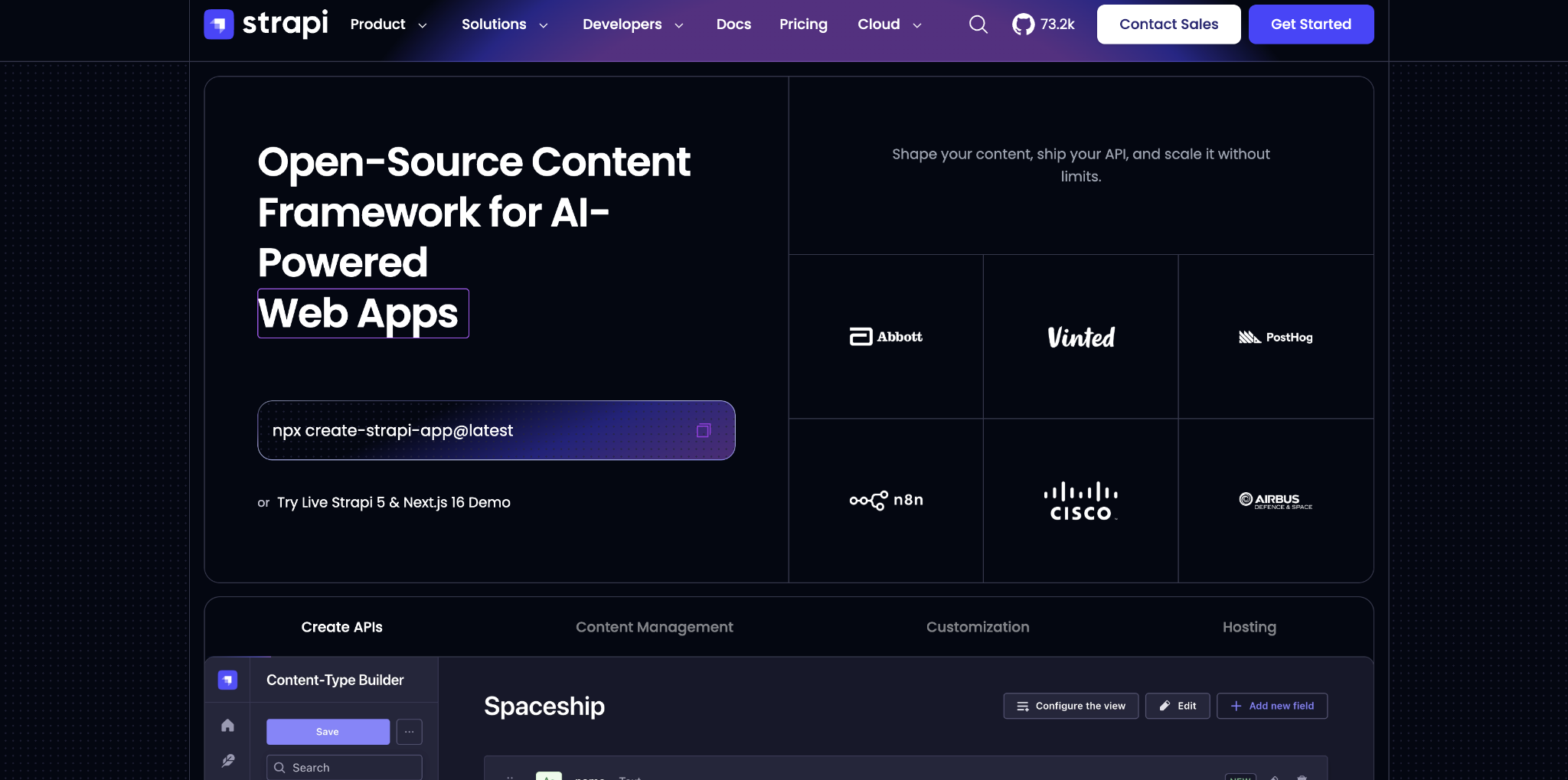
Behind the admin panel, developers model content types in a visual Content-Type Builder, and Strapi generates REST and GraphQL endpoints for each one. The Node.js and TypeScript application runs on your own infrastructure or on Strapi Cloud, the vendor's managed hosting.
This gives you ownership. Your content sits in a database you control, on servers you choose, under a license that puts no meter on seats or traffic for the community tier.
Strapi pros:
- No metering on the self-hosted license: A high-traffic resource hub costs what its server costs.
- Unlimited locales and draft-and-publish for free: Internationalization ships on every plan with no locale cap.
- Self-hosted MCP server: Available in beta since version 5.47.0, the server exposes each content type as agent-callable tools scoped by an admin API token. AI coding agents can then read and write content without a third-party connector.
Strapi cons:
- No visual page editing: Strapi has no visual page builder or layout editor, so marketers who want to see the page while editing depend entirely on a developer-built preview.
- Editorial approval needs the top tier: Structured approval requires the quote-only license.
- The cheapest cloud plan pauses when idle: On Strapi Cloud's Starter plan, the admin panel can take a while to load after a quiet period because the project is not kept running; the Pro plan keeps it always on.
What users say about Strapi
Reviews mostly come from small businesses and are generally positive about the admin panel and the open-source model. Reviewers also report setup and version-upgrade problems:
- Editors take to the admin panel: G2 and Gartner reviewers report marketing and legal staff updating landing pages, campaign banners, and SEO metadata on their own.
- Self-hosting is cheap in practice: Developers on r/Strapi describe self-hosting on a small server as far cheaper than Strapi Cloud, and one commenter reported running seven client projects from a single low-cost setup.
- Major upgrades break things: The version 4-to-5 migration is the most documented complaint. Posters describe incompatible plugins, data visible in the database but missing from the interface, duplicate records despite unique fields, and migration tooling that didn't help.
- Running it requires dedicated maintenance: A Hacker News thread once described managing Strapi as a full-time responsibility, and r/Strapi posters describe Docker deployments and multi-environment setups as more painful than Directus or Payload.
Sources checked September 2026.
Strapi pricing
Strapi’s pricing has two parts: the CMS license and, if you choose it, Strapi Cloud hosting.
On the license side:
- Community: Free under an MIT license for the non-enterprise code, with unlimited seats, REST and GraphQL, internationalization, draft-and-publish, and role-based access control.
- Growth: $45 per month for three seats, with extra seats at $15 per month each. The plan adds Live Preview, unlimited Releases, and 1,000 Strapi AI credits a month. SSO is a Growth add-on at $150 per month plus $50 per month per seat, and there’s a 30-day trial (no credit card required).
- Enterprise: Quote-only, including Review Workflows, Audit Logs, and SSO (though Strapi AI is listed as “coming soon”).
On the hosting side, the Cloud Free plan was removed on July 1, 2026 and remaining free projects were deleted on September 1, 2026. Here’s what Strapi currently offers:
- Starter: $35 per month per project, with 100,000 API requests, 50 GB of storage, and no backups.
- Pro: $90 per month per project, with 1 million requests, 250 GB, weekly backups, and an always-on runtime.
- Business: $450 per month per project, with 10 million requests, 1 TB, daily backups, 99.9% uptime, and two environments.
Overages run $1.50 per 25,000 requests, $0.60 per GB of storage, and $30 per 100 GB of bandwidth. Teams on the Pro cloud plan still need the Growth license to get Live Preview and Releases.
Pricing from Strapi's self-hosted pricing page. Cloud figures from Strapi's cloud pricing page. Verified September 2026.
Best for: Cost-sensitive marketing teams at companies that require the content database on their own infrastructure, with a developer who will own hosting and upgrades.
6. Prismic
A visual page builder and the Slice Machine component system shape Prismic's workflow. Developers define Slices, and marketers assemble and edit pages with live preview. Content goes out through the REST Document API and GraphQL on every plan, to a front end the team builds and hosts itself.
Its buyers are marketing teams working with a developer on Next.js, Nuxt, or SvelteKit.
Prismic supplies no hosting or front end, and the page builder only offers what a developer has already created: Slices come from the developer-built library, so a new page section is still an engineering task. Documents, types, and assets are unlimited on every plan, so content volume never forces an upgrade the way Sanity's 10,000-document free quota can.
Prismic pros:
- Low-risk workflow test: A single editor can validate the page builder workflow on a live repository before a broader rollout.
- REST and GraphQL come standard: Teams can choose either API without upgrading.
- Price transparency for every self-serve tier: Finance can budget the plan the team needs without a sales call.
Prismic cons:
- Locales are capped on every plan: International sites can outgrow the self-serve locale allowances.
- The free plan is a single-seat pilot that fills up quickly: A production team can hit collaboration or bandwidth constraints fast.
- Governance depth starts at the quote-only tier: Teams that need enterprise controls cannot budget them from the public price list.
What users say about Prismic
While Prismic has less third-party review evidence than Storyblok, Contentful, Sanity, or Strapi, here’s what we were able to gather:
- Reviewers credit the page builder: In the G2 listing, editors changing copy and rearranging existing slices in live preview is the recurring reason teams keep it.
- Commenters recommend other tools for visual editing: In the 2026 r/nextjs thread, posters asked for a visual editor and pointed to Storyblok and DatoCMS rather than Prismic.
- API quotas drain without caching: An r/nextjs poster reported an unpublished Next.js project using up its monthly API quota in 14 days because of missing revalidation, loops, and bots.
- Enterprise review evidence is scarce: Gartner Peer Insights has no Prismic listing, so there is less verified reviewer detail to weigh than for Storyblok, Contentful, Sanity, or Strapi.
Sources checked in September 2026.
Prismic pricing
Pricing is per repository, with a monthly rate and a lower rate when billed annually on every paid plan:
- Free: $0 for one user per repository, 4 million API calls a month, 100 GB of bandwidth, and two locales. Bandwidth is a hard cap with no overages, and the project locks if you exceed it.
- Starter: $15 per month (or $10 per month, billed annually) for three users, three locales, and 100 GB of bandwidth with overages at $0.30 per GB up to 500 GB.
- Small: $30 per month (or $25 per month, billed annually) for seven users and four locales.
- Medium: $180 per month (or $150 per month, billed annually) for 25 users, five locales, 5 million API calls, and 500 GB of bandwidth.
- Platinum: $750 per month (or $675 per month, billed annually) for unlimited users, eight locales, 10 million API calls, and 1 TB of bandwidth. A development environment is a $3,000-a-year add-on.
- Enterprise: Priced on request; includes SSO, backups, custom roles, an SLA, and a customer success manager.
Pricing from Prismic's published plans. Verified September 2026.
Best for: Marketing teams with one front-end developer who want to assemble campaign pages from approved Slices and budget every self-serve tier in advance, as long as they stay within the published locale allowances.
What to ask when choosing a headless CMS for your marketing team
Although you’re evaluating headless platforms with your marketing team in mind, you’ll need to narrow down your list based on who will build the front end and which market and governance requirements already apply:
- Who can build and maintain the front end? If no one can, Webflow removes the question. Webflow renders and hosts the site, so marketers ship pages without a front-end build. If a developer will own it, Storyblok is the clearest bridge between marketers and developers.
- How many markets do you need, and how much governance do you need? Custom roles and staged releases push Storyblok, Sanity, Prismic, and Contentful into a sales conversation. Strapi includes role-based access on every plan and Releases with its first paid license, but reserves Review Workflows for its top tier, so an approval chain is the line item that decides whether Strapi stays cheap.
- Does the same content have to feed more than the website? If so, then Contentful's shared content model or Sanity's Content Lake is the sounder foundation. When the website is the product and publishing speed matters most, Storyblok or Prismic gets a campaign live sooner.
Whichever group you land in, count the front-end build and hosting for Storyblok, Contentful, Sanity, Strapi, and Prismic alike, then the overage lines for API calls, bandwidth, and assets. Then add the first governance feature that will push you off a self-serve plan.
Ship marketing pages on Webflow without waiting on a front-end build
Whichever platforms make your list, price the full bill (the license, the front-end build, hosting, and the overage lines for API calls, bandwidth, and assets) and run production content through the entry tier before committing.
When the developer queue is the real bottleneck for a marketing and content site, the platform that renders and hosts the site removes that step first.
Start a free Webflow site and rebuild one Collection to see the difference.

Unlock growth with SEO
Join Webflow and leading growth agency Graphite as they discuss actionable insights for scaling and achieving growth with SEO
Frequently asked questions
How much should you budget for a headless CMS marketing site?
Published self-serve CMS prices range from $0 to $750 per month. Every platform here leaves you to build and host the front end, while API, bandwidth, asset, and infrastructure costs vary with usage.
How can you find the cheapest headless CMS for your small marketing team?
Compare first-year cash cost with the engineering time required to build, host, secure, and maintain the front end. A free self-hosted license can cost more in staff time than a paid SaaS plan, while a capped free SaaS tier may work only long enough to prove the editing workflow.
What should you expect when moving from WordPress to a headless CMS?
Expect a content-modeling project, not a content export. Audit the content, design a structured model, move the data through the APIs, and test a representative slice first so you can check that nested entries, locale variants, relationships, and asset URLs survive.
How can you protect SEO and AI search visibility with a headless CMS?
Your front end needs server-side rendering or static generation because Google crawls, renders, then indexes, and content missing from the initial HTML waits for JavaScript execution. Add structured data and improve Core Web Vitals, and verify that the rendered HTML exposes structured content to search and AI crawlers.
How can you schedule or stage content without a sales call?
Ask each vendor to demonstrate four separate actions with your campaign: schedule one item, bundle dependent items, preview against staging, and roll back after publication. Record which actions are self-serve, which require developer setup, and which trigger a sales-led tier before procurement begins.

Choose the right CMS for a scaling enterprise
Discover how the right CMS can allow teams to efficiently scale rich, complex content – all without writing code.