






Enhancement
Designer
Shortcuts for wrapping elements in div or link blocks
New Designer keyboard and canvas shortcuts now available when wrapping an element in a div or link block.
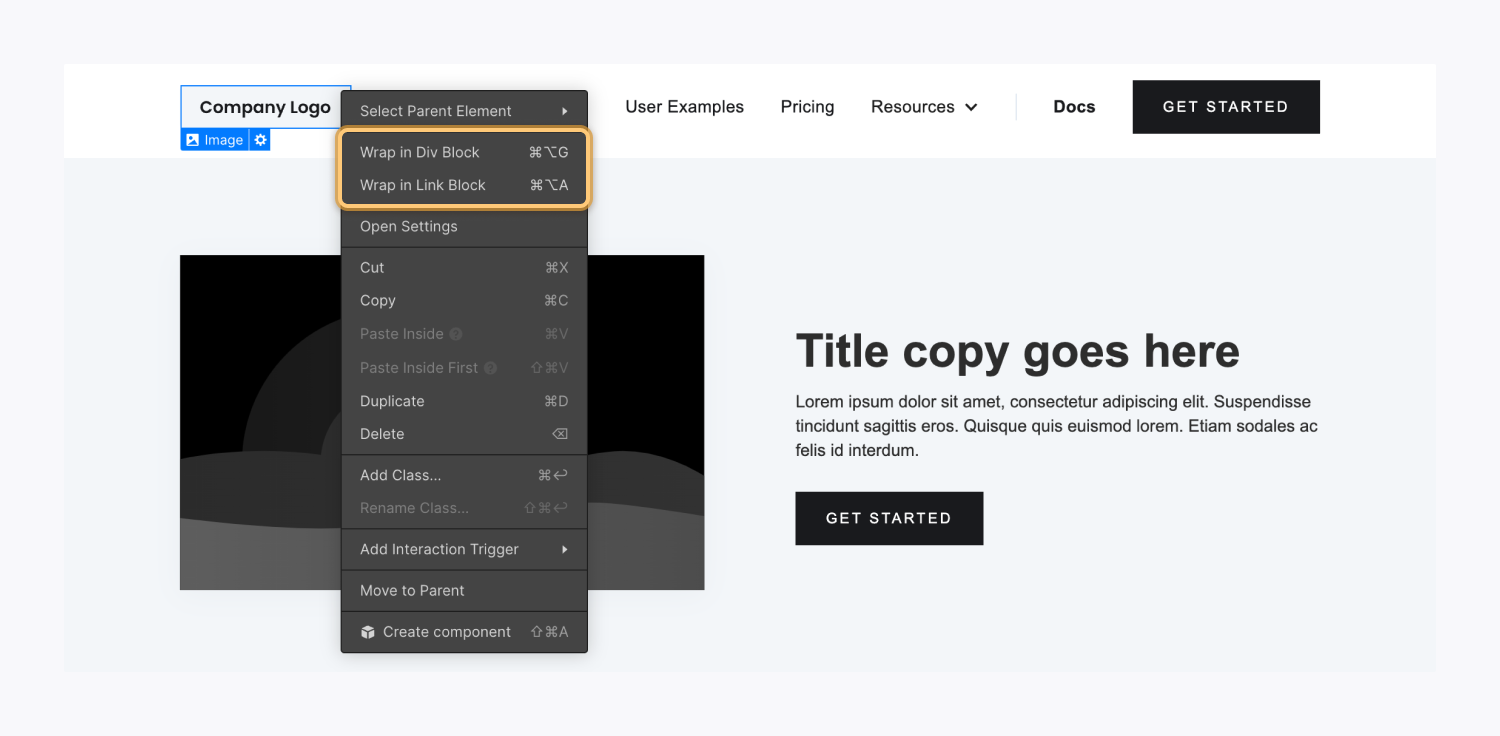
Today, we're introducing new keyboard shortcuts and canvas context menu options for wrapping an element in a div or link block, streamlining a common workflow among designers.
Oftentimes, designers want to wrap elements within a div or link block to group elements together to style or organize them more easily on the canvas. Previously, designers would need to start by adding a div or link block and then adding their desired image/content – or painstakingly drag-n-drop elements back and forth to reorganize them into the right spots.
With the new Designer keyboard and canvas shortcuts, designers can wrap an element in a div or link block in seconds, boosting their design velocity and workflow efficiency.
See our latest WFU article to learn more about these new shortcuts and how they work.
Related updates



.png)
.png)



















Get started for free
Try Webflow for as long as you like with our free Starter plan. Purchase a paid Site plan to publish, host, and unlock additional features.
Try Webflow for as long as you like with our free Starter plan. Purchase a paid Site plan to publish, host, and unlock additional features.