






Feature
Designer
See every breakpoint while you edit
View breakpoints side-by-side for instant visibility into cascading changes.

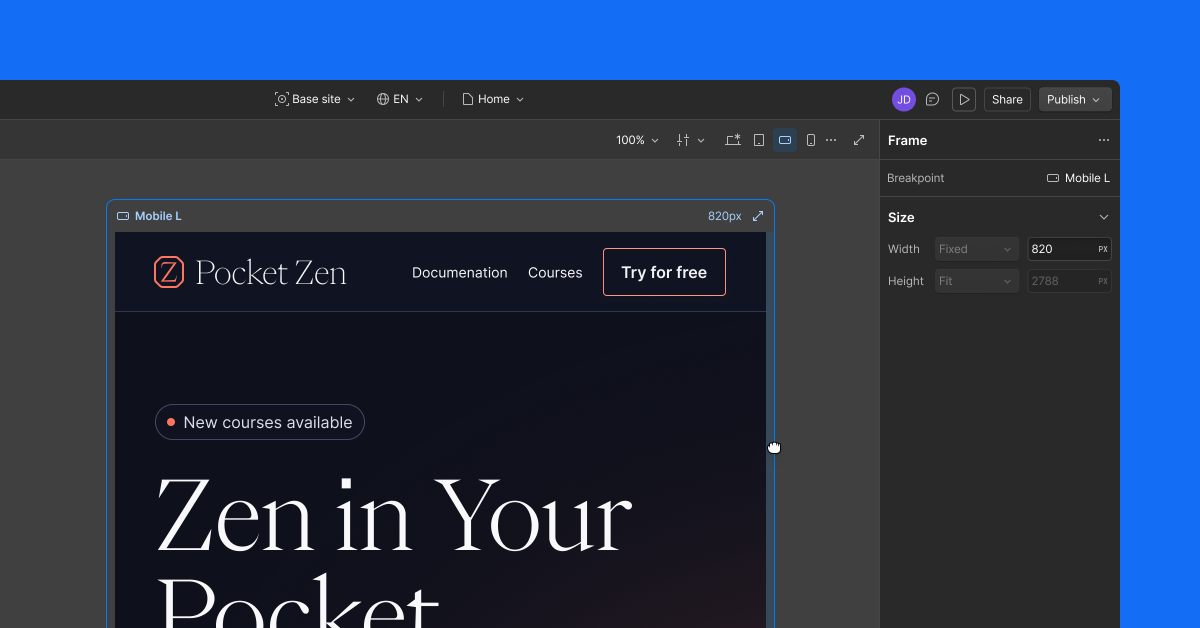
It can be difficult to maintain design consistency and quality across breakpoints — often requiring repeated context switching. Today, we’ll begin rolling out breakpoint canvas, so you can edit with all breakpoints side-by-side in a unified view.
With this release you can expand your canvas to see your desktop, tablet, mobile, and large breakpoints side-by-side for instant visibility into cascading changes. Alternatively, you can focus your canvas on a single breakpoint for scroll-based interactions, or a more browser-like experience.
This makes responsive design easier while you’re building, and it makes your AI agent’s changes much easier to review across devices, so you can maintain your design consistency and quality without the constant context switching.
Breakpoint canvas is rolling out now and will be available to all Webflow users in Design, Build, and Edit modes in the next week.
Please note: breakpoint canvas will not be available in Preview or Comment mode.
Related updates


.png)
.png)




















Get started for free
Try Webflow for as long as you like with our free Starter plan. Purchase a paid Site plan to publish, host, and unlock additional features.
Try Webflow for as long as you like with our free Starter plan. Purchase a paid Site plan to publish, host, and unlock additional features.