






Enhancement
Designer
Component slot defaults
Add a default component to a slot so it’s auto-populated on every component instance.
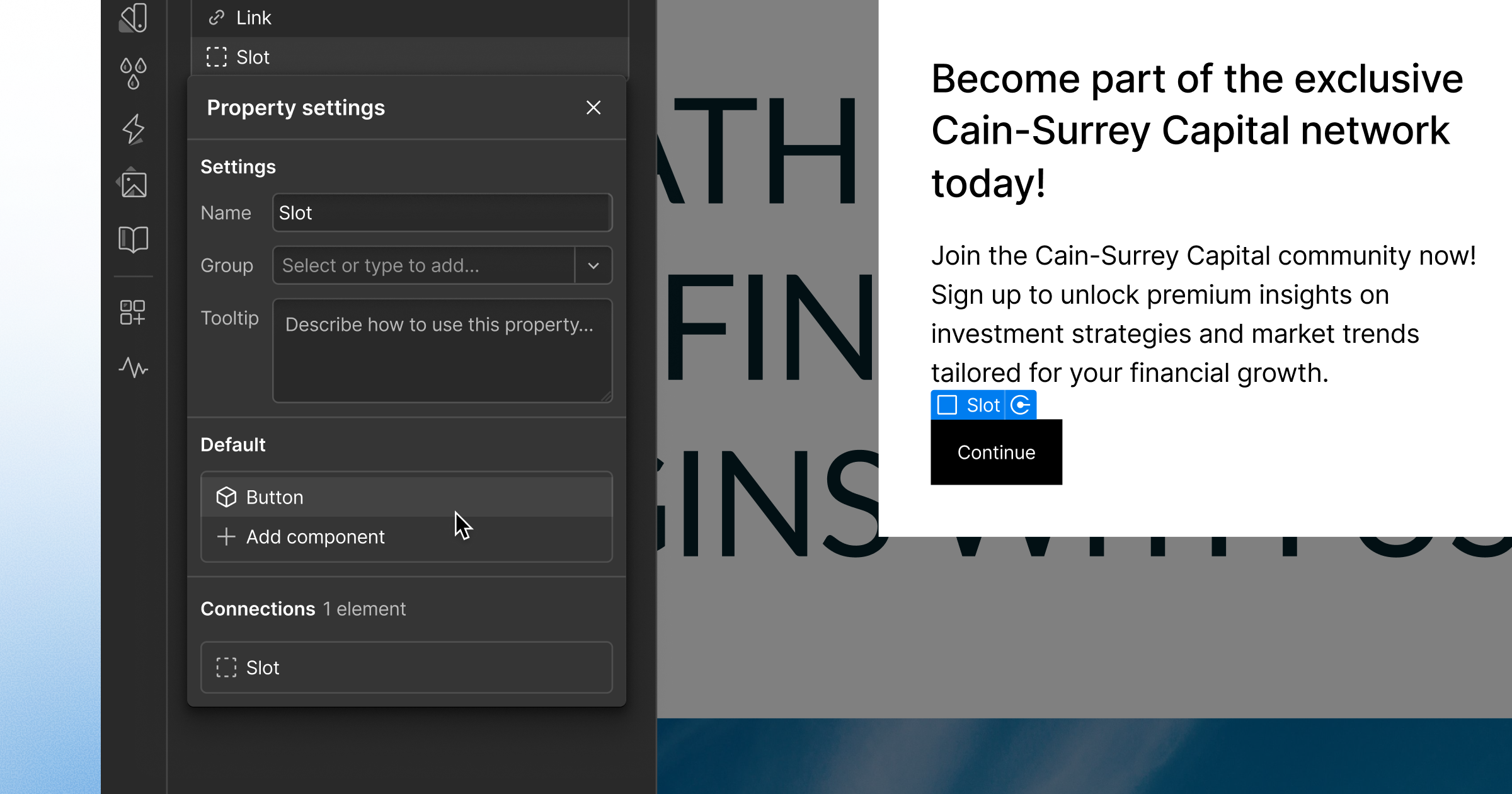
Component slots provide a lot of configurability, but they can also lead to ambiguity and redundant work for cross-functional collaborators.
An empty slot gives Marketers zero indication of what belongs there. Designers know how each component should be used, but handing it off means documenting the dos and don'ts or rebuilding the same setup on every instance.
So starting today, Designers can add components to a slot on a main component to make it the slot's default. For example, if you add a button component to a slot on a main card component, the next time you add that card to a page, it will arrive with its button components already in the slot, ready to customize.
When you update the default in a main component, every instance that still uses that component will update too. But marketers still retain flexibility. They can swap the content for other components, reset the slot to the default, or clear it for customized instances.
Default components for slots join show/hide controls for Marketers and slot restrictions as new guardrails to help you confidently hand-off a component system.
Good to know
- Slot defaults accept components only. Components in CMS Rich Text show their slot defaults, but you can't edit slot content there.
- Default components for slots are available on all plans and should be available to all Webflow users by tomorrow.
Related updates



.png)
.png)



















Get started for free
Try Webflow for as long as you like with our free Starter plan. Purchase a paid Site plan to publish, host, and unlock additional features.
Try Webflow for as long as you like with our free Starter plan. Purchase a paid Site plan to publish, host, and unlock additional features.