






Enhancement
Designer
Quick find
Meet quick find: an easy way to search for elements, symbols, pages, CMS content, and more in the Designer without leaving your keyboard.
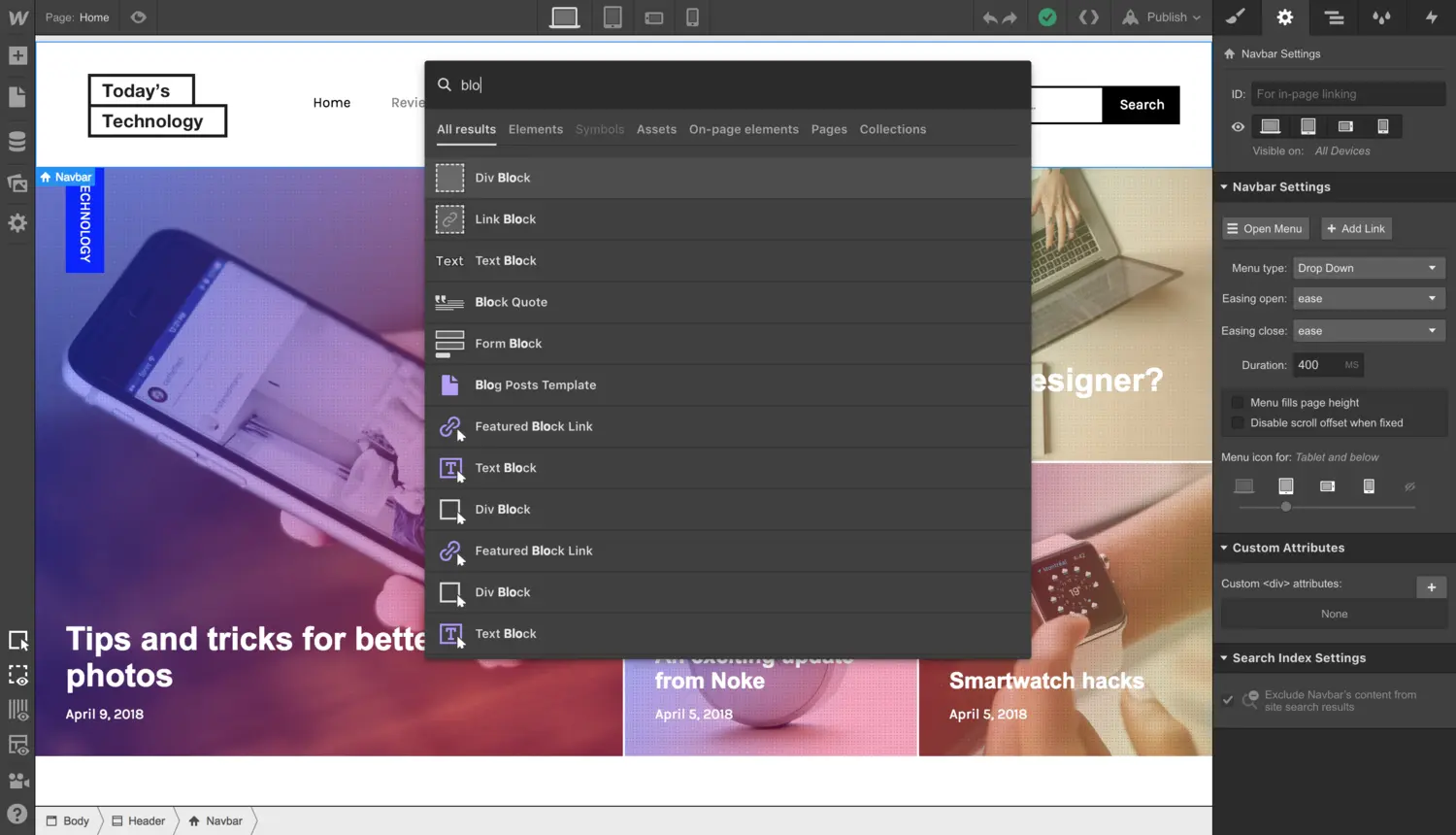
When you’re working on a big project, it can take a lot of clicks to get around. This is a problem on computers as well. Apple created something to fix it: Spotlight search. And people took that even further by creating Alfred.
So we’re taking a page out of these books and creating our own version for Webflow, which we’re calling quick find. How does it work? Easy: hit CMD + E (CTRL + E on Windows) in the Designer and search to your heart’s content.
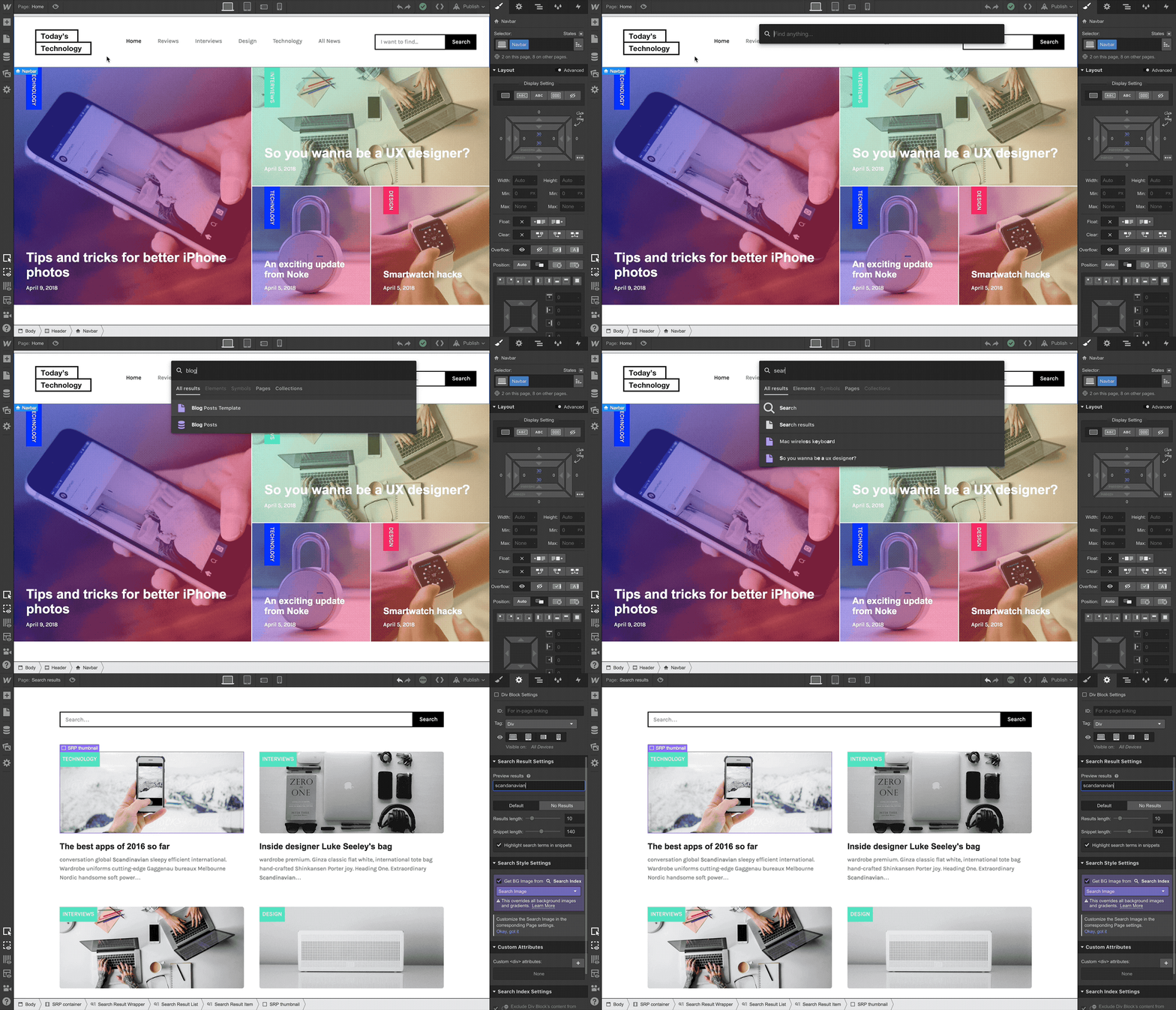
Some of the awesome stuff you can do with quick find:
- Switch pages
- Add elements
- Find and open a Collection
- Add a Symbol
- Add assets
- Select an element on the page
- Impress your friends and colleagues
Give it a whirl and let us know what you think!
Related updates



.png)
.png)



















Get started for free
Try Webflow for as long as you like with our free Starter plan. Purchase a paid Site plan to publish, host, and unlock additional features.
Try Webflow for as long as you like with our free Starter plan. Purchase a paid Site plan to publish, host, and unlock additional features.