






Enhancement
Designer
Link to specific pages in the Designer
Now you can send teammates links to a specific page in the Designer to make it clearer where you want their help or input.
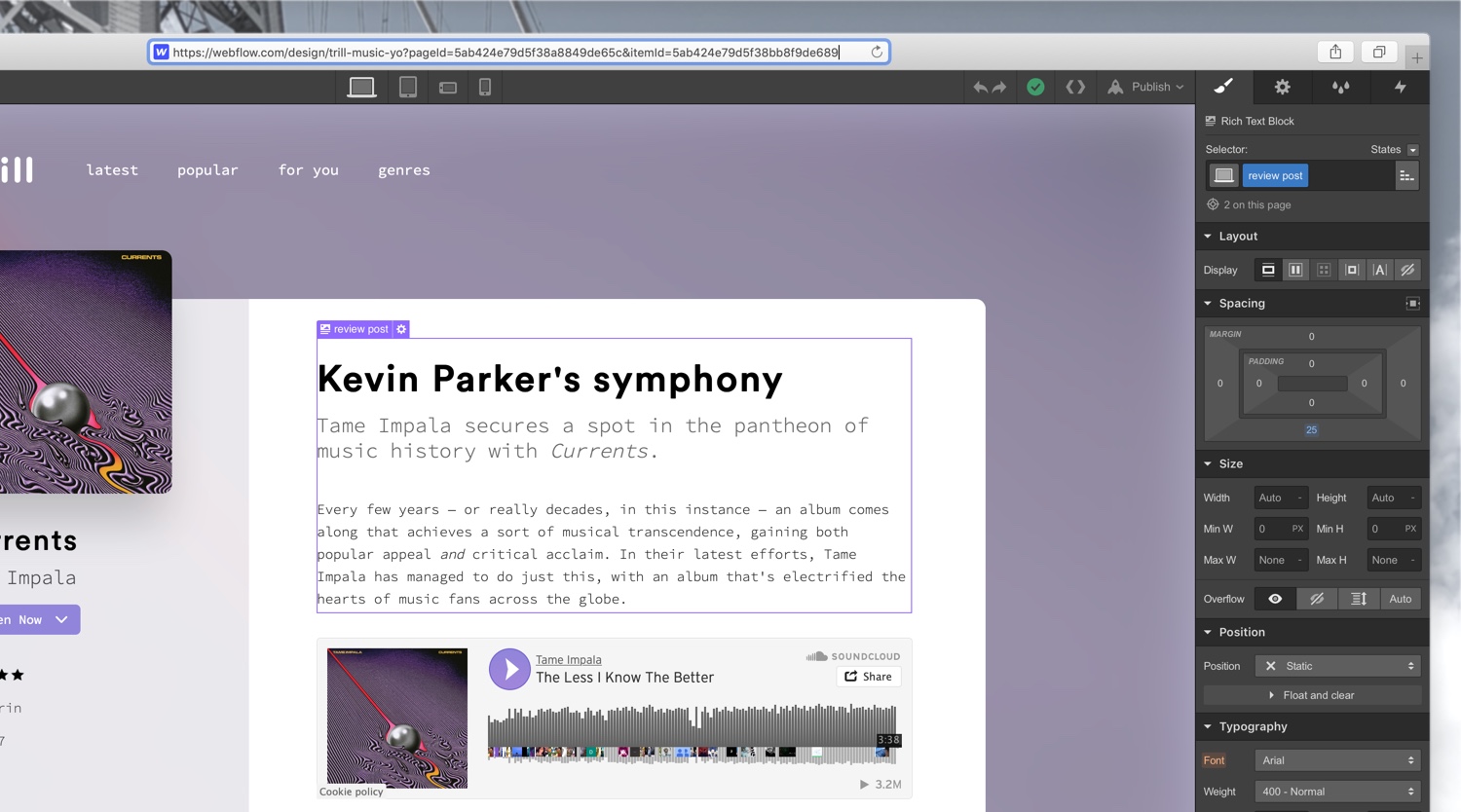
If you’re extra attentive, you’ll notice that now when you switch pages in the Designer, you’ll see that the URL for your project has a unique parameter attached to the end of it (after where it says “pageId=”).

This parameter corresponds to the specific page within that project you’re viewing, so now you can copy and paste this URL to link colleagues and clients directly to that page of your project in the Designer.
Related updates



.png)
.png)



















Get started for free
Try Webflow for as long as you like with our free Starter plan. Purchase a paid Site plan to publish, host, and unlock additional features.
Try Webflow for as long as you like with our free Starter plan. Purchase a paid Site plan to publish, host, and unlock additional features.