






Enhancement
Designer
Edit components in slots
You can now edit the main component right from a component instance inside of a slot.

Component slots allow you to create more modular components with placeholder content areas that can be customized on any instance — like a section that contains CTA cards on one instance and testimonials on another.
To build on that flexibility, we’re making it easier to work with components inside of a slot. Now, when a component instance is nested in a slot, you can edit the main component of that instance right there.
Editing now works the same whether or not a component is inside of a slot. To start editing, double-click the instance or click the edit button on the canvas or right panel.
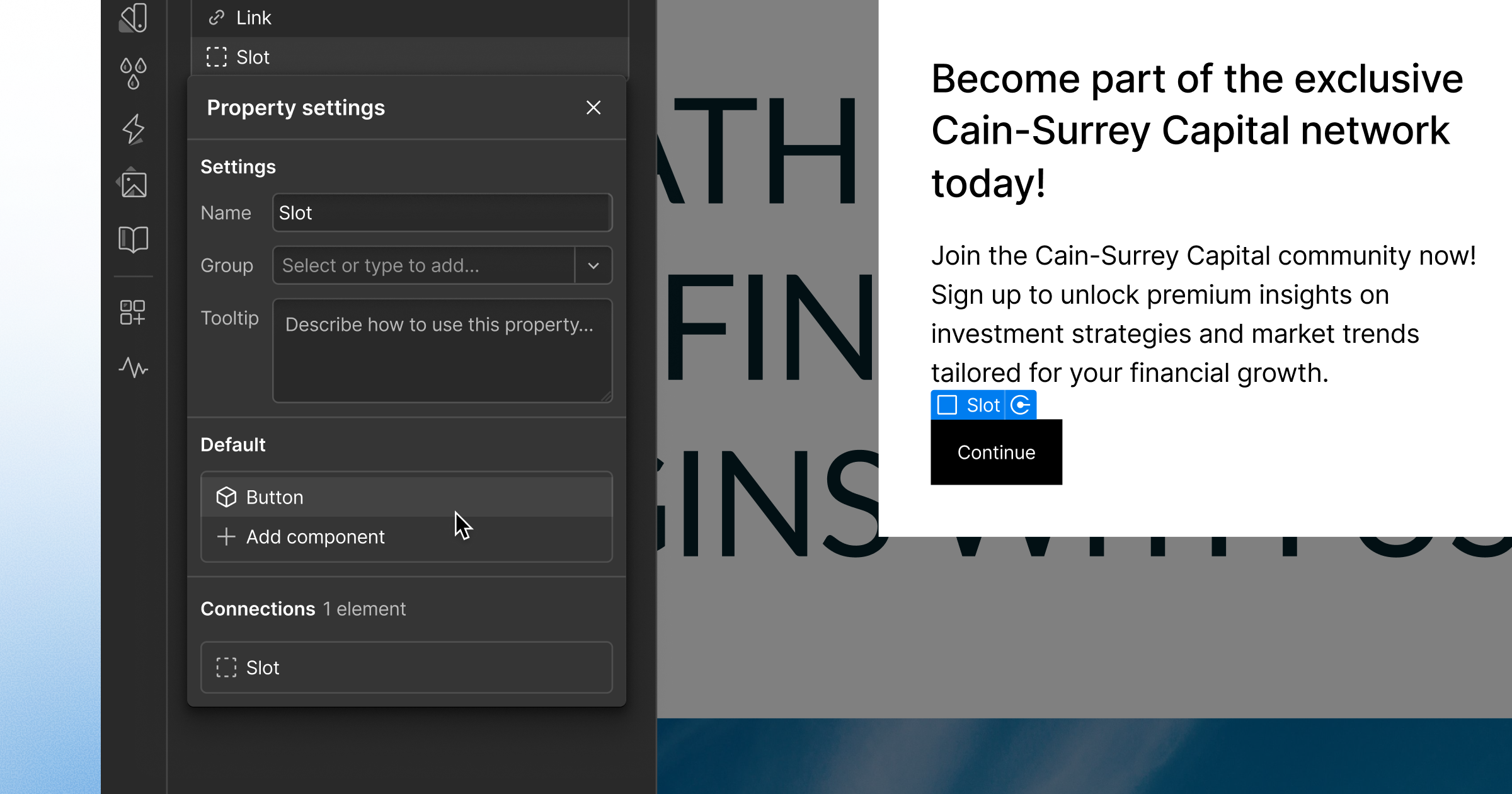
We’ve also improved the way slots are labeled, with consistent naming in the Properties panel, Navigator, and on canvas. To customize the name, select the slot and go to the Settings panel while editing the main component.
For more information on component slots, head over to Webflow University.
Related updates



.png)
.png)



















Get started for free
Try Webflow for as long as you like with our free Starter plan. Purchase a paid Site plan to publish, host, and unlock additional features.
Try Webflow for as long as you like with our free Starter plan. Purchase a paid Site plan to publish, host, and unlock additional features.