






Enhancement
Designer
Copy and paste components faster
Copy component-heavy pages faster, and keep components linked across tabs and sites that share a Library.
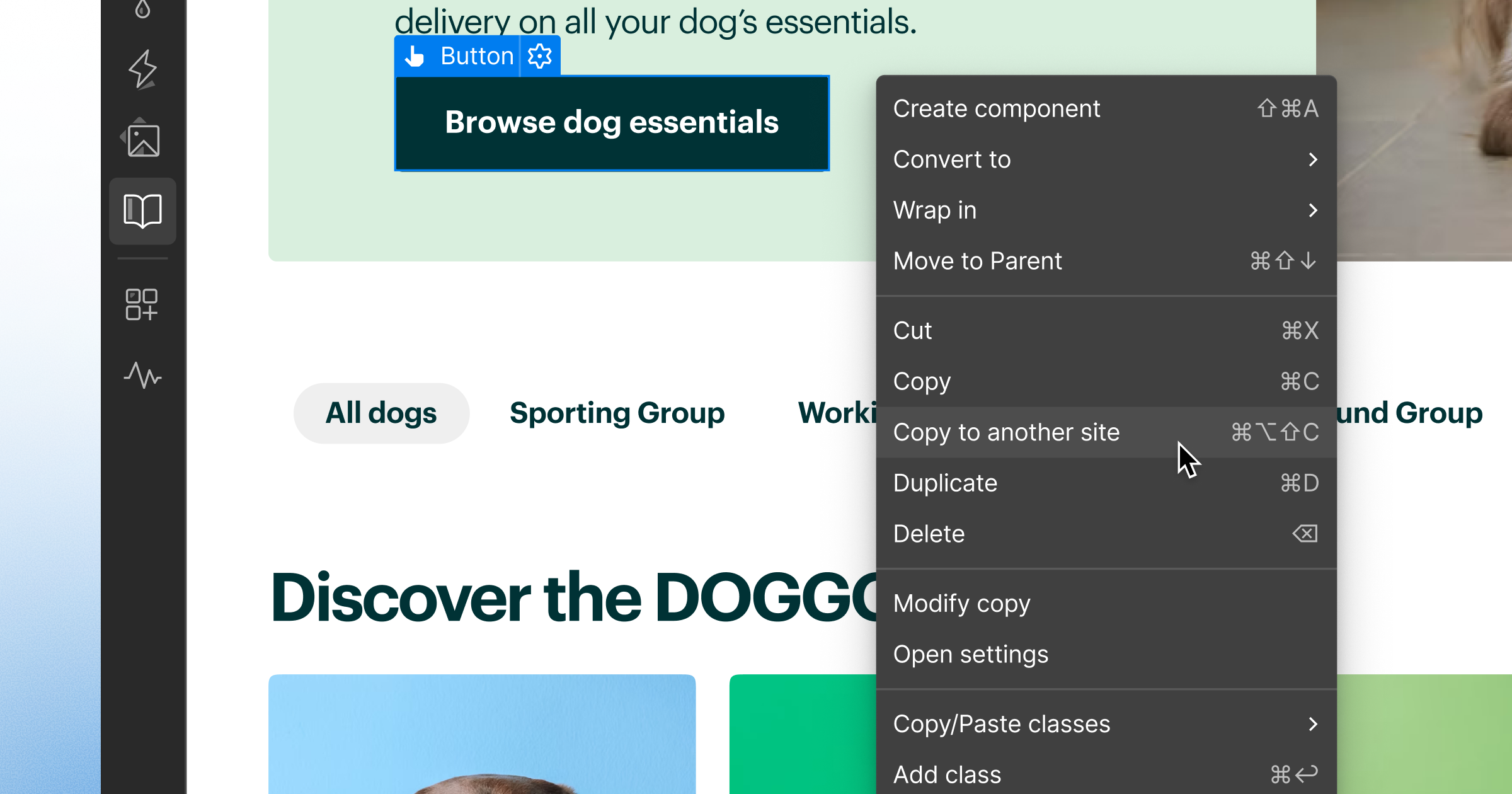
Until now, when you copy and pasted components into another tab on the same site, it could silently unlink them. Now, when you copy and paste components on the same site, components stay linked in any tab, even after a reload.
To keep this process fast and reliable, we created a separate, distinct action for copying and pasting components to a different site. To copy components to a different site, you now need to right-click your selection and choose “Copy to another site”, or press Cmd+Option+Shift+C on Mac or Ctrl+Alt+Shift+C on Windows. This also lets Shared Library components stay linked, instead of turning into regular elements, as long as both sites have the same Library version installed.
You can also copy classes between elements. Choose “Copy classes” from the context menu, or press Option+Shift+C on Mac or Alt+Shift+C on Windows. Then select another element and use “Paste classes”, or press Option+Shift+V on Mac or Alt+Shift+V on Windows. Every class on the source element will come along, combo classes included.
Good to know
- If you copy components the old way and paste on a different site, Webflow will stop the paste and point you to “Copy to another site”.
- Your site's own components will still paste as regular elements on another site.
- Shared Library components stay linked only when the other site has the same Library version installed.
- “Paste classes” replaces the classes on the element you paste onto, and undo restores them.
Related updates





















Get started for free
Try Webflow for as long as you like with our free Starter plan. Purchase a paid Site plan to publish, host, and unlock additional features.
Try Webflow for as long as you like with our free Starter plan. Purchase a paid Site plan to publish, host, and unlock additional features.