






Feature
Designer
Control how stacked element colors blend with new blending mode
Control how stacked element colors blend together and preview changes live with a new blending mode in the style panel.
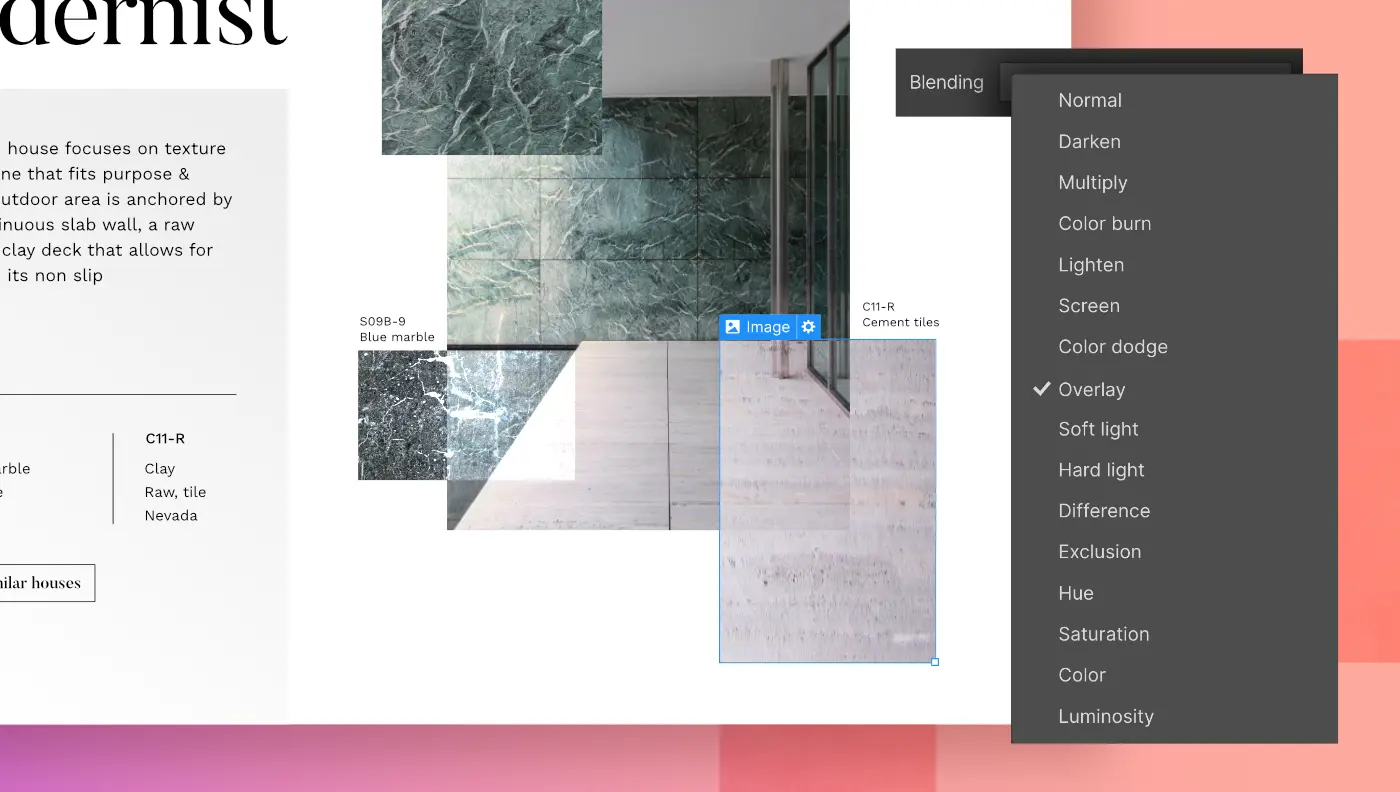
Now you can control how stacked element colors blend together and preview changes live with a new blending mode in the style panel — which brings the mix-blend-mode CSS property right into Webflow.
Blending mode controls how an element's content blends with the content of the element's parent and the element's background, which gives you a fun new set of options when building layouts with overlapping pieces. If you’re familiar with Photoshop, this new effect works just like blend mode — imagine that!
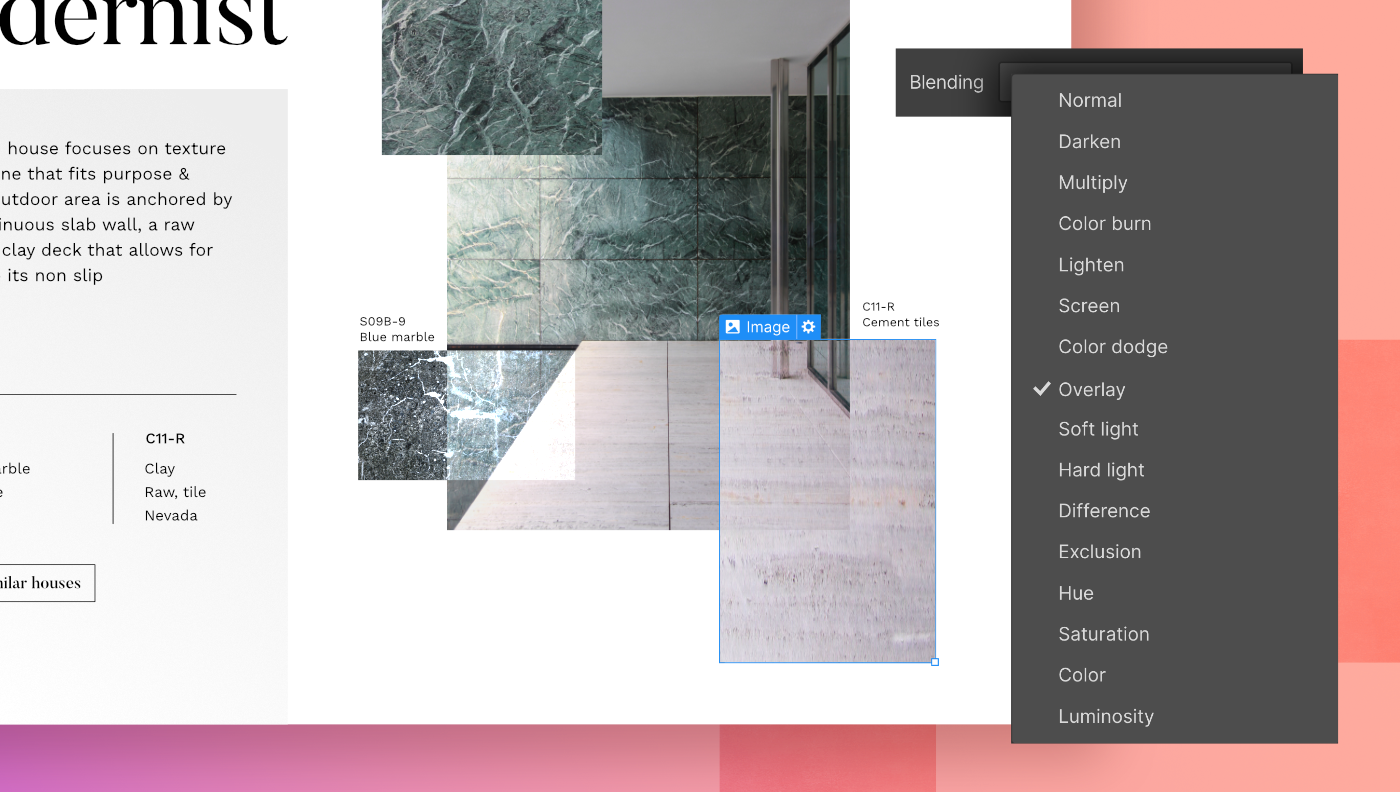
Mix-blend-mode is called ‘blending’ in Webflow and is discoverable in the style panel under the effects section (see graphic above for a visual guide). As you hover over the different options in the blending dropdown menu, you’ll see a live preview on the canvas showing how the selected elements will be affected. The live preview will help you quickly find your preferred blending mode without having to click through each option.

Related updates



.png)
.png)



















Get started for free
Try Webflow for as long as you like with our free Starter plan. Purchase a paid Site plan to publish, host, and unlock additional features.
Try Webflow for as long as you like with our free Starter plan. Purchase a paid Site plan to publish, host, and unlock additional features.