






Feature
Designer
Apply content overrides for symbol instances
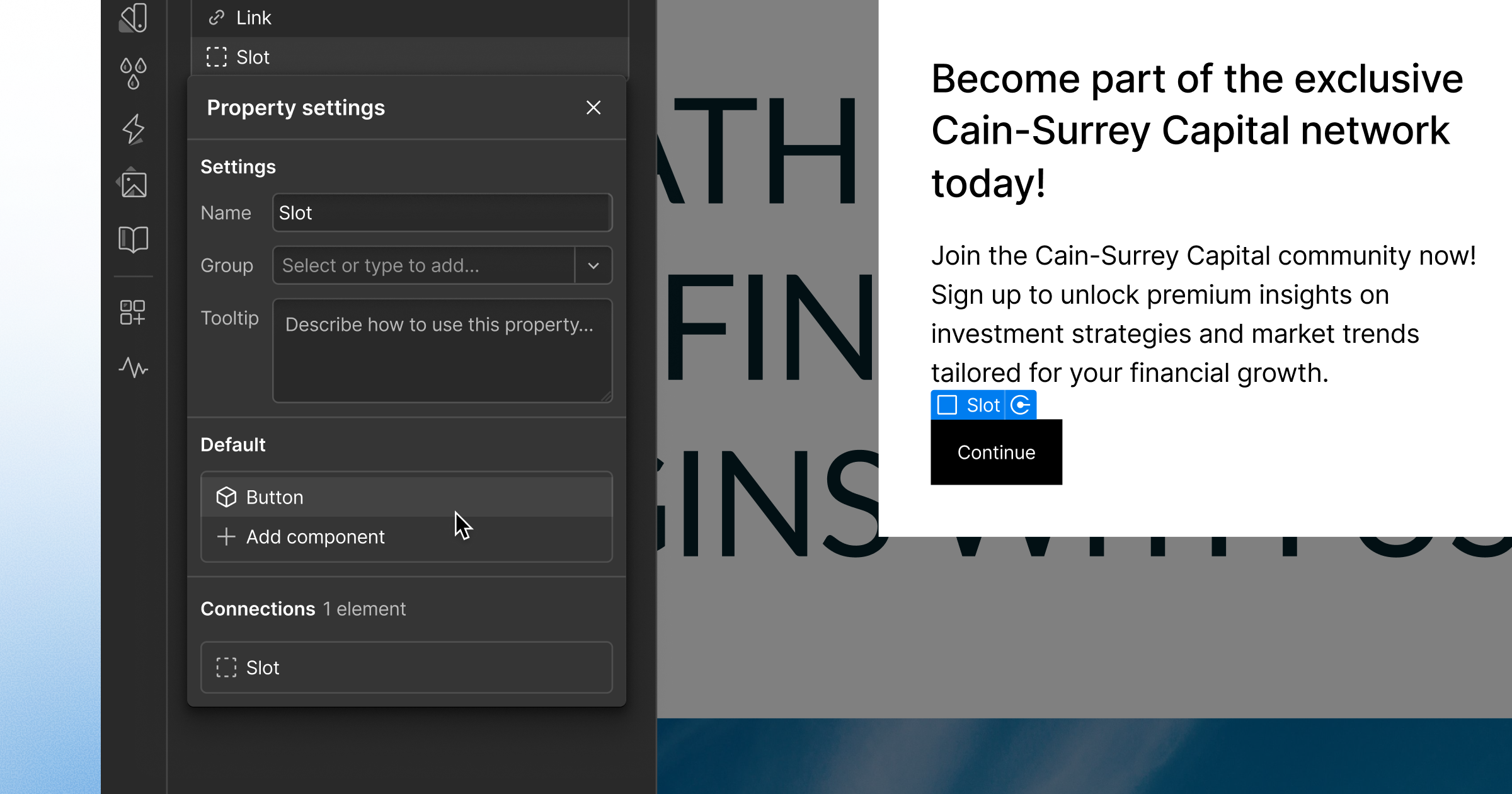
Now you can change images, text, videos, and links in a single instance of a symbol — making it easier to create and maintain recurring layouts.

Webflow’s symbols are great when you have a recurring layout whose content is exactly the same across each instance — for example, a nav bar, a footer, or a sign up form — but what if you have a recurring layout that has unique content in each instance?
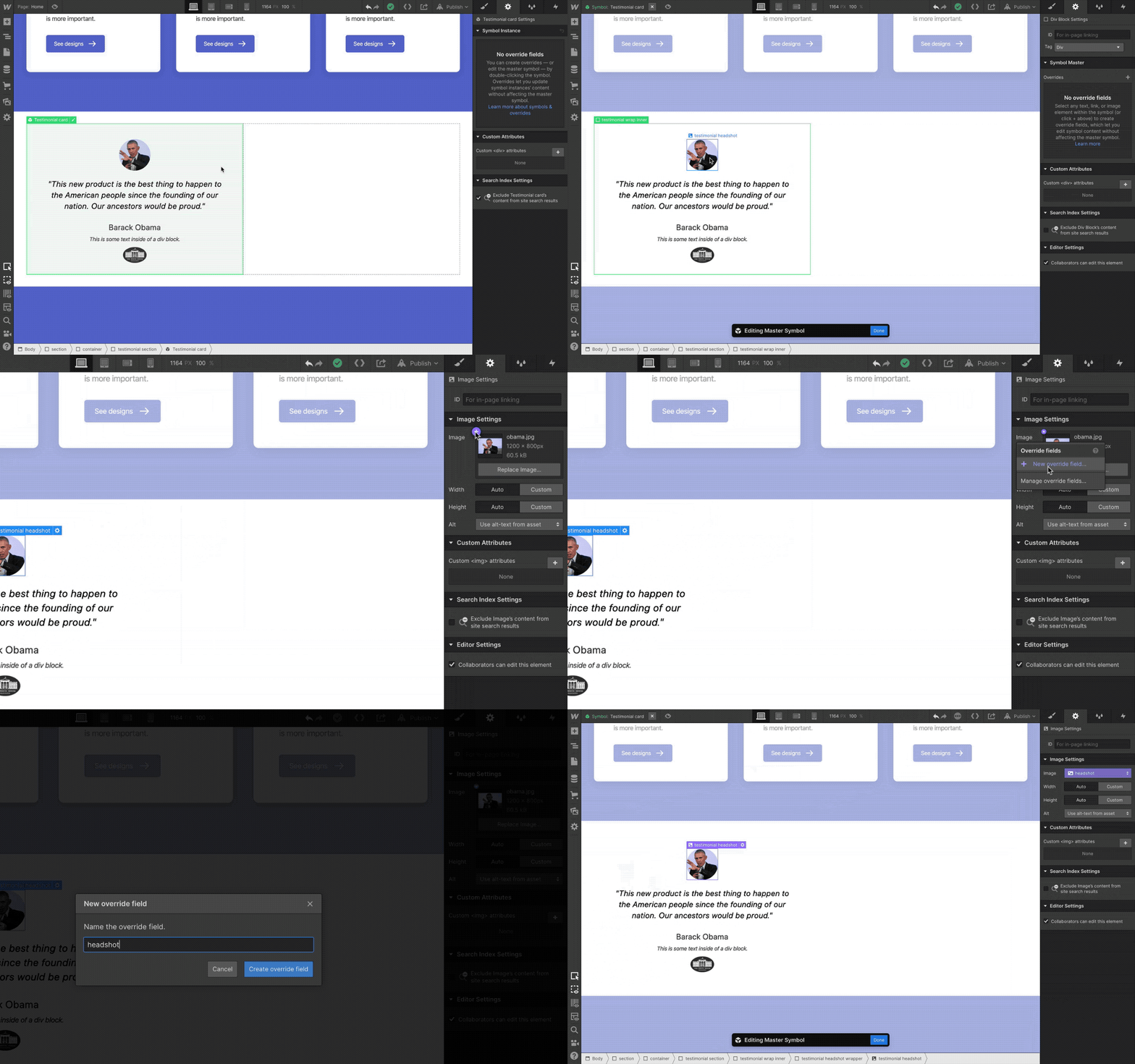
With today’s release, now you’re in luck. Because now you can change images, text, videos, and links in a single instance of a symbol without affecting others — making it easier to create and maintain recurring layouts across your site that have unique content.
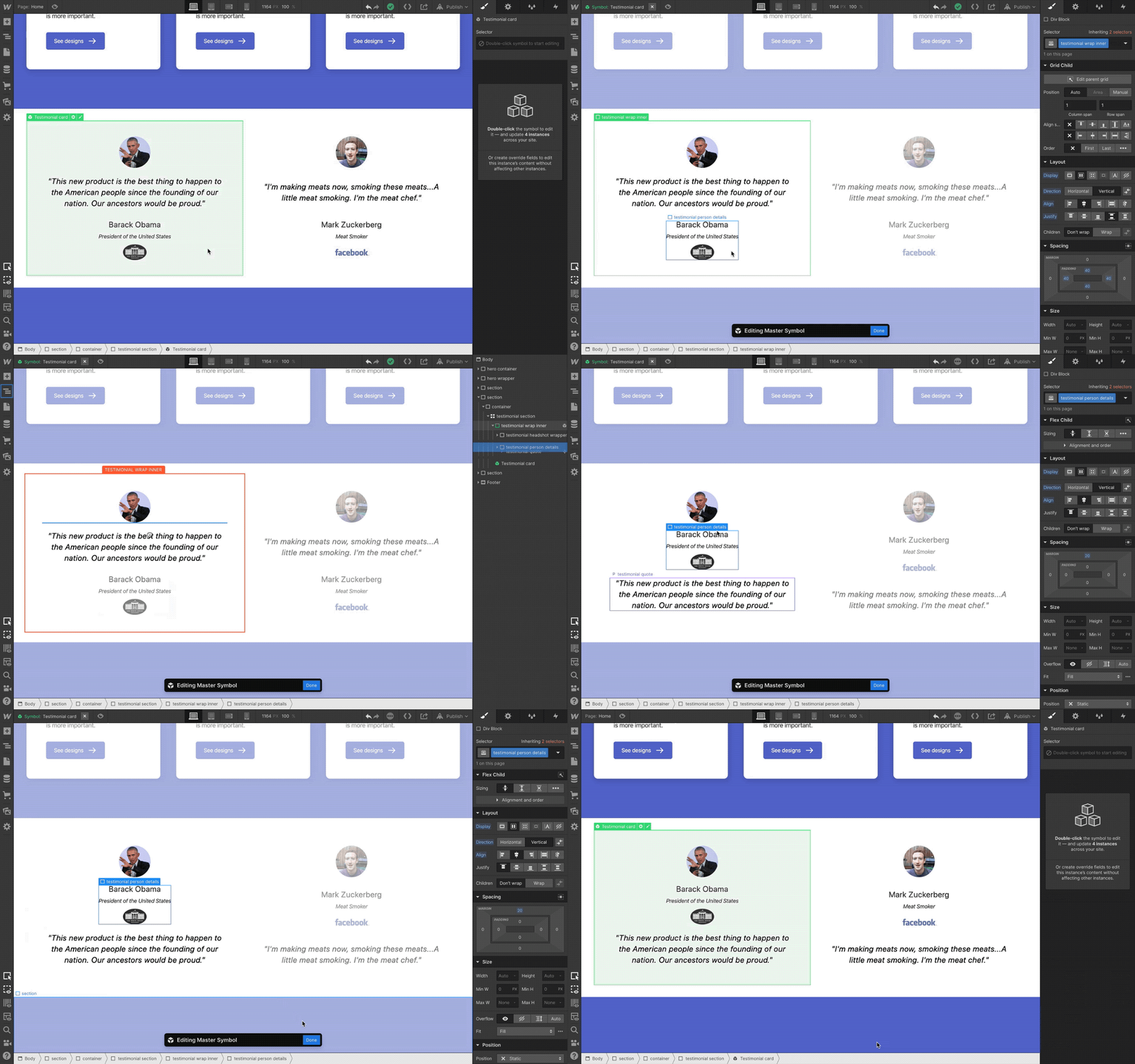
For a full breakdown of this release, check out our blog post, or read the full documentation on Webflow University.
Related updates



.png)
.png)



















Get started for free
Try Webflow for as long as you like with our free Starter plan. Purchase a paid Site plan to publish, host, and unlock additional features.
Try Webflow for as long as you like with our free Starter plan. Purchase a paid Site plan to publish, host, and unlock additional features.