






Feature
Designer
Introducing AI code components
Generate reusable, on-brand code components directly in Webflow with the AI Assistant.
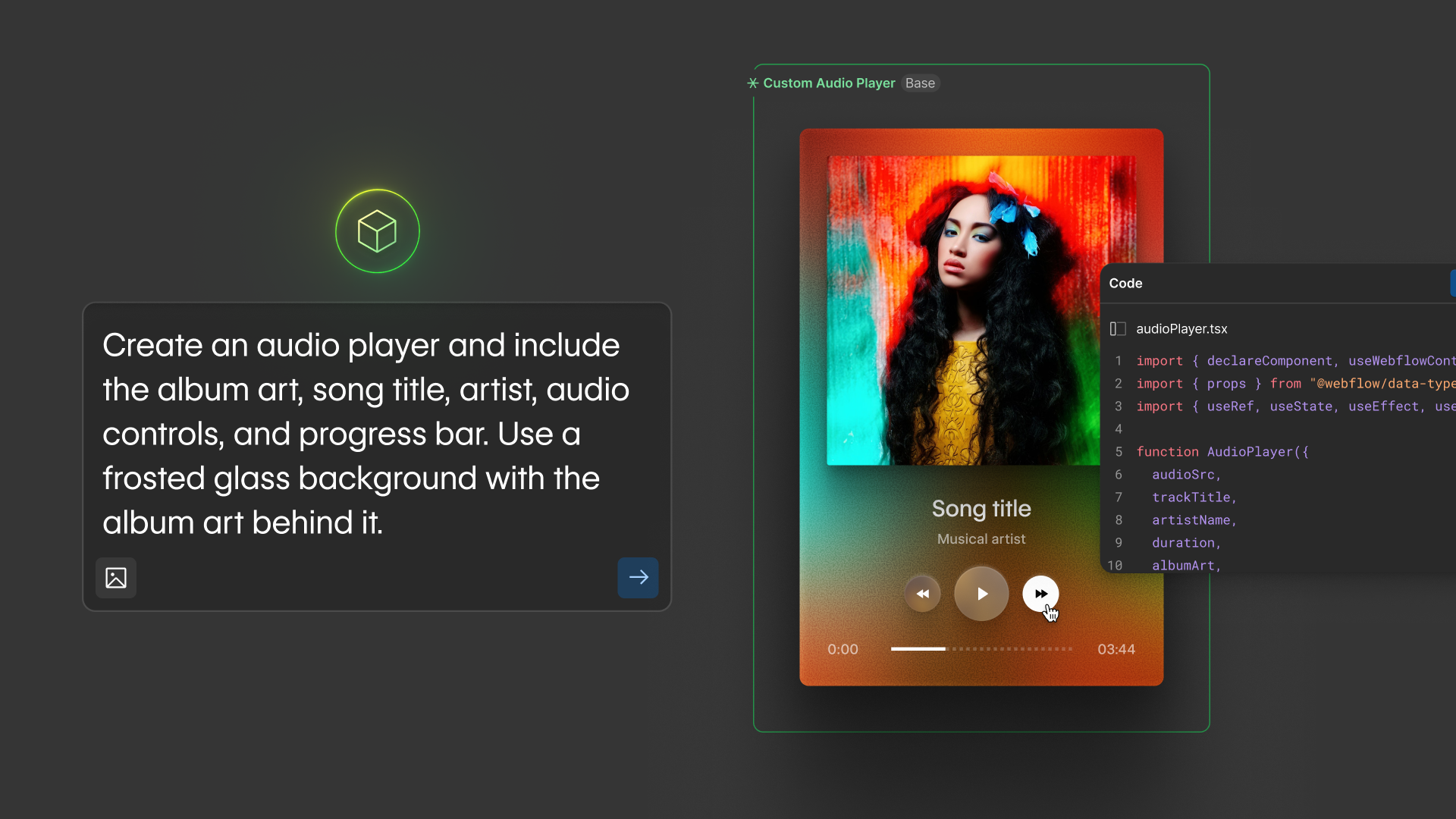
Since launching code components, countless developers have used it to bring advanced, interactive functionality into their Webflow sites. But we know that most Marketing teams have a gap between the interactive experiences their site needs and the developer bandwidth to build them. We’ve had our sights set on closing that gap.
Starting today, anyone can use Webflow AI to build code components for their site.
With this launch, developers, designers, and marketers alike can generate reusable, on-brand code components directly inside Webflow using the Webflow AI Assistant. Describe what you want — a pricing calculator, a search filter, an animation, a location finder — and the AI Assistant generates it on the component canvas, in-line with your design system.
After the initial component is built, you can continue to refine it in conversation with the AI Assistant, or in code, before dropping it into your site.
AI code components are now available for all customers. To publish a site containing an AI code component, you’ll need a paid Workspace or a CMS or higher site plan. For full details on access and plan requirements, see our help center article.
Alongside this launch, we’re sharing that Webflow has decided to pause further development of App Gen. For the full details, read our blog post.
Related updates

.png)
.png)



















Get started for free
Try Webflow for as long as you like with our free Starter plan. Purchase a paid Site plan to publish, host, and unlock additional features.
Try Webflow for as long as you like with our free Starter plan. Purchase a paid Site plan to publish, host, and unlock additional features.