






Enhancement
CMS
Add components to CMS content
Add Webflow components directly to rich text fields, both on canvas and in the CMS panel.
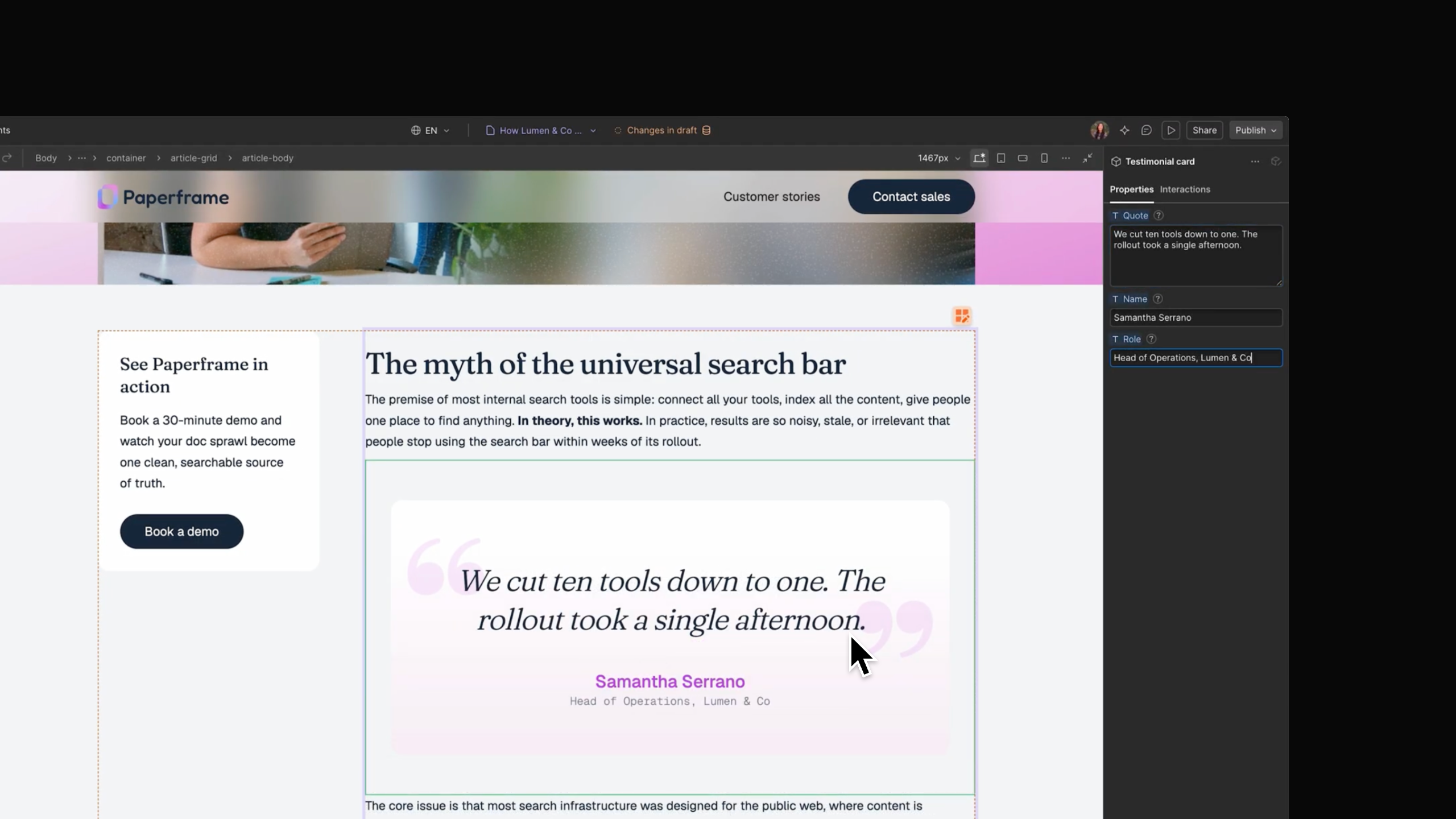
Components like CTA buttons, testimonial cards, and pricing tables can elevate your content, and guide users through their discovery journeys. But until now, these often required third-party solutions or custom code embeds.
Starting today, you can add any Webflow component directly into rich text, on the canvas or in the CMS panel, and configure its properties per item. Update the component once, and every instance across your CMS updates with it.
This will make it much easier to create and maintain functional CMS content that’s optimized for conversions.
How it works:
- Open a rich text field or element and hit / (or the + button) to bring up the insert menu.
- Choose Component, pick the one you want, and it drops in at your cursor.
- The component’s settings open automatically so you can configure that instance's properties right away.
Please note: Components containing Collection Lists can’t be placed in rich text. Additionally, components within rich text can’t be bound to the CMS, and their slots can’t be exposed.
Support for components in the CMS will begin rolling out today, and should be available to all users in the next week.
Related updates
























Get started for free
Try Webflow for as long as you like with our free Starter plan. Purchase a paid Site plan to publish, host, and unlock additional features.
Try Webflow for as long as you like with our free Starter plan. Purchase a paid Site plan to publish, host, and unlock additional features.