






UserWay
Connect UserWay, a cloud-based web accessibility widget, with Webflow to add visitor-facing tools like Smart Contrast, Bigger Text, and Screen Reader through custom code or the Webflow Custom Code API.

UserWay drops a floating accessibility menu onto your site with tools like Smart Contrast, Bigger Text, and a screen reader, plus automated remediation that fixes common issues like missing alt text on each page load. You embed it through Custom Code, no markup rewrites required.
That makes it a fast fit for agencies shipping client work and for teams in e-commerce, government, healthcare, and finance facing WCAG or ADA deadlines. If accessibility is part of what you deliver to clients, you get one install path that covers every page.
How to integrate UserWay with Webflow
What is UserWay? UserWay is a web accessibility company whose flagship product is a cloud-based accessibility widget. The widget adds visitor-facing tools, including Screen Reader, Smart Contrast, Bigger Text, Dyslexia Friendly fonts, Page Structure, and a Dictionary. It also runs Automated Remediation Technology (ART) that addresses common accessibility issues on page load.
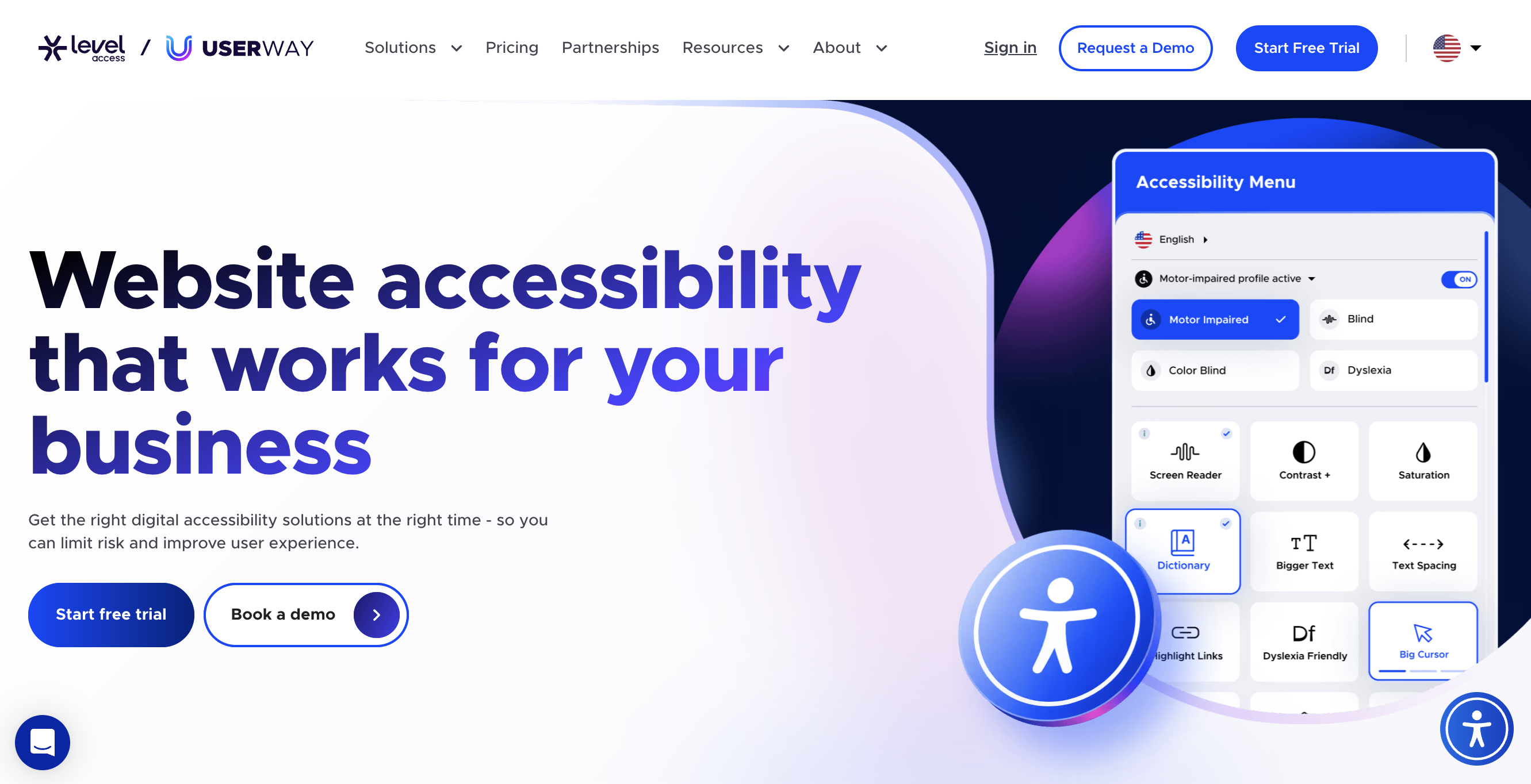
Add UserWay to your site when a client project needs accessibility controls and the deadline doesn't allow a full manual remediation cycle. Government sites face a WCAG 2.1 AA deadline of April 24, 2026, and healthcare entities face federal deadlines in May 2026 and 2027. The widget gives you a same-day accessibility layer while you plan deeper code-level work.
You can integrate UserWay two ways:
- The custom code embed pastes the UserWay script into your site's Footer Code without writing any code yourself.
- The Data API Custom Code endpoints register the UserWay CDN script as a hosted script and apply it programmatically, but require OAuth and server-side development.
Most implementations use the custom code embed. Reach for the API path only when you manage script deployment across many sites programmatically.
Add the UserWay widget with custom code
Install UserWay by pasting its script into the Custom Code area. There's no Marketplace app for UserWay, but this approach works for designers and site owners with no coding experience. Register your site at UserWay to get a unique snippet, then paste it into your site's Footer Code and publish. For the full walkthrough, see UserWay's Webflow installation guide.
To set up the integration:
- Register your site at userway.org and copy your unique code snippet from the page that displays it.
- In your dashboard, find your site, click the three-dot icon at the bottom right of the thumbnail, then click Settings.
- Open the Custom Code tab and scroll to the bottom.
- Paste your UserWay snippet into the Footer Code section, then click Save Changes.
- Click Publish to push the change live.
Once the script is live, these tools activate automatically with no extra configuration:
- Screen Reader and Page Structure for assistive navigation
- Smart Contrast, Contrast+, and Saturation for color adjustments
- Bigger Text, Text Spacing, Line Height, and Text Align for readability
- Dyslexia Friendly fonts, Highlight Links, and a Dictionary for comprehension support
The Footer Code section accepts up to 50,000 characters. Far more than the UserWay snippet needs. Keep in mind that the Starter plan doesn't support custom code, so you need a paid site plan to inject the script. To customize the widget colors and behavior, sign in at manage.userway.org after install.
Build with the Custom Code API
If you manage UserWay across many sites, the Custom Code API deploys the script programmatically instead of pasting it by hand. This path suits developers building internal tools or agency dashboards, and it requires OAuth authentication and server-side code.
Use an OAuth token, since the Custom Code API doesn't support Site Tokens. Deploy programmatically through the Data API with the UserWay CDN URL as the hosted script. UserWay itself has no public REST API.
Use these API endpoints for deployment:
- Register hosted script accepts an external URL such as the UserWay CDN endpoint
- Apply site custom code attaches a registered script to the entire site
- Apply page custom code attaches a registered script to a single page
This two-step register-then-apply flow is the only programmatic route, since UserWay exposes no webhooks or REST endpoints for automation.
Register and apply the UserWay script site-wide
This sub-method deploys the UserWay widget to an entire site through code. Use it when you provision accessibility across multiple client sites from one system. Authenticate with an OAuth token tied to your app.
To implement this:
- Register the script with
POST /v2/sites/{site_id}/registered_scripts/hosted. Pass the UserWay CDN URL as the hosted source. - Apply the registered script site-wide with
PUT /v2/sites/{site_id}/custom_code. - Publish the site so the change reaches the live domain.
To control the loaded widget after the script runs, call the client-side methods in UserWay's JavaScript API: UserWay.widgetOpen opens it, UserWay.widgetClose closes it, and UserWay.getVersion returns the version. For a fixed widget version, retrieve it from the UserWay CDN with GET /api/open/v0/consumer/widget/sri/latest.
What can you build with the UserWay Webflow integration?
Integrating UserWay lets you add an accessibility tool layer to any paid site without rewriting your markup.
- Client accessibility layer for agencies: Paste the UserWay snippet into each client site's Footer Code to ship contrast, text sizing, and screen reader tools across an agency portfolio. A marketing agency can add the same accessibility menu to every client landing page.
- Compliance-deadline coverage for regulated sectors: Deploy the widget on a government or healthcare site ahead of the 2026 WCAG 2.1 deadlines. A county services site gets a visitor-facing accessibility menu and automated remediation while the team plans code-level fixes.
- E-commerce storefront accessibility: Add the widget to an Ecommerce store so shoppers can adjust contrast and text. An online retailer activates Bigger Text and Smart Contrast across product pages without editing each template.
- Programmatic rollout across many sites: Use the Custom Code API to register the UserWay CDN script and apply it site-wide. An agency platform provisions the accessibility widget to dozens of sites from one dashboard.
If you need more control over how the script deploys across many sites, the API integration path covers those cases with full flexibility.
Frequently asked questions
Paste it into Site Settings > Custom Code > Footer Code, then click Save Changes and Publish. The Footer Code section accepts up to 50,000 characters per Webflow's custom code documentation, so the short UserWay snippet fits easily.
Use a paid Webflow site plan for UserWay because the Starter plan does not support custom code. Upgrade to any paid site plan to access the Custom Code area where UserWay installs.
You can technically place custom JavaScript in a Code Embed element, which supports up to 50,000 characters per block. However, UserWay specifies the Footer Code section in Site Settings for reliable site-wide loading.
No. UserWay states that making websites accessible requires a combination of automated tools, manual testing, and ongoing accessibility efforts. No single tool catches all accessibility issues. The widget improves accessibility through visitor-facing controls and automated remediation, but it is not a standalone compliance solution. Pair the widget with manual audits and source-level fixes for full coverage.
Yes. Webflow supports both site-wide custom code through Site Settings and page-level custom code through Page Settings. For programmatic per-page deployment, use the Webflow apply page custom code endpoint.
Description
UserWay is a web accessibility widget with visitor-facing tools like Smart Contrast and Screen Reader. Add it to Webflow via custom code or the Data API.
This integration page is provided for informational and convenience purposes only.

AssetFlow
Connect AssetFlow with Webflow to write AI alt text in bulk across your site's static assets and CMS images.

AltTextLab
Connect AltTextLab with Webflow to generate alt text for images at scale.
Back to Top
Connect Flowstar's Back to Top Webflow app to provide scroll-to-top buttons with configurable icons, text, colors, and positioning controls.
Accessibility Enabler
Connect Accessibility Enabler to Webflow and add accessibility tools to a site through a JavaScript widget.

All-in-One Accessibility
Connect All-in-One Accessibility, an AI-based accessibility widget, with Webflow to add screen reader support, color blindness modes, keyboard navigation, and 90+ WCAG compliance features to any page.
Related integrations
Get started for free
Try Webflow for as long as you like with our free Starter plan. Purchase a paid Site plan to publish, host, and unlock additional features.
