






Scrollbar Styler by Finsweet
Style Webflow scrollbars visually with Finsweet's free CSS generator, paste the code into your site, and add the standard properties for full browser support.

Webflow's style panel reaches almost every element on a page, but the browser scrollbar sits outside it. A default gray scrollbar running down a dark, carefully colored layout is the kind of mismatch visitors notice on long pages and scrollable panels. Styling it means writing the CSS yourself, and Webflow gives you no visual control over scrollbar width or color.
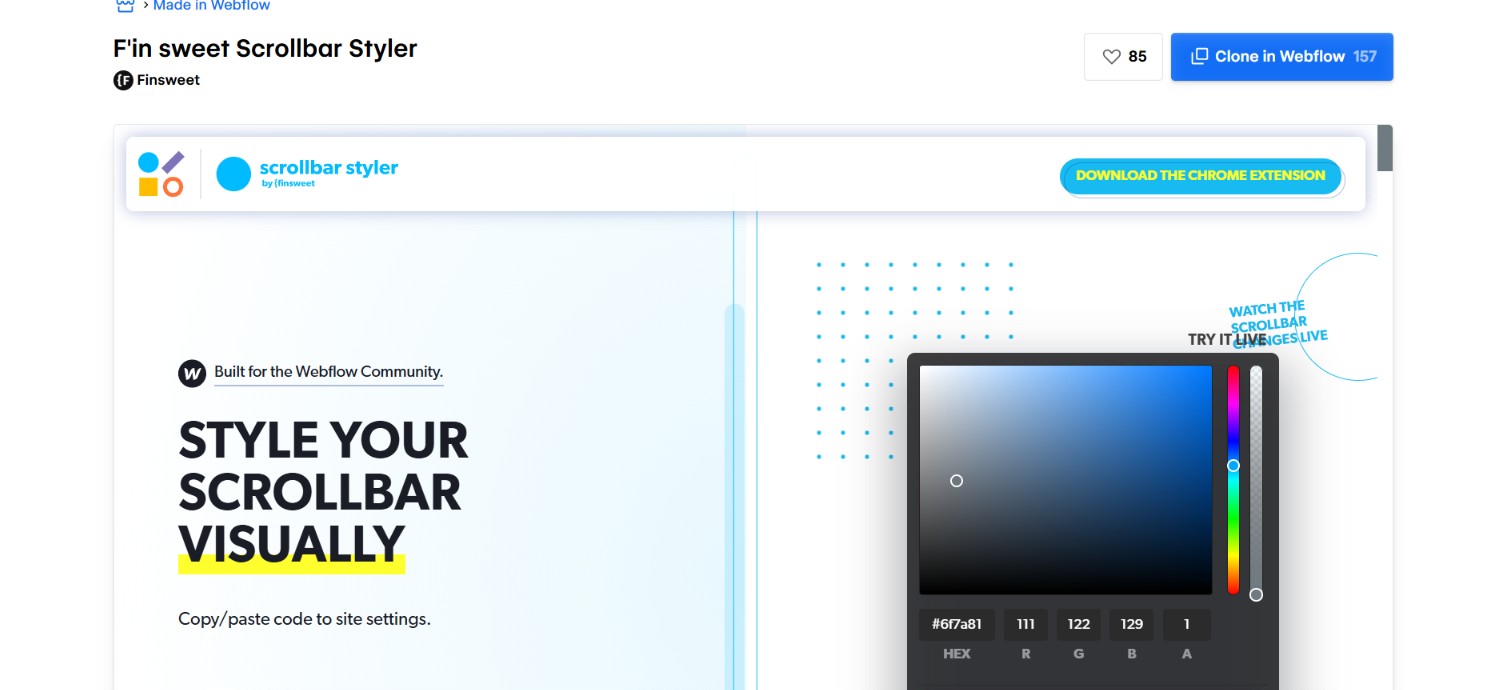
Scrollbar Styler by Finsweet is a free visual generator for exactly that CSS. You set the width, the track and thumb colors, the border radius and the shadows, copy the output, then paste it into your site's custom code. One thing to know before you build on it: the tool is stable rather than maintained. Finsweet's own Scrollbar Styler page now redirects straight to the cloneable Made in Webflow project, the Chrome extension has sat at version 2.0.2 since May 2022, and it was never folded into Finsweet Attributes. It still generates working CSS, and it still writes only the WebKit pseudo-element rules, which is the part you should finish by hand.
The workflow suits Webflow developers and no-code builders who want branded scrollbars without hand-writing pseudo-element selectors, plus agencies reusing one scrollbar treatment across a client roster. Nothing about it needs an account or a payment.
How to integrate Scrollbar Styler by Finsweet with Webflow
What is Scrollbar Styler by Finsweet? Scrollbar Styler by Finsweet is a free scrollbar CSS generator that runs as a Chrome extension and as a hosted web UI. It gives you fields for scrollbar width and height, track color, borders, radius and shadow, plus separate thumb states for hover and pressed, then outputs ::-webkit-scrollbar, ::-webkit-scrollbar-track and ::-webkit-scrollbar-thumb rules you copy in one click. It reads and writes nothing on your site, so it is a code generator rather than an installable app.
Teams reach for this combination when the default scrollbar fights a custom design, most often on dark themes and inside scrollable side panels. Because no Marketplace app exists for scrollbar styling, every route ends in the same place: generated CSS living in your site's custom code.
The Scrollbar Styler and Webflow integration supports four approaches:
- Made in Webflow clone: Cloning Finsweet's published project drops the styler into your own Workspace, so you can generate CSS without installing anything.
- Custom code paste: Pasting the generated CSS into site or page custom code is the route almost every implementation uses.
- MCP server: A connected agent can write the CSS into site-level or page-level custom code for you, which suits repeated tweaks.
- Webflow Data API: Registering and applying the CSS programmatically fits agencies rolling one scrollbar treatment across many client sites, and it needs server-side development.
Most sites need only the custom code paste. The other routes earn their place on no-code starts and on rollouts across a large client roster.
Clone the Made in Webflow project
The fastest no-code start is the cloneable Made in Webflow project, which is where Finsweet's own tool URL now points. Cloning hands you the styler already configured inside your Workspace with no manual code entry, and the listing describes it as a way to style your scrollbar visually and generate clean CSS for a Webflow site.
To set up the cloneable:
- Open the Made in Webflow listing linked in the sidebar and click Clone in Webflow.
- Open the cloned project in your Workspace.
- Adjust the scrollbar controls and copy the generated CSS.
Whichever access point you pick, the controls are the same:
- Width and height: Set the scrollbar size in pixels, percentages, ems, rems or viewport units, which covers vertical and horizontal bars alike.
- Track styling: Set the track color, border widths, corner radius and inner or outer shadow so the groove matches the surface behind it.
- Thumb styling: Style the draggable thumb separately, with its own color, borders, radius and shadow, and give it distinct hover and pressed states.
- Live preview and copy: Watch a real scrollbar update as you change values, then copy the finished CSS in a single click.
Copying the CSS is where every path converges, so the paste step below applies no matter which access point you used.
Paste the generated CSS with custom code
If you would rather skip cloning, generate the CSS in the Chrome extension or the hosted web UI and paste it in yourself. Adding custom code in head and body tags needs a paid plan: Webflow's plan comparison lists custom code on the paid Basic and Premium Site plans and on the paid Workspace plans, and leaves it off the free Starter tiers. Read the copied CSS before you paste it, because the web UI's preview panel wraps the selectors in extra braces and a blind copy can carry stray syntax into your site.
Apply the styles site-wide
Site-wide styling targets the full-page scrollbar on every published page.
To apply the styles site-wide:
- Configure the design in the extension or the web UI, then copy the generated CSS.
- Go to Site settings > Custom code.
- Paste the CSS inside
<style>tags in the Head code field. - Publish the site.
Custom code shows up in preview, but nothing reaches visitors until you publish.
Scope the styles to a page or element
Scrollbar styles also work on a single page or on one container. The CSS applies to body or to any div set to overflow: scroll or auto.
To scope the styles:
- Edit the selector so it targets the class on your scrollable
divinstead of the whole page. - Open the page settings and paste the CSS into the head code field for that page.
- Publish the site.
One correction applies to every method here, and we would rather say it plainly than let the generator's output stand as finished work. The ::-webkit-scrollbar family is non-standard, and MDN advises against it in production, while the standard properties have caught up: scrollbar-width reached Baseline newly available status in December 2024 and scrollbar-color followed in December 2025, so Chrome, Edge, Firefox and Safari all handle them now. Write the two standard properties first for the color and thickness you want, then keep the generated WebKit rules underneath for the shapes and shadows the standard properties cannot express. Any value other than auto on the standard properties overrides the WebKit rules in browsers that support both, so set the standard values deliberately instead of treating them as a fallback.
Write the CSS with an agent through the MCP server
The paste step is also something you can hand off. Webflow's MCP server reads and writes freeform custom code at both site and page level, and it manages CSS classes and properties, so a connected agent can take the CSS you generated and put it where it belongs.
To use this route:
- Connect the MCP server to your AI client and authorize the Workspace holding the site.
- Paste the generated CSS into the conversation and ask the agent to add it to the site or page custom code.
- Ask it to add the standard
scrollbar-widthandscrollbar-colordeclarations at the same time, then publish.
Two limits are worth knowing before you rely on it: one authorization covers a single workspace, and the server cannot build Webflow interactions, which does not matter for CSS but does if you expect it to wire up scroll animations too.
Deploy the CSS with the Webflow Data API
Scrollbar Styler exposes no API, webhooks or programmatic interface of its own, so the automated path runs entirely through Webflow's v2 custom code endpoints. This suits an agency applying one scrollbar treatment across dozens of sites, and it carries two constraints the docs state outright: only Webflow Apps with OAuth tokens can call these endpoints, and the registered payload is documented as JavaScript with a character cap, so the CSS has to be injected by a small script rather than posted as a stylesheet.
The flow uses these endpoints:
- Register the code: The inline registration endpoint stores your snippet against the site via
POST /v2/sites/{site_id}/registered_scripts/inline. - Apply it site-wide: The site custom code endpoint attaches registered scripts to every page via
PUT /v2/sites/{site_id}/custom_code. - Apply it to one page: The page custom code endpoint scopes the same script to a single page via
PUT /v2/pages/{page_id}/custom_code. - Verify the result: A
GET /v2/sites/{site_id}/registered_scriptscall confirms what is registered before you publish.
Each upsert call replaces what came before, so send every script the page needs in the same request body and drop a script by omitting it. That one behavior is what teams get wrong first, and it quietly removes code somebody else added.
What you can build with the Scrollbar Styler by Finsweet Webflow integration
Pairing Scrollbar Styler by Finsweet with Webflow lets you ship branded scrollbars without hand-writing pseudo-element selectors, and the same CSS covers full pages and individual containers.
- Brand-matched page scrollbars: Style the
bodyscrollbar so its track and thumb sit inside your palette instead of showing default browser chrome on every page. - Scrollable menus and panels: Give an overflowing navigation panel a scrollbar that belongs to the design, which pairs well with an in-page index built using Finsweet's Table of Contents.
- Custom overflow containers: Apply the CSS to any
divset tooverflow: scrollorauto, so long text blocks and embedded lists keep the site's visual language. - Reusable scrollbar styles: Generate one scrollbar treatment, save the CSS, then reuse it across client projects so a studio's sites all scroll the same way.
See how to apply custom code via the API if you are deploying the same CSS across more pages than you want to touch by hand.
If you would rather not open custom code fields at all, connect the MCP server and let an agent write the scrollbar CSS, add the standard properties alongside it, and publish the site for you.
Frequently asked questions
The generator is free and needs no account, but pasting its CSS into a site needs custom code, which the free Starter tiers do not include. Webflow's plan comparison lists custom code on the paid Basic and Premium Site plans and on the paid Workspace plans. Generate the CSS now, then paste it once the site sits on a paid plan.
No. The generator writes only
::-webkit-scrollbarrules, which Firefox ignores, so Firefox visitors keep the default scrollbar. Add the standardscrollbar-widthandscrollbar-colorproperties yourself for cross-browser coverage, as Chrome's scrollbar styling guide also recommends.No. Scrollbar Styler has no listing in the Webflow Marketplace and no app detail page, because it generates CSS instead of connecting to your site. Use the Chrome extension or the hosted web UI, and clone the Made in Webflow project if you want the styler inside your own Workspace.
Nothing functional that Finsweet documents: both expose the same controls and generate the same CSS. The extension is version 2.0.2 and was last updated in May 2022, so treat it as stable rather than maintained. Use the web UI if you would rather not install a 2022 extension.
Yes. Webflow's MCP server reads and writes freeform site-level and page-level custom code, so a connected agent can drop the generated CSS into the right field and publish. You still choose the colors and widths, and the agent handles the placement.
Description
Generate scrollbar CSS visually with Finsweet's Chrome extension or web UI, then paste it into your site's custom code for site-wide or page-level styling. The tool writes WebKit rules only, so add the standard scrollbar properties for Firefox. Developers can push the same CSS with the [Webflow API](https://developers.webflow.com/data/reference/rest-introduction).
This integration page is provided for informational and convenience purposes only.

Isotope
Connect Isotope, a JavaScript layout library by Metafizzy, with Webflow to create animated masonry grids with client-side filtering, sorting, and CSS transitions on CMS Collection Lists.

GitHub
Connect GitHub with Webflow to display repo data, sync releases to your CMS, and deploy full-stack apps from your codebase.

fullPage.js
Connect fullPage.js, a snap-scrolling JavaScript library, with Webflow to build full-screen section-based sites with dot navigation, horizontal slides, and keyboard navigation.

Finsweet Webflow Hacks

Figma
Connect Figma with Webflow to sync design system components, variables, and styles into production-ready sites without manual rebuilding.

Elfsight Webflow Plugins
Connect your Webflow site with over 100 customizable, no-code widgets from Elfsight to add social feeds, forms, reviews, chat, and more—without writing a single line of code.

Elfsight
Connect Elfsight, a cloud-based widget platform, with Webflow to add review displays, social media feeds, chat buttons, and interactive elements through embeddable code snippets.

CMS Library: Load More
Load items from your Collection List on the same page, with Finsweet's CMS Library!

Common Ninja
Connect Common Ninja, a no-code widget platform, with Webflow to add interactive pricing tables, review displays, social feeds, popups, and 200+ other embeddable components to any page.
Related integrations
Get started for free
Try Webflow for as long as you like with our free Starter plan. Purchase a paid Site plan to publish, host, and unlock additional features.
