A Webflow form shows the same success state to every visitor and can't echo back a submitted name. A form that redirects to another page shows no success state on that page. Webflow has no native back-button element, and anchor links leave a trailing hash in the URL. A Rich Text block won't nest sub-bullets, and a checkbox form can't total a price before submit.
Finsweet Webflow Hacks closes those gaps with copy-paste JavaScript. The snippets run in the visitor's browser on the published Webflow site. No server, API key, or login is involved.
The library suits designers building in Webflow who want form and navigation behaviors without writing JavaScript from scratch. Agencies use it on marketing sites where the client edits copy but never touches code. Developers get an MIT-licensed starting point instead of a blank file.
How to integrate Finsweet Webflow Hacks with Webflow
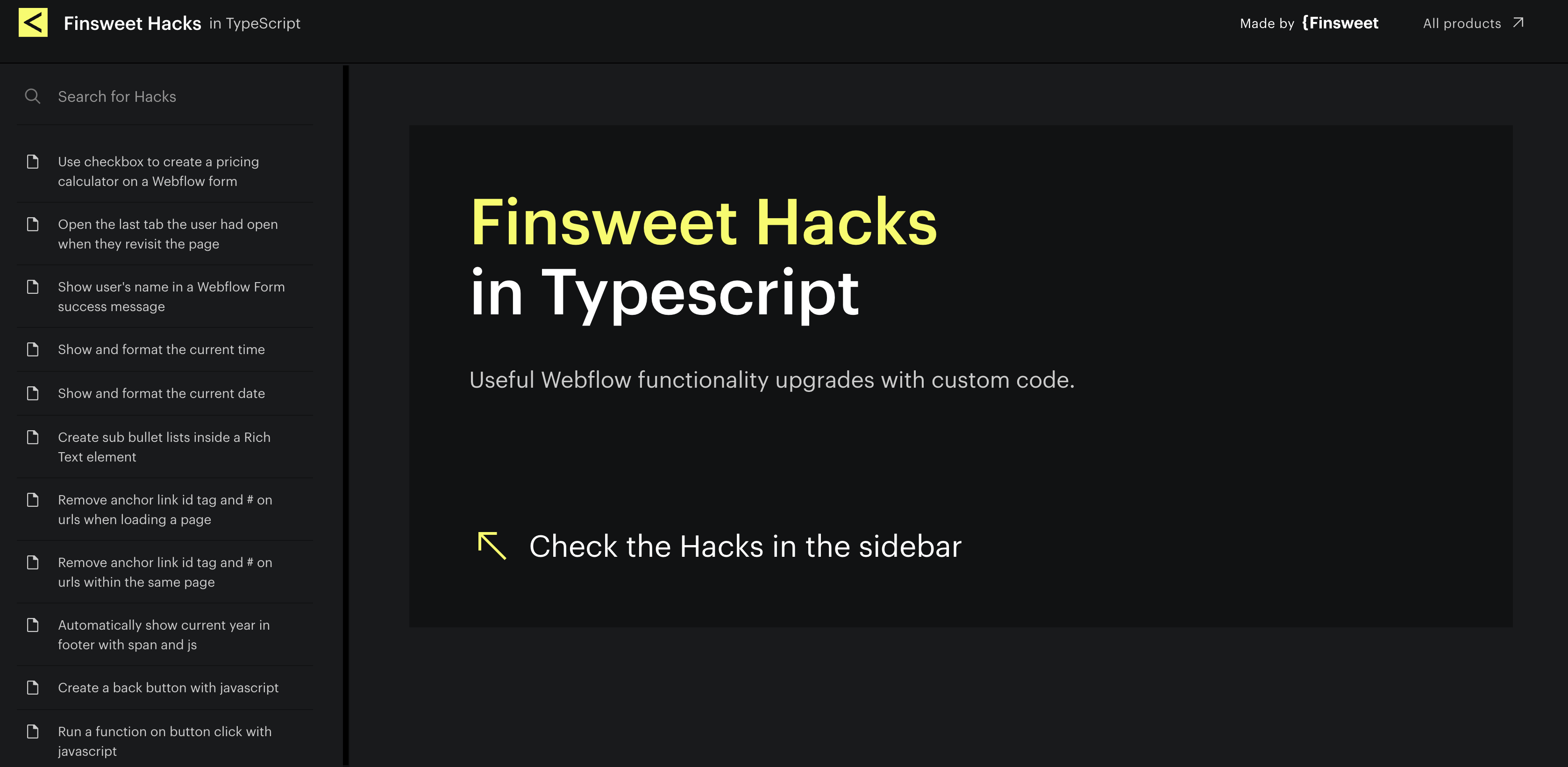
What is Finsweet Webflow Hacks?Finsweet Webflow Hacks is a library of 58 pre-built JavaScript snippets that add Webflow functionality upgrades through custom code. The current edition is written in TypeScript and has been open source on GitHub under the MIT license since April 22, 2023. The original jQuery edition is a cloneable Webflow project with video walkthroughs and no longer receives updates.
Teams reach for Hacks when a form or page needs one behavior the native settings don't cover, and the fix has to be small enough to paste in an afternoon. The original jQuery edition is a free, cloneable project from Finsweet, and Finsweet Attributes and the TypeScript Finsweet Webflow Hacks supersede many of its features. Use the TypeScript Hacks for form, URL, and calculator behaviors, and Attributes for anything that touches a Collection List.
The Finsweet Webflow Hacks-Webflow integration supports three approaches:
The compiled Hacks snippets handle form, navigation, and pricing-calculator behaviors through a site's or page's custom code areas.
Finsweet Attributes configures CMS behavior with fs- attributes and one CDN script, without writing JavaScript.
The Webflow Data APIand the Finsweet Attributes API give you programmatic control over script deployment and list rendering. The Data API side requires server-side development.
Most implementations combine two or more of these methods depending on the complexity of the setup.
Add compiled Hacks with custom code
Webflow custom code accepts JavaScript, so compile the Hack's TypeScript before pasting the output into a custom code area in the head or body of your site. Adding custom code requires a Core, Growth, Agency, or Freelancer Workspace, or a site with an active Site plan. Each custom code section accepts up to 50,000 characters, and Hacks do not use fs- attributes.
Check the Hack's page for any element setup it expects.
Paste the compiled code inside <script> tags in Site settings > Custom code > Footer code, or Page settings > Custom code > Before
tag.
Click Save changes and publish the site.
The TypeScript library groups its snippets into a few behavior families:
Form behavior covers custom success messages (#1 through #2) and the visitor's name in the success message (#29), including a success message after a URL redirect
CMS display, including sub-bullet lists inside Rich Text (#10, #20) and the current year (#7)
Navigation and URLs include a back button (#13) and anchor hash removal (#9, #16). A form can also submit the current page URL (#11)
Pricing calculators driven by checkbox, radio, select, and range slider inputs (#42 through #51)
MemberStack behaviors include class toggling by login state (#31 through #36). The same group covers password confirmation and separate save and like actions for items
Where you paste the snippet decides how many pages it runs on, which the two sub-methods below cover.
Load a Hack site-wide or on one page
Footer code in Site settings runs on every published page. In practice, that suits utilities like the current-year hack (#7) or anchor hash removal (#9). Page settings scope a snippet to one page, which fits a form success message that only one form uses. Both locations accept the same compiled JavaScript.
To choose the scope:
For every page, go to Site settings > Custom code > Footer code, paste the snippet, and click Save changes.
For one page, open Page settings > Custom code, paste into Before tag, and click Save changes.
Publish the site and test on the live URL.
In August 2020, newly published sites included jQuery v3.5.1, which matters if you run the legacy jQuery Hacks. Importing another jQuery version can cause conflicts and unexpected behavior.
Place a Hack with a Code Embed element
A Code Embed element puts the snippet on the canvas next to the element it changes. That keeps a pricing-calculator hack beside its form, or a sub-bullet hack (#10) inside the Rich Text block it modifies.
To add a Hack with Code Embed:
Open the Add panel and drag a Code Embed element onto the page, or place your cursor in a Rich Text element, click the plus icon, and choose the custom code button.
Paste the compiled snippet inside <script> tags.
Click Save and close and publish the site.
Code Embed works for page-level behaviors, but the CMS Filter hack uses a different tool.
Replace CMS hacks with Finsweet Attributes
Attributes solutions handle over 200 million monthly loads. The Hacks CMS Filter (#5) is deprecated, and List Filter in Attributes v2 replaces it. For filtering, loading, sorting, and nesting, use Attributes. Attributes runs from one CDN script plus fs- HTML attributes you set in the element settings panel. It works on content from the Webflow CMS. Finsweet's license states that "Using Attributes is 100% free for personal and commercial use." No API key or Finsweet account is needed.
To add List Filter to a Collection List:
Paste <script src="https://cdn.jsdelivr.net/npm/@finsweet/attributes@2/attributes.js" defer></script> into Site settings > Custom code > Footer code and click Save changes.
Select the Collection List, press D for element settings, and add the custom attribute fs-list-element with the value list.
Select each Collection Item and add fs-list-element="item".
Add fs-list-element="filters" to the form that wraps your filter inputs.
Add fs-list-field="IDENTIFIER" to each filter input and to the matching element inside the Collection Item; the identifier must match on both.
Publish the site and test the filters on the live URL.
Attributes v2 covers the CMS jobs the old hacks and CMS Library used to handle:
List Filter adds checkboxes, radio buttons, text inputs, range sliders, and fuzzy search to a Collection List. Set fs-list-field="*" to search every field
List Load adds load more, infinite scroll, numbered pagination, and render-all modes through fs-list-load
List Sort adds alphanumeric and numeric sorting
List Nest nests Collection Lists beyond the native limits
List Load requires the native Paginate Items setting on the Collection List. Native pagination caps a Collection List at 100 items per page. Finsweet's List Load docs report render-all mode handling 5,488+ items. The same page warns that loading thousands of items at once can slow the page for visitors on mobile connections. Finsweet recommends pagination mode alongside List Filter.
Build with the Webflow Data API and the Finsweet Attributes API
Because Hacks runs entirely in the visitor's browser, programmatic control comes from two other surfaces. The Data API v2 registers scripts and applies custom code to sites and pages. A deployment script could push one compiled Hack to many sites. The Finsweet Attributes API exposes window.FinsweetAttributes so you can run code after a list filters or re-renders. The Data API path needs a server-side app holding a bearer token; the Attributes API runs inside the page.
Webflow webhooks trigger real-time events such as collection_item_changed and form_submission
Finsweet's own legacy API page states that the API "does not fetch the external data and bring it into Webflow." Any CMS sync belongs to the Data API. Attributes then re-runs on the published output.
Register a compiled Hack as a site script
A public URL or inline snippet lets agencies maintain the same Hack across many client sites without pasting it into each site's settings. The custom code endpoints accept either a hosted file or an inline snippet. You then attach the registered script to a whole site or a single page.
To deploy a Hack with the Data API:
Host the compiled JavaScript at a public URL and register it with POST /v2/sites/{site_id}/registered_scripts/hosted, or send a short snippet to POST /v2/sites/{site_id}/registered_scripts/inline.
Apply the script with PUT /v2/sites/{site_id}/custom_code for every page, or PUT /v2/pages/{page_id}/custom_code for one page.
Confirm it with GET /v2/sites/{site_id}/registered_scripts.
Publish with POST /v2/sites/{site_id}/publish.
GET /v2/sites returns every site the token can reach. That list is the loop you iterate when rolling one Hack out across a workspace.
Re-run a Hack after Attributes re-renders a list
List Load can inject items after page load, and List Filter can re-render the list. A Hack that binds click handlers or calculates totals on page load only sees the items present at load time, so those new items carry no handlers. The afterRender hook on a v2 list instance runs after each DOM update. Re-initialize the Hack through that hook.
To hook into list rendering:
Load the Attributes v2 script and your compiled Hack in Footer code.
Add the callback below in the same Footer code section, after both scripts.
Publish and confirm in the browser console that window.FinsweetAttributes is defined.
listInstance.loadingPaginatedItems is a Promise that resolves once all paginated CMS items are in the DOM. addHook also accepts 'start', 'filter', 'sort', 'pagination', 'beforeRender', and 'render'. Do not mix this v2 global with the legacy window.fsAttributes; v1 and v2 cannot run on the same page.
What can you build with the Finsweet Webflow Hacks Webflow integration?
Personalized form success states: Apply the form features described above to a newsletter or demo-request form.
Pricing calculators on Webflow forms: Use Hacks #42 through #51 on a quote-builder page.
Member-aware pages with MemberStack: A members site that toggles classes by login state, lets users save or like CMS items, and confirms passwords on signup (Hacks #31 through #36).
Campaign landing pages with clean URLs and source tracking: Combine URL cleanup (#9, #16) with current-page submission (#11) on campaign landing pages so sales sees which page converted.
If you need more control over deploying scripts across many sites or re-running a Hack after a list re-renders, the API integration path covers those cases with full flexibility.
Frequently asked questions
Yes. The eligible Workspace and Site plan requirements are listed in the setup section above. Free and Starter sites can't paste a Hack. The Custom code in head and body tags article lists the eligible plans and the 50,000-character limit per code section. The Choose a Site plan page compares tiers.
No. Follow the compilation and placement steps in the setup section above. Finsweet's page for the pricing calculator checkbox hack confirms the requirement. The compiled output then goes into Footer code, Page settings, or a Code Embed under the custom code embed rules.
Use the TypeScript edition for new work. See the jQuery edition for legacy implementations. The TypeScript source lives on the Hacks TypeScript site and on GitHub under the MIT license.
No direct Finsweet connector exists on Zapier, Make, n8n, IFTTT, or viaSocket. Hacks and Attributes are browser-side scripts with no server endpoint for an automation platform to reach. Use the Webflow app on Zapier to trigger on Webflow New Form Submission and run Webflow Create Item or Webflow Update Live Item in the CMS. Your Hacks and Attributes then run against that updated content on the next page load.
Finsweet Attributes runs only on a published site. Finsweet's how Attributes works page states it does not run in preview. Publish to your webflow.io staging subdomain, which supports custom code, then open the live URL. Type window.FinsweetAttributes in the browser console to confirm the script loaded.
Adds form success messages, back buttons, anchor-link cleanup, and pricing calculators by pasting compiled Finsweet Hacks into [custom code](https://help.webflow.com/hc/en-us/articles/33961357265299-Custom-code-in-head-and-body-tags). For [CMS filtering](https://help.webflow.com/hc/en-us/articles/33961307099027-Intro-to-the-Webflow-CMS), use Finsweet Attributes.
Connect MathJax, an open-source math display engine, with Webflow to render LaTeX equations as typeset formulas with built-in accessibility, screen reader support, and cross-browser consistency.
Connect Slater with Webflow to write, test, and deploy custom JavaScript and CSS through a dedicated editor with staging environments, version history, and AI code generation.