






Systeme.io
Connect Systeme.io, an all-in-one marketing platform with funnels, email, and courses, with Webflow to capture leads and trigger sequences via embeds or Zapier.

Pair a Webflow-designed site with Systeme.io to turn form submissions into tagged contacts, email sequences, course enrollments, and CRM pipeline moves — all triggered the moment a visitor hits submit. Webflow handles the visual design; Systeme.io runs the funnel and follow-up logic.
This combination fits solopreneurs, course creators, coaches, and agencies. Course creators host lessons in Systeme.io while marketing on a Webflow site, and agencies run client back-end operations through Systeme.io sub-accounts while designing each client site in Webflow.
How to integrate Systeme.io with Webflow
What is Systeme.io? Systeme.io is an all-in-one online marketing platform that combines sales funnels, email marketing, online courses, affiliate management, and CRM pipelines in one account. Its funnel editor uses drag-and-drop tools, and the platform also supports automated email sequences and course drip scheduling. Over 500,000 entrepreneurs use the platform, and all features are available on every plan, with paid plans raising volume limits.
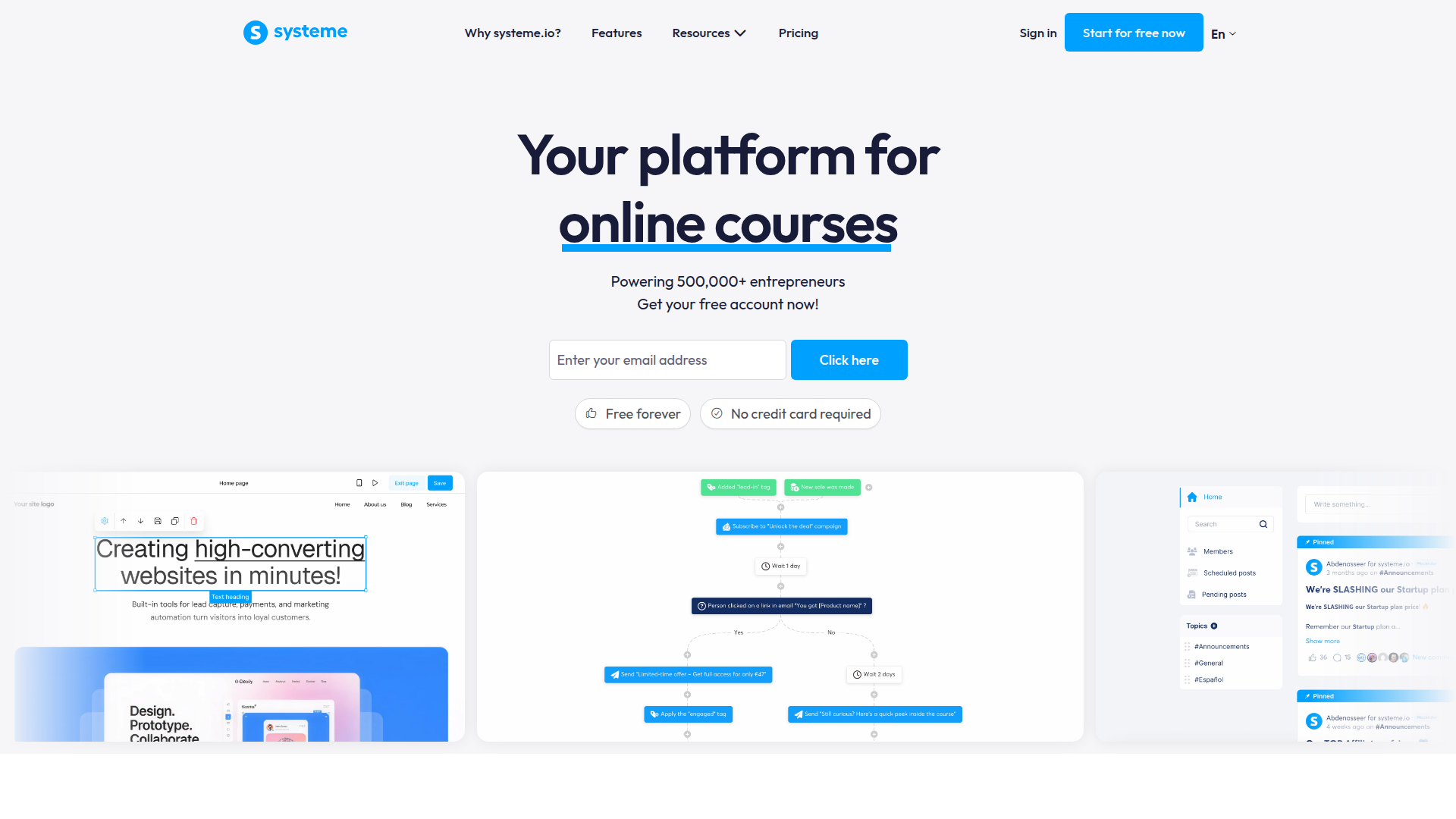
Pair Systeme.io with Webflow when you want a polished marketing site without giving up marketing automation. The most common job is lead capture: a visitor fills out a form on a Webflow page, and the contact lands in Systeme.io where tagging and email sequences take over. Course access and sale-related CRM updates can follow from that single submission.
There is no Systeme.io app in the Webflow Marketplace, so you have three approaches for connecting the two:
- Embed codes with Code Embed let you drop a Systeme.io form or popup directly into a page without writing code.
- Automation tools like Zapier and viaSocket connect form submissions to Systeme.io contacts and campaigns through dashboard configuration only.
- The Data API and Systeme.io API give you full control over form data and contact records through webhooks, but require server-side development.
Most implementations combine two or more of these methods depending on the complexity of the setup.
Add Systeme.io forms with Code Embed elements
Systeme.io generates a JavaScript embed script for any inline or popup opt-in form, and that script drops straight into your site. Use this method when you want the form to live on a page and feed leads directly into a Systeme.io funnel. Generate the script in the Systeme.io funnel editor, then paste it into a Code Embed element. You need a paid Site plan for this, since custom code doesn't run on a live domain with the free Starter plan. Code Embed accepts HTML, CSS in <style> tags, and JavaScript in <script> tags, with a 50,000 character limit per element.
Embed an inline or popup form
An inline form sits in the page layout, while a popup form opens over the page. Both come from a funnel step inside Systeme.io and produce a script you copy once.
To embed the form:
- In Systeme.io, open your sales funnel and click Add step, then select Inline form or Popup form from the opt-in category.
- Open Edit page, click Script, then Copy link to clipboard. Find the full steps in the Systeme.io form and popup embed guide.
- In the Designer, open the Add panel and drag a Code Embed element to where you want the form.
- Paste the Systeme.io script into the Code Embed element and publish your site.
Custom code doesn't render inside the Designer. The form appears only in preview or on the published site, so check both after publishing.
Load a popup site-wide through custom code
For a popup that should appear across multiple pages, paste the script once in your site settings instead of on each page. This loads the popup globally without repeating the Code Embed element.
To set up a site-wide popup:
- In Systeme.io, generate the popup script with the Script button, or use Create a link to open the popup from a text link.
- Go to Site settings > Custom code and paste the script into the head or footer section. See Custom code in head and body tags for the exact placement rules.
- Publish your site to push the change live.
Each custom code segment holds up to 50,000 characters. Use the head section for scripts that load site-wide and the footer code section for scripts that run after content loads.
Connect with Zapier, Make, or viaSocket
When you want native forms to feed Systeme.io without embedding anything, automation platforms bridge the two. Zapier, Make, and viaSocket all have native connectors for both platforms, so you build the connection in their dashboards with no code. You don't need a paid Site plan for the integration itself, which makes this the lowest-friction option for non-technical users. After selecting a Webflow trigger, map the fields to a Systeme.io action.
Use these direct connections for jobs such as creating or updating a Systeme.io contact from a form submission, applying tags, or using an order to subscribe a contact to a campaign or grant course access. You can also create a CMS item from a new Systeme.io contact.
On Zapier, both apps exist natively and link in a single Zap, pairing the New Form Submission trigger with Systeme.io's contact and campaign actions. Make offers the same pairing inside one scenario, with modules for form submissions plus Systeme.io contact, tag, and course enrollment work. viaSocket also connects the two directly, including a New Webflow Order trigger paired with a Grant Access to Course action. Choose the automation route when you want multi-step workflows from a single form.
Build with the Data API and Systeme.io API
For full control over data flow, connect the two REST APIs directly. This path suits developers who need custom field mapping or event-driven syncing with deduplication. You need server-side development for this, and Systeme.io's documentation warns against calling its API from public pages because that exposes the API key. Route every call through a serverless function or backend proxy.
Use the Systeme.io API to manage contact and tag data plus webhooks with an X-API-Key header. On your side, the Data API handles CMS collections and form submissions with bearer-token authentication, while webhooks trigger real-time events between the two systems.
Start with the webhook flow, since it pushes data the moment a form is submitted rather than polling on a schedule.
Sync form submissions to Systeme.io contacts
This flow creates or updates a Systeme.io contact every time someone submits a form. A webhook fires on submission, your server parses the payload, and Systeme.io API calls upsert the contact and apply a tag.
To implement this:
- Register the webhook with
POST https://api.webflow.com/v2/sites/{site_id}/webhooksusing trigger typeform_submission. You'll need a bearer token with thesites:writescope. See Create webhook. - Parse the
form_submissionpayload. Thepayload.dataobject holds submitted fields such as email, name, and phone number. - Check for an existing contact with
GET https://api.systeme.io/api/contacts, then create one withPOST https://api.systeme.io/api/contactsor update one withPATCH https://api.systeme.io/api/contacts/{id}usingContent-Type: application/merge-patch+json. - Assign a tag with
POST https://api.systeme.io/api/contacts/{id}/tags.
Systeme.io accounts cap webhooks at 10 total, and a subscription auto-disables if its delivery success rate drops below 80% over five days. Build retry handling into your endpoint so a brief outage doesn't disable the subscription.
React to Systeme.io events in Webflow
To run the flow in the other direction, subscribe to Systeme.io outbound webhooks and act on them on your side. A new contact or sale in Systeme.io can create or update a CMS item, which is useful for publishing member directories or gated content listings.
To set this up:
- Register a Systeme.io webhook with
POST https://api.systeme.io/api/webhooksand subscribe to events likeCONTACT_CREATED,CONTACT_TAG_ADDED, orSALE_NEW. See the Systeme.io webhooks docs. - Verify each delivery with the
X-Webhook-Signatureheader, which carries a SHA256 HMAC signature from your configured secret. - Create or update a CMS item with
POST https://api.webflow.com/v2/collections/{collection_id}/itemsor the matchingPATCHendpoint.
The CONTACT_CREATED payload includes the contact's id, email, custom fields, and tags. Map those fields to your CMS collection schema before writing the item.
What can you build with the Systeme.io Webflow integration?
Integrating Systeme.io with Webflow lets you capture and route leads from a designed site without paying for multiple back-end marketing tools.
- Lead capture with email automation: Embed a Systeme.io opt-in form on a landing page so submissions enter Systeme.io and trigger an automated welcome sequence. A consultant's homepage can feed a five-email nurture campaign without any Webflow-side logic.
- Course access from purchase: Connect an order to a Systeme.io course enrollment through Zapier or viaSocket. A creator selling a workshop on a product page grants course access automatically when the order completes.
- CRM pipeline sync: Push form submissions into a Systeme.io CRM pipeline with tags that route each lead. A coaching site can move a new inquiry into a Kanban stage and start automated follow-up the moment the form is submitted.
- Funnel handoff from a branded site: Link a CTA to a Systeme.io funnel page so design lives in Webflow and checkout stays on Systeme.io's PCI-compliant infrastructure. An affiliate marketer drives traffic from a branded site into a Systeme.io sales funnel.
If you need more control over deduplication or custom field mapping, the API integration path covers those cases with full flexibility.
Frequently asked questions
Generate the embed script in Systeme.io's funnel editor with the Script button, then paste it into a Webflow Code Embed element. The full Systeme.io steps are in the form and popup embed guide. Webflow's Code Embed accepts HTML, CSS in
<style>tags, and JavaScript in<script>tags. Server-side languages like PHP or Ruby are unsupported. Custom code requires a paid Webflow Site plan and does not render inside Webflow, so check the published site to confirm the form appears.Yes, the most reliable no-code route is Zapier or viaSocket. In Zapier, select Webflow as the trigger, choose the Form submission event, pick your site and form, then add a Systeme.io action and map the fields. This needs a published Webflow site with at least one real submission. You can also route a native form to a custom endpoint using the Custom Action setting in your form's settings.
The embed method requires a paid Webflow Site plan. The Webflow free Starter plan does not support custom code on a live domain, which blocks Code Embed and site-wide scripts entirely, per the Code Embed docs. The free plan also caps form submissions at 50 lifetime, and that count never resets. Use Zapier or viaSocket instead, since those connect to Webflow forms without requiring a paid plan for the integration.
Everything happens inside Systeme.io. The funnel form subscribed trigger fires when a contact subscribes, and in-editor actions can add a tag, subscribe the contact to a campaign, or send an email. No extra Webflow configuration is needed once the embed script is in place. Note that automation rule counts are plan-gated, with one rule on the free plan and ten on Startup.
Build retry and signature handling into your endpoint, and watch the Systeme.io webhook delivery rate. Failed Webflow webhook deliveries retry only three times at 10-minute intervals, so a Systeme.io endpoint down for more than about 30 minutes loses that submission. On the Systeme.io side, a subscription auto-disables if its success rate drops below 80% over five days, and accounts allow a maximum of 10 webhooks.
Description
Systeme.io is an all-in-one marketing platform with funnels, email, and courses. Add it to Webflow and every form submission triggers tags, sequences, or sales.
This integration page is provided for informational and convenience purposes only.

SendPulse
Connect SendPulse, a marketing automation platform, with Webflow to add email campaigns, web push notifications, chatbots, and pop-ups to your site and route form submissions into automated sequences.

Mailchimp
Connect Mailchimp, an email and SMS marketing platform, with Webflow to route form submissions into audiences, apply subscriber tags, and trigger automated email sequences.

MailerLite
Connect MailerLite with Webflow to capture email subscribers and trigger automations from form submissions, pop-ups, and e-commerce events.

Marketo
Connect Adobe Marketo Engage, a B2B marketing automation platform, with Webflow to render lead capture forms, track visitor behavior with Munchkin, and trigger Smart Campaign workflows from page visits and form submissions.

Klaviyo
Connect Klaviyo, an email and SMS marketing platform, with Webflow to turn form submissions and orders into automated flows.

Kit
Connect Kit, an email marketing platform for creators, with Webflow to capture subscribers through embedded forms, route form submissions into automated sequences, and manage audience segmentation across your site.

Get Response
Connect GetResponse, an email marketing and automation platform, with Webflow to capture leads through embedded forms, route submissions to segmented contact lists, and trigger automated email sequences.

Buttondown
Connect Buttondown, an email newsletter platform for writers and developers, with Webflow to collect subscribers through embedded forms, sync CMS blog posts to email drafts, and manage audience segments.

Beehiiv
Connect Beehiiv, a newsletter platform for creators and publishers, with Webflow to capture subscribers through embedded forms and sync newsletter posts to Webflow CMS collections automatically.
Related integrations
Get started for free
Try Webflow for as long as you like with our free Starter plan. Purchase a paid Site plan to publish, host, and unlock additional features.
