






SynqPro
Connect SynqPro with Webflow to score, audit, and improve CMS content for search engines directly inside the Webflow interface.

SynqPro brings real-time SEO scoring directly into Webflow, so you can check keyword density, audit heading hierarchy, and fix missing meta tags before you publish. Installed from the Webflow Apps Marketplace, it flags on-page issues live as you write and lets you move content from draft to SEO-ready without leaving the Webflow CMS.
It's built for content marketers, SEO specialists on CMS-heavy sites, and agencies handing off Webflow projects to clients who need to maintain SEO quality on their own. If you're migrating from WordPress and want a Yoast SEO equivalent, it applies directly.
How to integrate SynqPro with Webflow
What is SynqPro? SynqPro is an SEO application for Webflow, built by Synqro, a Paris-based Webflow Premium Partner agency. It runs inside the Webflow interface, and according to the product page and Webflow integrations page, it analyzes CMS content for on-page SEO factors like keyword density, heading hierarchy, meta completeness, and internal linking. The app also offers AI-assisted content generation and SEO improvement on its Premium tier.
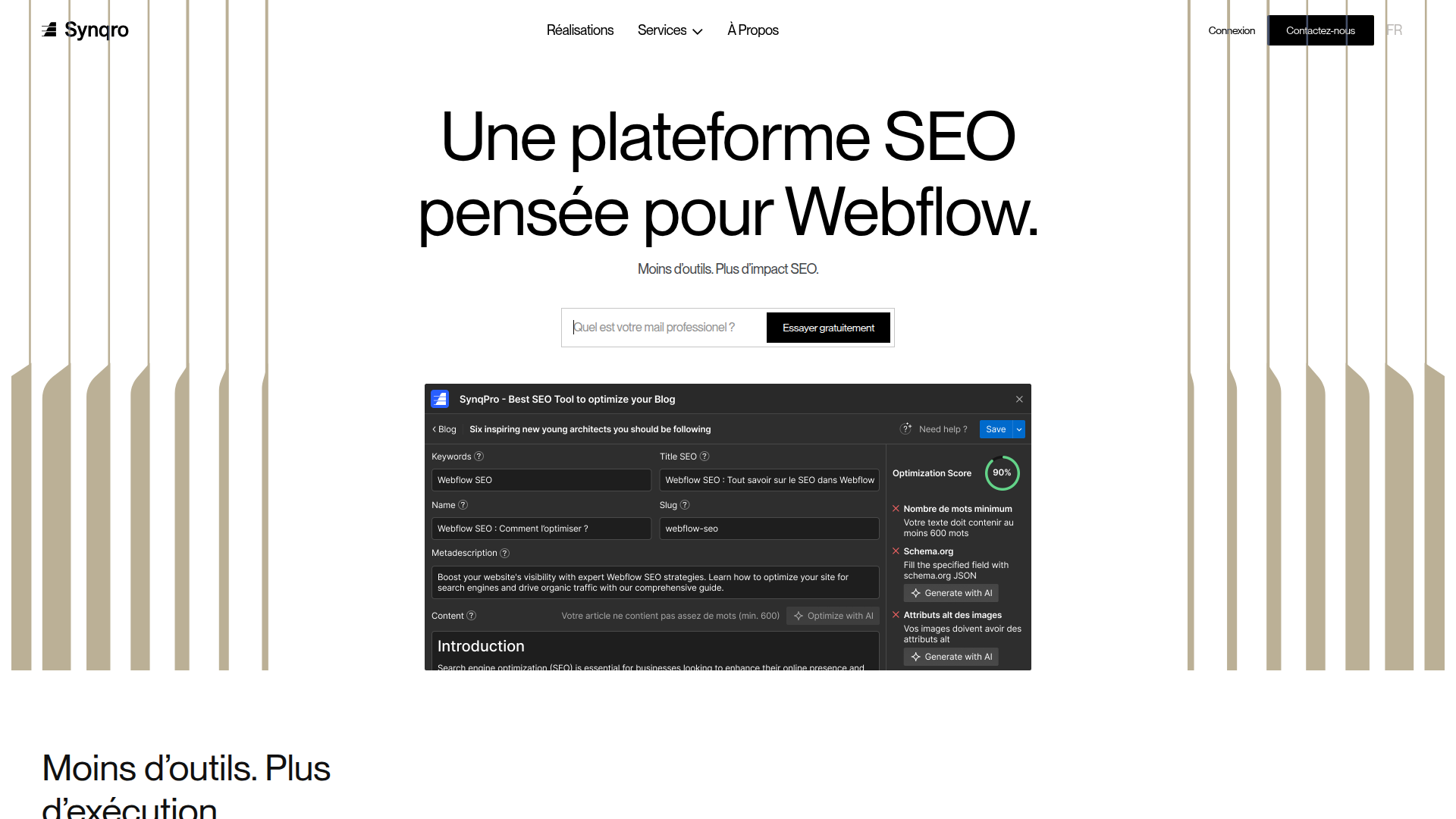
Marketing teams and content editors use SynqPro to get SEO feedback during writing and publishing instead of after the fact. Rather than exporting content to an external audit tool, reviewing a report, and then returning to Webflow to make changes, you see scores and recommendations live as you write. Multi-contributor teams with varying SEO experience across writers benefit most.
You can use SynqPro in 2 ways:
- The SynqPro app handles real-time SEO scoring, meta tag editing, heading audits, and publishing from inside Webflow without writing code.
- The Webflow Data API gives you programmatic control over the CMS fields SynqPro reads, like meta descriptions and ALT text, but requires server-side development.
Most teams start with the SynqPro app for day-to-day editorial work. If you're building bulk or automated SEO workflows, add the Webflow Data API as a complementary path.
Install the SynqPro app
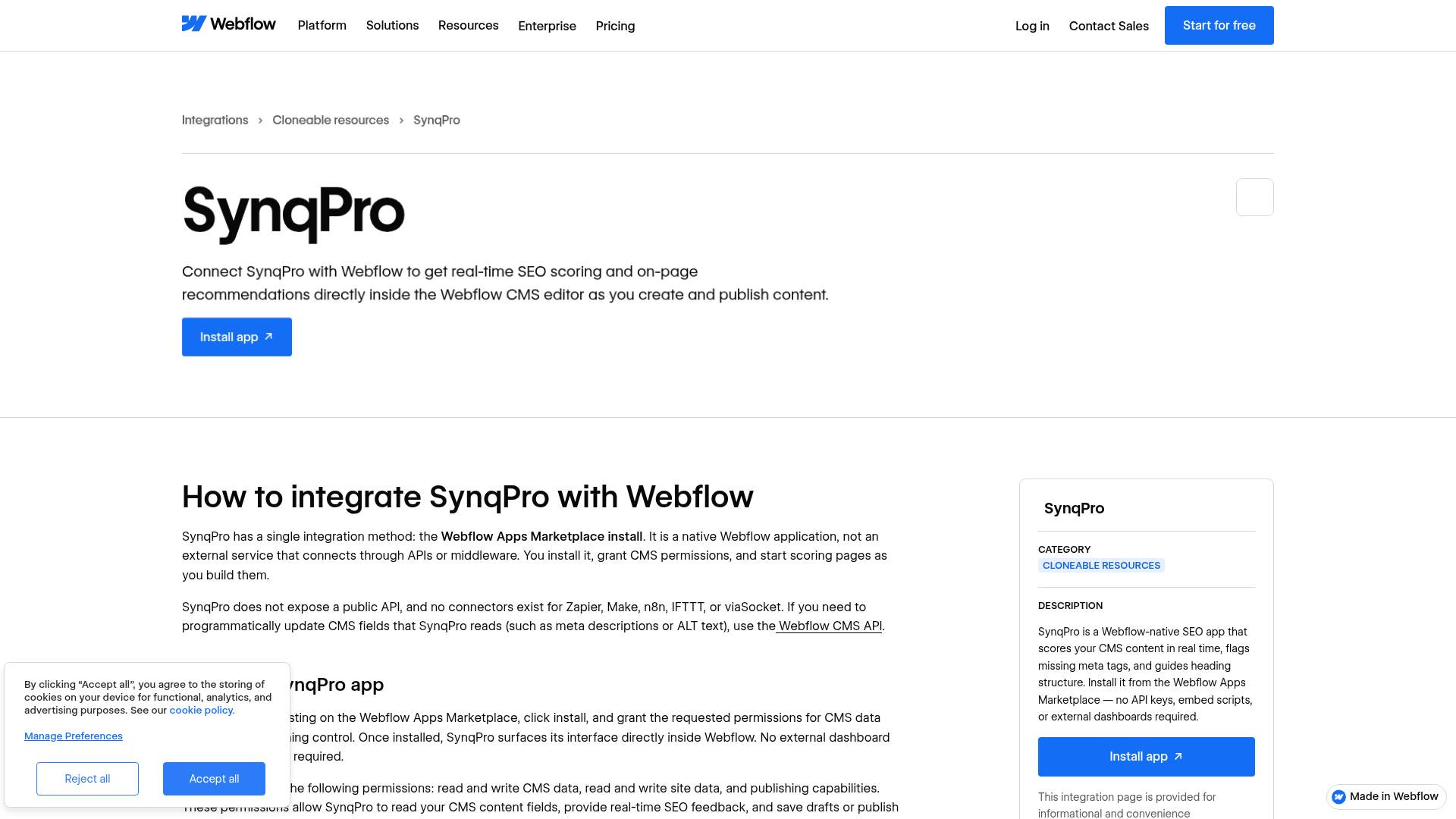
The SynqPro app on the Webflow Marketplace is the confirmed integration method in the available product materials. It installs in a few clicks, doesn't require API keys or embed scripts, and opens directly inside Webflow. You'll need a paid site plan with CMS access, since SynqPro reads and writes CMS collection data.
To set up the integration:
- Go to the SynqPro listing on the Webflow Apps Marketplace and click Install.
- Authorize the app when prompted. SynqPro requests read and write access to CMS data, read and write access to site data, and publishing capabilities.
- Open the SynqPro panel inside Webflow. According to the product page and integrations page, the app detects your CMS collection and can create the additional SEO-related fields it needs for analysis.
Inside the SynqPro panel, you can:
- Edit meta titles and descriptions within the SynqPro panel
- Check heading hierarchy (H1, H2, H3) against on-page SEO rules
- Score keyword density with live updates as you type
- Review and edit image ALT text through the integrated CMS field editor
- Automatically create missing CMS fields, such as a meta description field
- Manage Open Graph tags and canonical URL fields
- Get internal linking guidance
- Save drafts or publish directly from SynqPro
After you install it, SynqPro connects to your CMS and adapts to its structure. It calculates an SEO score for each article and identifies which ones need improvement. You can then address the flagged issues manually or with AI assistance and publish from the SynqPro interface. SynqPro uses the draft-and-publish workflow, so it doesn't bypass standard publishing controls.
Build with the Webflow Data API
SynqPro doesn't expose a public API or webhook system. If you need programmatic control over the CMS fields SynqPro reads, use the Webflow Data API v2. This approach requires server-side development and suits developers building bulk SEO updates, automated content pipelines, or headless CMS workflows that run alongside SynqPro's editorial interface.
Relevant API resources include:
- The CMS Collection Items endpoints handle reading, creating, and updating CMS items, including fields like meta descriptions, slugs, and ALT text
- The Sites endpoints handle site publishing after bulk CMS updates
- Webhooks trigger real-time notifications when CMS items change, forms submit, or sites publish
- The Pages Schema Markup endpoints (currently in beta) handle structured data for individual pages
Use these resources to update CMS items in bulk, publish changes, and react to content changes alongside SynqPro.
These are platform APIs, not SynqPro APIs. Think of SynqPro and the Data API as parallel tracks: SynqPro handles the human-in-the-loop editorial SEO workflow, while the API handles programmatic bulk operations.
Update CMS meta fields programmatically
If you manage large CMS collections, you'll sometimes need to update meta descriptions, ALT text, or other SEO-relevant fields across hundreds of items at once. The Data API v2 can handle this without manual editing.
To bulk-update CMS items:
- Generate a site API token from Site settings > Apps & integrations > API access. The token needs
CMS:readandCMS:writescopes. - List your collections with
GET /v2/collectionsto find the target collection ID. - Fetch existing items with
GET /v2/collections/:collection_id/itemsand identify the ones that need updates. - Update items with
PATCH /v2/collections/:collection_id/items, passing the updatedfieldDataobject. - Publish changes with
POST /v2/sites/:site_id/publish.
This workflow lets you update SEO-related CMS fields at scale and then publish those changes through Webflow.
All API requests require a Bearer token in the Authorization header. For authentication details, see the authentication docs.
Listen for CMS changes with webhooks
Webhooks let you trigger external actions whenever CMS content changes. For SEO workflows, this means you can notify an external system when a new article is created or an existing one is updated.
To set up a webhook:
- Send a
POSTrequest to/v2/sites/:site_id/webhookswith the targettriggerType(such ascollection_item_createdorcollection_item_changed) and a callback URL. - A JSON payload arrives at your URL each time the trigger fires.
- Your server processes the payload and takes action, such as logging content changes, syncing to a reporting dashboard, or triggering an external SEO audit.
Use this setup to send external notifications when CMS content changes while keeping SynqPro in the editorial workflow.
For delivery behavior and limits, see the webhooks reference. This approach works alongside SynqPro when you need external notifications tied to CMS changes.
What can you build with the SynqPro Webflow integration?
Integrating SynqPro with Webflow adds real-time SEO quality control to your CMS publishing workflow without sending you to external audit tools.
- SEO-scored blog publishing: Score each article for keyword density, heading structure, meta completeness, and internal linking before it goes live. If you run a B2B SaaS team publishing weekly blog content, you can use SynqPro's checklist to keep every post aligned with on-page SEO standards before hitting publish.
- WordPress migration with SEO continuity: Replace Yoast SEO when you move from WordPress to Webflow. If you relied on Yoast's content analysis, you get equivalent in-editor guidance without adapting to a separate external tool.
- Multi-contributor content governance: Standardize SEO quality across a team of writers with varying SEO experience. If you run a marketing team with five contributors producing content on the same Webflow CMS blog, you can use SynqPro's scoring to maintain consistent quality without individual SEO training.
- Agency-to-client handoff with built-in SEO tools: If you're an agency delivering Webflow sites, install SynqPro as part of the handoff package. Your client's marketing team can then publish and improve content autonomously after launch, without re-engaging you for every article.
If you need more control over bulk meta updates or automated content pipelines, the API integration path handles those cases.
Frequently asked questions
No. SynqPro is a Webflow Marketplace app that installs in a few clicks and runs inside Webflow. No API keys, embed scripts, or external dashboards are required. The product materials say the app detects your CMS collection and can create missing fields it needs for SEO analysis.
SynqPro requests read and write access to CMS data, read and write access to site data, and publishing capabilities. These permissions let the app read your CMS content fields, provide real-time SEO feedback, create missing CMS fields (like a meta description field), and save or publish updates directly from its panel. The app does not operate with read-only access. Permission details are listed on the Webflow integrations page for SynqPro.
SynqPro requires a site plan that includes CMS access, since the app reads and writes CMS collection data. Plans without CMS support will not work with SynqPro. Verify your plan's CMS availability on the site plans page before installing. SynqPro plan details are on the SynqPro product page.
No. The SynqPro product page says the app adapts to your existing CMS structure. If a collection is missing fields that SynqPro needs for SEO analysis, the app creates those fields automatically without altering your existing data. The original collection schema and content remain intact.
Description
SynqPro adds real-time SEO scoring and on-page analysis to Webflow CMS content through a Webflow Marketplace app install.
This integration page is provided for informational and convenience purposes only.

Contentful
Connect Contentful, a headless CMS and composable content platform, with Webflow to manage structured content, sync entries to CMS collections, and deliver localized content across pages.

Adaptify SEO
Connect Adaptify SEO with Webflow to turn keyword research into finished articles that publish straight into your CMS, with schema markup and reporting attached.

StoryChief
Connect StoryChief with Webflow to publish and manage blog content across your site and social channels from a single content marketing workspace.

StorifyMe
Embed StorifyMe story carousels and single stories on Webflow pages with a Code Embed, then edit stories in StorifyMe without republishing your site.

Notion
Connect Notion with Webflow to sync workspace content directly into CMS collections for publishing.

Medium
Connect Medium with Webflow to sync Medium posts into your site's CMS and syndicate Webflow articles to Medium with canonical links.

Jasper
Connect Jasper, an AI content platform for marketing teams, with Webflow to generate, rewrite, and translate copy on the canvas using the Jasper app, automation platforms, and APIs.

Google Ads by Clever
Advertise on Google and grow your business with Clever Ads. Have your Google Ads Search & Display campaigns created for free.

PowerImporter Airtable Sync
Connect PowerImporter Airtable Sync, a one-way data sync tool, with Webflow to automatically push Airtable content into CMS collections without writing code.
Related integrations
Get started for free
Try Webflow for as long as you like with our free Starter plan. Purchase a paid Site plan to publish, host, and unlock additional features.
