






Stripe
Connect Stripe's powerful payment infrastructure with Webflow to accept payments, manage subscriptions, and scale your business globally. Process transactions in 135+ currencies with built-in fraud protection while maintaining complete design control over your checkout experience.

Most Webflow sites that need to take money hit the same wall: Webflow's native ecommerce handles standard product stores, but the moment you need subscriptions, marketplace payouts, or custom billing logic, you're writing glue code from scratch. Stripe fills that gap.
Whether you're a solo founder setting up a payment link or a developer wiring subscription webhooks to a CMS, there's an integration path that fits without forcing you to rebuild what already works.
How to integrate Stripe with Webflow
What is Stripe? Stripe is a payment infrastructure platform for accepting online payments, managing subscriptions, and handling multi-party payouts through developer-friendly APIs. It supports 135+ currencies and 125+ payment methods across 46+ countries, with built-in fraud prevention via Stripe Radar and tax automation through Stripe Tax.
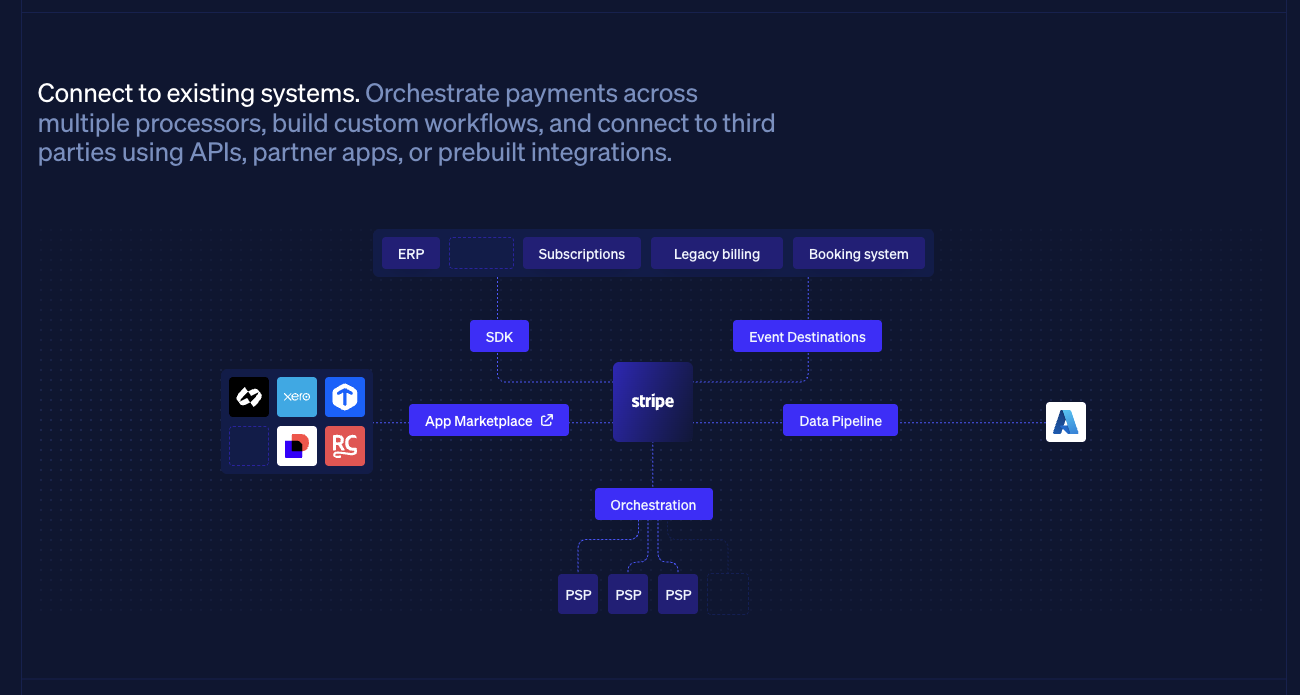
Stripe connects to Webflow through three main approaches: a no-code Webflow Marketplace app for immediate payment acceptance, embeddable payment components and Payment Links for custom page layouts, and direct API integration for subscription logic, marketplace payments, and CMS synchronization.
Install the Stripe app
Install the Stripe app from the Webflow Marketplace. Built by Flowout, a Webflow Enterprise Partner, the app handles product setup, payment link management, and checkout embedding directly inside Webflow, no manual code required.
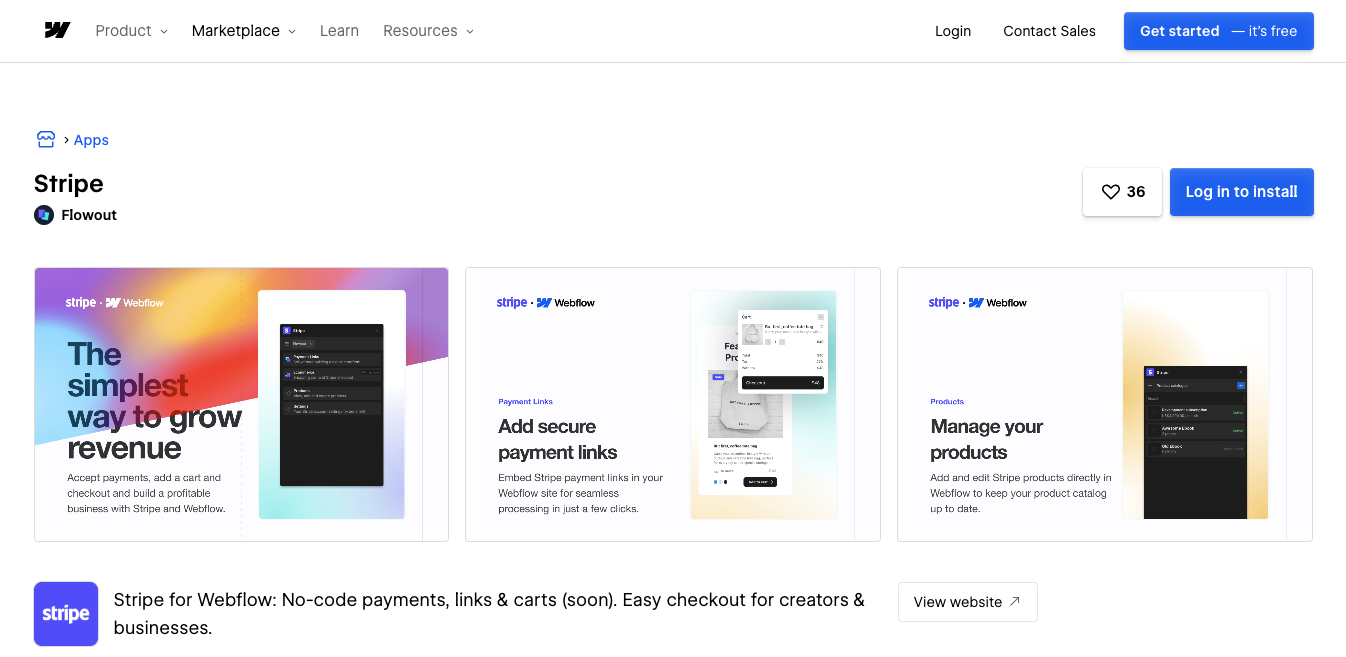
The app covers three capabilities:
- Product management: Create and edit Stripe products inside Webflow, keeping your catalog in sync with your Stripe dashboard without switching tabs
- Payment links: Generate, manage, and embed Stripe Payment Links directly in Webflow for fast checkout setup
- Payment collection: Accept major credit cards, Apple Pay, and local payment methods via Stripe's hosted checkout
The app suits straightforward payment flows: selling digital products, collecting service fees, or processing one-off purchases. For subscription tiers, usage-based billing, or marketplace payouts, API integration gives you more control.
Use code embeds and payment links
Stripe's embeddable components work with Code Embed elements to add payment functionality directly to your pages. Payment Links generate shareable URLs or embeddable buttons for any product in your Stripe dashboard.
To set up Stripe Checkout on a Webflow page:
- Create products in the Stripe Dashboard
- Generate a Payment Link and configure your branding settings
- Embed the payment button using a Code Embed element in Webflow
- Customize button appearance through Stripe's visual editor
For recurring payments, enable subscription mode on your Payment Links.
To give customers self-service control (plan changes, cancellations, and billing history), activate the Stripe Customer Portal in your dashboard. No custom code is needed for the portal itself.
Stripe's Buy Button web component can also be placed inside a Code Embed element:
<stripe-buy-button
buy-button-id="buy_btn_1ABC"
publishable-key="pk_live_XXX">
</stripe-buy-button>
These hosted components handle PCI compliance, fraud detection, and automatic payment method rendering, so card data never touches your Webflow site.
Build with Stripe and Webflow APIs
Integrating Stripe and Webflow through their APIs adds capabilities that the app and embeds don't cover:
- Custom pricing logic
- Subscription lifecycle management
- Marketplace payments
- Real-time CMS synchronization
This approach requires server-side code. Because Webflow doesn't execute backend logic, you'll need serverless functions (AWS Lambda or Netlify Functions) or an external server to run it.
Stripe's API handles payment processing and billing operations programmatically. The Webflow API manages CMS and ecommerce data in response to Stripe events.
Implement dynamic subscription billing
Build subscription systems with usage-based pricing, trial periods, and custom billing cycles by following these steps:
- Create subscription products using Stripe's Products API with multiple price tiers.
- Handle plan upgrades and downgrades via the Subscriptions API with mid-cycle proration.
- Generate customer self-service portals through the Billing Portal API.
The Subscriptions API supports metered billing for API usage and seat-based pricing for team accounts, making it practical for SaaS products built on Webflow.
Process marketplace payments
Multi-party transactions use Stripe Connect, configured through three steps:
- Onboard sellers via the Accounts API with built-in KYC verification.
- Route payments using the transfer_data parameter to split funds between your platform and sellers.
- Handle payouts through the Transfers API on customizable schedules.
Connect handles cross-border transfers, complex fee structures, and instant payouts; the standard for marketplace platforms that require funds to move between multiple parties.
Sync payment data with Webflow CMS
Keep your Webflow content in sync with Stripe transaction data using webhooks:
- Configure webhooks for events like checkout.session.completed and payment_intent.succeeded.
- Update order records in Webflow using the Orders API to mark them as paid.
- Adjust inventory via the Inventory API after successful payments.
Webhook-driven sync keeps your CMS accurate without manual updates, so order status and inventory reflect Stripe events in real time.
What can you build with Stripe Webflow integration?
Stripe's three integration approaches support a range from simple product sales to complex subscription platforms and multi-seller marketplaces. The right method depends on how much payment logic your project requires.
Here are a few things you can build with this integration:
- Subscription membership sites: Create tiered access to premium content using Stripe Billing for recurring payments, with members-only areas managed through the Webflow CMS and access control automated via webhooks.
- Digital product stores: Sell templates, courses, or software with a post-purchase redirect to a download page, or use automation tools like Zapier or Make to trigger file delivery after a successful Stripe payment event.
- Global e-commerce stores: Accept payments in 135+ currencies with localized payment methods, while Stripe Tax handles calculation and collection across jurisdictions automatically.
SaaS platforms with usage billing: Implement pay-as-you-go pricing using Stripe's metered billing, track usage in your application, and sync consumption data back to Stripe for accurate monthly invoicing.
Frequently asked questions
Yes. Use test mode API keys in your staging environment alongside Stripe's test card numbers, such as 4242 4242 4242 4242, to verify checkout flows before accepting real payments. Keep test and live credentials in separate environments throughout development to avoid accidental charges.
Webflow Ecommerce is a full shopping solution with product pages, shopping carts, checkout flows, order management, and support for digital or physical goods — all built visually, no code required.
The Stripe App, on the other hand, only adds payment processing. It’s ideal for one-off payments or donations, but doesn’t include carts, product listings, or post-purchase workflows.
No. With the Stripe App from the Webflow Marketplace or Webflow’s native built-in ecommerce integration, you can set up payments without code. These options provide guided setups for one-time purchases, subscriptions, and digital products.
Using Stripe Checkout or Payment Links keeps you in the lowest PCI compliance tier (SAQ A). These hosted solutions handle all card data on Stripe's servers. For embedded forms using Stripe Elements, ensure your Webflow site has SSL enabled and avoid storing or logging any card details in Webflow's CMS or form submissions.
Yes. Webflow doesn't natively deliver files, but you can use a post-purchase redirect to a download page or connect Zapier, Make, or Outseta to automate digital file delivery after successful Stripe payments.
Description
Stripe is a comprehensive financial infrastructure platform that enables businesses to accept online payments, manage subscriptions, and handle complex financial operations through developer-friendly APIs. Supporting 135+ currencies and 125+ payment methods globally, Stripe provides payment processing, fraud prevention, tax automation, and revenue optimization tools for businesses of all sizes.
This integration page is provided for informational and convenience purposes only.

Flowstar: Payment Button
Connect Flowstar Payment Button with Webflow to add PayPal-based checkout, donation, and subscription buttons to any page without a full e-commerce store setup.

Form Payments
Connect Form Payments, a Stripe payments app, with Webflow to collect card and wallet payments inside the forms you already build.

Quickbooks
Send Webflow form submissions and Ecommerce orders to QuickBooks Online through Zapier, Make, or n8n, add QuickBooks Buy buttons, or build on both APIs.

Revolut for Business
Connect Revolut for Business with Webflow to accept online payments on your site.

Mollie
Accept iDEAL, Bancontact, SEPA Direct Debit, and card payments on a Webflow site with Mollie Payment Links, Zapier automations, or the Mollie API.
Metamask
Connect MetaMask with Webflow to add wallet authentication, NFT galleries, and token-gated content.
GoCardless
Connect GoCardless with Webflow to collect recurring Direct Debit payments without backend development.

Razorpay
Connect Razorpay with Webflow to accept Indian payment methods like UPI, netbanking, and cards on your site.

Givebutter
Connect Givebutter, an all-in-one fundraising and donor management platform, with Webflow to embed donation forms, goal bars, and signup widgets using Code Embed.
Related integrations
Get started for free
Try Webflow for as long as you like with our free Starter plan. Purchase a paid Site plan to publish, host, and unlock additional features.
