






Ordinal
Connect Ordinal with Webflow to schedule CMS collection items and their social promotion from one calendar.

A blog post in the Webflow CMS goes live when someone publishes the item. The LinkedIn, X, and Instagram posts that promote it live in a different tool on a different calendar. For every article, someone copies the title, pastes the link, and picks a time by hand. Ordinal exists to put those two jobs on one schedule.
Once the OAuth connection is live, a CMS item becomes one more channel on the Ordinal calendar. Ordinal reads the schema of the collection you pick. At the scheduled time it publishes the item with its rich text, images, custom fields, and slug. The LinkedIn post announcing the article sits next to it in the same day view. No script runs on your site, and your page designs stay untouched.
This integration fits B2B marketing teams that run a blog or changelog in the Webflow CMS and post to LinkedIn and X several times a week. Agencies managing several client sites can keep each site in its own Ordinal workspace. Founders who write their own posts get AI drafting and CMS scheduling in one place. Developers on client builds can wire Webflow webhooks to the Ordinal API for an automated content-to-social pipeline.
How to integrate Ordinal with Webflow
What is Ordinal? Ordinal is a social media management and content-scheduling platform built by Assembly Labs Inc. for B2B marketing teams. It drafts, plans, and schedules Webflow CMS posts along with posts to nine other supported channels. The product was called Assembly until the rebrand announcement in November 2025.
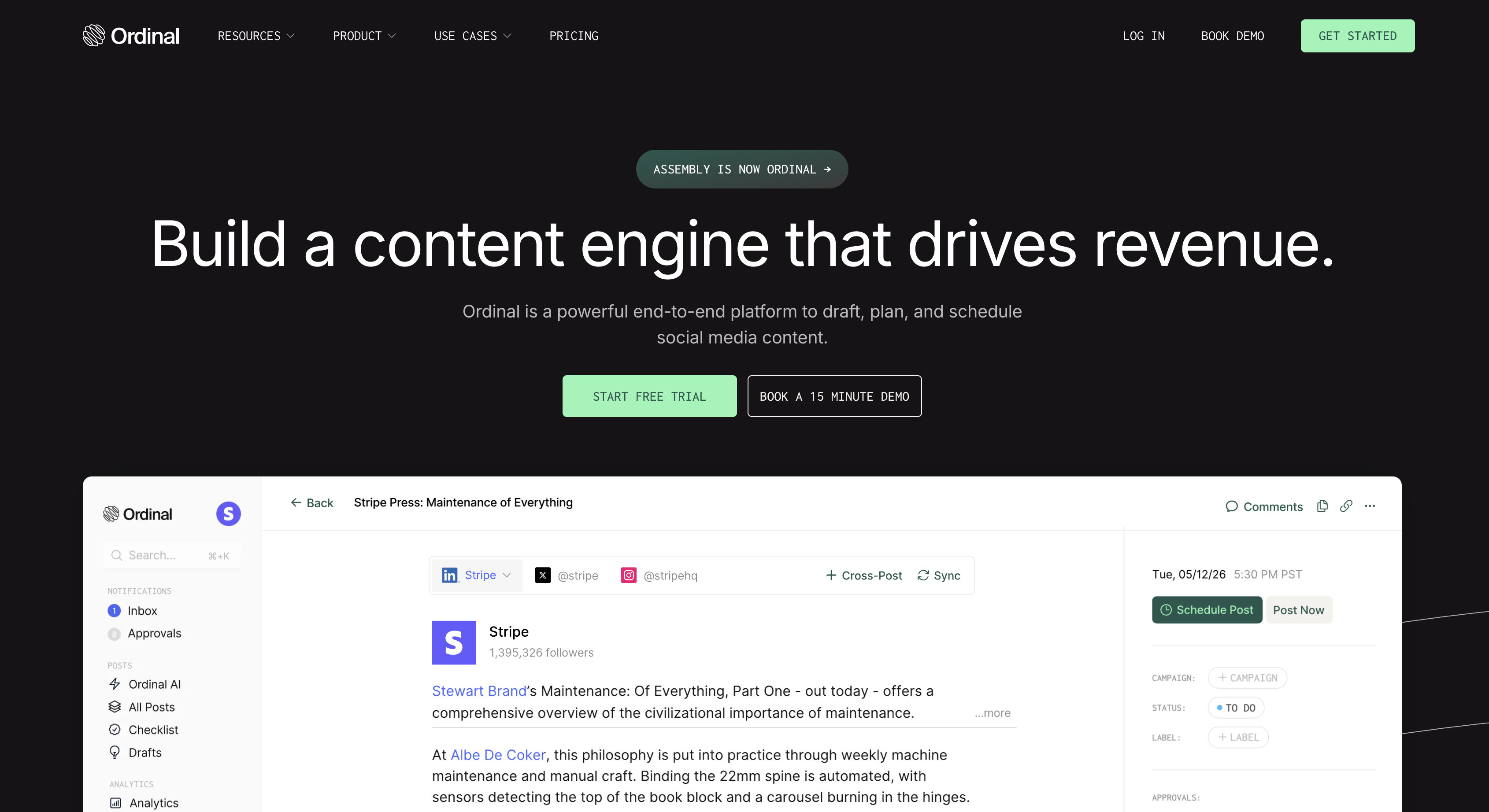
Teams pair the two tools when the same person owns both the blog and the social accounts. Ordinal shipped Webflow CMS scheduling in its May 2024 release. A writer can schedule a Blog Post or Changelog item and its promotion posts in one sitting. Ordinal's documentation limits the Webflow side to CMS collection items, and says the integration does not modify static pages, site design, or ecommerce products. Form submissions stay out of scope too, unless you build on the APIs.
- The Ordinal app handles scheduled publishing of CMS collection items through an OAuth connection without writing code.
- Field mapping and previews in the Ordinal editor let you edit custom fields, control slugs, and check an item on your site before it publishes.
- The Webflow Data API and Ordinal API give you full control over pipelines that use CMS and form events to create Ordinal posts, but require server-side development.
Teams typically start with the app and add API work only when they need it.
Install the Ordinal app
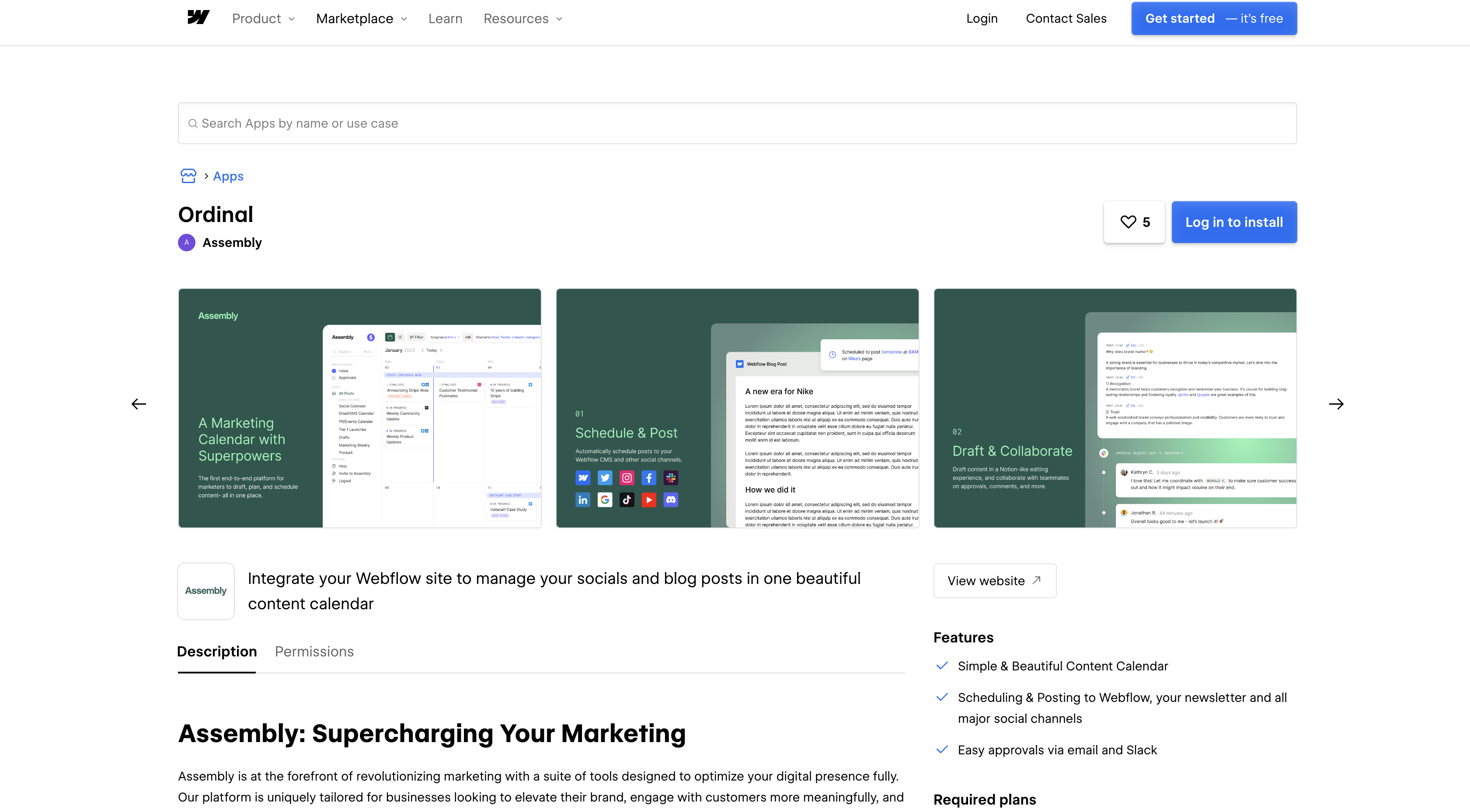
The Ordinal app on the Webflow Marketplace connects one Ordinal workspace to one CMS collection on your site. The listing still carries the pre-rebrand assembly slug while displaying the Ordinal name. You need a paid site plan with CMS access and Editor or higher permission on the site. On the Ordinal side, Ordinal's scheduling article limits the feature to Pro subscribers, and Ordinal's plan comparison puts Webflow scheduling behind that tier.
To set up the integration:
- Click Add to site, pick the site, then click Authorize app.
- In Ordinal, go to Settings > Profiles > Scheduling > Webflow and click Connect Webflow CMS.
- Sign in to Webflow through OAuth and grant read/write access to CMS content and assets, plus read access to sites, pages, and user info.
- Select the Webflow site and the collection, such as Blog Posts.
- Map Blog Title and Blog Content to your collection's title and body fields.
- Set the collection's base URL where your posts appear, for example
https://yoursite.com/blog.
After you save the mapping, the collection appears as a scheduling profile in Ordinal.
Once the collection is connected, the Ordinal editor can:
- Schedule a collection item for a future date and time and publish it without anyone logging into Webflow.
- Detect the collection schema and expose every custom field, including Rich Text, Multi-Image, File, Link/Video Link, Reference, Multi-Reference, Option, and Date/Time.
- Generate a slug from the title automatically, which you can edit before scheduling.
- Attach up to 25 images to a Multi-Image field and up to 40,000 characters of body content per post.
One collection connects to one Ordinal workspace at a time. Connecting a collection that is already linked elsewhere returns an error, so disconnect it from the old workspace first.
Map Webflow collection fields and preview items before publishing
After connection, the Ordinal editor treats the Webflow collection as a scheduling profile alongside LinkedIn or X. You write the title and body, fill in custom fields, and pick a publish time. Ordinal writes through the CMS API. There is no Ordinal embed or script, so nothing goes on your site. Check the field mappings and run a preview before your first scheduled post.
Edit field mappings and slugs
Custom fields beyond title and body pull in automatically and appear as inputs in the post editor. If a field you added in Webflow is missing, click the refresh link in the CMS Fields tab to pull the latest collection schema.
To change the mapping after setup:
- Go to Settings > Social Profiles.
- Open the three-dot menu next to the Webflow profile and choose Edit CMS Fields.
Check the generated slug after re-mapping, since duplicate slugs cause publish failures.
Preview a post before it publishes
Ordinal offers two preview modes for Webflow items, and both clean up after themselves. Live Site preview publishes the item to your public site for 3 minutes and then deletes it, which is why Ordinal warns, "It will be live for everyone to see." The second mode creates a draft item in Webflow for the same 3 minutes without exposing it publicly. Either preview can be pulled early with Unpublish Preview.
To schedule after previewing:
- Pick one of the two preview modes and check the rendered item.
- Click Schedule Post and choose a date and time, as described in scheduling a post.
Use the draft-based preview for unreleased announcements such as a launch changelog.
Build with the Webflow and Ordinal APIs
The API path suits developers who want Webflow events to create Ordinal content, and Ordinal events to write back into the CMS. The Ordinal API v1 lives at https://app.tryordinal.com/api/v1 and authenticates with a workspace-scoped Authorization: Bearer <api_key> header, rate limited to 100 requests per minute per workspace. API keys need the Pro tier and webhooks need Growth, so check your plan before you design around either. Ordinal's docs say the key must never be exposed client-side, so run every method below on a server or serverless function rather than in browser JavaScript.
This path uses two APIs and two webhook feeds:
- The Ordinal API v1 handles posts, ideas, approvals, uploads, and webhook registration.
- The Webflow Data API v2 handles CMS collection items and form submissions.
- Webflow webhooks fire real-time
collection_item_created,form_submission, andsite_publishevents to your endpoint. - Ordinal webhooks fire
post.created,post.scheduled,post.published,post.publish_failed, and approval events.
Ordinal launched the API and MCP server in February 2026 and webhooks in April 2026. Webflow connection management stays in the Ordinal UI described above because the Ordinal API lacks an endpoint for it.
Check what each MCP server actually reaches before you point an agent at this workflow. Ordinal's MCP server exposes posts, ideas, approvals, comments, analytics, and media, and its tool reference covers the social channels rather than the Webflow scheduling profile, so an agent cannot drive a CMS item through it. For the Webflow half, connect Webflow's MCP server and let the agent read collection schemas and write items directly, then leave Ordinal to schedule the social promotion.
Create an Ordinal post from a new collection item
A developer on a client build can wire a collection_item_created webhook to the Ordinal API. Every new changelog entry then drafts a social post. The webhook payload carries id, siteId, collectionId, fieldData.name, and fieldData.slug. That is enough to build a title and a link.
To implement this:
- Register the webhook with
POST https://api.webflow.com/v2/sites/{site_id}/webhooks(scopesites:write) and the body{"triggerType": "collection_item_created", "url": "https://your-middleware.example.com/hook"}. - In your middleware, verify the
x-webflow-timestampandx-webflow-signatureheaders. The signature is an HMAC-SHA256 oftimestamp:body_json, keyed with your site token secret or OAuth client secret. Reject requests older than 5 minutes. - Call
POST /api/v1/postson Ordinal with achannelsarray. UsePOST /api/v1/ideaswithtitle,labelIds,campaignId, andnoteswhen you want a backlog item instead.
Add POST /api/v1/approvals when the post needs sign-off. Ordinal then fires post.approval.requested and post.approval.approved before post.scheduled, so nothing publishes until someone approves it.
Turn a form submission into an Ordinal idea
A Contact Us form on your site can feed Ordinal's idea backlog without anyone copying text. The form_submission payload includes name, siteId, data as key-value pairs of the submitted fields, schema, submittedAt, formId, and formElementId.
To implement this:
- Register the webhook with the same endpoint, adding the form filter to this body:
{ "triggerType": "form_submission", "url": "https://your-middleware.example.com/hook", "filter": { "name": "Contact Us" } } - Verify the signature headers the same way as the collection item hook.
- Map the
datafields intoPOST https://app.tryordinal.com/api/v1/ideas. A workable pattern is one submitted field astitleand the rest asnotes.
The example body includes a filter naming the Contact Us form, which is how you keep a newsletter signup on the same site out of the backlog.
Write published posts back into a collection
Ordinal's post.published event fires for every channel. This includes the LinkedIn and X posts that promote your article. Middleware can turn each one into an item in a Social Posts collection. Ordinal documents the same receiver pattern in its webhooks guide, which lists "syncing post data to your CRM when content goes live" as a worked example. Point it at the Webflow CMS instead.
To implement this:
- Register the webhook on the Ordinal side:
curl -X POST "https://app.tryordinal.com/api/v1/webhooks" \ -H "Authorization: Bearer <api_key>" \ -H "Content-Type: application/json" \ -d '{ "name": "Webflow social sync", "url": "https://your-middleware.example.com/ordinal", "topics": ["post.published"], "headers": { "X-Shared-Secret": "<your_secret>" } }' - Receive
{ "type": "post.published", "data": {...}, "createdAt": "<ISO8601>" }and respond with2xx. Thedata.postobject includesid,title,channel,campaign,url,postUrl,profile,workspace,publishedBy, andpublishedAt. Ordinal fires no Webflow-specific event, so filter on thechannelfield in your receiver to keep Webflow items from looping back. - Call
POST https://api.webflow.com/v2/collections/{collection_id}/items/live(scopeCMS:write) withfieldDatathat includes the requirednameandslug.
Ordinal documents no signing secret and no HMAC signature header, so you cannot verify an Ordinal delivery the way you verify a Webflow one. Use the headers object on the webhook registration above to send a shared secret of your own, and reject any delivery that arrives without it. On the Webflow side, note that a non-200 response is retried three more times before Webflow deactivates the webhook and emails you.
What you can build with the Ordinal Webflow integration
Integrating Ordinal with Webflow lets you publish CMS items and their social promotion from one calendar without logging into two tools for every article.
- Coordinated blog launches: Schedule a case study in the Blog Posts collection and the founder's LinkedIn post about it for the same time slot. The item publishes with its rich text, hero image, and slug while the social post goes out from the same Ordinal campaign.
- Scheduled changelog releases: A product team drafts a Changelog item with up to 25 screenshots in a Multi-Image field. They preview it as a draft in Webflow and schedule it for the release window. The item publishes at the scheduled time.
- Multi-client publishing for agencies: Each client site connects to its own Ordinal workspace, so a strategist switches workspaces to schedule a client's blog and social posts without mixing accounts. The Agency API manages those workspaces programmatically with company API keys.
- Event-driven content pipelines: A
collection_item_createdwebhook drafts an Ordinal post for every new CMS item. A customer story form submission lands in the idea backlog. Apost.publishedreceiver writes each live social post into a Social Posts collection.
The API path lets you define what happens after a CMS item goes live. See our Webflow CMS API guide for the endpoints and authentication behind every pipeline above.
Frequently asked questions
You need the Ordinal Pro plan or higher and a paid Webflow site plan with CMS access. Ordinal's scheduling article limits the feature to "Pro plan subscribers only," and Ordinal's pricing has no free tier, only a 14 day trial. On the Webflow side, Ordinal's documentation excludes sites without CMS access and asks for Editor or higher permission. Start at Ordinal's Connecting Webflow guide once both plans are in place.
No. Ordinal connects server-to-server through OAuth to the CMS API, so you never add a Code Embed element or touch head and body tags under Site settings > Custom code. Ordinal's Webflow profile docs list no embed snippet or script tag, and no Ordinal script runs in your visitors' browsers.
No. Ordinal's documentation limits the integration to CMS collection items and says it does not modify static pages, site design, or ecommerce products, so payments and form submissions stay out of scope. Form data reaches Ordinal only through the API path, where a
form_submissionwebhook and your own middleware create the idea or post.A field may be missing because it was added after Ordinal connected to the collection, while a scheduled post may fail because its slug duplicates an existing item. Click the refresh link in the CMS Fields tab to pull in fields added after the connection. Ordinal generates each slug from the title and requires it to be unique in the collection, so edit the generated slug before scheduling when two posts share a title.
No. Ordinal's analytics overview states that "Webflow, Slack, and Discord do not have analytics (these are CMS and messaging platforms without engagement metrics)." Engagement data covers the social posts that promote your article, and you can filter those analytics by label and export them to CSV.
Description
Ordinal connects to a Webflow CMS collection over OAuth so you can schedule blog or changelog items alongside LinkedIn and X posts.
This integration page is provided for informational and convenience purposes only.

AirOps
Connect AirOps, an AI content operations platform, with Webflow to research, draft, and publish content directly to CMS collections without switching tools.
Related integrations
Get started for free
Try Webflow for as long as you like with our free Starter plan. Purchase a paid Site plan to publish, host, and unlock additional features.
