






MemberStack
Add user authentication, subscription billing, and content gating to Webflow sites using Memberstack's data-attribute system and official Webflow app.

If you're building a Webflow site that requires logins, paywalled content, or tiered access, you'll need to bring in a dedicated membership layer. Webflow discontinued its native Memberships feature in 2024, and Memberstack has become the standard solution for adding authentication and subscriptions to Webflow projects.
You design everything in Webflow (forms, buttons, gated sections) and Memberstack binds membership logic to those elements using data-ms- attributes, without requiring a separate frontend. This guide covers three ways to set up the integration, from the no-code app to direct API workflows.
How to integrate Memberstack with Webflow
What is Memberstack? Memberstack is a membership platform that adds user authentication, subscription billing, and gated content to websites. It provides customizable login forms, Stripe-powered payments, tiered access control, and member management dashboards; all configured through data attributes on your existing site elements.
Memberstack connects to Webflow through three independent methods:
- The official Webflow app for no-code setup
- Code Embed elements and custom attributes for manual configuration
- Memberstack's APIs for programmatic member management and third-party sync
Most production sites combine two or more of these depending on the complexity of the membership flows they need to support.
Install the Memberstack app
Install the Memberstack app from the Webflow Apps Marketplace to connect your Webflow project to Memberstack without writing any code. The app handles script injection automatically and lets you apply data-ms- attributes to forms, buttons, and content sections directly from the Apps panel.
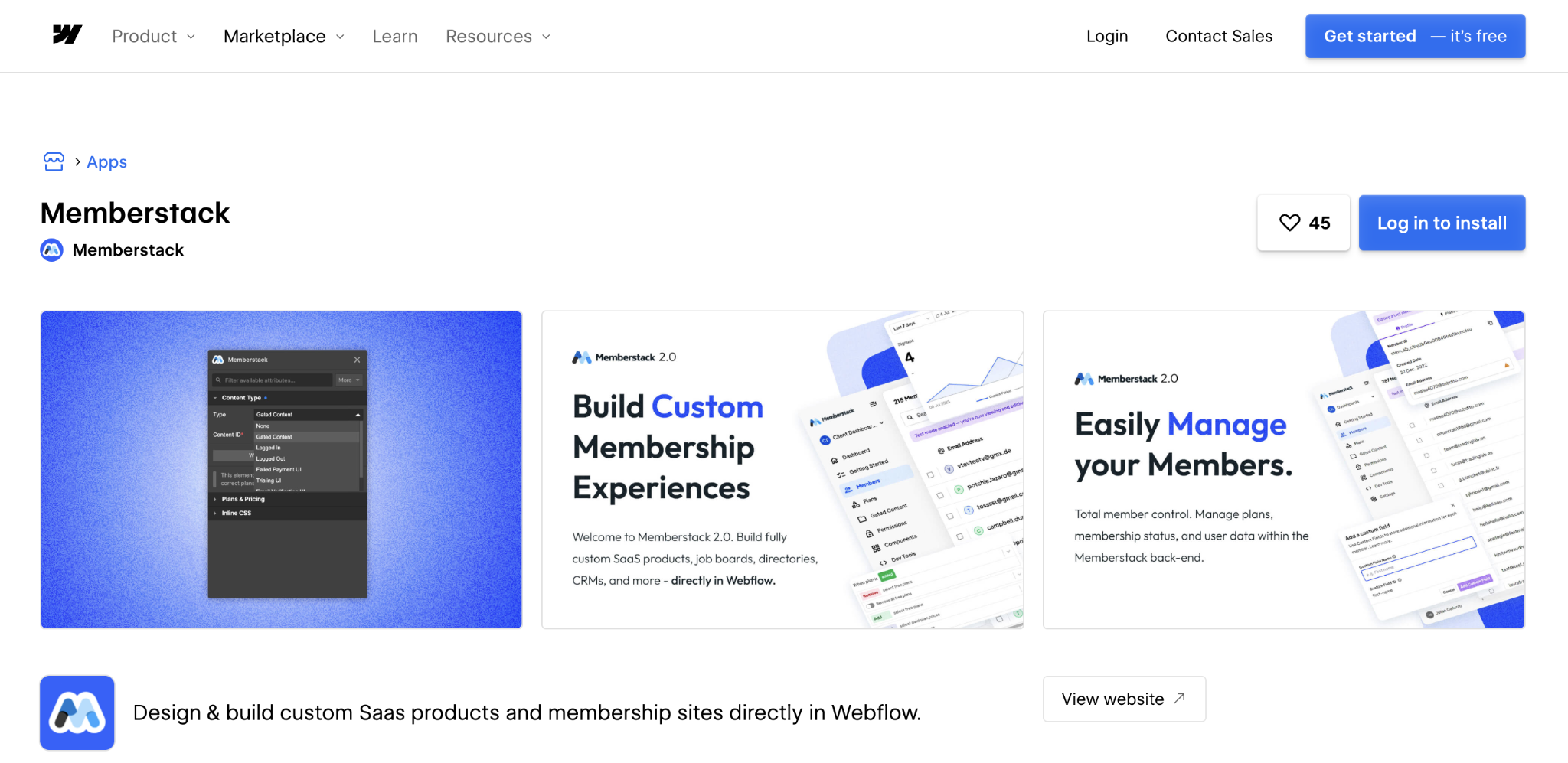
To set up the integration:
- Find and install the Memberstack app in the Webflow Apps Marketplace
- Authorize Memberstack and select the Webflow project you want to link
- Open the project in Webflow and click the puzzle icon to launch the Apps panel
- Select any element on the canvas to view, add, or remove Memberstack attributes
The app comes with access to Memberstack's component library: 500+ pre-built Webflow components with data-ms- attributes already configured.
If you're starting a new project, Memberstack also provides a cloneable Webflow starter theme with a CMS structure and pre-built e-commerce pages — faster than starting from a blank canvas, especially for teams new to the attribute system.
The app is the recommended starting point. It removes the need to manually paste scripts and keeps attributes in sync as the product updates.
Add custom attributes and script to Webflow manually
If you prefer to configure the integration without the app or need to customize how the Memberstack script loads, you can add it manually through Webflow's custom code in the head and body tags.
To install the Memberstack script, go to Site Settings > Custom Code in Webflow and paste your personalized install code in the Head Code section. Copy it directly from the Install Code section of your Memberstack dashboard — the snippet is pre-filled with your app ID and the correct script URL, so there is no need to construct it manually.
Once the script is installed, authentication forms use standard Webflow form elements with data-ms- attributes applied in the Element Settings panel:
- Apply data-ms-form="signup" to form blocks to turn them into Memberstack signup forms
- Add data-ms-member="email" to email inputs and data-ms-member="password" to password fields
- Use data-ms-modal="login" on buttons to trigger Memberstack's pre-built login modal
Content gating works by applying visibility attributes to any Webflow element. Add data-ms-content="members" to hide elements from non-members, data-ms-content="!premium" to show upgrade prompts to members not on a premium plan, and data-ms-member="name" to display member data inline.
Payment integration connects through Stripe using two core attributes:
- data-ms-price:add="PRICE_ID" creates a checkout button linked to a specific Stripe price
- data-ms-action="customer-portal" gives members access to their billing management page
This method gives you more control over script loading behavior and is useful for performance tuning on sites where the Memberstack script affects page load scores.
Build with Memberstack's APIs
Integrating Webflow and Memberstack through their APIs enables custom authentication flows, automated member provisioning, and data synchronization with external systems. This approach requires developer resources and suits teams that need programmatic control over member experiences or need to connect Memberstack to an existing backend.
The API ecosystem has three main components:
- The DOM package for frontend JavaScript interactions
- The Admin REST API for server-side operations
- Webflow webhooks for real-time event routing
To automate member provisioning, for example, creating members when users complete a purchase or register through a third-party form, configure a server endpoint to receive the trigger, then call the Admin API to create the member:
curl -X POST "https://admin.memberstack.com/v1/members" \
-H "X-API-KEY: sk_live_..." \
-d '{"email": "user@example.com", "password": "temp123", "customFields": {"source": "webinar"}}'
From there, you can assign plans automatically and sync the member ID to the Webflow CMS for use on profile pages or collection list templates.
For dynamic member dashboards, use the DOM package's getCurrentMember() method to fetch member data on the frontend, then query related Webflow CMS content based on member preferences or plan.
The updateMemberJSON() method lets you write progress, bookmarks, or settings back to the member record — useful for course platforms or tools that track per-member state.
Memberstack also supports single sign-on (SSO) across domains through OAuth endpoints at https://auth.memberstack.com/authorize. This lets members authenticate once and move between domains without having to log in again. However, SSO requires a Memberstack Business plan or higher.
The Webflow API is useful for syncing Memberstack member data back into Webflow CMS collections, for example, updating a member directory when a member's profile changes, or triggering a CMS item when a new member joins.
What can you build with the Memberstack Webflow integration?
Memberstack gives Webflow sites a full membership layer (authentication, payments, gated content, and member data) without requiring a separate frontend or backend system. The integration is flexible enough to cover everything from simple password-protected pages to multi-tiered SaaS applications.
Here are a few examples of what you can build:
- Educational platforms with gated lessons: Build course sites where video content, downloadable resources, and quizzes unlock based on membership tier, with automated enrollment emails and progress tracked per member using updateMemberJSON().
- Digital agency client portals: Create branded workspaces where clients access project files, view invoices, and communicate with teams through member-only sections, with Memberstack webhooks syncing status changes to your project management tools.
- Creator communities with exclusive content: Build fan sites that offer backstage content, early releases, and direct messaging between creators and premium members, using social login options to reduce signup friction.
- Job boards with dual-sided access: Design platforms where employers post listings behind a paywall and job seekers create profiles through member dashboards, with plan-based visibility controlling which features each side can access.
To get started, install the Memberstack app from the Webflow Apps Marketplace.
If you're building API-driven workflows, the Memberstack Admin REST API docs and the Webflow API reference cover the endpoints you'll need.
Frequently asked questions
Copy your unique installation script from the Memberstack dashboard's "Install Code" section. In Webflow, navigate to Site Settings > Custom Code > Head Code and paste the script at the very top.
Yes, build forms using Webflow's native form elements, then add Memberstack attributes. Apply
data-ms-form="signup"to the form element,data-ms-member="email"to email inputs, anddata-ms-member="password"to password fields. The form creation documentation includes 600+ pre-built components with attributes pre-configured.Use
data-ms-contentattributes to control visibility. Adddata-ms-content="members"to hide elements from non-members, or use plan-specific IDs likedata-ms-content="premium"for tiered access. The content gating guide explains folder-level restrictions and navigation menu configuration.Configure webhooks in Memberstack's Dev Tools to trigger on events like
member.createdormember.updated.Use automation tools like Zapier or Make.com to parse webhook payloads and update corresponding CMS items. The webhook documentation provides payload examples and verification methods.Memberstack replaces Webflow's native user accounts but can work alongside e-commerce for physical products. Use Memberstack for digital subscriptions and gated content while maintaining Webflow e-commerce for inventory management.
Description
Connect Memberstack with Webflow to build membership sites, client portals, and gated content experiences. Set up through the official Webflow app, custom code embeds, or direct API integration for custom workflows.
This integration page is provided for informational and convenience purposes only.

Owwlish
Connect Owwlish with Webflow to sell and deliver gated video courses on your own pages.

Softr
Connect Softr, a no-code app builder for portals, dashboards, and internal tools, with Webflow to layer authenticated apps on top of a public marketing site.

Moodle
Connect Moodle, an open-source learning management system, with Webflow to sync course catalogs to CMS collections, automate student enrollment from form submissions, and display completion credentials on marketing pages.

Whop
Connect Whop, a platform for selling digital products and memberships, with Webflow to add checkout, subscription billing, and product delivery to any page without building a custom commerce backend.

Thinkific
Pair a Webflow marketing site with Thinkific's course delivery and student management.

LearnDash
Connect LearnDash with Webflow to run your marketing site and course catalog in Webflow while LearnDash handles enrollment, quizzes, and student progress on WordPress.

Circle
Connect Circle, an all-in-one community platform, with Webflow to embed discussion spaces and courses on pages, sync member data to CMS collections, and build community-driven experiences under one branded domain.

Patreon
Connect Patreon with Webflow to add membership widgets, sync patron data to your CMS, and build tier-based content access on your site.

Supabase
Connect Supabase, an open-source backend platform, with Webflow to add PostgreSQL database storage, user authentication, file uploads, and real-time subscriptions to any page.
Related integrations
Get started for free
Try Webflow for as long as you like with our free Starter plan. Purchase a paid Site plan to publish, host, and unlock additional features.
