






Jasper
Connect Jasper, an AI content platform for marketing teams, with Webflow to generate, rewrite, and translate copy on the canvas using the Jasper app, automation platforms, and APIs.

Jasper runs inside the Designer as an official app, so you can select any text element and generate, rewrite, retone, or translate copy without leaving the canvas. For automated workflows, pair the Jasper API with the Webflow Data API to push AI-generated content into collections programmatically.
This fits content marketers drafting blog posts at scale, performance marketers building personalized ABM pages, and agencies producing copy across client sites, all while keeping brand voice consistent without routing every edit through a writer.
How to integrate Jasper with Webflow
What is Jasper? Jasper is an AI platform built for marketing teams. It generates content, manages brand voice across outputs, and runs marketing agents that handle tasks like improving search rankings, research, and translation. Jasper IQ stores your brand voice, style guides, and audience profiles, then applies that context to every output across your team.
Pair Jasper with Webflow when you need to produce high-volume web content that stays consistent with your brand voice and style guides without a writer handling every page. A marketing team might draft blog posts, rewrite landing page copy, or translate pages into new languages, then publish straight to the Webflow CMS. The combination removes the copy-paste step between writing and publishing.
The Jasper-Webflow integration supports three approaches:
- The Jasper app generates and rewrites content inside the Designer without writing code.
- Automation tools like Zapier and Make connect Jasper and Webflow for event-driven workflows without code.
- The Webflow and Jasper APIs give you full control over programmatic content generation and CMS publishing, but require server-side development.
Most implementations combine two or more of these methods depending on the complexity of the setup.
Install the Jasper app
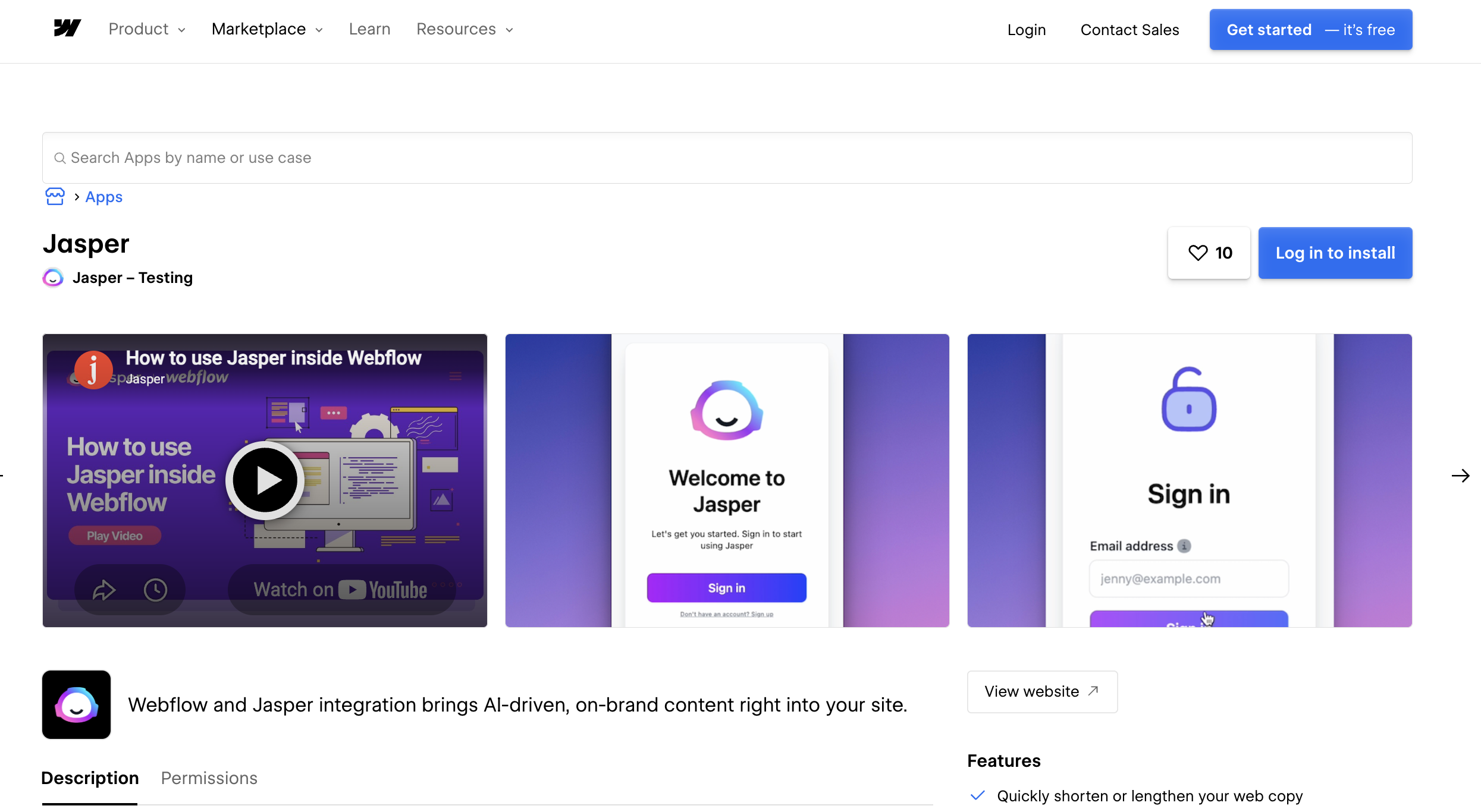
The Jasper app brings AI content generation directly into the Designer. After you install and authenticate it, select any text element on the canvas and generate new copy, rewrite existing content, adjust voice and tone, or translate it through a contextual menu. This is the fastest path for marketers who want AI content without touching code or switching tools. You need a Jasper Business account, and the app uses email verification to authenticate.
To set up the integration:
- Open the Jasper app listing on the Webflow Marketplace and install it to your site.
- Authenticate with your Jasper Business account using email verification.
- In the Designer, select a text element and open the Jasper menu to generate, rewrite, or translate content.
The app handles these content tasks on the canvas:
- Generate new copy for headlines, body text, and page sections
- Rewrite existing content to tighten or restructure it
- Adjust voice and tone to match your brand
- Translate content to adapt pages for different audiences or languages
Jasper applies your brand voice and style guides to every generation, so output stays consistent across the site. For details on what the app covers, see the Jasper Webflow integration help article.
Add Jasper content with the browser extension and Code Embed
When the native app does not cover your workflow, two low-code options bring Jasper content into your site. The browser extension works inside the Editor for content teams. The Code Embed element handles cases where you want to render content or scripts directly on a page.
Use the Jasper Everywhere browser extension
The Jasper Everywhere extension adds a Jasper sidebar to your browser, so you generate content inside the Editor without copy-pasting between tabs. It works in Chrome and Edge. It doesn't support Safari, Firefox, Opera, or Brave.
To set it up:
- Install the Jasper browser extension in Chrome or Edge.
- Sign in with your Jasper account.
- Open the Editor and use the Jasper sidebar to generate or refine content in place.
This option suits content teams who already draft in Jasper and want a quick bridge into Webflow without the native app.
Render content with Code Embed elements
The Code Embed element accepts HTML, CSS in <style> tags, and JavaScript in <script> tags, up to 50,000 characters. Use it to drop in scripts that fetch or display Jasper-generated content on a published page. It doesn't run server-side languages like PHP, Python, or Ruby, and you need a paid site plan.
To add a Code Embed:
- Drag a Code Embed element onto the canvas where you want the content.
- Paste your HTML, CSS, or JavaScript into the element.
- Bind values from CMS collections, locale settings, or page settings using dynamic bindings.
For scripts that load globally, add them to the head or body in custom code in head and body tags instead of on a single page.
Connect with Zapier or Make
Zapier and Make both offer native Jasper and Webflow connectors with pre-built templates, so you build event-driven workflows without writing code. Use these when you want a Webflow event to trigger Jasper, or Jasper output to land in a collection automatically. Jasper does not offer outbound webhooks, so an automation platform acts as the intermediary for any event-driven workflow. Any automation path using Jasper's API requires a Jasper Business plan.
These platforms support direct Webflow and Jasper connections:
- Zapier lists both apps with a dedicated integration page and pre-built Zap templates.
- Make lists both apps with a dedicated integration page and pre-built scenario templates.
Use the same trigger/action structure in either platform:
- Trigger: New Webflow CMS item created.
- Action: Run Jasper content generation using the Webflow item fields.
- Action: Update the Webflow CMS item with the Jasper output.
For setup details, see Jasper's Zapier help article.
Build with the Webflow and Jasper APIs
For full control over content generation and publishing, pair the Jasper API with the Webflow Data API. This path automates content updates, tailors content per account, and manages multiple sites, but you'll need server-side development. You'll need a Jasper Business plan to use the Jasper API, which authenticates with an X-API-KEY header. The Webflow Data API uses a Bearer token and requires the CMS:write scope for writes.
These APIs power the integration:
- Jasper API handles content generation through commands and agent tasks
- The Webflow Data API handles CMS collections and form submissions, including CMS item creation through the create items endpoint
- Webflow webhooks trigger real-time events between systems
Jasper has no webhook events. The recommended event-driven pattern uses a Webflow webhook to trigger your middleware, which then calls the Jasper API. Zapier is the most practical no-code path for event-driven workflows, since both apps have native connectors and pre-built templates.
Push AI-generated blog posts to Webflow CMS
This pattern generates a draft with Jasper and publishes it to a CMS collection. Use it for blog production, landing pages, or any content that lives in a collection.
To implement it:
- Generate content with Jasper using
POST /v1/command, passing yourcommandprompt andcontext. For longer content, usePOST /v1/tasks/{taskId}/run/stream, which streams output via SSE. - Create a staged item with
POST https://api.webflow.com/v2/collections/{collection_id}/items. PassfieldDatawith at leastnameandslug, plus your collection's fields. - Publish the staged item with
POST /v2/collections/{collection_id}/items/publish.
Keep CMS item caps in mind for high-volume runs. The Starter plan allows 50 CMS items, and the Premium plan allows 20,000.
Trigger Jasper generation on Webflow CMS events
This pattern responds to CMS changes in real time. When an editor creates or updates an item, Jasper generates or refreshes copy, and your middleware writes it back.
To implement it:
- Register a webhook with
POST https://api.webflow.com/v2/sites/{site_id}/webhooksforcollection_item_createdorcollection_item_changed. - In your middleware, receive the
fieldDatapayload and pass it to Jasper'sPOST /v1/commandorPOST /v1/tasks/{taskId}/run. - Write the result back with
PATCH /v2/collections/{collection_id}/items/{item_id}, then re-publish.
Failed webhook deliveries retry automatically, so build your middleware to handle repeat calls idempotently.
What can you build with the Jasper Webflow integration?
The Jasper Webflow integration supports several content production patterns. Each one removes manual writing work from a specific workflow.
- ABM landing pages at scale: Generate hundreds of personalized account-based marketing pages from a single brief, then publish them through CMS collections. Jasper rebuilt its own site this way, using the CMS to generate personalized ABM pages.
- Programmatic SEO pages: Use Jasper agents to draft large volumes of SEO-ready pages, then push them to CMS collections via the API for publishing across templated layouts.
- In-editor copy and translation: Select text on the canvas and rewrite headlines, tighten body copy, or translate a page into a new language without leaving the Designer.
- Automated content refresh: Trigger a Jasper rewrite when a CMS item changes, then write the refreshed copy back through the Data API to keep evergreen pages current.
If you need more control over event-driven publishing or multi-site content pipelines, the API integration path covers those cases with full flexibility.
Frequently asked questions
A Jasper Business account. The native app uses email verification to authenticate, and the Business plan also gates Jasper's API and the Zapier connector. For what the app does inside Webflow, see the Jasper Webflow integration help article.
No. Select a text element in Webflow and choose an option like Rewrite, Improve, or Translate from the Jasper menu. For automation beyond the app, Zapier and Make also work without writing code, though both require a Jasper Business plan.
Yes, by pairing the Jasper API with the Webflow Data API. Generate content with Jasper's
POST /v1/commandendpoint, then create items withPOST /v2/collections/{collection_id}/items. Both steps require API access, and the Jasper API is available on Business plans only. See the Webflow create items reference for thefieldDataschema.No. Jasper provides REST endpoints and a streaming endpoint over Server-Sent Events, but no outbound webhooks. For event-driven automation, use a Webflow webhook to trigger your middleware, which then calls the Jasper API, or route the flow through Zapier.
Plan limits vary. The Starter plan allows 50 CMS items, and the Premium plan allows 20,000. Audit your CMS architecture before building a high-volume programmatic pipeline, since automated SEO runs can consume item capacity quickly. Review the options on the Webflow site plans page.
Description
Jasper is an AI content platform for marketing teams. Connect it with Webflow to generate, rewrite, and translate copy on the canvas or via APIs.
This integration page is provided for informational and convenience purposes only.

Text Wizard AI
Connect Text Wizard AI by Modulify with Webflow to add AI-powered text processing capabilities directly in the Webflow Designer through a marketplace app.

Linkerflow
Connect Linkerflow with Webflow to review and manage contextual internal linking for CMS content from one dashboard.
Finsweet Attributes: Table of Contents Webflow integration
Connect Finsweet Attributes: Table of Contents with Webflow to generate automatic, clickable tables of contents from your heading elements.
Engyne
Connecting Engyne to Webflow enables content marketing teams to manage blog creation, SEO preparation, and publishing workflows in a single platform while maintaining Webflow's design control and site performance.

Blaze
Connect Blaze with Webflow to move AI-drafted articles into the CMS through Zapier, a file export, or the Webflow API, with a review step you control.

FluidSEO

Ghost
Connect Ghost, an open-source publishing platform, with Webflow to embed membership signup forms, display blog content on pages, and sync published posts into CMS collections automatically.

Leadpages
Connect Leadpages with Webflow to run A/B-tested landing pages, pop-ups, and alert bars alongside your brand site through embed code, Zapier, or the Webflow Data API.

Substack
Connect Substack with Webflow to capture newsletter subscribers and display publication content directly on your site.
Related integrations
Get started for free
Try Webflow for as long as you like with our free Starter plan. Purchase a paid Site plan to publish, host, and unlock additional features.
