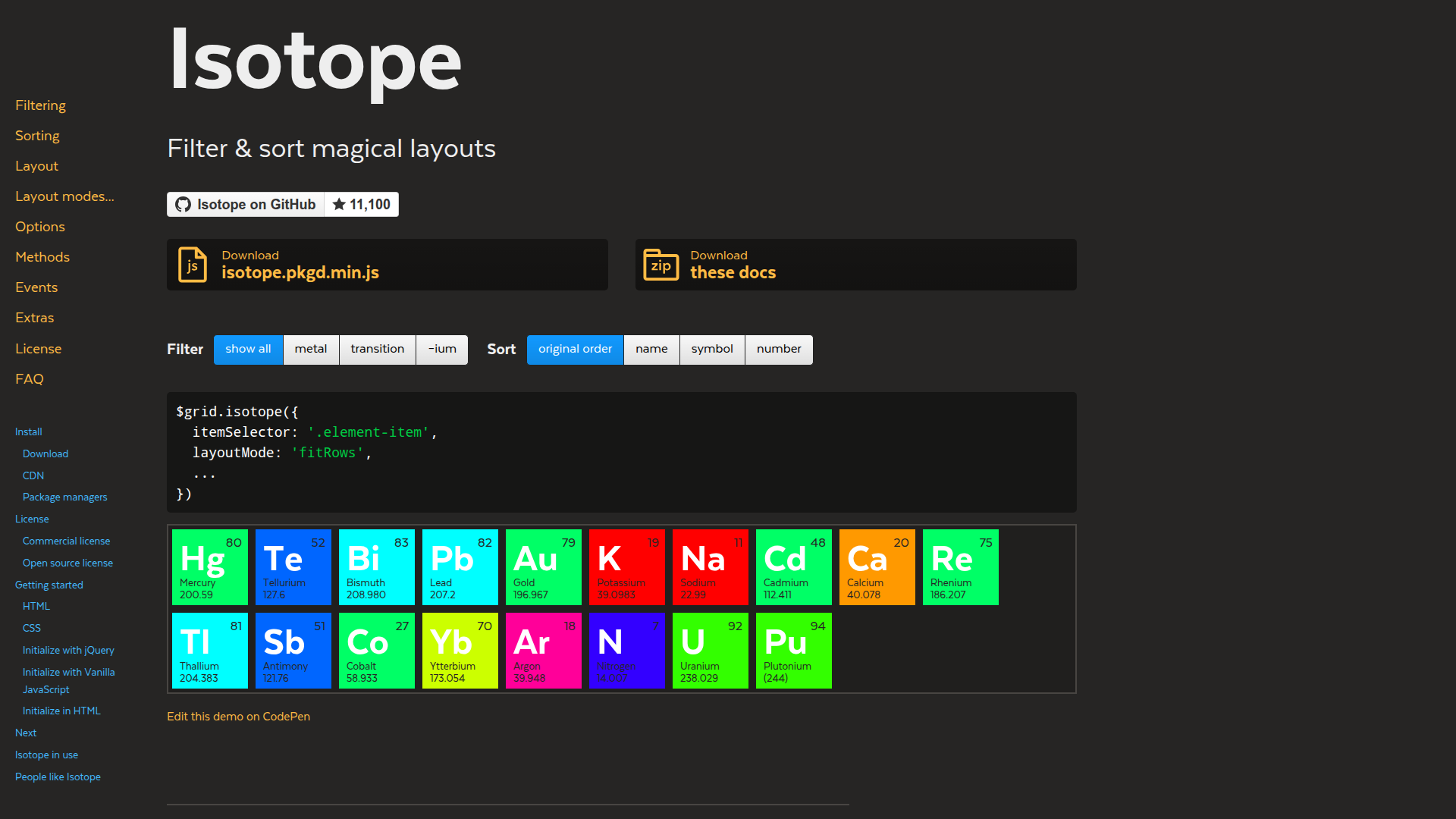
Connect Isotope, a JavaScript layout library by Metafizzy, with Webflow to create animated masonry grids with client-side filtering, sorting, and CSS transitions on CMS Collection Lists.
Isotope turns any Collection List into an animated, filterable masonry grid. Connect it to the CMS, and visitors can click filters, watch items reflow with CSS transitions, and sort results without a page reload.
Native CMS filters only work at design time, so interactive client-side filtering needs custom code. If you build portfolio sites, product catalogs, resource libraries, or filterable directories, Isotope is worth a look.
How to integrate Isotope with Webflow
What is Isotope?Isotope is a client-side JavaScript layout library by Metafizzy with animated filtering, sorting, and grid-layout capabilities for web interfaces. It operates on a container element and its direct child items, repositioning them using CSS transforms and transitions entirely in the browser. Isotope includes layout modes such as masonry, fitRows, and vertical, with modes like packery available through separate installation, along with multi-criteria AND/OR/NOT filter logic and custom sort functions.
Reach for Isotope when you want visitors to interact with a grid of CMS items, filtering by multiple categories and watching items animate into place. On a portfolio page, clicking "Branding" can hide non-matching projects while the remaining cards reflow into a gap-free masonry layout. The CMS handles content and responsive design while Isotope handles the client-side layout behavior.
You can connect Isotope to your site in 2 ways:
Custom code embeds handle filtering, sorting, and masonry layouts by loading Isotope via CDN and initializing it with JavaScript in site or page settings.
The Data API with Isotope lets you control CMS content delivery for headless or SPA-based setups, but requires server-side development.
Most implementations use the custom code embed approach. Choose the API path when you need to fetch CMS content programmatically rather than rely on rendered Collection Lists.
Add Isotope with custom code
Isotope has no Marketplace app because it's a client-side JavaScript library with no server-side component. Add animated masonry grids, multi-criteria filtering, and custom sorting to any page with a Collection List through CDN script tags and initialization code added via custom code in head and body tags or Code Embed elements. You need a paid site plan because custom code isn't available on the free plan. Commercial client projects also require a paid Isotope license starting at $25.
To set up Isotope on a CMS-driven page:
Open Page Settings for the target page, scroll to the Before
tag section, and add CDN script tags for imagesLoaded and Isotope:
Add a Div Block with the class portfolio-grid as the Isotope container. Place a Collection List inside it. Give each Collection Item an additional class like portfolio-item to use as the itemSelector. Don't rely on the auto-generated w-dyn-item class.
Add an Option or Multi-reference field to your CMS Collection for categories, for example, web, print, branding. Output those category values as CSS classes on each portfolio-item so Isotope can match selector-based filters like .web and .print.
Add filter buttons above the grid. Create a Div Block with class filter-button-group and add Button elements inside it. On each button, add a data-filter custom attribute with the matching CSS selector, for example, .web or .print. Use an empty string for the "All" button.
Below the CDN script tags in Before , add the initialization script:
<script>
document.addEventListener('DOMContentLoaded', function() {
  var grid = document.querySelector('.portfolio-grid');
  var iso;

  imagesLoaded(grid, function() {
    iso = new Isotope(grid, {
      itemSelector: '.portfolio-item',
      layoutMode: 'masonry',
      percentPosition: true,
      masonry: {
        columnWidth: '.portfolio-item'
      }
    });
  });

  var filterGroup = document.querySelector('.filter-button-group');
  if (filterGroup) {
    filterGroup.addEventListener('click', function(e) {
      if (!e.target.matches('button')) return;
      var filterValue = e.target.getAttribute('data-filter');
      iso.arrange({ filter: filterValue });
      filterGroup.querySelectorAll('button').forEach(function(b) {
        b.classList.remove('is-checked');
      });
      e.target.classList.add('is-checked');
    });
  }
});
</script>
Publish the site and test on the live URL or staging preview. Isotope doesn't execute in the Designer canvas.
With this setup, you can use:
Animated masonry, fitRows, or vertical grid layouts with CSS transitions
Multi-criteria filtering using AND (.web.branding), OR (.web, .print), and NOT (:not(.print)) logic
Custom sorting by data attributes, text content, or parsed numeric values
Responsive percentage-based widths with percentPosition: true and a .grid-sizer element
These options cover most interactive CMS-driven grid layouts you'll build.
Collection Lists are limited to 100 items per list. If your collection exceeds 100 items, you need a de-pagination tool like Finsweet CMS Load to merge paginated output into a single DOM list before Isotope initializes. Keep in mind that rendering hundreds of items simultaneously affects page performance.
Handle images and prevent overlapping items
Images lazy-load by default. Isotope calculates item positions at initialization, and if images haven't loaded yet, the calculated heights are wrong. Items overlap. The imagesLoaded library you added in step 1 solves this.
To prevent overlap on image-heavy grids:
Wrap the Isotope initialization inside an imagesLoaded callback as shown in step 5 above.
For grids where you want items to appear as images load progressively, initialize Isotope first and then call layout as each image finishes:
var iso = new Isotope(grid, { itemSelector: '.portfolio-item' });
imagesLoaded(grid).on('progress', function() {
  iso.layout();
});
If your grid layout corrects itself when you manually resize the browser window, you have an imagesLoaded issue. The GitHub issue github.com/metafizzy/isotope/issues/1670 documents this diagnostic symptom.
Add sorting controls
Isotope can sort items by any data attribute, text content, or computed value stored on the Collection Item elements.
To add sorting to a CMS-backed grid:
Store sortable values as data attributes on your Collection Items. For example, add data-date bound to a CMS Date field and data-category bound to a CMS Option field.
Define getSortData in your Isotope options to tell the library how to extract sort values:
iso = new Isotope(grid, {
  itemSelector: '.portfolio-item',
  getSortData: {
    name: '.project-name',
    date: '[data-date]',
    price: '.price parseFloat',
    category: '[data-category]'
  }
});
Add sort buttons with data-sort-by attributes matching your getSortData keys. Attach a click handler that calls iso.arrange({ sortBy: value }):
You can combine sorting with filtering in a single iso.arrange() call by passing both filter and sortBy options together.
Prevent FOUC and CSS conflicts
Visitors may see unstyled items stacked in normal document flow for a brief moment before Isotope applies absolute positioning. Interactions (IX2) can also conflict with Isotope because both systems manipulate CSS transform and opacity properties.
To prevent flash of unstyled content (FOUC):
Add a CSS rule to hide the grid initially: .portfolio-grid { opacity: 0; transition: opacity 0.3s; }
Add a reveal class after Isotope initializes:
imagesLoaded(grid, function() {
  iso = new Isotope(grid, { /* options */ });
  grid.classList.add('isotope-ready');
});
Add the reveal rule: .portfolio-grid.isotope-ready { opacity: 1; }
To avoid CSS transition conflicts, never set transition: all on grid items. Isotope controls transform and opacity internally. Only transition non-positional properties:
Remove any IX2 interactions from elements inside the Isotope grid. Applying IX2 entrance animations or scroll effects to Isotope-managed elements causes values to overwrite each other. The Isotope FAQ on CSS conflicts covers this in detail.
Build with the Data API and Isotope
For headless setups or single-page applications that need to fetch CMS content programmatically, use the Data API v2 to pull collection items and render them into DOM elements that Isotope manages. This approach requires server-side development and fits when you aren't using the native CMS rendering.
The relevant APIs include:
The CMS Items endpoint returns paginated collection data as JSON, up to 100 items per request
Webhooks fire server-side HTTP POST notifications on events like collection_item_created and collection_item_changed
Isotope's client-side JavaScript API provides methods like iso.appended() and iso.arrange() to update the grid after new items load
These two APIs operate in different environments. Webhooks and REST endpoints run server-side. Isotope methods run in the browser. You'll need a server-side intermediary to bridge the two.
Fetch CMS items and render an Isotope grid
Use this pattern when you need to build a filterable grid outside of the native CMS rendering, for example in a custom frontend that consumes the CMS as a headless source.
To implement a headless Isotope grid:
Fetch collection items from GET /v2/collections/{collection_id}/items with pagination (limit=100&offset=0). Authenticate with a Bearer token.
Render each item as a DOM element with CSS classes or data-* attributes matching your filter and sort configuration.
Initialize Isotope on the container after all items are in the DOM:
var iso = new Isotope('.grid', {
  itemSelector: '.grid-item',
  layoutMode: 'masonry',
  getSortData: {
    name: '.name',
    category: '[data-category]'
  }
});
For subsequent pages of content, fetch the next batch, render the elements, and call iso.appended(newElements) to add them to the layout.
Webhooks like collection_item_created and collection_item_changed can trigger your server to rebuild or update the rendered grid. The webhook events reference documents all available trigger types.
What can you build with the Isotope Webflow integration?
Adding Isotope to your site lets you create interactive, animated grid layouts driven by CMS data without building a custom frontend from scratch.
Filterable portfolio galleries: Build a design agency portfolio where visitors filter projects by service type, industry, and project scale. Items animate into a masonry layout with variable-height thumbnails filling gaps automatically.
Multi-criteria product catalogs: Create an e-commerce product grid where shoppers filter by category, price range, and availability simultaneously using AND/OR logic. Items reflow with transitions as filters change.
Sortable resource libraries: Set up a knowledge base page where visitors filter articles by topic and format, sort by publication date or difficulty level, and see results rearrange in real time without a page reload.
Interactive team directories: Build a people page for a professional services firm where visitors filter team members by department and office location, with alphabetical sort toggling between ascending and descending order.
If you need more control over CMS content delivery for large collections or headless setups, the API integration path handles those cases directly.
Frequently asked questions
Yes. Any commercial Webflow project requires a paid Isotope license. The Developer tier costs $25 for one developer and covers Isotope v3. The GPLv3 open-source exception only applies if your entire application is published under a GPL-compatible license. If you distribute a Webflow cloneable or template containing Isotope, you need a separate OEM license from Metafizzy.
Overlapping items happen when images or web fonts load after Isotope calculates positions. Webflow lazy-loads images by default, which triggers this issue on almost every image-containing grid. Wrap your Isotope initialization inside an imagesLoaded callback as described in the Isotope layout documentation. If items fix themselves when you resize the browser window, the imagesLoaded issue is confirmed.
A single Collection List renders a maximum of 100 items. Isotope can only filter elements that exist in the DOM, so items beyond that limit are invisible to it. To work around this, use Finsweet CMS Load to de-paginate the Collection List into a single DOM list before Isotope initializes. You can also place up to 20 Collection Lists on one page with ranged filters and merge them with JavaScript. The collection structure should be planned before you start building.
Isotope runs on the published site or the staging preview URL, not in the Webflow canvas. Build your grid structure and classes in Webflow, then verify filtering, sorting, and layout behavior on the live domain.
Choose Isotope when you need animated layout transitions, with items physically moving and reflowing, or masonry/packery grid layouts. Finsweet Attributes is a simpler choice when you need interactive filtering without animated reflowing, since it requires no JavaScript beyond pasting a single script tag. Finsweet Attributes does not support masonry layout mode, so Isotope remains the right choice when both masonry grids and filtering are required on the same page.
Isotope adds animated filtering, sorting, and masonry layouts to Webflow CMS grids through CDN script tags and custom code. Visitors filter and sort items with CSS transitions, no page reload required.
Add typewriter text, count-up stats, countdowns, and image sliders to Webflow with Flowbase Boosters: free attribute-driven scripts, no JavaScript to write.
Better Shadows generates layered CSS box-shadow values and applies them to Webflow classes in one click, for depth you would otherwise tune layer by layer.
Flowmonk syncs Webflow CMS data to Airtable, letting you manage content in Webflow while using Airtable's database features for analysis, collaboration, and automation.
Connect Flowtrix Schema, a no-code structured data app for JSON-LD markup, with Webflow to add Google-compliant schema to static and CMS pages without code.