






Hostaway
Connect Hostaway with Webflow to add live rental search, availability calendars, and reservation data to a Webflow site.

Webflow builds the marketing site for a vacation rental brand, but it has no short-term rental booking engine. A property page in the Webflow CMS holds photos, descriptions and amenities, yet it cannot check which nights are free or quote a price, and it cannot stop a double booking. That calendar lives in Hostaway, alongside the rates and the checkout that sync with Airbnb, Vrbo, Booking.com and other channels. Without a connection, you maintain listing details twice and send guests elsewhere to book.
Connecting Hostaway and Webflow puts Hostaway's search bar and availability calendar on your Webflow pages, with checkout completed on Hostaway. Zapier maps Hostaway's "New / Updated Reservation" trigger to Webflow's "Create Live Item" action to create CMS items with no code. A custom build on both APIs pulls listings into the CMS and keeps them current, and it can turn a Webflow form into a Hostaway reservation. In every route Hostaway stays the system of record for availability: Webflow shows and links to the calendar but never holds it.
This integration suits short-term rental managers who want a branded site outside Hostaway's template builder while keeping Hostaway as the system of record. Independent owners use the widget route to add search or a calendar without a backend. Agencies building direct booking sites take the API route, as Digital Butlers did for the Coastalbliss villa site in Cyprus.
How to integrate Hostaway with Webflow
What is Hostaway? Hostaway is a property management system for short-term rental hosts and property managers. Its channel manager connects to Airbnb, Vrbo, Booking.com, Google and Expedia through direct API connections. Alongside a unified guest inbox, it offers a direct booking website builder with an Open API for connecting sites built elsewhere.
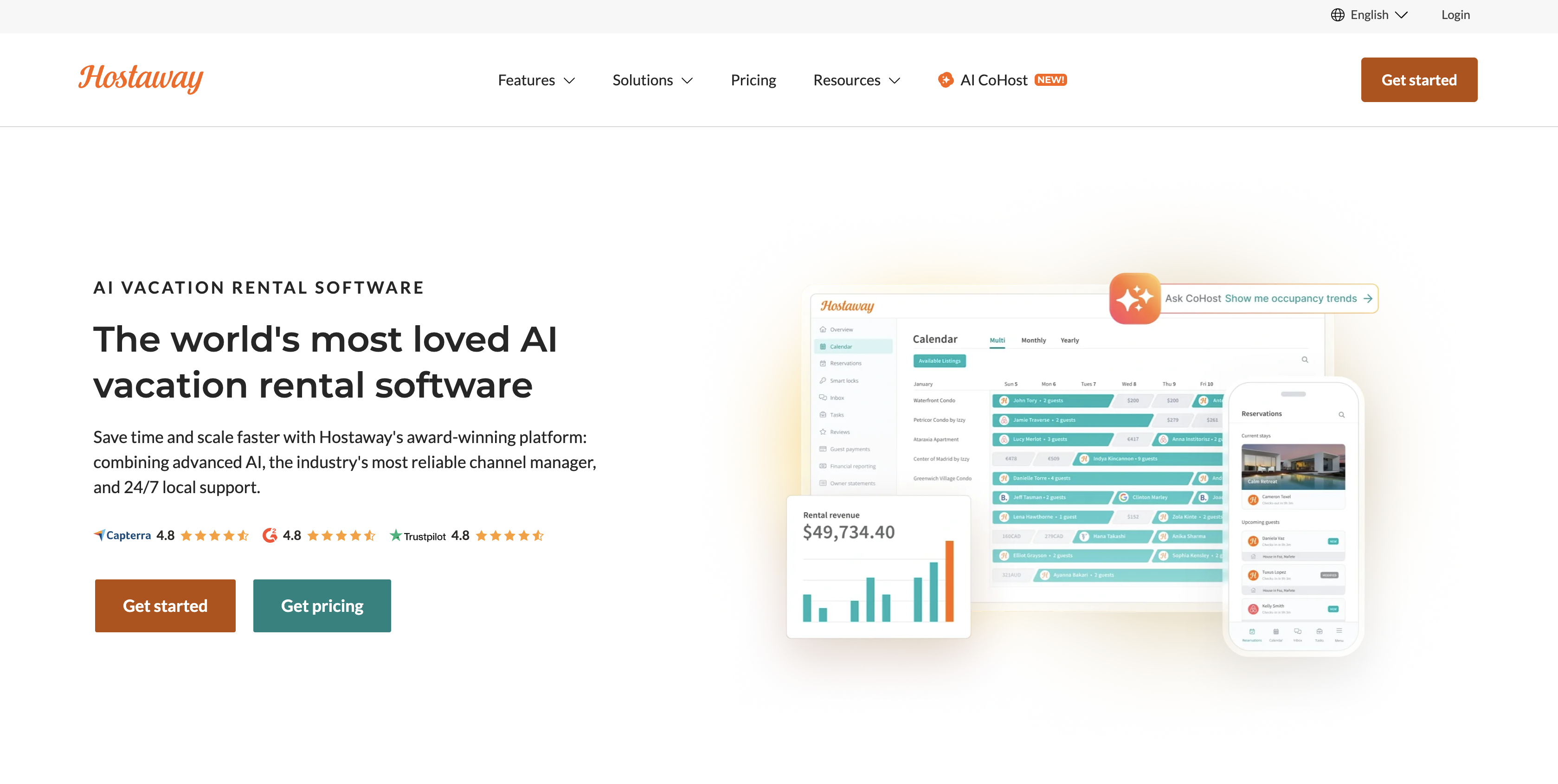
Hostaway's widget guide says its Booking Website may not fully replace a custom-built website, and its direct booking page says sites built elsewhere connect through the Open API. Hostaway's widget articles name Wix as an example host and mark WordPress support as deprecated. None of them mention Webflow, so the Webflow-side steps below follow Webflow's own custom code and Data API documentation.
Three routes connect the two. The Hostaway search bar and calendar widgets run inside a Code Embed element without API credentials. Zapier creates or updates Webflow CMS items from Hostaway reservations and inquiries. The Webflow and Hostaway APIs give you full control over listing sync, reservation events and on-site booking, but require server-side development. Most implementations combine two of them.
Add Hostaway search and calendar widgets with Code Embed
Hostaway publishes two embeddable JavaScript widgets, a search bar and an availability calendar. Both paste into a Code Embed element on any Webflow page and need no API credentials or backend. Both also need a published Hostaway Booking Website, which Hostaway provides at no extra cost to its users. Code Embed is available on a Core, Growth, Agency or Freelancer Workspace, or on any site with an active Site plan. Guests who click through finish on Hostaway's checkout or inquiry page, because Hostaway says the Booking Website cannot be used inside an iframe and guests must be redirected to it to enter payment details securely.
To prepare Hostaway before you touch Webflow:
- In the Hostaway dashboard, click Booking Websites in the left sidebar, then + Add Booking Website if you have none, and choose Standard or Pro.
- Go to Booking Website > Settings > Publish. Hostaway renamed this section from Booking Engine, so older guides use the old name.
- Note your booking site URL. A Standard Booking Website gets a free holidayfuture.com subdomain by default and a Pro site uses thebookingportal.com, or you can connect your own domain under Settings > Domain & Security.
Hostaway prints the widget code in its help articles, and you edit the parameters by hand before pasting it.
Embed the search bar
The search bar lets guests choose dates on a Webflow page and shows matching results on your Booking Website, in a new tab or the same one depending on openInNewTab. The snippet in Hostaway's search bar article has three parts. It loads widget.js, calls window.searchBar({...}) with your settings, and renders into <div id="hostaway-booking-widget">. Put it on the homepage or any page where guests start a search.
To add the search bar:
- Copy the snippet and set
baseUrlto your Booking Website URL. AdjustshowLocation,color,rounded,openInNewTabandfontas needed, and keep the'characters around text values, which Hostaway flags as required. - In Webflow, open the Add panel and drag a Code Embed element onto the page.
- Paste the snippet, then save and close the code editor.
- Publish the site. Webflow shows a placeholder for the script on the canvas, and the embed's effects don't go live until you publish.
If you want widget.js loaded on every page, add the script tag as site-wide custom code at Site settings > Custom code, and keep only the container and the window.searchBar call in each embed.
Embed the calendar widget
The calendar widget shows one or two months of availability for a single listing, read live from Hostaway. Its button sends the guest to that listing's checkout or inquiry page on your Booking Website, depending on the action you set. The snippet in Hostaway's calendar widget article loads calendar.js, calls window.hostawayCalendarWidget({...}), and renders into <div id="hostaway-calendar-widget">. Hostaway allows one calendar widget per page.
To add the calendar to a property page:
- Copy the snippet and set
listingIdto the Hostaway listing,numberOfMonthsto 1 or 2, and the button action to'checkout'or'inquiry'. - Drag a Code Embed element onto the property page, paste the snippet, then save and close the code editor.
- Publish the site and test the button on the live page.
To reuse one property template, add a plain-text field for the Hostaway listing ID to your listings Collection, place the Code Embed on the Collection page template, and insert that field as the listingId value. Webflow's Code Embed accepts CMS field values, while Hostaway's examples use a fixed listingId, so test a few properties before launch. In inquiry mode, the button opens the listing's inquiry page. A Hostaway inquiry keeps dates open on other channels until you change its status to New, which blocks the calendar everywhere.
Connect with Zapier
Hostaway's Zapier app and a prebuilt Zapier template cover the no-code route. The template maps Hostaway's "New / Updated Reservation" trigger to Webflow's "Create Live Item" action. Hostaway released its Zapier app in 2021, and its Zapier requirements are a paid Hostaway subscription with main account owner access and the ability to create a Hostaway API key, plus a Zapier account. Use it to turn reservation data into CMS content or to write Webflow form data back onto an existing reservation.
Published CMS items are public, and Webflow no longer offers native User Accounts to gate them, so map only fields you are happy to publish and keep guest contact details out of public Collections.
To set up the connection:
- In Hostaway, go to Settings > Hostaway API, click Create, enter a name, and choose the partner. The Account ID and API Key appear in a new window and the key shows only once.
- In Zapier, pick a Hostaway trigger, connect your Hostaway account, and test it against a recent reservation.
- Add a Webflow action, connect your site, choose the Collection, and map reservation fields to Collection fields.
- Turn the Zap on, or start from the template above to skip the field mapping.
Zapier's Hostaway and Webflow pairing page lists these building blocks:
- Reservations to CMS items: Hostaway's "New / Updated Reservation" trigger can feed Webflow's "Create Live Item", "Create Item", "Update Item" or "Update Live Item" action.
- Inquiries to CMS items: Hostaway's "New Reservation Inquiry" trigger can feed Webflow's "Create Item" action.
- Form data to reservations: Webflow's "New Form Submission" trigger can run Hostaway's "Find a Reservation" or "Add Host Note to Reservation" action, and both need a Hostaway reservation ID from the form.
- Form data to custom fields: Webflow's "New Form Submission" trigger can run Hostaway's "Update Reservation Custom Fields" action, which needs a reservation ID and custom fields created in Hostaway first.
Zapier's Hostaway actions do not create reservations or inquiries, so a Webflow contact form cannot open a new Hostaway inquiry through this route. The Host Note action's own description says only one Zap can update that field. To route reservation events by status into different CMS actions, add Filter by Zapier or Paths after the trigger, as Hostaway's filter guide shows. Zapier allows up to 10 branches in each path group.
Build with the Webflow and Hostaway APIs
A custom integration pulls Hostaway listings into Webflow CMS items and keeps them current, and it can turn a Webflow form into a Hostaway reservation. It needs server-side code: the Hostaway API key must never run in browser JavaScript, and Hostaway shows it only once, so store it as a secret straight away. Serverless functions on Netlify, Vercel, Cloudflare Workers or Webflow Cloud can hold the credentials and call both APIs. Webflow Cloud runs Next.js and Astro apps among other frameworks, and its environment variables are available at build time and at runtime, with secret values redacted from build logs. Agencies take this route when a client needs on-site booking or a listings catalogue that stays accurate without manual duplication.
Whatever you build, Hostaway remains the source of truth for availability. A Webflow Collection holds a copy of listing content, not a live calendar, so read availability and prices from Hostaway when a guest asks, and let Hostaway decide whether a stay can be created.
Hostaway's Public API reference covers listings, calendars, price calculation, reservations and unified webhooks. On the Webflow side, the Webflow Data API handles CMS collections and form submissions, and Webflow webhooks notify your function when a form is submitted.
On the Hostaway side, create the key at Settings > Hostaway API; partner selection is mandatory and the account needs at least one listing or calls return 403. On the Webflow side, a site administrator generates a site token at Site settings > Apps & integrations > API access. Each site allows up to 5 tokens, which expire after 365 consecutive days of inactivity, and the builds below need the cms:read, cms:write, sites:write and forms:read scopes.
Sync Hostaway listings to Webflow CMS collections
Hostaway's unified webhooks have no listing-change event, so listing sync runs on a schedule or on demand after you edit a property. Each run fetches listings and maps their fields to a Collection before publishing the items. Coastalbliss runs this as a microservice that, according to Digital Butlers, removed manual duplication and kept pricing and property information accurate. A Collection List on your listings page then renders the synced items with normal Webflow styling.
To implement the sync:
- Request a token with client credentials and cache it. Hostaway says the token lasts up to 24 months and recommends renewing it every 12; a 403 means the token is no longer valid, and Hostaway asks you not to generate a new token for each request.
curl -X POST https://api.hostaway.com/v1/accessTokens \
-H "Content-type: application/x-www-form-urlencoded" \
-d "grant_type=client_credentials&client_id=ACCOUNT_ID&client_secret=API_KEY&scope=general"- Call
GET https://api.hostaway.com/v1/listings?includeResources=1&specialStatus[]=activewithAuthorization: Bearer <token>. Listings returnid,name,description,address,price,personCapacity,bedroomsNumber,listingAmenitiesandlistingImages. WithoutincludeResources=1the amenity and image arrays come back empty; with it, the response also carries custom fields, including hidden ones markedisPublic=0, so filter those out before publishing to a public Collection. - Call
GET https://api.webflow.com/v2/collections/{collection_id}to confirm field slugs, thenPOST https://api.webflow.com/v2/collections/{collection_id}/items. SendfieldDatafor one item or anitemsarray for several, never both.nameandslugare required, and image fields take an object withfileIdandurl. Webflow still supports this endpoint but points new integrations to Create Items (POST .../items/insert), which takes anitemsarray.
{
  "fieldData": {
    "name": "Sea View Villa",
    "slug": "sea-view-villa",
    "hostaway-id": "12345"
  }
}
- Update existing items with
PATCH /v2/collections/{collection_id}/items, up to 100 per request. Match each Hostaway listing to its Webflow item through the Hostaway listingidyou stored in a plain-text field, and send the Webflow itemidin the request. - Publish with
POST /v2/collections/{collection_id}/items/publish, or skip the staging step withPOST /v2/collections/{collection_id}/items/live, which creates immediately published items.
Setting isDraft to true does not unpublish an item, so when a listing is archived in Hostaway use DELETE /v2/collections/{collection_id}/items/live, which can unpublish up to 100 items per request. Hostaway responses use a status, result, limit, offset, count, page and totalPages envelope, with booleans as 0/1 and times in UTC, which matters when you map to Webflow switch and date fields.
Push reservation events to Webflow with Hostaway unified webhooks
Hostaway recommends unified webhooks over polling for reservation changes. The five unified events are reservation.created, reservation.updated, message.received, task.created and task.updated. reservation.updated fires on changes to status, dates, listing, total price, payment status or door code, among others. Legacy reservation and message webhooks are scheduled for removal in 2027, so new builds should use the unified version. Capture real deliveries before writing your parser.
To wire the webhook into Webflow:
- Deploy an HTTPS endpoint that acknowledges each delivery with a 2xx response within 20 seconds; Hostaway suggests logging the request, returning 200 and processing it later. Hostaway rejects hosts on internal networks and accepts only ports 80 and 443.
- Log in as the admin account owner, go to Settings > Integrations, add the webhook URL, select at least one event, and optionally restrict by listing or channel and set a username and password. When you set a login, Hostaway sends it as a basic auth header. Hostaway's reference describes no request signature, so check those credentials on every delivery.
- Trigger a test delivery by creating a direct booking in Hostaway; Hostaway says the data arrives about 5 to 10 minutes later. Log the raw body and confirm the keys you parse against your own captures.
- On each event, call
GET /v1/reservationswithincludeResources=1, because the webhook fires as soon as the most relevant data is ready and the full record may follow.includeResources=1is required forcustomFieldValues,reservationFeesandreservationUnit, andafterIdis the cursor for backfills. - Write to Webflow with
POST .../items/livefor new stays,PATCH .../items/{item_id}/livefor changes to a published item, andDELETE .../items/livefor cancellations. A plainPATCH .../items/{item_id}holds the change as a draft until the next publish.
Hostaway retries transient failures, meaning network errors and 5xx or 429 responses, up to 3 times within about an hour, and treats other 4xx responses as permanent. Events can arrive out of order, so when an event references a reservation you have not stored yet, return a 5xx status and let Hostaway retry; a 4xx other than 429 is never retried. When a delivery goes missing, open Settings > Integrations > Logs, export the CSV and filter by Object ID; a webhook that fails for more than 5 days may be disabled automatically.
Create a Hostaway reservation from a Webflow form
A Webflow form can feed Hostaway through a form_submission webhook and POST /v1/reservations. This is the only route that creates a booking from a Webflow form, since Zapier's Hostaway actions stop at notes and custom fields. The form itself never holds or reserves dates: the stay exists only once Hostaway accepts the API call, and Hostaway applies its overbooking protection unless the request sets forceOverbooking=1. Hostaway's own examples include that parameter, so leave it out. Inquiry is a reservation status in Hostaway's API rather than a separate endpoint, so test inquiry handling before deployment. Taking payment on the site adds Stripe to the scope. In Digital Butlers' case study, the Coastalbliss estimate grew from 250 to 520 hours, partly because default Stripe transactions failed without two-factor authentication and the team added 3D Secure support.
To implement the form handler:
- Register the webhook with
POST https://api.webflow.com/v2/sites/{site_id}/webhooksand a body of{"triggerType": "form_submission", "url": "https://your-function/hostaway"}. This call needssites:write, and an optionalfilterlimits it to one form by name. Register it through the API rather than the dashboard, because dashboard webhooks don't carry signature headers. - Verify
x-webflow-timestampandx-webflow-signatureon each request. The signature is a SHA-256 HMAC overtimestamp + ":" + JSON.stringify(body). Sign with the webhook's own secret key, which Webflow labels the site token secret and returns assecretKeywhen a site token creates the webhook, or with your OAuth app's client secret; the site API token itself is not the signing key. Requests older than 5 minutes may be replays. - Read guest details from the payload's
dataobject, which holds one key per form field, along withformIdandsubmittedAt. - Quote the stay with
POST /v1/listings/{id}/calendar/priceDetails, and use the total it returns as the reservation'stotalPrice, as Hostaway recommends. - Create the booking with
POST /v1/reservations, withoutforceOverbooking. SetchannelIdto 2000 for direct bookings; Hostaway also accepts 2002 and 2020 and rejects the deprecated 2017. Keepproviderandsourceto 50 characters or fewer, and check the reservation endpoint's fields in Hostaway's reference before you ship.
A reservation left at status Inquiry keeps the dates open on other channels, and moving it to New blocks the calendar everywhere. Automated online card charges need a supported payment gateway such as Stripe connected to Hostaway, with rules set under Reservations > Guest Payments > Auto-payments. With an unsupported gateway, Hostaway says you record transactions manually as offline charges.
What you can build with the Hostaway Webflow integration
Integrating Hostaway with Webflow lets you run a branded direct booking site on Webflow without rebuilding inventory, calendars and checkout outside your property management system.
- Homepage with live stay search: A villa brand places Hostaway's search bar on its Webflow homepage. Guests pick dates and see available properties on the Booking Website, while OTA calendars stay in sync through Hostaway's channel manager.
- Listing pages synced from Hostaway: A Collection page template renders name, description, bedrooms, capacity and images pulled from
GET /v1/listings. Coastalbliss in Paphos runs this way, with a microservice keeping property information and pricing current in the CMS. - Property pages with availability and booking: Each property page carries the calendar widget with a checkout or inquiry button. Stay Viaduct in Auckland went further and implemented the Hostaway API for real-time availability, with a dynamic calendar and pricing calculator.
- Reservation-driven content and operations: The Zapier template creates a live CMS item per new or updated reservation, which can power a guest-facing stay page built only from fields you are happy to publish. Webflow form submissions can add host notes or custom field values to the matching reservation.
If you need on-site checkout or listing-level data, the API path covers both. Read our Webflow CMS API guide before you build the listings sync, then connect Webflow's MCP server so an AI agent can create the listings Collection, define its fields and publish or unpublish items while your code handles the Hostaway side.
Frequently asked questions
No. Hostaway has no app in the Webflow Apps Marketplace, and Hostaway's own Marketplace has a Zapier listing but no Webflow one. You connect the two with Hostaway's widgets in a Code Embed, with Zapier, or with a custom build on both APIs. The widget route needs no API credentials, but publishing custom code on Webflow needs an active Site plan or a Core, Growth, Agency or Freelancer Workspace.
Not the checkout itself. Hostaway says its payment page cannot be embedded or masked inside another website, and inside an iframe the Book Now button stays inactive, so guests pay on Hostaway's Booking Website. Booking Website Pro has an iframe setting, labeled Allow site to be loaded in an iframe, but Hostaway documents no exception to the payment-page rule for Pro, so test a full booking before relying on it. Scripts added through Hostaway's own settings are disabled on checkout for PCI DSS compliance, so measure conversions from the Webflow side or the booking subdomain. Taking payment on a Webflow page means a custom API build with your own payment handling.
Not through Zapier. Zapier's Hostaway app offers a "New Reservation Inquiry" trigger but no action that creates an inquiry or reservation. Set the calendar widget's button action to
'inquiry'so guests send the inquiry on your Booking Website, or build a form webhook handler that callsPOST /v1/reservationsas described in the API section. Hostaway's API treatsinquiryas a reservation status rather than a separate endpoint, so test how those reservations behave before promising the flow to a client.No native listing sync exists. The Zapier reservation template covers reservations, not listings, and Hostaway's unified webhooks have no listing-change event. Listing data reaches the CMS only through a scheduled job that calls
GET /v1/listingsand writes toPOST /v2/collections/{collection_id}/items. Availability never syncs into the CMS at all, so keep reading it from Hostaway through the widgets or the API.Yes. Hostaway's DNS and SSL FAQ says to keep the root domain pointing at your existing site and connect only a booking subdomain, such as book.yourdomain.com, using the CNAME value shown in your Hostaway dashboard. Hostaway installs a free Let's Encrypt certificate and says propagation usually takes about 2 to 24 hours. Its domain guide also requires a redirect rather than masking, because masked pages grey out the payment links. Webflow needs a paid Site plan for a custom domain; follow Webflow's domain guide for the root and www records. Then open Booking Website > Settings > Domain & Security in Hostaway, add the subdomain, and set
baseUrlin your widget snippets to that address.
Description
Add Hostaway's search bar and calendar widgets to Webflow pages with a Code Embed, sync reservations into the Webflow CMS with Zapier, or build a branded direct booking site on the Hostaway API and the Webflow Data API.
This integration page is provided for informational and convenience purposes only.

Timekit
Connect Timekit with Webflow to take real-time appointment bookings directly on your pages.

Taskeo Appointment Scheduling
Connect Taskeo Appointment Scheduling, a booking and CRM platform, with Webflow to let visitors self-book appointments directly on your pages with automatic CRM contact import.

GoSchedule
With GoSchedule, allow visitors to schedule video meetings, collect payments, and send notifications in one place.

Event Calendar App

CozyCal
Connect CozyCal, a web-based appointment scheduling tool, with Webflow to embed booking calendars, intake forms, and Stripe payments directly on any page as inline widgets or modal overlays.

Calendly
Connect Calendly with Webflow to embed appointment scheduling directly on your site and sync booking data to your CMS.

AddEvent
Connect AddEvent, a calendar marketing and event management platform, with Webflow to embed event calendars, add-to-calendar buttons, RSVP forms, and subscription calendars on any page.
Related integrations
Get started for free
Try Webflow for as long as you like with our free Starter plan. Purchase a paid Site plan to publish, host, and unlock additional features.
