






Finsweet Webflow Hacks
Add Finsweet Hacks to Webflow with custom code: named form success messages, clean anchor URLs, a checkbox price calculator, and when to use Attributes.

Native features cover layout and the CMS well, but a few small behaviors sit outside the built-in settings. A form success state can't greet the submitter by name out of the box, anchor links leave hash fragments in the URL, and a checkbox price total needs logic the built-in form elements don't provide.
Finsweet Webflow Hacks closes those gaps with copy-paste JavaScript snippets for forms, URLs, dates and pricing calculators. Paste a snippet into your custom code fields, give the target elements the fs-hacks-element attributes it looks for, and the behavior runs in the visitor's browser. For new projects, reach for the TypeScript rebuild of the original jQuery library.
How to integrate Finsweet Webflow Hacks with Webflow
What is Finsweet Webflow Hacks? Finsweet Webflow Hacks is Finsweet's free library of custom code snippets that add small functionality upgrades to a Webflow site. The original jQuery edition numbers 58 hacks with fully commented code and ships as a cloneable Webflow project. Its successor, Finsweet Hacks in TypeScript, publishes a subset of those hacks under their original numbers, each with a JavaScript version you can paste into Webflow. Finsweet no longer lists Hacks among its current products and has not published a retirement notice, so treat each snippet as code you own and maintain.
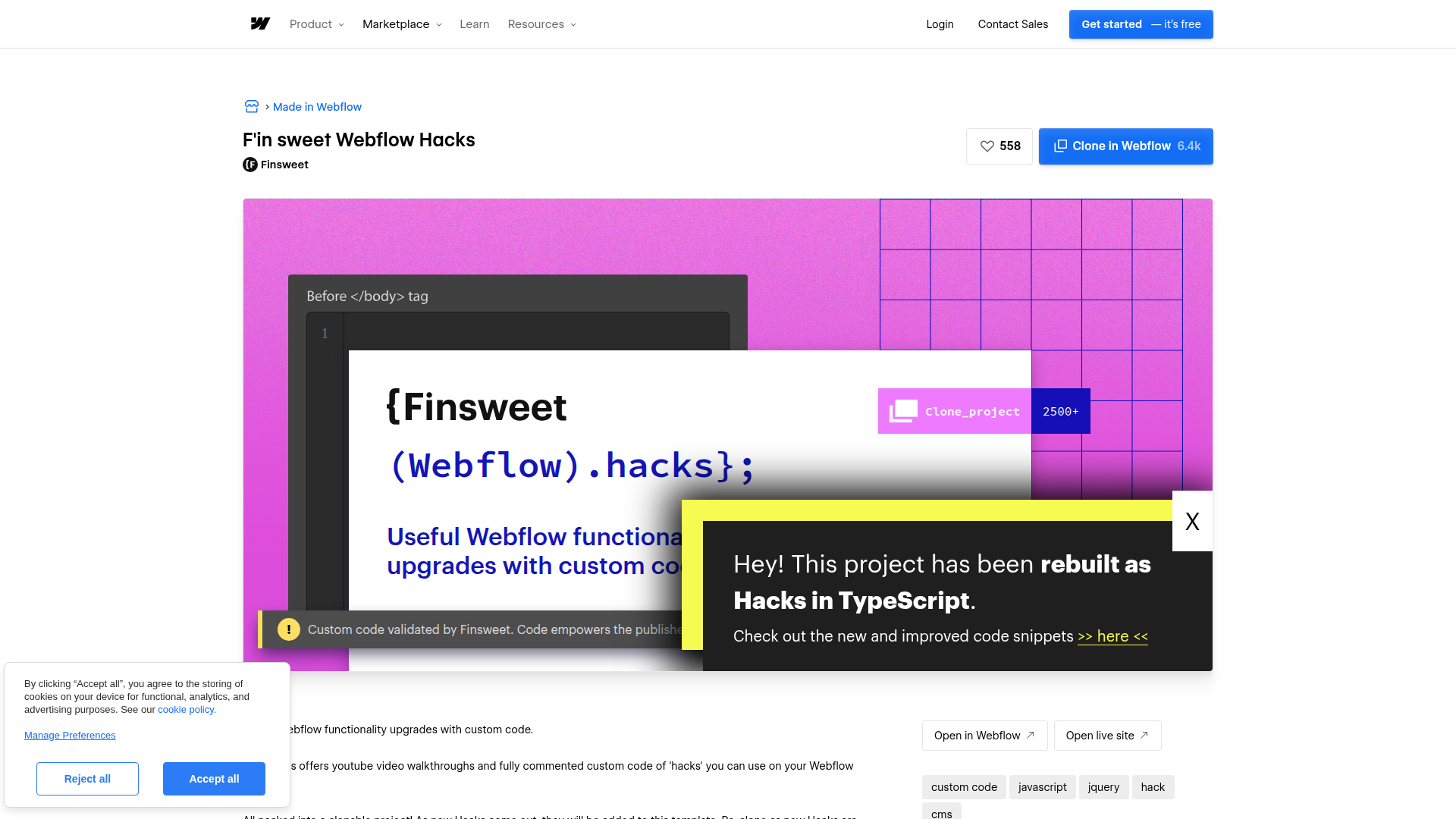
Reach for Finsweet Webflow Hacks when your project needs targeted functional changes that don't justify building a custom JavaScript solution. A lead form might need to thank each visitor by name, or a service business might need a quote form that totals checkbox selections. Each of these cases maps to a specific numbered hack in the library. Anything that touches a Collection List, such as filtering or loading more items, belongs to Finsweet Attributes instead.
You can pair Finsweet Webflow Hacks with your site in 3 ways:
- Finsweet Webflow Hacks scripts drop individual JavaScript snippets into your custom code fields for targeted form and URL behaviors.
- Finsweet Attributes handles CMS filtering, loading, sorting, and nesting with
fs-attributes and one script, without writing JavaScript. - The Data API is a separate layer for programmatic control over CMS data and script deployment, though you'll need server-side development to use it. Webflow's MCP server exposes the same script tools to an AI agent.
Most implementations rely on a single hack or a small set of hacks selected for the specific functionality a project needs.
Add Finsweet Webflow Hacks scripts to your site
Each hack is a self-contained JavaScript snippet that you paste into your custom code fields. The original library uses jQuery, while the TypeScript rebuild is the current version for new projects. Webflow custom code runs JavaScript, not TypeScript, so every Hack page on the TypeScript site has a JavaScript tab to copy from. The TypeScript Hacks find their elements through fs-hacks-element custom attributes, which share the fs- prefix with Finsweet Attributes but need no Attributes script. Adding custom code requires a Core, Growth, Agency, or Freelancer Workspace, or a site with an active Site plan, and each custom code section accepts up to 50,000 characters.
The TypeScript site groups its snippets into a few behavior families:
- Form behavior: Hacks #1 and #2 show a custom success message in the default success state or after a redirect within your site. #29 adds the visitor's name to that message, and #11 submits the current page URL with the form.
- Rich Text and dates: #20 turns list items marked with tildes (~) into sub-bullet lists inside a Rich Text element. #14 prints the current year in a footer, and #22 and #23 show a formatted current date and time.
- Navigation and URLs: #13 adds a back button, while #15 and #16 strip the anchor hash on click or on page load. #37 reopens the last tab a visitor had open.
- Pricing calculators: Checkbox totals on a Webflow form (#42) are the only calculator on the TypeScript site. The radio, select, manual-input, range-slider and CMS variants, plus a profit margin calculator (#43 through #51), live in the jQuery project.
- Legacy Memberstack behaviors: Hacks #31 through #36 target Memberstack and exist only in the jQuery project, so test them against your current Memberstack setup before relying on one.
To add a hack to your site:
- Open the hack you need on Finsweet's TypeScript site, such as the name in success message hack.
- Click Copy component and paste it onto your canvas, or add the
fs-hacks-elementvalues the script expects to your own elements in the Element settings panel. - Open the JavaScript tab and copy the script.
- Paste it inside
<script>tags in Site settings > Custom code > Footer code, or in Page settings > Custom code > Before </body> tag for a single page. Scripts placed before the closing</body>tag run after the page content loads. - Click Save changes, publish the site, and test on the live URL.
Each script looks up its elements by fs-hacks-element value and stops without an error if one is missing, so a Hack that does nothing on the live site usually means a missing or misspelled attribute. The checkbox calculator (#42), for example, expects checkbox, total-value and hidden-total elements, with each checkbox's price in an add-value attribute.
Webflow runs custom code in preview mode, but its effects don't go live until you publish, so confirm each Hack on your published or staged URL before you rely on it.
For element-level script placement, use a Code Embed element instead of site-wide custom code. Drop a Code Embed onto the page canvas, paste the hack's script inside, and convert it to a component if you need to reuse it across pages. You can also add custom code inside a Rich Text element from its plus menu, which keeps the sub-bullet hack (#20) next to the list it changes. Don't include <html>, <body>, or <head> tags inside a Code Embed element, or your site's layout will break.
Treat the original jQuery-based Hacks library as legacy. Webflow sites already load jQuery, so importing another jQuery version for a legacy Hack can cause conflicts and unexpected behavior. For CMS filtering, loading, sorting, and nesting, start with Attributes, which the next section covers. Reach for Hacks when you need a form or URL behavior that Attributes doesn't cover.
Replace CMS hacks with Finsweet Attributes
For filtering, loading, sorting, and nesting CMS content, use Attributes rather than a Hack. The jQuery project's CMS hacks, such as the Collection List item count (#3) and CMS filtering parameters (#5), never made it onto the TypeScript site, and List Filter in Attributes v2 covers that ground. Attributes runs from one script in the page head plus fs- HTML attributes you set in the Element settings panel. It works on content from the Webflow CMS and on static lists. Finsweet's Attributes license states that "Using Attributes is 100% free for personal and commercial use." No API key or Finsweet account is needed.
To add List Filter to a Collection List:
- Paste
<script async type="module" src="https://cdn.jsdelivr.net/npm/@finsweet/attributes@2/attributes.js" fs-list></script>into Site settings > Custom code > Head code and click Save changes. - Select the Collection List, press D to open the Element settings panel, and add the custom attribute
fs-list-elementwith the valuelist. - Add
fs-list-element="filters"to the Form element (not the Form Block) that wraps your filter inputs. - Add
fs-list-field="IDENTIFIER"to each filter input and to the matching element inside the Collection Item; the identifier must match on both. - On checkboxes and radio buttons, also add
fs-list-value="VALUE"to set the value each one filters by. - Publish the site and test the filters on the live URL.
Attributes v2 covers the CMS jobs the old hacks used to handle:
- List Filter: Adds checkbox, radio, text search, and fuzzy search filters to a Collection List, with range sliders through the Range Slider solution. Set
fs-list-field="*"on a search input to search every field. - List Load: Adds load more, infinite scroll, same-page pagination, and render-all modes through
fs-list-load, set tomore,infinite,pagination, orall. - List Sort: Sorts items in ascending or descending alphabetical and numerical order from controls your visitors click or select.
- List Nest: Nests lists bound to multi-reference fields inside a Collection Item, so a blog card can show its tags or authors.
List Load requires the native Paginate Items setting on the Collection List, and native pagination shows at most 100 items per page. Render-all mode loads every item in the Collection, but Finsweet's List Load docs warn that loading thousands of items at once can slow the page for visitors on mobile connections. Finsweet recommends pagination mode alongside List Filter.
Build with the Data API
Finsweet Webflow Hacks scripts run entirely in the browser on rendered HTML. They don't expose a public REST API or webhook endpoints. When you need to manage CMS data programmatically, or deploy one Hack to many sites, the Data API v2 handles that separate layer.
This approach matters when CMS content is created or updated by an external system and a Hack or Attributes then works on the rendered page. A job board could sync listings from an applicant tracking system through the API while List Filter handles search on the live page.
Five surfaces do the programmatic work:
- CMS items: The CMS Collections API lets you create, read, update, and delete collection items.
- Webhooks: Webhooks fire events like
collection_item_createdandcollection_item_publishedto trigger real-time updates between systems. - Custom code: Script registration endpoints register a Hack once, and separate calls apply it to a site or a single page.
- Finsweet Attributes API: The Attributes API exposes
window.FinsweetAttributesinside the page, so you can run code after a list filters or re-renders. - Webflow MCP server: Its custom code tools let an AI agent register scripts and apply them at the site or page level.
Data API requests need a bearer token with the right scopes: CMS:read or CMS:write for collection items, and custom_code:write for registering scripts. Finsweet's own legacy API page states that the API "does not fetch the external data and bring it into Webflow." Any CMS sync belongs to the Data API.
Populate CMS content for Hacks to display
Hacks and Attributes both work on CMS content after Webflow renders it into the page. When the underlying CMS data comes from an external source, use the API to handle the data pipeline.
To set up CMS population:
- Identify the collection and fields your page depends on, such as the text field a List Filter identifier matches.
- Use the
POST /v2/collections/{collection_id}/itemsendpoint to create items, orPATCH /v2/collections/{collection_id}/itemsto update existing ones (up to 100 items per request). - Publish items with
POST /v2/collections/{collection_id}/items/publishso they appear on the live site where Hacks scripts can operate on the rendered HTML.
Hacks can only work on items already rendered into the HTML, and a Collection List shows at most 100 items per page. List Load can add the rest, but it inserts them after a Hack has already run, which the re-run pattern below solves.
Register a Hack as a site script
A public URL or inline snippet lets agencies maintain the same Hack across many client sites without pasting it into each site's settings. The custom code endpoints accept either a hosted file or an inline snippet, and you then attach the registered script to a whole site or a single page.
To deploy a Hack with the Data API:
- Host the JavaScript at a public URL and register it with
POST /v2/sites/{site_id}/registered_scripts/hosted, or send the snippet toPOST /v2/sites/{site_id}/registered_scripts/inline, which caps inline scripts at 2000 characters. - Apply the script with
PUT /v2/sites/{site_id}/custom_codefor every page, orPUT /v2/pages/{page_id}/custom_codefor one page. - Confirm it with
GET /v2/sites/{site_id}/registered_scripts. - Publish with
POST /v2/sites/{site_id}/publish.
GET /v2/sites returns every site the token can reach. That list is the loop you iterate when rolling one Hack out across a workspace. An agent connected to Webflow's MCP server can run the same sequence: register_inline_script registers the Hack, then add_site_script or add_page_script applies it as a separate step.
Re-run a Hack after Attributes re-renders a list
List Load can inject items after page load, and List Filter can re-render the list. A Hack that binds click handlers or calculates totals on page load only sees the items present at load time, so those new items carry no handlers. The afterRender hook on a v2 list instance runs after each DOM update. Move the Hack's code out of its DOMContentLoaded wrapper into a named function, then call that function from the hook.
To hook into list rendering:
- Load the Attributes v2 script in Head code and your Hack in Footer code.
- Add the callback below in the same Footer code section, after the Hack.
- Publish and confirm in the browser console that
window.FinsweetAttributesis defined.
The callback looks like this.
window.FinsweetAttributes ||= [];
window.FinsweetAttributes.push(['list', async (listInstances) => {
  const [listInstance] = listInstances;
  await listInstance.loadingPaginatedItems;
  listInstance.addHook('afterRender', (items) => {
    // Re-initialize third-party scripts after each render
  });
}]);
listInstance.loadingPaginatedItems is a Promise that resolves once all paginated CMS items are in the DOM. addHook also accepts 'start', 'filter', 'sort', 'pagination', 'beforeRender', and 'render'. Do not mix this v2 global with the legacy window.fsAttributes; v1 and v2 cannot run on the same page.
What you can build with the Finsweet Webflow Hacks Webflow integration
Pairing Finsweet Webflow Hacks with your site lets you add targeted functional changes without writing custom JavaScript from scratch.
- Pricing calculator pages: Use Hack #42 to build a quote form where each checkbox carries a price in its
add-valueattribute and a running total updates as visitors tick options. A SaaS company could build a plan configurator this way, and the hidden total field sends the figure with the submission. - Lead forms with context: Use Hack #29 to thank each lead by name in the success message, and Hack #11 to capture the submitting page's URL. Sales teams get full context on which page generated each lead.
- Clean anchor navigation: Use Hacks #15 and #16 to strip the hash fragment when visitors click same-page anchors or land on a section link, and add a back button with #13 on long documentation pages.
- CMS content display: Put Attributes List Filter on a directory's Collection List, add
fs-list-element="results-count"to show how many items match, and style anfs-list-element="empty"state for filters that return nothing.
If you need more control over CMS data pipelines or automated content publishing, the separate Data API path covers those cases. To push one Hack to specific pages from your own code, follow our custom code API guide.
If you manage Hacks across several client sites, connect Webflow's MCP server to your AI agent and ask it to register and apply the script for you.
Frequently asked questions
Yes. Webflow runs custom code in preview mode, though its effects don't go live until you publish, so confirm each Hack on your published site or webflow.io staging subdomain. Finsweet Attributes is different: Finsweet's how Attributes works page states it does not run in Webflow's preview mode yet, so test Attributes on the published site. Type
window.FinsweetAttributesin the browser console to confirm that script loaded.Hacks are individual JavaScript snippets you paste into custom code, one per behavior, and each finds its elements through
fs-hacks-elementattributes. Attributes is Finsweet's attribute-based library that loads from one script and configures itself fromfs-attributes you add in Webflow. Use Attributes for CMS filtering, loading, sorting, and nesting on new projects, and Hacks for the form and URL behaviors Attributes doesn't cover.Use the TypeScript edition for new work. The jQuery edition's individual hack pages on finsweet.com now return a 404, so its code survives in the cloneable jQuery project and on its demo site. The TypeScript source for the newer edition lives in Finsweet's GitHub repository.
Yes, on the Workspace or on the site. Custom code, which every Hack needs, requires a Core, Growth, Agency, or Freelancer Workspace, or an active Site plan on the site. Each Site settings or Page settings code section then holds up to 50,000 characters. The Choose a Site plan page compares tiers.
Not to Finsweet or any other server. The JavaScript for the Hacks published on the TypeScript site makes no network requests. Two keep state in the visitor's own browser: the GIF preloader (#6) sets a first-party cookie, and the last-tab hack (#37) writes to
localStorage. Check both against your consent setup before you ship them.
Description
Finsweet Webflow Hacks adds pre-built JavaScript snippets for form success messages, back buttons, anchor link cleanup, and a checkbox pricing calculator. Paste a snippet into custom code and add the fs-hacks-element attributes it expects.
This integration page is provided for informational and convenience purposes only.

Typed.js
Connect Typed.js, a JavaScript typing animation library, with Webflow to add animated rotating headlines using Code Embed elements and CMS-driven strings.

Typed.js
Connect Typed.js, a typewriter animation JavaScript library, with Webflow to animate text that types, backspaces, and cycles through multiple strings on any page.

Sweet Text by Finsweet
Scrollbar Styler by Finsweet
Style Webflow scrollbars visually with Finsweet's free CSS generator, paste the code into your site, and add the standard properties for full browser support.

React

POWR
Add POWR forms, popups, countdown timers and live chat to a Webflow site with a Code Embed or footer code, and send form responses to the CMS through Zapier.

One2 Menu
Paste a One2 Menu snippet into Webflow and your restaurant menu stays current from the One2 dashboard.

MathJax
Connect MathJax, an open-source math display engine, with Webflow to render LaTeX equations as typeset formulas with built-in accessibility, screen reader support, and cross-browser consistency.

Listen Notes
Connect Listen Notes, a podcast search engine and API, with Webflow to embed episode players, add podcast search, and populate CMS collections with episode metadata from 3.7 million+ podcasts.
Related integrations
Get started for free
Try Webflow for as long as you like with our free Starter plan. Purchase a paid Site plan to publish, host, and unlock additional features.
