






Claritee
Send approved Claritee wireframes into Webflow as editable layouts, then spend your time on styling instead of rebuilding sections.

A wireframe approved in Claritee still has to become a real page. Without an integration, that means rebuilding every section by hand in Webflow. Decisions the team already locked get reopened during the build, and the layout drifts from what the client signed off on.
The Claritee app for Webflow removes that rebuild step. Once a wireframe is approved in Claritee, you send it into Webflow as an editable layout. Layout structure, section hierarchy, grid organization and content block positioning all transfer. You pick up in Webflow with the structure already in place and spend your time on styling, with interactions and content to finish.
Claritee aims the pairing at design and development teams, and at agencies running client projects. In-house marketing teams use it to bring content strategists, designers, marketers and developers onto one blueprint. If client sign-off is your bottleneck, planning in Claritee and building in Webflow shortens that loop.
How to integrate Claritee with Webflow
What is Claritee? Claritee is a browser-based planning tool where teams build sitemaps and wireframes, then play them back as clickable prototypes. Teams use it to align stakeholders and lock structural decisions before high-fidelity design begins. It includes AI-powered sitemap and layout generation plus a drag-and-drop page builder, and everyone can comment on the same canvas in real time.
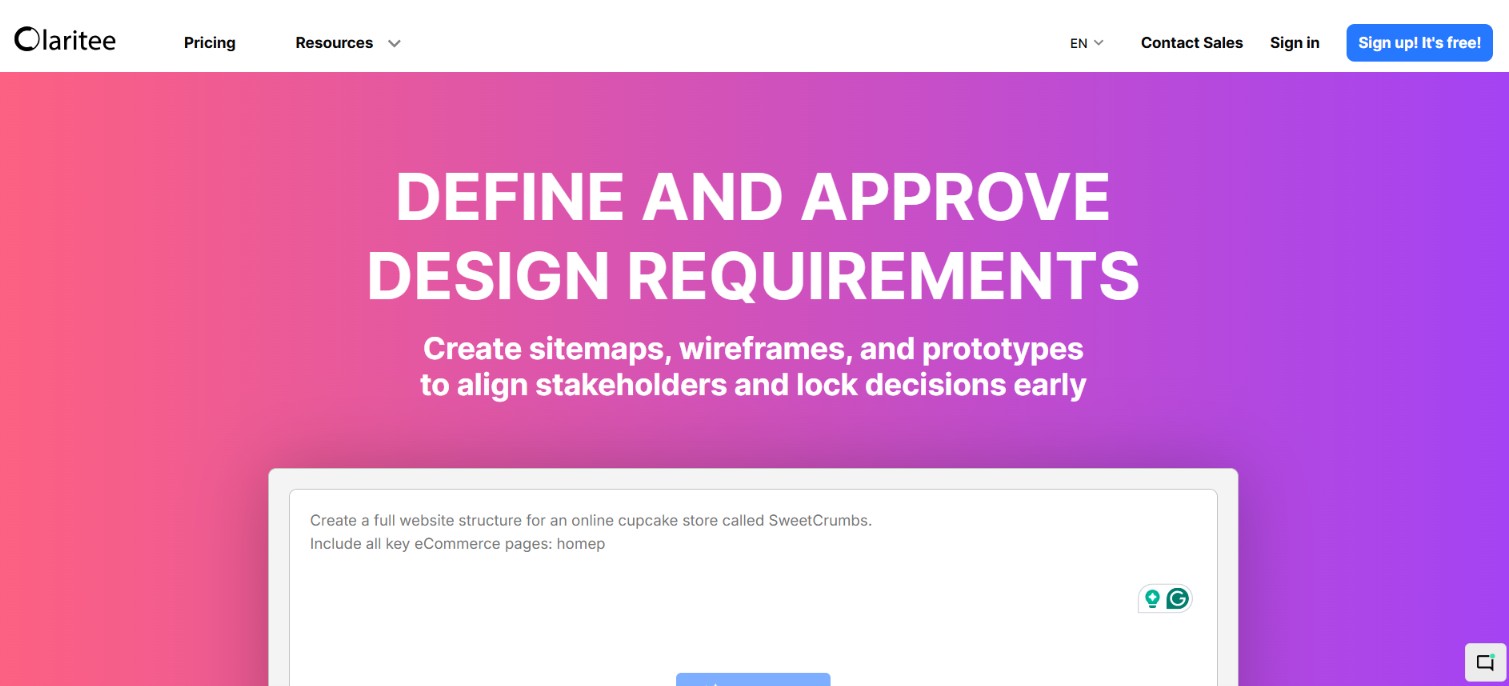
Teams pair Claritee with Webflow when structure and copy need approval before the build starts. Claritee handles sitemaps and wireframes. Stakeholder sign-off also happens there, while Webflow handles the production site. The integration moves approved work between the two so nothing gets rebuilt from scratch.
The Claritee to Webflow integration supports three approaches:
- The Claritee app imports approved wireframes into Webflow as editable layouts without writing code.
- HTML export places Claritee-generated markup on any page through a Code Embed element.
- The Webflow Data API gives you control over publishing and content workflows after import, but requires server-side development.
Start with the app and add API automation only when the workflow requires it.
Install the Claritee app
The Claritee app on the Webflow Marketplace is the primary integration path. It carries the "Approved by Webflow" badge, and the listing names no required Webflow plan. Claritee describes the transfer as sending an approved wireframe straight into Webflow as a layout.
To set up the integration:
- Sign up for a Claritee account and wireframe your page in Claritee.
- Open the app listing on the Webflow Marketplace and click Add to site.
- Select the Workspaces or sites you want, then click Authorize app in the standard app installation flow.
- Choose the Claritee project and pages you want to import.
- Edit and style the imported layout in Webflow.
The import keeps the structural work done in Claritee: layout and section hierarchy arrive intact, along with grid organization and content block positioning. Claritee describes the result as keeping layout and copy synced. The import runs one way, from Claritee to Webflow, with no reverse sync. High-fidelity styling, custom interactions and Webflow CMS configuration all happen in Webflow after the import. Before you import, Claritee's share-with-anyone link lets stakeholders sign off on the wireframe, so the version that moves into Webflow is the approved one.
Add Claritee HTML exports with Code Embed elements
Claritee can also export raw HTML, which you can edit inside Claritee or take anywhere. Pasting that markup onto a Webflow page puts a Claritee-built section into a production site. This path suits one-off sections, or teams that want the exported markup left untouched. Both embedded code and custom code in the head and body tags require a paid Site plan or a paid Workspace plan.
Paste exported HTML into a Code Embed element
A single Code Embed element holds up to 50,000 characters of HTML, CSS in style tags and JavaScript in script tags. Server-side languages like PHP or Python will not run.
To add exported markup:
- Export the raw HTML from your Claritee project.
- In Webflow, open the Add panel and drag a Code Embed element onto the canvas.
- Paste the code, then click Save and close.
- Publish the site to check the result.
Script tags show a placeholder on the canvas and only render once the site is published. The effects of custom code do show up in preview mode, but nothing reaches visitors until you publish.
Build with the Webflow Data API
Claritee documents no public API, webhooks or MCP server, so the Claritee side of the integration runs entirely through the app. Custom automation lives on the Webflow side. Use the Data API v2 for what happens after an import: publishing sites and populating the CMS. This path requires server-side development and an API token.
Authentication uses site and workspace tokens, OAuth tokens work too, and every token travels as a bearer header on each request. From there the Data API covers sites, pages, CMS collection items and form submissions, while webhooks push events such as page_created and site_publish to any endpoint you control.
Publish a site after importing pages
After styling imported layouts, you can trigger publishes from a script instead of the dashboard.
To publish programmatically:
- Create a token with
sites:readandsites:writescopes, or use an OAuth app. - Call
GET https://api.webflow.com/v2/sitesto find your site ID. - Call
POST https://api.webflow.com/v2/sites/{site_id}/publishto queue the publish.
The Publish Site endpoint reference documents the request body and the response codes.
Watch for new pages with webhooks
Webhooks notify your systems when imported pages appear or the site goes live.
To register a webhook:
- Call
POST https://api.webflow.com/v2/sites/{site_id}/webhookswith atriggerTypeofpage_createdand your endpoint URL. - Register additional webhooks for
page_metadata_updatedandsite_publishas needed. - Handle the JSON payloads on your server.
The Create Webhook reference documents the supported trigger types, and you can list or remove registrations through the same webhooks endpoints.
What you can build with the Claritee Webflow integration
Integrating Claritee with Webflow lets you move from approved wireframe to editable page layout without rebuilding structure by hand.
Here are four builds this integration supports:
- Client-approved landing pages: Wireframe a campaign page in Claritee, get structure and copy approved, then import and style it in Webflow. The imported page arrives with its hero and benefit sections already positioned, along with its form blocks.
- Content-first marketing sites: Copywriters and designers draft real copy inside Claritee wireframes. Claritee treats the wireframe as the single source of truth for content, so approved copy travels with the structure.
- Discovery deliverables that become builds: Map a client's site as a visual sitemap during discovery, wireframe the key pages, then import the approved set into Webflow ready for styling.
- AI-drafted page structures: Generate sitemaps and layouts in Claritee from text prompts. Refine them with the drag-and-drop builder, then send the result to Webflow. A pricing or features page goes from prompt to editable Webflow layout without hand-building each section.
Use the Data API to control publishing timing or CMS content after an import, and see how to apply custom code programmatically when exported markup has to ship across many pages. For the styling pass that follows an import, connect Webflow's MCP server and let an agent build out the layout and styling inside your site.
Frequently asked questions
The app transfers layout structure, section hierarchy, grid organization and content block positioning. High-fidelity visual styling, custom interactions and animations, and CMS configuration all stay manual work in Webflow after the import. The connection runs one way, from Claritee into Webflow, so changes you make in Webflow do not travel back to the wireframe.
Not for the app itself: the Marketplace listing names no required Webflow plan, and Claritee has a free tier you can sign up for. Pasting exported HTML is different. Code Embed elements and custom code in the head and body tags need a paid Site plan or a paid Workspace plan, and each embed has a character limit.
No. Claritee offers no iframe embed code or widget for placing a prototype inside a published Webflow page. Wireframes become native Webflow elements through the app import instead. Claritee's own iframe embedding article covers pulling content such as YouTube videos into a Claritee canvas, which is the opposite direction.
Claritee's pricing page does not list the Webflow integration as a plan-gated feature, and its integrations row names only the Figma and Basecamp exports. A free Claritee plan exists, so you can wireframe a page and test the import before paying for anything.
No. Claritee documents no public API, no webhooks and no MCP server, so the Marketplace app is the supported route from Claritee into Webflow. Automation runs on the Webflow side instead, where an agent can pick up the build after an import once you connect the MCP server.
Description
Send approved Claritee wireframes into Webflow as editable layouts through the Claritee app, or paste exported HTML into Code Embed elements. Layout structure, section hierarchy and content positioning transfer without a manual rebuild.
This integration page is provided for informational and convenience purposes only.

Typed.js
Connect Typed.js, a JavaScript typing animation library, with Webflow to add animated rotating headlines using Code Embed elements and CMS-driven strings.

Typed.js
Connect Typed.js, a typewriter animation JavaScript library, with Webflow to animate text that types, backspaces, and cycles through multiple strings on any page.

Sweet Text by Finsweet

Scrollbar Styler by Finsweet
Style Webflow scrollbars visually with Finsweet's free CSS generator, paste the code into your site, and add the standard properties for full browser support.

React

POWR
Add POWR forms, popups, countdown timers and live chat to a Webflow site with a Code Embed or footer code, and send form responses to the CMS through Zapier.

One2 Menu
Paste a One2 Menu snippet into Webflow and your restaurant menu stays current from the One2 dashboard.

MathJax
Connect MathJax, an open-source math display engine, with Webflow to render LaTeX equations as typeset formulas with built-in accessibility, screen reader support, and cross-browser consistency.

Listen Notes
Connect Listen Notes, a podcast search engine and API, with Webflow to embed episode players, add podcast search, and populate CMS collections with episode metadata from 3.7 million+ podcasts.
Related integrations
Get started for free
Try Webflow for as long as you like with our free Starter plan. Purchase a paid Site plan to publish, host, and unlock additional features.
