






Amazon Seller Central
Connect Amazon Seller Central with Webflow to keep product data in sync and measure the Amazon sales your site drives.

Product listings and FBA stock levels both live inside Amazon Seller Central. Order data lives there too. A Webflow site has no built-in way to read any of it. Product pages drift out of date, and sold-out items keep their buy buttons. The traffic your site sends to Amazon goes unmeasured.
Connecting the two closes that gap. Attribution-tagged links measure the on-Amazon sales your Webflow pages generate, while automation platforms move order data between systems. The Selling Partner API keeps the Webflow CMS in step with your Amazon catalog and FBA inventory.
This integration fits FBA sellers and brand owners who run a Webflow marketing site alongside their Amazon storefront. D2C marketing teams use it to measure campaign traffic that converts on Amazon. Ecommerce operations managers use it to keep stock status accurate. Agency developers build the middleware that ties the two platforms together.
How to integrate Amazon Seller Central with Webflow
What is Amazon Seller Central? Amazon Seller Central is Amazon's marketplace management portal for third-party sellers. Sellers use it to manage orders and inventory. They also track sales and run promotions. Programmatic access to its data runs through Amazon's Selling Partner API (SP-API).
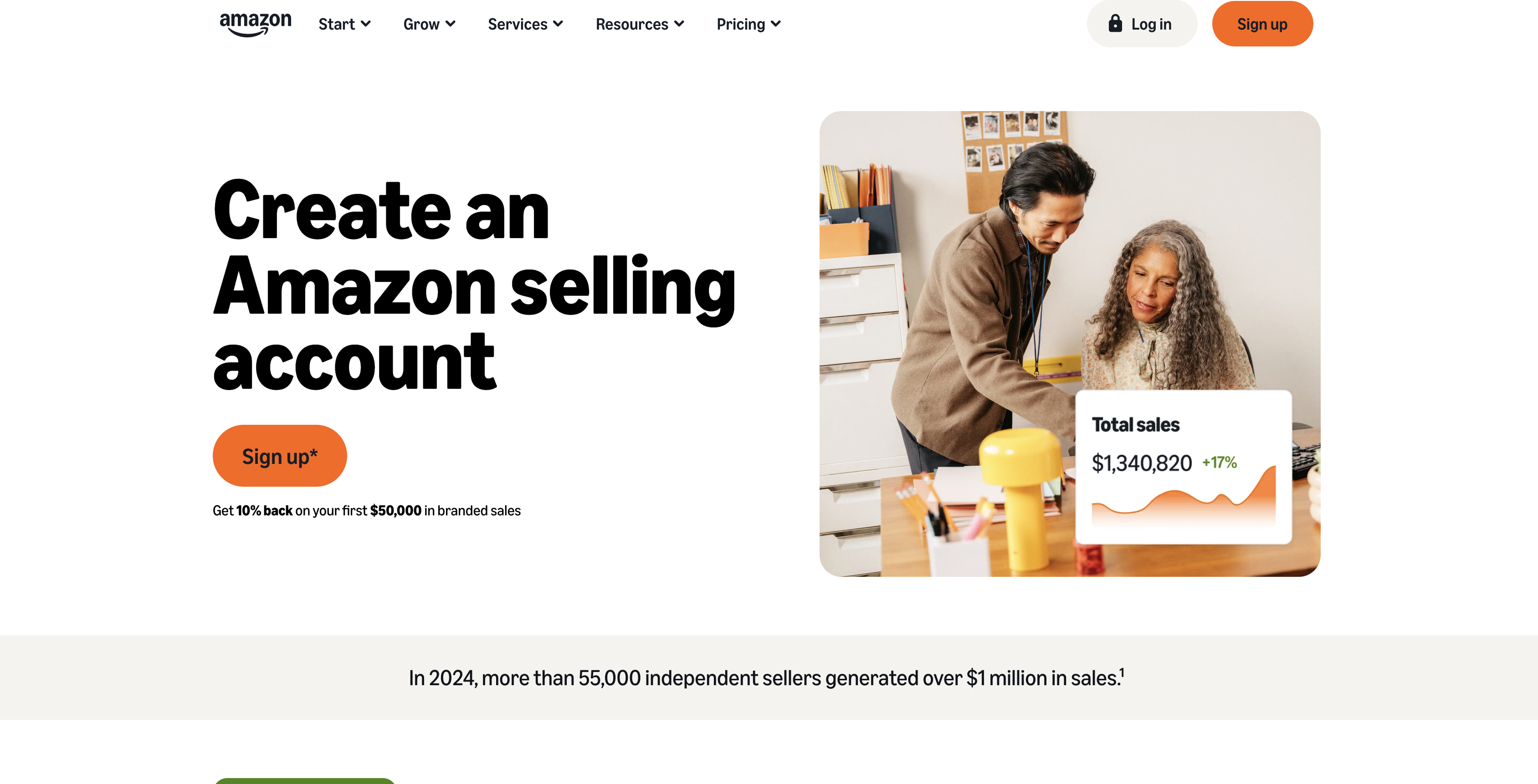
Teams pair the two platforms when they sell on Amazon but want a brand site they control. That site hosts brand content and campaigns, including email capture. US brand owners enrolled in Brand Referral Bonus earn credits on off-Amazon sales measured with Amazon Attribution. Amazon's announcement of Brand Referral Bonus reporting puts that credit at an average of 10% of qualifying sales. There is no Amazon Seller Central app in the Webflow Marketplace. Every path below uses links, automation platforms, or the APIs.
The available methods differ in setup and scope:
- Amazon Attribution links and the Buy with Prime widget add measured Amazon traffic and Prime checkout to Webflow pages with little or no code.
- Make and Zapier automate order workflows between Amazon Seller Central and Webflow without a backend.
- The Webflow and Amazon Selling Partner APIs give you full control over catalog, inventory, and listing sync, but require server-side development.
Most implementations combine two or more of these methods depending on the complexity of the setup.
Add Amazon Attribution links and the Buy with Prime widget
The fastest connection between a Webflow site and an Amazon storefront runs through links and embedded code. No data sync is involved. Amazon Attribution tags measure which Webflow pages produce Amazon sales. The Buy with Prime widget puts Prime checkout on your product pages. Attribution is open to vendors, to agencies that advertise to sell products, and to sellers enrolled in Amazon Brand Registry with brand representative status, across the United States, Canada, the United Kingdom, Germany, France, Italy, and Spain. Buy with Prime requirements include a US entity, an ecommerce site, a Professional Seller Central account, and an Amazon Pay account.
Place Amazon Attribution links in Webflow buttons and CTAs
Amazon Attribution is free, self-service URL tagging that measures the on-Amazon impact of traffic from external sites. It uses a 14-day, last-touch model. The tag is just a URL parameter, so no code is involved on the Webflow side.
To create and place an Attribution link:
- In the Seller Central advertising console, go to Measurement & Reporting > Amazon Attribution.
- Create a campaign and choose Create manually under Creation method. Bulk file upload is available for large campaigns.
- Copy the attribution tag and paste it as the destination URL in any Webflow link, button, or CTA element.
Attribution counts clicks differently from most publishers and ad servers, so the two reports rarely line up exactly. Amazon treats a discrepancy greater than 20% as the point to start troubleshooting. Brand Referral Bonus credits show up alongside your Attribution performance reports in the advertising console.
Install the Buy with Prime widget with custom code
Buy with Prime puts a Prime checkout on your Webflow product pages through two code snippets that Amazon's merchant console generates, and Amazon is explicit that both have to go on the site before checkout activates. Its setup guide gives per-provider steps for Shopify, BigCommerce, WooCommerce and others, and carries no Webflow row, so you follow its custom-site pattern: the first snippet applies site wide, the second sits beside the add-to-cart element on the product page. On the Webflow side that means the custom code fields and a Code Embed element.
To install the widget:
- Complete Buy with Prime onboarding and generate your two code snippets.
- Add the site-wide snippet through Site settings > Custom code, then click Save changes.
- Add the second snippet on each product page with a Code Embed element.
- Match the SKUs in your Webflow catalog to the SKUs in Seller Central.
You need a Core, Growth, Agency, or Freelancer Workspace, or an active Site plan, to add custom code. Each Code Embed element holds up to 50,000 characters.
Connect with Zapier or Make
Both Zapier and Make maintain direct connectors for Webflow and Amazon Seller Central, so you can automate order workflows without writing code. Make's combined app listing counts 55 modules, of which 5 are triggers and 33 are actions, with 17 searches making up the rest. Zapier's Amazon Seller Central connector is narrower: it works only for sellers in the North American region (US, Canada, Mexico), it needs a Professional selling plan and a paid Zapier plan, and Amazon's API restrictions stop it reading buyer PII such as email or street addresses.
Use these workflows to pair Amazon order events with Webflow actions:
- New order into the CMS: Zapier's New Order trigger fires when an order is created in Seller Central, and a following Webflow step writes that order into a Collection.
- Status changes back onto the site: Zapier's Order Status Changed trigger fires on a status update, which lets you keep a status field on the matching Webflow item current.
- Make's Watch orders trigger: it fires when an order is created or updated, and pairs with Create an Item or Create a Product on the Webflow side.
- Webflow events pushed to Amazon: a Webflow order or form submission can drive Zapier's API Request action, currently in beta, or Make's generic API call module against the SP-API.
Both Zapier triggers poll rather than push, so expect a lag between the Amazon event and the Webflow write, and Make marks its older Watch new orders and Watch orders updates modules as deprecated. Amazon-side triggers only cover orders either way, so real-time FBA inventory sync still needs the API method below.
Build with the Webflow and Amazon Selling Partner APIs
The API path gives you full control over catalog, inventory, listing, and order sync, and it asks for server-side development in return. Register as an SP-API developer through Apps and Services > Develop Apps in Seller Central, then create an application and authorize it against your own selling account. Token exchange uses your client_secret, so every SP-API call has to run from a server or serverless function and never from browser code.
The middleware uses these components:
- The Selling Partner API: it covers Amazon catalog items, listings, orders, and FBA inventory, and Amazon's guide to calling the SP-API sets out the request shape.
- Login with Amazon tokens: your server trades a refresh token for an access token at the LWA authorization server, and that access token expires one hour after it is issued.
- Webflow's Data API: it handles CMS collections, ecommerce products, and SKU inventory, all behind a bearer token your middleware holds.
- Webflow webhooks: they fire real-time events when CMS items change or orders arrive, which is what drives sync in the Webflow to Amazon direction.
Your middleware sits between the two. It exchanges tokens on the Amazon side and writes results to Webflow with a bearer token.
Sync your Amazon catalog into the Webflow CMS
Pulling product titles and images from Amazon into CMS items keeps them consistent across both channels. Product descriptions stay consistent too. Buyer PII is not involved, so no Restricted Data Token is needed for this workflow.
To build the sync:
- Exchange your LWA refresh token for an access token with
POST https://api.amazon.com/auth/o2/tokenandgrant_type=refresh_token. Access tokens expire one hour after issuance. - Fetch product metadata with
GET /catalog/2022-04-01/items/{asin}from the Catalog Items API. - Write up to 100 CMS items per call with
POST /v2/collections/{collection_id}/items/bulkusing the bulk create endpoint. - Push staged items live with the publish endpoint,
POST /v2/collections/{collection_id}/items/publish.
Once items exist in the collection, a Collection List displays them on your site, and Webflow's dynamic content limits cap that at 100 items per list unless you turn on pagination.
Sync FBA inventory to your Webflow store
Inventory sync keeps out-of-stock Amazon products from showing as available on your Webflow pages. The Webflow half of it writes to SKU inventory, which only exists on a site running Webflow Ecommerce, so this method needs a paid Ecommerce site plan on top of whatever Site plan you already run. From there you can poll for quantities or receive events as stock changes.
To wire it up:
- Read FBA quantities with
GET /fba/inventory/v1/summaries, passingsellerSkuswith up to 50 SKUs per request. - For event-driven sync, subscribe to
FBA_INVENTORY_AVAILABILITY_CHANGES, which Amazon delivers over SQS rather than as a plain HTTP webhook, then relay events to Webflow from an SQS consumer or a Lambda. - Write quantities to Webflow with
PATCH /v2/collections/{sku_collection_id}/items/{sku_id}/inventoryvia the inventory update endpoint. Usequantityto set an absolute value orupdateQuantityfor a delta.
The reverse direction works too. A collection_item_changed webhook from Webflow can trigger patchListingsItem in the Listings Items API to update the matching Amazon listing.
What you can build with the Amazon Seller Central Webflow integration
Integrating Amazon Seller Central with Webflow lets you run a brand site and an Amazon storefront from one product catalog without copying data by hand between the two.
- Measured traffic funnels to Amazon listings: A product landing page whose Buy on Amazon button carries a campaign-specific Attribution tag, with resulting on-Amazon orders visible in the Attribution report.
- An Amazon-synced product catalog: Middleware pulls titles and images from the Catalog Items API into CMS items. It also pulls descriptions, so your Webflow product pages update when the Amazon listing does.
- Stock-aware product pages: FBA quantities flow into Webflow ecommerce inventory, so sold-out products drop off the site instead of taking orders.
- Prime checkout on your own domain: The Buy with Prime widget on Webflow product pages gives shoppers Prime delivery without leaving your site. Matching Webflow catalog SKUs to Seller Central SKUs keeps the widget pointed at the right product.
If you need more control over listing updates and order data, or you have SKU-level inventory rules, the API path is where those cases get solved. The same middleware shape works for other marketplaces, so it is worth reading how to sync Shopify into Webflow before you design yours.
Frequently asked questions
No. The closest listing is Amazon Fulfillment (MCF), a third-party app from Never Settle that fulfills orders placed in a Webflow Ecommerce store through Amazon Multi-Channel Fulfillment. Its listing describes automatic fulfillment, shipping speed, and sales analytics, not Seller Central catalog or listing management. For Seller Central data, use the Make, Zapier, or API methods above.
No native sync exists. Custom middleware reads FBA quantities from
GET /fba/inventory/v1/summariesand writes them to Webflow through the inventory update endpoint, which requires theecommerce:writescope and a site running Webflow Ecommerce. For event-driven updates, subscribe toFBA_INVENTORY_AVAILABILITY_CHANGESand relay the messages from SQS.No. Token exchange requires your
client_secret, and Amazon's self-authorization documentation states, "Never store tokens in client-side code or logs." Run every SP-API call from a server or serverless function, then write the results to Webflow through the Data API.Yes. Register through Apps and Services > Develop Apps in Seller Central, following the SP-API onboarding guide. Private applications self-authorize and are capped at 10 authorizations per application, and self-authorizing a Seller Central account requires you to be that account's Primary User. Public applications must use OAuth 2.0 through Login with Amazon instead.
Two separate plan lines matter here. Custom code, which is how the Buy with Prime snippets reach the page, needs a Core, Growth, Agency, or Freelancer Workspace, or an active Site plan. Inventory sync needs Webflow Ecommerce, which is a paid Ecommerce site plan on top of that: Standard holds 500 ecommerce items, Plus holds 5,000, and Advanced holds 15,000. Size your Amazon catalog against those caps before you build.
Description
Automate Amazon order workflows with Make or Zapier while syncing catalog and FBA inventory through the Selling Partner API. Measure Webflow-to-Amazon traffic with Attribution links.
This integration page is provided for informational and convenience purposes only.

Teachable
Connect Teachable, an online course platform, with Webflow to sell courses from a custom-designed marketing site and automate student enrollment.

BigCommerce
Connect BigCommerce, an Open SaaS e-commerce platform for B2B and B2C brands, with Webflow to display live products and route orders using Buy Buttons or the API.

WooCommerce
Connect WooCommerce, an open-source e-commerce plugin for WordPress, with Webflow to run a headless storefront with full commerce infrastructure including 140+ payment gateways, subscriptions, and inventory management.

Udesly bigcommerce to webflow-e-commerce
Webflow's integrations directory lists Udesly's BigCommerce to Webflow adapter for migrating your BigCommerce catalog into the Webflow CMS and running your storefront on Webflow-designed pages.

Shopify
Pair Webflow's custom site design with Shopify's commerce backend so you can sell products without rebuilding inventory, checkout, and order management from scratch.

SimpleFunnel
Collect one time, recurring payments and sell your product, accept payments directly into Stripe.

Simple Subscriptions for Webflow Shops
Connect Simple Subscriptions with Webflow to sell recurring products through your store's native cart and checkout.

Shippo
Connect Webflow with Shippo to streamline carrier rate comparison, shipping label creation, and package tracking for ecommerce orders.

Shoprocket
Connect Shoprocket with Webflow to add embeddable product widgets, a shopping cart, and checkout to any Webflow site without a Webflow Ecommerce plan.
Related integrations
Get started for free
Try Webflow for as long as you like with our free Starter plan. Purchase a paid Site plan to publish, host, and unlock additional features.
