






Monto Affiliates
Connect Monto Affiliates, an affiliate and referral marketing app, with Webflow to track referral orders and form submissions, manage commissions, and process PayPal payouts for your affiliate program.

Webflow handles product pages, checkout, and order fulfillment, but affiliate tracking, referral links, commissions, and payouts sit outside its core feature set. Running an affiliate program usually means stitching together external platforms that weren't built for Webflow.
Monto Affiliates adds a full affiliate management layer on top of Webflow Ecommerce, tracking referral orders and form submissions, assigning commission rates, hosting a branded portal, and processing PayPal payouts. You install it through the Webflow Marketplace or a single header script, with no server-side code required.
It fits ecommerce stores turning customers and influencers into sales partners, SaaS founders tracking lead referrals through forms, and agencies configuring affiliate tracking across client sites via the Designer Extension.
How to integrate Monto Affiliates with Webflow
What is Monto Affiliates? Monto Affiliates is an affiliate and referral marketing app from Monto with Webflow support. It tracks purchases and form submissions referred by affiliate partners, calculates commissions as a percentage or flat rate, and gives each affiliate a branded self-serve portal. Monto also supports coupon code attribution, recurring subscription commissions, and automatic customer-to-affiliate enrollment at the point of purchase.

Reach for Monto Affiliates when you need external partners driving sales to your Webflow store. Those partners can be influencers, existing customers, or industry contacts. A physical goods store might assign unique referral links to brand ambassadors. A SaaS company might reward affiliates for qualified form leads rather than direct purchases. Both scenarios work within the same Monto setup on a Webflow site.
You can use the Monto Affiliates-Webflow integration in 3 ways:
- Install the Monto app from the Webflow Marketplace to handle script injection, order tracking, and affiliate management without writing code.
- Use manual script installation and the Monto Designer Extension when you want control over where tracking scripts and affiliate widgets appear on your site.
- Combine the Webflow and Monto APIs to write server-side middleware (a custom application connecting the two services) that syncs data to Webflow CMS collections or triggers workflows from Webflow webhooks. The Webflow Data API is broadly documented, while Monto's public API documentation is limited to order and subscription endpoints. Affiliate-specific endpoints such as commission management, referral tracking, and affiliate creation aren't publicly documented.
Most implementations start with the Marketplace app, then add the Designer Extension or API methods as the affiliate program grows.
Install the Monto app from the Webflow Marketplace
Install the Monto app from the Webflow Marketplace to add affiliate tracking to a Webflow Ecommerce store. Once installed, the app injects Monto's global tracking script into your site's header automatically using custom code permissions, with no manual copy-paste needed. You'll find the listing under both Ecommerce and Marketing on the Marketplace. It carries the "Approved by Webflow" quality review designation and shows 1,000+ installs.
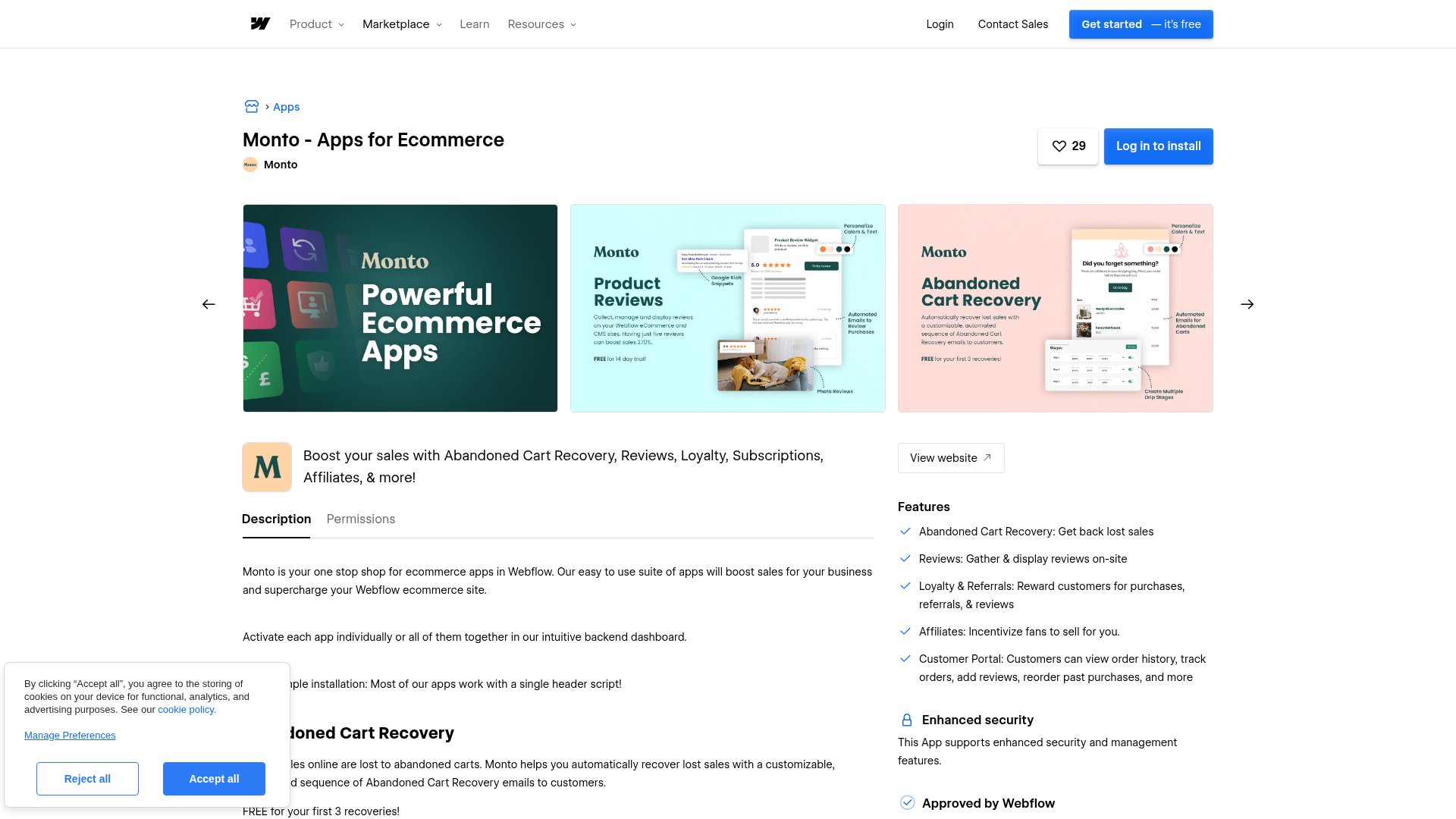
To set up the integration:
- Find "Monto - Apps for Ecommerce" in the Webflow Marketplace and click Install
- Authenticate with your Webflow account during the connection flow and select the store to connect
- In the Monto dashboard, go to Settings > Options to upload your shop logo and set your custom subdomain (e.g.,
your-store.monto.io) for the affiliate portal - On the Affiliates Configure page, set your default commission rate, choose whether to automatically enroll new customers as affiliates, and configure your conversion window
- On the Overview page, invite affiliates by email and optionally set custom commission rates per affiliate
- Publish your site to activate tracking
Once live on your store, the Monto app gives you these affiliate capabilities:
- Referral order tracking with per-affiliate commission rates (percentage or flat amount)
- A branded affiliate portal hosted at your Monto subdomain where affiliates view earnings, orders, form submissions, and payouts
- Coupon code attribution for tracking referrals from video, podcast, or social media campaigns where clickable links aren't practical
- PayPal-based affiliate payouts across 200+ countries
- Automatic customer-to-affiliate conversion that displays a referral link on the receipt page immediately after purchase
- An affiliate leaderboard showing top performers and traffic sources
You need a paid Site plan because custom code injection only runs on paid plans. For recurring subscription commissions, install the separate Monto Simple Subscriptions app and explicitly enable them in your Monto settings.
Add Monto tracking with manual script installation and the Designer Extension
If you want more control over script placement, or you need to configure form-level affiliate tracking, use manual installation and the Designer Extension. Both methods assume the Monto global script is already on your site, either through the Marketplace app or manual installation.
Install the global script manually
Manual installation puts the Monto tracking script into your site's custom code in head and body tags section. Use this approach if you aren't installing through the Marketplace app.
To install the script manually:
- Sign up at monto.io and authenticate with your Webflow account during setup
- On the Monto setup tab, copy your personal global script (this script is unique to your account)
- In Webflow, open Site Settings > Custom Code
- Paste the script into the Head Code section and click Save Changes
- Publish your site, since custom code only executes after publishing
Custom code fields support HTML, CSS, and JavaScript, with a 50,000-character limit per section. You'll need a paid Workspace plan or active Site plan. You can also place the Monto script in the footer if you prefer to load it after page content. Monto lists this as a supported configuration.
Configure the affiliate signup popup with the Designer Extension
The Monto Designer Extension lets you attach an affiliate signup popup trigger to any element on your site without writing code. Every Monto account includes the extension.
To add the signup popup:
- In the Designer, click the app icon in the left menu
- Select Monto > Affiliates
- Follow the extension prompts to configure the signup popup trigger on your chosen element
- Publish your site
Once published, clicking the selected element opens the affiliate signup popup on your live site.
Before using the Designer Extension for the first time, reauthorize your site to use the latest Webflow API version.
Track affiliate referrals on Webflow forms
Monto can track form submissions as affiliate-referred leads, not just purchases. This helps if you sell B2B services or SaaS products, anywhere a form inquiry comes before a transaction.
To enable form lead tracking:
- Open the Monto Designer Extension inside the Designer (app icon in the left menu)
- Select Affiliates from the Monto app list
- Select the Form Block element you want to track (use the layers navigator to select the Form Block itself, not individual fields inside it)
- Toggle tracking on (blue) and click Save
- Publish your site
You control how much you pay per form submission, what counts as a valid lead, and when to process payouts. Remove invalid submissions manually from the Monto dashboard before paying out. This makes the integration work for lead-based affiliate programs as well as ecommerce sales.
Place affiliate widgets with Code Embed elements
For precise placement of Monto widgets at specific spots on a page, use a Code Embed element. Use this method for the affiliate signup widget or any Monto embed code you pull from your dashboard.
To add a widget via Code Embed:
- Copy the Monto affiliate widget embed code from your Monto dashboard setup page
- In the Designer, open the Add panel (+)
- Drag a Code Embed element to the desired location on the canvas
- Paste the embed code into the modal and click Save and close
- Publish your site
Code Embed elements have a 50,000-character limit per element. For CMS-powered pages, add custom code at the collection level so it outputs on every CMS item page.
Build with the Webflow and Monto APIs
For custom workflows that go beyond the built-in app features, the Webflow Data API and Monto API give you programmatic access to order data, CMS collections, webhooks, and form schemas. This path requires server-side development and custom middleware.
- The Monto API handles order creation and subscription queries, authenticated via an
api_keyquery parameter retrieved frommonto.io/shop/api - The Webflow Data API v2 handles CMS collections, ecommerce orders, forms, and webhooks with
Authorization: Bearer <token>authentication - Webhooks trigger real-time events like
ecomm_new_order,ecomm_order_changed, andform_submissionto your server
Monto publicly documents authentication and order management in three articles. Affiliate-specific endpoints such as commission management, referral tracking, and affiliate creation aren't publicly documented. A Monto Partner API exists, but you'll need to contact hello@monto.io directly to get access. Take this route when you need more control over Webflow-side data flow and custom workflows.
Forward Webflow orders for affiliate attribution
When a customer places an order on your store, a webhook can send the order to your middleware so you can process attribution logic with the documented APIs and account-level integration options available in your Monto setup.
To implement this flow:
- Register a webhook by sending a
POSTrequest to/v2/sites/{site_id}/webhookswithtriggerTypeset toecomm_new_orderand theurlpointing to your middleware server - When your middleware receives the webhook payload, validate the
x-webflow-signatureheader using a SHA-256 HMAC (hash-based message authentication code) computed with your OAuth app'sCLIENT_SECRET - Extract the order ID, customer email, order total, and purchased items from the payload
- Use the documented Monto API or account-level integration options available in your Monto setup to continue the workflow
Store a local orderId to affiliateId mapping in your middleware database. You'll need this mapping if you later have to handle refunded orders using the ecomm_order_changed webhook. This pattern connects Webflow order events to Monto attribution logic.
Sync affiliate data to a Webflow CMS collection
You can write affiliate records to a CMS collection to build public leaderboards, affiliate directories, or internal dashboards rendered through Collection List elements.
To create affiliate CMS items:
- Retrieve your collection's field slugs with
GET /v2/collections/{collection_id}(scope:cms:read) - Create a live CMS item with
POST /v2/collections/{collection_id}/items/live(scope:cms:write), includingfieldDatawith the affiliate's name, slug, referral link, and commission rate - For scheduled leaderboard updates, use
PATCH /v2/collections/{collection_id}/items/liveto bulk-update affiliate stats like referral count and total commissions
This approach keeps affiliate records inside the CMS so they can power leaderboards, directories, or internal dashboards.
The slug field must be URL-safe and unique within the collection. Live endpoint updates take effect immediately without requiring a site publish. Pagination caps at 100 items per request, so implement offset-based pagination for collections with more than 100 affiliates. Use this setup when affiliate data needs to appear directly on your site.
What can you build with the Monto Affiliates Webflow integration?
Integrating Monto Affiliates with Webflow lets you run a complete affiliate and referral program from your store without building custom tracking infrastructure.
- Influencer referral programs with coupon tracking: Assign unique coupon codes to influencers for campaigns on YouTube, podcasts, or Instagram where clickable links are impractical. Monto credits the affiliate commission whenever a customer uses their code at checkout.
- Lead generation affiliate programs for B2B services: Reward affiliates for qualified form submissions on your site rather than direct purchases. A consulting firm could pay referral partners for every demo request that comes through a tracked form.
- Customer-to-affiliate conversion at checkout: Automatically enroll every buyer as an affiliate and display their personal referral link on the receipt page. A digital product store selling templates or courses can turn each customer into a distribution channel immediately after purchase.
- Recurring subscription commissions for SaaS products: Pay affiliates a commission on every subscription renewal, not just the first charge. Configure whether commissions last for the full subscription length or a set number of billing cycles using Monto Simple Subscriptions with Stripe.
If you need more control over leaderboard rendering or syncing data into your site, the API integration path covers those cases.
Frequently asked questions
Yes. Monto's tracking script requires access to custom code fields, which are only available on paid Webflow site plans. The free Webflow Starter plan blocks custom code injection in site-wide and page-level code fields. You can confirm current plan requirements in the Webflow custom code documentation.
Yes. Form submission tracking is a native feature. Use the Monto Designer Extension inside Webflow to select a Form Block element and toggle affiliate tracking on. Affiliates then receive commission credit for referred form leads. You control payout amounts and can remove invalid submissions before paying out. The Designer Extension announcement covers the full setup.
The affiliate portal is hosted by Monto on a branded subdomain (e.g.,
your-store.monto.io), not embedded inside your Webflow pages. Affiliates access it via a link you place in your site's footer, navigation, or a dedicated affiliate information page. The portal shows earnings, recent orders, form submissions, and payout history, and auto-translates into 21 languages. This means your Webflow site links to the portal rather than hosting it directly.Monto stops retrieving order and product data from Webflow. You need to reauthorize Monto's access to your Webflow account. Monitor your Monto dashboard for missing orders after any Webflow site changes, domain updates, or extended periods of inactivity, because interrupted authorization may affect tracking or order syncing until reauthorization is complete.
Description
Monto Affiliates adds affiliate tracking, commission management, and a branded partner portal to Webflow Ecommerce through a native marketplace app.
This integration page is provided for informational and convenience purposes only.

Flowstar Combo Bundle Builder
Connect Flowstar Combo Bundle Builder with Webflow to sell product bundles that customers add to cart in a single click.

Social Proof Sales
Connect Social Proof Sales (monto.io) with Webflow to display real-time purchase notifications, order volume metrics, and customer reviews through customizable popup widgets.
Order Desk
Connect Order Desk’s order management system with Webflow to automate order routing across print-on-demand providers, fulfillment services, and shipping carriers.

Liquiflow
Connect Liquiflow with Webflow to convert Webflow designs into native Shopify 2.0 themes without writing Liquid by hand.

Amazon Seller Central
Connect Amazon Seller Central with Webflow to keep product data in sync and measure the Amazon sales your site drives.

Gift Up!
Connect Gift Up!, a gift card and gift certificate platform, with Webflow to sell branded gift cards, process payments through Stripe or Square, and deliver cards via email or digital wallet.

ClickFunnels
Connect ClickFunnels, a sales funnel and online business platform, with Webflow to handle opt-ins, checkout flows, email automation, and CRM tracking alongside your Webflow site.

shipmondo
Connect Shipmondo with Webflow to move store orders into a multi-carrier shipping workflow with label creation and tracking, plus returns.

Lemon Squeezy
Connect Lemon Squeezy, a merchant-of-record commerce platform, with Webflow to sell digital products, SaaS subscriptions, and software licenses with checkout overlays and automatic tax handling.
Related integrations
Get started for free
Try Webflow for as long as you like with our free Starter plan. Purchase a paid Site plan to publish, host, and unlock additional features.
