






Feature
Edit AI code components visually
Visual editing brings direct, on-canvas control to AI code components. Select, style, and edit elements the same way as any other Webflow element.
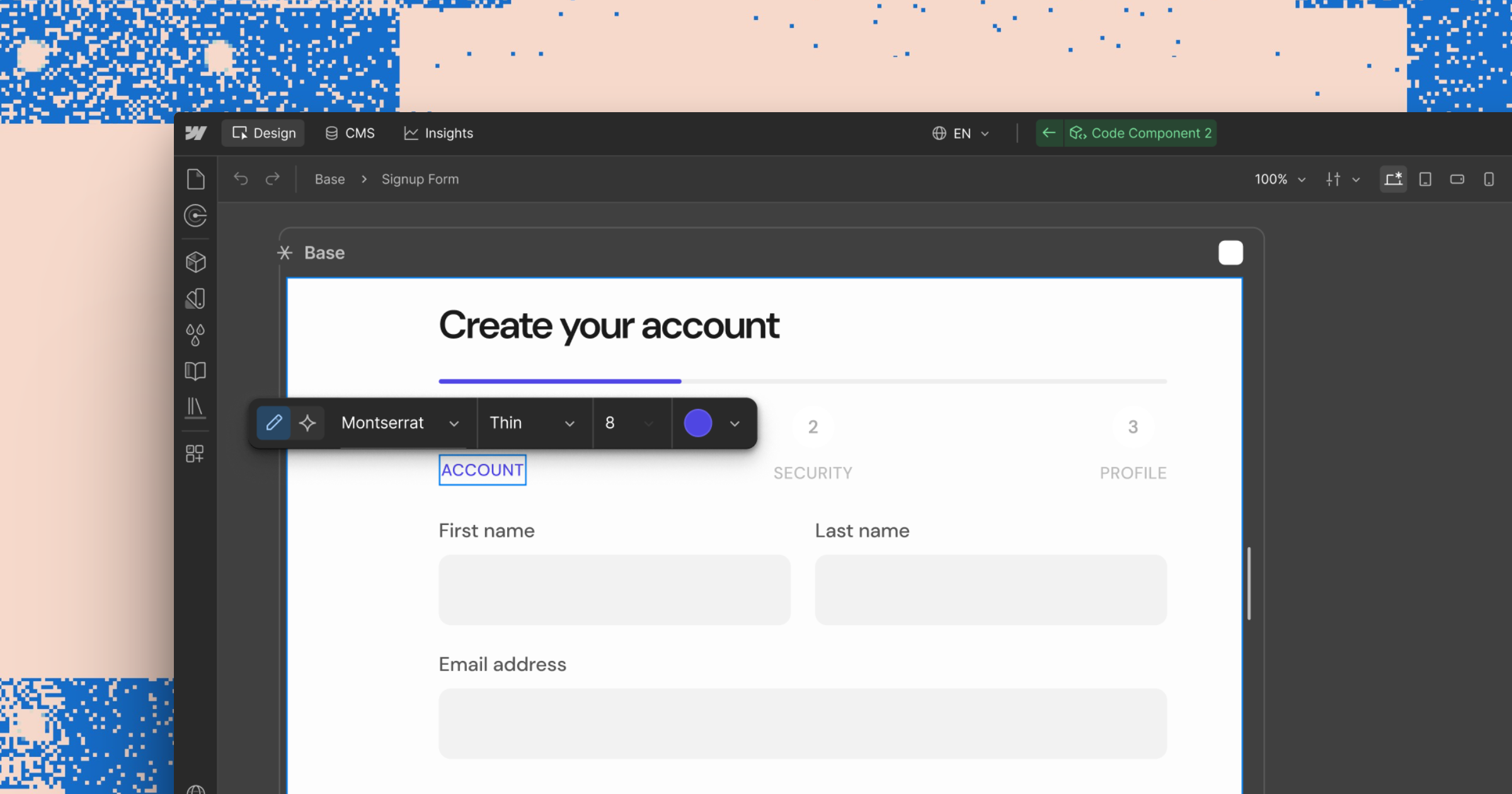
We're introducing visual editing for AI code components, bringing the same direct, on-canvas control to AI-generated elements that Webflow has always given native ones.
This makes it possible to:
- Select any element inside a code component and adjust it in the Style Panel, the same way you'd style any other Webflow element
- Add an element as context in a prompt, so the AI Assistant scopes changes to that element specifically
- Manually edit text on the canvas
AI code components now work like everything else in Webflow. Generate a component, then refine it directly, no prompt required for the small stuff.
Check out our help center article to see how it works
Related updates



















Lancez-vous gratuitement
Essayez Webflow aussi longtemps que vous le souhaitez avec notre forfait Starter gratuit. Souscrivez à un forfait Site payant pour publier, héberger et débloquer des fonctionnalités supplémentaires.
Essayez Webflow aussi longtemps que vous le souhaitez avec notre forfait Starter gratuit. Souscrivez à un forfait Site payant pour publier, héberger et débloquer des fonctionnalités supplémentaires.