






Feature
MCP
Agent presence on the canvas
You can now see where an agent is working live on the canvas, the same way you’d see a teammate.
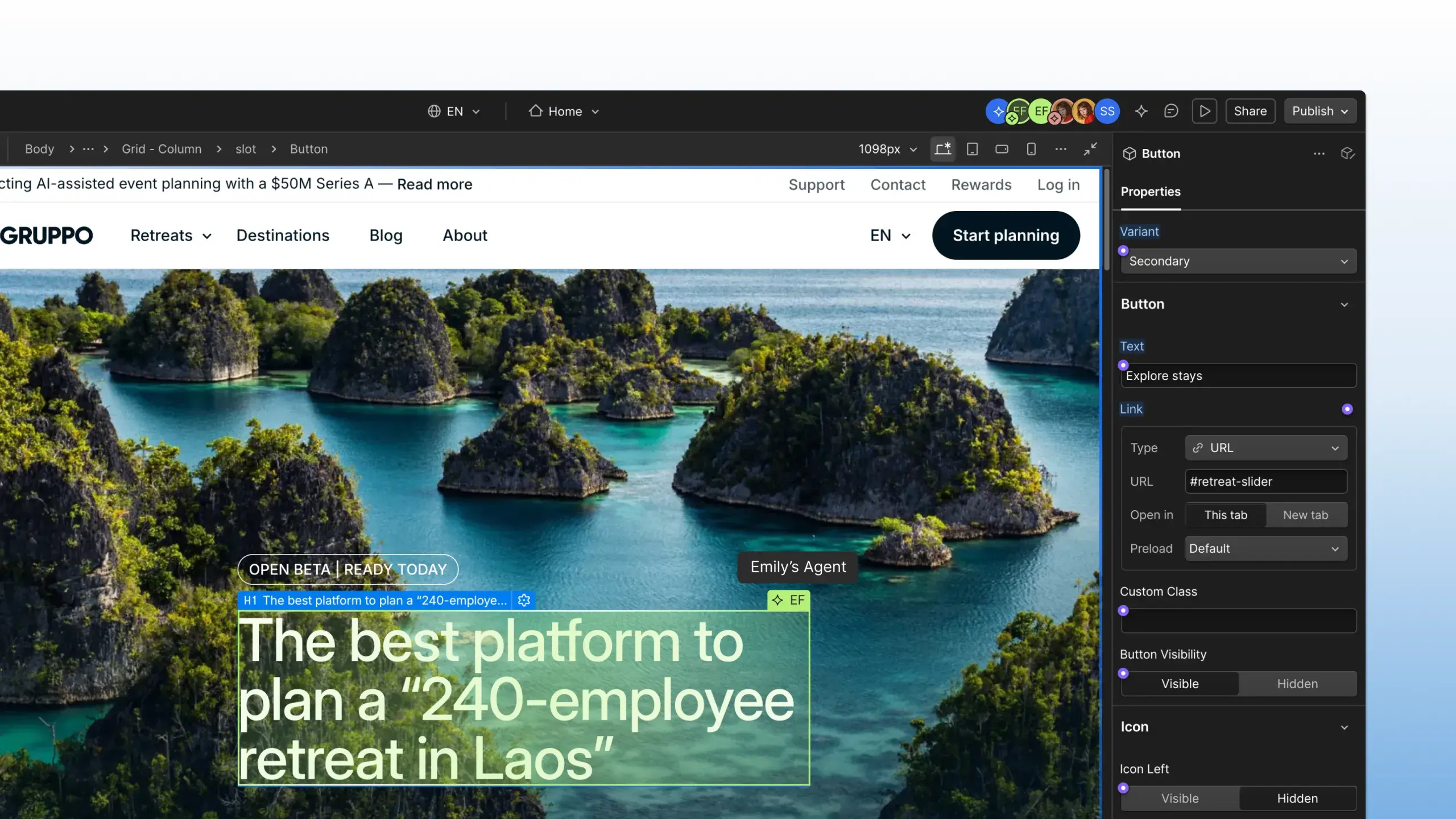
AI Agents can support work across your site with incredible speed. But until now, most of that work happened behind the scenes, with changes “automagically” appearing as the agent completed each task.
Earlier this year, we added AI attribution to the site activity log, giving you a clear record of what agents changed, when, and who prompted the work. But a log only tells you what already happened.
That’s why we’re introducing agent presence. Now, when an agent connects to your site through Webflow’s MCP server, you’ll see where it’s working live on the canvas, the same way you’d see a teammate.
Whether you’re working alongside your own agent, or those of your teammates, agent presence provides the real-time visibility you need to collaborate with agents confidently at scale.
Agent presence is now available to all Webflow users, at no additional cost.
If you haven’t already connected an agent to the Webflow MCP, check out our quick start guide to give it a spin. Already using the MCP? Visit our help center to learn more about agent presence and all the ways your agent can interact with Webflow.
Related updates



















Lancez-vous gratuitement
Essayez Webflow aussi longtemps que vous le souhaitez avec notre forfait Starter gratuit. Souscrivez à un forfait Site payant pour publier, héberger et débloquer des fonctionnalités supplémentaires.
Essayez Webflow aussi longtemps que vous le souhaitez avec notre forfait Starter gratuit. Souscrivez à un forfait Site payant pour publier, héberger et débloquer des fonctionnalités supplémentaires.