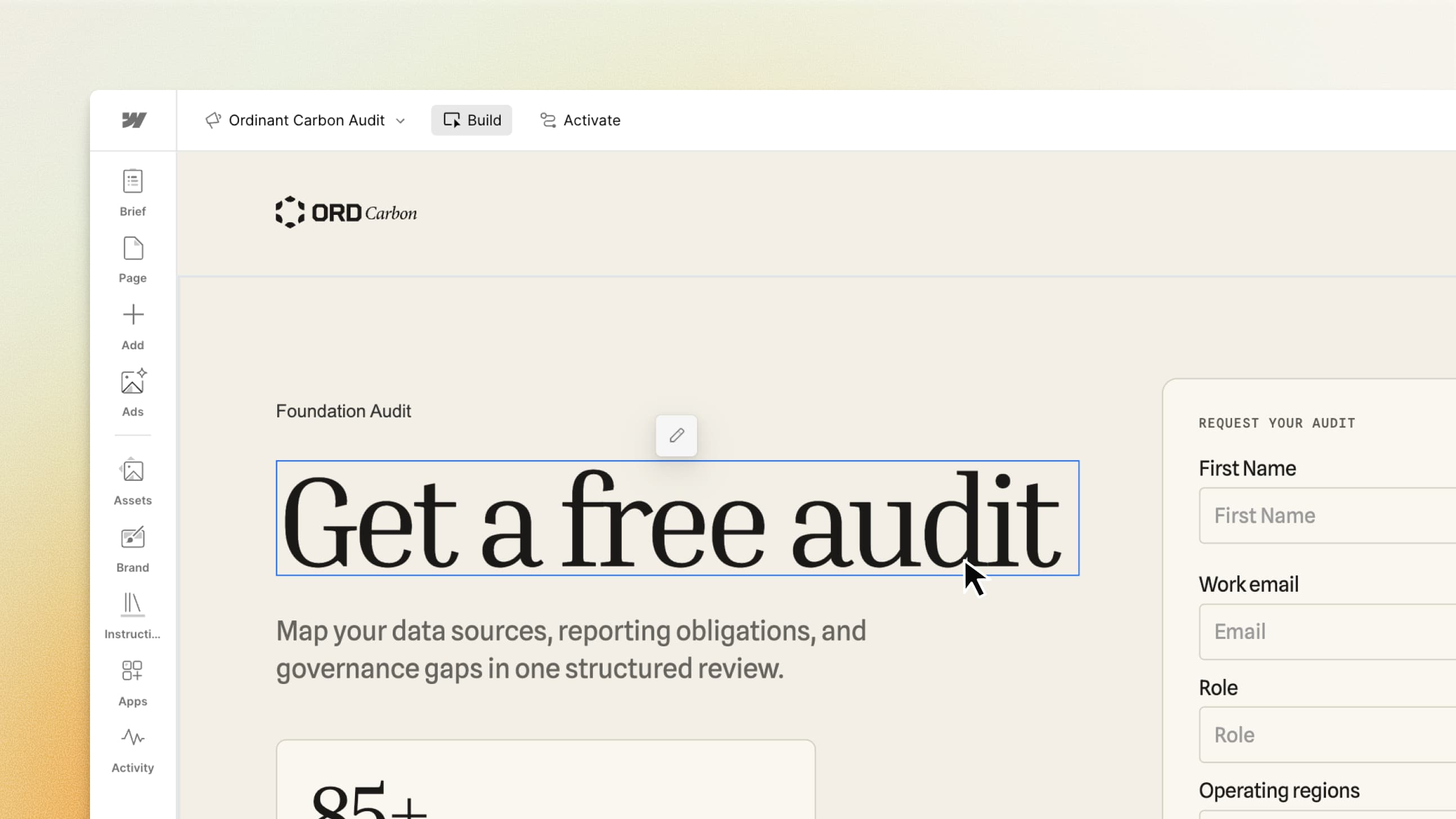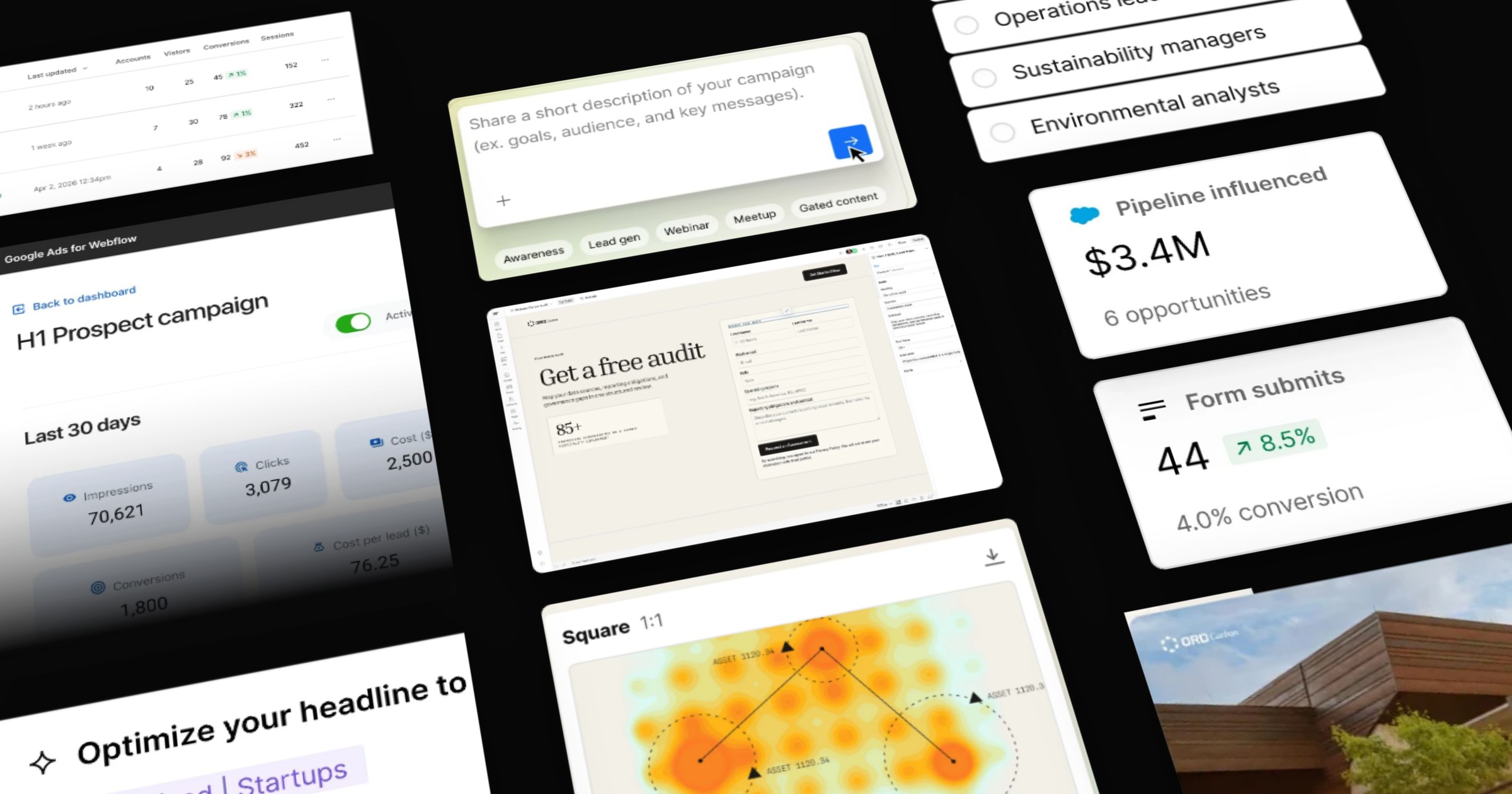




Since Webflow Conf, we’ve been busy building, and there’s a lot we’re excited to share. First up: a look at how our marketing team builds with Campaigns. Stay tuned for more.
As marketers, we’re always looking for ways to make a good process work even more efficiently. And at Webflow, we get to help build those efficiencies into the product. Most recently, that was Webflow Campaigns, which helps marketers create and launch on-brand landing pages and ads faster, with fewer handoffs along the way.
AI has changed how pages get built, and who gets to build them. A landing page used to start as a ticket in a design or development queue. Now a marketer can take a brief to a live page in an afternoon. That changes how we work with our brand team, too. Today, we still partner with them on the pages and experiences that make up our core website. Our product pages, blog, and customer stories belong there. They help people understand Webflow, learn something new, and see what’s possible. Our brand team brings the creative perspective and craft that make those experiences unmistakably ours. Together, we keep improving them with tools built into Webflow, using Analyze to understand engagement, Optimize to test and personalize, and AEO to track our visibility in AI search.
But our campaign calendar also keeps moving. Like our customers, we have pipeline targets to hit and ideas that only work while the opportunity is still open. When a paid search push calls for a page per ad group, or a conference session needs a sign-up page at the last minute, the team behind it can actually build them. Those requests used to wait in line behind big launches and the core site, and by the time the page shipped, the moment it was built for had often passed. We also needed a solution that would allow us to experiment and test ideas as fast as we were coming up with them. Our brand team felt that backlog as much as we did. Along with rethinking which work needs a designer in the loop, they added a new role: a design technologist, who turns the brand’s design system and guidelines into tools other teams use directly, like the brand skills marketers now use in Claude. As a result, teams get stronger brand consistency, easier enablement, and faster speed to market.
Campaigns builds on that work. It starts from the design system, so a page is on brand from the first draft a marketer creates, and the brand team keeps its focus on bigger launches and more strategic projects. So far, three of our teams have used it to build pages for paid search, account-based marketing, and events.
That puts more of the campaign in a marketer’s hands than ever before. It’s exciting, and it also means the person who built the page is the one who answers for it. Everything we publish has our name on it. Even a page that runs for two weeks needs to feel like Webflow. We know our customers feel that same responsibility. Moving faster matters, and so does being proud of what you put in front of your audience.
Here’s what each team built, and what we’re learning along the way.
Three ways our teams have been using Campaigns
1. Paid search: matching page for every ad group
Matt Danese, Senior Enterprise Growth Marketing Manager
I’m on Webflow’s demand generation team, and I needed a faster, more reliable way to build paid campaigns. Paid search came first. We bid on keywords across seven ad groups, from A/B testing and personalization to CMS and brand terms, and each searcher needs a landing page that matches what they just typed. I wanted a conversion-focused page for every ad group. Each one would mirror that group’s keywords in the headline, proof, imagery, and FAQs, which supports ad relevance and landing page experience, and send visitors to a contact sales form.
Before Campaigns, even one page took a lot of handoffs. I’d write the brief and copy, about an hour of work, then send it to Brand Studio, where it joined the design queue. A designer picked it up and took about a week to build, depending on bandwidth. Then we went back and forth on layout and copy. In parallel, an AirOps workflow built the content, which took three to six hours depending on bugs and getting the prompts right. Once the page was final, AirOps synced the content into a CMS collection. All in, that was about two weeks, and the page only had some dynamic content. One page per ad group wasn’t realistic.
This time, I built one template in Campaigns, and every section varies by ad group. Each variation has its own URL, messaging, customer proof, and video, and Google Ads sends each keyword set to the matching page.
I built this entire strategy with Claude in one four-hour session. I gave Claude each ad group’s Google Ads keyword report, plus product pages and screenshots for inspiration. Claude drafted the copy for each variation based on the keywords and the intent behind them. Then I asked it to act as a senior web developer and build the template and its variations in Campaigns through Webflow’s MCP server. It was close to ready. I edited the form styling, swapped in SVG customer logos, tweaked a few links, added video embeds, and published.
The combination of Campaigns and the MCP has been incredible. Once the template existed, adding a new ad group page took me about 30 minutes, including sourcing the copy. The rest of my time went into the details, not rebuilding layouts.
Launching the pages is only half the job, so I automated the measuring too. I have already built a system that connects live LinkedIn Ads, the Google Ads API, and our warehouse data, then posts a performance memo in my Slack every Monday morning.
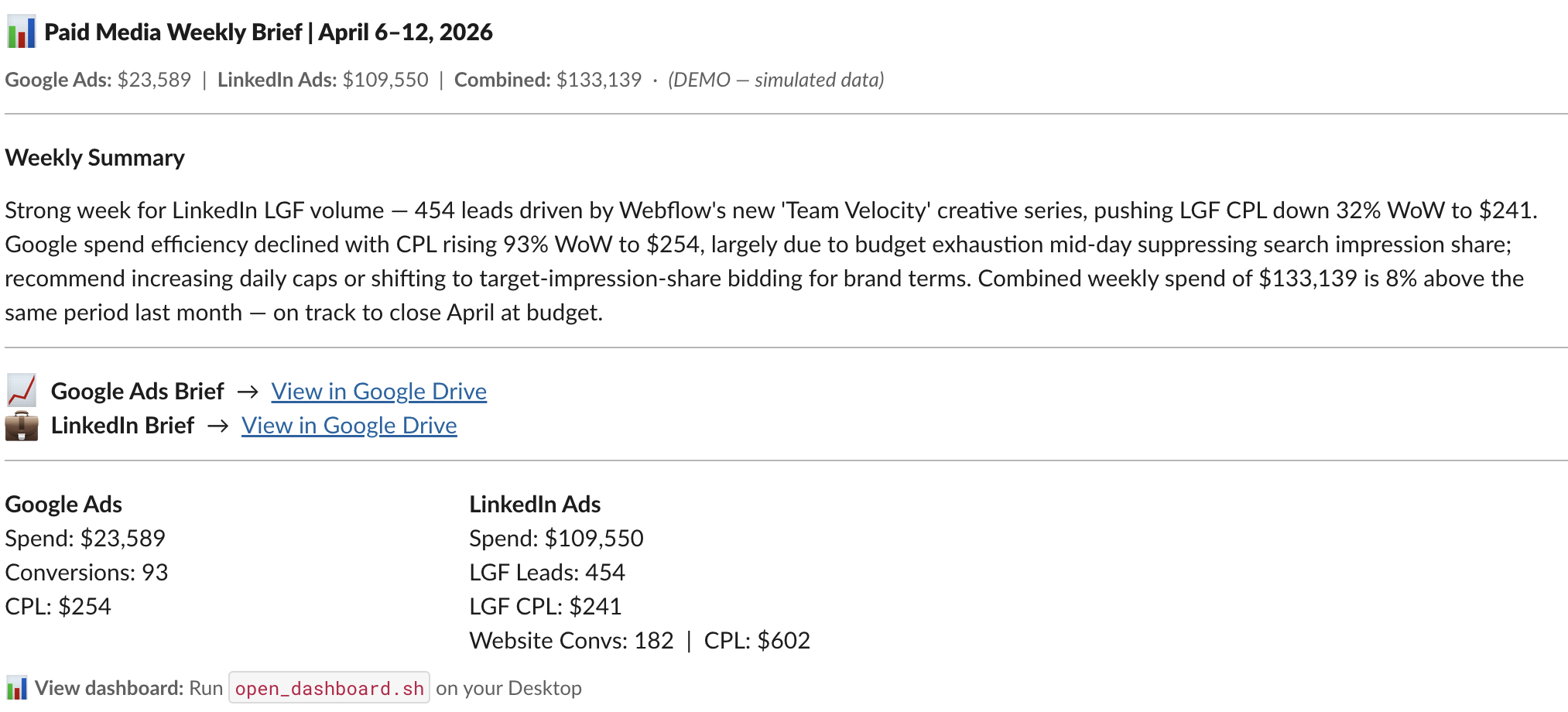
It tells me the story behind the numbers, names the root cause of each metric move, and ends with three prioritized actions. Now I’m adding a landing page loop to that same post. Weekly RSA headline and description performance from the Google Ads API flows into Claude, which ranks the angles by down-funnel pull-through, not just CTR. For each landing page, it recommends one copy change, like a new headline or subhead, and shows the evidence in Slack. I review it, and if I agree, Claude stages the change on the matching Campaigns variation through Webflow’s MCP server. Nothing goes live without my approval, and the pages keep pace with what’s working in the ads.
.jpg)
2. Events: a lead page built the morning of the session
Natalie Martell, Senior Product Marketing Manager
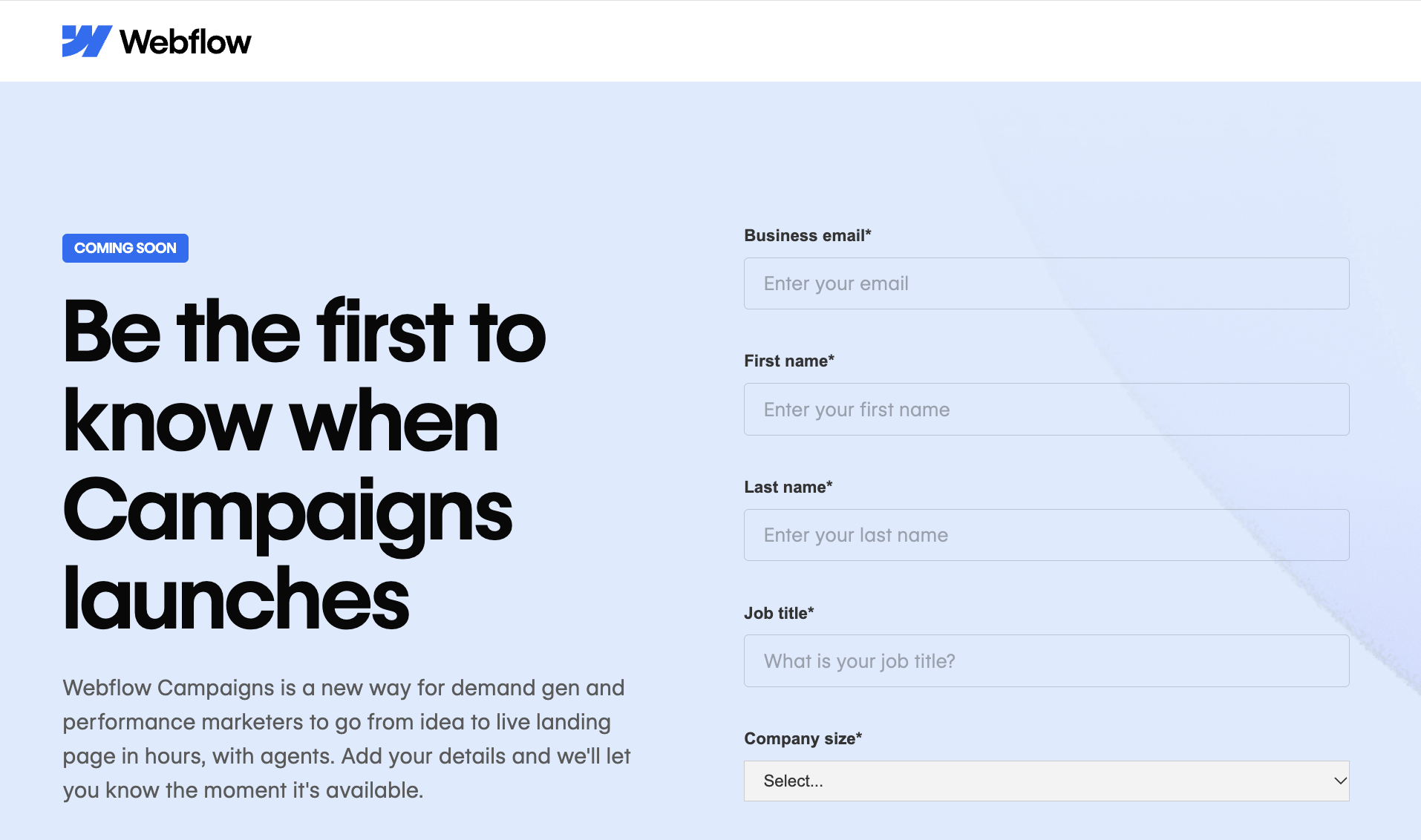
At Webflow Conf, our product team presented a series of sessions on what’s coming next, to give attendees a first-look at new product development. About a day before the Campaigns session, we saw an opportunity: we’d have a room full of marketers learning about the product, so why not give them a way to raise their hands and stay connected? We needed a dedicated lead generation page, but our brand team already had their hands full bringing a massive conference to life. So we built it ourselves in Campaigns.
We started with a lightweight brief: explain what Campaigns could help marketers do, highlight a few key messages, and give attendees a way to register their interest in receiving product updates. Campaigns gave us a starting point that we could shape ourselves. We adjusted the background, refined the copy, and published the morning of the session.
At the end of the talk, we flashed a QR code on screen so people could easily get to the page. The entire room pulled their phones out, and the page generated 80 form fills within a matter of minutes.
Using Campaigns ourselves showed us how valuable that speed and autonomy can be when there’s an opportunity to capture demand.
3. ABM: a tailored page for every account
Meghan Prudencio, Principal GTME Manager
Taylor Magargal, Senior Director of Marketing Automation and Technology, and I are both in marketing operations. We set out to build a workflow that gives sales a tailored page for any account they work.
Personalizing a page used to mean swapping in a company name and, at best, adding a case study. Going further wasn’t feasible with our legacy tools. Now the headline, images, case studies, and supporting content can all change per account. It was also the first time I’d built a landing page at Webflow.
Here’s how the workflow runs.
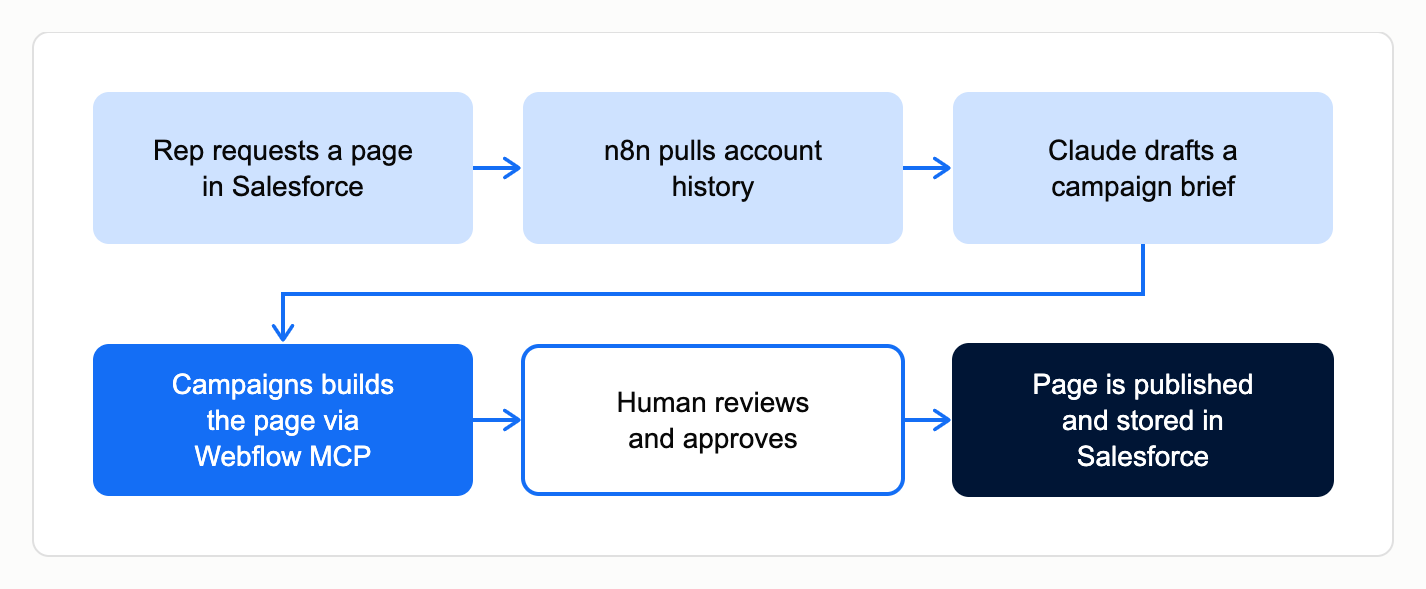
- Reps choose the accounts they want pages for, and soon they’ll be able to request one with a button on the Salesforce account record.
- An n8n workflow pulls the account’s context. n8n is a workflow automation tool, similar to Zapier, that connects our systems. It gathers the account’s Salesforce history, Gong call summaries, notes from past opportunities (pain points, use case, who else they evaluated), Webflow product usage like how often they publish, and key contacts and their roles. It also grabs the account’s logo from their website and picks customer proof points that match what they care about.
- Claude and Campaigns AI write the page copy, and Webflow’s MCP server fills it into that account’s version of an approved template. Campaigns generated the original page from a brief and then I refined it with Claude. I gave directions as to which sections change per account and now every account page is a version of that one template.
- The rep who requested the page reviews it before sending it to the account. For the beta, Marketing Ops also reviews and publishes each page while we get the process set up.
The first beta covers 100 accounts. Each page URL will write back to the Salesforce record, so reps can send it and marketing can reuse it in other channels. The scale of personalization, and the amount we can personalize these landing pages, wasn’t possible for us before.
What Campaigns unlocks for marketing teams
Before Campaigns, a lot of this work either started as a ticket, required multiple teams' involvement or was just not possible. Campaigns has unlocked new workflows for our own marketing team and allowed more ideas to come to life. The biggest change is who gets to see a campaign through end to end. The person with the idea built the page, the design system kept it looking like Webflow, and the brand team spent its time on the launches that need it most.
We’re still early. Results from the paid search pages are coming in, and the ABM beta is just starting with its first accounts. What we learn goes back to the team building Campaigns, so the next marketer who uses it gets an even better experience.

See what your team could launch with Campaigns
Webflow Campaigns turns a brief into an on-brand landing page and matching ads, ready for your team to review.