


Elegant, timeless color combinations can help luxury designs shine — but it requires thoughtful consideration.
Color helps customers quickly understand your brand. Before someone reads a headline, your palette has already signaled your brand’s personality, like whether it’s premium, calm, bold, or playful.
The right hues for your website build on color psychology: how colors shape your visitors' perception of your brand's style. In this post, we’ll share more about how color works and eight color combinations that can help you signal an elegant and sophisticated brand to your customers. We recommend starting with the examples, then using the color wheel basics to refine your choices.
How color works: Color theory and the color wheel
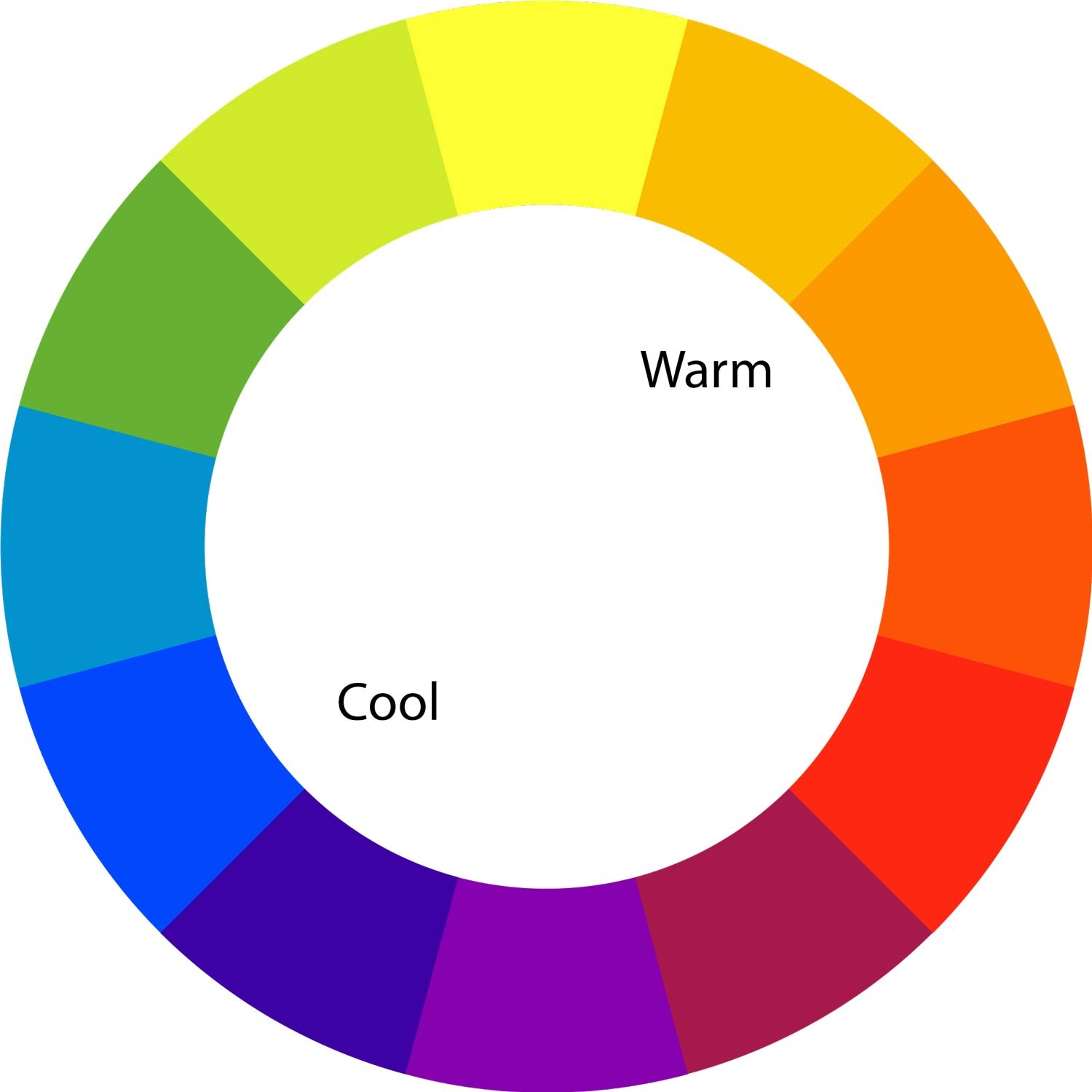
Some color combinations work better than others. One way to experiment with these relationships is by using the color wheel. This visual tool illustrates the color spectrum, from cool tones (blue, purple, green) to warm tones (red, orange, yellow).
Colors can be sorted into three categories:
- Primary colors: Red, blue, and yellow are the fundamental colors you combine to make all possible hues.
- Secondary colors: Orange, green, and purple are secondary colors, created by mixing two primary colors.
- Tertiary colors: Any color that is the result of mixing a primary and secondary color creates a tertiary color. Examples include teal, burgundy, and burnt orange.
Different types of color combinations
Since the color wheel visually represents color relationships, you can identify and select the best color combinations by looking at where each color sits on the wheel.
There are six main types of color combinations:
- Complementary: Complementary colors are directly opposite each other on the color wheel, like red and green or blue and orange. They make a bold, high-contrast color scheme that grabs attention, but can easily overwhelm viewers if unbalanced.
- Monochromatic: This color combination starts with a single base color and adjusts the shade, tone, or tint to create a subtle color scheme. An example of this is red and pink.
- Analogous: These colors are next to each other in the color wheel, such as teal, blue, and indigo. The similar hues result in a color combo that harmonizes well but lacks contrast.
- Split-complementary: This combination uses a base color and the two colors on either side of its complementary equivalent, such as orange with teal and indigo. This softens the tension that occurs with complementary color combinations.
- Triadic: A triadic combination includes three colors evenly spaced around the color wheel, like violet, green, and orange. They provide a visually surprising contrast, but they’re still harmonious enough to be elegant.
- Tetradic: Also known as a rectangular combination, tetradic colors combine two complementary pairs. This creates a harmonious and vibrant palette often used in trendy marketing, such as blue, orange, yellow, and purple.
Assign colors to UI roles
Before applying a palette to a website, give each color a specific job. Using colors consistently across UI roles — background, text, accents, surfaces — is what separates a polished design from one that feels arbitrary.
Most palettes need four to six roles covered. Pick your lightest or most neutral color for the background, a mid-tone for surfaces like cards or panels, the darkest color for body text, and the most distinctive color as the accent. Research on color and consumer behavior shows that how colors are applied, not just which ones you choose, shapes how visitors perceive your brand.
- Background: The page's base color is called the background, and it’s usually the lightest or most neutral in the palette.
- Surface: Cards, panels, and modals are one step darker or lighter than the background.
- Primary text: This should meet WCAG AA contrast standards for both background and surface colors.
- Secondary text: For captions, labels, and supporting copy, this text is lighter than primary text but still accessible.
- Accent: Your most distinct or saturated color is normally used for buttons, links, and highlights.
- Border/divider: Subtle separators are typically a muted mid-tone from the same palette.
Here's a simple CSS pattern to define these roles as variables at the start of any project:
css: root {
  --color-bg:#F0EFEB;  /* Background*/
  --color-surface:#D4D4D4;  /* Cards, panels */
  --color-text-primary: #283618;  /* Body text*/
  --color-text-secondary: #B7B7A4;  /* Captions, labels */
  --color-accent:#595F39;  /* Buttons, links*/
  --color-border:  #C4C5BA;  /* Dividers*/
}
If you're building in Webflow, creating a dedicated style guide page can help you apply these roles consistently across templates and CMS pages.
How to choose an elegant color palette
Elegance is in the eye of the beholder, but color psychology offers a useful framework for understanding which colors people associate with quality.
While color theory gives artists and designers a way to study the relationships among colors, color psychology examines color meanings — how color shapes our behavior and perception, including its influence on brand trust and purchasing decisions.
Follow these five steps to build a palette that feels refined and intentional:
Start with one anchor color
Every elegant palette centers on a single dominant hue — the color most closely associated with your brand or the feeling you want to evoke. For luxury brands, this is often a deep navy, forest green, or warm ivory. For wellness, a sage or dusty teal. Choose this color first and build around it.
Choose a neutral base
Neutrals do the heavy lifting in elegant design. Ivory, warm white, light gray, and soft beige create breathing room and let your anchor color stand out. Pick a neutral that complements your anchor color's undertone, such as warm neutrals for warm anchors and cool neutrals for cool ones.
Add one restrained accent
Restraint is what makes a palette feel sophisticated rather than busy. Add a single accent color, typically a complementary or split-complementary hue, and use it sparingly for buttons, hover states, and key callouts. Analogous and monochromatic color schemes don't draw attention to themselves, which keeps the focus on your site's content. One consistent accent is more elegant than three competing ones.
Plan tints and shades for UI
A four-color palette isn't always enough for a full website. Plan at least two tints (lighter versions) and one shade (darker version) of your anchor color to cover hover states, disabled elements, and layered surfaces. You can use tools like Adobe Color to make this easy.
Check contrast before you commit
Elegance means nothing if your site isn't readable. Before finalizing any palette, run every text-on-background combination through a contrast checker. WCAG AA standards require a minimum 4.5:1 ratio for normal text, and meeting that threshold should be non-negotiable.
An overview of elegant color palettes
If you don’t know where to start, the table below summarizes all eight palettes at a glance — each chosen for a specific mood, industry, or design context.
8 elegant color palettes to inspire your designs
Elegance takes many forms. Here are eight examples of elegant color palettes, with hex codes so you can incorporate them into your own luxe web designs.
1. Refined elegance palette for luxury branding

Muted neutral tones come together in this color palette for a soft, natural appeal.
Ethereal Ivory is bright yet easy on the eyes, and Sophisticated Sage is a contemporary gray that’s well-suited for backgrounds. Muted Moss green provides a contrasting hue to subtly draw attention, while Eerie Black works well for borders, text, and UI elements.
Best for: High-end product brands, luxury retail, and editorial design.
2. Enchanted nature palette for eco-friendly and sustainable design
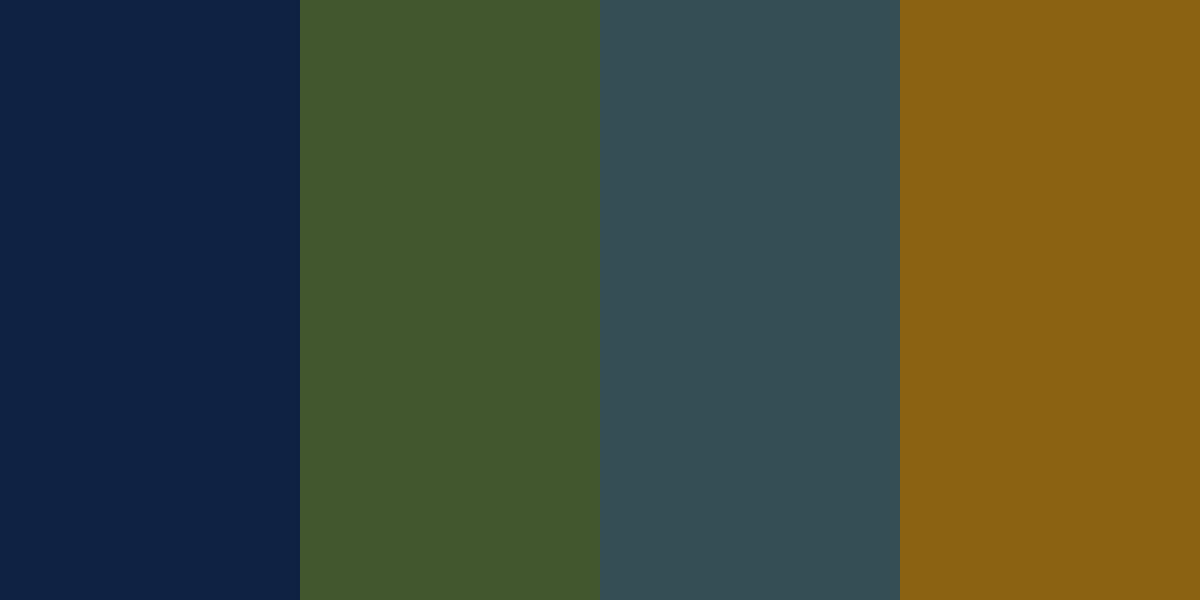
Rich, saturated colors convey an eco-friendly charm in this triadic color palette.
Muted Olive and Yarrow Gold start the palette on an earthy note, while Cerulean Blue and Pacific Blue add cool, oceanic tones that balance the rich, warm tones.
On your website, you’ll need to add a light neutral color, like beige or white, to keep the body text legible. Lightening one of this palette’s colors into a pastel shade or adding a light accent color can also help UI elements stand out.
Best for: Sustainable brands, environmental nonprofits, and organic food and beverage companies.
3. Serene coastline palette for spa and wellness brands

This analogous color scheme uses three blue-adjacent colors (light blue, teal, and light green) in contrasting shades to create harmony. The combination of pastels and light gray makes Dark Cyan stand out without feeling too bold.
Color theory associates blues and greens with calmness and relaxation, making this palette perfect for wellness brands. Using a delicate script font for your website can further enhance the coastal feelings and tranquil appeal.
Best for: Spas, wellness studios, mental health services, and clean beauty brands.
4. Sunset glow palette for lifestyle and fashion campaigns
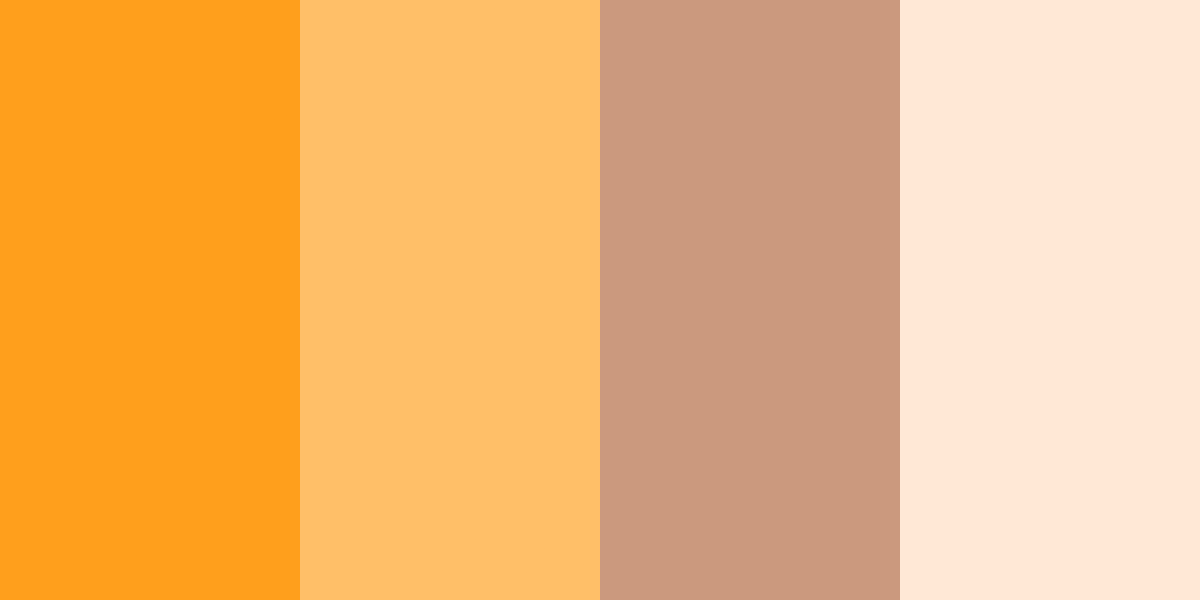
These warm colors bring a friendly, inviting tone to a website with a palette that’s attention-grabbing but not ostentatious.
The sandy desert colors are analogous with similar saturations, so they harmonize well, but you’ll have to contrast them carefully. For example, you can layer Pale Peach onto Vivid Orange, but on Hunyadi Yellow it would be unreadable.
If you use this elegant color palette, it’s best to use Pale Peach or Vivid Orange as a background so you have enough contrast to use the other three.
Best for: Lifestyle brands, fashion campaigns, hospitality, and travel.

Ultimate web design
From 101 to advanced, learn how to build sites in Webflow with over 100 lessons — including the basics of HTML and CSS.
5. Monochromatic blues palette for corporate and financial services

In color psychology, blue is associated with trustworthiness, reliability, and security. This monochromatic color scheme leans into those associations with four high-saturation tints.
Though they’re all blue, the palette offers ample flexibility for your web design. For example, you can create a dark mode website using a Dark Blue background with Pale Blue or Soft Cyan for your text and Ocean Blue as your accent color.
Best for: Financial services, B2B SaaS, corporate websites, and healthcare tech.
6. Forest whispers palette for outdoor and environmental projects
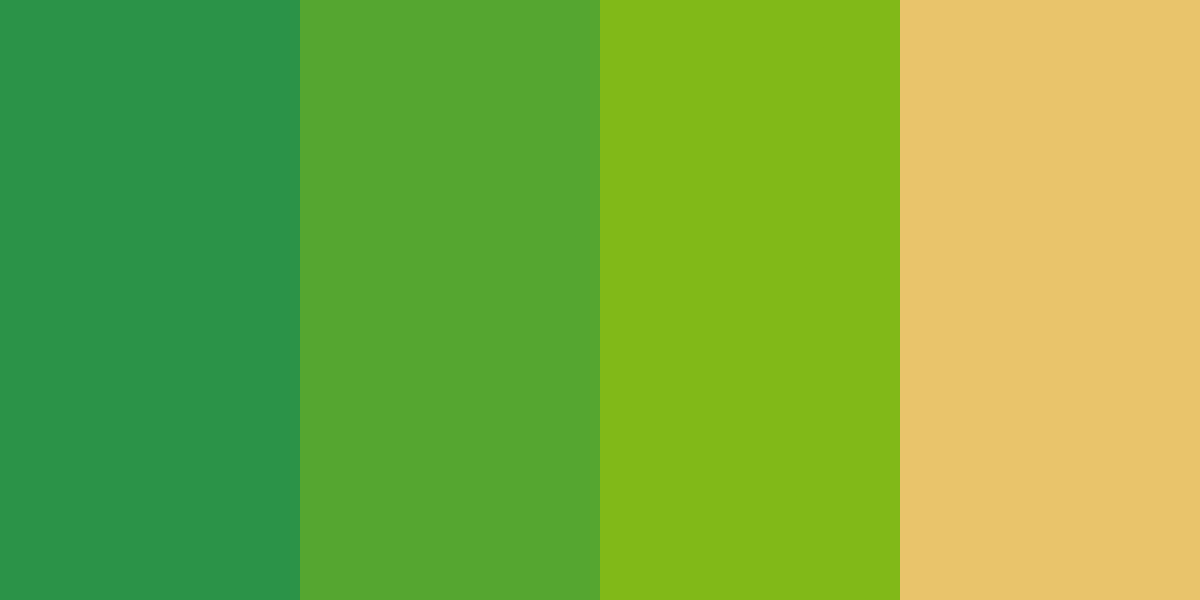
While this palette is almost monochromatic, a muted warm yellow grounds its earthy elegance with a complementary hue.
In areas that need a lot of contrast, like accents and calls to action (CTAs), the yellow will be your best bet. However, you’ll need to use a deep tone in your web design to meet accessibility standards for text. Forest Green isn’t dark enough to contrast against white or beige.
Best for: Outdoor gear, agriculture, environmental campaigns, and farm-to-table brands.
7. Classic neutrals palette for minimalist interior design
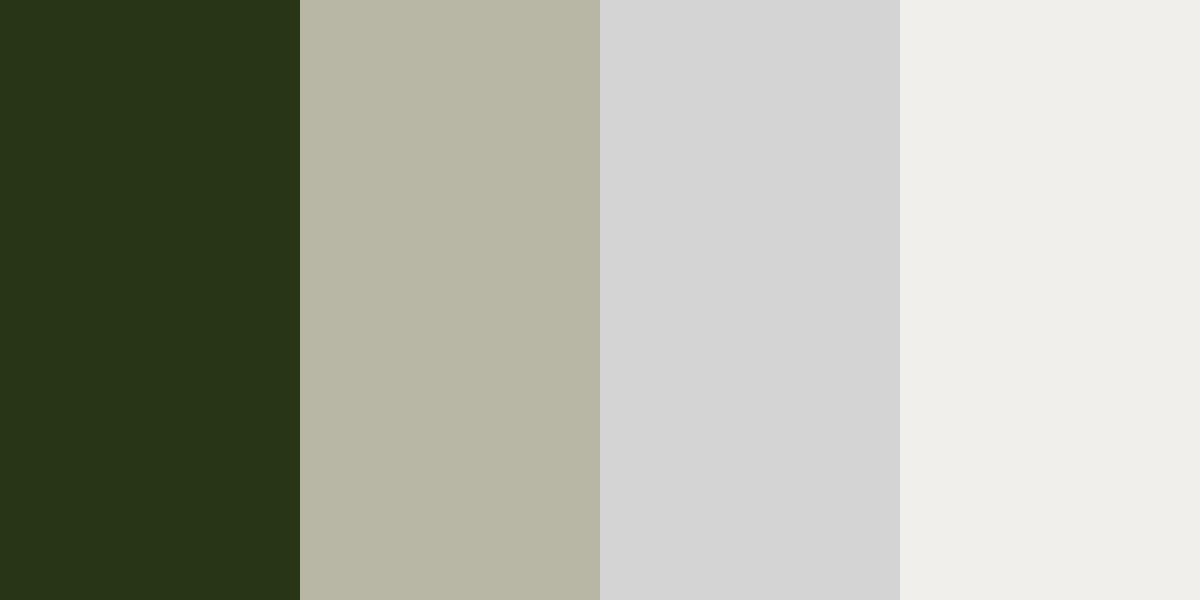
This sophisticated color combination uses desaturated hues to impart a sense of subtle modesty and minimalism, which is common in contemporary interior design. The two gray-green tones provide an earthier note next to Ash Gray and White Picket Fence without making a too-bold statement.
The neutrality of this color palette offers plenty of flexibility in your website’s design. It’s a reserved, versatile set of colors that allows your site’s content to stand out to viewers.
Best for: Interior design studios, architecture firms, luxury real estate, and high-end home goods.
8. Dreamy pastel palette for wedding and event design
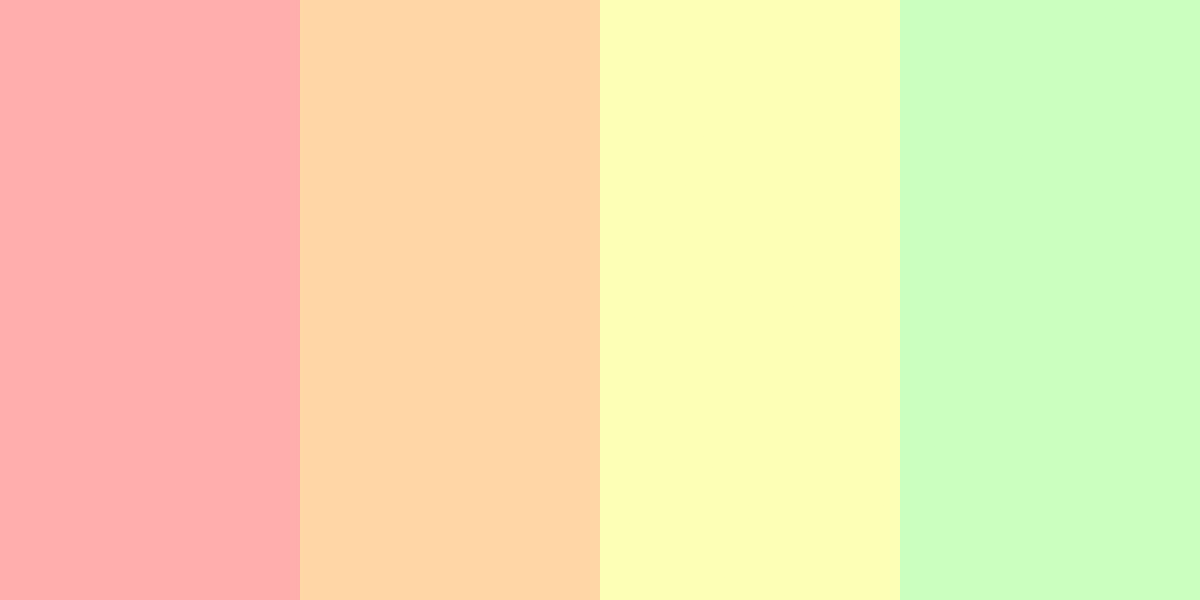
These rainbow-toned pastels make for an elegant color palette, especially in the spring and summer. Despite the high saturation of these colors, their light tint grounds them and gives them a warm, inviting appeal.
Use complementary color combinations, such as green and peach or yellow and pink, for the best visibility. And to make it even more elegant, dress your site with plenty of white.
Best for: Wedding planners, event designers, florists, and spring/summer beauty brands.
Best elegant color palette tools
These eight color combination examples are useful on their own, but they’re far from your only options. If you’d like to build a color palette that perfectly captures your elegant web design, try the tools below.
A good palette tool should do three things: generate options from a base color or image, show how colors relate on the wheel, and flag accessibility issues before you build. The tools below each handle this differently — pick the one that fits your workflow.
Adobe Color
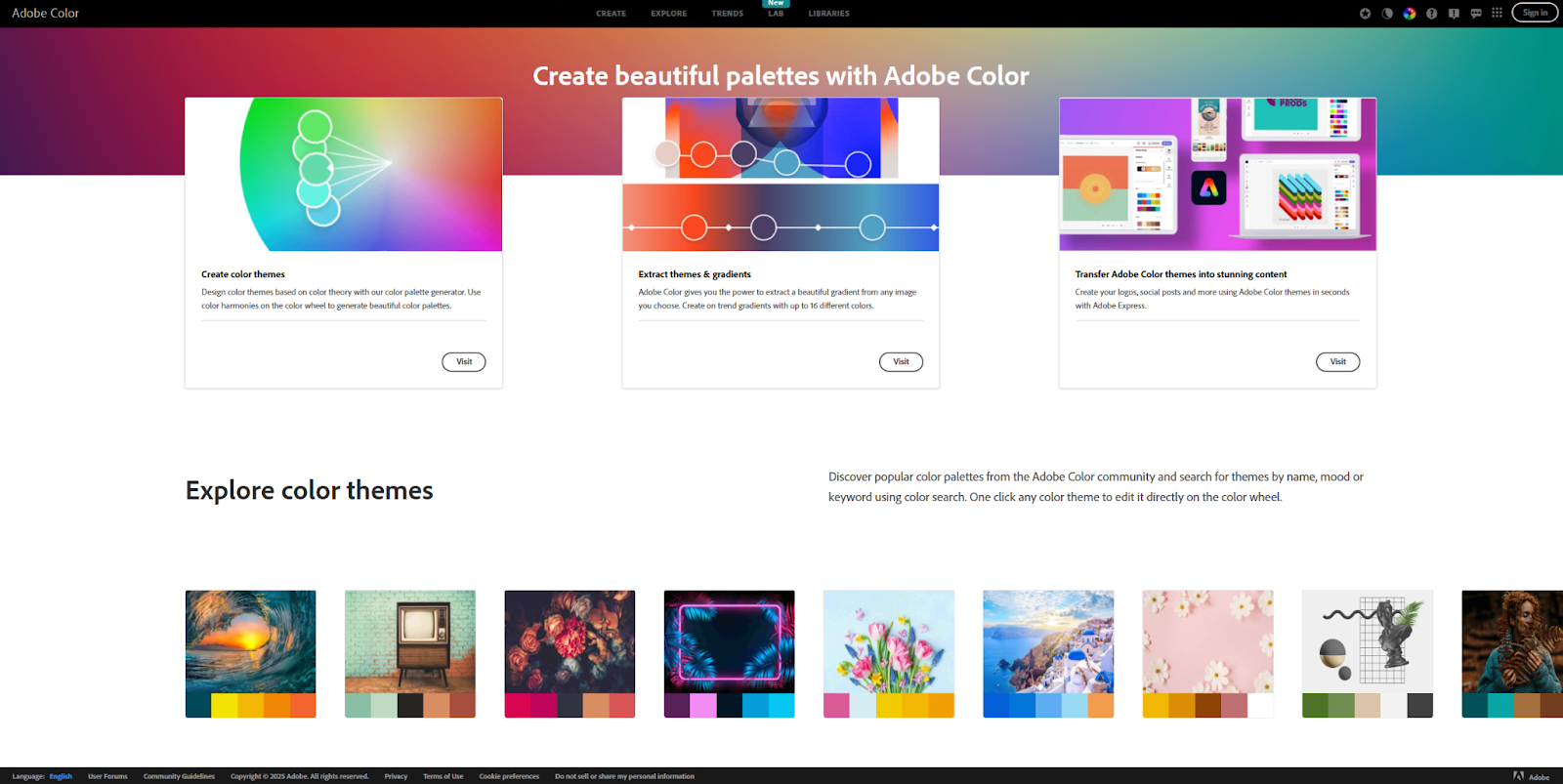
Adobe Color lets you create your own palette using a few different methods. Its extraction tool can identify a color palette from a reference image, and its color wheel automatically generates a palette based on a few inputs, like a base color and relationship.
There’s a large library of palette ideas searchable by keyword (such as “luxury” or “elegance”). You can save any of them to reference later or use in any Adobe Suite product. You can also check your palette against WCAG accessibility standards to ensure it passes.
Khroma
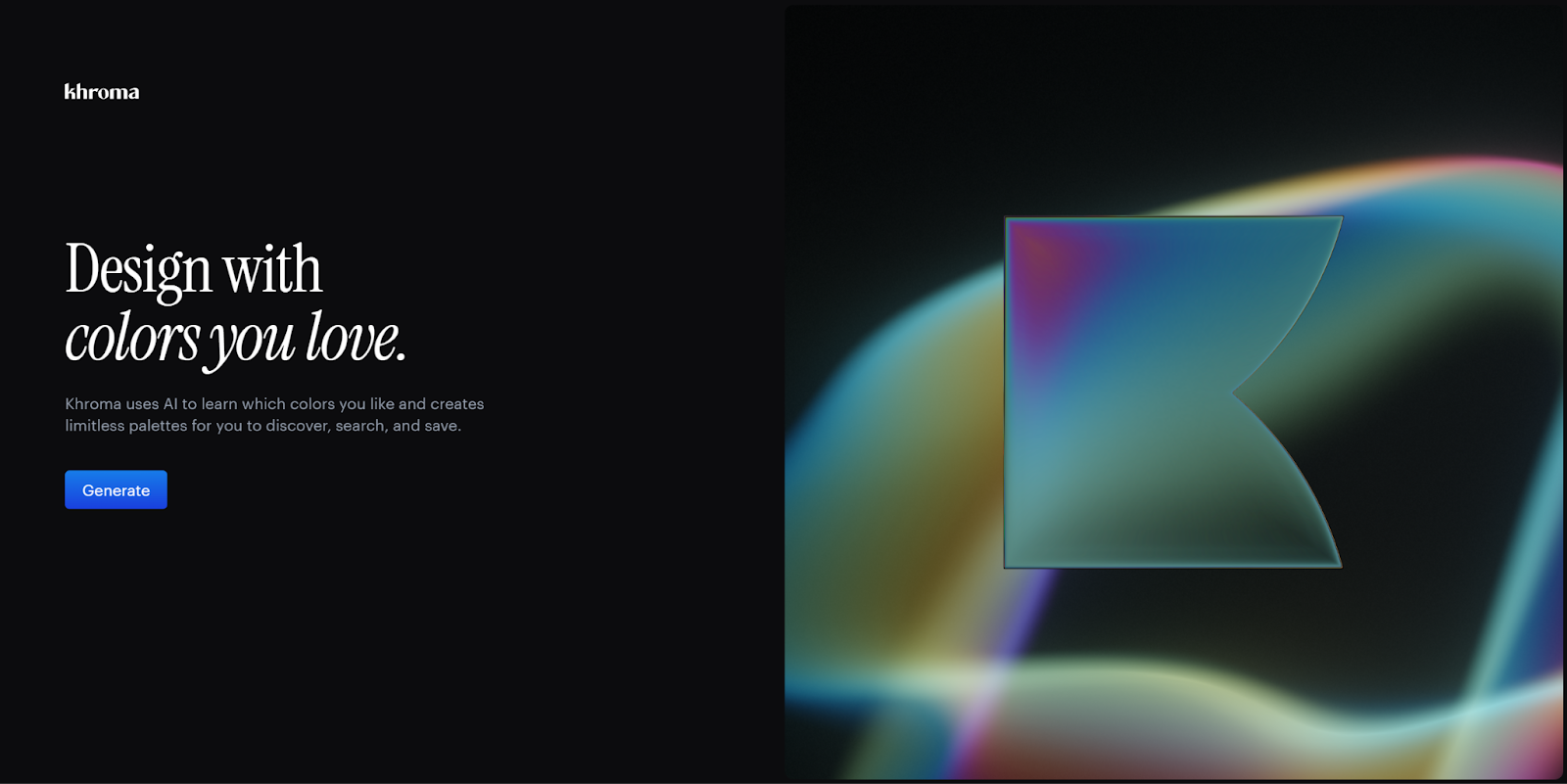
Khroma is an innovative AI tool that lets you train an algorithm to generate color palettes for you. Select 50 colors you like, and the AI will assemble a color scheme based on your choices.
If your choices were too narrow, the tool will let you know, and it makes other useful suggestions, like selecting different saturation and shade levels to improve results.
Coolors
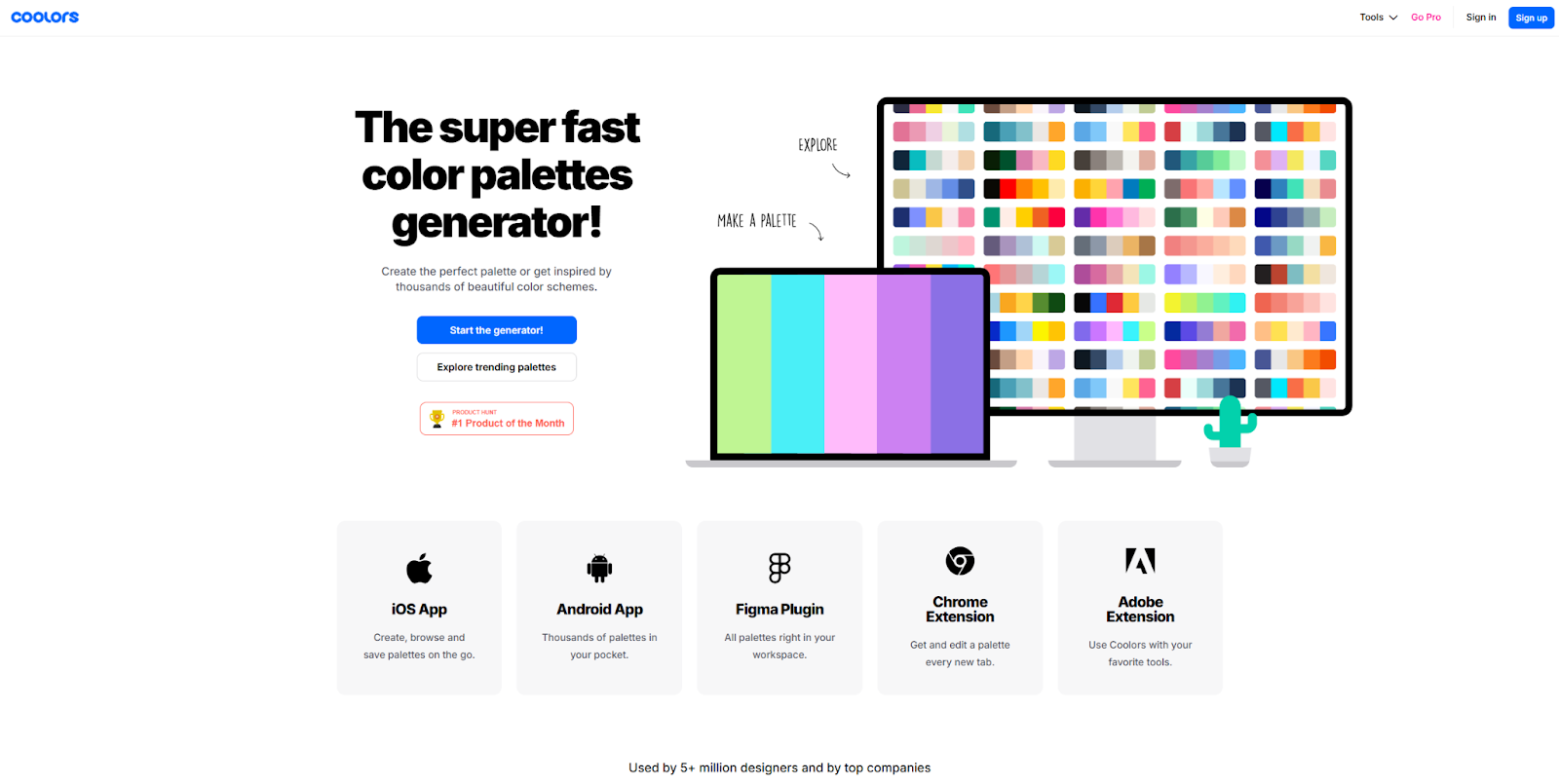
Coolors has been a trusted resource for web designers since 2014. It’s a fast online color palette generator with a robust free plan. An inexpensive Pro subscription opens even more features, such as palettes with more than five colors and a contrast checker for WCAG accessibility.
The tool also supports popular plugins and extensions for Figma and Google Chrome, so you can easily export your favorites.
Bring these elegant color combos to your next project
Your color choices establish your brand persona and shape how visitors experience your website. The palettes above give you a solid starting point, and with a grasp of color theory, you can adapt any of them to fit your brand.
Build out your color palette in Webflow’s agentic web marketing platform. Customize Webflow’s pre-built templates and drag-and-drop assets with your elegant color palette to launch pages faster. Ready to get started? Learn more about the best practices of web design or start building with Webflow.
Build websites that get results.
Build visually, publish instantly, and scale safely and quickly. All with Webflow's agentic web marketing platform.