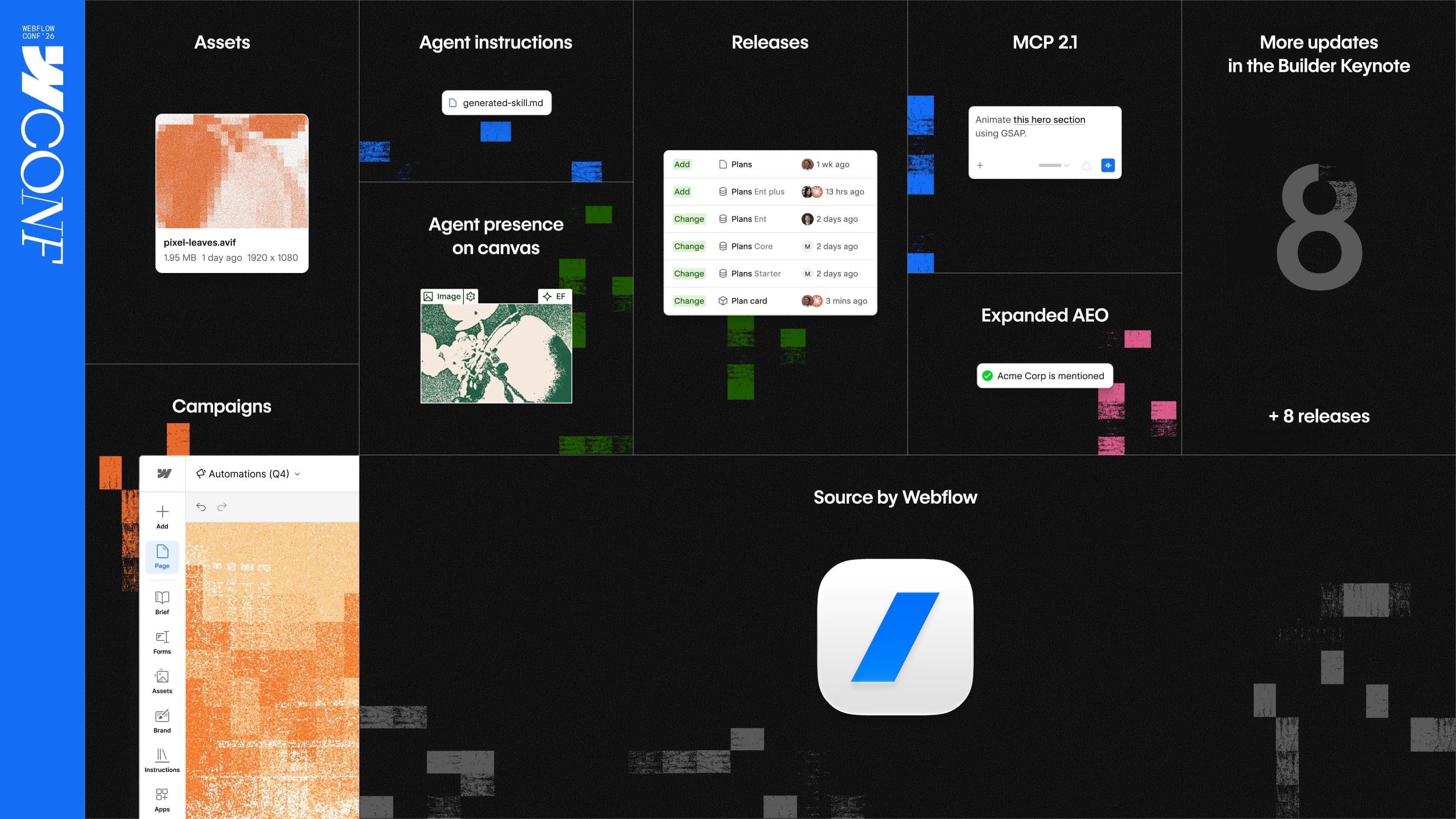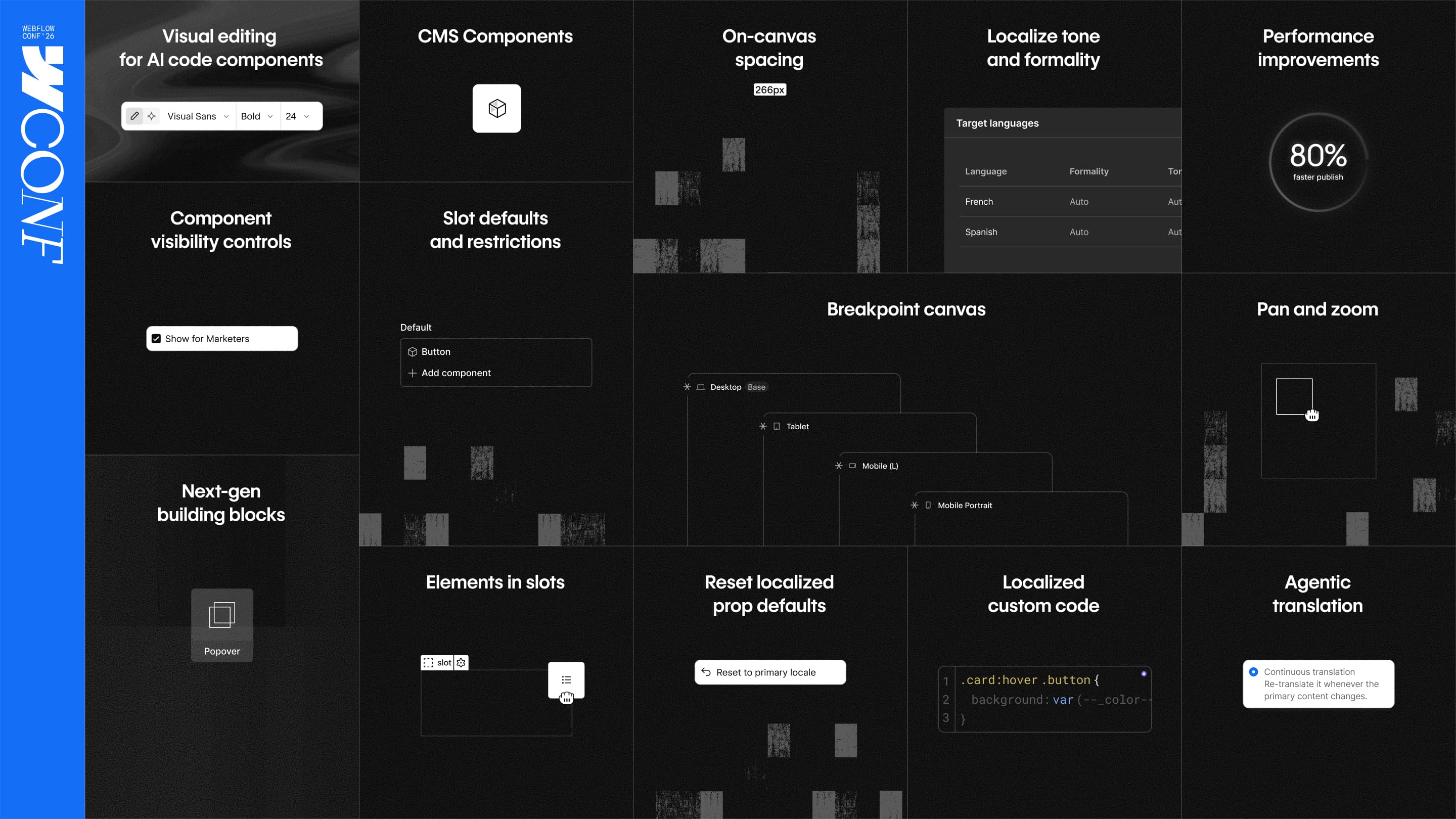




This morning, we announced Source by Webflow, a new platform for marketing teams and their agents to launch, optimize, and scale the web for what’s next.
Big launches show where we’re going—and we couldn’t be more excited about what Source will make possible. But as builders ourselves, we also know that what’s next is only part of the story. The experience of creating in Webflow today lives in the details, the quality-of-life improvements that just make things feel better every time you open the canvas.
Since Webflow Conf 2025, we've shipped 151 of these individual improvements, and almost all of them came directly from your feedback. At today’s first-ever Builder Keynote, we shared even more. Here’s what’s new (and coming soon) to your daily Webflow workflow, based on what we’ve heard from you.
What's new
Launching today
Coming soon
- Popovers
- Default components for slots
- Agentic Translation
- Style props for components
Recent updates
- Performance
- On-canvas spacing, a dedicated canvas for components, and pan and zoom
- Component visibility controls and slot restrictions
- Localize improvements
Visual editing for AI code components
.png)
AI code components make it easy to add custom functionality to your site. Say you need an interactive ROI calculator for a product comparison page. Instead of filing a dev ticket, you describe it to the Webflow AI Assistant, and it builds a component right on the canvas.
Until now, when the Assistant built you a code component, the only way to make changes was through prompts. Now you can visually edit AI code components in Webflow like you can any other component on your site.
If the spacing is off, click into the component, select the element, and adjust it in the Style panel. Edit the text directly on the canvas. Or drop the piece you want changed into the Assistant as context, so its next pass is scoped to that one thing. Generate the component, then fine tune it the same way you'd fine tune anything else in Webflow. You get custom functionality on the page without giving up design control.
Visual editing for AI code components is available to all customers today. Read the full updates post to learn more.
Components in the CMS
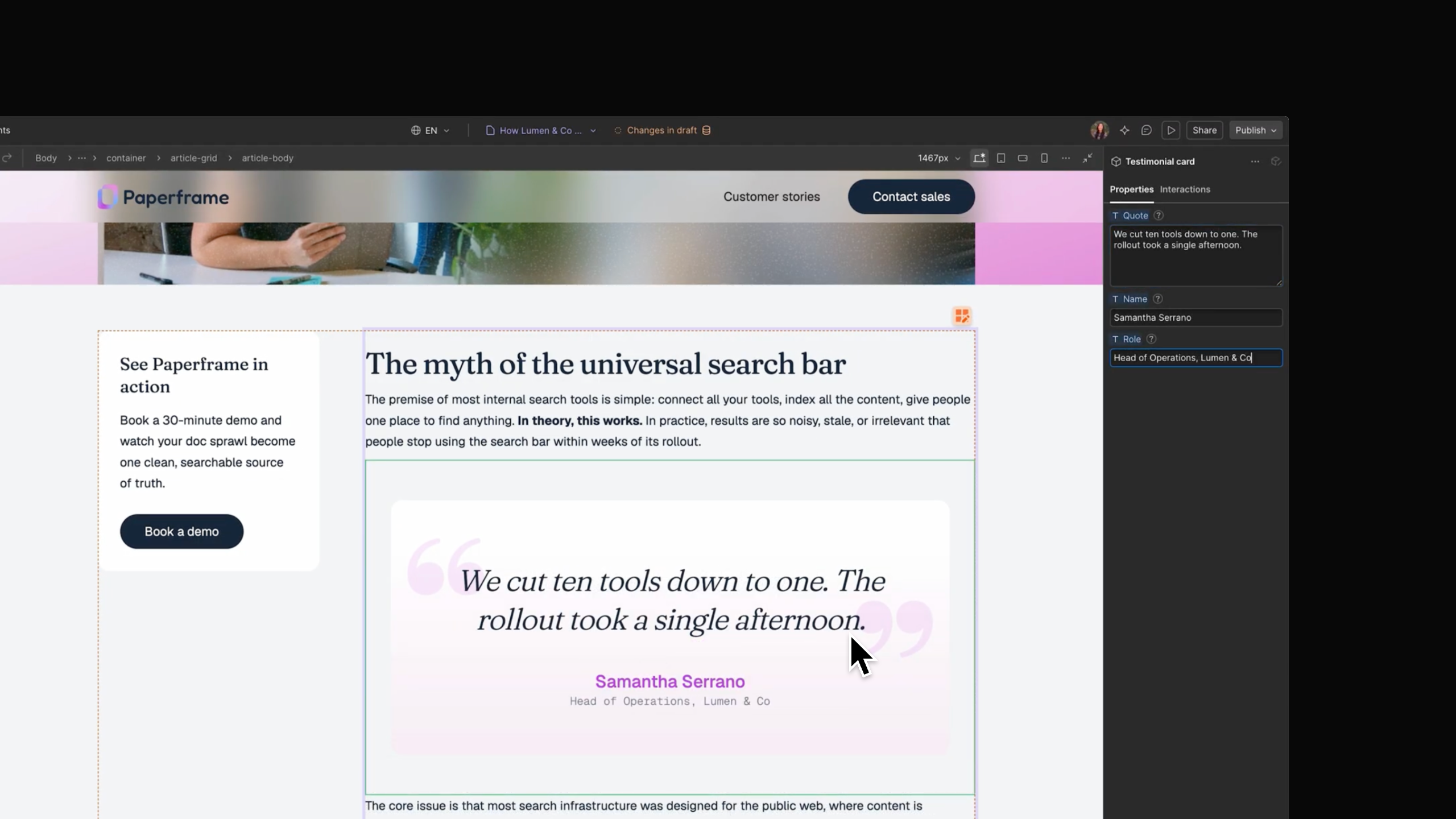
Components like CTA buttons, testimonial cards, and pricing tables can elevate your content, and guide users through their discovery journeys. But until now, you needed custom code or third-party workarounds to incorporate them into CMS items.
Today we're rolling out components in the CMS, so you can drop a component straight into rich text, on the canvas or in a CMS item, and configure it for that specific piece of content through props.
For agencies, this makes client handoffs a lot easier. Build a customer quote component once, hand it to the client's marketing team, and they can add it to new posts by swapping the quote, the photo, and the name through props.
And this isn't limited to simple components. That ROI calculator you generated as an AI code component works in the CMS like any other component. Each instance belongs to its own CMS item, so the same calculator can run different numbers on every comparison post, and a design change applies to all of them at once.
Components in the CMS begin rolling out today and will be available to all customers next week. Read the launch announcement to learn more.
Breakpoint canvas

So much of a builder's day begins and ends on the canvas: managing components, refining layout and spacing, checking how a change cascades across variants, breakpoints, and locales. All of it asks you to hold a lot of context in your head.
Over the past year we've been closing that gap, with component canvas, spacing visualizations on the canvas, and pan and zoom on the page. A lot of you asked about that last one: why pan and zoom a single frame?
You need it when there's more than one.
Today we're beginning to roll out the breakpoint canvas, so you can see every breakpoint on your page in one view: desktop, tablet, and the different mobile formats, side-by-side. Now, if you make a change on desktop, you can instantly see how it cascades everywhere else, without manually clicking through each breakpoint and holding the rest in memory.
That means less guessing, fewer missed overrides, and a much easier time reviewing work — whether it’s yours, a teammate’s, or something an AI agent just changed — without constant context switching.
Breakpoint canvas begins rolling out today and will be available to all customers next week. More details in the release announcement.
Popovers
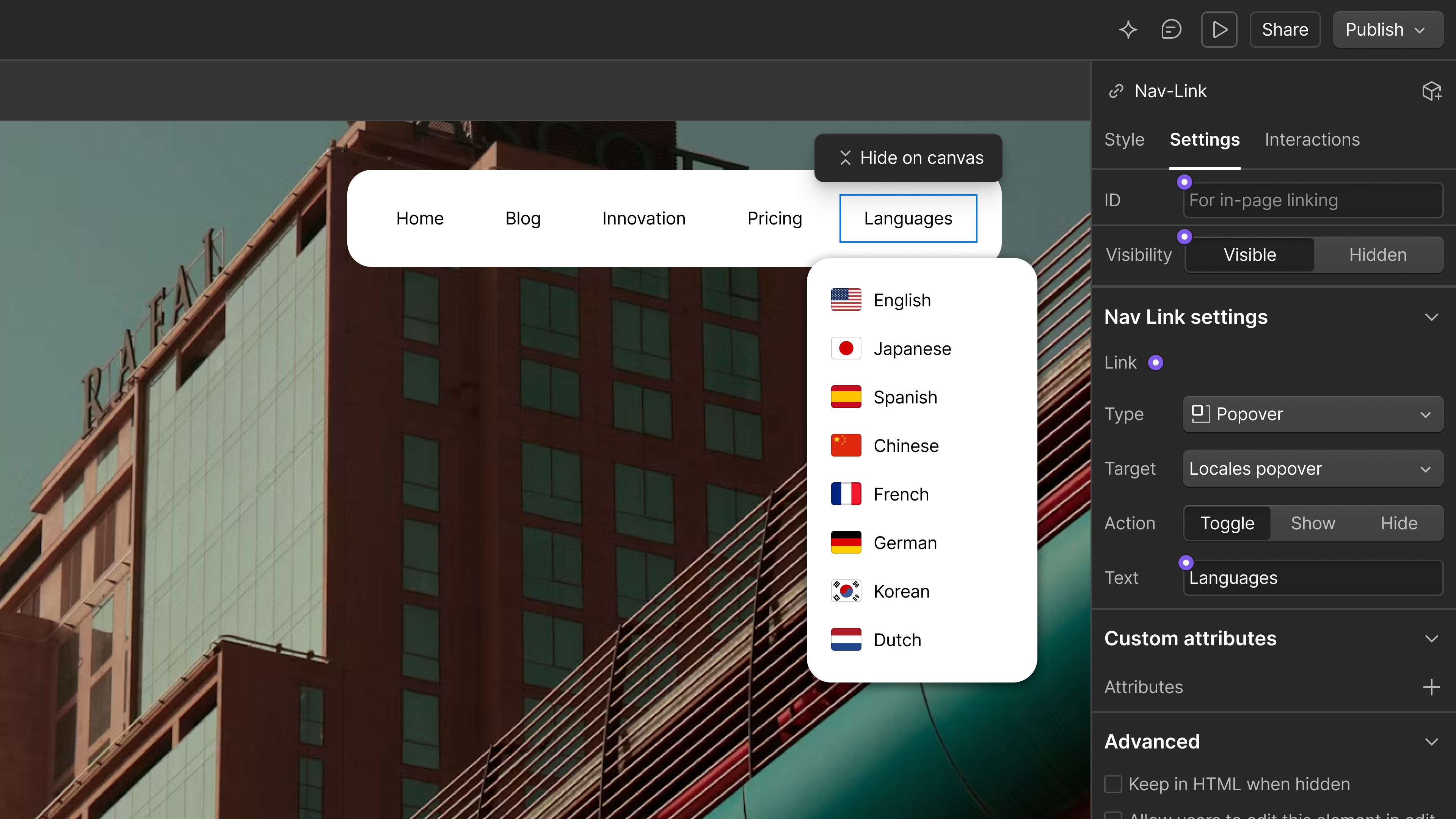
On every site there are UI patterns you rebuild over and over. Visitors expect them, and they make your content feel professional and easy to navigate. They're also tricky to get right, especially when it comes to accessibility and layout.
In a few weeks we'll begin rolling out new building blocks for the most common UI patterns on the web, starting with popovers. With native popover support you can build modals, tooltips, banners, and menus, with no custom code and no workarounds. Popovers lean on modern web features like anchor positioning and top-layer behavior instead of JavaScript, so your pages stay lighter and more accessible.
Anchoring on native primitives matters because it lets you build properly encapsulated components. That makes popovers easier for marketers to use, and it makes AI agents faster at building in Webflow.
Later this year we're going further with native support for things that repeat: sliders, tabs, accordions, and more.
Popovers begin rolling out in the coming weeks.
Default components for slots
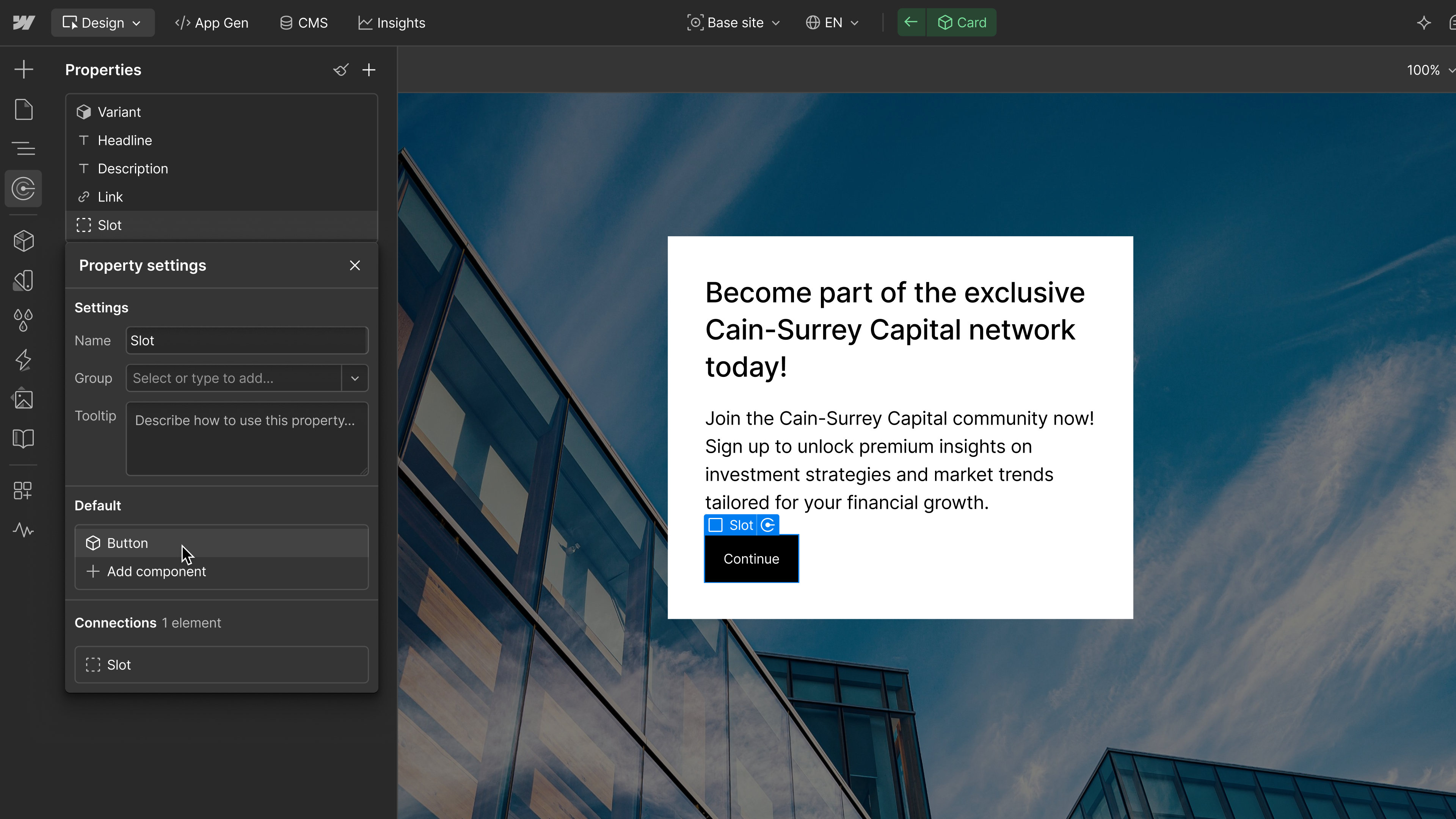
A component built for one layout will eventually get dropped into a layout it was never designed for. It's a common side effect, when a component library gets big and the person browsing doesn't have the design guidelines at their fingertips. This is especially true when an agency hands a site to a client who doesn't know how every component was meant to be used.
Component visibility controls and slot restrictions already shipped to help you set those guardrails up front. Visibility controls let you decide which components teammates with the Marketer role can see and use in build mode, so a marketer gets a curated set instead of the entire catalogue. Slot restrictions let you specify which components are allowed in a given slot, so a component that only belongs in one layout stays there. Marketers can still build with everything they need, because everything they can reach is something that works where they're putting it.
Default components for slots goes one step further by letting you set what a slot starts with. Today a reserved slot is empty on every new post, with no indication of what belongs there, so the same setup gets rebuilt from scratch each time. With a default in place, the right component is already sitting there, ready to build from.
These guardrails apply whether your team is working directly in Webflow or agentically through our MCP, so a page template holds up no matter who is making the edit.
Default components for slots will be available later this month.
Agentic Translation
For organizations serving a multinational or multilingual audience, localizing design and content is what gives customers in every market a first-class experience. We know how much work goes into keeping site structure aligned across locales, making every detail translatable, and adapting the experience to the tone and cultural nuances of each market.
Webflow Localize brought that work into a visual experience, so web teams no longer had to wrangle JSON files full of strings. Over the past few months, we’ve continued strengthening that foundation: keeping site structure in sync between primary and secondary locales, giving builders more control over how component properties and custom code blocks are translated, and making it possible to set tone and formality for each target language.
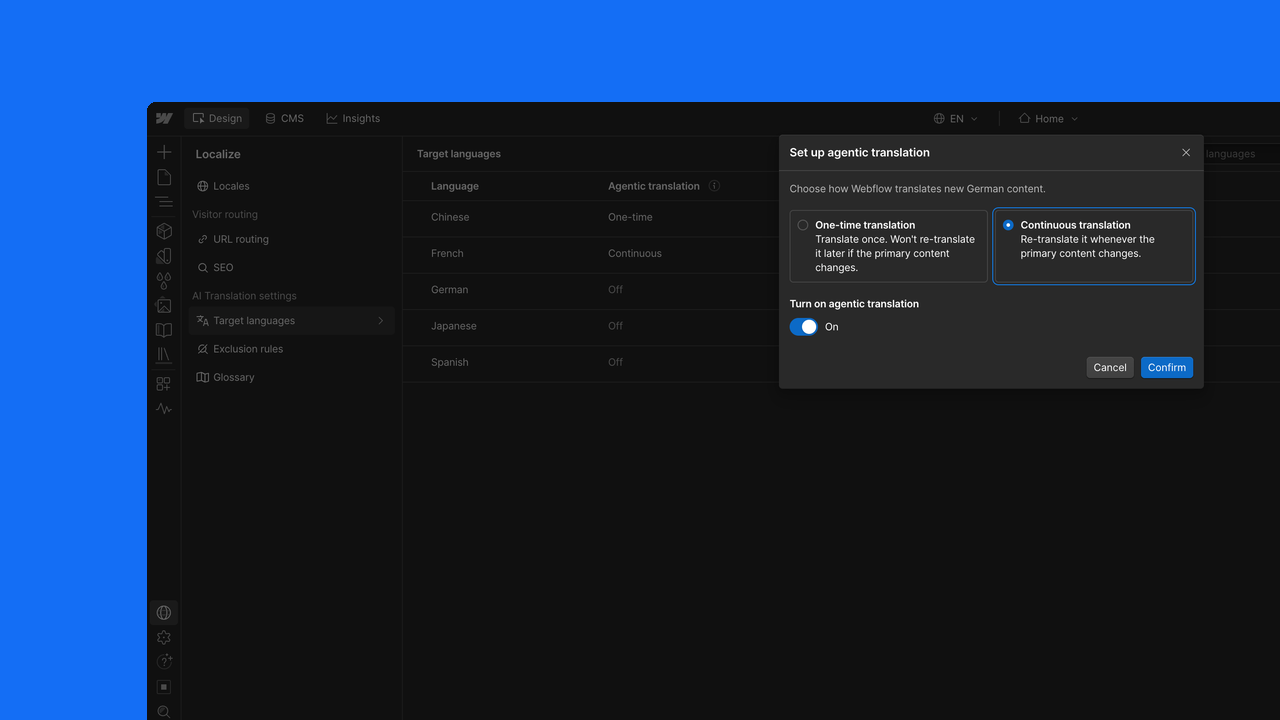
But translating content itself has still been a manual process, even with AI assistance on demand. We’ve heard from you that standing up a new locale can take months. Agentic Translation changes that. Once enabled, copy updates are automatically reflected in the correct language across your locales, in real time. Thousands of clicks become set-and-forget configuration, while teams that want tighter control can use the translations as a first pass and fine-tune from there. The result is a much faster path to launching in new markets without giving up control over the final experience.
Localize tone and formality, localized custom code, and component property controls are available to all customers now. Agentic Translation begins rolling out in the next few weeks.
Style props for components
Style props are coming to components. Change a color, change a size, and limit which options are available, so a component gives your team the right amount of creative control without opening up everything.
Coming later this year.
Performance
This year we invested heavily in performance across the Designer and published sites. The headline numbers:
In the Designer:
- Copying large elements is up to 98% faster.
- Pasting is 7.7 times faster.
- Loading the Designer, switching pages, locales, and CMS items, and typing are all more responsive.
On published sites:
- Site rendering is up to 43% faster.
- Publishing is up to 80% faster.
These improvements are the beginning of a longer line of investment in how Webflow performs, in the Designer and on the sites you publish. There's more on the way.
Live for all customers now.
More recent updates
Everything below shipped over the past few months and is available to all customers now.
- On-canvas spacing, a component canvas, and pan and zoom. Margin and padding show up on the canvas instead of only in the Style panel, components got a canvas of their own with variants side by side, and you can pan and zoom the page. The breakpoint canvas is built on all three.
- Component visibility controls and slot restrictions. Decide which components teammates with the Marketer role can see and use in build mode, and which components are allowed in a given slot. Default components for slots picks up where these leave off.
- Localize improvements. Tone and formality per target language, localized custom head and body code, and more control over how component properties translate in secondary locales. Agentic Translation is built on this foundation.
What's still on your list?
Nearly everything above started with a builder telling us what wasn't working. Tell us what else you want to see in the Webflow Community, and keep an eye on the updates feed for everything we release throughout the year.
For more of what's next, join us tomorrow for Day 2 of Webflow Conf, in Boston and online.
.jpg)