






Stay22
Connect Stay22 with Webflow to monetize travel content with affiliate accommodation maps and automated booking links.

Stay22 turns Webflow travel sites into affiliate revenue engines through embeddable map widgets, automatic link monetization scripts, and AI-based booking prompts. Readers can book hotels and vacation rentals from Booking.com, Expedia, VRBO, and other major OTAs (online travel agencies) directly from your destination guides, event pages, and blog posts—no manual link management required.
The integration is a strong fit for travel bloggers, destination publishers, and Webflow agencies building sites for travel clients. Event ticketing companies and tourism boards also benefit by adding accommodation options to venue pages and promoting regional destinations.
How to integrate Stay22 with Webflow
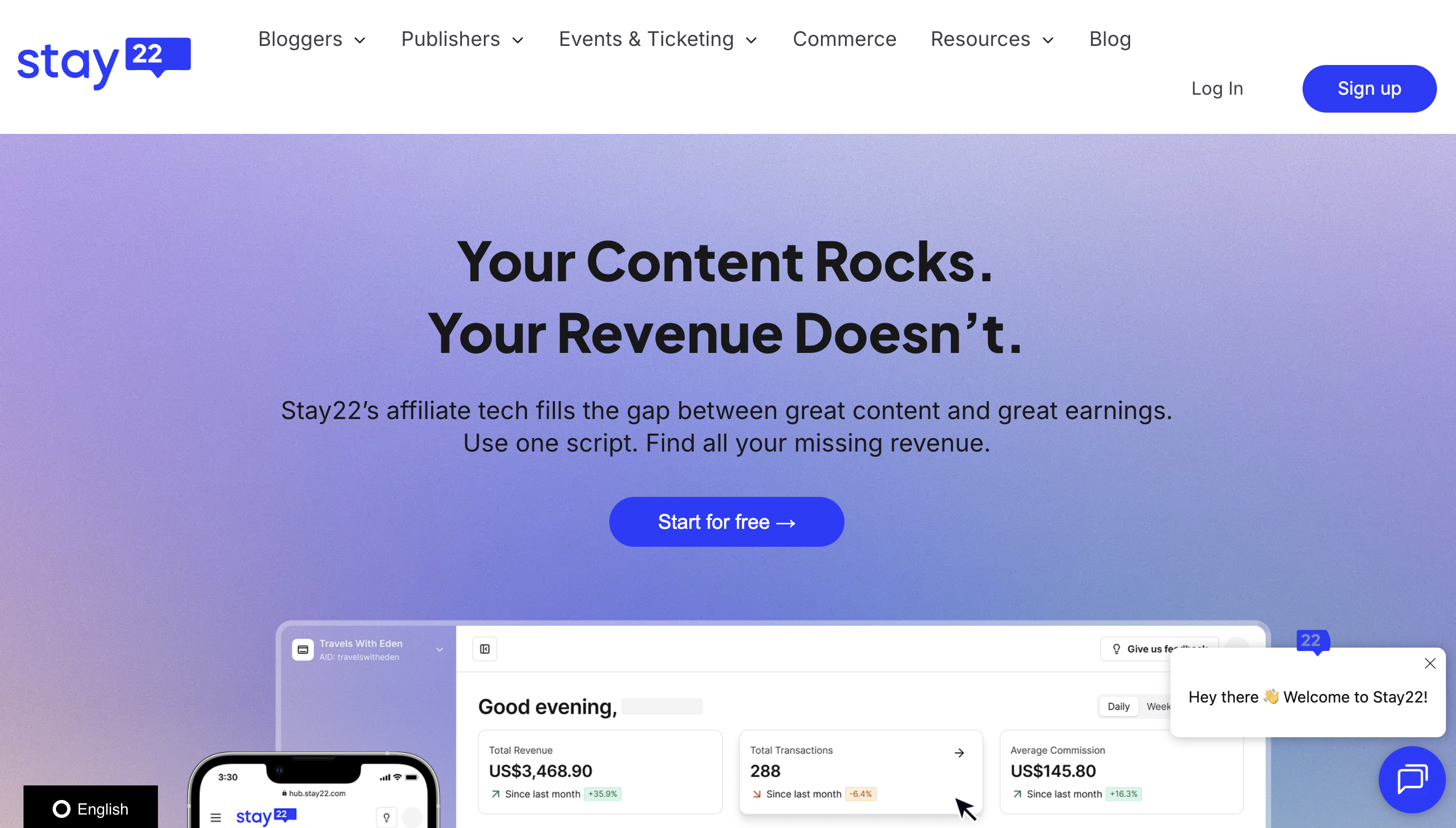
What is Stay22? Stay22 is a travel accommodation affiliate platform that lets content creators earn commissions when readers book hotels, vacation rentals, and activities through embedded widgets and links. The platform aggregates inventory from Booking.com, Expedia, Hotels.com, TripAdvisor, VRBO, KAYAK, GetYourGuide, Agoda, and Vebo. Stay22's AI engine, called Roam, automatically selects the highest-converting OTA based on visitor location, device, and destination.
Travel publishers and event organizers pair Stay22 with Webflow when they need accommodation booking options on CMS-driven destination pages, event listings, or blog archives. The combination works well for sites that publish location-specific content at scale, where manually creating and managing individual affiliate links per page is not practical.
The Stay22-Webflow integration supports 3 approaches:
- Stay22 map widgets via Code Embed elements let you place interactive accommodation maps at specific positions on any page.
- Stay22 scripts through site-level custom code install Let Me Allez, Nova, or Spark across your entire site with a single snippet.
- A middleware connection using Webflow and Stay22 data tools gives you programmatic control over CMS collection items and booking performance data, but requires server-side development.
Most implementations combine the map widget for specific destination pages with a site-wide script for automatic link monetization across the full content archive.
Embed Stay22 map widgets with Code Embed elements
Stay22's interactive map widget displays nearby accommodation options as an iframe you can place at any position on a Webflow page. The widget shows hotels and rentals on a visual map, with pricing, ratings, and booking links. You can configure it to show a map view, a list view, or a hybrid of both. This method works best for destination guides, event pages, and any content where readers need to see accommodation options near a specific location. A paid Webflow site plan is required to use Code Embed elements.

To embed a Stay22 map on a specific page:
- Log in to your Stay22 Hub at hub.stay22.com, go to Manage My Maps, create a new map, fill in your destination and dates, and generate your embed code.
- Copy the generated iframe code. Stay22 documentation also shows parameterized embed URLs for map setups, but the generated Hub embed is the most direct option when you want the exact code for a specific map.
- In Webflow, open the Add Elements (+) panel, search for "Embed," and drag a Code Embed element to the desired position on your page.
- Double-click the Code Embed element to open the code editor and paste your iframe code.
- Click Save & Close, then Publish your site. Validate the live result on the published site, not just in the canvas preview.
Once the embed is live, you can refine the widget further with URL parameters.
The map widget supports a range of URL parameters for customization, including:
aidsets your affiliate ID for trackinglatandlngset precise coordinates for the map center (preferred overaddress)viewmodecontrols the display:mapfor map only,listviewfor list only, orallfor hybridmaincolorchanges the widget's primary color using a hex value without the#symbolcampaigntags traffic for reporting in the Stay22 Hub dashboardhidefilters,hidesettings, andhidesharesimplify the interface by removing UI elementsljsoverrides the language (en,fr,es,de, and others)
For teams that want to build a parameterized embed URL directly, Stay22 documentation also shows /embed/map examples such as:
<iframe
  src="https://www.stay22.com/embed/map?aid=YOURID&lat=48.8566&lng=2.3522&viewmode=all&listviewexpand=true&campaign=paris-guide&maincolor=FF5733"
  width="100%"
  height="500"
  frameborder="0"
  title="Hotels Near Paris">
</iframe>
The minimum recommended size for the hybrid or list view is 350px wide by 400px tall. Any iframe narrower than 322px or shorter than 400px defaults to map-only mode regardless of viewmode settings. For responsive layouts, set the iframe to width="100%" with a fixed height, and verify the result at all Webflow breakpoints after publishing. The full parameter reference is available in Stay22's map customization guide.
Use CMS fields for dynamic map embeds
If your site has a Webflow CMS collection for destinations, events, or cities, you can generate a unique Stay22 map for each collection item automatically. This approach avoids hardcoding separate iframe URLs for every page. It requires the Webflow CMS plan or higher, since dynamic custom code embeds are not available on the Basic plan.
To set up dynamic maps on a Collection List template:
- Add CMS collection fields for
Venue Latitude(plain text or number),Venue Longitude(plain text or number), andStay22 Campaign ID(plain text). - On the collection template page, add a Code Embed element where you want the map to appear.
- Paste the following code, replacing
YOURIDwith your Stay22 affiliate ID and the field references with your actual Webflow CMS field names:
<div
  id="stay22-event-container"
  data-lat="{{Venue Latitude}}"
  data-lng="{{Venue Longitude}}"
  data-campaign="{{Stay22 Campaign ID}}">
</div>

<script>
  var el = document.getElementById('stay22-event-container');
  var lat = el.getAttribute('data-lat');
  var lng = el.getAttribute('data-lng');
  var campaign = el.getAttribute('data-campaign');
  var iframe = document.createElement('iframe');
  iframe.src = 'https://www.stay22.com/embed/map?aid=YOURID'
    + '&lat=' + lat
    + '&lng=' + lng
    + '&campaign=' + campaign;
  iframe.width = '100%';
  iframe.height = '500px';
  iframe.frameBorder = '0';
  el.appendChild(iframe);
</script>
This pattern reads CMS field values from data attributes and constructs the iframe URL client-side. The CMS plan supports up to 2,000 items, and the Business plan supports up to 10,000. Sites with destination or event counts above those limits need the Enterprise plan.
Add Allez affiliate links and static map images
Two additional Stay22 embed types work without Code Embed elements, and both function on all Webflow plan tiers including the free Starter plan.
Allez smart links are standard affiliate URLs that redirect visitors to the best-matching OTA based on location, language, and device. To add one, construct the link using your affiliate ID and destination coordinates, then set it as the href on any link element or button in Webflow:
https://www.stay22.com/allez/roam?aid=YOURID&lat=50.717541&lng=-1.875141&campaign=blog-post-name
For CMS-driven link generation, add a plain text or link field to your collection (for example, Allez Link URL) and populate it with the pre-constructed URL for each item. Bind that field to a link element's URL setting on the collection template. The full Allez parameter reference is in Stay22's deep links guide.
Static map images are <img> URLs that show a non-interactive map snapshot, useful for email newsletters or social media previews. Add a standard Image element in Webflow and set the source to:
https://static.stay22.com/embed/gm?aid=YOURID&lat=40.742612&lng=-73.987777&venue=New%20York
Static maps support width, height, and resolution parameters. More detail is available in Stay22's static map documentation. These lighter-weight options are useful when you need affiliate links or map visuals without placing an interactive iframe on the page.
Install Stay22 scripts through site-level custom code
Stay22 offers three JavaScript-based products that run site-wide from a single script installation: Let Me Allez (automatic link monetization), Nova (AI-driven booking prompts), and Spark (automatic affiliate hyperlink insertion into existing content). These scripts scan your published pages and add or convert affiliate links without manual editing of individual posts. This method works well for sites with large content archives where per-page map placement is impractical. All three scripts are generated per-account in the Stay22 Hub and are unique to your domain.
To install Let Me Allez site-wide:
- Log in to the Stay22 Hub, select Script Builder from the left menu, and click Create your first script.
- Select your domain. If your domain is not listed, add it under Settings then Company Information.
- Copy the generated
<script>tag. - In Webflow, open Site Settings, go to the Custom Code tab, and paste the script into the Footer Code section.
- Click Save Changes, then Publish your site.
The Let Me Allez script automatically finds and replaces existing OTA affiliate links across your entire site with Stay22-routed equivalents. If you have existing affiliate relationships you want to preserve, configure per-program opt-outs in the Stay22 Hub dashboard before deploying the script to production. The LMA setup guide covers script generation in more detail.
Nova and Spark follow the same installation pattern. Nova goes in the Head Code section. Spark goes in the Footer Code section. Each script is generated separately in the Hub and installed via Webflow's Site Settings → Custom Code.
One important limitation applies to all script-based products: custom code does not execute in the Webflow canvas preview. Scripts appear as placeholder text only. Verify that scripts are active by publishing to your staging URL (the .webflow.io subdomain) and checking the browser console with Chrome DevTools. Each custom code section supports up to 50,000 characters.
Add scripts to individual pages
If you want a Stay22 script on a single page instead of every page, use page-level custom code instead of site settings.
To add a script to one page:
- In Webflow, open the Pages panel and click the gear icon next to the target page.
- Scroll to the Custom Code section in Page Settings.
- Paste your Stay22 script into the Before
</body>tag field. - Click Save, then Publish.
This approach avoids loading Stay22 scripts on pages where they are not relevant, which can improve page load performance on non-travel content. It also gives you tighter control over where automatic monetization behavior appears.
Build with the Webflow and Stay22 APIs
For teams that need to sync Stay22 booking and performance data into Webflow CMS collections, a developer-built middleware layer connects the two platforms through their respective APIs. This approach is the most complex and requires server-side development. It is suited to publishers who want to display booking performance metrics, update CMS content based on affiliate data, or automate reporting workflows.
The available APIs include:
- The Stay22 Hub Data Reporting API provides pull-based access to clicks, bookings, and earnings data using a bearer token generated in the Hub dashboard.
- Webflow Data API handles CMS collection reads, item creation, updates, and publishing.
- Webflow webhooks trigger real-time events for CMS item changes and site publishes.
Together, these pieces support a polling-based sync architecture rather than a direct real-time connection.
Stay22 does not publish endpoint paths, response schemas, or a full REST API reference. The Hub Data Reporting API is token-authenticated and intended for connecting third-party analytics tools. Middleware is the only path for automated data sync.
Sync Stay22 data to Webflow CMS collections
A middleware service polls the Stay22 Hub Data Reporting API on a schedule, maps the response fields to Webflow CMS collection fields, and writes updates through the Webflow CMS API.
To implement this:
- In the Stay22 Hub, go to Settings, find the HUB DATA REPORTING API section under manage users, assign a token name, and click Generate. Copy the token immediately, as it is shown only once.
- Build a scheduled function that calls the Stay22 API with your bearer token and retrieves click and booking data.
- Map the returned data to your Webflow CMS collection fields, then push updates using
PATCH /v2/collections/{collection_id}/items/{item_id}/livewithcms:writescope on your Webflow API token.
This setup is best suited to reporting and content-enrichment workflows rather than on-page live booking updates.
Near-real-time sync is not achievable with this architecture, since Stay22 does not offer webhooks or push notifications. The polling interval you set determines data freshness.
What can you build with the Stay22 Webflow integration?
Integrating Stay22 with Webflow lets you earn affiliate revenue from accommodation bookings across your site without managing individual OTA affiliate accounts or editing links per page.
- Destination guide pages with embedded booking maps: Build a CMS-driven travel blog where each city or region page automatically displays a Stay22 map widget centered on the destination's coordinates. Readers browse hotels and rentals directly within the article and book through whichever OTA offers the best deal for their location.
- Event sites with venue-specific accommodation finders: Create event landing pages that show nearby hotels and vacation rentals around the venue, with pre-filled check-in and check-out dates matching the event schedule. Ticketing platforms and conference organizers add this as an attendee resource that also generates affiliate income.
- Site-wide automated link monetization for content archives: Install a single Let Me Allez script that converts every existing accommodation link across hundreds or thousands of published posts into Stay22 affiliate links. The entire archive starts generating commissions without any editorial changes.
- Multi-OTA affiliate diversification for travel publishers: Replace single-OTA affiliate setups with Stay22's aggregated inventory from Booking.com, Expedia, VRBO, and others. The Roam AI engine automatically routes each visitor to the OTA most likely to convert based on their location, destination, and device.
If you need more control over syncing booking performance data into CMS collections or building custom reporting dashboards, the API integration path covers those cases with full flexibility.
Frequently asked questions
No. Stay22 currently does not have an installable app in the Webflow Apps Marketplace.
Any paid Webflow site plan supports Stay22's iframe and script embeds. The free Starter plan does not support custom code or Code Embed elements. For CMS-driven dynamic maps that pull coordinates from collection items, you need the CMS plan or higher, since dynamic custom code embeds are not available on the Basic plan. The one exception is Stay22's static map image, which uses a standard Image element and works on all plans including Starter.
Partly. Webflow's Code Embed elements can show a basic canvas preview for iframe-based code, while
<script>tags show placeholder text only. For Stay22 specifically, you should still validate the final embed behavior, sizing, and tracking on the published or staging site before going live.Stay22 uses the
aidparameter in map iframe URLs to attribute clicks and bookings to your account. Thecampaignparameter segments traffic by page or placement, and campaign performance data appears in the Stay22 Hub dashboard. For Allez deep links, multiple campaign values are supported. For iframe-based embeds, note that third-party cookie restrictions in Safari and Firefox may degrade cross-session attribution. For more reliable tracking, use Allez deep links or the Let Me Allez script alongside map widgets.Delete the Stay22 script from your site settings or Custom Code section, then republish. All links revert to their previous state with no additional steps required.
Description
Embed Stay22 accommodation maps, affiliate links, and AI-driven booking scripts into Webflow sites through Code Embed elements and site-level custom code.
This integration page is provided for informational and convenience purposes only.

Elfsight Google Maps widget
Connect the Elfsight Google Maps widget with Webflow to display multiple locations, info cards, and directions on any page through a pasted embed snippet.
Related integrations
Get started for free
Try Webflow for as long as you like with our free Starter plan. Purchase a paid Site plan to publish, host, and unlock additional features.
