






Placeholder-bae
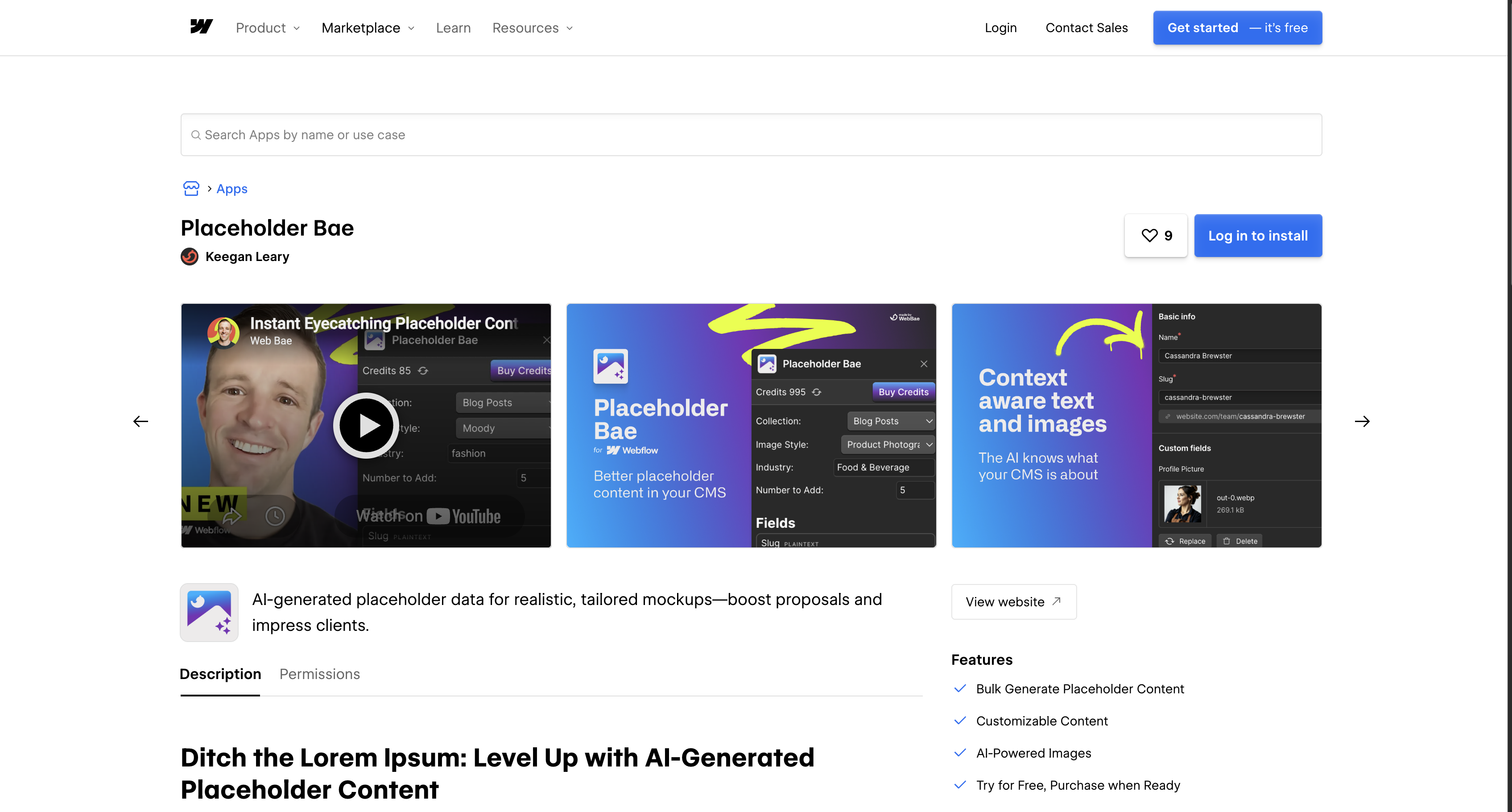
Connect Placeholder Bae with Webflow to fill entire CMS collections with AI-generated placeholder text and images while you design.

Every CMS-driven layout needs content before you can judge it. Lorem ipsum and stock photos can conceal unstyled rich-text elements until real content arrives, while also hiding spacing and line-break problems. Hand-typing dozens of fake items into the Webflow CMS slows the build, and the result still reads as filler in client reviews.
Placeholder Bae closes that gap by generating AI placeholder content directly inside Webflow. The app reads your collection structure. It then writes context-aware text and images into every supported field type in one operation. A blog collection gets rich-text posts with titles and matching images instead of repeated dummy strings.
Webflow developers and no-code builders of any experience level can all run it, since it requires no code. It tends to pay off most when you are building a client prototype on a deadline. Realistic mockups let clients react to the design instead of the filler.
How to integrate Placeholder-bae with Webflow
What is Placeholder-bae? Placeholder Bae is a native Webflow Marketplace app that generates AI placeholder content. Keegan Leary of Web Bae launched it in October 2024. It replaces lorem ipsum and generic stock imagery with content tailored to your project type and CMS field names. The app holds "Approved by Webflow" status on its Marketplace listing.
Placeholder Bae is a build-time tool. Teams use it while a site is still a prototype, then swap in real content before launch. The goal is a populated mockup generated in seconds instead of typed by hand. Generation also exposes unstyled rich-text elements before real content arrives.
Placeholder Bae connects to Webflow through its native Marketplace app. After generation, you can optionally manage the resulting CMS items with an independent Webflow Data API workflow:
- The Placeholder Bae app generates placeholder text and images for entire CMS collections inside Webflow, without writing code.
- The Webflow Data API independently lets you manage CMS items after Placeholder Bae generates them. That includes publishing or clearing them but requires server-side development.
Most teams need only the app. The optional API workflow matters for scripted cleanup and publishing; webhooks can also send notifications about generated content. The workflow cannot invoke Placeholder Bae or automatically identify its records.
Install the Placeholder Bae app
The Placeholder Bae app runs inside Webflow and bulk-populates CMS collections with AI-generated content. Installation takes a few clicks from the Marketplace. You need the Site manager or Designer role to install or uninstall apps on a site. The app provides the entire integration surface and installs without a Code Embed or external script.
To set up the integration:
- Open the Placeholder Bae listing in the Webflow Marketplace and click Add to site.
- Select the Workspaces and sites that should get the app, then click Authorize application.
- In Webflow, press
Eto open the Apps panel and launch Placeholder Bae. - In the app panel, follow the app's instructions to select a collection and run generation.
Once installed, the app can:
- Generate every supported CMS field type for a full collection in one operation, including text and images
- Detect what each field needs, so a name field gets a name and a description field gets a description
- Apply templates for e-commerce and SaaS projects or use the dedicated real estate template
- Choose from 40+ preset image styles, with images matched to the generated content
- Fill rich-text fields with callouts, links, bold, italics, and ordered and unordered lists
The app requests five permissions at install, including read and write CMS data. Review or revoke access from Workspace settings > Integrations > Authorized applications, as described in the Marketplace overview.
Optional: manage resulting CMS items with the Webflow Data API
Placeholder Bae publishes no public API, webhooks, or REST endpoints of its own. Its native Marketplace app is its only documented connection method. It runs as a hybrid app inside Webflow, and its declared permissions indicate it writes content through the Webflow Data API v2 and the Designer API. After generation, developers can independently call Webflow Data API endpoints against CMS items by placing the collection ID in each endpoint path. This workflow cannot invoke Placeholder Bae or inherently distinguish its records from other CMS items, so track generated item IDs or isolate generation to a known collection when reliable cleanup is required. It requires server-side development and bearer token authentication.
- The Data API CMS endpoints handle collections and collection items, including bulk operations
- Webhooks trigger real-time events for collection item creation and for later changes or deletion
All production endpoints use the base URL https://api.webflow.com/v2/. Use these endpoints for scripted cleanup and publishing; webhooks can also send notifications that the app panel doesn't cover.
Clean up or publish generated items
Placeholder content has to leave the CMS before launch. Staged items need publishing before they appear on the live site. The Data API covers both.
To manage generated items:
- Call
GET /v2/sites/{site_id}/collectionsto find your collection ID with the List Collections endpoint. - Call
GET /v2/collections/{collection_id}/itemsto list staged items, paginated at a maximum of 100 records per request. - Bulk-update up to 100 items with
PATCH /v2/collections/{collection_id}/items. Clear tracked placeholders with a bulk delete atDELETE /v2/collections/{collection_id}/items. - Push staged items live with
POST /v2/collections/{collection_id}/items/publishvia the publish endpoint.
Read operations require the cms:read scope and writes require cms:write; the scopes reference lists both.
React to new items with webhooks
The collection_item_created trigger fires when a new collection item is created. This path suits developers who already run a server endpoint they control. Register a site-level webhook, then inspect collectionId to log generation runs and notify your team. The webhook can also trigger downstream syncs. Because the collection ID does not identify which app created an item, use a known generation-only collection or separately tracked item IDs when attribution matters.
To set up the webhook:
- Register it with
POST /v2/sites/{site_id}/webhooksand the body{"triggerType": "collection_item_created", "url": "https://your-url.com"}using the Create Webhook endpoint. - Concatenate
x-webflow-timestamp + ":" + JSON.stringify(body), compute its HMAC-SHA256 with your client secret, and securely compare it with thex-webflow-signatureheader. Reject timestamps older than 5 minutes. - Return HTTP
200. Failed deliveries retry before the webhook deactivates.
Create webhooks through the API rather than the dashboard. Dashboard-created webhooks omit the request headers needed for signature validation, per the webhooks guide.
What can you build with the Placeholder Bae Webflow integration?
Integrating Placeholder Bae with Webflow lets you build high-fidelity CMS-driven mockups without hand-typing filler items or hunting for stock images.
- E-commerce store prototypes: Fill a product collection with realistic product details and matching imagery. Those details include names and descriptions. Demo a full store layout before inventory data exists.
- SaaS blog and marketing mockups: Generate rich-text posts with callouts, links, bold, italics, and lists. Every rich-text style in a blog template gets tested before real articles arrive.
- Real estate listing demos: Populate a listings collection using the app's real estate template. Present a working listings page in a client proposal.
- Multi-collection pitch prototypes: Populate collections one at a time. Start with team bios and case studies, then fill testimonials separately. Walk a prospect through a prototype with every collection filled.
If you need more control over cleaning up and publishing generated items, the independent API workflow covers those cases. It can also sync the items.
Frequently asked questions
Placeholder Bae requests five OAuth permissions at install. They cover read and write CMS data plus read access to site data and publishing. The rest cover Workspace resources and App subscriptions. They also provide information about authorized users. To revoke access, go to Workspace settings > Integrations > Authorized applications and click Revoke. The Marketplace overview documents that path. Revoking a Workspace-wide install removes authorization from every site in that Workspace.
Yes. Generated items sit in the CMS as content you can update or remove before you publish. Clear tracked items with the bulk delete endpoint at
DELETE /v2/collections/{collection_id}/items. That call, like the cleanup steps above, needs thecms:writescope.A collection schema supports a maximum of 60 fields. Free installs of Placeholder Bae cap each generation run at 10 items per request, per its Marketplace listing. Large collections therefore fill across several runs.
Only teammates with the Site manager or Designer role can install or uninstall apps. The site roles and permissions documentation covers both roles. If you have one of them, open the Placeholder Bae listing and click Add to site. Then authorize it for your Workspace.
Description
Field-aware generation writes text and images into every supported CMS field type from the Apps panel, including rich text. Industry templates cover e-commerce and SaaS projects, with another dedicated to real estate.
This integration page is provided for informational and convenience purposes only.

Ordinal
Connect Ordinal with Webflow to schedule CMS collection items and their social promotion from one calendar.

BlogSEO AI
Connect BlogSEO AI, an AI content platform that generates and publishes SEO articles, with Webflow to auto-publish keyword-targeted posts directly to the CMS.

Goaffpro Affiliate Marketing
Connect Goaffpro with Webflow to track affiliate sales, manage commissions, and build custom branded affiliate portals on your site.
Hypotenuse AI
Connect Hypotenuse AI to Webflow for one-click blog content export with automatic field mapping.
Krastie AI
Connect Krastie AI, an AI-powered content creation platform, with Webflow to transfer AI-generated content to your CMS through Make, Zapier, CSV imports, or custom API scripts.

Hipa.ai
Hipa.ai's Webflow app is still listed, but the vendor rebuilt hipa.ai as a different business. Here is how to check your site and what to run instead.

Octopus.do
Plan and approve your site architecture in Octopus.do before you build the first page in Webflow.

LandingRabbit
Draft landing pages in LandingRabbit from notes and decks, then create and publish them on your Webflow site with the Webflow MCP server.
Text Wizard AI
Connect Text Wizard AI by Modulify with Webflow to add AI-powered text processing capabilities directly in the Webflow Designer through a marketplace app.
Related integrations
Get started for free
Try Webflow for as long as you like with our free Starter plan. Purchase a paid Site plan to publish, host, and unlock additional features.
