






Webflow vs. Shopify
Webflow bietet Designer:innen die erste vollständig visuelle und vollständig anpassbare E-Commerce-Plattform – zu einem Viertel der Kosten von Shopify.
Vergleichen
Das Web ist der am stärksten gesättigte Marktplatz der Welt – sorgen Sie dafür, dass Ihr Online-Store mit Webflow heraussticht.
Design & Code
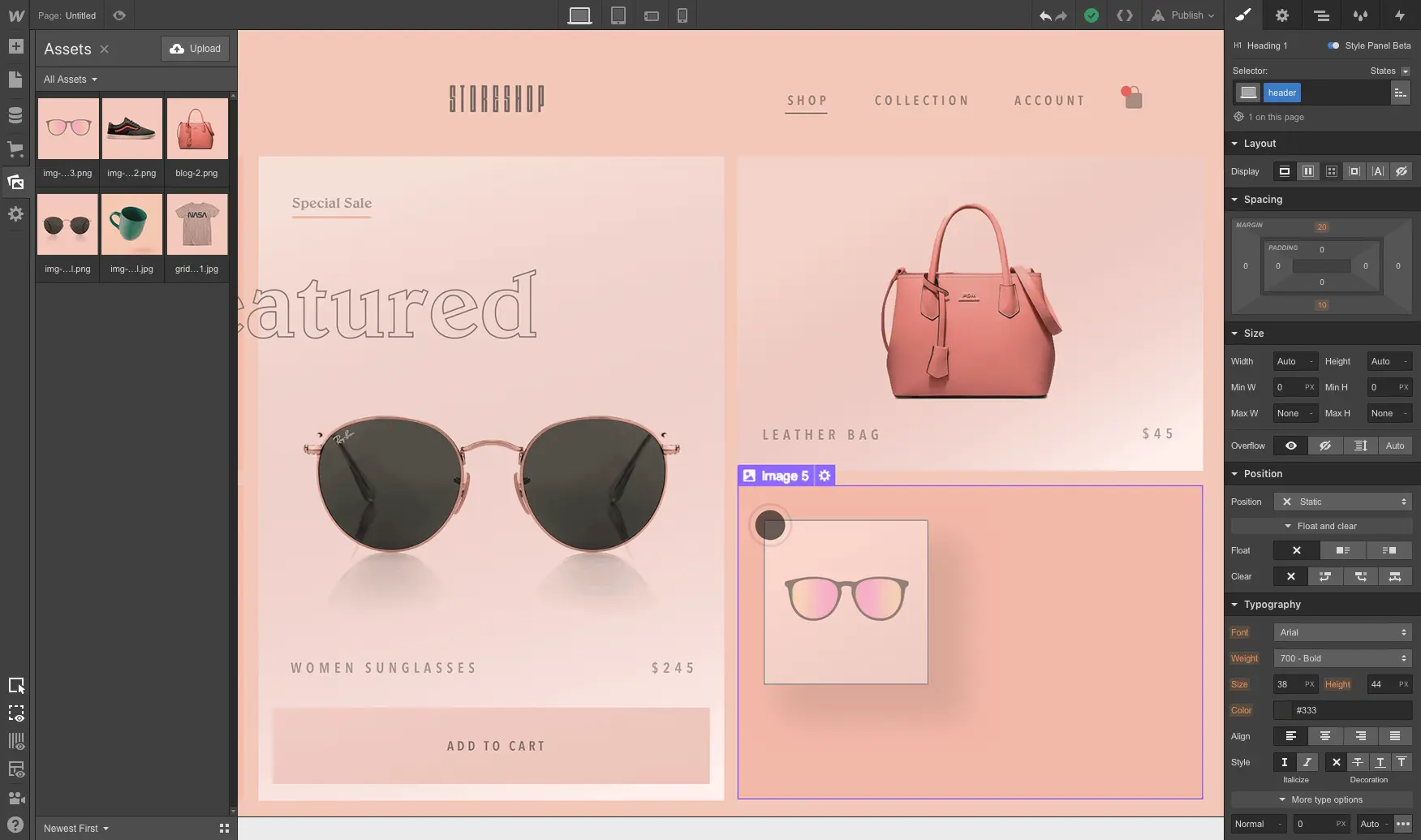
Ihren Storefront-Bereich erstellen
Design flexibility
Webflow provides complete design freedom, while Shopify offers well-designed but restrictive templates
Build custom sites, carts, and checkout experiences without template restrictions.
Shopify templates are beautiful, no doubt. As long as you’re okay with your store looking just like your competitor’s.
Code requirements
Neither platform requires code knowledge to start, but you need to work in the Liquid template language to customize Shopify sites
Build a bespoke store that embodies your brand — without even looking at code.
No coding necessary unless you want to customize your template. Hope you enjoy the Liquid templating system!
Interaction and animation tools
Build complex, rich animations with Webflow that bring your store to life
Visually author parallax scrolling effects, multi-step animations, and more.
Live with what’s built into the template, or add a dev to your already slim bottom-line.
Ease of use
With the constraints imposed by templates comes relative ease of use — until you need something custom
Webflow is a powerful visual development tool with a bit of a learning curve. But with Webflow University to support you, you’ll be up and running quickly.
Get started quickly and your site will look like it.
Templates
Both Webflow and Shopify offer 100+ free and premium templates
Build custom sites, carts, and checkout experiences without template restrictions.
Shopify templates are beautiful, no doubt. As long as you’re okay with your store looking just like your competitor’s.
Free plan
Explore Webflow for as long as you need to — you only need to pay when you’re ready to go live. Unlike Shopify, which gives you two weeks to get started.
You can use Webflow for free forever to build your store and publish on a webflow.io domain. Only pay when you want to go live and process orders.
Shopify gives you a 14-day trial window. Better hurry up.
SEO & Content-Marketing
Traffic für Ihren Store gewinnen
CMS & blogging
Use Webflow’s flexible, visual CMS to make content marketing a key — and completely custom — tool in your marketing arsenal
Use the same CMS that powers your store to build and publish blog posts, case studies, testimonials, and more.
Check the “we blog” tickbox. Make do with the content types and formats your template allows for.
SEO
Automate SEO with advanced technical features and lightning-fast page loads
Dynamically create SEO-friendly title tags, descriptions, H1 tags, and URLs from page and article titles. Enjoy auto sitemap generation on every publish and ranking boosts from fast-loading, clean code served over HTTPs
Supports best practices like customizable H1, title and meta tags, and SEO friendly urls.
Dynamic product and content integration
Seamlessly integrate products into your content with Webflow CMS
Dynamically reference your products in blog posts and content areas throughout your site.
You can always add a link and a photo. You know, the old-fashioned way.
Marketing integrations
Shopify provides plenty of integration options and an app store. With Webflow, you can integrate almost anything with just a few lines of custom code
Facebook, Instagram, Mailchimp and Google Analytics are just some of the powerful integrations you can easily add to Webflow.
Shopify features an extensive library of integrations
Das Kauferlebnis
E-Commerce-UX
Customizable checkout
Webflow lets you design fully customizable checkout experiences
Customize every detail of your checkout experience, without writing code, and add custom messaging as needed. We start with well-researched best practices, but every detail is yours to tweak.
Get the checkout you get. Each Shopify theme has a well-designed and thoroughly tested checkout experience. But what you get is what you get.
Customizable carts
Webflow lets you build beautifully customizable carts
Create clear, engaging cart experiences with robust positioning and animation options, plus full layout control within the cart.
Get the cart you get. Again, Shopify gives you the cart their experts designed. It’s great — but it is what it is.
Das Erlebnis für Store-Inhaber:innen
Management und Fulfillment
Store management tools
Webflow provides an intuitive site management dashboard, while Shopify offers extra dashboard features
Webflow has a client-friendly order management dashboard with simple tools.
Shopify has one dashboard to manage order fulfillment, unified inventory, shipping, payments, and analytics.
Order management
Easy order management from both platforms
Immediately see open orders as soon as you log in, add and edit items right on the product page, and add teammates to help with site management.
Shopify has worked hard to make fulfillment a breeze, and it shows.
Transactional emails
Webflow provides additional design control for automated transactional emails sent to your customers
Easily create and style all the automated emails online shoppers expect, right inside the Designer.
Tweak the visual design and copy of your automatic email templates.
Payment options
Shopify supports a wider array of payment options, though Webflow accepts payments from 200+ countries through Stripe, PayPal, Apple Pay and Google Pay.
Accept payments through credit card, PayPal, Apple Pay and Google Pay. You can accept payments from 200+ countries across the globe, and open a store in 119.
Shopify connects with a range of payment processors, and offers Shopify Payments in certain countries.
Shipping fulfillment
Webflow offers basic shipping tools, while Shopify provides advanced shipping abilities
Easily configure manual shipping rules and set custom rates, so you can ship around the world.
Shopify provides automated shipping calculations and the ability to print shipping labels, which requires manual integrations in Webflow.
Design
Gestalten und entwickeln Sie Ihren Store von Grund auf – ohne auch nur eine Zeile Code zu schreiben.

Mit den neuesten Layout-Technologien gestalten
Nutzen Sie CSS Grid oder Flexbox – oder beides –, um moderne Layouts zu erstellen und diese für jeden Breakpoint anzupassen.

Übernehmen Sie die Kontrolle über Ihre Typografie
Verwenden Sie beliebige Schriftarten, passen Sie jedes Detail von Zeilenhöhe bis Schreibrichtung an und nutzen Sie jede Einheit – von em bis vw.

Responsive gestalten
Zeigen Sie Ihr Design mühelos in der Vorschau an und optimieren Sie es für jeden Breakpoint – und nutzen Sie relative Einheiten für ein harmonisches Reflow-Verhalten.

Mehr Farbe ins Spiel bringen
Speichern Sie Ihre Markenpalette als globale Farbfelder, schichten Sie Hintergrundbilder, Verläufe und Overlays und fügen Sie bei Bedarf CSS-Filter hinzu.

Erweiterte Interaktions- und Animationstools
Erwecken Sie Ihre Website mit fesselnden Animationen und vertrauensbildenden Mikrointeraktionen zum Leben – ausgelöst durch Seitenaufruf, Scrollen, Mausbewegungen und Klicks.

Flexibles Produkt-CMS
Was Menschen überWebflow Ecommerce sagen

“Ecommerce is coming to @webflow, and it's superb. The way you can customize everything like you already do in Webflow, it surpasses everything.”

„Um zu beginnen, möchte ich sagen, dass ich die Einfachheit des Stylings, der Kontrolle und des Zugriffs auf die Struktur des Warenkorbs liebe! Die Optionen im Einstellungsbereich für den Warenkorb sind so schnell, um die Positionierung des Warenkorbs zu erreichen. Elegant!“

„Ich habe in weniger als 2 Stunden vom Photoshop-Design zur Website gewechselt.“



















Jetzt kostenlos loslegen
Try Webflow for as long as you like with our free Starter plan. Purchase a paid Site plan to publish, host, and unlock additional features.
Try Webflow for as long as you like with our free Starter plan. Purchase a paid Site plan to publish, host, and unlock additional features.