










A good ecommerce site builder makes the first sale possible, and the next thousand easier to manage.
Online shopping accounts for 20.5% of all commerce in the United States, and that number is only growing. Retailers without an online presence are missing out on a significant portion of the market, but ecommerce platforms that are difficult to navigate or poorly optimized can break consumer trust and decrease the likelihood you’ll make those sales.
Wix and Shopify are two popular platforms for selling online. Wix is a drag-and-drop website builder that lets you design and add ecommerce features. Shopify is a dedicated platform for selling products, managing orders, and running an online store, whether you’re an indie artist or a major retailer.
This guide compares Wix and Shopify so you can understand where each platform fits in the ecommerce ecosystem, where they fall short, and how to choose the right option for your business.
7 key differences between Wix and Shopify
Wix and Shopify approach ecommerce from different starting points. Here are seven key differences to help you decide which platform is best for you.
1. Ease of use
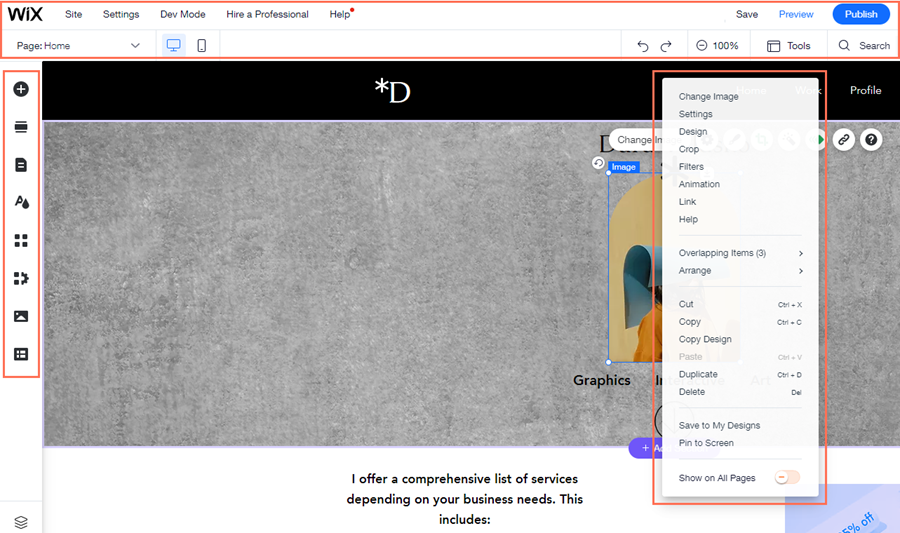
Wix’s visual drag-and-drop editor is intuitive for new users. For those who are intimidated by trying to design a beautiful site from scratch, Wix offers templates and personalizable AI-generated pages. Compared to Shopify, the platform is more visually oriented and gives users more control over the page-building experience. But Wix’s design-first mentality means that it can feel more like building a website around your store than working on the store itself.
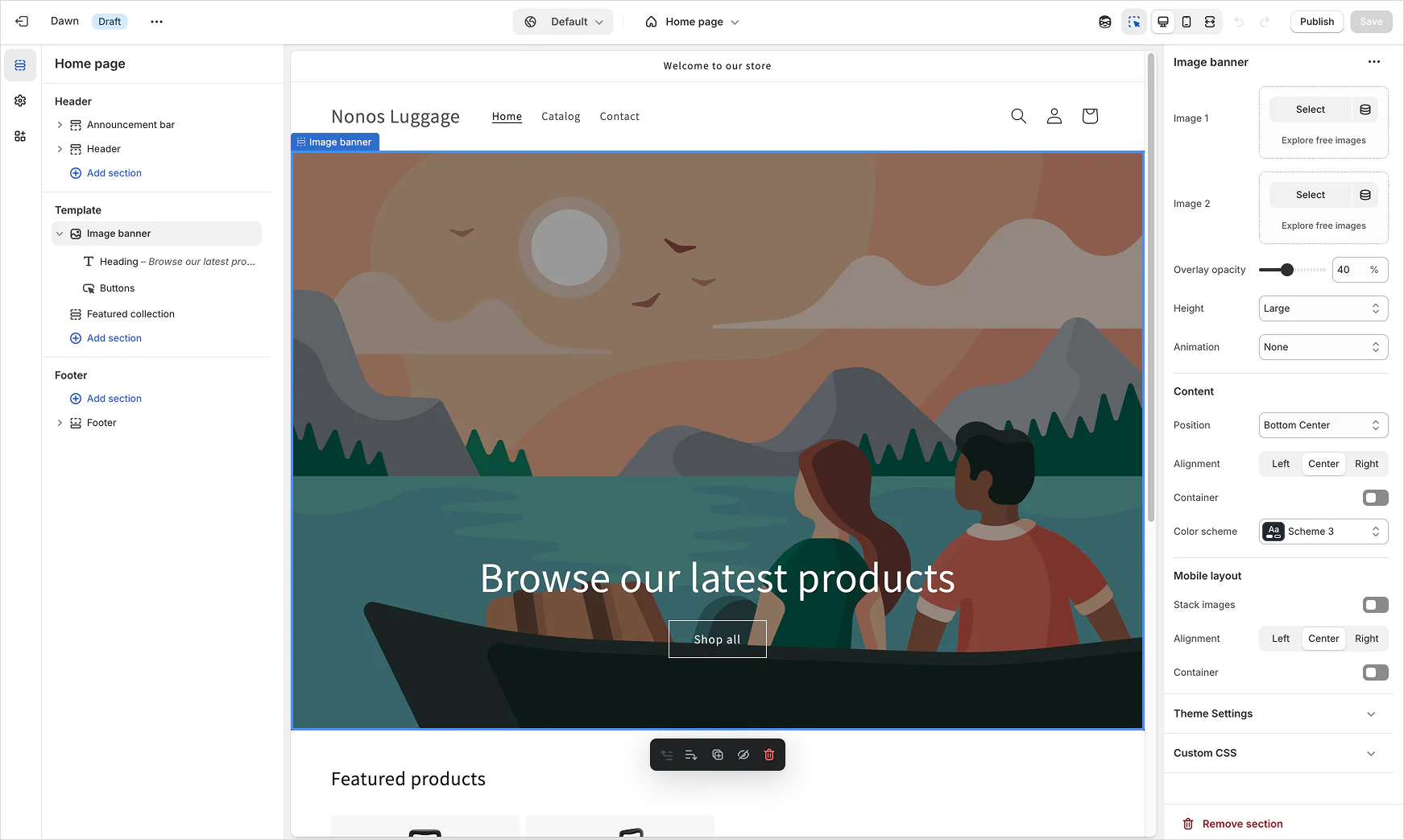
Shopify has a structured back end for ecommerce-specific workflows. Instead of giving you total control over every page, Shopify guides you toward the core tasks of running an online store, including:
- Product listings
- Inventory management
- Order processing
- Payment setup
- Fulfillment
Shopify’s site builder may have fewer options for creating non-commerce pages than Wix, but its dedicated ecommerce feature set makes running your storefront much simpler.
2. Pricing
Wix’s pricing plans follow a tiered model. You can start with a free plan, but ecommerce features are only available on a paid Core plan ($29 per month) or higher.
If you need a business website first and don’t plan on immediately launching a storefront, or if you only plan to sell a small number of products or services, this platform might be an appealing option. Just be aware that the monthly plan is only part of the cost, and you’ll need to account for add-ons your store might need later, like:
- Apps and paid third-party integrations
- Storage
- Collaborator seats
- Domain renewal
For storefronts in select regions, Wix also offers Wix Payments, a point-of-sale system native to the platform. If you also have a brick-and-mortar storefront, Wix sells hardware for its POS that keeps all your income available from your Wix dashboard.
Shopify pricing is built around ecommerce, so all of the plans it offers are storefront-ready. There is a three-day free trial, but Shopify doesn’t otherwise offer free tiers like Wix; the lowest cost starts at $29 per month for a Basic plan, which doesn’t include any additional seats for team members and has the highest credit card processing fees at 2.9% plus a flat 30 cents. Like Wix, you’ll also need to compare Shopify plans alongside payment rates, processing fees, and possible third-party transaction costs.
Whether you’re looking at Wix or Shopify’s pricing, keep in mind that a platform that looks more expensive up front may not become the most expensive long-term. If it saves time on store operations or offers more capable tools as order volume increases, it may pay for itself.
3. Ecommerce features
Despite being a general website builder, Wix still covers the essential features small stores need to start selling products. You can:
- Create product pages
- Accept payments
- Manage orders
- Set shipping rules
- Track inventory
- Use built-in marketing tools
Wix offers enough functionality for start-ups and small businesses to launch and run online stores without adding unnecessary complexity. If you also need to build your brand identity and visibility online, Wix’s supporting pages for SEO and brand building tools can help get your page in front of potential customers.
Shopify has more in-depth sales tools for ecommerce operations. It offers everything Wix does, and provides customer data and sales channels (like social media) from a commerce-focused back end. It helps you launch an online store and manage the entire sales cycle for each product.
4. Design flexibility
As a web design tool, Wix’s page builder offers plenty of control over your site’s appearance and structure. You can design pages from scratch or start from a template through the visual builder or light HTML coding. If you want a heavily branded site with custom-looking pages, visually strong sections, and a smaller store experience, but don’t have much web development knowledge, Wix is easier to start using than Shopify.
Shopify’s design system takes a backseat to its ecommerce functions. You’ll choose from a list of free and paid Shopify themes, customize them in the editor, and build a storefront. It’s not very flexible as a designer, but it works better on sites that already have ecommerce-specific interactions, like product browsing and checkout. If getting merchandise into customers’ hands is your priority, you may find Shopify’s conversion-oriented designs more useful than total creative freedom.

Your brand is unique. Your store should be too.
Shape your customer's experience every step of the way, and build a modern ecommerce website — all without writing a single line of code.
5. Hosting
Both platforms include hosting, so you don’t need to manage a separate hosting provider for your online store, which can cut costs and potential complications significantly.
Wix includes hosting, SSL certificates, and security features as part of its platform. Like the visual editor, the technical setup stays relatively straightforward for beginners.
Shopify also has secure hosting for online stores, with SSL/TLS support and commerce-specific infrastructure.
6. Dropshipping
Wix supports dropshipping through integrations like Modalyst and Spocket. These add-ons work well if you’re testing a product line or adding dropshipped products to a larger website. Before choosing a Wix app for dropshipping, check whether it supports suppliers and fulfillment in your region.
Shopify is the better choice for dedicated dropshipping businesses because of its broader range of app and supplier marketplace options. It has a library of tools for product sourcing, order management, and fulfillment, which you can run through the platform’s dedicated commerce back end.
Wix is ideal if dropshipping is an extension of your website, but if it's your main business, Shopify gives you more room to build around that model.
7. Support
Wix has a self-service knowledge base with help articles for:
- Website building
- Domains
- Billing
- Ecommerce setup
- Business tools
- Account management
You can also reach out to the customer support team through 24/7 chat and email, as well as over the phone in 10 languages, but the callback hours vary by language, not region.
Shopify’s self-service resources are more ecommerce-specific than Wix’s. Its Help Center covers:
- Store setup
- Products
- Checkout
- Shipping
- Fulfillment
- Domains
- Payments
- Apps
- Themes
- Account management
Most of Shopify’s support comes through these guides and the Shopify community forums. Getting in touch with customer support via email or phone is possible, but much more difficult, and the numbers you’ll have to call vary depending on your concern. Still, if you’re subscribed to a Basic plan or higher, you’re entitled to up to 60 minutes of small-scale web design support in 15-minute increments.
Wix or Shopify: Benefits and limitations of each platform
While Wix and Shopify will both help you build an online store, what each platform makes easier and where they start to feel limited as your business grows differ.
Pros of using Wix
- Support for secondary pages. Wix is an excellent option if you want supporting pages for your site that explain your brand, products, or services in addition to a storefront. It’s a great WordPress alternative if you want hosted site-building tools instead of managing the technical aspects yourself.
- Offers plenty of design freedom and control. The visual editor and AI features help you build pages without relying on custom development. Wix also offers a small, in-house content management system (CMS) for businesses who haven’t yet invested in one independently.
- Works well for small businesses. Wix is capable enough to handle smaller product catalogs, digital products, and appointment-based services.
Cons of using Wix
- Restrictive for complex ecommerce. Wix works well for smaller stores, but you’ll quickly outgrow its ecommerce functionality if you have advanced fulfillment needs or a larger product catalog.
- Complex redesigns after launch. Once you choose a Wix template and build your site, you can’t switch to a new template without rebuilding parts of the layout, making major redesigns time-consuming.
- Costs are likely to grow. The cost of increasing storage limits, the number of collaborators, and tools depends on your plan, so the starting figure may not reflect long-term prices. Third-party add-ons and integrations may also have separate fees.
Pros of using Shopify
- Built for ecommerce operations. Shopify helps you manage the entire sales cycle — including what happens after orders go live, like inventory management, fulfillment, and customer data collection.
- Gives growing stores room to scale. You’ll receive long-term support from Shopify’s setup if you have a complex business structure, like multiple sales channels or a dropshipping model with a growing product catalog. You can also use Shopify Plus for automation or B2B capabilities.
- Conversion-oriented. Product discovery, checkout, payments, and order management are part of Shopify’s base functionality, not add-on features on top of a general website builder.
Cons of using Shopify
- Not as much customization. Shopify’s design system is built around ecommerce functionality, so highly custom page layouts require more theme adjustments.
- Costs can stack up. Beyond the monthly subscription plan, you may need to pay for premium themes, third-party integrations, and fees on every credit card transaction.
- Some payment options depend on eligibility. Shopify Payments simplifies checkout setup, but availability depends on your country and business type.
Why Webflow is a strong alternative to Wix and Shopify
Shopify may be great for ecommerce-first businesses, and Wix makes more sense if you need a flexible website with a smaller store attached. However, Webflow sits between those needs to support a broader audience.
Webflow gives you more control over visitors’ entire web experience, from storefront design to content management and search performance. You can visually build your site like with Wix, but without the limitations of standard templates or rigid page structures.
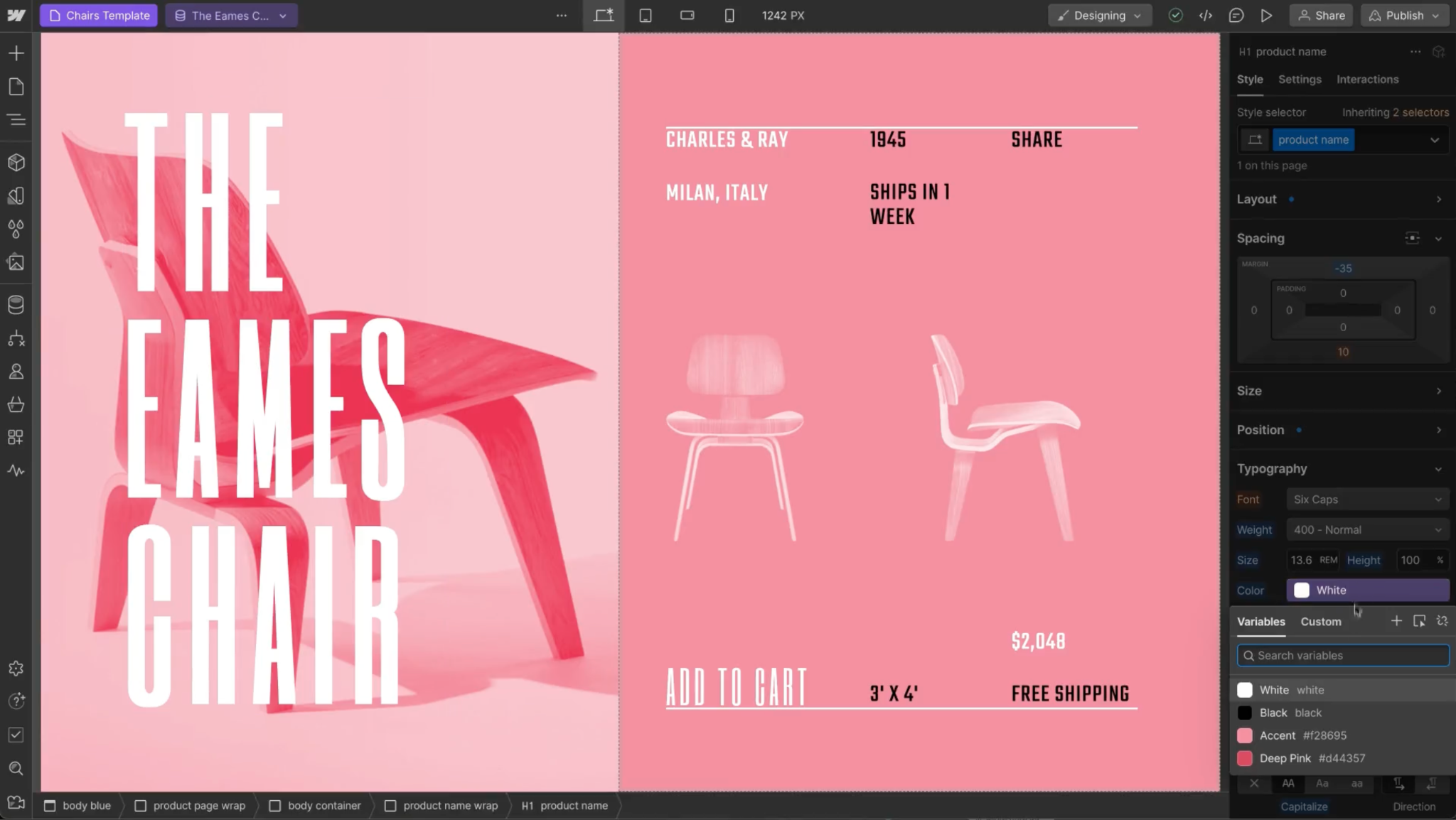
Webflow also provides a CMS foundation for scaling content around ecommerce. Instead of treating your store and marketing site as separate experiences, you can manage content, ecommerce functionality, and back-end optimizations in one connected platform. Other kinds of pages that Webflow supports, like buying guides, comparisons, and editorial content, can improve your SEO strategy and total visibility to help customers make buying decisions.
If your organization relies on web content to drive sales, you don’t have to choose between a basic site builder and traditional ecommerce platform. Webflow includes the tools you’ll need to make the most of your site.
Build scalable ecommerce experiences with Webflow
Selecting a platform doesn’t end after checkout. As your business grows, your site will need to support search visibility and include campaign pages, so prospective shoppers can find your page and convert.
You can build your shop with the entire customer journey in mind using Webflow. As an agentic web marketing platform, Webflow has the tools for creating custom site experiences with full-blown ecommerce functionality. That means you can design freely, starting from scratch with Webflow Ecommerce, or exploring ecommerce website templates to scale faster. Webflow’s CMS helps you create content-rich shopping experiences while controlling how your site appears online and in search results from day one.
Design your ecommerce storefront in Webflow today.
Build websites that get results.
Build visually, publish instantly, and scale safely and quickly. All with Webflow's agentic web marketing platform.


















